light CADILLAC XLR 2005 1.G Repair Manual
[x] Cancel search | Manufacturer: CADILLAC, Model Year: 2005, Model line: XLR, Model: CADILLAC XLR 2005 1.GPages: 438, PDF Size: 3.69 MB
Page 200 of 438
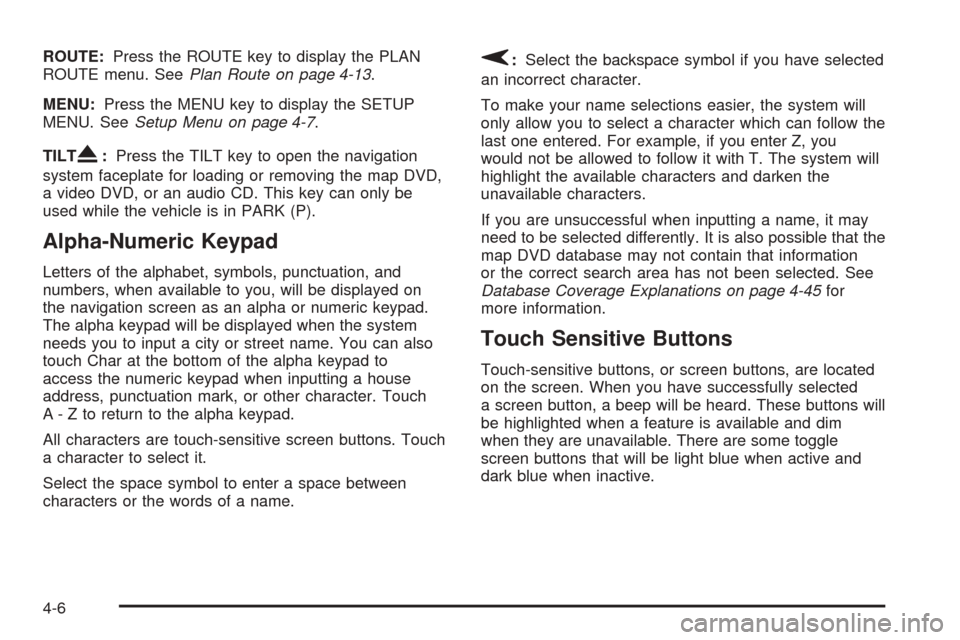
ROUTE:Press the ROUTE key to display the PLAN
ROUTE menu. SeePlan Route on page 4-13.
MENU:Press the MENU key to display the SETUP
MENU. SeeSetup Menu on page 4-7.
TILT
X:Press the TILT key to open the navigation
system faceplate for loading or removing the map DVD,
a video DVD, or an audio CD. This key can only be
used while the vehicle is in PARK (P).
Alpha-Numeric Keypad
Letters of the alphabet, symbols, punctuation, and
numbers, when available to you, will be displayed on
the navigation screen as an alpha or numeric keypad.
The alpha keypad will be displayed when the system
needs you to input a city or street name. You can also
touch Char at the bottom of the alpha keypad to
access the numeric keypad when inputting a house
address, punctuation mark, or other character. Touch
A - Z to return to the alpha keypad.
All characters are touch-sensitive screen buttons. Touch
a character to select it.
Select the space symbol to enter a space between
characters or the words of a name.
V:Select the backspace symbol if you have selected
an incorrect character.
To make your name selections easier, the system will
only allow you to select a character which can follow the
last one entered. For example, if you enter Z, you
would not be allowed to follow it with T. The system will
highlight the available characters and darken the
unavailable characters.
If you are unsuccessful when inputting a name, it may
need to be selected differently. It is also possible that the
map DVD database may not contain that information
or the correct search area has not been selected. See
Database Coverage Explanations on page 4-45for
more information.
Touch Sensitive Buttons
Touch-sensitive buttons, or screen buttons, are located
on the screen. When you have successfully selected
a screen button, a beep will be heard. These buttons will
be highlighted when a feature is available and dim
when they are unavailable. There are some toggle
screen buttons that will be light blue when active and
dark blue when inactive.
4-6
Page 205 of 438
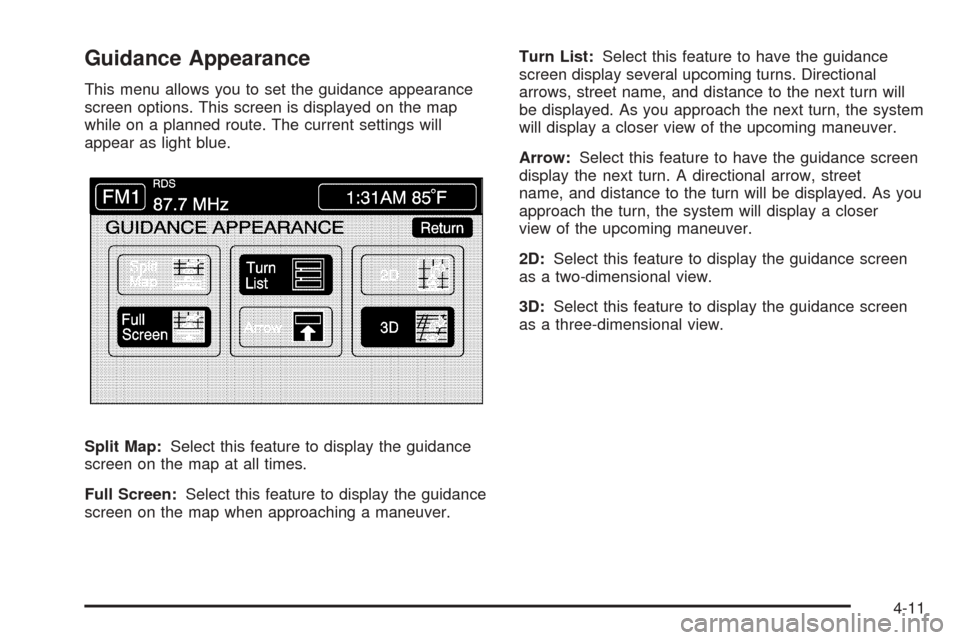
Guidance Appearance
This menu allows you to set the guidance appearance
screen options. This screen is displayed on the map
while on a planned route. The current settings will
appear as light blue.
Split Map:Select this feature to display the guidance
screen on the map at all times.
Full Screen:Select this feature to display the guidance
screen on the map when approaching a maneuver.Turn List:Select this feature to have the guidance
screen display several upcoming turns. Directional
arrows, street name, and distance to the next turn will
be displayed. As you approach the next turn, the system
will display a closer view of the upcoming maneuver.
Arrow:Select this feature to have the guidance screen
display the next turn. A directional arrow, street
name, and distance to the turn will be displayed. As you
approach the turn, the system will display a closer
view of the upcoming maneuver.
2D:Select this feature to display the guidance screen
as a two-dimensional view.
3D:Select this feature to display the guidance screen
as a three-dimensional view.
4-11
Page 206 of 438
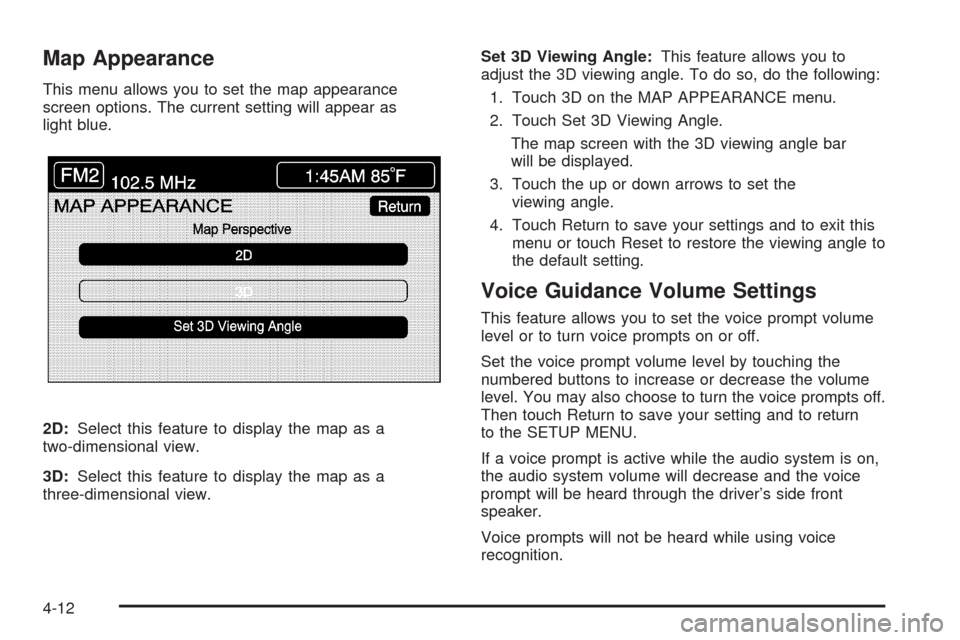
Map Appearance
This menu allows you to set the map appearance
screen options. The current setting will appear as
light blue.
2D:Select this feature to display the map as a
two-dimensional view.
3D:Select this feature to display the map as a
three-dimensional view.Set 3D Viewing Angle:This feature allows you to
adjust the 3D viewing angle. To do so, do the following:
1. Touch 3D on the MAP APPEARANCE menu.
2. Touch Set 3D Viewing Angle.
The map screen with the 3D viewing angle bar
will be displayed.
3. Touch the up or down arrows to set the
viewing angle.
4. Touch Return to save your settings and to exit this
menu or touch Reset to restore the viewing angle to
the default setting.
Voice Guidance Volume Settings
This feature allows you to set the voice prompt volume
level or to turn voice prompts on or off.
Set the voice prompt volume level by touching the
numbered buttons to increase or decrease the volume
level. You may also choose to turn the voice prompts off.
Then touch Return to save your setting and to return
to the SETUP MENU.
If a voice prompt is active while the audio system is on,
the audio system volume will decrease and the voice
prompt will be heard through the driver’s side front
speaker.
Voice prompts will not be heard while using voice
recognition.
4-12
Page 209 of 438
Name Editing of a Memory Point
To modify the name of a stored memory point, do the
following:
1. Select the category of the memory point.
2. Select the item you want to edit.
3. Touch the NAME screen button and use the alpha
keypad to edit the name. Names may contain up to
15 alpha and/or numeric characters.
4. Touch Return to go to the previous screen.
Moving Memory Points
To move a memory point from one category to another,
do the following:
1. Select the category of the memory point.
2. Select the memory point you want to edit.
3. Touch CATEGORY. A list of categories will appear.
The current category for the item will be highlighted
and cannot be selected.
4. Touch the screen button for the category you want
the memory point placed in. A pop-up window will
appear displaying the change in category.
5. Touch Return to go back to the previous screen.
Adjusting a Memory Point
To relocate a memory point’s location, do the following:
1. Select the category of the memory point.
2. Select the memory point you want to edit.
3. Touch POSITION. A map screen with the position
of this memory point will appear.
4. Touch anywhere on the screen to activate the scroll
feature and relocate the memory point. SeeMaps
on page 4-33.
5. Touch Enter to save the memory point’s new
location.
6. Touch Return to go back to the previous screen.
Changing the Phone Number of a
Memory Point
To edit or add the phone number of a memory point, do
the following:
1. Select the category of the memory point.
2. Select the memory point you want to edit.
3. Touch PHONE and use the numeric keypad to edit
or add the number.
4. Touch the RETURN button to take you back to the
previous screen when you have nished.
4-15
Page 216 of 438

To enter a destination, choose from one of the
destination entry methods following in this section.
After entering a destination, If available, the system will
display up to three routes in a pop-up window
indicating the total mileage and time to destination for
each route. Select a route by touching NEXT. The map
will display each route in a different color. The selected
route will be highlighted in red.
To start route guidance, touch Start or begin driving
your vehicle. Route guidance will automatically begin
after a short distance.
If you touch CHG ROUTE before touching Start, you will
be able to change route preferences. SeeRoute
Preference on page 4-31for more information.
When a route has been planned, it will be highlighted
and a bulls-eye symbol will appear on the map to show
your nal destination.
If you wish to cancel a route that has been set, see
“Cancel Route” underRoute Preference on page 4-31.Easy Planning Route
With this destination entry method, you can select a
destination using the scroll symbol on the map screen.
SeeMaps on page 4-33.
To use this destination entry method, do the following:
1. Press the MAP key.
2. Touch the map screen twice for the scroll symbol to
appear. Touch the map or drag the scroll symbol
toward your destination.
4-22
Page 229 of 438
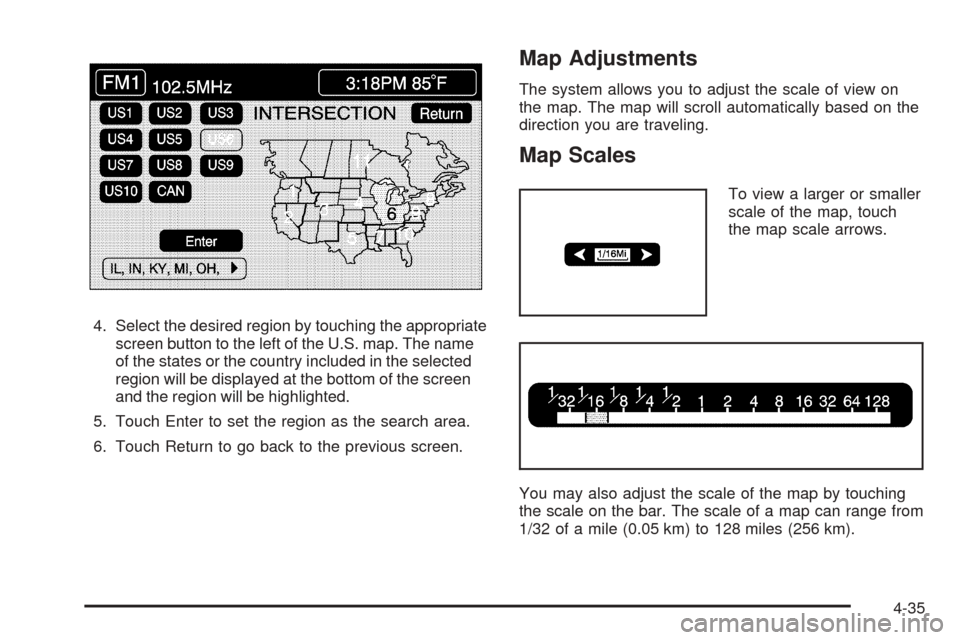
4. Select the desired region by touching the appropriate
screen button to the left of the U.S. map. The name
of the states or the country included in the selected
region will be displayed at the bottom of the screen
and the region will be highlighted.
5. Touch Enter to set the region as the search area.
6. Touch Return to go back to the previous screen.
Map Adjustments
The system allows you to adjust the scale of view on
the map. The map will scroll automatically based on the
direction you are traveling.
Map Scales
To view a larger or smaller
scale of the map, touch
the map scale arrows.
You may also adjust the scale of the map by touching
the scale on the bar. The scale of a map can range from
1/32 of a mile (0.05 km) to 128 miles (256 km).
4-35
Page 235 of 438
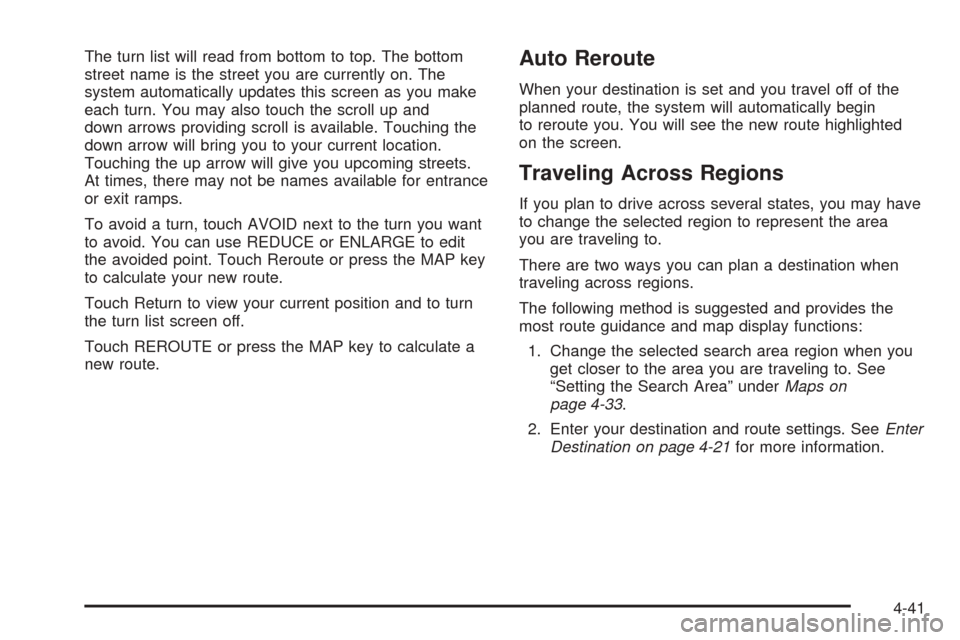
The turn list will read from bottom to top. The bottom
street name is the street you are currently on. The
system automatically updates this screen as you make
each turn. You may also touch the scroll up and
down arrows providing scroll is available. Touching the
down arrow will bring you to your current location.
Touching the up arrow will give you upcoming streets.
At times, there may not be names available for entrance
or exit ramps.
To avoid a turn, touch AVOID next to the turn you want
to avoid. You can use REDUCE or ENLARGE to edit
the avoided point. Touch Reroute or press the MAP key
to calculate your new route.
Touch Return to view your current position and to turn
the turn list screen off.
Touch REROUTE or press the MAP key to calculate a
new route.Auto Reroute
When your destination is set and you travel off of the
planned route, the system will automatically begin
to reroute you. You will see the new route highlighted
on the screen.
Traveling Across Regions
If you plan to drive across several states, you may have
to change the selected region to represent the area
you are traveling to.
There are two ways you can plan a destination when
traveling across regions.
The following method is suggested and provides the
most route guidance and map display functions:
1. Change the selected search area region when you
get closer to the area you are traveling to. See
“Setting the Search Area” underMaps on
page 4-33.
2. Enter your destination and route settings. SeeEnter
Destination on page 4-21for more information.
4-41
Page 242 of 438
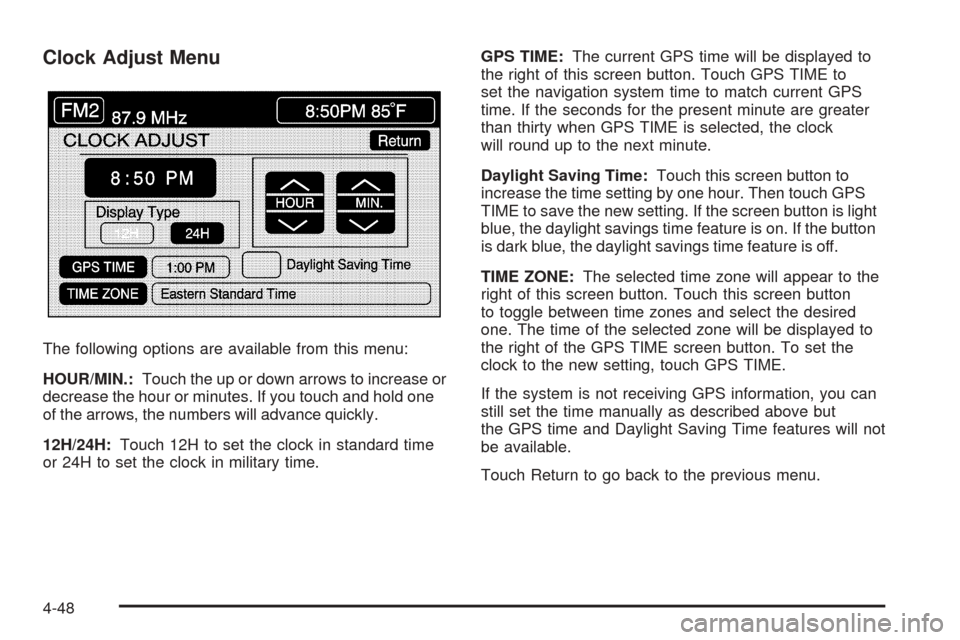
Clock Adjust Menu
The following options are available from this menu:
HOUR/MIN.:Touch the up or down arrows to increase or
decrease the hour or minutes. If you touch and hold one
of the arrows, the numbers will advance quickly.
12H/24H:Touch 12H to set the clock in standard time
or 24H to set the clock in military time.GPS TIME:The current GPS time will be displayed to
the right of this screen button. Touch GPS TIME to
set the navigation system time to match current GPS
time. If the seconds for the present minute are greater
than thirty when GPS TIME is selected, the clock
will round up to the next minute.
Daylight Saving Time:Touch this screen button to
increase the time setting by one hour. Then touch GPS
TIME to save the new setting. If the screen button is light
blue, the daylight savings time feature is on. If the button
is dark blue, the daylight savings time feature is off.
TIME ZONE:The selected time zone will appear to the
right of this screen button. Touch this screen button
to toggle between time zones and select the desired
one. The time of the selected zone will be displayed to
the right of the GPS TIME screen button. To set the
clock to the new setting, touch GPS TIME.
If the system is not receiving GPS information, you can
still set the time manually as described above but
the GPS time and Daylight Saving Time features will not
be available.
Touch Return to go back to the previous menu.
4-48
Page 243 of 438
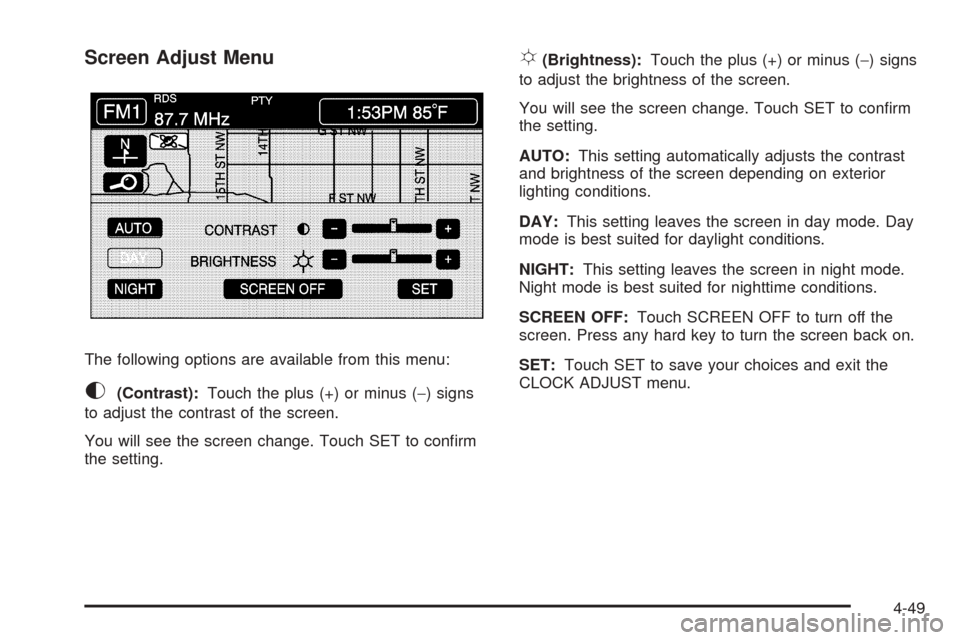
Screen Adjust Menu
The following options are available from this menu:
K(Contrast):Touch the plus (+) or minus (−) signs
to adjust the contrast of the screen.
You will see the screen change. Touch SET to conrm
the setting.
!(Brightness):Touch the plus (+) or minus (−) signs
to adjust the brightness of the screen.
You will see the screen change. Touch SET to conrm
the setting.
AUTO:This setting automatically adjusts the contrast
and brightness of the screen depending on exterior
lighting conditions.
DAY:This setting leaves the screen in day mode. Day
mode is best suited for daylight conditions.
NIGHT:This setting leaves the screen in night mode.
Night mode is best suited for nighttime conditions.
SCREEN OFF:Touch SCREEN OFF to turn off the
screen. Press any hard key to turn the screen back on.
SET:Touch SET to save your choices and exit the
CLOCK ADJUST menu.
4-49
Page 278 of 438
Avoid needless heavy braking. Some people drive in
spurts — heavy acceleration followed by heavy
braking — rather than keeping pace with traffic. This is
a mistake. Your brakes may not have time to cool
between hard stops. Your brakes will wear out much
faster if you do a lot of heavy braking. If you keep pace
with the traffic and allow realistic following distances,
you will eliminate a lot of unnecessary braking.
That means better braking and longer brake life.
If your engine ever stops while you are driving, brake
normally but do not pump your brakes. If you do,
the pedal may get harder to push down. If your engine
stops, you will still have some power brake assist.
But you will use it when you brake. Once the power
assist is used up, it may take longer to stop and
the brake pedal will be harder to push.Anti-Lock Brake System (ABS)
Your vehicle has anti-lock brakes. ABS is an advanced
electronic braking system that will help prevent a
braking skid.
When you start your engine and begin to drive away,
your anti-lock brake system will check itself. You
may hear a momentary motor or clicking noise while
this test is going on, and you may even notice that your
brake pedal moves a little. This is normal.
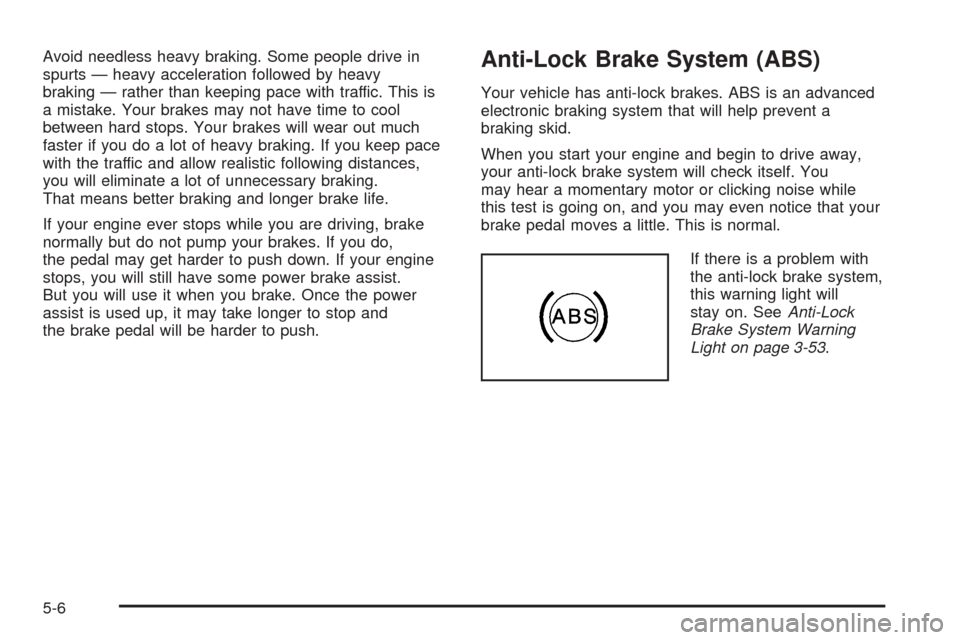
If there is a problem with
the anti-lock brake system,
this warning light will
stay on. SeeAnti-Lock
Brake System Warning
Light on page 3-53.
5-6