instrument panel CADILLAC XLR 2007 1.G User Guide
[x] Cancel search | Manufacturer: CADILLAC, Model Year: 2007, Model line: XLR, Model: CADILLAC XLR 2007 1.GPages: 512, PDF Size: 3.84 MB
Page 77 of 512

Lockout Protection
Your vehicle can be programmed to sound the
horn three times and unlock the driver’s door when
both doors are closed and there is a keyless
access transmitter inside the vehicle. When the
driver’s door is opened, a reminder chime will
sound continuously. The vehicle will remain locked
only when at least one transmitter has been
removed from the vehicle and both doors are
closed. SeeDIC Vehicle Personalization on
page 220.
Trunk
{CAUTION:
It can be dangerous to drive with the
trunk lid open because carbon monoxide
(CO) gas can come into your vehicle. You
cannot see or smell CO. It can cause
unconsciousness and even death. If you
must drive with the trunk lid open or if
electrical wiring or other cable
connections must pass through the seal
between the body and the trunk lid:
Make sure all other windows are shut.
Turn the fan on your heating or
cooling system to its highest speed
and select the control setting that will
force outside air into your vehicle. See
Climate Control System.
If you have air outlets on or under
the instrument panel, open them all
the way.
SeeEngine Exhaust on page 102.
77
Page 78 of 512

Trunk Lock Release
{CAUTION:
Moving parts of the powered trunk lid can
be dangerous. You or others could be
injured. Keep yourself and others away
from the trunk lid and its mechanism
while it is closing.
The trunk lock release
button is located to the
left of the steering
wheel on the instrument
panel.Press the button to open the trunk. To use this
feature, your vehicle must be in PARK (P)
or NEUTRAL (N) and the valet lockout switch
must be off.
You can also press the button with the trunk
symbol on the keyless access transmitter to open
the trunk. To disable this feature, see “Valet
Lockout Switch” underTheft-Deterrent Systems on
page 84.
You may passively enter the trunk when you
squeeze the trunk release sensor located on the
rear of the trunk lid under the emblem, as long as
you have your transmitter with you. The vehicle
must be in PARK (P) and the valet lockout switch
must be off. SeeValet Lockout Switch on page 86.
To close the trunk,
press the button on the
underside of the
trunk lid.
78
Page 79 of 512

To stop the trunk lid while it is closing, do one of
the following:
Press the trunk lock release button located on
the instrument panel.
Use the vehicle key.
Squeeze the trunk release sensor located on
the rear of the trunk lid.
Press the button with the trunk symbol on the
keyless access transmitter.
Press the trunk close button on the underside
of the trunk lid.
To begin opening the trunk from the stopped
position, use any of the methods above, except
pressing the trunk close button.
To resume closing the power trunk lid, press the
trunk close button on the underside of the trunk lid.
If the vehicle has lost battery power, you can
still open the trunk using the key.The key cylinder is located behind a cover on the
lower rear fascia on the driver’s side of the
vehicle. Open the door to access the key cylinder.
The key is located inside the keyless access
transmitter. SeeKeys on page 65for more
information.
79
Page 90 of 512
To start you vehicle, do the following:
1. With your foot on the brake pedal, press the
START button located on the instrument
panel.
If there is not a keyless access transmitter in
the vehicle or if there is something causing
interference with it, the DIC will display
NO FOB DETECTED. SeeDIC Warnings and
Messages on page 206for more information.
2. When the engine begins cranking, let go of
the button and the engine cranks automatically
until it starts. If the battery in the keyless
access transmitter is weak, the DIC displays
FOB BATTERY LOW. You can still drive
the vehicle.
See “Battery Replacement” underKeyless
Access System Operation on page 68for more
information. If the fob battery is dead, you
need to insert the fob into the fob slot to enable
engine starting. See″No Fobs Detected″
underDIC Warnings and Messages on
page 206.3. Do not race the engine immediately after
starting it. Operate the engine and
transmission gently until the oil warms up and
lubricates all moving parts.
4. If the engine does not start and no DIC
message is displayed, wait 15 seconds
before trying again to let the cranking motor
cool down.
If the engine does not start after 5-10 seconds,
especially in very cold weather (below 0°F
or−18°C), it could be ooded with too much
gasoline. Try pushing the accelerator pedal all
the way to the oor while cranking for up to
15 seconds maximum. Wait at least
15 seconds between each try, to allow the
cranking motor to cool down. When the engine
starts, let go of the accelerator. If the vehicle
starts briey but then stops again, do the same
thing. This clears the extra gasoline from the
engine.
90
Page 91 of 512

Notice:Cranking the engine for long periods
of time, by pressing the START button
immediately after cranking has ended, can
overheat and damage the cranking motor, and
drain the battery. Wait at least 15 seconds
between each try, to allow the cranking motor
to cool down.
Your vehicle has a Computer-Controlled Cranking
System. This feature assists in starting the
engine and protects components. Once cranking
has been initiated, the engine continues cranking
for a few seconds or until the vehicle starts. If
the engine does not start, cranking automatically
be stops after 15 seconds to prevent cranking
motor damage. To prevent gear damage,
this system also prevents cranking if the engine is
already running.
Notice:Your engine is designed to work with
the electronics in your vehicle. If you add
electrical parts or accessories, you could
change the way the engine operates. Before
adding electrical equipment, check with
your dealer. If you do not, your engine might
not perform properly. Any resulting damage
would not be covered by your vehicle’s
warranty.Stopping Your Engine
Move the shift lever to PARK (P) and press the
Acc. (Off/Accessory) button located on the
instrument panel. If the shifter is not in PARK (P),
the engine shuts off and the vehicle goes into
the Accessory Mode. The DIC displays″SHIFT TO
PARK″. Once the shifter is moved to PARK (P),
the vehicle turns off.
If the keyless access transmitter is not detected
inside the vehicle when it is turned to off, the DIC
displays NO FOB – OFF OR RUN?.
SeeDIC Warnings and Messages on page 206for
more information.
91
Page 97 of 512
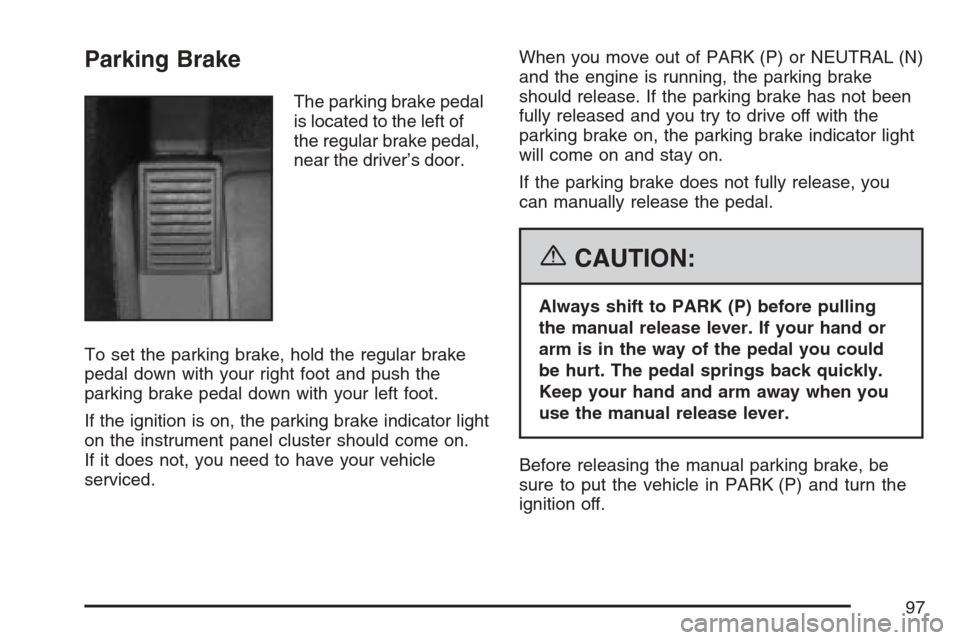
Parking Brake
The parking brake pedal
is located to the left of
the regular brake pedal,
near the driver’s door.
To set the parking brake, hold the regular brake
pedal down with your right foot and push the
parking brake pedal down with your left foot.
If the ignition is on, the parking brake indicator light
on the instrument panel cluster should come on.
If it does not, you need to have your vehicle
serviced.When you move out of PARK (P) or NEUTRAL (N)
and the engine is running, the parking brake
should release. If the parking brake has not been
fully released and you try to drive off with the
parking brake on, the parking brake indicator light
will come on and stay on.
If the parking brake does not fully release, you
can manually release the pedal.
{CAUTION:
Always shift to PARK (P) before pulling
the manual release lever. If your hand or
arm is in the way of the pedal you could
be hurt. The pedal springs back quickly.
Keep your hand and arm away when you
use the manual release lever.
Before releasing the manual parking brake, be
sure to put the vehicle in PARK (P) and turn the
ignition off.
97
Page 98 of 512
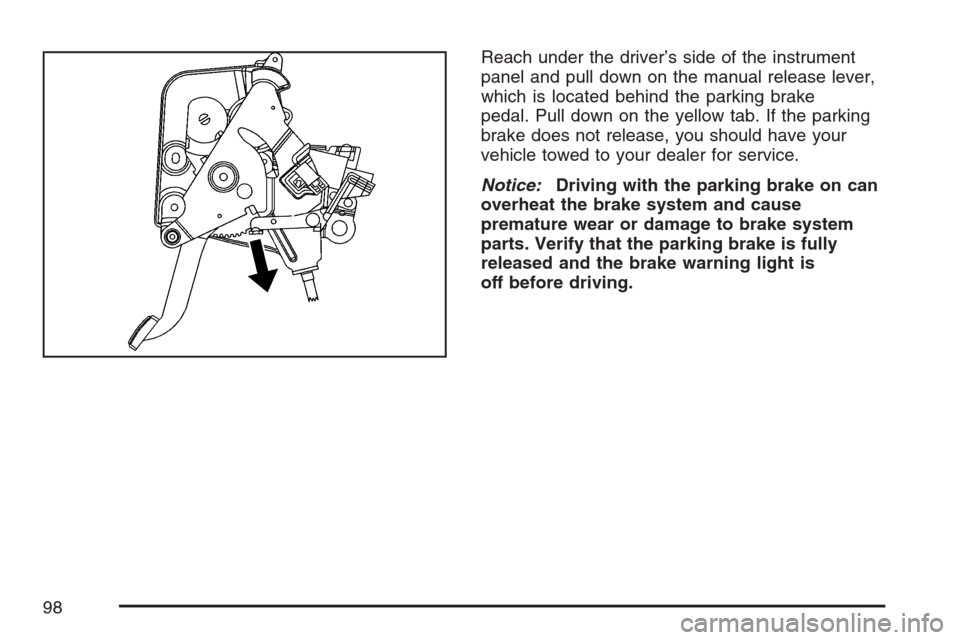
Reach under the driver’s side of the instrument
panel and pull down on the manual release lever,
which is located behind the parking brake
pedal. Pull down on the yellow tab. If the parking
brake does not release, you should have your
vehicle towed to your dealer for service.
Notice:Driving with the parking brake on can
overheat the brake system and cause
premature wear or damage to brake system
parts. Verify that the parking brake is fully
released and the brake warning light is
off before driving.
98
Page 135 of 512
Instrument Panel Overview........................ 138
Hazard Warning Flashers.......................... 140
Other Warning Devices............................. 140
Horn.......................................................... 140
Power Tilt Wheel and Telescopic
Steering Column.................................... 141
Turn Signal/Multifunction Lever.................. 141
Turn and Lane-Change Signals................. 142
Headlamp High/Low-Beam Changer.......... 143
Flash-to-Pass............................................ 143
Windshield Wipers..................................... 144
Rainsense™ Wipers.................................. 145
Windshield Washer.................................... 146
Headlamp Washer..................................... 146
Cruise Control........................................... 147
Adaptive Cruise Control............................. 150
Exterior Lamps.......................................... 164
Wiper Activated Headlamps....................... 166
Headlamps on Reminder........................... 166
Daytime Running Lamps (DRL)................. 166
Adaptive Forward Lighting System............. 167
Fog Lamps................................................ 168
Twilight Sentinel
®...................................... 168Exterior Lighting Battery Saver.................. 169
Instrument Panel Brightness...................... 170
Courtesy Lamps........................................ 170
Entry/Exit Lighting...................................... 170
Reading Lamps......................................... 171
Battery Run-Down Protection..................... 171
Head-Up Display (HUD)............................ 171
Ultrasonic Rear Parking
Assist (URPA)........................................ 175
Accessory Power Outlet(s)........................ 177
Ashtray(s) and Cigarette Lighter................ 178
Climate Controls......................................... 178
Dual Climate Control System..................... 178
Outlet Adjustment...................................... 184
Passenger Compartment Air Filter............. 184
Warning Lights, Gages, and Indicators..... 185
Instrument Panel Cluster........................... 186
Speedometer and Odometer...................... 187
Trip Odometer........................................... 187
Tachometer............................................... 187
Safety Belt Reminder Light........................ 187
Airbag Readiness Light............................. 188
Section 3 Instrument Panel
135
Page 136 of 512
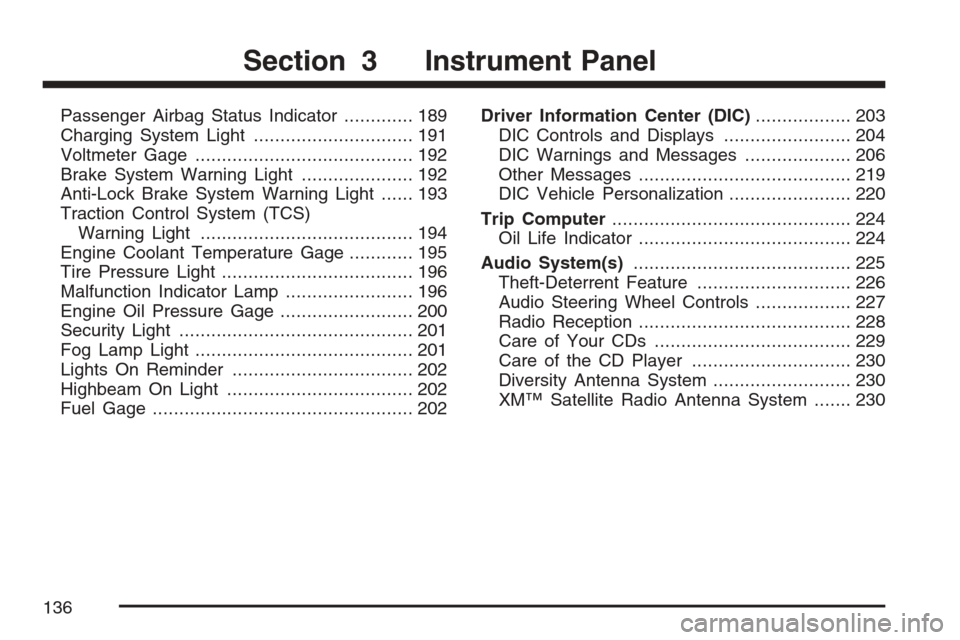
Passenger Airbag Status Indicator............. 189
Charging System Light.............................. 191
Voltmeter Gage......................................... 192
Brake System Warning Light..................... 192
Anti-Lock Brake System Warning Light...... 193
Traction Control System (TCS)
Warning Light........................................ 194
Engine Coolant Temperature Gage............ 195
Tire Pressure Light.................................... 196
Malfunction Indicator Lamp........................ 196
Engine Oil Pressure Gage......................... 200
Security Light............................................ 201
Fog Lamp Light......................................... 201
Lights On Reminder.................................. 202
Highbeam On Light................................... 202
Fuel Gage................................................. 202Driver Information Center (DIC).................. 203
DIC Controls and Displays........................ 204
DIC Warnings and Messages.................... 206
Other Messages........................................ 219
DIC Vehicle Personalization....................... 220
Trip Computer............................................. 224
Oil Life Indicator........................................ 224
Audio System(s)......................................... 225
Theft-Deterrent Feature............................. 226
Audio Steering Wheel Controls.................. 227
Radio Reception........................................ 228
Care of Your CDs..................................... 229
Care of the CD Player.............................. 230
Diversity Antenna System.......................... 230
XM™ Satellite Radio Antenna System....... 230
Section 3 Instrument Panel
136
Page 138 of 512
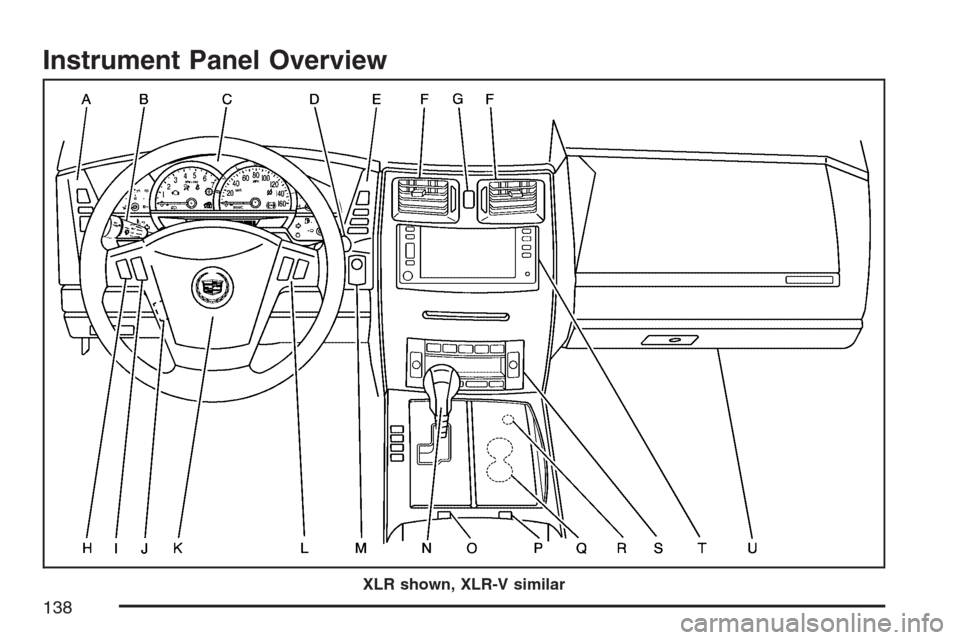
Instrument Panel Overview
XLR shown, XLR-V similar
138