mirror CADILLAC XLR 2007 1.G User Guide
[x] Cancel search | Manufacturer: CADILLAC, Model Year: 2007, Model line: XLR, Model: CADILLAC XLR 2007 1.GPages: 512, PDF Size: 3.84 MB
Page 104 of 512
Mirrors
Automatic Dimming Rearview Mirror
with OnStar
®
Your vehicle has an automatic dimming inside
rearview mirror. The mirror also contains OnStar®
controls. For more information about OnStar®,
seeOnStar®System on page 107.
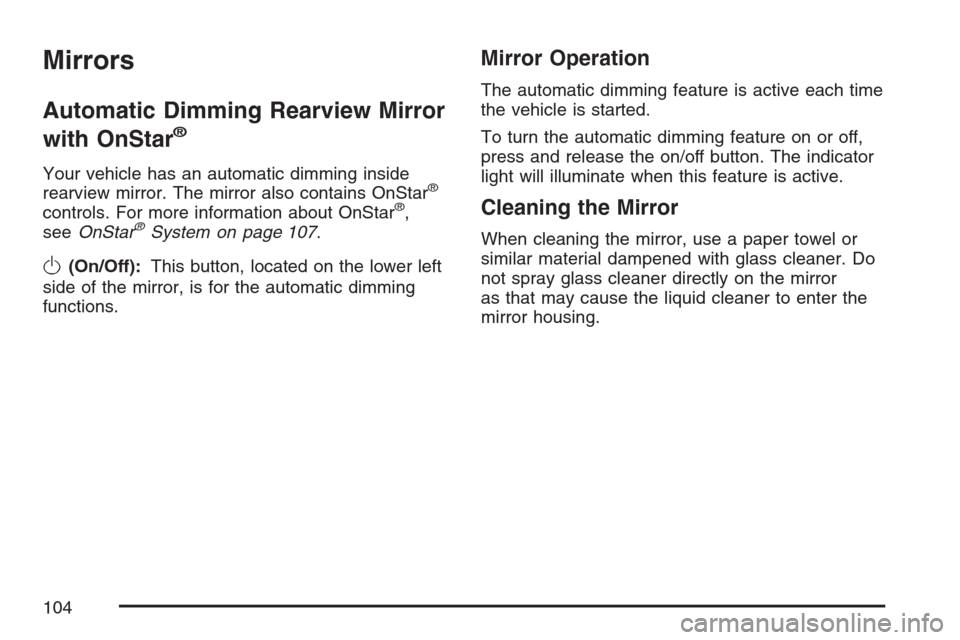
O(On/Off):This button, located on the lower left
side of the mirror, is for the automatic dimming
functions.
Mirror Operation
The automatic dimming feature is active each time
the vehicle is started.
To turn the automatic dimming feature on or off,
press and release the on/off button. The indicator
light will illuminate when this feature is active.
Cleaning the Mirror
When cleaning the mirror, use a paper towel or
similar material dampened with glass cleaner. Do
not spray glass cleaner directly on the mirror
as that may cause the liquid cleaner to enter the
mirror housing.
104
Page 105 of 512
Outside Power Heated Mirrors
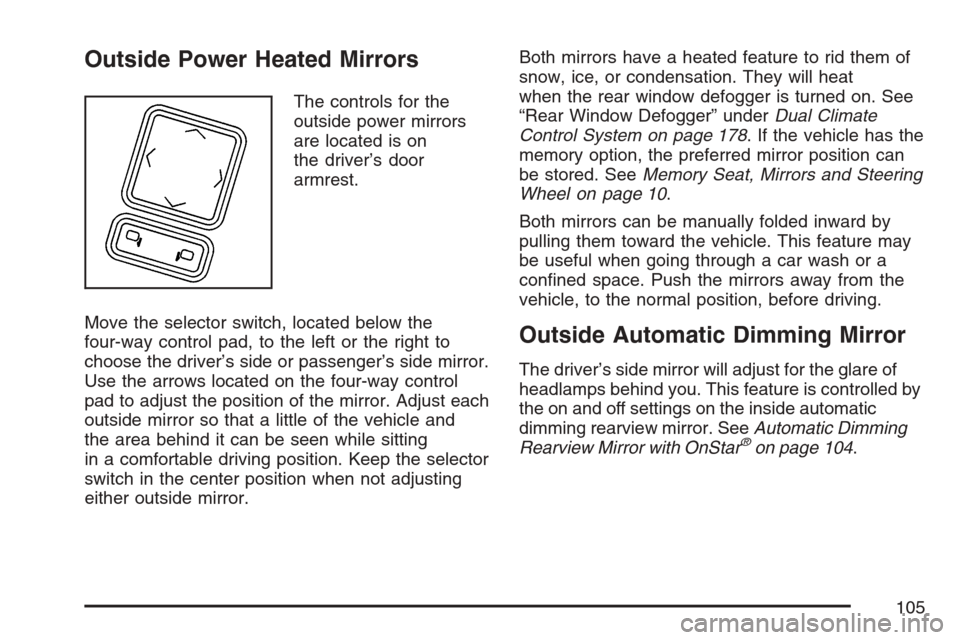
The controls for the
outside power mirrors
are located is on
the driver’s door
armrest.
Move the selector switch, located below the
four-way control pad, to the left or the right to
choose the driver’s side or passenger’s side mirror.
Use the arrows located on the four-way control
pad to adjust the position of the mirror. Adjust each
outside mirror so that a little of the vehicle and
the area behind it can be seen while sitting
in a comfortable driving position. Keep the selector
switch in the center position when not adjusting
either outside mirror.Both mirrors have a heated feature to rid them of
snow, ice, or condensation. They will heat
when the rear window defogger is turned on. See
“Rear Window Defogger” underDual Climate
Control System on page 178. If the vehicle has the
memory option, the preferred mirror position can
be stored. SeeMemory Seat, Mirrors and Steering
Wheel on page 10.
Both mirrors can be manually folded inward by
pulling them toward the vehicle. This feature may
be useful when going through a car wash or a
conned space. Push the mirrors away from the
vehicle, to the normal position, before driving.
Outside Automatic Dimming Mirror
The driver’s side mirror will adjust for the glare of
headlamps behind you. This feature is controlled by
the on and off settings on the inside automatic
dimming rearview mirror. SeeAutomatic Dimming
Rearview Mirror with OnStar
®on page 104.
105
Page 106 of 512
Outside Curb View Assist Mirror
The passenger’s side mirror is also capable
of performing the curb view assist feature. This
feature will cause the mirror to tilt to a factory
programmed position when the vehicle is in
REVERSE (R). This feature may be useful in
allowing you to view the curb when you are parallel
parking.
If further adjustment is needed after the mirror is
tilted, the mirror switch may be used. The
mirror will then return to this new position when
the vehicle is shifted into REVERSE (R).
When the vehicle is shifted out of REVERSE (R)
and a ve-second delay has occurred, the
passenger’s side mirror will return to its original
position.
This feature can be enabled/disabled through the
Driver Information Center (DIC). See “Park
Assist” underDIC Vehicle Personalization on
page 220for more information.
Outside Convex Mirror
{CAUTION:
A convex mirror can make things (like
other vehicles) look farther away than
they really are. If you cut too sharply into
the right lane, you could hit a vehicle on
your right. Check your inside mirror or
glance over your shoulder before
changing lanes.
The passenger side mirror is convex. A convex
mirror’s surface is curved so more can be
seen from the driver’s seat. It also makes things
look farther away than they really are.
106
Page 141 of 512
Power Tilt Wheel and Telescopic
Steering Column
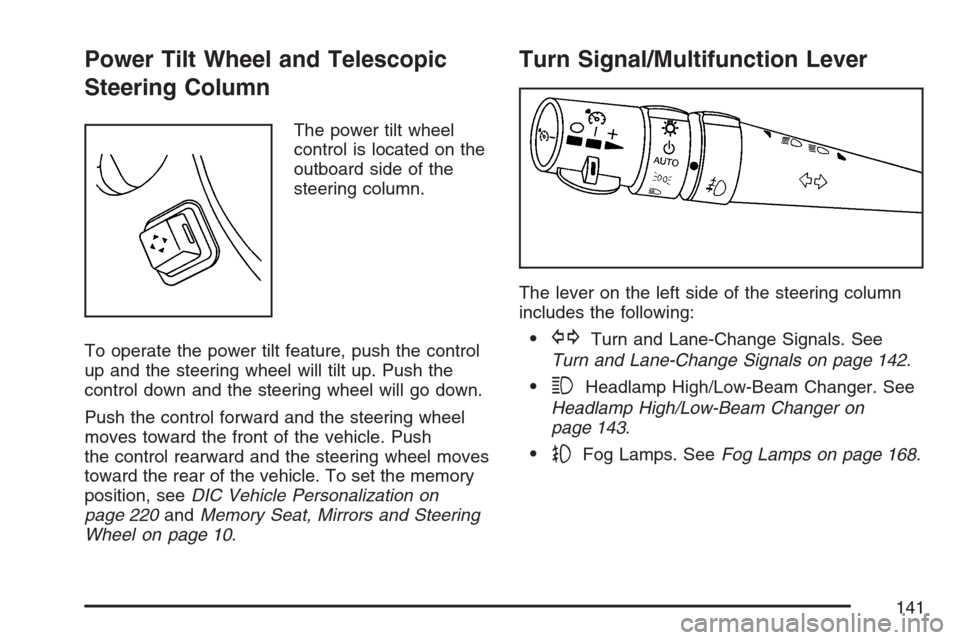
The power tilt wheel
control is located on the
outboard side of the
steering column.
To operate the power tilt feature, push the control
up and the steering wheel will tilt up. Push the
control down and the steering wheel will go down.
Push the control forward and the steering wheel
moves toward the front of the vehicle. Push
the control rearward and the steering wheel moves
toward the rear of the vehicle. To set the memory
position, seeDIC Vehicle Personalization on
page 220andMemory Seat, Mirrors and Steering
Wheel on page 10.
Turn Signal/Multifunction Lever
The lever on the left side of the steering column
includes the following:
GTurn and Lane-Change Signals. See
Turn and Lane-Change Signals on page 142.
3Headlamp High/Low-Beam Changer. See
Headlamp High/Low-Beam Changer on
page 143.
-Fog Lamps. SeeFog Lamps on page 168.
141
Page 145 of 512
Rainsense™ Wipers
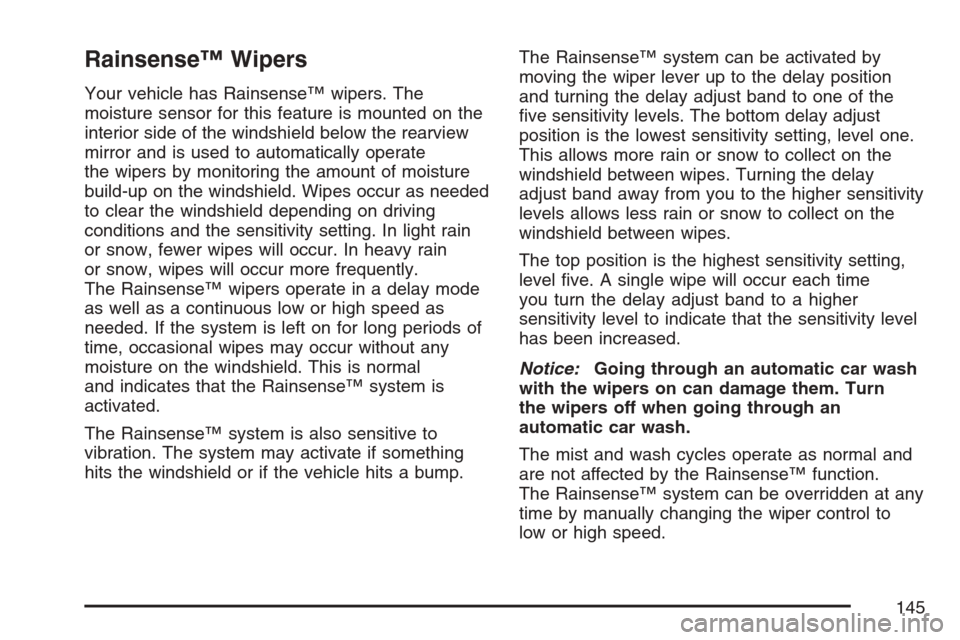
Your vehicle has Rainsense™ wipers. The
moisture sensor for this feature is mounted on the
interior side of the windshield below the rearview
mirror and is used to automatically operate
the wipers by monitoring the amount of moisture
build-up on the windshield. Wipes occur as needed
to clear the windshield depending on driving
conditions and the sensitivity setting. In light rain
or snow, fewer wipes will occur. In heavy rain
or snow, wipes will occur more frequently.
The Rainsense™ wipers operate in a delay mode
as well as a continuous low or high speed as
needed. If the system is left on for long periods of
time, occasional wipes may occur without any
moisture on the windshield. This is normal
and indicates that the Rainsense™ system is
activated.
The Rainsense™ system is also sensitive to
vibration. The system may activate if something
hits the windshield or if the vehicle hits a bump.The Rainsense™ system can be activated by
moving the wiper lever up to the delay position
and turning the delay adjust band to one of the
ve sensitivity levels. The bottom delay adjust
position is the lowest sensitivity setting, level one.
This allows more rain or snow to collect on the
windshield between wipes. Turning the delay
adjust band away from you to the higher sensitivity
levels allows less rain or snow to collect on the
windshield between wipes.
The top position is the highest sensitivity setting,
level ve. A single wipe will occur each time
you turn the delay adjust band to a higher
sensitivity level to indicate that the sensitivity level
has been increased.
Notice:Going through an automatic car wash
with the wipers on can damage them. Turn
the wipers off when going through an
automatic car wash.
The mist and wash cycles operate as normal and
are not affected by the Rainsense™ function.
The Rainsense™ system can be overridden at any
time by manually changing the wiper control to
low or high speed.
145
Page 171 of 512
Reading Lamps
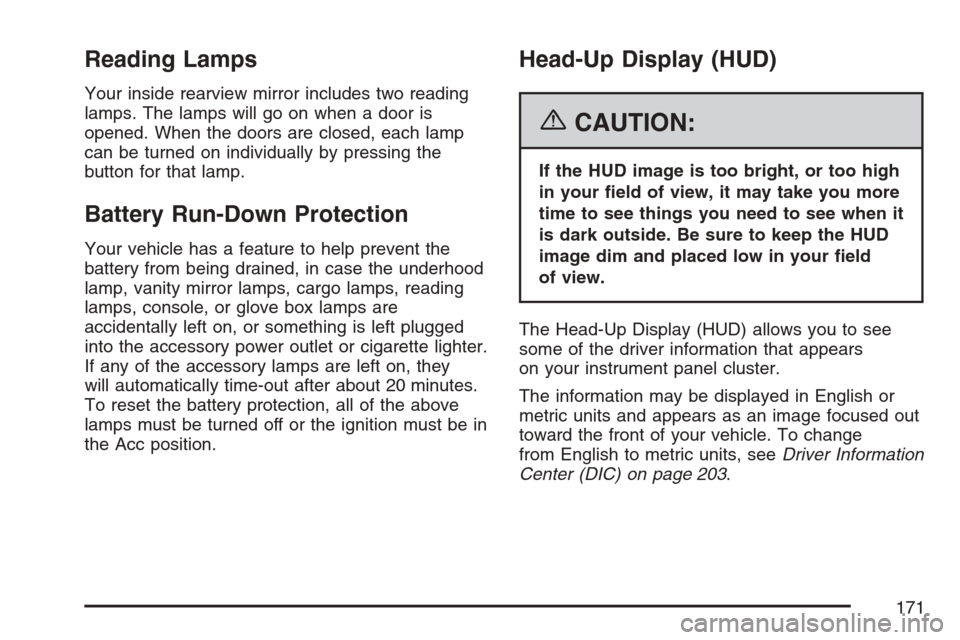
Your inside rearview mirror includes two reading
lamps. The lamps will go on when a door is
opened. When the doors are closed, each lamp
can be turned on individually by pressing the
button for that lamp.
Battery Run-Down Protection
Your vehicle has a feature to help prevent the
battery from being drained, in case the underhood
lamp, vanity mirror lamps, cargo lamps, reading
lamps, console, or glove box lamps are
accidentally left on, or something is left plugged
into the accessory power outlet or cigarette lighter.
If any of the accessory lamps are left on, they
will automatically time-out after about 20 minutes.
To reset the battery protection, all of the above
lamps must be turned off or the ignition must be in
the Acc position.
Head-Up Display (HUD)
{CAUTION:
If the HUD image is too bright, or too high
in your eld of view, it may take you more
time to see things you need to see when it
is dark outside. Be sure to keep the HUD
image dim and placed low in your eld
of view.
The Head-Up Display (HUD) allows you to see
some of the driver information that appears
on your instrument panel cluster.
The information may be displayed in English or
metric units and appears as an image focused out
toward the front of your vehicle. To change
from English to metric units, seeDriver Information
Center (DIC) on page 203.
171
Page 175 of 512

Ultrasonic Rear Parking
Assist (URPA)
Ultrasonic Rear Parking Assist can help you to
determine how close an object is to your rear
bumper within a given area, making parking easier.
{CAUTION:
The Ultrasonic Rear Park Assist (URPA)
system does not replace driver vision.
URPA does not:
Operate above speeds of 3 mph
(5 km/h).
Detect objects more than 5 feet
(1.5 meters) behind the vehicle. This
distance may be less during warmer
or humid weather.
Detect objects that are below the
bumper, underneath the vehicle, or
that are very close to the vehicle.
Detect children, pedestrians,
bicyclists, or pets.
CAUTION: (Continued)
CAUTION: (Continued)
So if you do not use proper care before
backing up, you could hit a vehicle, child,
pedestrian, bicyclist, or pet, resulting in
vehicle damage, injury, or death. Even
though the vehicle has the URPA system,
always check carefully before backing up
by checking behind your vehicle.
The URPA display is
located inside the
vehicle, on the center
console. It has three
color-coded lights
that can be seen
through the rearview
mirror or by turning
around.
175
Page 183 of 512
Rear Window Defogger
The rear window defogger uses a warming grid to
remove fog or frost from the rear window.
The rear window defogger will only work when the
engine is running.
=(Rear Window Defogger):Press this button
to turn the rear window defogger on or off. Be
sure to clear as much snow from the rear window
as possible.
The rear window defogger will turn off about
10 minutes after the button is pressed when
traveling less than 30 mph (48 km/h). If turned
on again, the defogger will only run for about
ve minutes before turning off. The defogger can
also be turned off by pressing the button again
or by turning off the engine.The heated outside rearview mirrors will heat to
help clear fog or frost from the surface of the
mirrors when the rear window defogger is on.
The rear window defogger and heated mirrors are
automatically disabled when the retractable
hardtop is moving or down.
Notice:Do not use anything sharp on the
inside of the rear window. If you do, you could
cut or damage the warming grid, and the
repairs would not be covered by your warranty.
Do not attach a temporary vehicle license,
tape, a decal or anything similar to the
defogger grid.
183
Page 189 of 512
Passenger Airbag Status Indicator
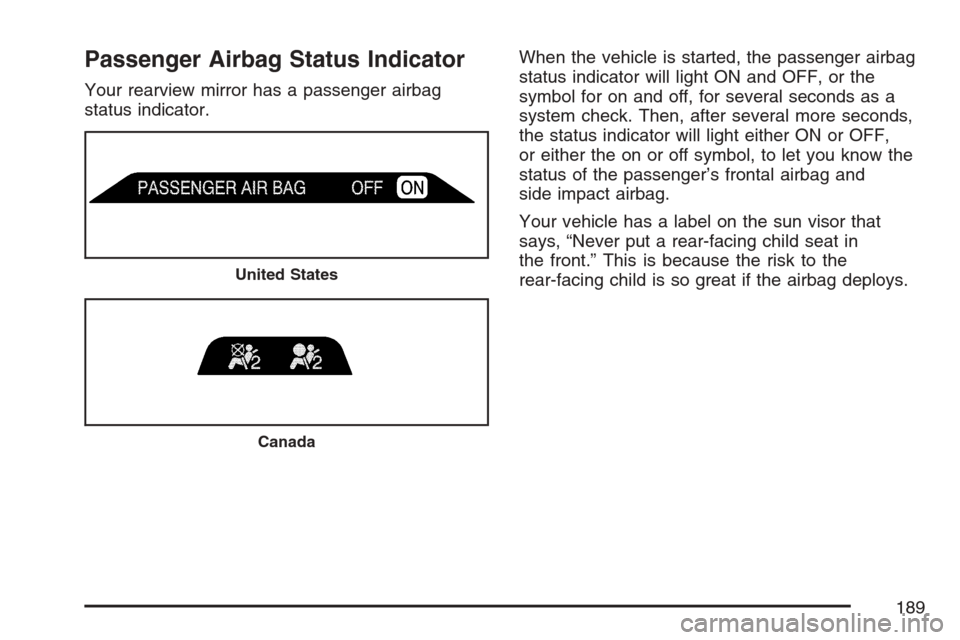
Your rearview mirror has a passenger airbag
status indicator.When the vehicle is started, the passenger airbag
status indicator will light ON and OFF, or the
symbol for on and off, for several seconds as a
system check. Then, after several more seconds,
the status indicator will light either ON or OFF,
or either the on or off symbol, to let you know the
status of the passenger’s frontal airbag and
side impact airbag.
Your vehicle has a label on the sun visor that
says, “Never put a rear-facing child seat in
the front.” This is because the risk to the
rear-facing child is so great if the airbag deploys.
United States
Canada
189
Page 220 of 512

DIC Vehicle Personalization
Your vehicle has personalization capabilities that
allow you to program certain features to a
preferred setting for up to two drivers. The back of
the keyless access transmitters are labelled 1 or 2.
The current driver’s preferences are recalled
when one of the following occurs:
The lock or unlock button on the keyless
access transmitter, programmed as 1 or 2, is
pressed.
The appropriate memory button, 1 or 2,
located on the driver’s seat is pressed.
SeeMemory Seat, Mirrors and Steering Wheel
on page 10for more information.
A valid keyless access transmitter is detected
upon opening the driver’s door.
If more than one valid keyless access transmitter
is detected upon opening the driver’s door, the
driver preferences for the lowest driver number will
be recalled.
If a keyless access transmitter is programmed
as #3 or #4, the personalization system will
not recognize the transmitter. The Driver
Information Center (DIC) will not display a currentdriver number and the features that are normally
programmed through the DIC will be set to
the default states. Also, if the OPTIONS button is
pressed, the DIC does not display the menus
used to set personalizations, but instead displays
OPTIONS UNAVAILABLE for a few seconds.
Feature Programming
To change feature preferences, make sure the
vehicle is running and in PARK (P). To avoid
excessive drain on the battery, it is recommended
that the headlamps are turned off. Press the
OPTIONS button and the Driver Information Center
(DIC) will display the current driver for a few
seconds, then display the rst personalization
menu item. You can now use the OPTIONS button
to change the setting of the displayed feature.
Press the top or bottom of the information button
to scroll up or down the list of features. When
you get to a feature you want to change, press the
OPTIONS button again. When you are nished,
press the RESET button to exit the personalization
menu. If no button is pressed within 45 seconds,
the DIC will exit the personalization menu.
The following are DIC options that will be available
in the personalization menu.
220