battery CADILLAC XLR 2007 1.G Owner's Guide
[x] Cancel search | Manufacturer: CADILLAC, Model Year: 2007, Model line: XLR, Model: CADILLAC XLR 2007 1.GPages: 512, PDF Size: 3.84 MB
Page 282 of 512
Vehicle Positioning
At times, the position of the vehicle on the map
may be inaccurate due to one or more of the
following reasons:
The road system has changed.
The vehicle is driving on slippery road
surfaces such as in sand, gravel, and/or snow.
The vehicle is traveling on winding roads.
The vehicle is on a long straight road.
The vehicle is approaching a tall building or a
large vehicle.
The surface streets run parallel to a freeway.
The vehicle has just been transferred by a
vehicle carrier or a ferry.
The current position calibration is set
incorrectly.
The vehicle is traveling at high speed.
The vehicle changes directions more than
once, or when the vehicle is turning on a
turn table in a parking lot.
The vehicle is entering and/or exiting a
parking lot, garage, or a lot with a roof.
The GPS signal is not received.
A roof carrier is installed on your vehicle.
The vehicle is being driven with tire chains.
The tires are replaced.
The tire pressure for your tires is incorrect.
The tires are worn.
The rst time the map DVD is inserted.
The battery is disconnected for several days.
The vehicle is driving in heavy traffic where
driving is at low speeds, and the vehicle is
stopped and started repeatedly.
If you experience problems with your system, see
your dealer.
282
Page 312 of 512
To select HOME and AWAY preset stations, do
the following:
1. With the audio system on, touch the Audio
hard key and turn the audio system off.
2. Touch the HOME or AWAY button from the
main audio screen.
The next time the audio system is turned on,
the system will recall the last active preset
selection.
When battery power is removed and later applied,
you will not have to reset your home audio
system preset stations because the audio system
remembers them. However, you will have to
reset your away radio preset stations.
Voice Recognition
The navigation system’s voice recognition allows
for hands-free operation of navigation and
audio system features. Voice recognition can be
used when the ignition is on or when Retained
Accessory Power (RAP) is active.This feature only works if the map DVD is inserted
and I AGREE has been selected. If you try to
use voice recognition without the map DVD
inserted, the system will display “Please insert the
navigation map DVD to use the voice recognition
feature.”
To use navigation voice recognition, do the
following:
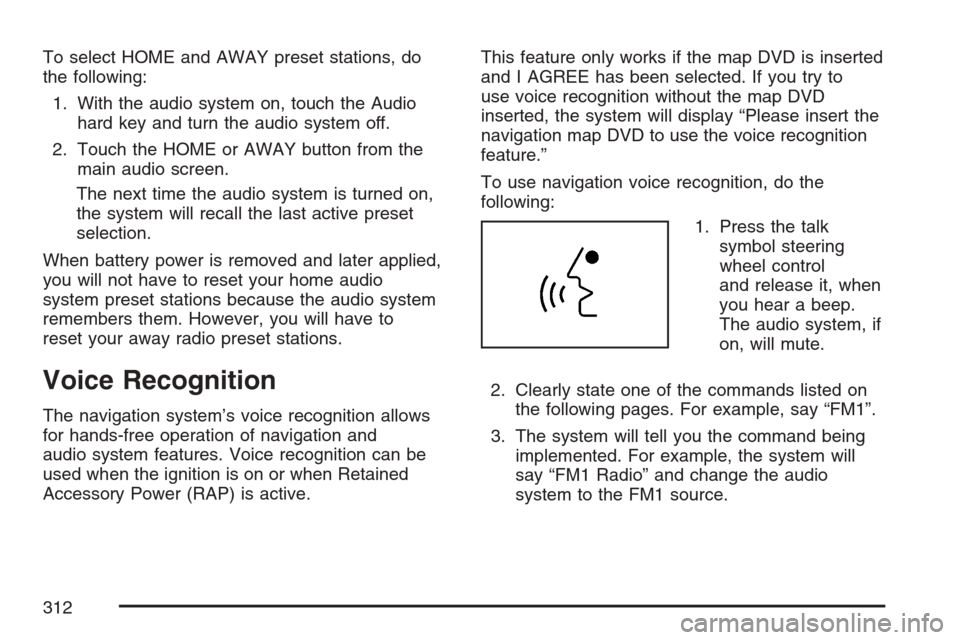
1. Press the talk
symbol steering
wheel control
and release it, when
you hear a beep.
The audio system, if
on, will mute.
2. Clearly state one of the commands listed on
the following pages. For example, say “FM1”.
3. The system will tell you the command being
implemented. For example, the system will
say “FM1 Radio” and change the audio
system to the FM1 source.
312
Page 352 of 512

You can run the engine to keep warm, but be
careful.
{CAUTION:
Snow can trap exhaust gases under your
vehicle. This can cause deadly CO
(carbon monoxide) gas to get inside. CO
could overcome you and kill you. You
cannot see it or smell it, so you might not
know it is in your vehicle. Clear away
snow from around the base of your
vehicle, especially any that is blocking
your exhaust pipe. And check around
again from time to time to be sure snow
does not collect there.
Open a window just a little on the side of
the vehicle that is away from the wind.
This will help keep CO out.
Run your engine only as long as you must. This
saves fuel. When you run the engine, make it go a
little faster than just idle. That is, push the
accelerator slightly. This uses less fuel for the
heat that you get and it keeps the battery charged.
352
Page 353 of 512

You will need a well-charged battery to restart the
vehicle, and possibly for signaling later on with
your headlamps. Let the heater run for a while.
Then, shut the engine off and close the window
almost all the way to preserve the heat. Start
the engine again and repeat this only when you
feel really uncomfortable from the cold. But do it as
little as possible. Preserve the fuel as long as
you can. To help keep warm, you can get out of
the vehicle and do some fairly vigorous exercises
every half hour or so until help comes.
If Your Vehicle is Stuck in Sand,
Mud, Ice, or Snow
In order to free your vehicle when it is stuck, you
will need to spin the wheels, but you do not
want to spin your wheels too fast. The method
known as rocking can help you get out when you
are stuck, but you must use caution.
{CAUTION:
If you let your vehicle’s tires spin at high
speed, they can explode, and you or
others could be injured. And, the
transmission or other parts of the vehicle
can overheat. That could cause an engine
compartment re or other damage. When
you are stuck, spin the wheels as little as
possible. Do not spin the wheels above
35 mph (55 km/h) as shown on the
speedometer.
Notice:Spinning the wheels can destroy parts
of your vehicle as well as the tires. If you
spin the wheels too fast while shifting
the transmission back and forth, you can
destroy the transmission.
For information about using tire chains on your
vehicle, seeTire Chains on page 435.
353
Page 361 of 512
Service........................................................ 363
Accessories and Modications................... 363
California Proposition 65 Warning.............. 364
Doing Your Own Service Work.................. 364
Adding Equipment to the Outside of Your
Vehicle................................................... 365
Fuel............................................................. 365
Gasoline Octane........................................ 366
Gasoline Specications.............................. 366
California Fuel........................................... 367
Additives................................................... 367
Fuels in Foreign Countries........................ 368
Filling the Tank......................................... 369
Filling a Portable Fuel Container............... 371
Checking Things Under the Hood.............. 372
Hood Release........................................... 373
Engine Compartment Overview.................. 374
Engine Oil................................................. 377
Engine Oil Life System.............................. 380
Supercharger Oil....................................... 382
Engine Air Cleaner/Filter............................ 382
Automatic Transmission Fluid.................... 384
Engine Coolant.......................................... 385
Coolant Surge Tank Pressure Cap.............. 388Engine Overheating................................... 388
Overheated Engine Protection
Operating Mode..................................... 390
Cooling System......................................... 391
Power Steering Fluid ................................. 396
Windshield Washer Fluid........................... 397
Brakes...................................................... 399
Battery...................................................... 402
Jump Starting............................................ 403
Rear Axle.................................................... 407
Headlamp Aiming........................................ 408
Headlamp Vertical Aiming.......................... 410
Bulb Replacement....................................... 412
Windshield Replacement............................ 412
Windshield Wiper Blade Replacement....... 412
Tires............................................................ 413
Winter Tires (XLR-V) ................................. 414
Tire Sidewall Labeling............................... 415
Tire Terminology and Denitions............... 417
Run-Flat Tires........................................... 420
Ination - Tire Pressure............................. 422
Tire Pressure Monitor System................... 423
Tire Inspection and Rotation...................... 426
Section 6 Service and Appearance Care
361
Page 375 of 512

A. Battery. SeeBattery on page 402.
B. Passenger Compartment Air Filter. See
Passenger Compartment Air Filter on page 184.
C. Underhood Fuse Block. SeeUnderhood
Fuse Block on page 455.
D. Power Steering Fluid. SeePower Steering
Fluid on page 396.
E. Engine Air Cleaner/Filter. SeeEngine Air
Cleaner/Filter on page 382.
F. Engine Oil Fill Cap. See “When to Add Engine
Oil” underEngine Oil on page 377.G. Engine Oil Dipstick. See “Checking Engine Oil”
underEngine Oil on page 377.
H. Brake Master Cylinder Reservoir. See “Brake
Fluid” underBrakes on page 399.
I. Engine Coolant Surge Tank and Pressure Cap.
SeeCoolant Surge Tank Pressure Cap on
page 388.
J. Windshield Washer Fluid Reservoir. See
“Adding Washer Fluid” underWindshield
Washer Fluid on page 397.
375
Page 377 of 512
A. Battery. SeeBattery on page 402.
B. Passenger Compartment Air Filter. See
Passenger Compartment Air Filter on page 184.
C. Underhood Fuse Block. SeeUnderhood
Fuse Block on page 455.
D. Power Steering Fluid. SeePower Steering
Fluid on page 396.
E. Engine Air Cleaner/Filter. SeeEngine Air
Cleaner/Filter on page 382.
F. Engine Oil Fill Cap. See “When to Add Engine
Oil” underEngine Oil on page 377.
G. Engine Oil Dipstick. See “Checking Engine Oil”
underEngine Oil on page 377.
H. Brake Master Cylinder Reservoir. See “Brake
Fluid” underBrakes on page 399.
I. Engine Coolant Surge Tank and Pressure Cap.
SeeCoolant Surge Tank Pressure Cap on
page 388.
J. Windshield Washer Fluid Reservoir. See
“Adding Washer Fluid” underWindshield
Washer Fluid on page 397.Engine Oil
If the LOW OIL LEVEL or LOW OIL PRESSURE
message on the Driver Information Center
(DIC) appears, it means you need to check the
engine oil level right away. For more information,
see LOW OIL LEVEL and LOW OIL PRESSURE
underDIC Warnings and Messages on page 206.
You should check the engine oil level regularly;
this is an added reminder.
Checking Engine Oil
It is a good idea to check the engine oil every time
you get fuel. In order to get an accurate reading,
the oil must be warm and the vehicle must be
on level ground.
The engine oil dipstick handle is a yellow loop.
SeeEngine Compartment Overview on page 374
for the location of the engine oil dipstick.
1. Turn off the engine and give the oil several
minutes to drain back into the oil pan. If you
do not do this, the oil dipstick might not
show the actual level.
2. Pull out the dipstick and clean it with a paper
towel or cloth, then push it back in all the
way. Remove it again, keeping the tip down,
and check the level.
377
Page 402 of 512

Battery
Your vehicle has a maintenance free battery.
When it is time for a new battery, get one that has
the replacement number shown on the original
battery’s label. We recommend an ACDelco
®
replacement battery.
For battery replacement, see your dealer or the
service manual. To purchase a service manual,
seeService and Owner PublicationsinService
Publications Ordering Information on page 497.
Warning:Battery posts, terminals, and related
accessories contain lead and lead compounds,
chemicals known to the State of California
to cause cancer and reproductive harm. Wash
hands after handling.
Vehicle Storage
If you are not going to drive your vehicle for 25 days
or more, remove the black, negative (−) cable from
the battery. This will help keep your battery from
running down.
{CAUTION:
Batteries have acid that can burn you and
gas that can explode. You can be badly
hurt if you are not careful. SeeJump
Starting on page 403for tips on working
around a battery without getting hurt.
You must close all doors and the trunk before
reconnecting the battery. After reconnecting
the battery, you must press the unlock button on
the keyless access transmitter. Failure to
follow this procedure may result in the alarm
sounding. Pressing unlock on the keyless access
transmitter would stop the alarm.
402
Page 403 of 512
Jump Starting
If your vehicle’s battery has run down, you may
want to use another vehicle and some jumper
cables to start your vehicle. Be sure to use
the following steps to do it safely.
{CAUTION:
Batteries can hurt you. They can be
dangerous because:
They contain acid that can burn you.
They contain gas that can explode or
ignite.
They contain enough electricity to
burn you.
If you do not follow these steps exactly,
some or all of these things can hurt you.
Notice:If you try to start your vehicle by
pushing or pulling it, you could damage your
vehicle. Do not push or pull your vehicleto start it; instead, use the jump starting
procedure in this manual to start your vehicle
when the battery has run down.
1. Check the other vehicle. It must have a
12-volt battery with a negative ground system.
Notice:If the other vehicle’s system is not a
12-volt system with a negative ground,
both vehicles can be damaged. Only use
vehicles with 12-volt systems with negative
grounds to jump start your vehicle.
2. Get the vehicles close enough so the jumper
cables can reach, but be sure the vehicles are
not touching each other. If they are, it could
cause a ground connection you do not
want. You would not be able to start your
vehicle, and the bad grounding could damage
the electrical systems.
To avoid the possibility of the vehicles rolling,
set the parking brake rmly on both vehicles
involved in the jump start procedure. Put
an automatic transmission in PARK (P) or a
manual transmission in NEUTRAL before
setting the parking brake.
403
Page 404 of 512

Notice:If you leave your radio or other
accessories on during the jump starting
procedure, they could be damaged. The repairs
would not be covered by your warranty.
Always turn off your radio and other
accessories when jump starting your vehicle.
3. Turn off the ignition on both vehicles. Unplug
unnecessary accessories plugged into the
cigarette lighter or the accessory power outlet.
Turn off the radio and all lamps that are not
needed. This will avoid sparks and help save
both batteries. And it could save the radio!
4. Open the hoods and locate the batteries. Find
the positive (+) and negative (−) terminal
locations on each vehicle. SeeEngine
Compartment Overview on page 374for more
information on location.
{CAUTION:
An electric fan can start up even when the
engine is not running and can injure you.
Keep hands, clothing and tools away from
any underhood electric fan.
{CAUTION:
Using a match near a battery can cause
battery gas to explode. People have been
hurt doing this, and some have been
blinded. Use a ashlight if you need more
light.
Be sure the battery has enough water.
You do not need to add water to the
battery installed in your new vehicle. But
if a battery has ller caps, be sure the
right amount of uid is there. If it is low,
add water to take care of that rst. If you
do not, explosive gas could be present.
Battery uid contains acid that can burn
you. Do not get it on you. If you
accidentally get it in your eyes or on your
skin, ush the place with water and get
medical help immediately.
404