battery CADILLAC XLR 2007 1.G User Guide
[x] Cancel search | Manufacturer: CADILLAC, Model Year: 2007, Model line: XLR, Model: CADILLAC XLR 2007 1.GPages: 512, PDF Size: 3.84 MB
Page 113 of 512
Do not use the this system with any garage door
opener that does not have the stop and reverse
feature. This includes any garage door opener
model manufactured before April 1, 1982.
Read the instructions completely before attempting
to program the transmitter. Because of the steps
involved, it may be helpful to have another
person available to assist you in programming the
transmitter.
Be sure to keep the original remote control
transmitter for use in other vehicles, as well as, for
future programming. You only need the original
remote control transmitter for xed code
programming. It is also recommended that upon
the sale or lease termination of the vehicle,
the programmed buttons should be erased for
security purposes. See “Erasing your Universal
Home Remote Buttons” later in this section.
Be sure that people and objects are clear of the
garage door or security device you are
programming. When programming a garage door,
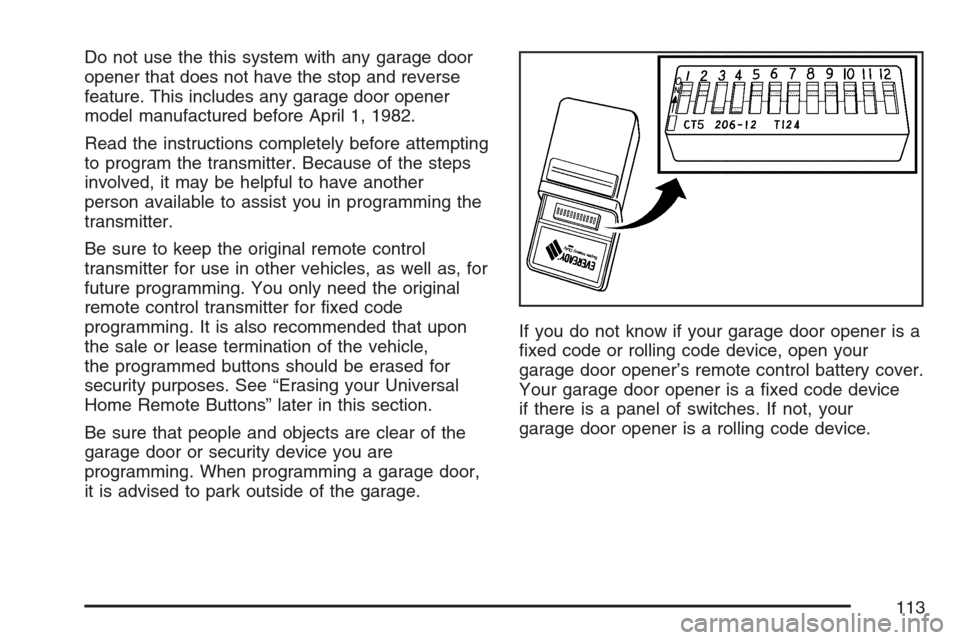
it is advised to park outside of the garage.If you do not know if your garage door opener is a
xed code or rolling code device, open your
garage door opener’s remote control battery cover.
Your garage door opener is a xed code device
if there is a panel of switches. If not, your
garage door opener is a rolling code device.
113
Page 114 of 512
Programming Universal Home
Remote — Fixed Code
Fixed Code garage door openers are used for
garage doors produced prior to 1996. Fixed code
uses the same coded signal every time, which
is manually programmed by setting DIP switches
for a unique personal code.
To program up to three channels,
1. Remove the battery cover of the hand-held
transmitter.
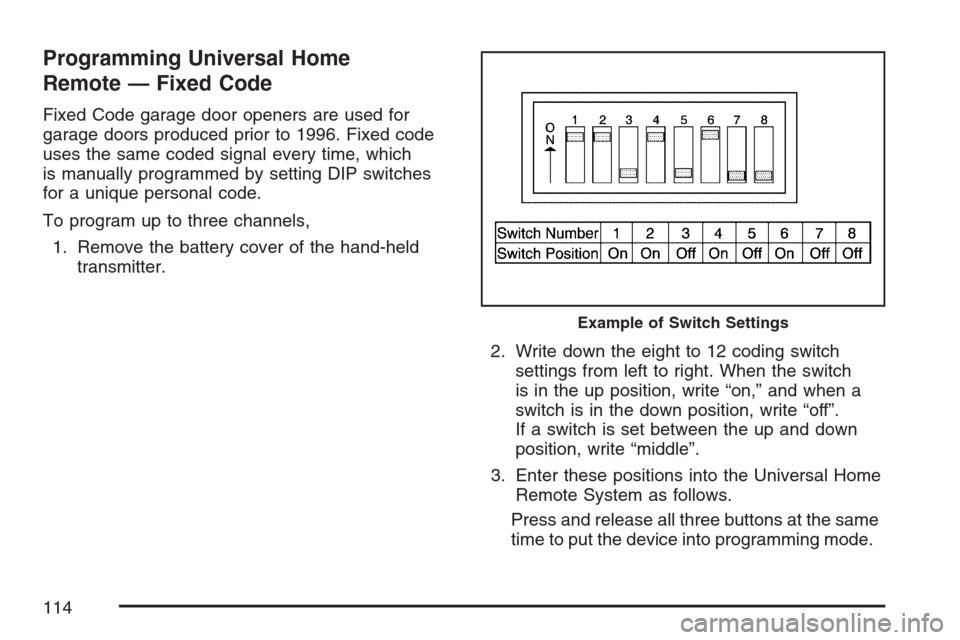
2. Write down the eight to 12 coding switch
settings from left to right. When the switch
is in the up position, write “on,” and when a
switch is in the down position, write “off”.
If a switch is set between the up and down
position, write “middle”.
3. Enter these positions into the Universal Home
Remote System as follows.
Press and release all three buttons at the same
time to put the device into programming mode.
Example of Switch Settings
114
Page 118 of 512
Universal Home Remote System
Operation (With One Triangular LED)
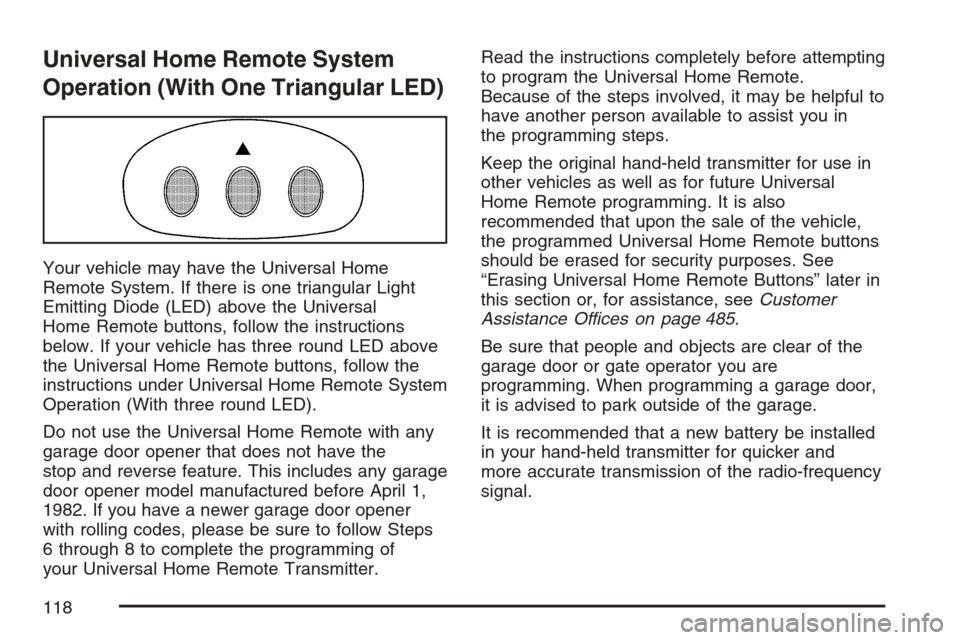
Your vehicle may have the Universal Home
Remote System. If there is one triangular Light
Emitting Diode (LED) above the Universal
Home Remote buttons, follow the instructions
below. If your vehicle has three round LED above
the Universal Home Remote buttons, follow the
instructions under Universal Home Remote System
Operation (With three round LED).
Do not use the Universal Home Remote with any
garage door opener that does not have the
stop and reverse feature. This includes any garage
door opener model manufactured before April 1,
1982. If you have a newer garage door opener
with rolling codes, please be sure to follow Steps
6 through 8 to complete the programming of
your Universal Home Remote Transmitter.Read the instructions completely before attempting
to program the Universal Home Remote.
Because of the steps involved, it may be helpful to
have another person available to assist you in
the programming steps.
Keep the original hand-held transmitter for use in
other vehicles as well as for future Universal
Home Remote programming. It is also
recommended that upon the sale of the vehicle,
the programmed Universal Home Remote buttons
should be erased for security purposes. See
“Erasing Universal Home Remote Buttons” later in
this section or, for assistance, seeCustomer
Assistance Offices on page 485.
Be sure that people and objects are clear of the
garage door or gate operator you are
programming. When programming a garage door,
it is advised to park outside of the garage.
It is recommended that a new battery be installed
in your hand-held transmitter for quicker and
more accurate transmission of the radio-frequency
signal.
118
Page 124 of 512
Retractable Hardtop
The following procedures explain the proper
operation of the retractable hardtop. The
retractable hardtop will not operate if the valet
lockout switch is on.
If the retractable hardtop is lowered or raised
multiple times, the engine should be running while
doing so to prevent drain on the vehicle’s
battery.
{CAUTION:
When the retractable hardtop is opened or
closed, people can be injured by the parts
that move: the hardtop and its mechanism,
the trunk lid, and the side windows. Keep
people away from these parts when you are
lowering or raising the top.
Lowering the Retractable Hardtop
Notice:Leaving the retractable hardtop down
and exposing the interior of your vehicle to
outdoor conditions may cause damage. Always
close the retractable hardtop if leaving your
vehicle outdoors.
1. Park on a level surface and shift the
transmission into PARK (P).
2. The vehicle’s engine must be on or in Acc.
3. Lower both sun visors.
Notice:Raising or lowering the top while the
vehicle is in motion can cause damage to
the top or top mechanism. Make sure the
vehicle is in PARK (P) to lower or raise the top.
Notice:Lowering the top if it is damp, wet,
or dirty can cause stains, mildew, and damage
to the inside of your vehicle. Dry off the top
before lowering it.
4. Make sure that nothing or no one is on or
around the top. Make sure the trunk cargo
cover is in place with nothing on top or in front
of the cargo cover. SeeRear Storage Area
on page 123for more information. Also, make
sure the valet lockout switch is off.
124
Page 126 of 512
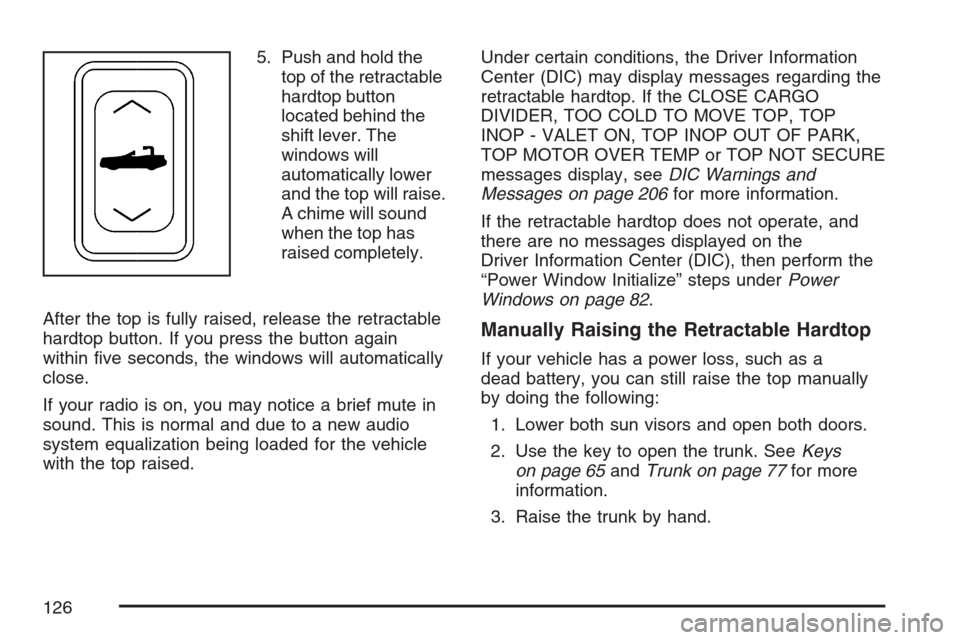
5. Push and hold the
top of the retractable
hardtop button
located behind the
shift lever. The
windows will
automatically lower
and the top will raise.
A chime will sound
when the top has
raised completely.
After the top is fully raised, release the retractable
hardtop button. If you press the button again
within ve seconds, the windows will automatically
close.
If your radio is on, you may notice a brief mute in
sound. This is normal and due to a new audio
system equalization being loaded for the vehicle
with the top raised.Under certain conditions, the Driver Information
Center (DIC) may display messages regarding the
retractable hardtop. If the CLOSE CARGO
DIVIDER, TOO COLD TO MOVE TOP, TOP
INOP - VALET ON, TOP INOP OUT OF PARK,
TOP MOTOR OVER TEMP or TOP NOT SECURE
messages display, seeDIC Warnings and
Messages on page 206for more information.
If the retractable hardtop does not operate, and
there are no messages displayed on the
Driver Information Center (DIC), then perform the
“Power Window Initialize” steps underPower
Windows on page 82.
Manually Raising the Retractable Hardtop
If your vehicle has a power loss, such as a
dead battery, you can still raise the top manually
by doing the following:
1. Lower both sun visors and open both doors.
2. Use the key to open the trunk. SeeKeys
on page 65andTrunk on page 77for more
information.
3. Raise the trunk by hand.
126
Page 135 of 512
Instrument Panel Overview........................ 138
Hazard Warning Flashers.......................... 140
Other Warning Devices............................. 140
Horn.......................................................... 140
Power Tilt Wheel and Telescopic
Steering Column.................................... 141
Turn Signal/Multifunction Lever.................. 141
Turn and Lane-Change Signals................. 142
Headlamp High/Low-Beam Changer.......... 143
Flash-to-Pass............................................ 143
Windshield Wipers..................................... 144
Rainsense™ Wipers.................................. 145
Windshield Washer.................................... 146
Headlamp Washer..................................... 146
Cruise Control........................................... 147
Adaptive Cruise Control............................. 150
Exterior Lamps.......................................... 164
Wiper Activated Headlamps....................... 166
Headlamps on Reminder........................... 166
Daytime Running Lamps (DRL)................. 166
Adaptive Forward Lighting System............. 167
Fog Lamps................................................ 168
Twilight Sentinel
®...................................... 168Exterior Lighting Battery Saver.................. 169
Instrument Panel Brightness...................... 170
Courtesy Lamps........................................ 170
Entry/Exit Lighting...................................... 170
Reading Lamps......................................... 171
Battery Run-Down Protection..................... 171
Head-Up Display (HUD)............................ 171
Ultrasonic Rear Parking
Assist (URPA)........................................ 175
Accessory Power Outlet(s)........................ 177
Ashtray(s) and Cigarette Lighter................ 178
Climate Controls......................................... 178
Dual Climate Control System..................... 178
Outlet Adjustment...................................... 184
Passenger Compartment Air Filter............. 184
Warning Lights, Gages, and Indicators..... 185
Instrument Panel Cluster........................... 186
Speedometer and Odometer...................... 187
Trip Odometer........................................... 187
Tachometer............................................... 187
Safety Belt Reminder Light........................ 187
Airbag Readiness Light............................. 188
Section 3 Instrument Panel
135
Page 169 of 512

During that delay, your instrument panel cluster
may not be as bright as usual. Make sure
your instrument panel brightness control is in full
bright position. SeeInstrument Panel Brightness
on page 170for more information.
You can idle the vehicle with the lamps off, even
when it is dark outside. After starting the
vehicle, turn the exterior lamp control band to off,
then release it. The lamps will remain off until
you turn the control band to off again.
Twilight Sentinel
®also provides exterior
illumination as you leave the vehicle. If Twilight
Sentinel
®has turned on the lamps when you turn
off the ignition, your lamps will remain on until:
The exterior lamp switch is moved from OFF to
the parking lamp position, or
a delay time that you select has elapsed.
SeeDriver Information Center (DIC) on page 203
to select the delay time that you want. You
can also select no delay time.If you turn off the ignition with the exterior lamp
switch in the parking lamp or headlamp position, the
Twilight Sentinel
®delay will not occur. The lamps
will turn off as soon as the switch is turned off.
As with any vehicle, you should turn on the regular
headlamp system when you need it.
Exterior Lighting Battery Saver
If the manual parking lamps or headlamps have
been left on, the exterior lamps will turn off as soon
as the ignition is turned off or RAP is active.
This protects against draining the battery in case
you have accidentally left the headlamps or
parking lamps on. The battery saver does not work
if the headlamps are turned on after the ignition
switch is turned to off.
If you need to leave the lamps on, use the exterior
lamp control to turn the lamps back on.
169
Page 171 of 512
Reading Lamps
Your inside rearview mirror includes two reading
lamps. The lamps will go on when a door is
opened. When the doors are closed, each lamp
can be turned on individually by pressing the
button for that lamp.
Battery Run-Down Protection
Your vehicle has a feature to help prevent the
battery from being drained, in case the underhood
lamp, vanity mirror lamps, cargo lamps, reading
lamps, console, or glove box lamps are
accidentally left on, or something is left plugged
into the accessory power outlet or cigarette lighter.
If any of the accessory lamps are left on, they
will automatically time-out after about 20 minutes.
To reset the battery protection, all of the above
lamps must be turned off or the ignition must be in
the Acc position.
Head-Up Display (HUD)
{CAUTION:
If the HUD image is too bright, or too high
in your eld of view, it may take you more
time to see things you need to see when it
is dark outside. Be sure to keep the HUD
image dim and placed low in your eld
of view.
The Head-Up Display (HUD) allows you to see
some of the driver information that appears
on your instrument panel cluster.
The information may be displayed in English or
metric units and appears as an image focused out
toward the front of your vehicle. To change
from English to metric units, seeDriver Information
Center (DIC) on page 203.
171
Page 177 of 512
As always, drivers should use care when backing
up a vehicle. Always look behind you, being
sure to check for other vehicles, obstructions and
blind spots.
Accessory Power Outlet(s)
The accessory power outlet can be used to
connect electrical equipment such as a cellular
phone or CB radio.
The accessory power outlet is located inside the
center console storage compartment, on the
forward left side.
To use the outlet, remove the tethered cap. When
not using it, always cover the outlet with the
protective cap.
Notice:When using an accessory power
outlet, maximum electrical load must not
exceed 20 amps. Always turn off any electrical
equipment when not in use. Leaving electrical
equipment on for extended periods will
drain your vehicle’s battery.Certain electrical accessories may not be
compatible with the accessory power outlet and
could result in blown vehicle or adapter fuses.
If you experience a problem, see your dealer for
additional information on accessory power outlets.
Notice:Adding any electrical equipment to
your vehicle may damage it or keep other
components from working as they should. The
repairs would not be covered by your
warranty. Do not use equipment exceeding
maximum amperage rating of 20 amperes.
Check with your dealer before adding electrical
equipment.
When adding electrical equipment, be sure to
follow the installation instructions included with the
equipment.
We recommend that you see a qualied technician
or your dealer for the proper installation of your
equipment.
Notice:Improper use of the power outlet can
cause damage not covered by your warranty.
Do not hang any type of accessory or
accessory bracket from the plug because the
power outlets are designed for accessory
power plugs only.
177
Page 184 of 512

Outlet Adjustment
Use the thumbwheel to open or close the outlets.
Operation Tips
Clear away any ice, snow or leaves from the
air inlets at the base of the windshield that
may block the ow of air into your vehicle.
Use of non-GM approved hood deectors may
adversely affect the performance of the
system.
Keep the area around the base of the
instrument panel console and air path under
the seats clear of objects to help circulate
the air inside of your vehicle more effectively.
Passenger Compartment Air Filter
The passenger compartment air lter removes
certain particles from the air, including pollen and
dust particles. Reductions in airow, which
may occur more often in dusty areas, indicate that
the lter may need to be replaced early.
The lter should be replaced as part of the routine
scheduled maintenance. SeeScheduled
Maintenance on page 465for more information.
To check or replace the air lter, do the following:
1. With the hood open, unlatch and remove
the access panel.
The passenger compartment air lter and
access panel are located on the passenger’s
side of the engine compartment near the
battery. SeeEngine Compartment Overview
on page 374for more information on location.
2. Pull the old lter out of the housing.
3. Insert the new lter into the housing.
4. Reinstall the air lter access panel.
184