ECU CADILLAC XLR 2008 1.G Owner's Manual
[x] Cancel search | Manufacturer: CADILLAC, Model Year: 2008, Model line: XLR, Model: CADILLAC XLR 2008 1.GPages: 470, PDF Size: 8.39 MB
Page 105 of 470

Universal Home Remote System
Operation (With Three Round LED)
Your vehicle may have the Universal Home Remote
System. If there are three round Light Emitting
Diode (LED) indicator lights above the Universal
Home Remote buttons, follow the instructions below.
This system provides a way to replace up to
three remote control transmitters used to activate
devices such as garage door openers, security
systems, and home automation devices.Do not use this system with any garage door opener
that does not have the stop and reverse feature.
This includes any garage door opener model
manufactured before April 1, 1982.
Read the instructions completely before attempting to
program the transmitter. Because of the steps involved,
it may be helpful to have another person available to
assist you in programming the transmitter.
Be sure to keep the original remote control transmitter
for use in other vehicles, as well as, for future
programming. You only need the original remote control
transmitter for Fixed Code programming. It is also
recommended that upon the sale or lease termination
of the vehicle, the programmed buttons should be
erased for security purposes. See “Erasing Universal
Home Remote Buttons” later in this section.
When programming a garage door, it is advised to
park outside of the garage. Be sure that people
and objects are clear of the garage door or security
device you are programming.
2-45
Page 107 of 470
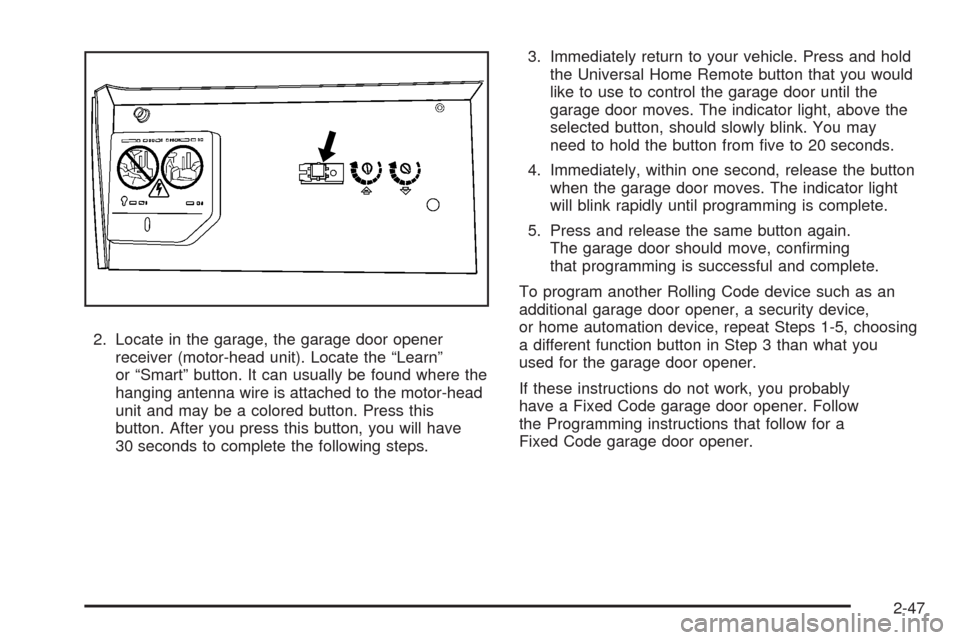
2. Locate in the garage, the garage door opener
receiver (motor-head unit). Locate the “Learn”
or “Smart” button. It can usually be found where the
hanging antenna wire is attached to the motor-head
unit and may be a colored button. Press this
button. After you press this button, you will have
30 seconds to complete the following steps.3. Immediately return to your vehicle. Press and hold
the Universal Home Remote button that you would
like to use to control the garage door until the
garage door moves. The indicator light, above the
selected button, should slowly blink. You may
need to hold the button from ve to 20 seconds.
4. Immediately, within one second, release the button
when the garage door moves. The indicator light
will blink rapidly until programming is complete.
5. Press and release the same button again.
The garage door should move, conrming
that programming is successful and complete.
To program another Rolling Code device such as an
additional garage door opener, a security device,
or home automation device, repeat Steps 1-5, choosing
a different function button in Step 3 than what you
used for the garage door opener.
If these instructions do not work, you probably
have a Fixed Code garage door opener. Follow
the Programming instructions that follow for a
Fixed Code garage door opener.
2-47
Page 111 of 470

5. After entering all of the switch positions, again,
rmly press and release all three buttons at the
same time. The indicator lights will turn on.
6. Press and hold the button you would like to use
to control the garage door until the garage door
moves. The indicator light above the selected button
should slowly blink. You may need to hold the
button from ve to 55 seconds.
7. Immediately release the button when the garage
door moves. The indicator light will blink rapidly
until programming is complete.
8. Press and release the same button again.
The garage door should move, conrming
that programming is successful and complete.
To program another Fixed Code device such as an
additional garage door opener, a security device,
or home automation device, repeat Steps 1-8,
choosing a different button in Step 6 than what you
used for the garage door opener.Using Universal Home Remote
Press and hold the appropriate button for at least half of
a second. The indicator light will come on while the
signal is being transmitted.
Reprogramming Universal Home
Remote Buttons
You can reprogram any of the three buttons by repeating
the instructions.
Erasing Universal Home Remote
Buttons
You should erase the programmed buttons when you
sell or terminate your lease.
To erase either Rolling Code or Fixed Code on the
Universal Home Remote device:
1. Press and hold the two outside buttons at the
same time for approximately 20 seconds, until
the indicator lights, located directly above the
buttons, begin to blink rapidly.
2. Once the indicator lights begin to blink, release both
buttons. The codes from all buttons will be erased.
For help or information on the Universal Home Remote
System, call the customer assistance phone number
underCustomer Assistance Offices on page 8-5.
2-51
Page 124 of 470
Voltmeter Gage............................................3-50
Brake System Warning Light..........................3-50
Antilock Brake System
Warning Light...........................................3-51
Traction Control System (TCS)
Warning Light...........................................3-52
Engine Coolant Temperature Gage..................3-53
Tire Pressure Light.......................................3-53
Malfunction Indicator Lamp.............................3-54
Engine Oil Pressure Gage.............................3-57
Security Light...............................................3-58
Fog Lamp Light............................................3-58
Lights On Reminder......................................3-58
Highbeam On Light.......................................3-58
Fuel Gage...................................................3-59Driver Information Center (DIC).......................3-60
DIC Operation and Displays...........................3-60
DIC Warnings and Messages.........................3-63
Other Messages...........................................3-74
DIC Vehicle Personalization............................3-76
Trip Computer................................................3-80
Oil Life Indicator...........................................3-80
Audio System(s).............................................3-81
Theft-Deterrent Feature..................................3-82
Audio Steering Wheel Controls.......................3-82
Radio Reception...........................................3-84
Care of Your CDs.........................................3-85
Care of the CD Player...................................3-85
Diversity Antenna System..............................3-85
XM™ Satellite Radio Antenna System.............3-85
Section 3 Instrument Panel
3-2
Page 127 of 470
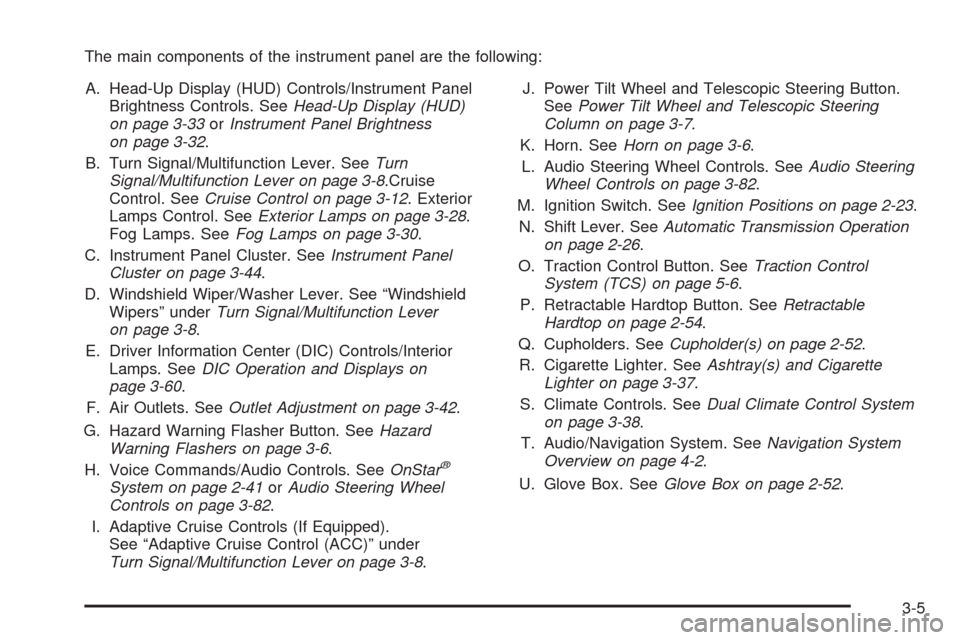
The main components of the instrument panel are the following:
A. Head-Up Display (HUD) Controls/Instrument Panel
Brightness Controls. SeeHead-Up Display (HUD)
on page 3-33orInstrument Panel Brightness
on page 3-32.
B. Turn Signal/Multifunction Lever. SeeTurn
Signal/Multifunction Lever on page 3-8.Cruise
Control. SeeCruise Control on page 3-12. Exterior
Lamps Control. SeeExterior Lamps on page 3-28.
Fog Lamps. SeeFog Lamps on page 3-30.
C. Instrument Panel Cluster. SeeInstrument Panel
Cluster on page 3-44.
D. Windshield Wiper/Washer Lever. See “Windshield
Wipers” underTurn Signal/Multifunction Lever
on page 3-8.
E. Driver Information Center (DIC) Controls/Interior
Lamps. SeeDIC Operation and Displays on
page 3-60.
F. Air Outlets. SeeOutlet Adjustment on page 3-42.
G. Hazard Warning Flasher Button. SeeHazard
Warning Flashers on page 3-6.
H. Voice Commands/Audio Controls. SeeOnStar
®
System on page 2-41orAudio Steering Wheel
Controls on page 3-82.
I. Adaptive Cruise Controls (If Equipped).
See “Adaptive Cruise Control (ACC)” under
Turn Signal/Multifunction Lever on page 3-8.J. Power Tilt Wheel and Telescopic Steering Button.
SeePower Tilt Wheel and Telescopic Steering
Column on page 3-7.
K. Horn. SeeHorn on page 3-6.
L. Audio Steering Wheel Controls. SeeAudio Steering
Wheel Controls on page 3-82.
M. Ignition Switch. SeeIgnition Positions on page 2-23.
N. Shift Lever. SeeAutomatic Transmission Operation
on page 2-26.
O. Traction Control Button. SeeTraction Control
System (TCS) on page 5-6.
P. Retractable Hardtop Button. SeeRetractable
Hardtop on page 2-54.
Q. Cupholders. SeeCupholder(s) on page 2-52.
R. Cigarette Lighter. SeeAshtray(s) and Cigarette
Lighter on page 3-37.
S. Climate Controls. SeeDual Climate Control System
on page 3-38.
T. Audio/Navigation System. SeeNavigation System
Overview on page 4-2.
U. Glove Box. SeeGlove Box on page 2-52.
3-5
Page 170 of 470

If the word ON or the on symbol is lit on the passenger
airbag status indicator, it means that the right front
passenger’s frontal airbag and seat-mounted side impact
airbag are enabled (may inate).
{CAUTION:
If the on indicator comes on when you have
a rear-facing child restraint installed in the
right front passenger’s seat, it means that the
passenger sensing system has not turned
off the passenger’s frontal airbag and
seat-mounted side impact airbag (if equipped).
A child in a rear-facing child restraint can be
seriously injured or killed if the right front
passenger’s airbag inates. This is because
the back of the rear-facing child restraint would
be very close to the inating airbag. Do not use
a rear-facing child restraint in the right front
passenger’s seat if the airbag is turned on.
{CAUTION:
Even though the passenger sensing system is
designed to turn off the right front passenger’s
frontal airbag and seat-mounted side impact
airbag (if equipped) if the system detects a
rear-facing child restraint, no system is fail-safe,
and no one can guarantee that an airbag will not
deploy under some unusual circumstance, even
though it is turned off. We recommend that
rear-facing child restraints be secured in a rear
seat, even if the airbag is or airbags are off.
If the word OFF or the off symbol is lit on the passenger
airbag status indicator, it means that the passenger
sensing system has turned off the right front passenger’s
frontal airbag and seat-mounted side impact airbag.
SeePassenger Sensing System on page 1-45for more
on this, including important safety information.
3-48
Page 180 of 470
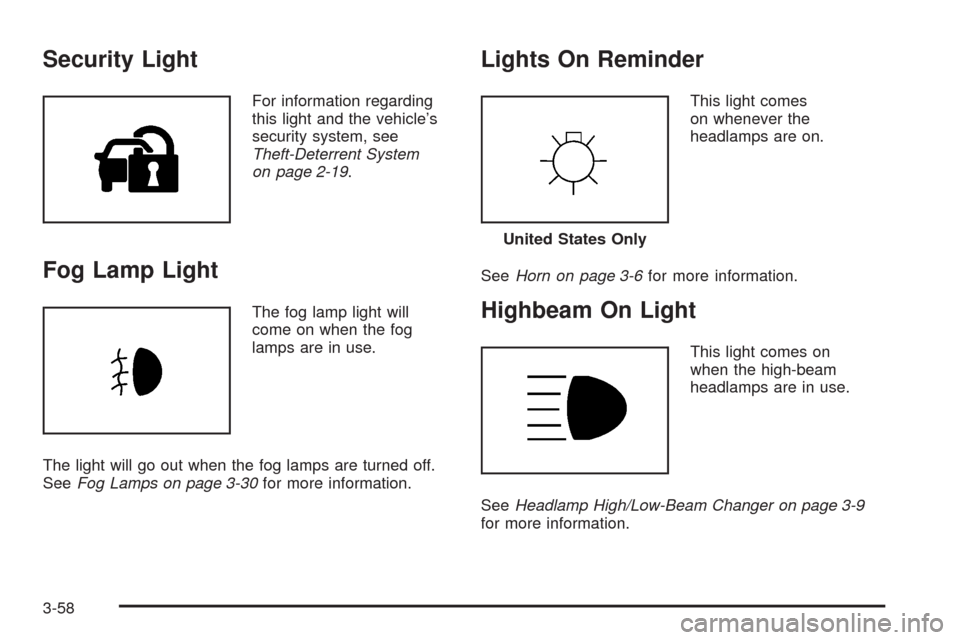
Security Light
For information regarding
this light and the vehicle’s
security system, see
Theft-Deterrent System
on page 2-19.
Fog Lamp Light
The fog lamp light will
come on when the fog
lamps are in use.
The light will go out when the fog lamps are turned off.
SeeFog Lamps on page 3-30for more information.
Lights On Reminder
This light comes
on whenever the
headlamps are on.
SeeHorn on page 3-6for more information.
Highbeam On Light
This light comes on
when the high-beam
headlamps are in use.
SeeHeadlamp High/Low-Beam Changer on page 3-9
for more information.
United States Only
3-58
Page 186 of 470

If the driver remains unbuckled when the ignition is
on and the vehicle is in motion, the reminder will
be repeated. If the driver’s safety belt is already buckled,
this message and chime will not come on.
This message is an additional reminder to the Safety
Belt Reminder Light in the instrument panel cluster.
SeeSafety Belt Reminders on page 3-46for more
information.
CHANGE OIL NOW
This message displays when the life of the engine oil
has expired. SeeScheduled Maintenance on page 7-4.
After an oil change, the Oil Life Indicator must be
reset. SeeOil Life Indicator on page 3-80andEngine
Oil Life System on page 6-20.
CHARGE SYSTEM FAULT
This message displays when a problem with the
charging system has been detected. Have your vehicle
serviced by your dealer/retailer.
CHECK GAS CAP
This message displays if the fuel cap has not been
fully tightened. Check the fuel cap to make sure that
it is on properly.
CLEAN RADAR CRUISE
If your vehicle has this feature, this message displays
when the Adaptive Cruise Control (ACC) system is
disabled because the radar is blocked and cannot
detect vehicles in your path. It may also activate during
heavy rain or due to road spray. To clean the system,
seeAdaptive Cruise Control on page 3-15.
CLOSE CARGO DIVIDER
This message displays if the cargo divider is not in
place. Open the trunk and make sure the cargo divider
is secure and no objects are on the divider. See
Rear Storage Area on page 2-53for more information.
COOLANT OVER TEMP (Temperature)
This message displays when the engine coolant
temperature is too hot. Stop and allow your vehicle to
idle in PARK (P) until it cools down and the message
is removed. Do not increase engine speed above
a normal idle. If it does not cool down, turn off the
engine and have your vehicle serviced by your
dealer/retailer before driving it again. Severe engine
damage can result from an overheated engine.
SeeEngine Overheating on page 6-27.
3-64
Page 195 of 470
SVC (Service) TIRE MONITOR
This message displays if a part on the Tire Pressure
Monitor System (TPMS) is not working properly. The tire
pressure light also ashes and then remains on during
the same ignition cycle. SeeTire Pressure Light on
page 3-53. Several conditions may cause this message
to appear. SeeTire Pressure Monitor Operation on
page 6-63for more information. If the warning comes on
and stays on, there may be a problem with the TPMS.
See your dealer/retailer.
TOO COLD TO MOVE TOP
This message displays when the retractable hardtop
button is pressed and the hardtop pump motor
temperature is below−4°F (−20°C). Wait for the hardtop
pump motor to warm up before using the retractable
hardtop.
TOP INOP (Inoperative) – VALET ON
This message displays when the retractable hardtop
button is pressed and the valet switch is on. Turn off
the valet switch before using the retractable hardtop.
TOP INOP (Inoperative) OUT OF PARK
This message displays if the retractable hardtop
button is pressed while the vehicle is not in PARK (P).
TOP MOTOR OVER TEMP
(Temperature)
This message displays when the retractable hardtop
button is pressed and the hardtop pump motor
temperature is over 221°F (105°C). Wait for the hardtop
pump motor to cool down before using the retractable
hardtop.
TOP NOT SECURE
This message displays when the retractable hardtop
button is released before the top open or close operation
is complete. Press and hold the retractable hardtop
button to fully open or close the top.
TRAC (Traction) SYSTEM ACTIVE
This message displays when the Traction Control System
(TCS) is limiting wheel spin. Slippery road conditions may
exist if this message is displayed, so adjust your driving
accordingly. This message stays on for a few seconds
after the TCS stops limited wheel spin.
TRAC (Traction)/STABILITRAK OFF
This message displays when both the Traction Control
System (TCS) and the StabiliTrak®System are off.
This message will remain until the systems are turned
on again.
3-73
Page 275 of 470
No CAT Info:No category information is available.
The system is working properly.
CAT Not Found:There are no channels available for
the selected category. The system is working properly.
No Information:No text or informational messages
are available. The system is working properly.
XM Theftlocked:The XM™ receiver may have
previously been in another vehicle. For security
purposes, XM™ receivers cannot be swapped between
vehicles. If this message is received after having
your vehicle serviced, check with your dealer/retailer.
XM Radio ID:If tuned to channel 0, this message
will alternate with the XM™ Radio eight digit radio
ID label. This label is needed to activate the service.
Unknown:If this message is received when tuned
to channel 0, there may be a receiver fault. Consult with
your dealer/retailer.
Check XM Receiver:If this message does not clear
within a short period of time, the receiver may have
a fault. Consult with your dealer/retailer.Six-Disc CD Changer
With the compact disc changer, you can play up to
six normal size discs continuously.
When the radio is turned on, the changer will begin
checking for discs. This will continue for up to one and
a half minutes, depending on the number of discs
loaded. You may hear noise, but this is normal.
The CD changer is initializing.
Press the CD hard key to access the six-disc CD
changer screen. You can also use the system’s DVD
player for single CD play once the map DVD is removed.
SeeCD/DVD Player on page 4-70for more information.
If no CD is loaded in the CD/DVD Player and you
press the CD hard key, the message “No CD Loaded”
will appear on the display.
4-67