battery CADILLAC XLR 2008 1.G Owner's Manual
[x] Cancel search | Manufacturer: CADILLAC, Model Year: 2008, Model line: XLR, Model: CADILLAC XLR 2008 1.GPages: 470, PDF Size: 8.39 MB
Page 189 of 470

LOW OIL LEVEL
For correct operation of the low oil sensing system,
your vehicle should be on a level surface. A false
LOW OIL LEVEL message may display if the vehicle
is parked on a grade. The oil level sensing system does
not check for actual oil level if the engine has been
off for a short period of time, and the oil level is never
checked while the engine is running. If the LOW
OIL LEVEL message displays, and your vehicle has
been parked on level ground with the engine off for at
least 30 minutes, the oil level should be checked by
observing the oil dipstick. Prior to checking the oil level,
make sure the engine has been off for a few minutes
and your vehicle is on a level surface. Then check
the dipstick and add oil if necessary. SeeEngine Oil
on page 6-16.
LOW OIL PRESSURE
Notice:If you drive your vehicle while the engine
oil pressure is low, severe engine damage may
occur. If a low oil pressure warning appears on the
Driver Information Center (DIC), stop the vehicle
as soon as possible. Do not drive the vehicle until
the cause of the low oil pressure is corrected.
SeeEngine Oil on page 6-16for more information.If this message displays while the engine is running,
stop the engine and do not operate the vehicle until the
cause of low oil pressure is corrected. Severe damage
to the engine can result. A multiple chime sounds when
this message is displayed.
LOW VOLTAGE
This message displays when the electrical system
is charging less than 10 volts or if the battery has been
drained. If this message displays immediately after
starting, it is possible that the generator can still
recharge the battery. The battery should recharge while
driving, but may take a few hours to do so. Consider
using an auxiliary charger to boost the battery after
returning home or to a nal destination. Make sure you
follow the manufacturer’s instructions. If this message
displays while driving or after starting your vehicle
and stays on, have it checked immediately by your
dealer/retailer to determine the cause of this problem.
To help the generator recharge the battery quickly,
you can reduce the load on the electrical system
by turning off the accessories. You can monitor battery
voltage on the DIC by pressing the INFO button.
The normal range is 11.5 to 15.5 volts.
3-67
Page 191 of 470
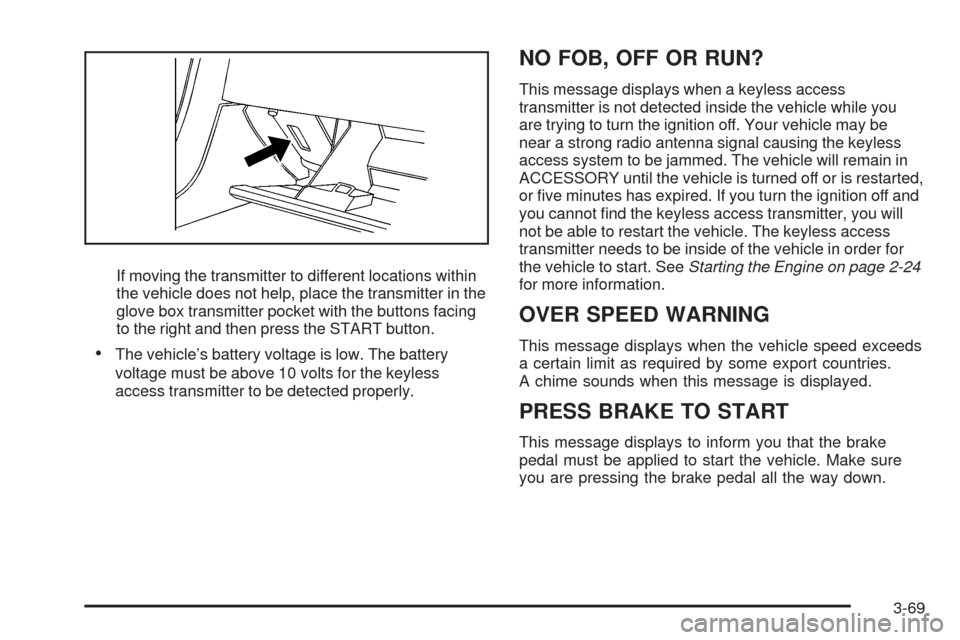
If moving the transmitter to different locations within
the vehicle does not help, place the transmitter in the
glove box transmitter pocket with the buttons facing
to the right and then press the START button.
The vehicle’s battery voltage is low. The battery
voltage must be above 10 volts for the keyless
access transmitter to be detected properly.
NO FOB, OFF OR RUN?
This message displays when a keyless access
transmitter is not detected inside the vehicle while you
are trying to turn the ignition off. Your vehicle may be
near a strong radio antenna signal causing the keyless
access system to be jammed. The vehicle will remain in
ACCESSORY until the vehicle is turned off or is restarted,
or ve minutes has expired. If you turn the ignition off and
you cannot nd the keyless access transmitter, you will
not be able to restart the vehicle. The keyless access
transmitter needs to be inside of the vehicle in order for
the vehicle to start. SeeStarting the Engine on page 2-24
for more information.
OVER SPEED WARNING
This message displays when the vehicle speed exceeds
a certain limit as required by some export countries.
A chime sounds when this message is displayed.
PRESS BRAKE TO START
This message displays to inform you that the brake
pedal must be applied to start the vehicle. Make sure
you are pressing the brake pedal all the way down.
3-69
Page 196 of 470
TRAC (Traction)/STABILITRAK ON
This message displays when both the Traction Control
System (TCS) and the StabiliTrak®System are on.
TRACTION SYSTEM OFF
This message displays when the Traction Control
System (TCS) is off, but the StabiliTrak®System
remains on.
TRACTION SYSTEM ON
This message displays when the Traction Control
System (TCS) is on.
TRUNK AJAR
This message displays when the trunk is open while
the vehicle is running and is not in PARK (P).
WAIT FOR STABILITRAK
This message displays after driving 19 mph (30 km/h)
for 10 seconds if the steering is not centered.
The StabiliTrak
®System is not available until the
steering centers itself and the STABILITRAK READY
message is displayed in the DIC.
Other Messages
Here are more messages that you can receive on the
Driver Information Center (DIC). To acknowledge a
message and read another message that may have
come on at the same time, press the RESET button.
ACCESSORY MODE ON
SeeIgnition Positions on page 2-23.
CHANGE OIL SOON
SeeEngine Oil on page 6-16andEngine Oil
Life System on page 6-20.
FOB BATTERY LOW
See “Battery Replacement” underKeyless
Access System Operation on page 2-6.
HIGH TIRE PRESS LF
SeeInflation - Tire Pressure on page 6-60.
HIGH TIRE PRESS RF
SeeInflation - Tire Pressure on page 6-60.
HIGH TIRE PRESS LR
SeeInflation - Tire Pressure on page 6-60.
HIGH TIRE PRESS RR
SeeInflation - Tire Pressure on page 6-60.
3-74
Page 198 of 470

DIC Vehicle Personalization
Your vehicle has personalization capabilities that allow
you to program certain features to a preferred setting
for up to two drivers. The back of the keyless access
transmitters are labelled 1 or 2.
The current driver’s preferences are recalled when one
of the following occurs:
The lock or unlock button on the keyless access
transmitter, programmed as 1 or 2, is pressed.
The appropriate memory button, 1 or 2, located on
the driver’s seat is pressed. SeeMemory Seat,
Mirrors and Steering Wheel on page 1-3for more
information.
A valid keyless access transmitter is detected upon
opening the driver’s door.
If more than one valid keyless access transmitter is
detected upon opening the driver’s door, the driver
preferences for the lowest driver number will be recalled.
If a keyless access transmitter is programmed
as #3 or #4, the personalization system will not
recognize the transmitter. The Driver Information
Center (DIC) will not display a current driver number
and the features that are normally programmed
through the DIC will be set to the default states.Also, if the OPTIONS button is pressed, the DIC does
not display the menus used to set personalizations,
but instead displays OPTIONS UNAVAILABLE for
a few seconds.
Feature Programming
To change feature preferences, make sure the vehicle
is running and in PARK (P). To avoid excessive drain
on the battery, it is recommended that the headlamps
are turned off. Press the OPTIONS button and the
Driver Information Center (DIC) will display the
current driver for a few seconds, then display the
rst personalization menu item. You can now use the
OPTIONS button to change the setting of the displayed
feature. Press the top or bottom of the information
button to scroll up or down the list of features. When
you get to a feature you want to change, press the
OPTIONS button again. When you are nished, press
the RESET button to exit the personalization menu.
If no button is pressed within 45 seconds, the DIC will
exit the personalization menu.
The following are DIC options that will be available in
the personalization menu.
3-76
Page 259 of 470
Vehicle Positioning
At times, the position of the vehicle on the map may be
inaccurate due to one or more of the following reasons:
The road system has changed.
The vehicle is driving on slippery road surfaces such
as in sand, gravel, and/or snow.
The vehicle is traveling on winding roads.
The vehicle is on a long straight road.
The vehicle is approaching a tall building or a large
vehicle.
The surface streets run parallel to a freeway.
The vehicle has just been transferred by a vehicle
carrier or a ferry.
The current position calibration is set incorrectly.
The vehicle is traveling at high speed.
The vehicle changes directions more than once, or
when the vehicle is turning on a turn table in a
parking lot.
The vehicle is entering and/or exiting a parking lot,
garage, or a lot with a roof.
The GPS signal is not received.
A roof carrier is installed on your vehicle.
The vehicle is being driven with tire chains.
The tires are replaced.
The tire pressure for your tires is incorrect.
The tires are worn.
The rst time the map DVD is inserted.
The battery is disconnected for several days.
The vehicle is driving in heavy traffic where driving is
at low speeds, and the vehicle is stopped and started
repeatedly.
If you experience problems with your system, see
“Adjust Vehicle Position” underSetup Menu on
page 4-13to calibrate the system.
4-51
Page 283 of 470
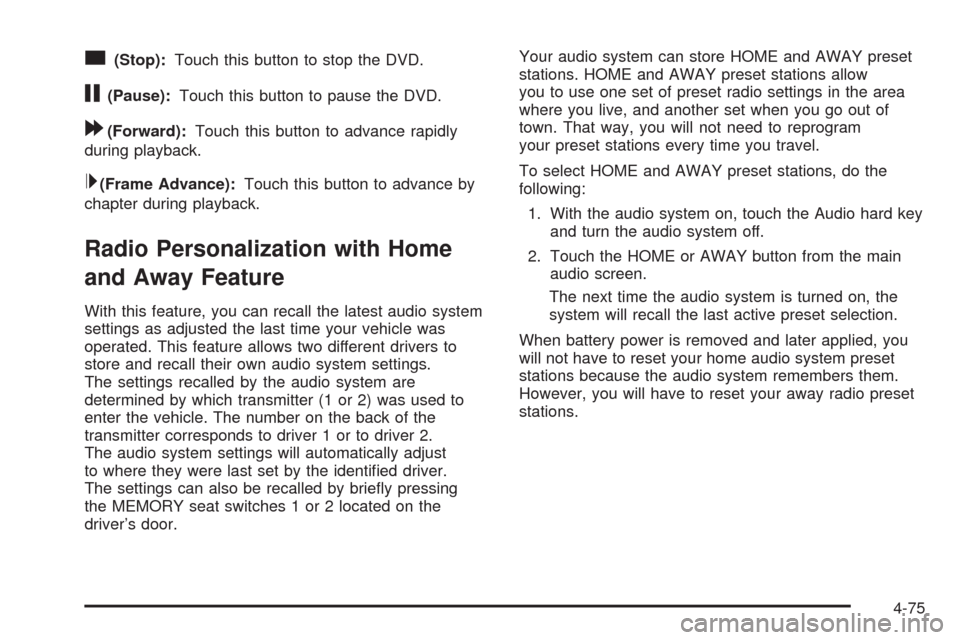
c(Stop):Touch this button to stop the DVD.
j(Pause):Touch this button to pause the DVD.
[(Forward):Touch this button to advance rapidly
during playback.
L(Frame Advance):Touch this button to advance by
chapter during playback.
Radio Personalization with Home
and Away Feature
With this feature, you can recall the latest audio system
settings as adjusted the last time your vehicle was
operated. This feature allows two different drivers to
store and recall their own audio system settings.
The settings recalled by the audio system are
determined by which transmitter (1 or 2) was used to
enter the vehicle. The number on the back of the
transmitter corresponds to driver 1 or to driver 2.
The audio system settings will automatically adjust
to where they were last set by the identied driver.
The settings can also be recalled by briey pressing
the MEMORY seat switches 1 or 2 located on the
driver’s door.Your audio system can store HOME and AWAY preset
stations. HOME and AWAY preset stations allow
you to use one set of preset radio settings in the area
where you live, and another set when you go out of
town. That way, you will not need to reprogram
your preset stations every time you travel.
To select HOME and AWAY preset stations, do the
following:
1. With the audio system on, touch the Audio hard key
and turn the audio system off.
2. Touch the HOME or AWAY button from the main
audio screen.
The next time the audio system is turned on, the
system will recall the last active preset selection.
When battery power is removed and later applied, you
will not have to reset your home audio system preset
stations because the audio system remembers them.
However, you will have to reset your away radio preset
stations.
4-75
Page 313 of 470

Run your engine only as long as you must. This saves
fuel. When you run the engine, make it go a little
faster than just idle. That is, push the accelerator
slightly. This uses less fuel for the heat that you get
and it keeps the battery charged. You will need a
well-charged battery to restart the vehicle, and possibly
for signaling later on with the headlamps. Let the
heater run for a while.
Then, shut the engine off and close the window almost
all the way to preserve the heat. Start the engine
again and repeat this only when you feel really
uncomfortable from the cold. But do it as little as
possible. Preserve the fuel as long as you can. To help
keep warm, you can get out of the vehicle and do
some fairly vigorous exercises every half hour or so until
help comes.If Your Vehicle is Stuck in Sand,
Mud, Ice, or Snow
Slowly and cautiously spin the wheels to free your
vehicle when stuck in sand, mud, ice, or snow. See
Rocking Your Vehicle to Get It Out on page 5-22.
If your vehicle has a traction system, it can often help to
free a stuck vehicle. Refer to your vehicle’s traction
system in the Index. If the stuck condition is too severe
for the traction system to free the vehicle, turn the
traction system off and use the rocking method.
{CAUTION:
If you let your vehicle’s tires spin at high
speed, they can explode, and you or others
could be injured. The vehicle can overheat,
causing an engine compartment re or other
damage. Spin the wheels as little as possible
and avoid going above 35 mph (55 km/h) as
shown on the speedometer.
For information about using tire chains on your vehicle,
seeTire Chains on page 6-73.
5-21
Page 321 of 470
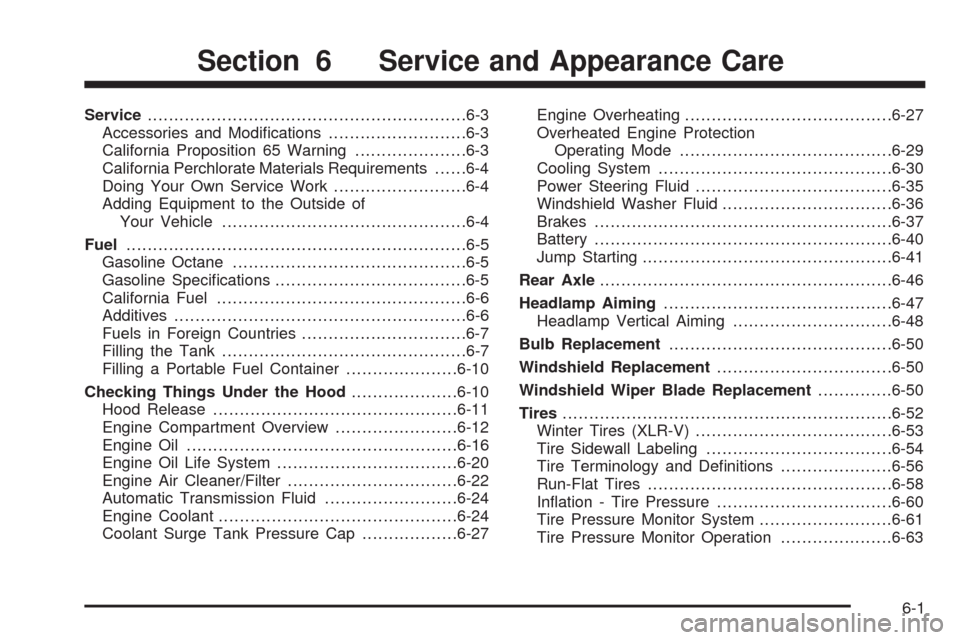
Service............................................................6-3
Accessories and Modications..........................6-3
California Proposition 65 Warning.....................6-3
California Perchlorate Materials Requirements......6-4
Doing Your Own Service Work.........................6-4
Adding Equipment to the Outside of
Your Vehicle..............................................6-4
Fuel................................................................6-5
Gasoline Octane............................................6-5
Gasoline Specications....................................6-5
California Fuel...............................................6-6
Additives.......................................................6-6
Fuels in Foreign Countries...............................6-7
Filling the Tank..............................................6-7
Filling a Portable Fuel Container.....................6-10
Checking Things Under the Hood....................6-10
Hood Release..............................................6-11
Engine Compartment Overview.......................6-12
Engine Oil...................................................6-16
Engine Oil Life System..................................6-20
Engine Air Cleaner/Filter................................6-22
Automatic Transmission Fluid.........................6-24
Engine Coolant.............................................6-24
Coolant Surge Tank Pressure Cap..................6-27Engine Overheating.......................................6-27
Overheated Engine Protection
Operating Mode........................................6-29
Cooling System............................................6-30
Power Steering Fluid.....................................6-35
Windshield Washer Fluid................................6-36
Brakes........................................................6-37
Battery........................................................6-40
Jump Starting...............................................6-41
Rear Axle.......................................................6-46
Headlamp Aiming...........................................6-47
Headlamp Vertical Aiming..............................6-48
Bulb Replacement..........................................6-50
Windshield Replacement.................................6-50
Windshield Wiper Blade Replacement..............6-50
Tires..............................................................6-52
Winter Tires (XLR-V).....................................6-53
Tire Sidewall Labeling...................................6-54
Tire Terminology and Denitions.....................6-56
Run-Flat Tires..............................................6-58
Ination - Tire Pressure.................................6-60
Tire Pressure Monitor System.........................6-61
Tire Pressure Monitor Operation.....................6-63
Section 6 Service and Appearance Care
6-1
Page 333 of 470
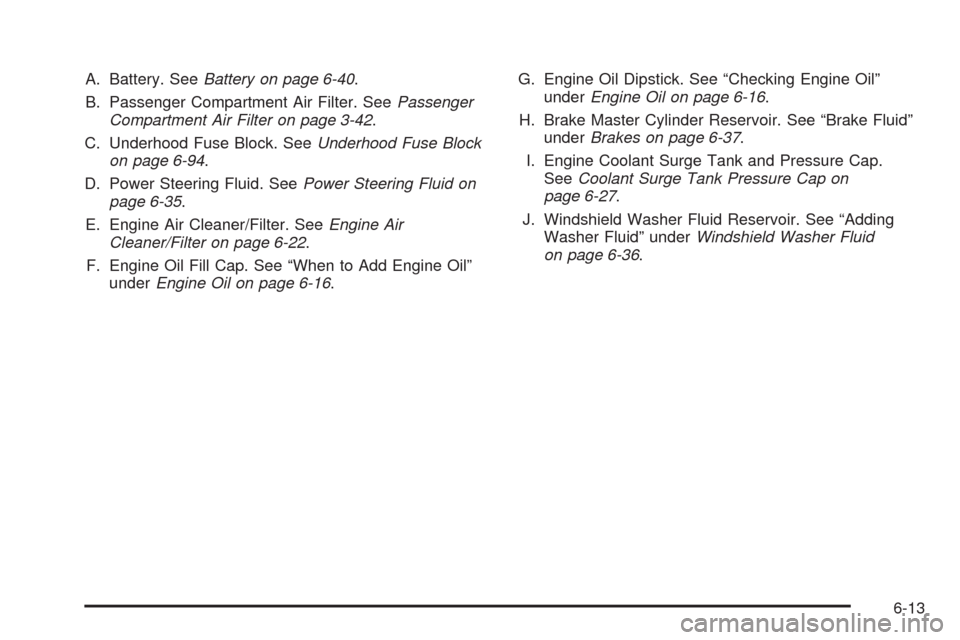
A. Battery. SeeBattery on page 6-40.
B. Passenger Compartment Air Filter. SeePassenger
Compartment Air Filter on page 3-42.
C. Underhood Fuse Block. SeeUnderhood Fuse Block
on page 6-94.
D. Power Steering Fluid. SeePower Steering Fluid on
page 6-35.
E. Engine Air Cleaner/Filter. SeeEngine Air
Cleaner/Filter on page 6-22.
F. Engine Oil Fill Cap. See “When to Add Engine Oil”
underEngine Oil on page 6-16.G. Engine Oil Dipstick. See “Checking Engine Oil”
underEngine Oil on page 6-16.
H. Brake Master Cylinder Reservoir. See “Brake Fluid”
underBrakes on page 6-37.
I. Engine Coolant Surge Tank and Pressure Cap.
SeeCoolant Surge Tank Pressure Cap on
page 6-27.
J. Windshield Washer Fluid Reservoir. See “Adding
Washer Fluid” underWindshield Washer Fluid
on page 6-36.
6-13
Page 335 of 470

A. Battery. SeeBattery on page 6-40.
B. Passenger Compartment Air Filter. SeePassenger
Compartment Air Filter on page 3-42.
C. Underhood Fuse Block. SeeUnderhood Fuse Block
on page 6-94.
D. Power Steering Fluid. SeePower Steering Fluid on
page 6-35.
E. Engine Air Cleaner/Filter. SeeEngine Air
Cleaner/Filter on page 6-22.
F. Engine Oil Fill Cap. See “When to Add Engine Oil”
underEngine Oil on page 6-16.G. Engine Oil Dipstick. See “Checking Engine Oil”
underEngine Oil on page 6-16.
H. Brake Master Cylinder Reservoir. See “Brake Fluid”
underBrakes on page 6-37.
I. Engine Coolant Surge Tank and Pressure Cap.
SeeCoolant Surge Tank Pressure Cap on
page 6-27.
J. Windshield Washer Fluid Reservoir. See “Adding
Washer Fluid” underWindshield Washer Fluid
on page 6-36.
6-15