traction control CADILLAC XLR 2009 1.G User Guide
[x] Cancel search | Manufacturer: CADILLAC, Model Year: 2009, Model line: XLR, Model: CADILLAC XLR 2009 1.GPages: 462, PDF Size: 3.72 MB
Page 191 of 462

STABILITRAK READY
If this message displays and a chime sounds, the
system has completed the functional check of the
StabiliTrak
®System.
SVC (Service) TIRE MONITOR
This message displays if a part on the Tire Pressure
Monitor System (TPMS) is not working properly. The tire
pressure light also ashes and then remains on during
the same ignition cycle. SeeTire Pressure Light on
page 3-50. Several conditions may cause this message
to appear. SeeTire Pressure Monitor Operation on
page 6-57for more information. If the warning comes on
and stays on, there may be a problem with the TPMS.
See your dealer/retailer.
TOO COLD TO MOVE TOP
This message displays when the retractable hardtop
button is pressed and the hardtop pump motor
temperature is below−4°F (−20°C). Wait for the hardtop
pump motor to warm up before using the retractable
hardtop.
TOP INOP (Inoperative) – VALET ON
This message displays when the retractable hardtop
button is pressed and the valet switch is on. Turn off the
valet switch before using the retractable hardtop.
TOP INOP (Inoperative) OUT OF PARK
This message displays if the retractable hardtop
button is pressed while the vehicle is not in P (Park).
TOP MOTOR OVER TEMP (Temperature)
This message displays when the retractable hardtop
button is pressed and the hardtop pump motor
temperature is over 221°F (105°C). Wait for the hardtop
pump motor to cool down before using the retractable
hardtop.
TOP NOT SECURE
This message displays when the retractable hardtop
button is released before the top open or close operation
is complete. Press and hold the retractable hardtop
button to fully open or close the top.
TRAC (Traction) SYSTEM ACTIVE
This message displays when the Traction Control
System (TCS) is limiting wheel spin. Slippery road
conditions may exist if this message is displayed,
so adjust your driving accordingly. This message stays
on for a few seconds after the TCS stops limited
wheel spin.
3-69
Page 192 of 462
TRAC (Traction)/STABILITRAK OFF
This message displays when both the Traction Control
System (TCS) and the StabiliTrak®System are off.
This message will remain until the systems are turned
on again.
TRAC (Traction)/STABILITRAK ON
This message displays when both the Traction Control
System (TCS) and the StabiliTrak®System are on.
TRACTION SYSTEM OFF
This message displays when the Traction Control
System (TCS) is off, but the StabiliTrak®System
remains on.
TRACTION SYSTEM ON
This message displays when the Traction Control
System (TCS) is on.
TRUNK AJAR
This message displays when the trunk is open while the
vehicle is running and is not in P (Park).
Other Messages
Here are more messages that you can receive on the
Driver Information Center (DIC). To acknowledge a
message and read another message that may have
come on at the same time, press the RESET button.
ACCESSORY MODE ON
SeeIgnition Positions on page 2-24.
CHANGE OIL SOON
SeeEngine Oil on page 6-15andEngine Oil Life
System on page 6-18.
FOB BATTERY LOW
See “Battery Replacement” underKeyless Access
System Operation on page 2-5.
HIGH TIRE PRESS LF
SeeInflation - Tire Pressure on page 6-54.
HIGH TIRE PRESS RF
SeeInflation - Tire Pressure on page 6-54.
HIGH TIRE PRESS LR
SeeInflation - Tire Pressure on page 6-54.
HIGH TIRE PRESS RR
SeeInflation - Tire Pressure on page 6-54.
3-70
Page 224 of 462
Features and Controls
Using the Navigation System
This section presents basic information needed to
operate the navigation system.
Use the keys located on each side of the navigation
screen, as well as the available touch-sensitive screen
buttons, to operate the system. SeeNavigation System
Overview on page 4-2for more information on location.
Once the vehicle is moving, various functions become
disabled to reduce driver distraction.
Hard Keys
The following hard keys are located to the left of the
navigation screen:
BAND:Press to access the band screen and
switch between AM, FM1, FM2, XM1, XM2, and WX
(if equipped). See “Finding a Station” underNavigation
Audio System on page 4-52.CD:Press to play a CD. The CD screen displays.
SeeSix-Disc CD Changer on page 4-65orCD/DVD
Player on page 4-68.
DVD:Press to play a DVD. The DVD screen displays.
SeeCD/DVD Player on page 4-68.
yTUNE/SEEKz:Press the up or down arrows to go
to the next or previous radio station and stay there.
See “Finding a Station” underNavigation Audio System
on page 4-52.
e/z(Audio/Adjust):Press to view the main audio
menu. See “Main Audio Menu” underNavigation
Audio System on page 4-52.
PWR-VOL (Power/Volume Knob):Press the knob to
turn the audio and navigation systems on and off.
Turn the knob to increase or decrease the volume to
the audio system.
4-10
Page 295 of 462
Your Driving, the Road, and the Vehicle............5-2
Defensive Driving...........................................5-2
Drunk Driving.................................................5-2
Control of a Vehicle........................................5-3
Braking.........................................................5-4
Antilock Brake System (ABS)...........................5-5
Braking in Emergencies...................................5-6
StabiliTrak
®System........................................5-6
Traction Control System (TCS).........................5-8
Magnetic Ride Control™................................5-10
Limited-Slip Rear Axle...................................5-10
Steering......................................................5-10
Off-Road Recovery.......................................5-12
Passing.......................................................5-12
Loss of Control.............................................5-12
Racing or Other Competitive Driving (XLR-V)......5-14Driving at Night............................................5-14
Driving in Rain and on Wet Roads..................5-15
Before Leaving on a Long Trip.......................5-16
Highway Hypnosis........................................5-16
Hill and Mountain Roads................................5-17
Winter Driving..............................................5-18
If Your Vehicle is Stuck in Sand, Mud,
Ice, or Snow.............................................5-20
Rocking Your Vehicle to Get It Out.................5-20
Loading the Vehicle......................................5-21
Towing..........................................................5-26
Towing Your Vehicle.....................................5-26
Recreational Vehicle Towing...........................5-26
Towing a Trailer...........................................5-26
Section 5 Driving Your Vehicle
5-1
Page 297 of 462

Police records show that almost 40 percent of all motor
vehicle-related deaths involve alcohol. In most cases,
these deaths are the result of someone who was
drinking and driving. In recent years, more than
17,000 annual motor vehicle-related deaths have been
associated with the use of alcohol, with about
250,000 people injured.
For persons under 21, it is against the law in every
U.S. state to drink alcohol. There are good medical,
psychological, and developmental reasons for
these laws.
The obvious way to eliminate the leading highway
safety problem is for people never to drink alcohol
and then drive.
Medical research shows that alcohol in a person’s
system can make crash injuries worse, especially
injuries to the brain, spinal cord, or heart. This meansthat when anyone who has been drinking — driver
or passenger — is in a crash, that person’s chance of
being killed or permanently disabled is higher than if the
person had not been drinking.
Control of a Vehicle
The following three systems help to control your vehicle
while driving — brakes, steering, and accelerator.
At times, as when driving on snow or ice, it is easy to
ask more of those control systems than the tires
and road can provide. Meaning, you can lose control of
your vehicle. SeeTraction Control System (TCS) on
page 5-8andStabiliTrak
®System on page 5-6.
Adding non-dealer/non-retailer accessories can affect
your vehicle’s performance. SeeAccessories and
Modifications on page 6-3.
5-3
Page 300 of 462

Braking in Emergencies
With ABS, you can steer and brake at the same time.
In many emergencies, steering can help more than even
the very best braking.
Brake Assist
This vehicle has a Brake Assist feature designed to
assist the driver in stopping or decreasing vehicle speed
in emergency driving conditions. This feature uses the
stability system hydraulic brake control module to
supplement the power brake system under conditions
where the driver has quickly and forcefully applied
the brake pedal in an attempt to quickly stop or slow
down the vehicle. The stability system hydraulic
brake control module increases brake pressure at each
corner of the vehicle until the ABS activates. Minor
brake pedal pulsations or pedal movement during this
time is normal and the driver should continue to
apply the brake pedal as the driving situation dictates
The Brake Assist feature will automatically disengage
when the brake pedal is released or brake pedal
pressure is quickly decreased.
StabiliTrak®System
The StabiliTrak System is a computer controlled system
that helps the driver maintain directional control of the
vehicle in difficult driving conditions. This is accomplished
by selectively applying any one of the vehicle’s brakes.
The Traction Control
System (TCS)/StabiliTrak
light is located on the
instrument panel.
STABILITRAK ACTIVE comes on the Driver Information
Center (DIC) when the system is working. SeeDIC
Warnings and Messages on page 3-60for more
information. The system may be heard or felt while it is
working. This is normal.
The TCS/StabiliTrak light comes on the instrument panel,
a chime will sound, and SERVICE STABILITRAK comes
on the DIC if there is a problem with the system.
5-6
Page 301 of 462

When this light and SERVICE STABILITRAK comes on,
the system is not operational and needs to be serviced.
Adjust your driving accordingly.
The system comes on automatically whenever the
vehicle is started. To help maintain directional control
of the vehicle, the system should always be left on.
The system can be turned off if needed. If the StabiliTrak
system is turned off, the Traction Control System will
also be turned off. Adjust your driving accordingly.
The Traction Control
button is located on
the console.To turn the system off, press and hold the TCS/
StabiliTrak button until the light comes on the instrument
panel and STABILITRAK OFF comes on the DIC.
The system can be turned back on at any time by
pressing the button. The TCS/StabiliTrak light turns off
and STABILITRAK ON briey comes on the DIC.
If the Tire Pressure Monitor (TPM) system detects a at
tire and FLAT TIRE comes on the DIC, or if the TPM
system is not working and SERVICE TIRE MONITOR
comes on the DIC, StabiliTrak can be affected in
the following ways:
StabiliTrak cannot be turned off by the driver.
If StabiliTrak is off, it will be turned on automatically.
Performance Mode is unavailable — XLR-V only.
5-7
Page 302 of 462
Performance Mode — XLR-V Only
Notice:When traction control is turned off, or
Performance Mode is active, it is possible to lose
traction. If a shift is attempted with the rear wheels
spinning with a loss of traction, it is possible to
cause damage to the transmission. Do not attempt to
shift when the rear wheels do not have traction.
Damage caused by misuse of the vehicle is not
covered. See the warranty book for additional
information.
For vehicles with this feature, the Performance Mode
can be selected by pressing the TCS/StabiliTrak button
on the console two times quickly. PERFORMANCE
MODE comes on the DIC. Performance Mode allows the
driver to have full control of the rear wheels while the
StabiliTrak System helps maintain directional control of
the vehicle by applying the brakes as necessary.
The TCS/StabiliTrak light will not be on. The TCS will
not be operating. Adjust your driving accordingly.
When the TCS/StabiliTrak button is pressed again, the
StabiliTrak and Traction Control Systems will be on.
The TRAC/STABILITRAK ON message will be displayed
briey in the DIC and a chime will be heard.
Traction Control System (TCS)
The vehicle has a traction control system that limits
wheel spin. This is especially useful in slippery
road conditions. The system operates only if it senses
that one or both of the rear wheels are spinning or
beginning to lose traction. When this happens,
the system works the rear brakes and reduces engine
power to limit wheel spin.
The TRAC SYSTEM ACTIVE message will display on
the Driver Information Center (DIC) when the traction
control system is limiting wheel spin. SeeDIC Warnings
and Messages on page 3-60. The system may be
heard or felt while it is working, but this is normal.
If cruise control is being used when the traction control
system begins to limit wheel spin, the cruise control
will automatically disengage. Cruise control may be
reengaged when road conditions allow. SeeAdaptive
Cruise Control on page 3-14orCruise Control on
page 3-11for more information.
5-8
Page 303 of 462
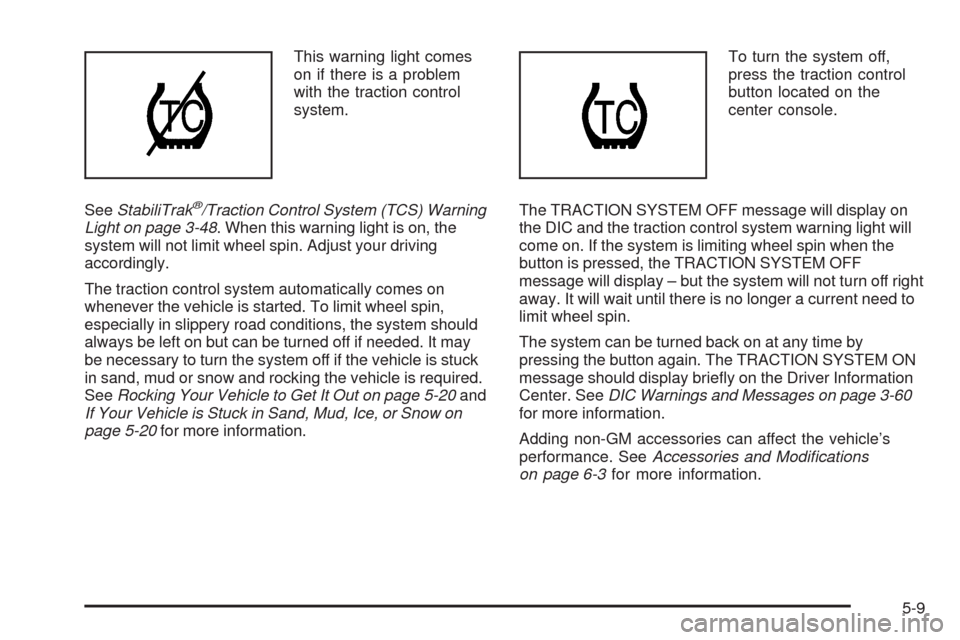
This warning light comes
on if there is a problem
with the traction control
system.
SeeStabiliTrak
®/Traction Control System (TCS) Warning
Light on page 3-48. When this warning light is on, the
system will not limit wheel spin. Adjust your driving
accordingly.
The traction control system automatically comes on
whenever the vehicle is started. To limit wheel spin,
especially in slippery road conditions, the system should
always be left on but can be turned off if needed. It may
be necessary to turn the system off if the vehicle is stuck
in sand, mud or snow and rocking the vehicle is required.
SeeRocking Your Vehicle to Get It Out on page 5-20and
If Your Vehicle is Stuck in Sand, Mud, Ice, or Snow on
page 5-20for more information.To turn the system off,
press the traction control
button located on the
center console.
The TRACTION SYSTEM OFF message will display on
the DIC and the traction control system warning light will
come on. If the system is limiting wheel spin when the
button is pressed, the TRACTION SYSTEM OFF
message will display – but the system will not turn off right
away. It will wait until there is no longer a current need to
limit wheel spin.
The system can be turned back on at any time by
pressing the button again. The TRACTION SYSTEM ON
message should display briey on the Driver Information
Center. SeeDIC Warnings and Messages on page 3-60
for more information.
Adding non-GM accessories can affect the vehicle’s
performance. SeeAccessories and Modifications
on page 6-3for more information.
5-9
Page 304 of 462
Magnetic Ride Control™
With this feature, Magnetic Ride Control automatically
adjusts the ride of the vehicle based on driving
conditions. The controller receives input from the system
to determine the proper ride. If the controller detects
a problem within the system, the DIC will display a
SERVICE RIDE CONTROL message. SeeDIC
Warnings and Messages on page 3-60for more
information. See your dealer/retailer for service.
Limited-Slip Rear Axle
Vehicles with a limited-slip rear axle can give more
traction on snow, mud, ice, sand or gravel. It works like
a standard axle most of the time, but when traction
is low, this feature allows the drive wheel with the most
traction to move the vehicle.
Steering
Power Steering
If you lose power steering assist because the engine
stops or the system is not functioning, you can steer but
it will take much more effort.
Magnetic Speed Variable Assist
Steering System
This system continuously adjusts the effort you feel
when steering at all vehicle speeds. It provides ease
when parking, yet a rm, solid feel at highway speeds.
Steering Tips
It is important to take curves at a reasonable speed.
Traction in a curve depends on the condition of the tires
and the road surface, the angle at which the curve is
banked, and your speed. While in a curve, speed is the
one factor you can control.
If you need to reduce speed, do it before you enter the
curve, while the front wheels are straight ahead.
Try to adjust the speed so you can drive through the
curve. Maintain a reasonable, steady speed. Wait
to accelerate until you are out of the curve, and then
accelerate gently into the straightaway.
5-10