ECU CADILLAC XLR 2009 1.G Owner's Manual
[x] Cancel search | Manufacturer: CADILLAC, Model Year: 2009, Model line: XLR, Model: CADILLAC XLR 2009 1.GPages: 462, PDF Size: 3.72 MB
Page 81 of 462
Immobilizer Operation
The vehicle has a passive theft-deterrent system.
The system is automatically armed when the ignition is
turned off.
The immobilization system is disarmed when the ignition
is turned to OFF/ACCESSORY or START and a valid
transmitter is found in the vehicle.
You do not have to manually arm or disarm the system.
The security light comes on if there is a problem with
arming or disarming the theft-deterrent system.
The system has one or more keyless access transmitters
that are matched to an immobilizer control unit in the
vehicle. Only a correctly matched keyless access
transmitter starts the vehicle. The vehicle may not
start if the keyless access transmitter is damaged.
If the engine does not start and the security light comes
on, there may be a problem with the immobilizer system.
Press the START button again.If the vehicle does not start and the keyless access
transmitter appears to be undamaged, try another
keyless access transmitter. Or, place the transmitter in
the transmitter pocket. See “NO FOBS DETECTED”
underDIC Warnings and Messages on page 3-60for
additional information. Check the fuse. SeeFuses and
Circuit Breakers on page 6-83. If the engine still does not
start with the other transmitter, the vehicle needs service.
If the engine does start, the rst transmitter may be faulty.
See your dealer/retailer or have a new keyless access
transmitter programmed to the vehicle.
The immobilizer system can learn new or replacement
keyless access transmitters. Up to four keyless access
transmitters can be programmed for the vehicle.
To program additional transmitters, see “Matching
transmitter(s) to Your Vehicle” underKeyless Access
System Operation on page 2-5.
Do not leave the key or device that disarms or
deactivates the theft deterrent system in the vehicle.
2-23
Page 100 of 462
OnStar®System
OnStar uses several innovative technologies and live
advisors to provide a wide range of safety, security,
information, and convenience services. If the airbags
deploy, the system is designed to make an automatic
call to OnStar Emergency advisors who can request
emergency services be sent to your location. If the keys
are locked in the vehicle, call OnStar at 1-888-4-ONSTAR
to have a signal sent to unlock the doors. OnStar
Hands-Free Calling, including 30 trial minutes good
for 60 days, is available on most vehicles. OnStar
Turn-by-Turn Navigation service, with one trial route, is
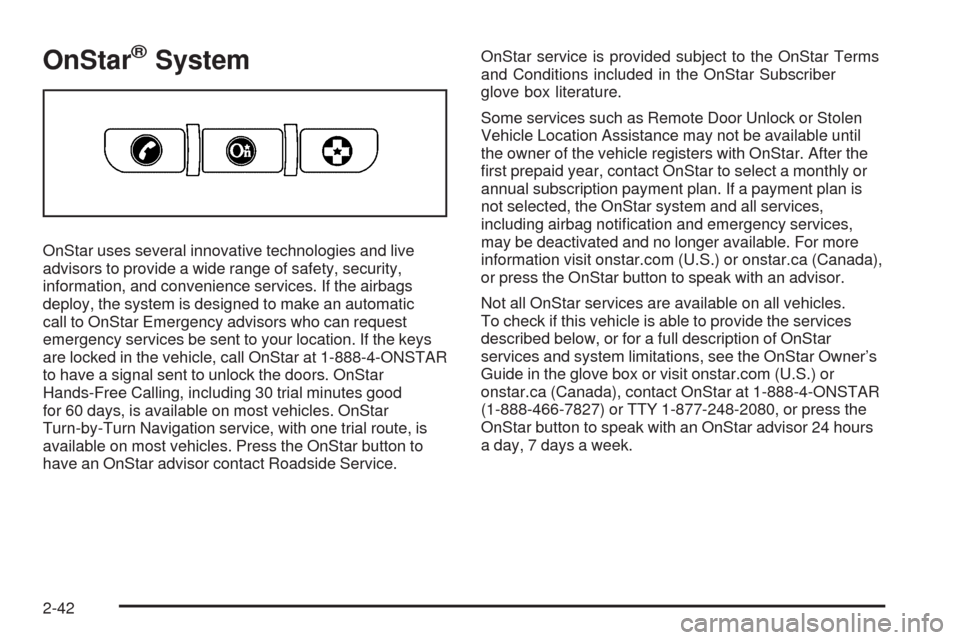
available on most vehicles. Press the OnStar button to
have an OnStar advisor contact Roadside Service.OnStar service is provided subject to the OnStar Terms
and Conditions included in the OnStar Subscriber
glove box literature.
Some services such as Remote Door Unlock or Stolen
Vehicle Location Assistance may not be available until
the owner of the vehicle registers with OnStar. After the
rst prepaid year, contact OnStar to select a monthly or
annual subscription payment plan. If a payment plan is
not selected, the OnStar system and all services,
including airbag notication and emergency services,
may be deactivated and no longer available. For more
information visit onstar.com (U.S.) or onstar.ca (Canada),
or press the OnStar button to speak with an advisor.
Not all OnStar services are available on all vehicles.
To check if this vehicle is able to provide the services
described below, or for a full description of OnStar
services and system limitations, see the OnStar Owner’s
Guide in the glove box or visit onstar.com (U.S.) or
onstar.ca (Canada), contact OnStar at 1-888-4-ONSTAR
(1-888-466-7827) or TTY 1-877-248-2080, or press the
OnStar button to speak with an OnStar advisor 24 hours
a day, 7 days a week.
2-42
Page 103 of 462
Location information about the vehicle is only available
if the GPS satellite signals are unobstructed and
available.
The vehicle must have a working electrical system,
including adequate battery power, for the OnStar
equipment to operate. There are other problems OnStar
cannot control that may prevent OnStar from providing
OnStar service at any particular time or place. Some
examples are damage to important parts of the vehicle
in a crash, hills, tall buildings, tunnels, weather or
wireless phone network congestion.
Your Responsibility
Increase the volume of the radio if the OnStar advisor
cannot be heard. If the light next to the OnStar buttons
is red, the system may not be functioning properly.
Press the OnStar button and request a vehicle
diagnostic. If the light appears clear (no light is
appearing), your OnStar subscription has expired and
all services have been deactivated. Press the OnStar
button to conrm that the OnStar equipment is active.
Universal Home Remote
System
The Universal Home Remote System provides a way to
replace up to three hand-held radio-frequency (RF)
transmitters used to activate devices such as garage
door openers, security systems, and home lighting.
This device complies with Part 15 of the FCC Rules.
Operation is subject to the following two conditions:
1. This device may not cause harmful interference.
2. This device must accept any interference received,
including interference that may cause undesired
operation.
The FCC Grant of Equipment Authorization Certicate
number is KOBGTV06A.
This device complies with RSS-210 of Industry Canada.
Operation is subject to the following two conditions:
1. This device may not cause interference.
2. This device must accept any interference received,
including interference that may cause undesired
operation of the device.
The Canadian Registration ID number is 3521A-GTV06A.
Changes or modications to this system by other than
an authorized service facility could void authorization to
use this equipment.
2-45
Page 104 of 462
Universal Home Remote System
Operation
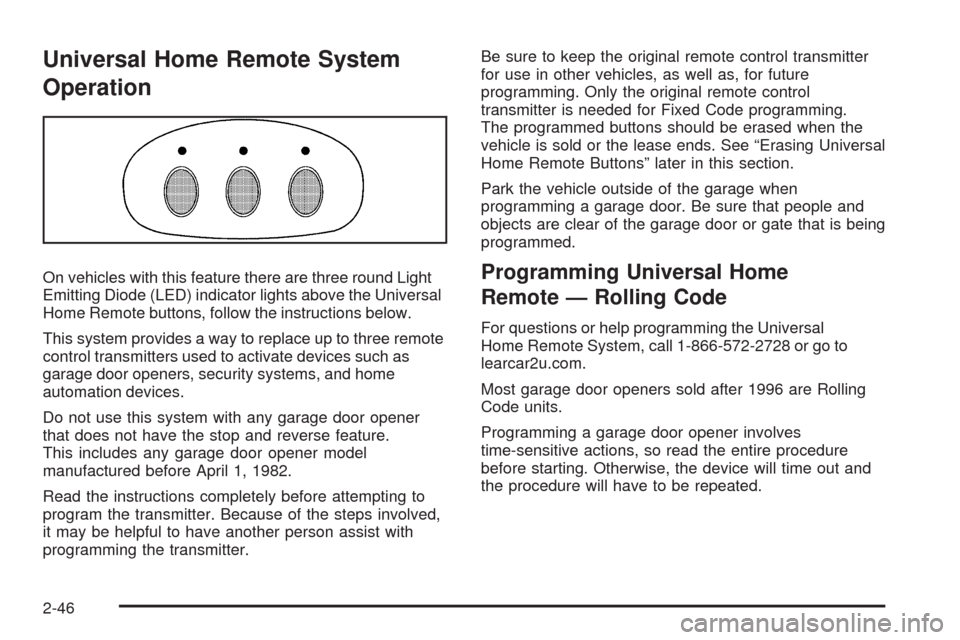
On vehicles with this feature there are three round Light
Emitting Diode (LED) indicator lights above the Universal
Home Remote buttons, follow the instructions below.
This system provides a way to replace up to three remote
control transmitters used to activate devices such as
garage door openers, security systems, and home
automation devices.
Do not use this system with any garage door opener
that does not have the stop and reverse feature.
This includes any garage door opener model
manufactured before April 1, 1982.
Read the instructions completely before attempting to
program the transmitter. Because of the steps involved,
it may be helpful to have another person assist with
programming the transmitter.Be sure to keep the original remote control transmitter
for use in other vehicles, as well as, for future
programming. Only the original remote control
transmitter is needed for Fixed Code programming.
The programmed buttons should be erased when the
vehicle is sold or the lease ends. See “Erasing Universal
Home Remote Buttons” later in this section.
Park the vehicle outside of the garage when
programming a garage door. Be sure that people and
objects are clear of the garage door or gate that is being
programmed.Programming Universal Home
Remote — Rolling Code
For questions or help programming the Universal
Home Remote System, call 1-866-572-2728 or go to
learcar2u.com.
Most garage door openers sold after 1996 are Rolling
Code units.
Programming a garage door opener involves
time-sensitive actions, so read the entire procedure
before starting. Otherwise, the device will time out and
the procedure will have to be repeated.
2-46
Page 106 of 462
4. Immediately return to the vehicle. Press and hold
the Universal Home Remote button that will be
used to control the garage door until the garage
door moves. The indicator light, above the selected
button, should slowly blink. This button may
need to be held for up to 20 seconds.
5. Immediately, within one second, release the button
when the garage door moves. The indicator light
blinks rapidly until programming is complete.
6. Press and release the same button again.
The garage door should move, conrming
that programming is successful and complete.
To program another Rolling Code device such as an
additional garage door opener, a security device,
or home automation device, repeat Steps 1-6, choosing
a different function button in Step 4 than what was
used for the garage door opener.
If these instructions do not work, the garage door
opener is probably a Fixed Code unit. Follow the
Programming instructions that follow for a Fixed Code
garage door opener.Programming Universal Home
Remote — Fixed Code
For questions or help programming the Universal Home
Remote System, call 1-866-572-2728 or go to
learcar2u.com.
Most garage door openers sold before 1996 are Fixed
Code units.
Programming a garage door opener involves
time-sensitive actions, so read the entire procedure
before starting. Otherwise, the device will time out and
the procedure will have to be repeated.
To program up to three devices:
1. Press START or put the vehicle in accessory mode.
SeeIgnition Positions on page 2-24for additional
information.
Programming can only occur when the vehicle is
running or in accessory mode.
2-48
Page 109 of 462
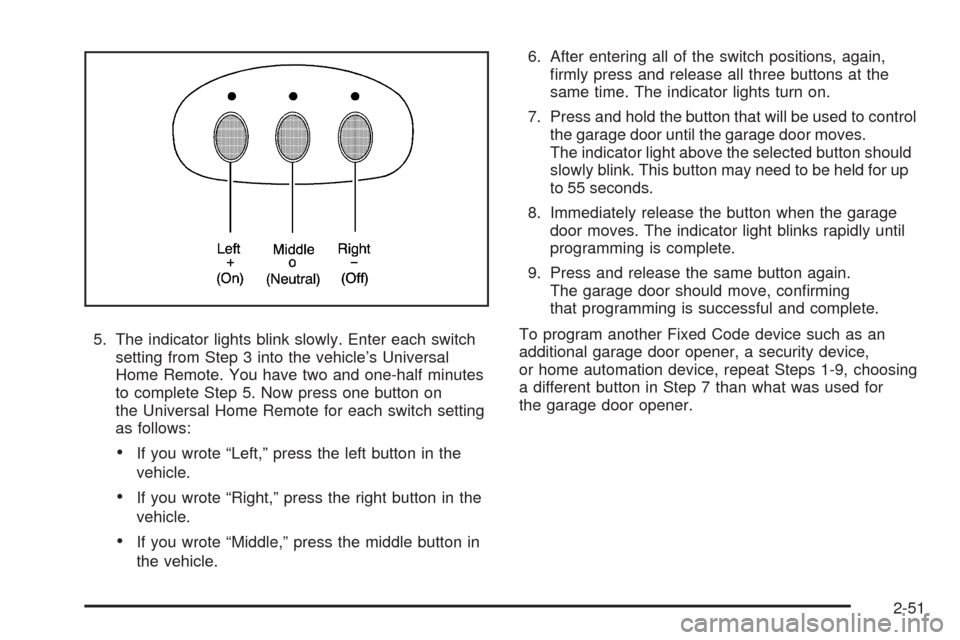
5. The indicator lights blink slowly. Enter each switch
setting from Step 3 into the vehicle’s Universal
Home Remote. You have two and one-half minutes
to complete Step 5. Now press one button on
the Universal Home Remote for each switch setting
as follows:
If you wrote “Left,” press the left button in the
vehicle.
If you wrote “Right,” press the right button in the
vehicle.
If you wrote “Middle,” press the middle button in
the vehicle.6. After entering all of the switch positions, again,
rmly press and release all three buttons at the
same time. The indicator lights turn on.
7. Press and hold the button that will be used to control
the garage door until the garage door moves.
The indicator light above the selected button should
slowly blink. This button may need to be held for up
to 55 seconds.
8. Immediately release the button when the garage
door moves. The indicator light blinks rapidly until
programming is complete.
9. Press and release the same button again.
The garage door should move, conrming
that programming is successful and complete.
To program another Fixed Code device such as an
additional garage door opener, a security device,
or home automation device, repeat Steps 1-9, choosing
a different button in Step 7 than what was used for
the garage door opener.
2-51
Page 124 of 462
Warning Lights, Gages, and Indicators............3-41
Instrument Panel Cluster................................3-42
Speedometer and Odometer...........................3-43
Trip Odometer..............................................3-43
Tachometer.................................................3-43
Safety Belt Reminders...................................3-44
Airbag Readiness Light..................................3-44
Passenger Airbag Status Indicator...................3-45
Charging System Light..................................3-46
Voltmeter Gage............................................3-46
Brake System Warning Light..........................3-47
Antilock Brake System (ABS) Warning Light.....3-48
StabiliTrak
®/Traction Control System (TCS)
Warning Light...........................................3-48
Engine Coolant Temperature Gage..................3-49
Tire Pressure Light.......................................3-50
Malfunction Indicator Lamp.............................3-50
Engine Oil Pressure Gage.............................3-54
Security Light...............................................3-55
Fog Lamp Light............................................3-55Lights On Reminder......................................3-55
Highbeam On Light.......................................3-55
Fuel Gage...................................................3-56
Driver Information Center (DIC).......................3-57
DIC Operation and Displays...........................3-57
DIC Warnings and Messages.........................3-60
Other Messages...........................................3-70
DIC Vehicle Personalization............................3-72
Trip Computer................................................3-76
Oil Life Indicator...........................................3-76
Audio System(s).............................................3-76
Bluetooth®...................................................3-77
Theft-Deterrent Feature..................................3-88
Audio Steering Wheel Controls.......................3-88
Radio Reception...........................................3-90
Care of Your CDs.........................................3-91
Care of the CD Player...................................3-91
Diversity Antenna System..............................3-91
XM™ Satellite Radio Antenna System.............3-91
Section 3 Instrument Panel
3-2
Page 177 of 462

Security Light
For information regarding
this light and the vehicle’s
security system, see
Theft-Deterrent System
on page 2-20.
Fog Lamp Light
The fog lamp light comes
on when the fog lamps are
in use.
The light goes out when the fog lamps are turned off.
SeeFog Lamps on page 3-28for more information.
Lights On Reminder
This light comes on
whenever the headlamps
are on.
SeeHorn on page 3-6for more information.
Highbeam On Light
This light comes on when
the high-beam headlamps
are in use.
SeeHeadlamp High/Low-Beam Changer on page 3-8
for more information.
United States Only
3-55
Page 183 of 462
CHANGE OIL NOW
This message displays when the life of the engine oil
has expired. SeeScheduled Maintenance on page 7-4.
After an oil change, the Oil Life Indicator must be
reset. SeeOil Life Indicator on page 3-76andEngine
Oil Life System on page 6-18.
CHARGE SYSTEM FAULT
This message displays when a problem with the
charging system has been detected. Have the vehicle
serviced by your dealer/retailer.
CHECK GAS CAP
This message displays if the fuel cap has not been fully
tightened. Check the fuel cap to make sure that it is
on properly.
CLEAN RADAR CRUISE
If the vehicle has this feature, this message displays
when the Adaptive Cruise Control (ACC) system
is disabled because the radar is blocked and cannot
detect vehicles in your path. It may also activate during
heavy rain or due to road spray. To clean the system,
seeAdaptive Cruise Control on page 3-14.
CLOSE CARGO DIVIDER
This message displays if the cargo divider is not in
place. Open the trunk and make sure the cargo divider
is secure and no objects are on the divider. SeeRear
Storage Area on page 2-54for more information.
COOLANT OVER TEMP (Temperature)
This message displays when the engine coolant
temperature is too hot. Stop and allow the vehicle to
idle in P (Park) until it cools down and the message is
removed. Do not increase engine speed above a
normal idle. If it does not cool down, turn off the engine
and have the vehicle serviced by your dealer/retailer
before driving it again. Severe engine damage can result
from an overheated engine. SeeEngine Overheating
on page 6-27.
CRUISE NOT READY
This message indicates that the Adaptive Cruise Control
(ACC) will not activate due to a temporary condition.
The vehicle does not require service. If this message
displays when you attempt to activate the system,
continue driving for several minutes, then try to activate
the system again.
3-61
Page 191 of 462

STABILITRAK READY
If this message displays and a chime sounds, the
system has completed the functional check of the
StabiliTrak
®System.
SVC (Service) TIRE MONITOR
This message displays if a part on the Tire Pressure
Monitor System (TPMS) is not working properly. The tire
pressure light also ashes and then remains on during
the same ignition cycle. SeeTire Pressure Light on
page 3-50. Several conditions may cause this message
to appear. SeeTire Pressure Monitor Operation on
page 6-57for more information. If the warning comes on
and stays on, there may be a problem with the TPMS.
See your dealer/retailer.
TOO COLD TO MOVE TOP
This message displays when the retractable hardtop
button is pressed and the hardtop pump motor
temperature is below−4°F (−20°C). Wait for the hardtop
pump motor to warm up before using the retractable
hardtop.
TOP INOP (Inoperative) – VALET ON
This message displays when the retractable hardtop
button is pressed and the valet switch is on. Turn off the
valet switch before using the retractable hardtop.
TOP INOP (Inoperative) OUT OF PARK
This message displays if the retractable hardtop
button is pressed while the vehicle is not in P (Park).
TOP MOTOR OVER TEMP (Temperature)
This message displays when the retractable hardtop
button is pressed and the hardtop pump motor
temperature is over 221°F (105°C). Wait for the hardtop
pump motor to cool down before using the retractable
hardtop.
TOP NOT SECURE
This message displays when the retractable hardtop
button is released before the top open or close operation
is complete. Press and hold the retractable hardtop
button to fully open or close the top.
TRAC (Traction) SYSTEM ACTIVE
This message displays when the Traction Control
System (TCS) is limiting wheel spin. Slippery road
conditions may exist if this message is displayed,
so adjust your driving accordingly. This message stays
on for a few seconds after the TCS stops limited
wheel spin.
3-69