ECU CADILLAC XLR 2009 1.G Owner's Guide
[x] Cancel search | Manufacturer: CADILLAC, Model Year: 2009, Model line: XLR, Model: CADILLAC XLR 2009 1.GPages: 462, PDF Size: 3.72 MB
Page 279 of 462
No CAT Info:No category information is available.
The system is working properly.
CAT Not Found:There are no channels available for
the selected category. The system is working properly.
No Information:No text or informational messages
are available. The system is working properly.
XM Theftlocked:The XM™ receiver may have
previously been in another vehicle. For security
purposes, XM™ receivers cannot be swapped between
vehicles. If this message is received after having
your vehicle serviced, check with your dealer/retailer.
XM Radio ID:If tuned to channel 0, this message
will alternate with the XM™ Radio eight digit radio ID
label. This label is needed to activate the service.
Unknown:If this message is received when tuned to
channel 0, there may be a receiver fault. Consult
with your dealer/retailer.
Check XM Receiver:If this message does not clear
within a short period of time, the receiver may have
a fault. Consult with your dealer/retailer.
XM Not Available:If this message does not clear
within a short period of time, the receiver could have a
fault. Consult with your dealer/retailer.Six-Disc CD Changer
With the compact disc changer, up to six normal size
discs can be played continuously.
When the radio is turned on, the changer begins
checking for discs. This continues for up to one and a
half minutes, depending on the number of discs loaded.
Noise might be heard, but this is normal. The CD
changer is initializing.
Press the CD hard key to access the six-disc CD
changer screen. You can also use the system’s DVD
player for single CD play once the map DVD is removed.
SeeCD/DVD Player on page 4-68for more information.
If no CD is loaded in the CD/DVD Player and the CD
hard key is pressed, the message “No CD Loaded”
displays.
4-65
Page 319 of 462

The GVWR includes the weight of the vehicle,
all occupants, fuel, and cargo. Never exceed the
GVWR for your vehicle, or the Gross Axle Weight
Rating (GAWR) for either the front or rear axle.
And, if you do have a heavy load, you should
spread it out.
{CAUTION:
Do not load the vehicle any heavier than the
Gross Vehicle Weight Rating (GVWR), or
either the maximum front or rear Gross Axle
Weight Rating (GAWR). If you do, parts on the
vehicle can break, and it can change the way
your vehicle handles. These could cause you
to lose control and crash. Also, overloading
can shorten the life of the vehicle.
Notice
:Overloading your vehicle may cause
damage. Repairs would not be covered by your
warranty. Do not overload your vehicle.If you put things inside your vehicle — like
suitcases, tools, packages, or anything else — they
will go as fast as the vehicle goes. If you have to
stop or turn quickly, or if there is a crash, they will
keep going.
{CAUTION:
Things you put inside your vehicle can strike
and injure people in a sudden stop or turn, or
in a crash.
Put things in the rear area of your
vehicle. Try to spread the weight evenly.
Never stack heavier things, like
suitcases, inside the vehicle so that some
of them are above the tops of the seats.
Do not leave an unsecured child restraint
in your vehicle.
When you carry something inside the
vehicle, secure it whenever you can.
5-25
Page 347 of 462
If the LOW COOLANT message does not appear on the
Driver Information Center (DIC) after two minutes, the
coolant is at the proper ll level. If a LOW COOLANT
message does appear, repeat Steps 1 through 3 then
reinstall the pressure cap, or see your dealer/retailer.
If coolant is needed, add the proper DEX-COOL
®
coolant mixture at the coolant surge tank.
Notice:If the pressure cap is not tightly installed,
coolant loss and possible engine damage may occur.
Be sure the cap is properly and tightly secured.
The coolant surge tank pressure cap must be fully
installed on the coolant surge tank. SeeEngine
Compartment Overview on page 6-12for more
information on location.
Engine Overheating
The vehicle has several indicators to warn of engine
overheating.
There is a COOLANT OVER TEMP message or an
ENGINE HOT, STOP ENGINE message displayed in the
Driver Information Center (DIC). SeeDIC Warnings
and Messages on page 3-60. You will also hear a chime.There is also an engine coolant temperature gage on
the instrument panel cluster. SeeEngine Coolant
Temperature Gage on page 3-49.
You may decide not to lift the hood when this warning
appears, but instead get service help right away.
SeeRoadside Service on page 8-7.
If you do decide to lift the hood, make sure the vehicle
is parked on a level surface.
Then check to see if the engine cooling fans are
running. If the engine is overheating, both fans should
be running. If they are not, do not continue to run
the engine and have the vehicle serviced.
Notice:Engine damage from running the engine
without coolant is not covered by the warranty.
Notice:If the engine catches re while driving
with no coolant, the vehicle can be badly damaged.
The costly repairs would not be covered by the
vehicle warranty. SeeOverheated Engine Protection
Operating Mode on page 6-29for information on
driving to a safe place in an emergency.
6-27
Page 366 of 462
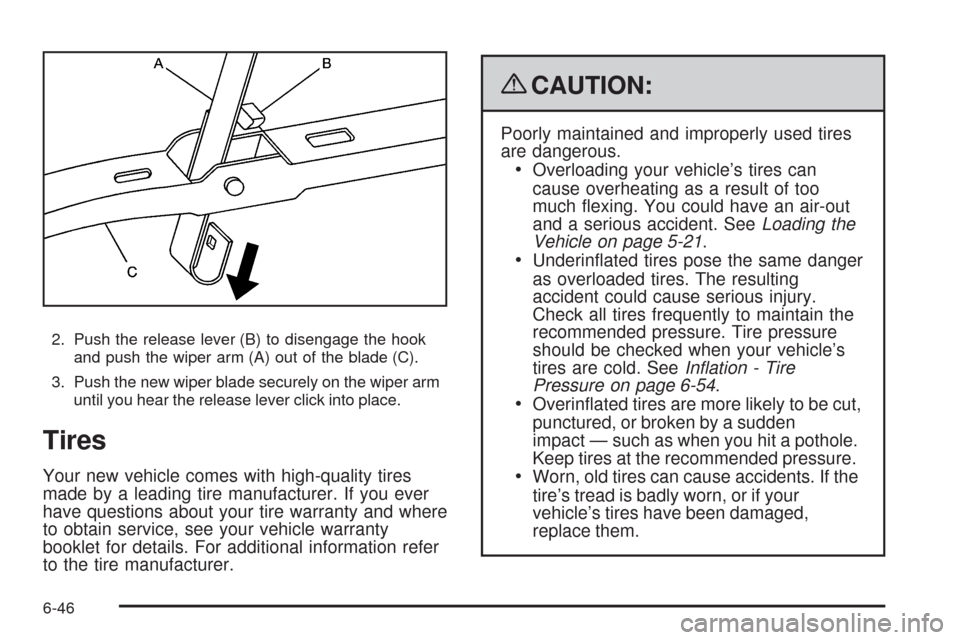
2. Push the release lever (B) to disengage the hook
and push the wiper arm (A) out of the blade (C).
3. Push the new wiper blade securely on the wiper arm
until you hear the release lever click into place.
Tires
Your new vehicle comes with high-quality tires
made by a leading tire manufacturer. If you ever
have questions about your tire warranty and where
to obtain service, see your vehicle warranty
booklet for details. For additional information refer
to the tire manufacturer.
{CAUTION:
Poorly maintained and improperly used tires
are dangerous.
Overloading your vehicle’s tires can
cause overheating as a result of too
much exing. You could have an air-out
and a serious accident. SeeLoading the
Vehicle on page 5-21.
Underinated tires pose the same danger
as overloaded tires. The resulting
accident could cause serious injury.
Check all tires frequently to maintain the
recommended pressure. Tire pressure
should be checked when your vehicle’s
tires are cold. SeeInflation - Tire
Pressure on page 6-54.
Overinated tires are more likely to be cut,
punctured, or broken by a sudden
impact — such as when you hit a pothole.
Keep tires at the recommended pressure.
Worn, old tires can cause accidents. If the
tire’s tread is badly worn, or if your
vehicle’s tires have been damaged,
replace them.
6-46
Page 438 of 462
Coverage
Services are provided up to 5 years/100,000 miles
(160 000 km), whichever comes rst.
In the U.S., anyone driving the vehicle is covered.
In Canada, a person driving the vehicle without
permission from the owner is not covered.
Roadside Assistance is not a part of the New Vehicle
Limited Warranty. Cadillac and General Motors of
Canada Limited reserve the right to make any changes
or discontinue the Roadside Assistance program at
any time without notication.
Cadillac and General Motors of Canada Limited reserve
the right to limit services or payment to an owner or
driver if they decide the claims are made too often, or
the same type of claim is made many times.
Cadillac Owner Privileges™
Emergency Fuel Delivery:Delivery of enough fuel
for the vehicle to get to the nearest service station.
Lock-Out Service:Service is provided to unlock the
vehicle if you are locked out. A remote unlock may
be available if you have OnStar
®. For security
reasons, the driver must present identication
before this service is given.
Emergency Tow From a Public Road or
Highway:Tow to the nearest Cadillac dealer for
warranty service, or if the vehicle was in a crash and
cannot be driven. Assistance is also given when
the vehicle is stuck in the sand, mud, or snow.
Flat Tire Change:Service is provided to change a
at tire with spare tire. The spare tire, if equipped,
must be in good condition and properly inated.
It is your responsibility for the repair or replacement
of the tire if it is not covered by the warranty.
Battery Jump Start:Service is provided to jump
start a dead battery.
Trip Routing Service:Detailed maps of North
America are provided when requested either
with the most direct route or the most scenic route.
Additional travel information is also available.
Allow three weeks for delivery.
Trip Interruption Benets and Assistance:
If your trip is interrupted due to a warranty failure,
incidental expenses may be reimbursed during
the 5 year/100,000 miles (160 000 km) Powertrain
warranty period. Items considered are hotel,
meals, and rental car.
8-8
Page 448 of 462
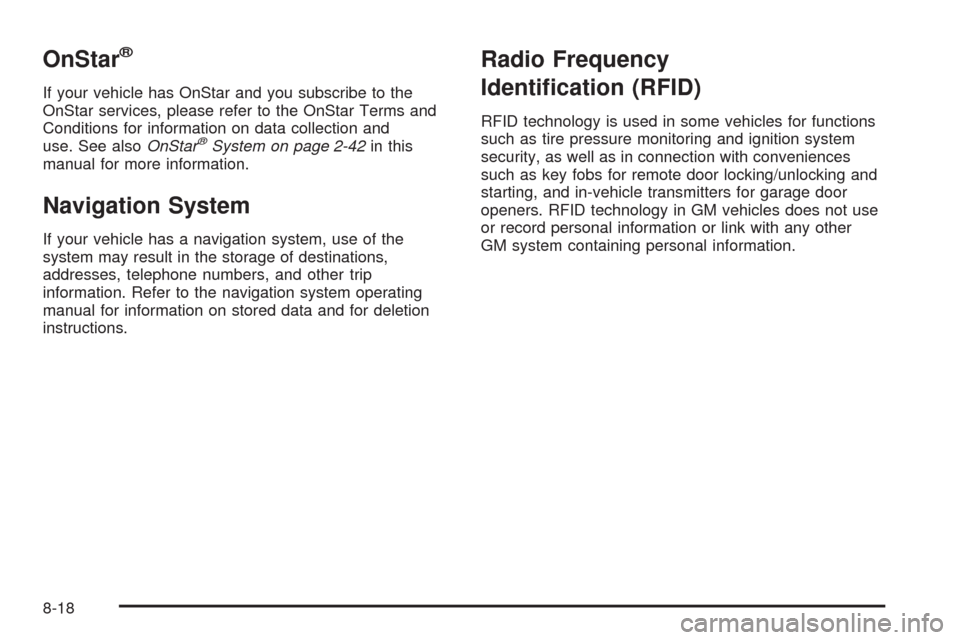
OnStar®
If your vehicle has OnStar and you subscribe to the
OnStar services, please refer to the OnStar Terms and
Conditions for information on data collection and
use. See alsoOnStar
®System on page 2-42in this
manual for more information.
Navigation System
If your vehicle has a navigation system, use of the
system may result in the storage of destinations,
addresses, telephone numbers, and other trip
information. Refer to the navigation system operating
manual for information on stored data and for deletion
instructions.
Radio Frequency
Identication (RFID)
RFID technology is used in some vehicles for functions
such as tire pressure monitoring and ignition system
security, as well as in connection with conveniences
such as key fobs for remote door locking/unlocking and
starting, and in-vehicle transmitters for garage door
openers. RFID technology in GM vehicles does not use
or record personal information or link with any other
GM system containing personal information.
8-18
Page 451 of 462
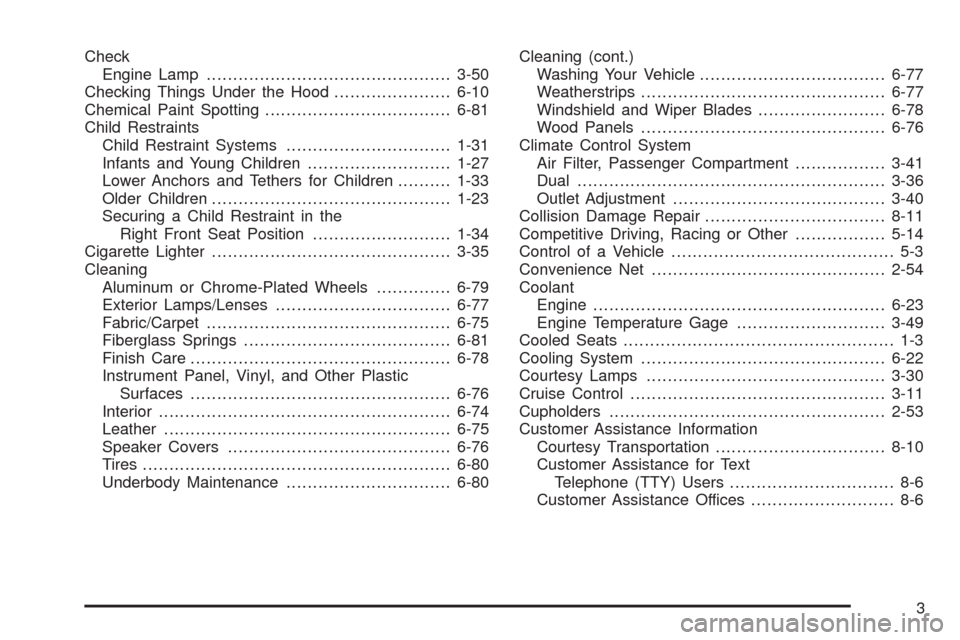
Check
Engine Lamp..............................................3-50
Checking Things Under the Hood......................6-10
Chemical Paint Spotting...................................6-81
Child Restraints
Child Restraint Systems...............................1-31
Infants and Young Children...........................1-27
Lower Anchors and Tethers for Children..........1-33
Older Children.............................................1-23
Securing a Child Restraint in the
Right Front Seat Position..........................1-34
Cigarette Lighter.............................................3-35
Cleaning
Aluminum or Chrome-Plated Wheels..............6-79
Exterior Lamps/Lenses.................................6-77
Fabric/Carpet..............................................6-75
Fiberglass Springs.......................................6-81
Finish Care.................................................6-78
Instrument Panel, Vinyl, and Other Plastic
Surfaces.................................................6-76
Interior.......................................................6-74
Leather......................................................6-75
Speaker Covers..........................................6-76
Tires..........................................................6-80
Underbody Maintenance...............................6-80Cleaning (cont.)
Washing Your Vehicle...................................6-77
Weatherstrips..............................................6-77
Windshield and Wiper Blades........................6-78
Wood Panels..............................................6-76
Climate Control System
Air Filter, Passenger Compartment.................3-41
Dual ..........................................................3-36
Outlet Adjustment........................................3-40
Collision Damage Repair..................................8-11
Competitive Driving, Racing or Other.................5-14
Control of a Vehicle.......................................... 5-3
Convenience Net............................................2-54
Coolant
Engine.......................................................
6-23
Engine Temperature Gage............................3-49
Cooled Seats................................................... 1-3
Cooling System..............................................6-22
Courtesy Lamps.............................................3-30
Cruise Control................................................3-11
Cupholders....................................................2-53
Customer Assistance Information
Courtesy Transportation................................8-10
Customer Assistance for Text
Telephone (TTY) Users............................... 8-6
Customer Assistance Offices........................... 8-6
3
Page 455 of 462
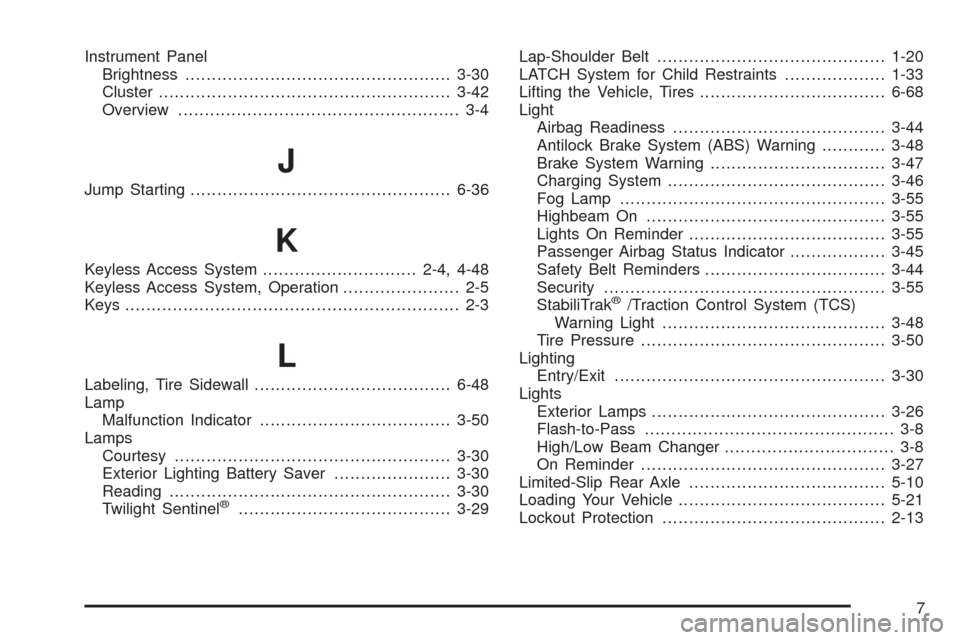
Instrument Panel
Brightness..................................................3-30
Cluster.......................................................3-42
Overview..................................................... 3-4
J
Jump Starting.................................................6-36
K
Keyless Access System.............................2-4, 4-48
Keyless Access System, Operation...................... 2-5
Keys............................................................... 2-3
L
Labeling, Tire Sidewall.....................................6-48
Lamp
Malfunction Indicator....................................3-50
Lamps
Courtesy....................................................3-30
Exterior Lighting Battery Saver......................3-30
Reading.....................................................3-30
Twilight Sentinel
®........................................3-29Lap-Shoulder Belt...........................................1-20
LATCH System for Child Restraints...................1-33
Lifting the Vehicle, Tires...................................6-68
Light
Airbag Readiness........................................3-44
Antilock Brake System (ABS) Warning............3-48
Brake System Warning.................................3-47
Charging System.........................................3-46
Fog Lamp ..................................................3-55
Highbeam On.............................................3-55
Lights On Reminder.....................................3-55
Passenger Airbag Status Indicator..................3-45
Safety Belt Reminders..................................3-44
Security.....................................................3-55
StabiliTrak
®/Traction Control System (TCS)
Warning Light..........................................3-48
Tire Pressure..............................................3-50
Lighting
Entry/Exit...................................................3-30
Lights
Exterior Lamps............................................3-26
Flash-to-Pass............................................... 3-8
High/Low Beam Changer................................ 3-8
On Reminder..............................................3-27
Limited-Slip Rear Axle.....................................5-10
Loading Your Vehicle.......................................5-21
Lockout Protection..........................................2-13
7
Page 459 of 462
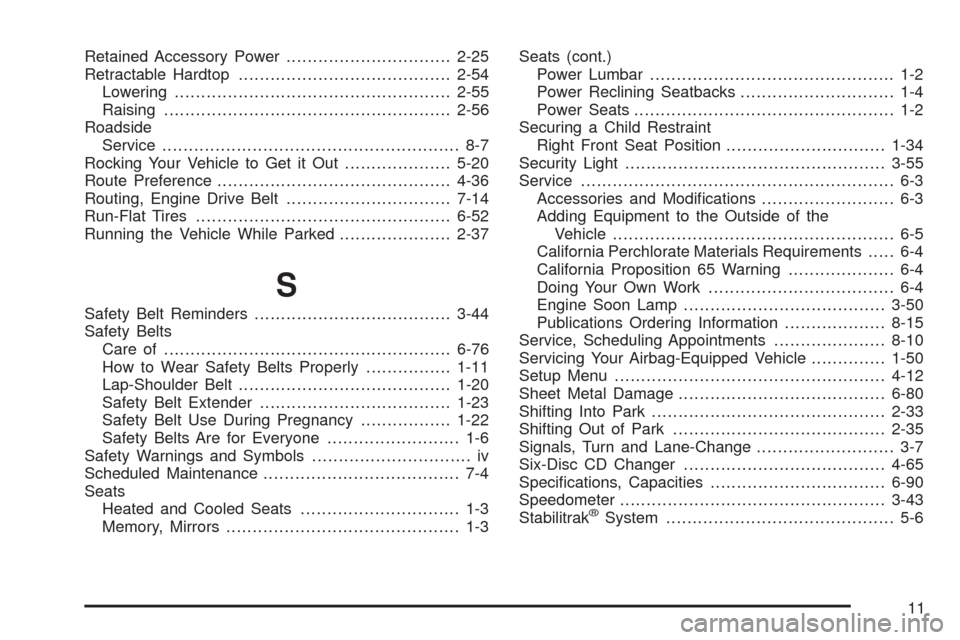
Retained Accessory Power...............................2-25
Retractable Hardtop........................................2-54
Lowering....................................................2-55
Raising......................................................2-56
Roadside
Service........................................................ 8-7
Rocking Your Vehicle to Get it Out....................5-20
Route Preference............................................4-36
Routing, Engine Drive Belt...............................7-14
Run-Flat Tires................................................6-52
Running the Vehicle While Parked.....................2-37
S
Safety Belt Reminders.....................................3-44
Safety Belts
Care of ......................................................6-76
How to Wear Safety Belts Properly................1-11
Lap-Shoulder Belt........................................1-20
Safety Belt Extender....................................1-23
Safety Belt Use During Pregnancy.................1-22
Safety Belts Are for Everyone......................... 1-6
Safety Warnings and Symbols.............................. iv
Scheduled Maintenance..................................... 7-4
Seats
Heated and Cooled Seats.............................. 1-3
Memory, Mirrors............................................ 1-3Seats (cont.)
Power Lumbar .............................................. 1-2
Power Reclining Seatbacks............................. 1-4
Power Seats................................................. 1-2
Securing a Child Restraint
Right Front Seat Position..............................1-34
Security Light.................................................3-55
Service........................................................... 6-3
Accessories and Modications......................... 6-3
Adding Equipment to the Outside of the
Vehicle..................................................... 6-5
California Perchlorate Materials Requirements..... 6-4
California Proposition 65 Warning.................... 6-4
Doing Your Own Work................................... 6-4
Engine Soon Lamp......................................3-50
Publications Ordering Information...................8-15
Service, Scheduling Appointments.....................8-10
Servicing Your Airbag-Equipped Vehicle..............1-50
Setup Menu...................................................4-12
Sheet Metal Damage.......................................6-80
Shifting Into Park............................................2-33
Shifting Out of Park........................................2-35
Signals, Turn and Lane-Change.......................... 3-7
Six-Disc CD Changer......................................4-65
Specications, Capacities.................................6-90
Speedometer..................................................3-43
Stabilitrak
®System........................................... 5-6
11