engine CADILLAC XLR 2009 1.G Owner's Manual
[x] Cancel search | Manufacturer: CADILLAC, Model Year: 2009, Model line: XLR, Model: CADILLAC XLR 2009 1.GPages: 462, PDF Size: 3.72 MB
Page 112 of 462

Rear Storage Area
There is a cargo divider located in the trunk to keep
cargo from getting in the way of the retractable hardtop.
The cargo divider must be in place for the top to move.
To install the cargo divider, snap the bottom of the
divider onto the snaps (B) located on the oor of the
trunk. Then, pull the divider up and place the pins
on each side of the divider into the notches (A) on either
side of the trunk.
There is also a storage compartment located in the
trunk on the passenger side.To access the storage compartment, unsnap the lid.
To reinstall the lid, line up the opening in the lid over the
snap and push down into place.
Convenience Net
Use the convenience net, located in the rear, to store
small loads as far forward as possible. The net
should not be used to store heavy loads.
Retractable Hardtop
The following procedures explain the proper operation
of the retractable hardtop. The retractable hardtop
will not operate if the valet lockout switch is on.
If the retractable hardtop is lowered or raised multiple
times, the engine should be running while doing so
to prevent drain on the vehicle’s battery.
{CAUTION:
When the retractable hardtop is opened or closed,
people can be injured by the parts that move: the
hardtop and its mechanism, the trunk lid, and the
side windows. Keep people away from these parts
when you are lowering or raising the top.
2-54
Page 113 of 462
Lowering the Retractable Hardtop
Notice:Leaving the retractable hardtop down and
exposing the interior of the vehicle to outdoor
conditions may cause damage. Always close the
retractable hardtop if leaving the vehicle outdoors.
1. Park on a level surface and shift the transmission
into P (Park).
2. The vehicle’s engine must be on or in Acc.
3. Lower both sun visors.
Notice:Raising or lowering the top while the vehicle
is in motion can cause damage to the top or top
mechanism. Make sure the vehicle is in P (Park) to
lower or raise the top.
Notice:Lowering the top if it is damp, wet, or dirty
can cause stains, mildew, and damage to the inside
of your vehicle. Dry off the top before lowering it.
4. Make sure that nothing or no one is on or around
the top. Make sure the trunk cargo cover is in
place with nothing on top or in front of the cargo
cover. SeeRear Storage Area on page 2-54
for more information. Also, make sure the valet
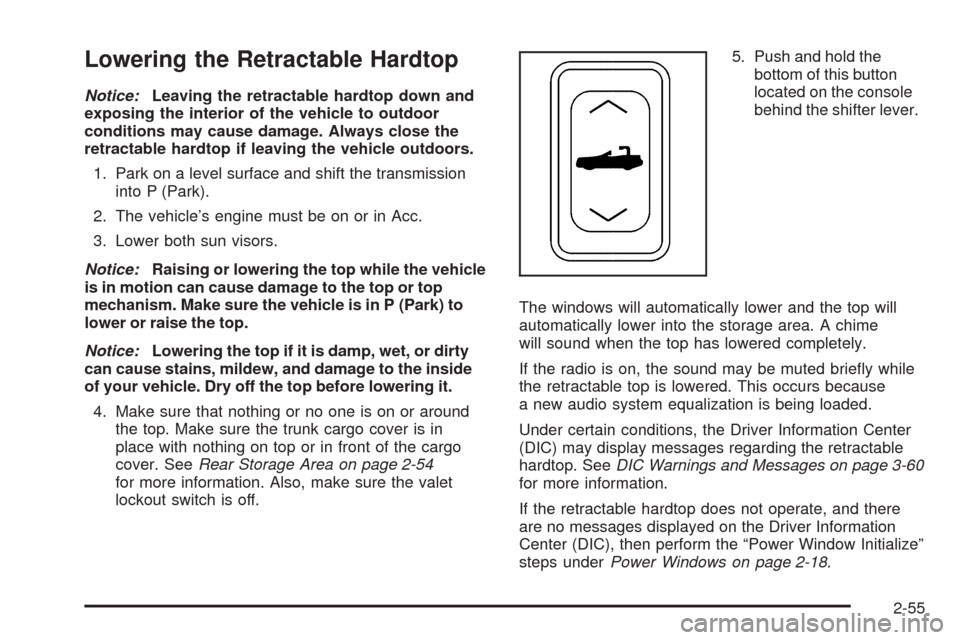
lockout switch is off.5. Push and hold the
bottom of this button
located on the console
behind the shifter lever.
The windows will automatically lower and the top will
automatically lower into the storage area. A chime
will sound when the top has lowered completely.
If the radio is on, the sound may be muted briey while
the retractable top is lowered. This occurs because
a new audio system equalization is being loaded.
Under certain conditions, the Driver Information Center
(DIC) may display messages regarding the retractable
hardtop. SeeDIC Warnings and Messages on page 3-60
for more information.
If the retractable hardtop does not operate, and there
are no messages displayed on the Driver Information
Center (DIC), then perform the “Power Window Initialize”
steps underPower Windows on page 2-18.
2-55
Page 114 of 462
Raising the Retractable Hardtop
1. Park on a level surface. Shift the transmission into
P (Park).
2. The vehicle’s engine must be on or in Acc.
3. Lower both sun visors.
Notice:Raising or lowering the top while the vehicle
is in motion can cause damage to the top or top
mechanism. Make sure the vehicle is in P (Park) to
lower or raise the top.
4. Make sure nothing or no one is on or around the
top. Make sure the trunk cargo cover is in place
with no cargo on top of or in front of the cargo
cover. SeeRear Storage Area on page 2-54for
more information. Also, be sure the valet lockout
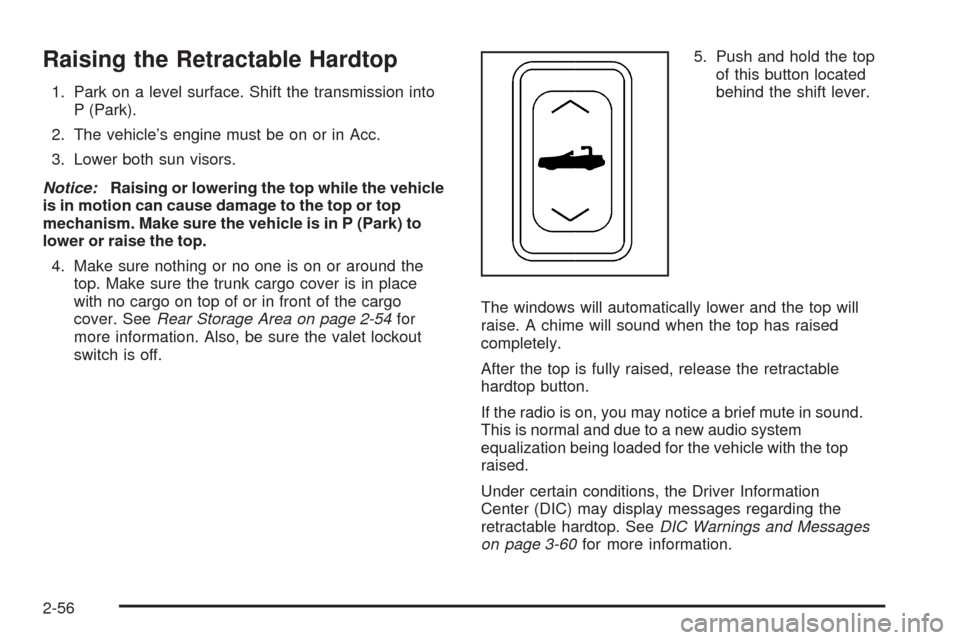
switch is off.5. Push and hold the top
of this button located
behind the shift lever.
The windows will automatically lower and the top will
raise. A chime will sound when the top has raised
completely.
After the top is fully raised, release the retractable
hardtop button.
If the radio is on, you may notice a brief mute in sound.
This is normal and due to a new audio system
equalization being loaded for the vehicle with the top
raised.
Under certain conditions, the Driver Information
Center (DIC) may display messages regarding the
retractable hardtop. SeeDIC Warnings and Messages
on page 3-60for more information.
2-56
Page 124 of 462
Warning Lights, Gages, and Indicators............3-41
Instrument Panel Cluster................................3-42
Speedometer and Odometer...........................3-43
Trip Odometer..............................................3-43
Tachometer.................................................3-43
Safety Belt Reminders...................................3-44
Airbag Readiness Light..................................3-44
Passenger Airbag Status Indicator...................3-45
Charging System Light..................................3-46
Voltmeter Gage............................................3-46
Brake System Warning Light..........................3-47
Antilock Brake System (ABS) Warning Light.....3-48
StabiliTrak
®/Traction Control System (TCS)
Warning Light...........................................3-48
Engine Coolant Temperature Gage..................3-49
Tire Pressure Light.......................................3-50
Malfunction Indicator Lamp.............................3-50
Engine Oil Pressure Gage.............................3-54
Security Light...............................................3-55
Fog Lamp Light............................................3-55Lights On Reminder......................................3-55
Highbeam On Light.......................................3-55
Fuel Gage...................................................3-56
Driver Information Center (DIC).......................3-57
DIC Operation and Displays...........................3-57
DIC Warnings and Messages.........................3-60
Other Messages...........................................3-70
DIC Vehicle Personalization............................3-72
Trip Computer................................................3-76
Oil Life Indicator...........................................3-76
Audio System(s).............................................3-76
Bluetooth®...................................................3-77
Theft-Deterrent Feature..................................3-88
Audio Steering Wheel Controls.......................3-88
Radio Reception...........................................3-90
Care of Your CDs.........................................3-91
Care of the CD Player...................................3-91
Diversity Antenna System..............................3-91
XM™ Satellite Radio Antenna System.............3-91
Section 3 Instrument Panel
3-2
Page 147 of 462

Erasing Set Speed Memory
The set speed memory is erased when the Adaptive
Cruise Control switch or the ignition is turned off.
Other Messages
There are three messages that may appear on the DIC.
They are SERVICE RADAR CRUISE, CRUISE NOT
READY and CLEAN RADAR CRUISE. These messages
will only appear to indicate a problem with the Adaptive
Cruise Control. SeeDIC Warnings and Messages
on page 3-60for more information.
You may also see CRUISE SPEED LIMITED displayed
in the HUD. SeeHead-Up Display (HUD) on page 3-31
for more information.
Cleaning the System
The radar can become blocked by snow, ice, or dirt.
If so, you may need to turn off the engine and clean the
lens, located on the driver side of the front fascia.Clean the surface with a 50/50 mixture of isopropyl
alcohol and water on a dampened cloth. After cleaning
the fascia lens, try to engage Adaptive Cruise Control.
If this does not x the problem, you may have to remove
the fascia lens and clean the inside of the fascia lens
and radar lens.
To clean the inside of the fascia lens and radar lens,
insert a tool into one of the small slots on the inboard
side of the lens and pop the lens out. Clean the surface
with a 50/50 mixture of isopropyl alcohol and water
on a dampened cloth. After cleaning the lens, set the
lens back in place and press until it snaps in place.
3-25
Page 148 of 462
Exterior Lamps
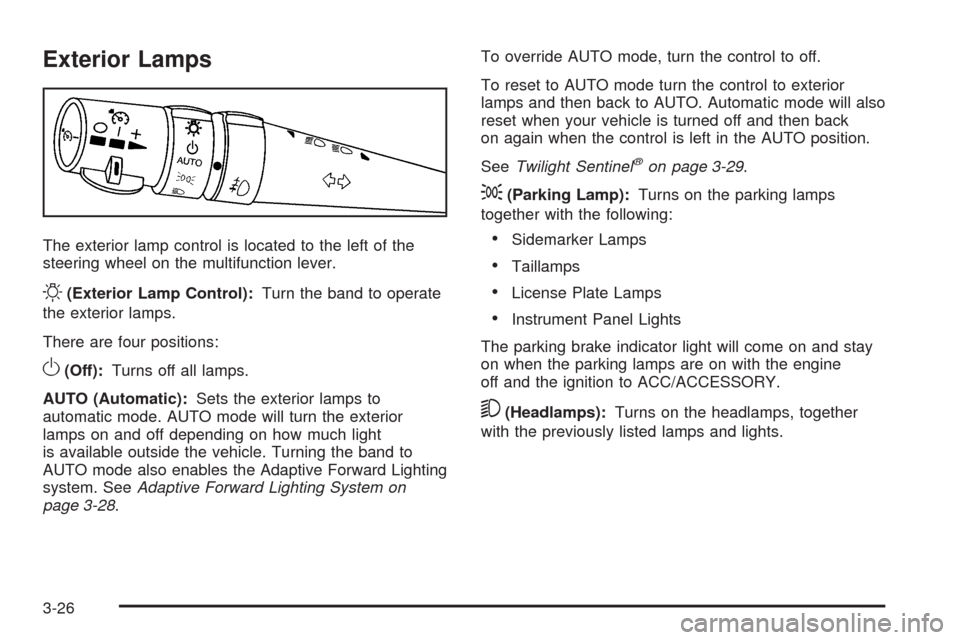
The exterior lamp control is located to the left of the
steering wheel on the multifunction lever.
O(Exterior Lamp Control):Turn the band to operate
the exterior lamps.
There are four positions:
O(Off):Turns off all lamps.
AUTO (Automatic):Sets the exterior lamps to
automatic mode. AUTO mode will turn the exterior
lamps on and off depending on how much light
is available outside the vehicle. Turning the band to
AUTO mode also enables the Adaptive Forward Lighting
system. SeeAdaptive Forward Lighting System on
page 3-28.To override AUTO mode, turn the control to off.
To reset to AUTO mode turn the control to exterior
lamps and then back to AUTO. Automatic mode will also
reset when your vehicle is turned off and then back
on again when the control is left in the AUTO position.
SeeTwilight Sentinel
®on page 3-29.
;(Parking Lamp):Turns on the parking lamps
together with the following:
Sidemarker Lamps
Taillamps
License Plate Lamps
Instrument Panel Lights
The parking brake indicator light will come on and stay
on when the parking lamps are on with the engine
off and the ignition to ACC/ACCESSORY.
5(Headlamps):Turns on the headlamps, together
with the previously listed lamps and lights.
3-26
Page 152 of 462

Exterior Lighting Battery Saver
If the manual parking lamps or headlamps have been
left on, the exterior lamps will turn off as soon as
the ignition is turned off or Retained Accessory Power
(RAP) is active. This protects against draining the
battery in case you have accidentally left the headlamps
or parking lamps on. The battery saver does not work
if the headlamps are turned on after the ignition switch is
turned to off.
If you need to leave the lamps on, use the exterior lamp
control to turn the lamps back on.
Instrument Panel Brightness
The button for this feature is located on the instrument
panel to the left of the steering column.
+
!- (Brightness):Press to change the brightness of
the instrument panel lights.
Press the DIMMER button until PANEL DIMMING
appears on the Driver Information Center (DIC). Then
use the brightness button to adjust the instrument panel
brightness. Press the top or bottom of the button to
brighten or dim the lights. SeeHead-Up Display (HUD)
on page 3-31for more information.Be sure not to have the brightness turned all the way
down with the lamps on during the day. The DIC
may not be visible.
Courtesy Lamps
When any door or the trunk lid is opened, the interior
lamps will go on unless it is bright outside.
Press the interior lamp button on the right side of the
instrument panel, to turn the courtesy lamps on or off.
Entry/Exit Lighting
With entry lighting, the interior lamps will come on when
entering the vehicle. The interior lamps will come on
for about 20 seconds when the engine is turned off.
You can turn exit and entry lighting off by quickly turning
the courtesy lamps on and off.
Reading Lamps
The inside rearview mirror includes two reading lamps.
The lamps will go on when a door is opened. When
the doors are closed, each lamp can be turned on
individually by pressing the button for that lamp.
3-30
Page 155 of 462

To adjust the HUD so you can see it properly, do the
following:
1. Adjust the seat to a comfortable driving position.
If you change the seat position later, you may
have to re-adjust the HUD.
2. Start the engine and press the top or bottom of the
HUD button to center the HUD image in your view.
The HUD image can only be adjusted up and
down, not side-to-side.
3. Press the DIMMER button until the DIC reads
HUD DIMMING. Then use the brightness button
to adjust the desired intensity.
The brightness of the HUD image is determined by the
light conditions in the direction the vehicle is facing
and where you have the HUD set. If you are facing a
dark object or a heavily shaded area, the HUD may
anticipate that you are entering a dark area and may
begin to dim.
To turn off the HUD, press the brightness button down
until the image disappears.
Polarized sunglasses could make the HUD image
harder to see.
As light shines out from the HUD, it is possible for light
to shine back in. In rare occurrences, when the sun
is at a specic angle and position, the sun’s rays canshine back into the HUD. When this occurs, the display
device within the HUD will be temporarily illuminated.
The event will end when the vehicle’s angle to the
sun changes.
Clean the inside of the windshield as needed to remove
any dirt or lm that reduces the sharpness or clarity
of the HUD image.
To clean the HUD, spray household glass cleaner on a
soft, clean cloth. Wipe the HUD lens gently, then dry
it. Do not spray cleaner directly on the lens because the
cleaner could leak into the unit.
If the ignition is on and you cannot see the HUD image,
check to see if:
Something is covering the HUD unit.
The brightness is adjusted properly.
The HUD image is adjusted to the proper height.
Ambient light in the direction the vehicle is facing
is low.
A fuse is blown. SeeFuses and Circuit Breakers
on page 6-83.
Keep in mind that the windshield is part of the HUD
system. SeeWindshield Replacement on page 6-45.
3-33
Page 159 of 462
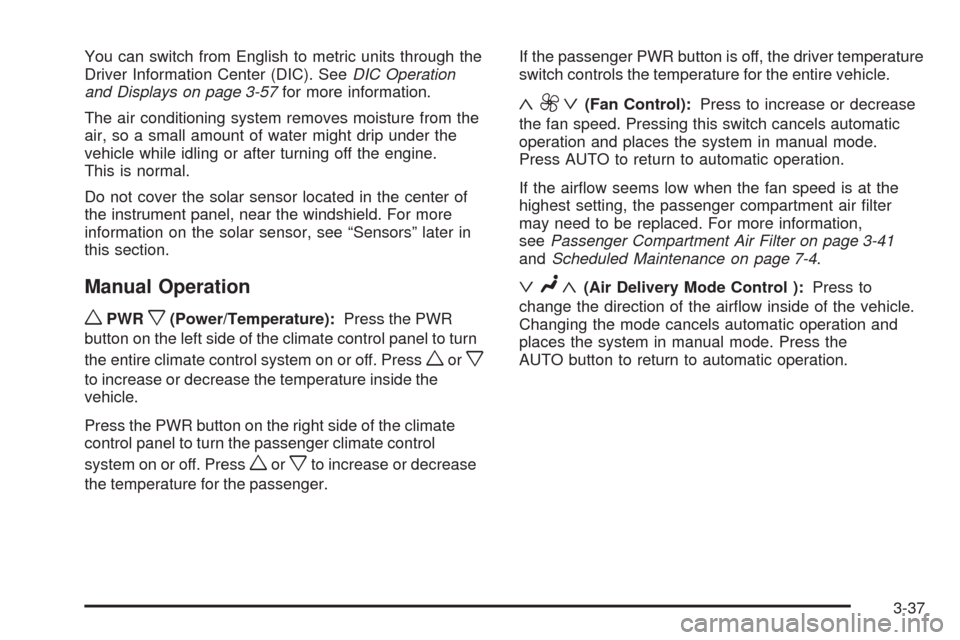
You can switch from English to metric units through the
Driver Information Center (DIC). SeeDIC Operation
and Displays on page 3-57for more information.
The air conditioning system removes moisture from the
air, so a small amount of water might drip under the
vehicle while idling or after turning off the engine.
This is normal.
Do not cover the solar sensor located in the center of
the instrument panel, near the windshield. For more
information on the solar sensor, see “Sensors” later in
this section.
Manual Operation
wPWRx(Power/Temperature):Press the PWR
button on the left side of the climate control panel to turn
the entire climate control system on or off. Press
worx
to increase or decrease the temperature inside the
vehicle.
Press the PWR button on the right side of the climate
control panel to turn the passenger climate control
system on or off. Press
worxto increase or decrease
the temperature for the passenger.If the passenger PWR button is off, the driver temperature
switch controls the temperature for the entire vehicle.
«9 ª(Fan Control):Press to increase or decrease
the fan speed. Pressing this switch cancels automatic
operation and places the system in manual mode.
Press AUTO to return to automatic operation.
If the airow seems low when the fan speed is at the
highest setting, the passenger compartment air lter
may need to be replaced. For more information,
seePassenger Compartment Air Filter on page 3-41
andScheduled Maintenance on page 7-4.
ªN«(Air Delivery Mode Control ):Press to
change the direction of the airow inside of the vehicle.
Changing the mode cancels automatic operation and
places the system in manual mode. Press the
AUTO button to return to automatic operation.
3-37
Page 161 of 462

Rear Window Defogger
The rear window defogger uses a warming grid to
remove fog or frost from the rear window.
The rear window defogger only works when the engine
is running.
=(Rear Window Defogger):Press to turn the rear
window defogger on or off. Clear as much snow from the
rear window as possible.
The rear window defogger will turn off about 10 minutes
after the button is pressed when traveling less than
30 mph (48 km/h). If turned on again, the defogger
only runs for about ve minutes before turning off.
The defogger can also be turned off by turning off
the engine.
The heated outside rearview mirrors will heat to help
clear fog or frost from the surface of the mirrors
when the rear window defogger is on.
The rear window defogger and heated mirrors are
automatically disabled when the retractable hardtop
is moving or down.Notice:Do not use anything sharp on the inside of
the rear window. If you do, you could cut or damage
the warming grid, and the repairs would not be
covered by the vehicle warranty. Do not attach a
temporary vehicle license, tape, a decal or anything
similar to the defogger grid.((Heated/Cooled Seat):Press to turn the feature on.
It automatically turns off when the vehicle is turned
off. SeeHeated and Cooled Seats on page 1-3for
more information.
Sensors
There are several sensors on the vehicle that measure
the temperature and the sun’s effect on passenger
comfort.
The solar sensor is located on top of the instrument panel
near the windshield. It monitors the solar heat then uses
the information to maintain the selected temperature
when operating in AUTO mode by initiating needed
adjustments to the temperature, the fan speed and the air
delivery system. The system may also supply cooler air to
the side of the vehicle facing the sun. The recirculation
mode will also be activated, as necessary. Do not cover
the sensor or the system will not work properly.
3-39