light CADILLAC XLR 2009 1.G Owner's Manual
[x] Cancel search | Manufacturer: CADILLAC, Model Year: 2009, Model line: XLR, Model: CADILLAC XLR 2009 1.GPages: 462, PDF Size: 3.72 MB
Page 104 of 462
Universal Home Remote System
Operation
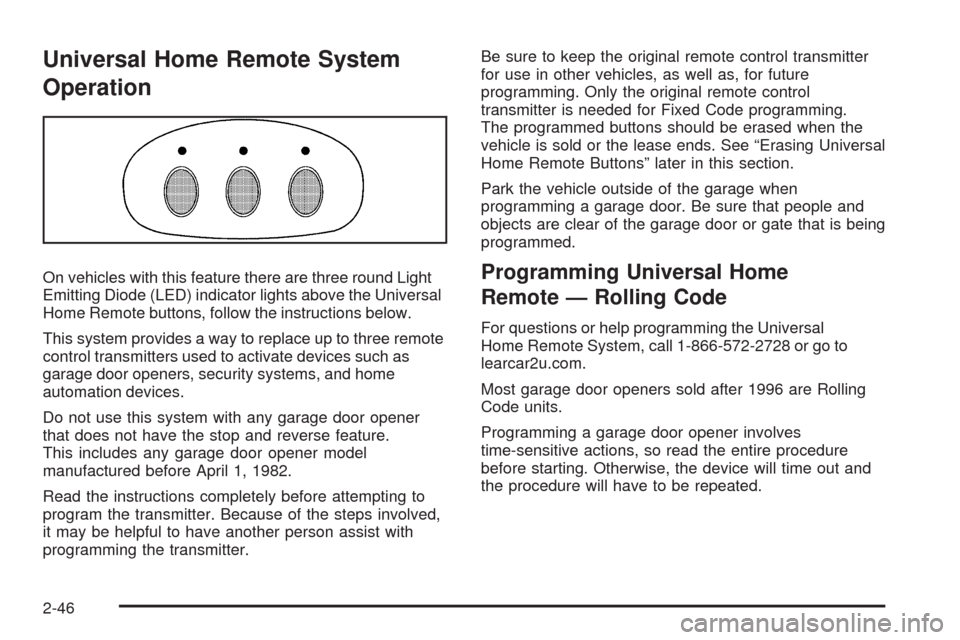
On vehicles with this feature there are three round Light
Emitting Diode (LED) indicator lights above the Universal
Home Remote buttons, follow the instructions below.
This system provides a way to replace up to three remote
control transmitters used to activate devices such as
garage door openers, security systems, and home
automation devices.
Do not use this system with any garage door opener
that does not have the stop and reverse feature.
This includes any garage door opener model
manufactured before April 1, 1982.
Read the instructions completely before attempting to
program the transmitter. Because of the steps involved,
it may be helpful to have another person assist with
programming the transmitter.Be sure to keep the original remote control transmitter
for use in other vehicles, as well as, for future
programming. Only the original remote control
transmitter is needed for Fixed Code programming.
The programmed buttons should be erased when the
vehicle is sold or the lease ends. See “Erasing Universal
Home Remote Buttons” later in this section.
Park the vehicle outside of the garage when
programming a garage door. Be sure that people and
objects are clear of the garage door or gate that is being
programmed.Programming Universal Home
Remote — Rolling Code
For questions or help programming the Universal
Home Remote System, call 1-866-572-2728 or go to
learcar2u.com.
Most garage door openers sold after 1996 are Rolling
Code units.
Programming a garage door opener involves
time-sensitive actions, so read the entire procedure
before starting. Otherwise, the device will time out and
the procedure will have to be repeated.
2-46
Page 106 of 462
4. Immediately return to the vehicle. Press and hold
the Universal Home Remote button that will be
used to control the garage door until the garage
door moves. The indicator light, above the selected
button, should slowly blink. This button may
need to be held for up to 20 seconds.
5. Immediately, within one second, release the button
when the garage door moves. The indicator light
blinks rapidly until programming is complete.
6. Press and release the same button again.
The garage door should move, conrming
that programming is successful and complete.
To program another Rolling Code device such as an
additional garage door opener, a security device,
or home automation device, repeat Steps 1-6, choosing
a different function button in Step 4 than what was
used for the garage door opener.
If these instructions do not work, the garage door
opener is probably a Fixed Code unit. Follow the
Programming instructions that follow for a Fixed Code
garage door opener.Programming Universal Home
Remote — Fixed Code
For questions or help programming the Universal Home
Remote System, call 1-866-572-2728 or go to
learcar2u.com.
Most garage door openers sold before 1996 are Fixed
Code units.
Programming a garage door opener involves
time-sensitive actions, so read the entire procedure
before starting. Otherwise, the device will time out and
the procedure will have to be repeated.
To program up to three devices:
1. Press START or put the vehicle in accessory mode.
SeeIgnition Positions on page 2-24for additional
information.
Programming can only occur when the vehicle is
running or in accessory mode.
2-48
Page 109 of 462
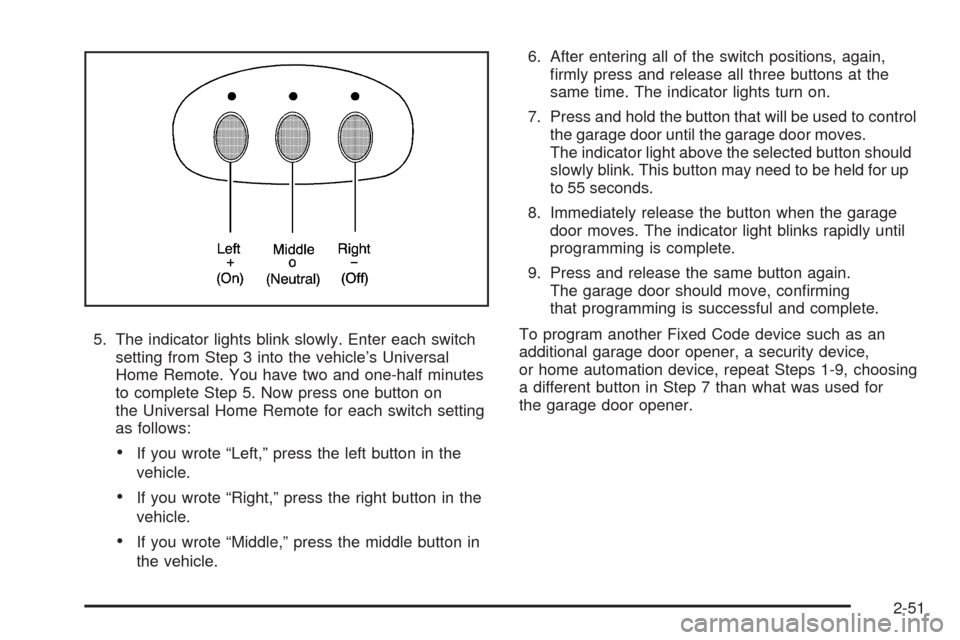
5. The indicator lights blink slowly. Enter each switch
setting from Step 3 into the vehicle’s Universal
Home Remote. You have two and one-half minutes
to complete Step 5. Now press one button on
the Universal Home Remote for each switch setting
as follows:
If you wrote “Left,” press the left button in the
vehicle.
If you wrote “Right,” press the right button in the
vehicle.
If you wrote “Middle,” press the middle button in
the vehicle.6. After entering all of the switch positions, again,
rmly press and release all three buttons at the
same time. The indicator lights turn on.
7. Press and hold the button that will be used to control
the garage door until the garage door moves.
The indicator light above the selected button should
slowly blink. This button may need to be held for up
to 55 seconds.
8. Immediately release the button when the garage
door moves. The indicator light blinks rapidly until
programming is complete.
9. Press and release the same button again.
The garage door should move, conrming
that programming is successful and complete.
To program another Fixed Code device such as an
additional garage door opener, a security device,
or home automation device, repeat Steps 1-9, choosing
a different button in Step 7 than what was used for
the garage door opener.
2-51
Page 110 of 462
Using Universal Home Remote
Press and hold the appropriate button for at least half of
a second. The indicator light comes on while the
signal is being transmitted.
Operation can occur:
If the vehicle is in accessory mode.
If the vehicle is in running.
If the vehicle is in Retained Accessory Mode (RAP).
SeeRetained Accessory Power (RAP) on page 2-25
for more information.
Up to an additional 10 minutes after RAP nishes.
Up to 10 minutes after any door is opened.
Reprogramming Universal Home
Remote Buttons
Any of the three buttons can be reprogrammed by
repeating the instructions.
Erasing Universal Home Remote
Buttons
The programmed buttons should be erased when the
vehicle is sold or the lease ends.
To erase either Rolling Code or Fixed Code on the
Universal Home Remote device:
1. Press and hold the two outside buttons at the
same time for approximately 20 seconds, until
the indicator lights, located directly above the
buttons, begin to blink rapidly.
2. Once the indicator lights begin to blink, release both
buttons. The codes from all buttons are erased.
For help or information on the Universal Home Remote
System, call the customer assistance phone number
underCustomer Assistance Offices on page 8-6.
2-52
Page 123 of 462

Instrument Panel Overview...............................3-4
Hazard Warning Flashers................................3-6
Horn .............................................................3-6
Power Tilt Wheel and Telescopic Steering
Column......................................................3-6
Heated Steering Wheel...................................3-7
Turn Signal/Multifunction Lever.........................3-7
Turn and Lane-Change Signals........................3-7
Headlamp High/Low-Beam Changer..................3-8
Flash-to-Pass.................................................3-8
Windshield Wipers..........................................3-8
Rainsense™ Wipers.......................................3-9
Windshield Washer.......................................3-10
Headlamp Washer........................................3-11
Cruise Control..............................................3-11
Adaptive Cruise Control.................................3-14
Exterior Lamps.............................................3-26
Wiper Activated Headlamps............................3-27Headlamps on Reminder................................3-27
Daytime Running Lamps (DRL).......................3-27
Adaptive Forward Lighting System...................3-28
Fog Lamps ..................................................3-28
Twilight Sentinel
®..........................................3-29
Exterior Lighting Battery Saver........................3-30
Instrument Panel Brightness...........................3-30
Courtesy Lamps...........................................3-30
Entry/Exit Lighting.........................................3-30
Reading Lamps............................................3-30
Battery Run-Down Protection..........................3-31
Head-Up Display (HUD).................................3-31
Accessory Power Outlet(s).............................3-34
Ashtray(s) and Cigarette Lighter......................3-35
Climate Controls............................................3-36
Dual Climate Control System..........................3-36
Outlet Adjustment.........................................3-40
Passenger Compartment Air Filter...................3-41
Section 3 Instrument Panel
3-1
Page 124 of 462
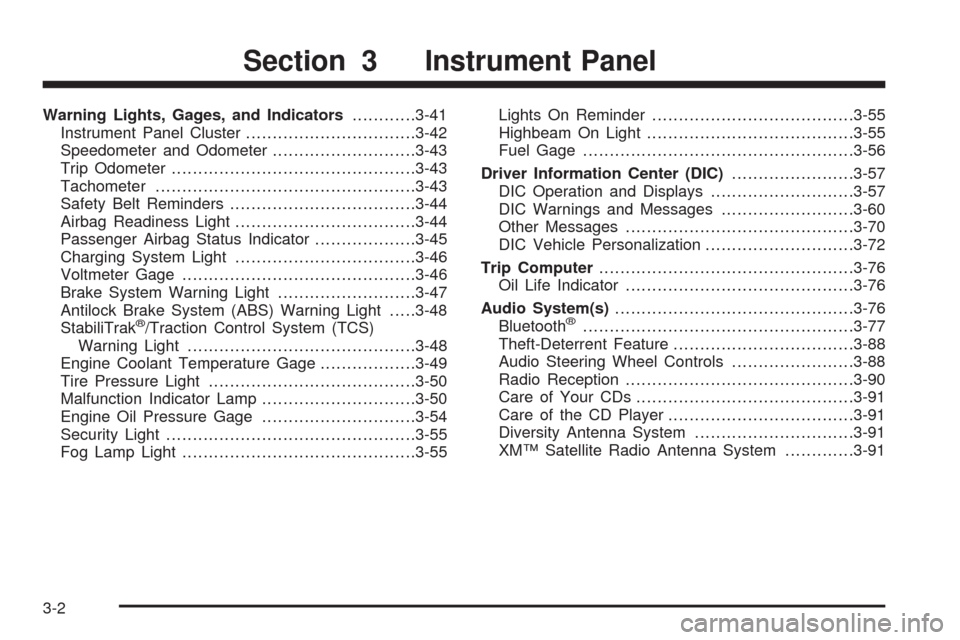
Warning Lights, Gages, and Indicators............3-41
Instrument Panel Cluster................................3-42
Speedometer and Odometer...........................3-43
Trip Odometer..............................................3-43
Tachometer.................................................3-43
Safety Belt Reminders...................................3-44
Airbag Readiness Light..................................3-44
Passenger Airbag Status Indicator...................3-45
Charging System Light..................................3-46
Voltmeter Gage............................................3-46
Brake System Warning Light..........................3-47
Antilock Brake System (ABS) Warning Light.....3-48
StabiliTrak
®/Traction Control System (TCS)
Warning Light...........................................3-48
Engine Coolant Temperature Gage..................3-49
Tire Pressure Light.......................................3-50
Malfunction Indicator Lamp.............................3-50
Engine Oil Pressure Gage.............................3-54
Security Light...............................................3-55
Fog Lamp Light............................................3-55Lights On Reminder......................................3-55
Highbeam On Light.......................................3-55
Fuel Gage...................................................3-56
Driver Information Center (DIC).......................3-57
DIC Operation and Displays...........................3-57
DIC Warnings and Messages.........................3-60
Other Messages...........................................3-70
DIC Vehicle Personalization............................3-72
Trip Computer................................................3-76
Oil Life Indicator...........................................3-76
Audio System(s).............................................3-76
Bluetooth®...................................................3-77
Theft-Deterrent Feature..................................3-88
Audio Steering Wheel Controls.......................3-88
Radio Reception...........................................3-90
Care of Your CDs.........................................3-91
Care of the CD Player...................................3-91
Diversity Antenna System..............................3-91
XM™ Satellite Radio Antenna System.............3-91
Section 3 Instrument Panel
3-2
Page 127 of 462
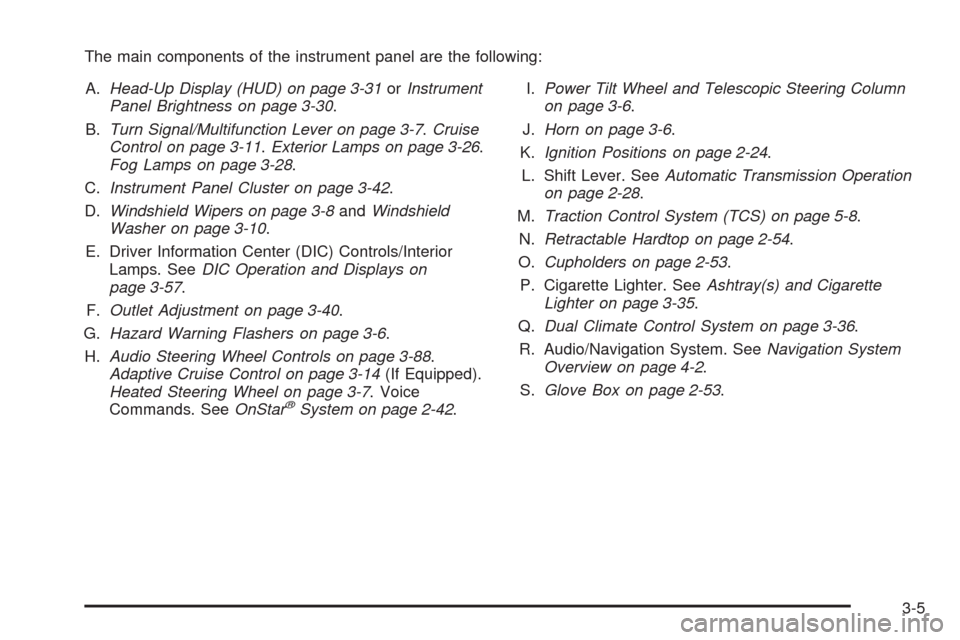
The main components of the instrument panel are the following:
A.Head-Up Display (HUD) on page 3-31orInstrument
Panel Brightness on page 3-30.
B.Turn Signal/Multifunction Lever on page 3-7.Cruise
Control on page 3-11.Exterior Lamps on page 3-26.
Fog Lamps on page 3-28.
C.Instrument Panel Cluster on page 3-42.
D.Windshield Wipers on page 3-8andWindshield
Washer on page 3-10.
E. Driver Information Center (DIC) Controls/Interior
Lamps. SeeDIC Operation and Displays on
page 3-57.
F.Outlet Adjustment on page 3-40.
G.Hazard Warning Flashers on page 3-6.
H.Audio Steering Wheel Controls on page 3-88.
Adaptive Cruise Control on page 3-14(If Equipped).
Heated Steering Wheel on page 3-7. Voice
Commands. SeeOnStar
®System on page 2-42.I.Power Tilt Wheel and Telescopic Steering Column
on page 3-6.
J.Horn on page 3-6.
K.Ignition Positions on page 2-24.
L. Shift Lever. SeeAutomatic Transmission Operation
on page 2-28.
M.Traction Control System (TCS) on page 5-8.
N.Retractable Hardtop on page 2-54.
O.Cupholders on page 2-53.
P. Cigarette Lighter. SeeAshtray(s) and Cigarette
Lighter on page 3-35.
Q.Dual Climate Control System on page 3-36.
R. Audio/Navigation System. SeeNavigation System
Overview on page 4-2.
S.Glove Box on page 2-53.
3-5
Page 129 of 462
Heated Steering Wheel
For vehicles with a heated steering wheel, the button for
this feature is located on the steering wheel.
(:Press to turn the heated steering wheel on or off.
A light on the button displays when the feature is
turned on.
The steering wheel takes about three minutes to start
heating.
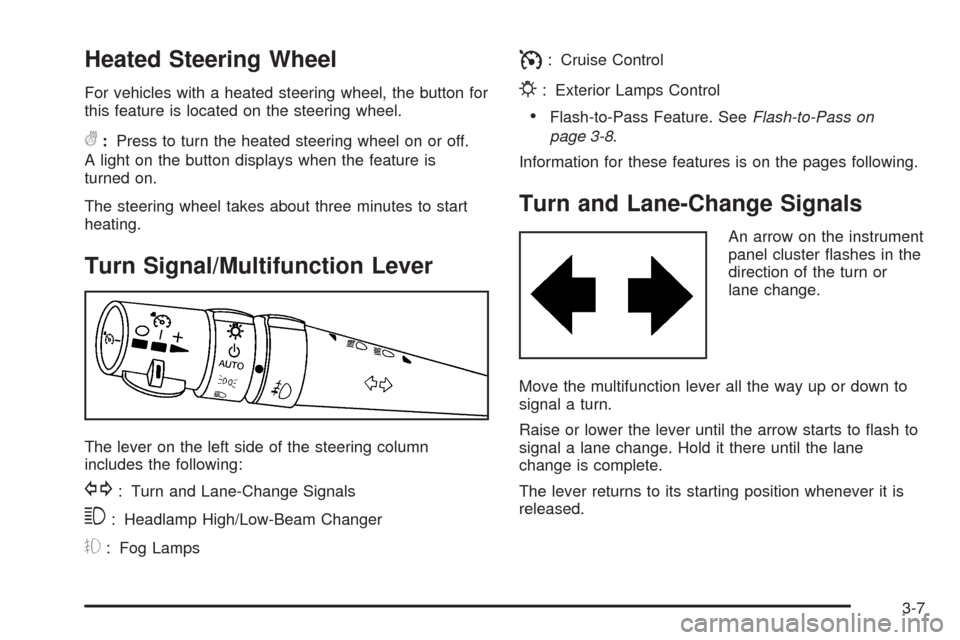
Turn Signal/Multifunction Lever
The lever on the left side of the steering column
includes the following:
G: Turn and Lane-Change Signals
3: Headlamp High/Low-Beam Changer
#: Fog Lamps
I: Cruise Control
P: Exterior Lamps Control
Flash-to-Pass Feature. SeeFlash-to-Pass on
page 3-8.
Information for these features is on the pages following.
Turn and Lane-Change Signals
An arrow on the instrument
panel cluster ashes in the
direction of the turn or
lane change.
Move the multifunction lever all the way up or down to
signal a turn.
Raise or lower the lever until the arrow starts to ash to
signal a lane change. Hold it there until the lane
change is complete.
The lever returns to its starting position whenever it is
released.
3-7
Page 130 of 462
If after signaling a turn or a lane change the arrows
ash rapidly or do not come on, a signal bulb could be
burned out.
Have the bulbs replaced. If the bulb is not burned out,
check the fuses. SeeFuses and Circuit Breakers
on page 6-83.
Turn Signal on Chime
A chime will remind you if the turn signal is left on for
more than 3/4 mile (1.2 km) of driving.
If you need to leave the turn signal on for more than
3/4 mile (1.2 km), turn off the signal and then turn it
back on.
Headlamp High/Low-Beam Changer
Push the turn signal lever all the way forward to
change the headlamps from low beam to high beam.
When the high beams are on, this light
$appears on
the instrument panel cluster.
Pull the lever rearward to change the headlamps back
to low beam.
Flash-to-Pass
This feature lets you use the high-beam headlamps to
signal the driver in front of you that you want to pass.
Pull and hold the turn signal lever toward you to use.
When you do, the following will occur:
If the low-beam headlamps are on, the high-beam
headlamps will turn on. They will stay on as long as
you hold the lever there. Release the lever to turn
them off.
If the headlamps are on high-beam, they will switch
to low-beam. To return to high beam, push the lever
away from you.
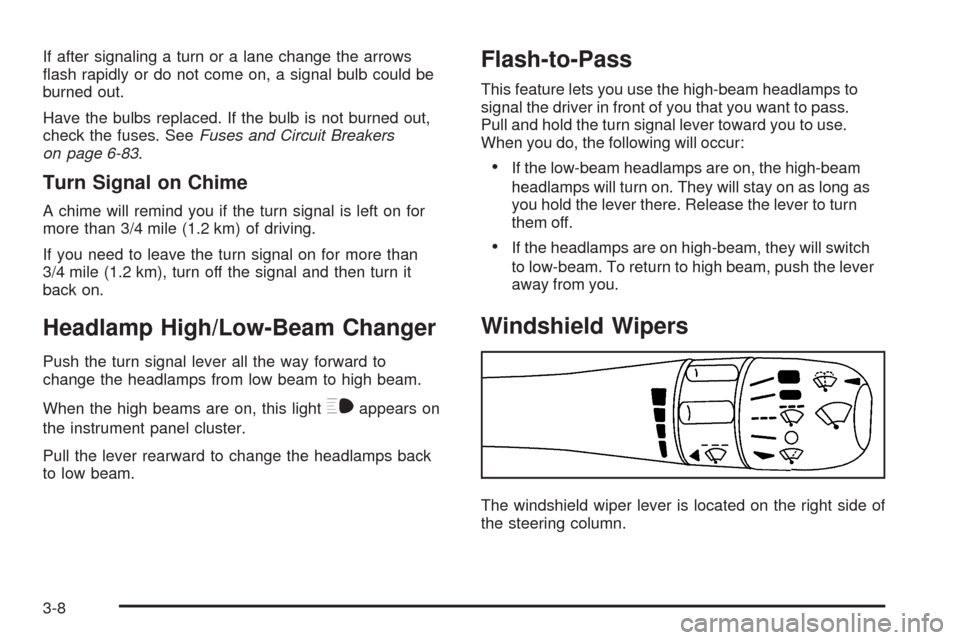
Windshield Wipers
The windshield wiper lever is located on the right side of
the steering column.
3-8
Page 131 of 462
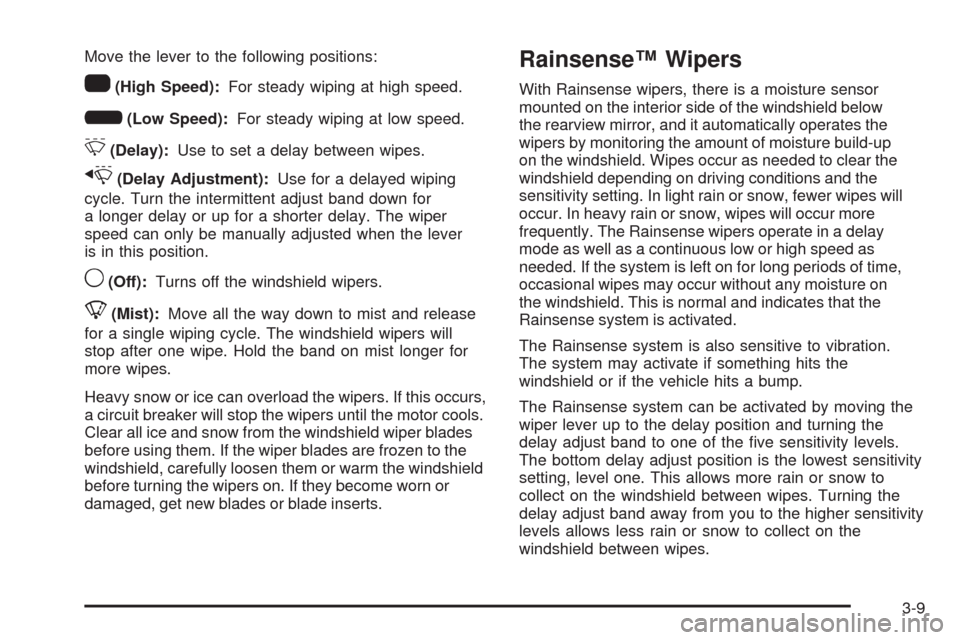
Move the lever to the following positions:
1(High Speed):For steady wiping at high speed.
6(Low Speed):For steady wiping at low speed.
&(Delay):Use to set a delay between wipes.
x(Delay Adjustment):Use for a delayed wiping
cycle. Turn the intermittent adjust band down for
a longer delay or up for a shorter delay. The wiper
speed can only be manually adjusted when the lever
is in this position.
9(Off):Turns off the windshield wipers.
8(Mist):Move all the way down to mist and release
for a single wiping cycle. The windshield wipers will
stop after one wipe. Hold the band on mist longer for
more wipes.
Heavy snow or ice can overload the wipers. If this occurs,
a circuit breaker will stop the wipers until the motor cools.
Clear all ice and snow from the windshield wiper blades
before using them. If the wiper blades are frozen to the
windshield, carefully loosen them or warm the windshield
before turning the wipers on. If they become worn or
damaged, get new blades or blade inserts.
Rainsense™ Wipers
With Rainsense wipers, there is a moisture sensor
mounted on the interior side of the windshield below
the rearview mirror, and it automatically operates the
wipers by monitoring the amount of moisture build-up
on the windshield. Wipes occur as needed to clear the
windshield depending on driving conditions and the
sensitivity setting. In light rain or snow, fewer wipes will
occur. In heavy rain or snow, wipes will occur more
frequently. The Rainsense wipers operate in a delay
mode as well as a continuous low or high speed as
needed. If the system is left on for long periods of time,
occasional wipes may occur without any moisture on
the windshield. This is normal and indicates that the
Rainsense system is activated.
The Rainsense system is also sensitive to vibration.
The system may activate if something hits the
windshield or if the vehicle hits a bump.
The Rainsense system can be activated by moving the
wiper lever up to the delay position and turning the
delay adjust band to one of the ve sensitivity levels.
The bottom delay adjust position is the lowest sensitivity
setting, level one. This allows more rain or snow to
collect on the windshield between wipes. Turning the
delay adjust band away from you to the higher sensitivity
levels allows less rain or snow to collect on the
windshield between wipes.
3-9