steering CADILLAC XLR V 2007 1.G User Guide
[x] Cancel search | Manufacturer: CADILLAC, Model Year: 2007, Model line: XLR V, Model: CADILLAC XLR V 2007 1.GPages: 512, PDF Size: 3.84 MB
Page 78 of 512

Trunk Lock Release
{CAUTION:
Moving parts of the powered trunk lid can
be dangerous. You or others could be
injured. Keep yourself and others away
from the trunk lid and its mechanism
while it is closing.
The trunk lock release
button is located to the
left of the steering
wheel on the instrument
panel.Press the button to open the trunk. To use this
feature, your vehicle must be in PARK (P)
or NEUTRAL (N) and the valet lockout switch
must be off.
You can also press the button with the trunk
symbol on the keyless access transmitter to open
the trunk. To disable this feature, see “Valet
Lockout Switch” underTheft-Deterrent Systems on
page 84.
You may passively enter the trunk when you
squeeze the trunk release sensor located on the
rear of the trunk lid under the emblem, as long as
you have your transmitter with you. The vehicle
must be in PARK (P) and the valet lockout switch
must be off. SeeValet Lockout Switch on page 86.
To close the trunk,
press the button on the
underside of the
trunk lid.
78
Page 89 of 512
Retained Accessory Power (RAP)
The following accessories on your vehicle may be
used for up to 10 minutes after the engine is
turned off:
Radio
Power Windows
Audio Steering Wheel Controls
Power to these accessories stops after 10 minutes
or if a door is opened. If you want power for
another 10 minutes, close all the doors and press
the Acc. button to place the vehicle in accessory
mode. Press the button again and the vehicle
will return to RAP.
Starting the Engine
Move the shift lever to PARK (P) or NEUTRAL (N).
To restart when you are already moving, use
NEUTRAL (N).
Notice:Do not try to shift to PARK (P) if your
vehicle is moving. If you do, you could
damage the transmission. Shift to PARK (P)
only when your vehicle is stopped.
The keyless access transmitter must be inside the
vehicle for the ignition to work.
Cell phone chargers can interfere with the
operation of the Keyless Access System. Battery
chargers should not be plugged in when starting
or turning off the engine.
89
Page 105 of 512
Outside Power Heated Mirrors
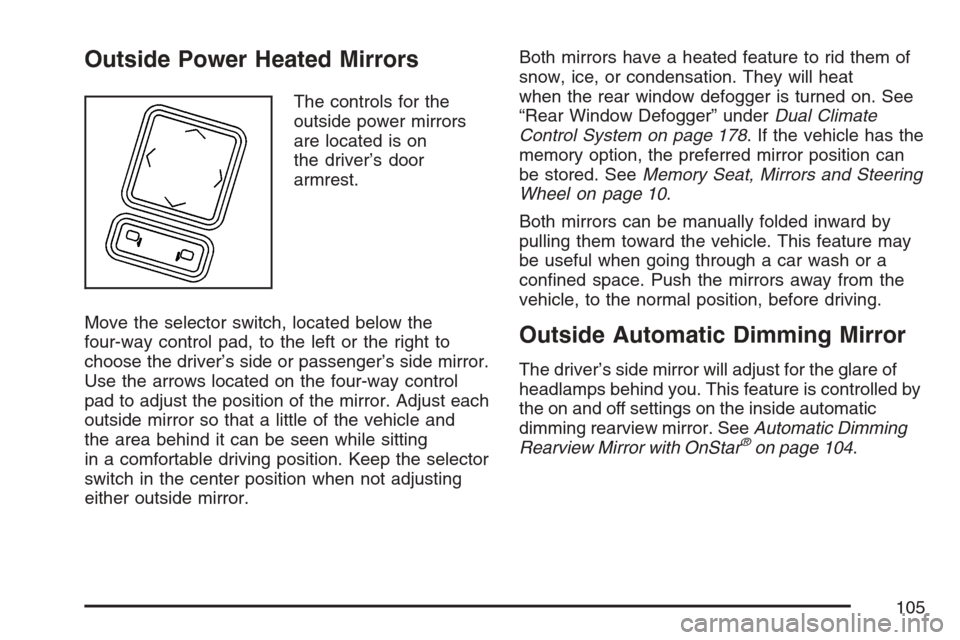
The controls for the
outside power mirrors
are located is on
the driver’s door
armrest.
Move the selector switch, located below the
four-way control pad, to the left or the right to
choose the driver’s side or passenger’s side mirror.
Use the arrows located on the four-way control
pad to adjust the position of the mirror. Adjust each
outside mirror so that a little of the vehicle and
the area behind it can be seen while sitting
in a comfortable driving position. Keep the selector
switch in the center position when not adjusting
either outside mirror.Both mirrors have a heated feature to rid them of
snow, ice, or condensation. They will heat
when the rear window defogger is turned on. See
“Rear Window Defogger” underDual Climate
Control System on page 178. If the vehicle has the
memory option, the preferred mirror position can
be stored. SeeMemory Seat, Mirrors and Steering
Wheel on page 10.
Both mirrors can be manually folded inward by
pulling them toward the vehicle. This feature may
be useful when going through a car wash or a
conned space. Push the mirrors away from the
vehicle, to the normal position, before driving.
Outside Automatic Dimming Mirror
The driver’s side mirror will adjust for the glare of
headlamps behind you. This feature is controlled by
the on and off settings on the inside automatic
dimming rearview mirror. SeeAutomatic Dimming
Rearview Mirror with OnStar
®on page 104.
105
Page 109 of 512

OnStar®Virtual Advisor
OnStar®Virtual Advisor is a feature of OnStar®
Hands-Free Calling that uses your minutes to
access location-based weather, local traffic reports,
and stock quotes. By pressing the phone button
and giving a few simple voice commands, you can
browse through the various topics. See the OnStar
®
Owners Guide for more information (Only available
in the continental U.S.).
OnStar®Steering Wheel Controls
Your vehicle may have a Talk/Mute button that
can be used to interact with OnStar®Hands-Free
Calling. SeeAudio Steering Wheel Controls on
page 227for more information.
On some vehicles, you may have to hold the
button for a few seconds and give the command
“ONSTAR” in order to activate the OnStar
®
Hands-Free Calling feature.
On some vehicles, the mute button can be used to
dial numbers into voicemail systems, or to dial
phone extensions. See the OnStar
®Owner’s
Guide for more information.
How OnStar®Service Works
In order to provide you with OnStar®services, your
vehicle’s OnStar®system has the capability of
recording and transmitting vehicle information. This
information is automatically sent to an OnStar
®Call
Center at the time of an OnStar®button press,
Emergency button press or if your airbags or AACN
system deploys. The vehicle information usually
includes your GPS location and, in the event of a
crash, additional information regarding the accident
that your vehicle has been involved in (e.g. the
direction from which your vehicle was hit). When
you use the Virtual Advisor feature of OnStar
®
Hands-Free Calling, your vehicle also sends
OnStar®your GPS location so that we can provide
you with location-based services.
109
Page 135 of 512
Instrument Panel Overview........................ 138
Hazard Warning Flashers.......................... 140
Other Warning Devices............................. 140
Horn.......................................................... 140
Power Tilt Wheel and Telescopic
Steering Column.................................... 141
Turn Signal/Multifunction Lever.................. 141
Turn and Lane-Change Signals................. 142
Headlamp High/Low-Beam Changer.......... 143
Flash-to-Pass............................................ 143
Windshield Wipers..................................... 144
Rainsense™ Wipers.................................. 145
Windshield Washer.................................... 146
Headlamp Washer..................................... 146
Cruise Control........................................... 147
Adaptive Cruise Control............................. 150
Exterior Lamps.......................................... 164
Wiper Activated Headlamps....................... 166
Headlamps on Reminder........................... 166
Daytime Running Lamps (DRL)................. 166
Adaptive Forward Lighting System............. 167
Fog Lamps................................................ 168
Twilight Sentinel
®...................................... 168Exterior Lighting Battery Saver.................. 169
Instrument Panel Brightness...................... 170
Courtesy Lamps........................................ 170
Entry/Exit Lighting...................................... 170
Reading Lamps......................................... 171
Battery Run-Down Protection..................... 171
Head-Up Display (HUD)............................ 171
Ultrasonic Rear Parking
Assist (URPA)........................................ 175
Accessory Power Outlet(s)........................ 177
Ashtray(s) and Cigarette Lighter................ 178
Climate Controls......................................... 178
Dual Climate Control System..................... 178
Outlet Adjustment...................................... 184
Passenger Compartment Air Filter............. 184
Warning Lights, Gages, and Indicators..... 185
Instrument Panel Cluster........................... 186
Speedometer and Odometer...................... 187
Trip Odometer........................................... 187
Tachometer............................................... 187
Safety Belt Reminder Light........................ 187
Airbag Readiness Light............................. 188
Section 3 Instrument Panel
135
Page 136 of 512

Passenger Airbag Status Indicator............. 189
Charging System Light.............................. 191
Voltmeter Gage......................................... 192
Brake System Warning Light..................... 192
Anti-Lock Brake System Warning Light...... 193
Traction Control System (TCS)
Warning Light........................................ 194
Engine Coolant Temperature Gage............ 195
Tire Pressure Light.................................... 196
Malfunction Indicator Lamp........................ 196
Engine Oil Pressure Gage......................... 200
Security Light............................................ 201
Fog Lamp Light......................................... 201
Lights On Reminder.................................. 202
Highbeam On Light................................... 202
Fuel Gage................................................. 202Driver Information Center (DIC).................. 203
DIC Controls and Displays........................ 204
DIC Warnings and Messages.................... 206
Other Messages........................................ 219
DIC Vehicle Personalization....................... 220
Trip Computer............................................. 224
Oil Life Indicator........................................ 224
Audio System(s)......................................... 225
Theft-Deterrent Feature............................. 226
Audio Steering Wheel Controls.................. 227
Radio Reception........................................ 228
Care of Your CDs..................................... 229
Care of the CD Player.............................. 230
Diversity Antenna System.......................... 230
XM™ Satellite Radio Antenna System....... 230
Section 3 Instrument Panel
136
Page 139 of 512
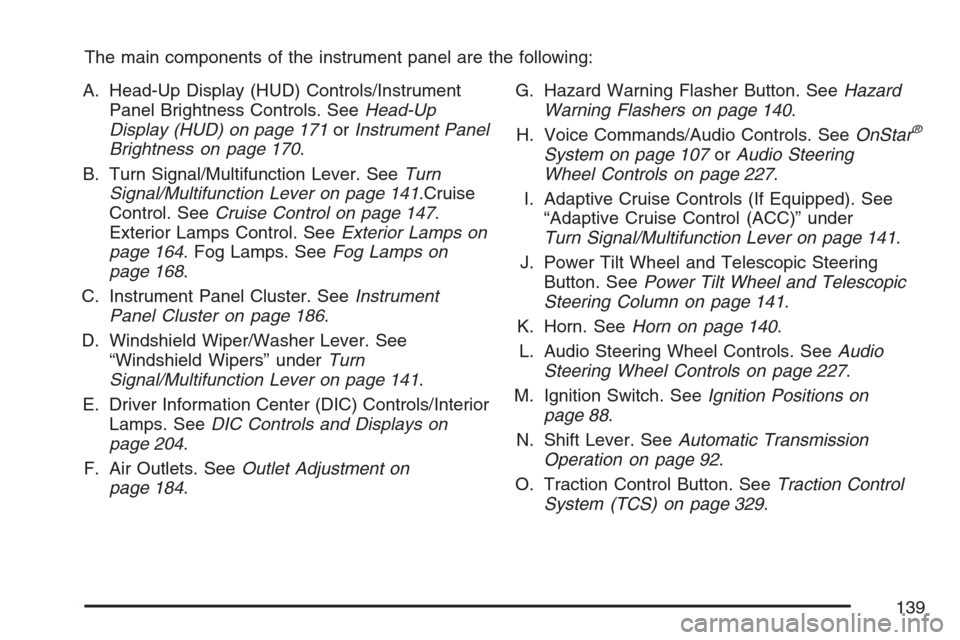
The main components of the instrument panel are the following:
A. Head-Up Display (HUD) Controls/Instrument
Panel Brightness Controls. SeeHead-Up
Display (HUD) on page 171orInstrument Panel
Brightness on page 170.
B. Turn Signal/Multifunction Lever. SeeTurn
Signal/Multifunction Lever on page 141.Cruise
Control. SeeCruise Control on page 147.
Exterior Lamps Control. SeeExterior Lamps on
page 164. Fog Lamps. SeeFog Lamps on
page 168.
C. Instrument Panel Cluster. SeeInstrument
Panel Cluster on page 186.
D. Windshield Wiper/Washer Lever. See
“Windshield Wipers” underTurn
Signal/Multifunction Lever on page 141.
E. Driver Information Center (DIC) Controls/Interior
Lamps. SeeDIC Controls and Displays on
page 204.
F. Air Outlets. SeeOutlet Adjustment on
page 184.G. Hazard Warning Flasher Button. SeeHazard
Warning Flashers on page 140.
H. Voice Commands/Audio Controls. SeeOnStar
®
System on page 107orAudio Steering
Wheel Controls on page 227.
I. Adaptive Cruise Controls (If Equipped). See
“Adaptive Cruise Control (ACC)” under
Turn Signal/Multifunction Lever on page 141.
J. Power Tilt Wheel and Telescopic Steering
Button. SeePower Tilt Wheel and Telescopic
Steering Column on page 141.
K. Horn. SeeHorn on page 140.
L. Audio Steering Wheel Controls. SeeAudio
Steering Wheel Controls on page 227.
M. Ignition Switch. SeeIgnition Positions on
page 88.
N. Shift Lever. SeeAutomatic Transmission
Operation on page 92.
O. Traction Control Button. SeeTraction Control
System (TCS) on page 329.
139
Page 140 of 512
P. Retractable Hardtop Button. SeeRetractable
Hardtop on page 124.
Q. Cupholders. SeeCupholder(s) on page 122.
R. Cigarette Lighter. SeeAshtray(s) and Cigarette
Lighter on page 178.
S. Climate Controls. SeeDual Climate Control
System on page 178.
T. Audio/Navigation System. SeeNavigation
System Overview on page 232.
U. Glove Box. SeeGlove Box on page 121.
Hazard Warning Flashers
Your hazard warning ashers let you warn others.
They also let police know you have a problem.
Your front and rear turn signal lamps will ash on
and off.
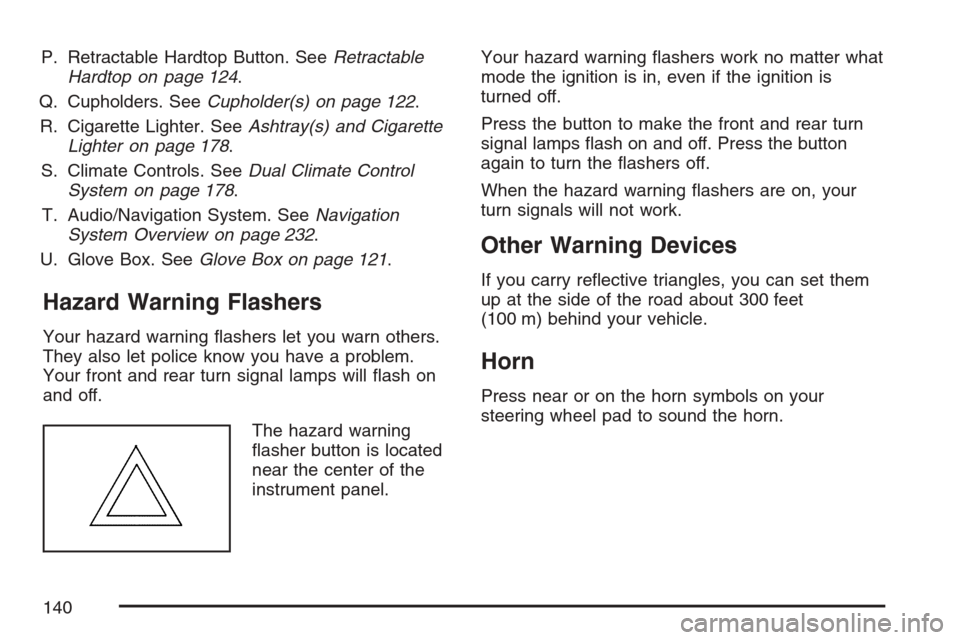
The hazard warning
asher button is located
near the center of the
instrument panel.Your hazard warning ashers work no matter what
mode the ignition is in, even if the ignition is
turned off.
Press the button to make the front and rear turn
signal lamps ash on and off. Press the button
again to turn the ashers off.
When the hazard warning ashers are on, your
turn signals will not work.
Other Warning Devices
If you carry reective triangles, you can set them
up at the side of the road about 300 feet
(100 m) behind your vehicle.
Horn
Press near or on the horn symbols on your
steering wheel pad to sound the horn.
140
Page 141 of 512
Power Tilt Wheel and Telescopic
Steering Column
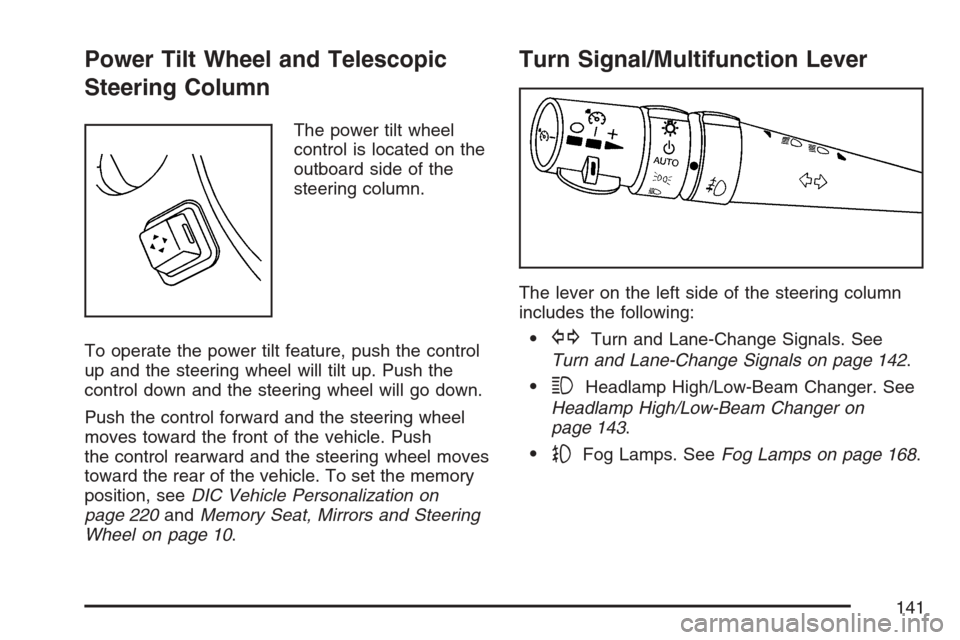
The power tilt wheel
control is located on the
outboard side of the
steering column.
To operate the power tilt feature, push the control
up and the steering wheel will tilt up. Push the
control down and the steering wheel will go down.
Push the control forward and the steering wheel
moves toward the front of the vehicle. Push
the control rearward and the steering wheel moves
toward the rear of the vehicle. To set the memory
position, seeDIC Vehicle Personalization on
page 220andMemory Seat, Mirrors and Steering
Wheel on page 10.
Turn Signal/Multifunction Lever
The lever on the left side of the steering column
includes the following:
GTurn and Lane-Change Signals. See
Turn and Lane-Change Signals on page 142.
3Headlamp High/Low-Beam Changer. See
Headlamp High/Low-Beam Changer on
page 143.
-Fog Lamps. SeeFog Lamps on page 168.
141
Page 144 of 512
Windshield Wipers
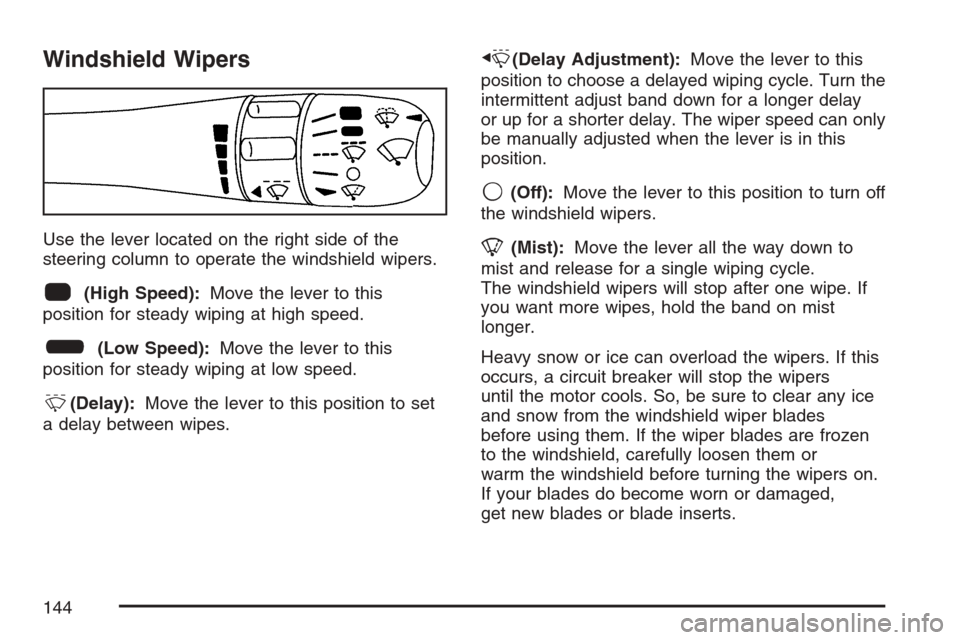
Use the lever located on the right side of the
steering column to operate the windshield wipers.
1(High Speed):Move the lever to this
position for steady wiping at high speed.
6(Low Speed):Move the lever to this
position for steady wiping at low speed.
&(Delay):Move the lever to this position to set
a delay between wipes.
x(Delay Adjustment):Move the lever to this
position to choose a delayed wiping cycle. Turn the
intermittent adjust band down for a longer delay
or up for a shorter delay. The wiper speed can only
be manually adjusted when the lever is in this
position.
9(Off):Move the lever to this position to turn off
the windshield wipers.
8(Mist):Move the lever all the way down to
mist and release for a single wiping cycle.
The windshield wipers will stop after one wipe. If
you want more wipes, hold the band on mist
longer.
Heavy snow or ice can overload the wipers. If this
occurs, a circuit breaker will stop the wipers
until the motor cools. So, be sure to clear any ice
and snow from the windshield wiper blades
before using them. If the wiper blades are frozen
to the windshield, carefully loosen them or
warm the windshield before turning the wipers on.
If your blades do become worn or damaged,
get new blades or blade inserts.
144