park assist CADILLAC XLR V 2007 1.G Owners Manual
[x] Cancel search | Manufacturer: CADILLAC, Model Year: 2007, Model line: XLR V, Model: CADILLAC XLR V 2007 1.GPages: 512, PDF Size: 3.84 MB
Page 63 of 512
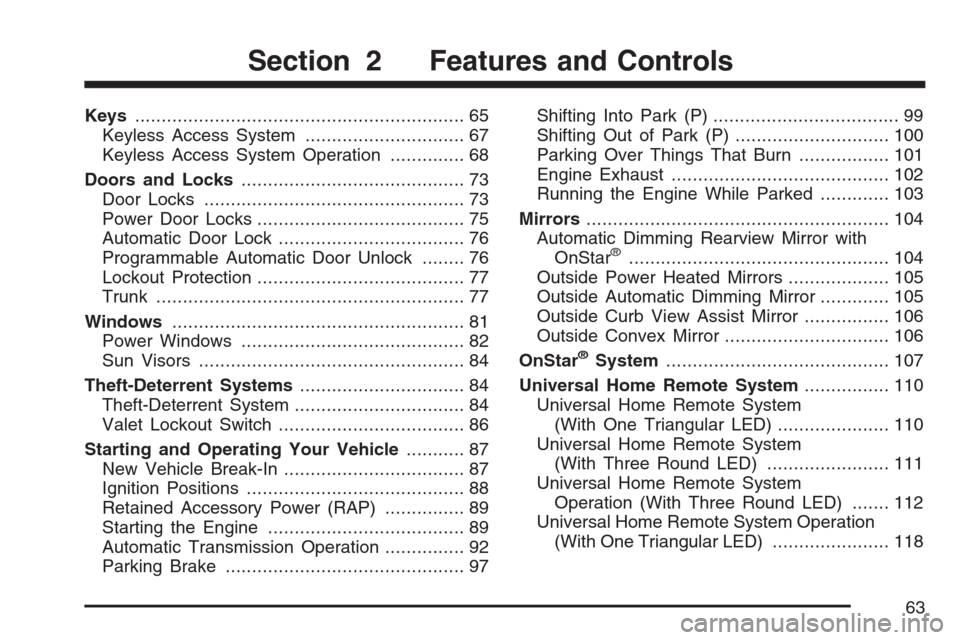
Keys.............................................................. 65
Keyless Access System.............................. 67
Keyless Access System Operation.............. 68
Doors and Locks.......................................... 73
Door Locks................................................. 73
Power Door Locks....................................... 75
Automatic Door Lock................................... 76
Programmable Automatic Door Unlock........ 76
Lockout Protection....................................... 77
Trunk.......................................................... 77
Windows....................................................... 81
Power Windows.......................................... 82
Sun Visors.................................................. 84
Theft-Deterrent Systems............................... 84
Theft-Deterrent System................................ 84
Valet Lockout Switch................................... 86
Starting and Operating Your Vehicle........... 87
New Vehicle Break-In.................................. 87
Ignition Positions......................................... 88
Retained Accessory Power (RAP)............... 89
Starting the Engine..................................... 89
Automatic Transmission Operation............... 92
Parking Brake............................................. 97Shifting Into Park (P)................................... 99
Shifting Out of Park (P)............................. 100
Parking Over Things That Burn................. 101
Engine Exhaust......................................... 102
Running the Engine While Parked............. 103
Mirrors......................................................... 104
Automatic Dimming Rearview Mirror with
OnStar
®................................................. 104
Outside Power Heated Mirrors................... 105
Outside Automatic Dimming Mirror............. 105
Outside Curb View Assist Mirror................ 106
Outside Convex Mirror............................... 106
OnStar
®System.......................................... 107
Universal Home Remote System................ 110
Universal Home Remote System
(With One Triangular LED)..................... 110
Universal Home Remote System
(With Three Round LED)....................... 111
Universal Home Remote System
Operation (With Three Round LED)....... 112
Universal Home Remote System Operation
(With One Triangular LED)...................... 118
Section 2 Features and Controls
63
Page 91 of 512
Notice:Cranking the engine for long periods
of time, by pressing the START button
immediately after cranking has ended, can
overheat and damage the cranking motor, and
drain the battery. Wait at least 15 seconds
between each try, to allow the cranking motor
to cool down.
Your vehicle has a Computer-Controlled Cranking
System. This feature assists in starting the
engine and protects components. Once cranking
has been initiated, the engine continues cranking
for a few seconds or until the vehicle starts. If
the engine does not start, cranking automatically
be stops after 15 seconds to prevent cranking
motor damage. To prevent gear damage,
this system also prevents cranking if the engine is
already running.
Notice:Your engine is designed to work with
the electronics in your vehicle. If you add
electrical parts or accessories, you could
change the way the engine operates. Before
adding electrical equipment, check with
your dealer. If you do not, your engine might
not perform properly. Any resulting damage
would not be covered by your vehicle’s
warranty.Stopping Your Engine
Move the shift lever to PARK (P) and press the
Acc. (Off/Accessory) button located on the
instrument panel. If the shifter is not in PARK (P),
the engine shuts off and the vehicle goes into
the Accessory Mode. The DIC displays″SHIFT TO
PARK″. Once the shifter is moved to PARK (P),
the vehicle turns off.
If the keyless access transmitter is not detected
inside the vehicle when it is turned to off, the DIC
displays NO FOB – OFF OR RUN?.
SeeDIC Warnings and Messages on page 206for
more information.
91
Page 106 of 512

Outside Curb View Assist Mirror
The passenger’s side mirror is also capable
of performing the curb view assist feature. This
feature will cause the mirror to tilt to a factory
programmed position when the vehicle is in
REVERSE (R). This feature may be useful in
allowing you to view the curb when you are parallel
parking.
If further adjustment is needed after the mirror is
tilted, the mirror switch may be used. The
mirror will then return to this new position when
the vehicle is shifted into REVERSE (R).
When the vehicle is shifted out of REVERSE (R)
and a ve-second delay has occurred, the
passenger’s side mirror will return to its original
position.
This feature can be enabled/disabled through the
Driver Information Center (DIC). See “Park
Assist” underDIC Vehicle Personalization on
page 220for more information.
Outside Convex Mirror
{CAUTION:
A convex mirror can make things (like
other vehicles) look farther away than
they really are. If you cut too sharply into
the right lane, you could hit a vehicle on
your right. Check your inside mirror or
glance over your shoulder before
changing lanes.
The passenger side mirror is convex. A convex
mirror’s surface is curved so more can be
seen from the driver’s seat. It also makes things
look farther away than they really are.
106
Page 113 of 512
Do not use the this system with any garage door
opener that does not have the stop and reverse
feature. This includes any garage door opener
model manufactured before April 1, 1982.
Read the instructions completely before attempting
to program the transmitter. Because of the steps
involved, it may be helpful to have another
person available to assist you in programming the
transmitter.
Be sure to keep the original remote control
transmitter for use in other vehicles, as well as, for
future programming. You only need the original
remote control transmitter for xed code
programming. It is also recommended that upon
the sale or lease termination of the vehicle,
the programmed buttons should be erased for
security purposes. See “Erasing your Universal
Home Remote Buttons” later in this section.
Be sure that people and objects are clear of the
garage door or security device you are
programming. When programming a garage door,
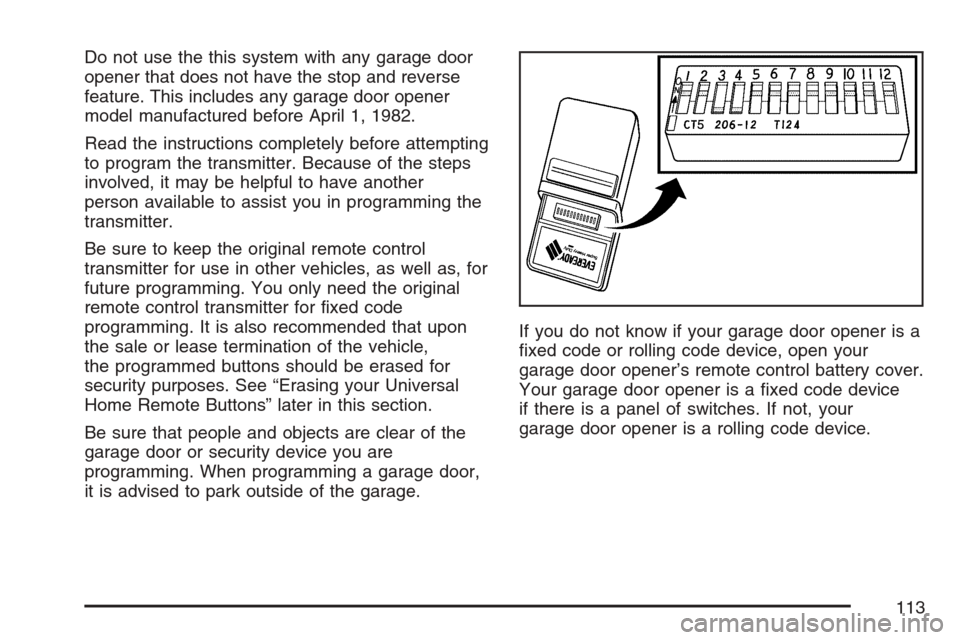
it is advised to park outside of the garage.If you do not know if your garage door opener is a
xed code or rolling code device, open your
garage door opener’s remote control battery cover.
Your garage door opener is a xed code device
if there is a panel of switches. If not, your
garage door opener is a rolling code device.
113
Page 118 of 512

Universal Home Remote System
Operation (With One Triangular LED)
Your vehicle may have the Universal Home
Remote System. If there is one triangular Light
Emitting Diode (LED) above the Universal
Home Remote buttons, follow the instructions
below. If your vehicle has three round LED above
the Universal Home Remote buttons, follow the
instructions under Universal Home Remote System
Operation (With three round LED).
Do not use the Universal Home Remote with any
garage door opener that does not have the
stop and reverse feature. This includes any garage
door opener model manufactured before April 1,
1982. If you have a newer garage door opener
with rolling codes, please be sure to follow Steps
6 through 8 to complete the programming of
your Universal Home Remote Transmitter.Read the instructions completely before attempting
to program the Universal Home Remote.
Because of the steps involved, it may be helpful to
have another person available to assist you in
the programming steps.
Keep the original hand-held transmitter for use in
other vehicles as well as for future Universal
Home Remote programming. It is also
recommended that upon the sale of the vehicle,
the programmed Universal Home Remote buttons
should be erased for security purposes. See
“Erasing Universal Home Remote Buttons” later in
this section or, for assistance, seeCustomer
Assistance Offices on page 485.
Be sure that people and objects are clear of the
garage door or gate operator you are
programming. When programming a garage door,
it is advised to park outside of the garage.
It is recommended that a new battery be installed
in your hand-held transmitter for quicker and
more accurate transmission of the radio-frequency
signal.
118
Page 135 of 512
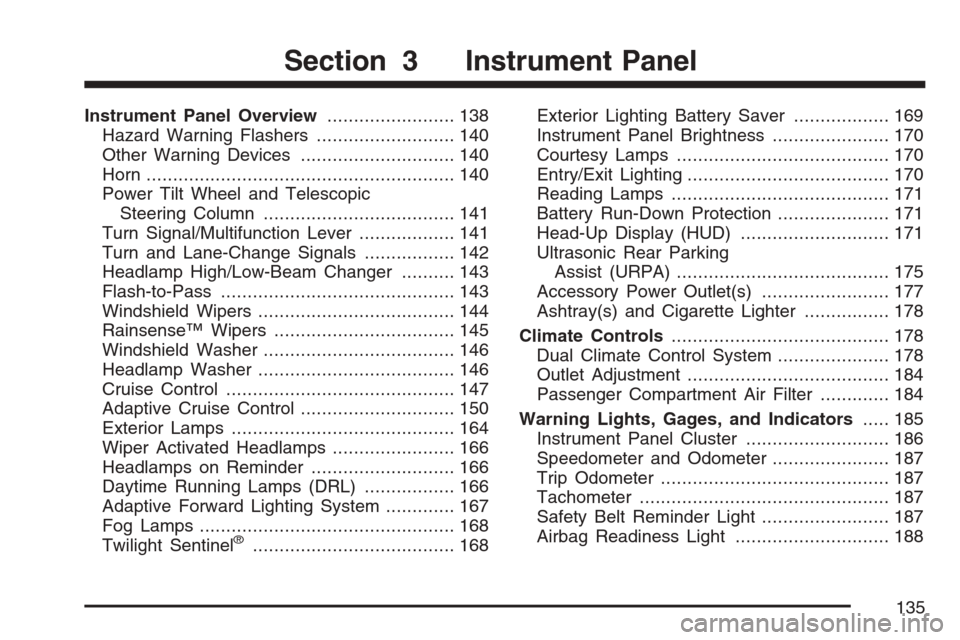
Instrument Panel Overview........................ 138
Hazard Warning Flashers.......................... 140
Other Warning Devices............................. 140
Horn.......................................................... 140
Power Tilt Wheel and Telescopic
Steering Column.................................... 141
Turn Signal/Multifunction Lever.................. 141
Turn and Lane-Change Signals................. 142
Headlamp High/Low-Beam Changer.......... 143
Flash-to-Pass............................................ 143
Windshield Wipers..................................... 144
Rainsense™ Wipers.................................. 145
Windshield Washer.................................... 146
Headlamp Washer..................................... 146
Cruise Control........................................... 147
Adaptive Cruise Control............................. 150
Exterior Lamps.......................................... 164
Wiper Activated Headlamps....................... 166
Headlamps on Reminder........................... 166
Daytime Running Lamps (DRL)................. 166
Adaptive Forward Lighting System............. 167
Fog Lamps................................................ 168
Twilight Sentinel
®...................................... 168Exterior Lighting Battery Saver.................. 169
Instrument Panel Brightness...................... 170
Courtesy Lamps........................................ 170
Entry/Exit Lighting...................................... 170
Reading Lamps......................................... 171
Battery Run-Down Protection..................... 171
Head-Up Display (HUD)............................ 171
Ultrasonic Rear Parking
Assist (URPA)........................................ 175
Accessory Power Outlet(s)........................ 177
Ashtray(s) and Cigarette Lighter................ 178
Climate Controls......................................... 178
Dual Climate Control System..................... 178
Outlet Adjustment...................................... 184
Passenger Compartment Air Filter............. 184
Warning Lights, Gages, and Indicators..... 185
Instrument Panel Cluster........................... 186
Speedometer and Odometer...................... 187
Trip Odometer........................................... 187
Tachometer............................................... 187
Safety Belt Reminder Light........................ 187
Airbag Readiness Light............................. 188
Section 3 Instrument Panel
135
Page 175 of 512

Ultrasonic Rear Parking
Assist (URPA)
Ultrasonic Rear Parking Assist can help you to
determine how close an object is to your rear
bumper within a given area, making parking easier.
{CAUTION:
The Ultrasonic Rear Park Assist (URPA)
system does not replace driver vision.
URPA does not:
Operate above speeds of 3 mph
(5 km/h).
Detect objects more than 5 feet
(1.5 meters) behind the vehicle. This
distance may be less during warmer
or humid weather.
Detect objects that are below the
bumper, underneath the vehicle, or
that are very close to the vehicle.
Detect children, pedestrians,
bicyclists, or pets.
CAUTION: (Continued)
CAUTION: (Continued)
So if you do not use proper care before
backing up, you could hit a vehicle, child,
pedestrian, bicyclist, or pet, resulting in
vehicle damage, injury, or death. Even
though the vehicle has the URPA system,
always check carefully before backing up
by checking behind your vehicle.
The URPA display is
located inside the
vehicle, on the center
console. It has three
color-coded lights
that can be seen
through the rearview
mirror or by turning
around.
175
Page 224 of 512

Auto Unlock
This feature automatically unlocks either the
driver’s door or both doors, depending on the
setting, when the shift lever is moved to PARK (P).
The DIC will display AUTO UNLOCK OFF, AUTO
UNLOCK DRIVER, or AUTO UNLOCK BOTH.
Press the OPTIONS button to change the setting.
Park Assist
This feature tilts the passenger’s side mirror
downward when the shifter is moved to
REVERSE (R). This can help you to see the curb
while backing up. If you adjust the mirror while
in REVERSE (R), the new position will be saved as
the park assist position.
The DIC will display PARK ASSIST OFF or PARK
ASSIST ON.
Language
This feature allows you to select the language the
DIC and Head-Up Display (HUD), uses to
display messages.
The DIC will display ENGLISH, FRENCH,
GERMAN, ITALIAN, JAPANESE, or SPANISH.
Press the OPTIONS button to change the setting.If you become stuck in a language that you do not
understand, hold the OPTIONS and RESET
buttons for ve seconds. The DIC will scroll
through all available languages for as long as the
buttons are held. Each language option will
display in its own language. For example, English
will be displayed as ENGLISH, Spanish as
ESPANOL, etc. When the desired language is
available, release the buttons and the DIC will set
to this language.
Trip Computer
Oil Life Indicator
This feature lets you know when to change the
engine oil. It is based on the engine oil
temperatures and your driving patterns.
To see the display, press the information button
several times until OIL LIFE appears. If you
see 99% OIL LIFE, 99 percent of your current oil
life remains.
224
Page 333 of 512
Steering
Power Steering
If you lose power steering assist because the
engine stops or the system is not functioning, you
can steer but it will take much more effort.
Magnetic Speed Variable Assist
Steering
Your vehicle has a steering system that
continuously adjusts the effort you feel when
steering at all vehicle speeds. It provides ease
when parking, yet a rm, solid feel at highway
speeds.
Steering Tips
It is important to take curves at a reasonable
speed.
A lot of the “driver lost control” accidents mentioned
on the news happen on curves. Here is why:
Experienced driver or beginner, each of us is
subject to the same laws of physics when driving
on curves. The traction of the tires against the
road surface makes it possible for the vehicle to
change its path when you turn the front wheels.If there is no traction, inertia will keep the vehicle
going in the same direction. If you have ever
tried to steer a vehicle on wet ice, you will
understand this.
The traction you can get in a curve depends on
the condition of the tires and the road surface, the
angle at which the curve is banked, and your
speed. While you are in a curve, speed is the one
factor you can control.
Suppose you are steering through a sharp curve.
Then you suddenly accelerate. Both control
systems — steering and acceleration — have to
do their work where the tires meet the road.
Adding the sudden acceleration can demand too
much of those places. You can lose control.
SeeTraction Control System (TCS) on page 329.
What should you do if this ever happens? Ease
up on the accelerator pedal, steer the vehicle the
way you want it to go, and slow down.
Speed limit signs near curves warn that you
should adjust your speed. Of course, the posted
speeds are based on good weather and road
conditions. Under less favorable conditions you will
want to go slower.
333
Page 508 of 512

P
Paint, Damage............................................ 449
Park Aid...................................................... 175
Park (P)
Shifting Into............................................... 99
Shifting Out of......................................... 100
Parking
Assist....................................................... 175
Brake......................................................... 97
Over Things That Burn............................ 101
Passenger Airbag Status Indicator............... 189
Passenger Compartment Air Filter............... 184
Passenger Position, Safety Belts................... 27
Passenger Sensing System........................... 53
Passing....................................................... 335
Plan Route.................................................. 249
Power
Accessory Outlet(s).................................. 177
Door Locks................................................ 75
Electrical System..................................... 452
Lumbar Controls.......................................... 9
Reclining Seatbacks................................... 11
Retained Accessory (RAP)......................... 89
Seat............................................................ 8
Steering Fluid.......................................... 396Power (cont.)
Tilt Wheel and Telescopic Steering
Column................................................. 141
Windows.................................................... 82
Pretensioners, Safety Belt............................. 27
Problems with Route Guidance................... 283
Programmable Automatic Door Unlock........... 76
Q
Questions and Answers About Safety Belts ... 17
R
Racing or Other Competitive Driving............ 338
Radio.......................................................... 285
Personalization with Home and Away
Feature................................................. 311
Radios........................................................ 225
Care of Your CD Player........................... 230
Care of Your CDs.................................... 229
Theft-Deterrent......................................... 226
Understanding Reception ......................... 228
Rainsense™ Wipers.................................... 145
Raising the Retractable Hardtop.................. 125
Reading Lamps........................................... 171
Rear Axle.................................................... 407
Limited-Slip.............................................. 331
508