lock CADILLAC XT4 2019 Workshop Manual
[x] Cancel search | Manufacturer: CADILLAC, Model Year: 2019, Model line: XT4, Model: CADILLAC XT4 2019Pages: 381, PDF Size: 6.4 MB
Page 140 of 381
Cadillac XT4 Owner Manual (GMNA-Localizing-U.S./Canada/Mexico-
12017481) - 2019 - CRC - 11/5/18
136 INSTRUMENTS AND CONTROLS
Electric Parking Brake
Light
MetricEnglish
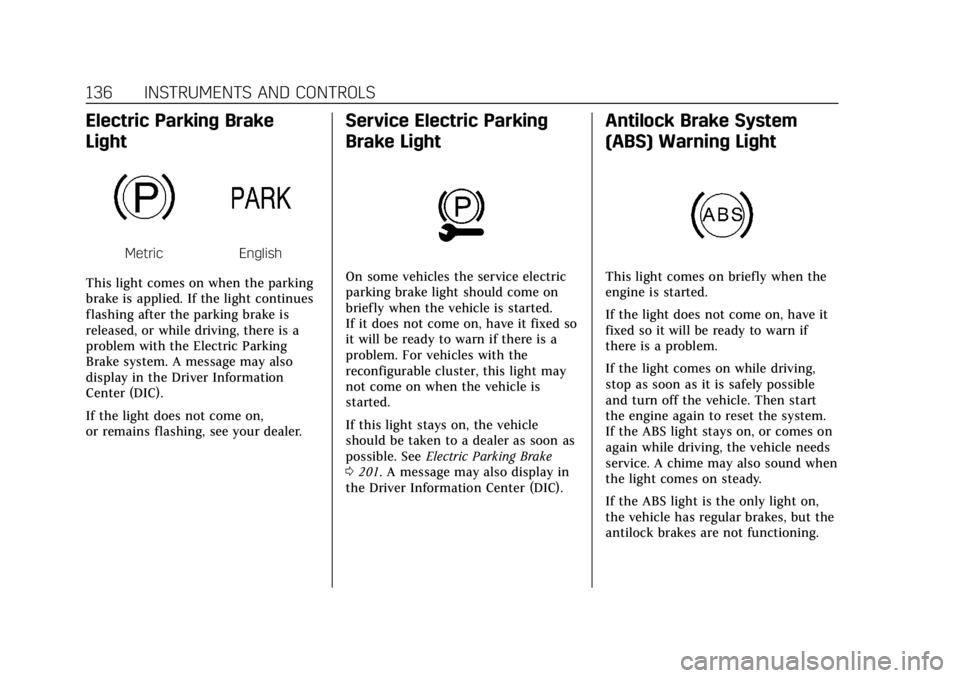
This light comes on when the parking
brake is applied. If the light continues
flashing after the parking brake is
released, or while driving, there is a
problem with the Electric Parking
Brake system. A message may also
display in the Driver Information
Center (DIC).
If the light does not come on,
or remains flashing, see your dealer.
Service Electric Parking
Brake Light
On some vehicles the service electric
parking brake light should come on
briefly when the vehicle is started.
If it does not come on, have it fixed so
it will be ready to warn if there is a
problem. For vehicles with the
reconfigurable cluster, this light may
not come on when the vehicle is
started.
If this light stays on, the vehicle
should be taken to a dealer as soon as
possible. See Electric Parking Brake
0 201. A message may also display in
the Driver Information Center (DIC).
Antilock Brake System
(ABS) Warning Light
This light comes on briefly when the
engine is started.
If the light does not come on, have it
fixed so it will be ready to warn if
there is a problem.
If the light comes on while driving,
stop as soon as it is safely possible
and turn off the vehicle. Then start
the engine again to reset the system.
If the ABS light stays on, or comes on
again while driving, the vehicle needs
service. A chime may also sound when
the light comes on steady.
If the ABS light is the only light on,
the vehicle has regular brakes, but the
antilock brakes are not functioning.
Page 141 of 381
Cadillac XT4 Owner Manual (GMNA-Localizing-U.S./Canada/Mexico-
12017481) - 2019 - CRC - 11/5/18
INSTRUMENTS AND CONTROLS 137
If both the ABS and the brake system
warning light are on, the vehicle's
antilock brakes are not functioning
and there is a problem with the
regular brakes. See your dealer for
service.
SeeBrake System Warning Light 0135.
All-Wheel-Drive Light
All-Wheel-Drive
LightFront-Wheel-Drive Light
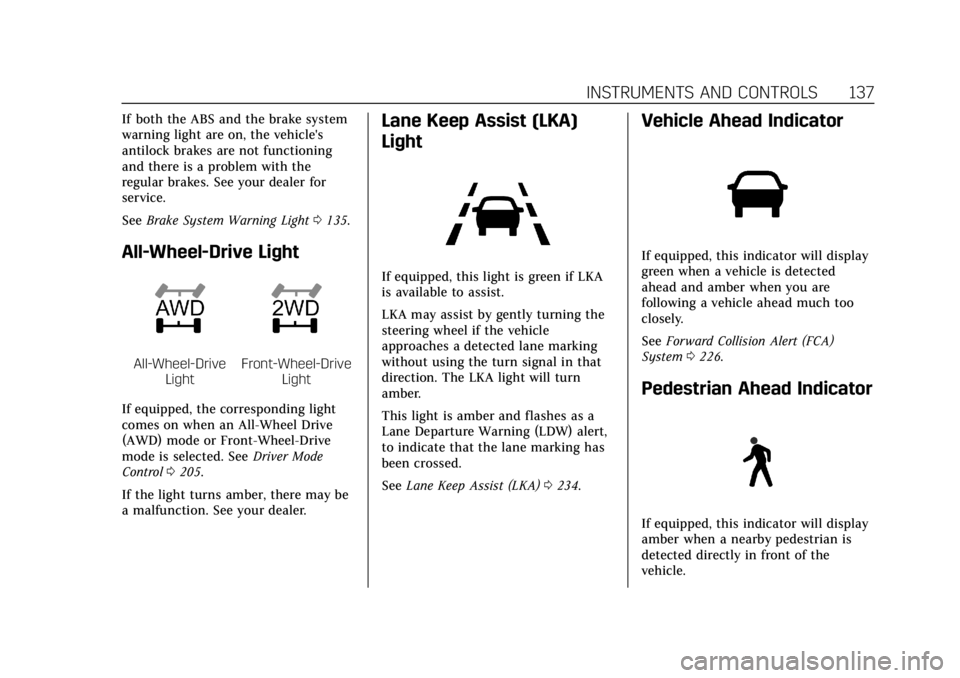
If equipped, the corresponding light
comes on when an All-Wheel Drive
(AWD) mode or Front-Wheel-Drive
mode is selected. See Driver Mode
Control 0205.
If the light turns amber, there may be
a malfunction. See your dealer.
Lane Keep Assist (LKA)
Light
If equipped, this light is green if LKA
is available to assist.
LKA may assist by gently turning the
steering wheel if the vehicle
approaches a detected lane marking
without using the turn signal in that
direction. The LKA light will turn
amber.
This light is amber and flashes as a
Lane Departure Warning (LDW) alert,
to indicate that the lane marking has
been crossed.
See Lane Keep Assist (LKA) 0234.
Vehicle Ahead Indicator
If equipped, this indicator will display
green when a vehicle is detected
ahead and amber when you are
following a vehicle ahead much too
closely.
See Forward Collision Alert (FCA)
System 0226.
Pedestrian Ahead Indicator
If equipped, this indicator will display
amber when a nearby pedestrian is
detected directly in front of the
vehicle.
Page 156 of 381

Cadillac XT4 Owner Manual (GMNA-Localizing-U.S./Canada/Mexico-
12017481) - 2019 - CRC - 11/5/18
152 INSTRUMENTS AND CONTROLS
Hands Free Liftgate Control
The liftgate may be operated with a
kicking motion under the left corner
of the rear bumper. SeeLiftgate042.
Select Off, On-Open and Close,
or On-Open Only.
Lighting
Touch and the following may display:
. Vehicle Locator Lights
. Exit Lighting
Vehicle Locator Lights
This setting flashes the headlamps of
your vehicle when you press
Kon the
Remote Keyless Entry (RKE)
transmitter.
Touch Off or On.
Exit Lighting
This setting specifies how long the
headlamps stay on after the vehicle is
turned off and exited.
Touch Off, 30 Seconds, 60 Seconds,
or 120 Seconds.
Power Door Locks
Touch and the following may display:
. Open Door Anti Lock Out
. Auto Door Unlock
. Delayed Door Lock
Open Door Anti Lock Out
This setting prevents the driver door
from locking when the door is open.
If this setting is on, the Delayed Door
Lock menu will not be available.
Touch Off or On.
Auto Door Unlock
This setting allows selection of which
doors will automatically unlock when
the vehicle is shifted into P (Park).
Touch Off, All Doors, or Driver Door.
Delayed Door Lock
This setting delays the locking of the
vehicle’s doors.
Touch Off or On.
Remote Lock, Unlock, Start
Touch and the following may display:
. Remote Unlock Light Feedback
. Remote Lock Feedback
. Remote Door Unlock
. Remote Start Auto Cool Seats
. Remote Start Auto Heat Seats
. Remote Window Operation
. Passive Door Unlock
. Passive Door Lock
. Remote Left in Vehicle Alert
Remote Unlock Light Feedback
This setting flashes the exterior lamps
when the vehicle is unlocked with the
RKE transmitter.
Touch Off or Flash Lights.
Remote Lock Feedback
This setting specifies how the vehicle
responds when the vehicle is locked
with the RKE transmitter.
Touch Off, Lights and Horn, Lights
Only, or Horn Only.
Page 157 of 381
Cadillac XT4 Owner Manual (GMNA-Localizing-U.S./Canada/Mexico-
12017481) - 2019 - CRC - 11/5/18
INSTRUMENTS AND CONTROLS 153
Remote Door Unlock
This setting specifies whether all
doors, or just the driver door, unlock
when pressing
Kon the RKE
transmitter.
Touch All Doors or Driver Door.
Remote Start Auto Cool Seats
This setting automatically turns on
the ventilated seats when using the
remote start function on warm days.
See Heated and Ventilated Front Seats
0 69 and Remote Vehicle Start 036.
Touch Off or On.
Remote Start Auto Heat Seats
This setting automatically turns on
the heated seats when using the
remote start function on cold days.
See Heated and Ventilated Front Seats
0 69 and Remote Vehicle Start 036.
Touch Off or On. Remote Window Operation
If equipped, this feature enables
remote operation of the windows with
the RKE transmitter. See
Remote
Keyless Entry (RKE) System Operation
0 29.
Touch Off or On.
Passive Door Unlock
This setting specifies which doors
unlock when using the button on the
driver door handle to unlock the
vehicle.
Touch All Doors or Driver Door Only.
Passive Door Lock
This setting specifies if the vehicle will
automatically lock, or lock and
provide an alert after all the doors are
closed, and you walk away from the
vehicle with the RKE transmitter. See
Remote Keyless Entry (RKE) System
Operation 029.
Touch Off, On with Horn Chirp, or On. Remote Left in Vehicle Alert
This feature sounds an alert when the
RKE transmitter is left in the vehicle.
This menu also enables Remote No
Longer in Vehicle Alert.
Touch Off or On.
Seating Position
Touch and the following may display:
.
Seat Entry Memory
. Seat Exit Memory
Seat Entry Memory
This feature automatically recalls the
current driver’s previously stored 1 or
2 button positions when the ignition
is changed from off to on or ACC/
ACCESSORY. See Memory Seats066.
Touch Off or On.
Seat Exit Memory
This feature automatically recalls the
previously stored exit button position
when exiting the vehicle. See Memory
Seats 066.
Touch Off or On.
Page 158 of 381
Cadillac XT4 Owner Manual (GMNA-Localizing-U.S./Canada/Mexico-
12017481) - 2019 - CRC - 11/5/18
154 INSTRUMENTS AND CONTROLS
Teen Driver
See“Teen Driver” under“Settings ”in
the infotainment manual.
Valet Mode
This will lock the infotainment system
and steering wheel controls. It may
also limit access to vehicle storage
locations, if equipped.
To enable valet mode:
1. Enter a four-digit code on the keypad.
2. Touch Enter to go to the confirmation screen.
3. Re-enter the four-digit code.
Touch Lock or Unlock to lock or
unlock the system. Touch Back to go
back to the previous menu.
Universal Remote
System
See Radio Frequency Statement 0350.
Universal Remote System
Programming
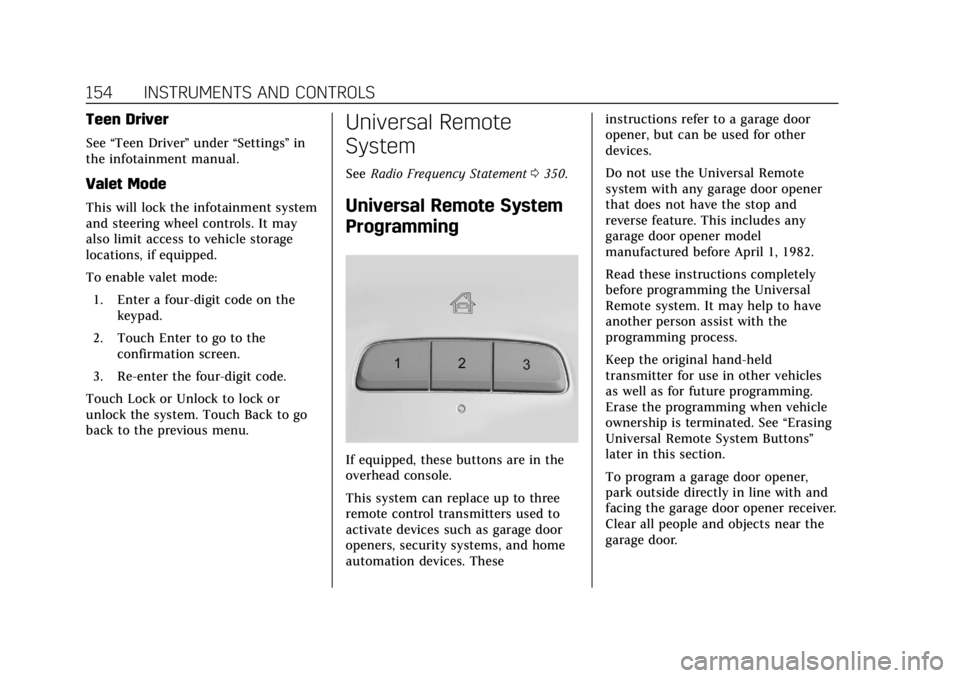
If equipped, these buttons are in the
overhead console.
This system can replace up to three
remote control transmitters used to
activate devices such as garage door
openers, security systems, and home
automation devices. These instructions refer to a garage door
opener, but can be used for other
devices.
Do not use the Universal Remote
system with any garage door opener
that does not have the stop and
reverse feature. This includes any
garage door opener model
manufactured before April 1, 1982.
Read these instructions completely
before programming the Universal
Remote system. It may help to have
another person assist with the
programming process.
Keep the original hand-held
transmitter for use in other vehicles
as well as for future programming.
Erase the programming when vehicle
ownership is terminated. See
“Erasing
Universal Remote System Buttons”
later in this section.
To program a garage door opener,
park outside directly in line with and
facing the garage door opener receiver.
Clear all people and objects near the
garage door.
Page 163 of 381
Cadillac XT4 Owner Manual (GMNA-Localizing-U.S./Canada/Mexico-
12017481) - 2019 - CRC - 11/5/18
LIGHTING 159
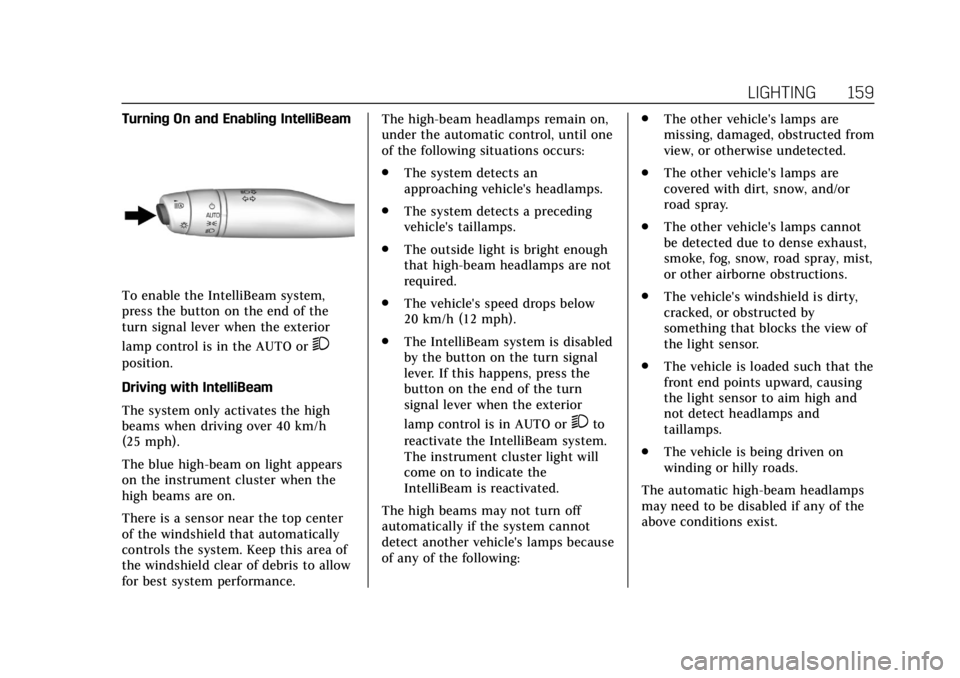
Turning On and Enabling IntelliBeam
To enable the IntelliBeam system,
press the button on the end of the
turn signal lever when the exterior
lamp control is in the AUTO or
2
position.
Driving with IntelliBeam
The system only activates the high
beams when driving over 40 km/h
(25 mph).
The blue high-beam on light appears
on the instrument cluster when the
high beams are on.
There is a sensor near the top center
of the windshield that automatically
controls the system. Keep this area of
the windshield clear of debris to allow
for best system performance.The high-beam headlamps remain on,
under the automatic control, until one
of the following situations occurs:
.
The system detects an
approaching vehicle's headlamps.
. The system detects a preceding
vehicle's taillamps.
. The outside light is bright enough
that high-beam headlamps are not
required.
. The vehicle's speed drops below
20 km/h (12 mph).
. The IntelliBeam system is disabled
by the button on the turn signal
lever. If this happens, press the
button on the end of the turn
signal lever when the exterior
lamp control is in AUTO or
2to
reactivate the IntelliBeam system.
The instrument cluster light will
come on to indicate the
IntelliBeam is reactivated.
The high beams may not turn off
automatically if the system cannot
detect another vehicle's lamps because
of any of the following: .
The other vehicle's lamps are
missing, damaged, obstructed from
view, or otherwise undetected.
. The other vehicle's lamps are
covered with dirt, snow, and/or
road spray.
. The other vehicle's lamps cannot
be detected due to dense exhaust,
smoke, fog, snow, road spray, mist,
or other airborne obstructions.
. The vehicle's windshield is dirty,
cracked, or obstructed by
something that blocks the view of
the light sensor.
. The vehicle is loaded such that the
front end points upward, causing
the light sensor to aim high and
not detect headlamps and
taillamps.
. The vehicle is being driven on
winding or hilly roads.
The automatic high-beam headlamps
may need to be disabled if any of the
above conditions exist.
Page 175 of 381
Cadillac XT4 Owner Manual (GMNA-Localizing-U.S./Canada/Mexico-
12017481) - 2019 - CRC - 11/5/18
CLIMATE CONTROLS 171
Operation Tips
.Clear away any ice, snow, or leaves
from air inlets at the base of the
windshield that could block the
flow of air into the vehicle.
. Clear snow off the hood to
improve visibility and help
decrease moisture drawn into the
vehicle.
. Keep the path under the front
seats clear of objects to help
circulate the air inside of the
vehicle more effectively.
. Use of non-GM approved hood
deflectors can adversely affect the
performance of the system. Check
with your dealer before adding
equipment to the outside of the
vehicle.
. Do not attach any devices to the
air vent slats. This restricts airflow
and may cause damage to the air
vents.Maintenance
Passenger Compartment
Air Filter
The filter reduces dust, pollen, and
other airborne irritants from outside
air that is pulled into the vehicle. The
filter should be replaced as part of
routine scheduled maintenance. See
Maintenance Schedule 0326.
See your dealer regarding replacement
of the filter.
Service
All vehicles have a label underhood
that identifies the refrigerant used in
the vehicle. The refrigerant system
should only be serviced by trained and
certified technicians. The air
conditioning evaporator should never
be repaired or replaced by one from a
salvage vehicle. It should only be
replaced by a new evaporator to
ensure proper and safe operation. During service, all refrigerants should
be reclaimed with proper equipment.
Venting refrigerants directly to the
atmosphere is harmful to the
environment and may also create
unsafe conditions based on inhalation,
combustion, frostbite, or other
health-based concerns.
The air conditioning system requires
periodic maintenance. See
Maintenance Schedule
0326.
Page 176 of 381
Cadillac XT4 Owner Manual (GMNA-Localizing-U.S./Canada/Mexico-
12017481) - 2019 - CRC - 11/5/18
172 DRIVING AND OPERATING
Driving and
Operating
Driving Information
Driver Behavior . . . . . . . . . . . . . . . . . . . 173
Driving Environment . . . . . . . . . . . . . 173
Vehicle Design . . . . . . . . . . . . . . . . . . . . 173
Distracted Driving . . . . . . . . . . . . . . . . 174
Defensive Driving . . . . . . . . . . . . . . . . 174
Drunk Driving . . . . . . . . . . . . . . . . . . . . 174
Control of a Vehicle . . . . . . . . . . . . . . 175
Braking . . . . . . . . . . . . . . . . . . . . . . . . . . . . 175
Steering . . . . . . . . . . . . . . . . . . . . . . . . . . . 175
Off-Road Recovery . . . . . . . . . . . . . . . . 176
Loss of Control . . . . . . . . . . . . . . . . . . . 176
Driving on Wet Roads . . . . . . . . . . . 177
Hill and Mountain Roads . . . . . . . . 178
Winter Driving . . . . . . . . . . . . . . . . . . . . 178
If the Vehicle Is Stuck . . . . . . . . . . . 179
Vehicle Load Limits . . . . . . . . . . . . . . 180
Starting and Operating
New Vehicle Break-In . . . . . . . . . . . . 184
Ignition Positions . . . . . . . . . . . . . . . . 184
Starting the Engine . . . . . . . . . . . . . . 186
Stop/Start System . . . . . . . . . . . . . . . . 187
Engine Heater . . . . . . . . . . . . . . . . . . . . 188Retained Accessory
Power (RAP) . . . . . . . . . . . . . . . . . . . . 189
Shifting Into Park . . . . . . . . . . . . . . . . 190
Shifting out of Park . . . . . . . . . . . . . . 190
Parking over Things That Burn . . . . . . . . . . . . . . . . . . . . . . . 192
Active Fuel Management . . . . . . . . 192
Extended Parking . . . . . . . . . . . . . . . . . 192
Engine Exhaust
Engine Exhaust . . . . . . . . . . . . . . . . . . . 193
Running the Vehicle While Parked . . . . . . . . . . . . . . . . . . . . . . . . . . . 194
Automatic Transmission
Automatic Transmission . . . . . . . . . 194
Manual Mode . . . . . . . . . . . . . . . . . . . . . 198
Drive Systems
All-Wheel Drive . . . . . . . . . . . . . . . . . . 200
Brakes
Antilock Brake System (ABS) . . . . 200
Electric Parking Brake . . . . . . . . . . . . 201
Brake Assist . . . . . . . . . . . . . . . . . . . . . . . 202
Hill Start Assist (HSA) . . . . . . . . . . . 203
Ride Control Systems
Traction Control/ElectronicStability Control . . . . . . . . . . . . . . . . 203
Driver Mode Control . . . . . . . . . . . . . 205
Cruise Control
Cruise Control . . . . . . . . . . . . . . . . . . . . 206
Adaptive Cruise Control . . . . . . . . . 209
Driver Assistance Systems
Driver Assistance Systems . . . . . . . 217
Assistance Systems for Parking or Backing . . . . . . . . . . . . . . . . . . . . . . . 219
Assistance Systems for Driving . . . . . . . . . . . . . . . . . . . . . . . . . . 226
Forward Collision Alert (FCA) System . . . . . . . . . . . . . . . . . . . . . . . . . . 226
Forward Automatic Braking (FAB) . . . . . . . . . . . . . . . . . . . 228
Front Pedestrian Braking (FPB) System . . . . . . . . . . . . . . . . . . . . . . . . . . 230
Side Blind Zone Alert (SBZA) . . . . 232
Lane Change Alert (LCA) . . . . . . . . 232
Lane Departure Warning (LDW) . . . . . . . . . . . . . . . . . 234
Lane Keep Assist (LKA) . . . . . . . . . . 234
Fuel
Top Tier Fuel . . . . . . . . . . . . . . . . . . . . . 236
Recommended Fuel . . . . . . . . . . . . . . 237
Prohibited Fuels . . . . . . . . . . . . . . . . . . 237
Fuels in Foreign Countries . . . . . . . 237
Fuel Additives . . . . . . . . . . . . . . . . . . . . 237
Filling the Tank . . . . . . . . . . . . . . . . . . 238
Filling a Portable Fuel Container . . . . . . . . . . . . . . . . . . . . . . . . 239
Page 180 of 381
Cadillac XT4 Owner Manual (GMNA-Localizing-U.S./Canada/Mexico-
12017481) - 2019 - CRC - 11/5/18
176 DRIVING AND OPERATING
Curve Tips
.Take curves at a reasonable speed.
. Reduce speed before entering a
curve.
. Maintain a reasonable steady
speed through the curve.
. Wait until the vehicle is out of the
curve before accelerating gently
into the straightaway.
Steering in Emergencies
.There are some situations when
steering around a problem may be
more effective than braking.
. Holding both sides of the steering
wheel allows you to turn
180 degrees without removing
a hand.
. The Antilock Brake System (ABS)
allows steering while braking.
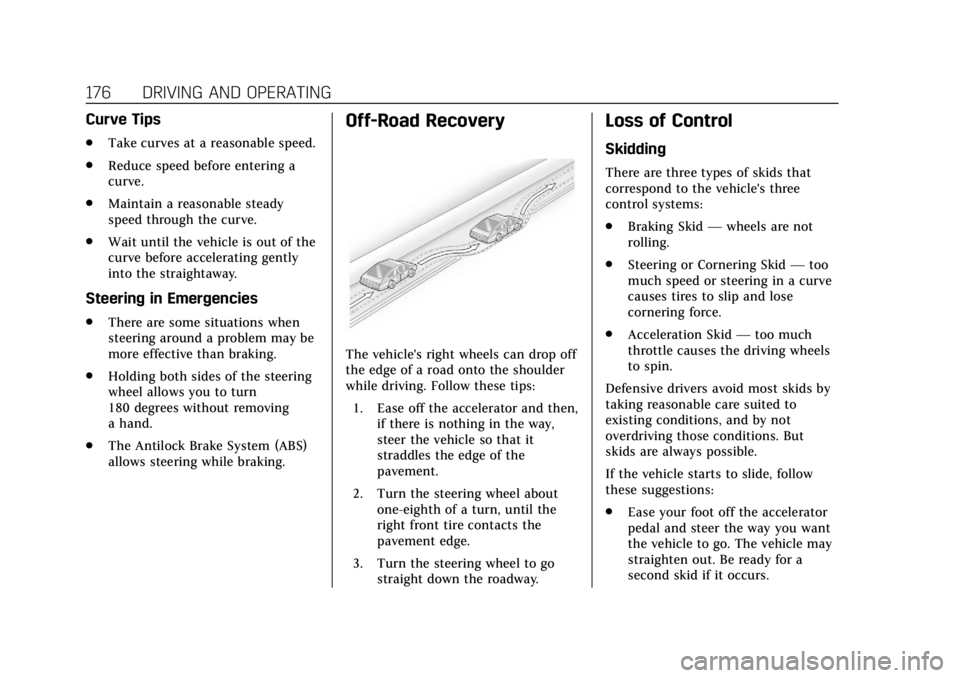
Off-Road Recovery
The vehicle's right wheels can drop off
the edge of a road onto the shoulder
while driving. Follow these tips:
1. Ease off the accelerator and then, if there is nothing in the way,
steer the vehicle so that it
straddles the edge of the
pavement.
2. Turn the steering wheel about one-eighth of a turn, until the
right front tire contacts the
pavement edge.
3. Turn the steering wheel to go straight down the roadway.
Loss of Control
Skidding
There are three types of skids that
correspond to the vehicle's three
control systems:
.Braking Skid —wheels are not
rolling.
. Steering or Cornering Skid —too
much speed or steering in a curve
causes tires to slip and lose
cornering force.
. Acceleration Skid —too much
throttle causes the driving wheels
to spin.
Defensive drivers avoid most skids by
taking reasonable care suited to
existing conditions, and by not
overdriving those conditions. But
skids are always possible.
If the vehicle starts to slide, follow
these suggestions:
. Ease your foot off the accelerator
pedal and steer the way you want
the vehicle to go. The vehicle may
straighten out. Be ready for a
second skid if it occurs.
Page 181 of 381
Cadillac XT4 Owner Manual (GMNA-Localizing-U.S./Canada/Mexico-
12017481) - 2019 - CRC - 11/5/18
DRIVING AND OPERATING 177
.Slow down and adjust your driving
according to weather conditions.
Stopping distance can be longer
and vehicle control can be affected
when traction is reduced by water,
snow, ice, gravel, or other material
on the road. Learn to recognize
warning clues —such as enough
water, ice, or packed snow on the
road to make a mirrored surface
— and slow down when you have
any doubt.
. Try to avoid sudden steering,
acceleration, or braking, including
reducing vehicle speed by shifting
to a lower gear. Any sudden
changes could cause the tires to
slide.
Remember: Antilock brakes help avoid
only the braking skid.
Driving on Wet Roads
Rain and wet roads can reduce vehicle
traction and affect your ability to stop
and accelerate. Always drive slower in
these types of driving conditions and
avoid driving through large puddles
and deep-standing or flowing water.
{Warning
Wet brakes can cause crashes. They
might not work as well in a quick
stop and could cause pulling to one
side. You could lose control of the
vehicle.
After driving through a large puddle
of water or a car/vehicle wash,
lightly apply the brake pedal until
the brakes work normally.
Flowing or rushing water creates
strong forces. Driving through
flowing water could cause the
vehicle to be carried away. If this
happens, you and other vehicle
occupants could drown. Do not
ignore police warnings and be very
cautious about trying to drive
through flowing water.
Hydroplaning
Hydroplaning is dangerous. Water can
build up under the vehicle's tires so
they actually ride on the water. This
can happen if the road is wet enough and you are going fast enough. When
the vehicle is hydroplaning, it has
little or no contact with the road.
There is no hard and fast rule about
hydroplaning. The best advice is to
slow down when the road is wet.
Other Rainy Weather Tips
Besides slowing down, other wet
weather driving tips include:
.
Allow extra following distance.
. Pass with caution.
. Keep windshield wiping equipment
in good shape.
. Keep the windshield washer fluid
reservoir filled.
. Have good tires with proper tread
depth. See Tires0281.
. Turn off cruise control.
. Activate All-Wheel Drive (AWD)
mode. See Driver Mode Control
0 205.