change wheel CADILLAC XT4 2019 Owner's Manual
[x] Cancel search | Manufacturer: CADILLAC, Model Year: 2019, Model line: XT4, Model: CADILLAC XT4 2019Pages: 381, PDF Size: 6.4 MB
Page 9 of 381
Cadillac XT4 Owner Manual (GMNA-Localizing-U.S./Canada/Mexico-
12017481) - 2019 - CRC - 11/5/18
IN BRIEF 5
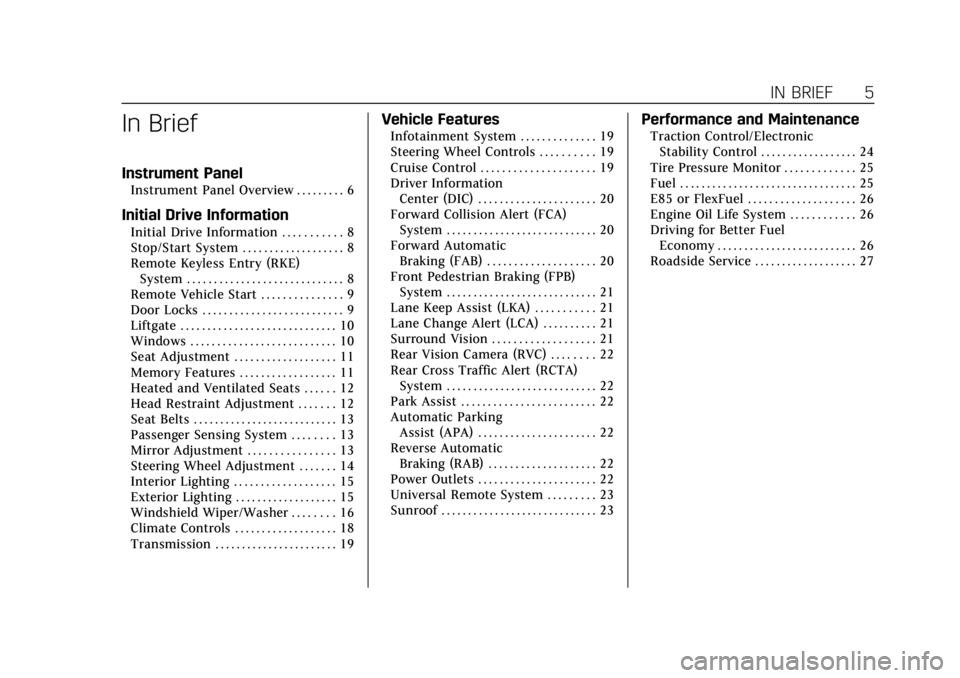
In Brief
Instrument Panel
Instrument Panel Overview . . . . . . . . . 6
Initial Drive Information
Initial Drive Information . . . . . . . . . . . 8
Stop/Start System . . . . . . . . . . . . . . . . . . . 8
Remote Keyless Entry (RKE)System . . . . . . . . . . . . . . . . . . . . . . . . . . . . . 8
Remote Vehicle Start . . . . . . . . . . . . . . . 9
Door Locks . . . . . . . . . . . . . . . . . . . . . . . . . . 9
Liftgate . . . . . . . . . . . . . . . . . . . . . . . . . . . . . 10
Windows . . . . . . . . . . . . . . . . . . . . . . . . . . . 10
Seat Adjustment . . . . . . . . . . . . . . . . . . . 11
Memory Features . . . . . . . . . . . . . . . . . . 11
Heated and Ventilated Seats . . . . . . 12
Head Restraint Adjustment . . . . . . . 12
Seat Belts . . . . . . . . . . . . . . . . . . . . . . . . . . . 13
Passenger Sensing System . . . . . . . . 13
Mirror Adjustment . . . . . . . . . . . . . . . . 13
Steering Wheel Adjustment . . . . . . . 14
Interior Lighting . . . . . . . . . . . . . . . . . . . 15
Exterior Lighting . . . . . . . . . . . . . . . . . . . 15
Windshield Wiper/Washer . . . . . . . . 16
Climate Controls . . . . . . . . . . . . . . . . . . . 18
Transmission . . . . . . . . . . . . . . . . . . . . . . . 19
Vehicle Features
Infotainment System . . . . . . . . . . . . . . 19
Steering Wheel Controls . . . . . . . . . . 19
Cruise Control . . . . . . . . . . . . . . . . . . . . . 19
Driver Information Center (DIC) . . . . . . . . . . . . . . . . . . . . . . 20
Forward Collision Alert (FCA) System . . . . . . . . . . . . . . . . . . . . . . . . . . . . 20
Forward Automatic Braking (FAB) . . . . . . . . . . . . . . . . . . . . 20
Front Pedestrian Braking (FPB) System . . . . . . . . . . . . . . . . . . . . . . . . . . . . 21
Lane Keep Assist (LKA) . . . . . . . . . . . 21
Lane Change Alert (LCA) . . . . . . . . . . 21
Surround Vision . . . . . . . . . . . . . . . . . . . 21
Rear Vision Camera (RVC) . . . . . . . . 22
Rear Cross Traffic Alert (RCTA) System . . . . . . . . . . . . . . . . . . . . . . . . . . . . 22
Park Assist . . . . . . . . . . . . . . . . . . . . . . . . . 22
Automatic Parking Assist (APA) . . . . . . . . . . . . . . . . . . . . . . 22
Reverse Automatic Braking (RAB) . . . . . . . . . . . . . . . . . . . . 22
Power Outlets . . . . . . . . . . . . . . . . . . . . . . 22
Universal Remote System . . . . . . . . . 23
Sunroof . . . . . . . . . . . . . . . . . . . . . . . . . . . . . 23
Performance and Maintenance
Traction Control/Electronic Stability Control . . . . . . . . . . . . . . . . . . 24
Tire Pressure Monitor . . . . . . . . . . . . . 25
Fuel . . . . . . . . . . . . . . . . . . . . . . . . . . . . . . . . . 25
E85 or FlexFuel . . . . . . . . . . . . . . . . . . . . 26
Engine Oil Life System . . . . . . . . . . . . 26
Driving for Better Fuel Economy . . . . . . . . . . . . . . . . . . . . . . . . . . 26
Roadside Service . . . . . . . . . . . . . . . . . . . 27
Page 11 of 381

Cadillac XT4 Owner Manual (GMNA-Localizing-U.S./Canada/Mexico-
12017481) - 2019 - CRC - 11/5/18
IN BRIEF 7
1.Air Vents 0170.
2. Exterior Lamp Controls 0158.
Turn Signal Lever. See Turn and
Lane-Change Signals 0161.
IntelliBeam System Button (If
Equipped). See Exterior Lamp
Controls 0158.
3. Tap Shift Controls. See Manual
Mode 0198 (If Equipped).
4. Instrument Cluster 0126.
Driver Information Center (DIC)
Display. See Driver Information
Center (DIC) 0142.
5. Windshield Wiper/Washer 0118.
Rear Window Wiper/Washer
0 120.
6. ENGINE START/STOP Button. See Ignition Positions 0184.
7. Light Sensor. See Automatic
Headlamp System 0160. 8. Home Button. See the
infotainment manual and
Infotainment 0165.
9. Dual Automatic Climate Control
System 0166.
10. Heated and Ventilated Front Seats
069 (If Equipped).
11. Lane Keep Assist (LKA) 0234 (If
Equipped).
12. Power Outlets 0121.
13. MODE Switch. See Driver Mode
Control 0205.
14. Stop/Start Disable Switch. See Stop/Start System 0187.
15. Traction Control/Electronic
Stability Control 0203.
16. Hazard Warning Flashers 0161.
17. USB Port. See the infotainment manual.
Auxiliary Input Jack. See the
infotainment manual. 18. Infotainment Controls. See the
infotainment manual.
19. Shift Lever. See Automatic
Transmission 0194.
20. Park Assist Button. See Assistance Systems for Parking or
Backing 0219.
Automatic Parking Assist (APA)
Button. See Assistance Systems
for Parking or Backing 0219.
21. Steering Wheel Controls 0117.
Driver Information Center (DIC)
Controls. See Driver Information
Center (DIC) 0142.
22. Horn 0118.
23. Steering Wheel Adjustment 0117
(Out of View).
Page 25 of 381
Cadillac XT4 Owner Manual (GMNA-Localizing-U.S./Canada/Mexico-
12017481) - 2019 - CRC - 11/5/18
IN BRIEF 21
brake the vehicle. This can help avoid
or lessen the severity of crashes when
driving in a forward gear.
SeeForward Automatic Braking (FAB)
0 228.
Front Pedestrian Braking
(FPB) System
If equipped, the FPB system may help
avoid or reduce the harm caused by
front-end crashes with nearby
pedestrians when driving in a
forward gear. FPB displays an amber
indicator,
~, when a nearby
pedestrian is detected directly ahead.
When approaching a detected
pedestrian too quickly, FPB provides a
red flashing alert on the windshield
and rapidly beeps or pulses the driver
seat. FPB can provide a boost to
braking or automatically brake the
vehicle.
See Front Pedestrian Braking (FPB)
System 0230.
Lane Keep Assist (LKA)
If equipped, LKA may help avoid
crashes due to unintentional lane
departures. It may assist by gently
turning the steering wheel if the
vehicle approaches a detected lane
marking without using a turn signal in
that direction. It may also provide a
Lane Departure Warning (LDW) alert
as the lane marking is crossed. The
system will not assist or alert if it
detects that you are actively steering.
Override LKA by turning the steering
wheel. LKA uses a camera to detect
lane markings between 60 km/h
(37 mph) and 180 km/h (112 mph).
See Lane Departure Warning (LDW)
0 234 and Lane Keep Assist (LKA)
0 234.
Lane Change Alert (LCA)
If equipped, the LCA system is a
lane-changing aid that assists drivers
with avoiding lane change crashes
that occur with moving vehicles in the
side blind zone (or spot) areas or with
vehicles rapidly approaching these
areas from behind. The LCA warning display will light up in the
corresponding outside mirror and will
flash if the turn signal is on. The Side
Blind Zone Alert (SBZA) system is
included as part of the LCA system.
See
Side Blind Zone Alert (SBZA) 0232
and Lane Change Alert (LCA) 0232.
Surround Vision
If equipped, views around the vehicle
appear in the infotainment display to
aid with parking and low-speed
maneuvers.
See “Surround Vision ”under
Assistance Systems for Parking or
Backing 0219.
Front Vision Camera
If equipped, a view of the area in front
of the vehicle appears on the
infotainment display to aid with
parking and low-speed maneuvers.
See “Front Vision Camera ”under
Assistance Systems for Parking or
Backing 0219.
Page 28 of 381
Cadillac XT4 Owner Manual (GMNA-Localizing-U.S./Canada/Mexico-
12017481) - 2019 - CRC - 11/5/18
24 IN BRIEF
releasee(1) at any time to stop
movement. Press and release
g(1)
to express-close. Press and release
g(1) at any time to stop
movement.
Sunroof Manual Operation : The
sunroof can change to manual mode
by holding
e(1) while opening. The
sunroof will now open as long as
e
(1) is held. Press and releasee(1)
again to change back to express
operation.
Power Sunshade Express
Operation : Press and release
C(2)
to express-open the sunshade. Press
and release
C(2) at any time to stop
movement. Press and release
Q(2)
to express-close the sunshade. Press
and release
Q(2) at any time to
stop movement. Power Sunshade Manual
Operation :
The sunshade can change
to manual mode by holding
C(2)
while opening. The sunshade will now
open as long as
C(2) is held. Press
and release
C(2) again to change
back to express operation.
The sunroof cannot be opened or
closed if the vehicle has an electrical
failure.
The sunroof and power sunshade are
equipped with an automatic reversal
system. See Sunroof059.
Performance and
Maintenance
Traction Control/Electronic
Stability Control
The Traction Control System (TCS)
limits wheel spin. The system turns
on automatically every time the
vehicle is started.
The StabiliTrak/Electronic Stability
Control (ESC) system assists with
directional control of the vehicle in
difficult driving conditions. The
system also turns on automatically
every time the vehicle is started.
.
To turn off TCS, press and
release
gon the center console
behind the shift lever.
icomes on
in the instrument cluster and a
Driver Information Center (DIC)
message may display.
Page 30 of 381
Cadillac XT4 Owner Manual (GMNA-Localizing-U.S./Canada/Mexico-
12017481) - 2019 - CRC - 11/5/18
26 IN BRIEF
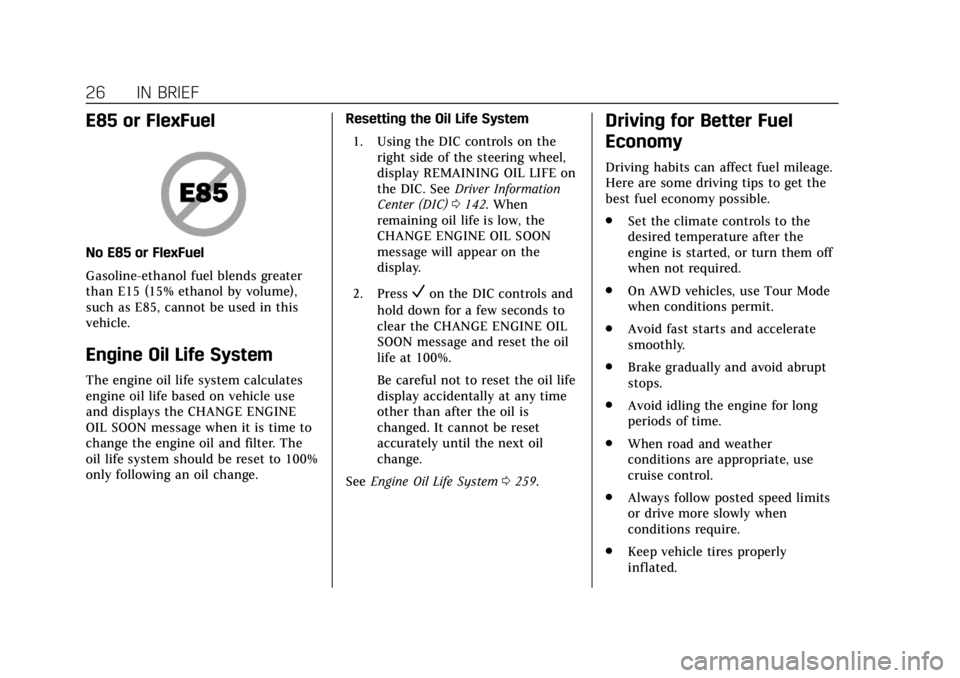
E85 or FlexFuel
No E85 or FlexFuel
Gasoline-ethanol fuel blends greater
than E15 (15% ethanol by volume),
such as E85, cannot be used in this
vehicle.
Engine Oil Life System
The engine oil life system calculates
engine oil life based on vehicle use
and displays the CHANGE ENGINE
OIL SOON message when it is time to
change the engine oil and filter. The
oil life system should be reset to 100%
only following an oil change.Resetting the Oil Life System
1. Using the DIC controls on the right side of the steering wheel,
display REMAINING OIL LIFE on
the DIC. See Driver Information
Center (DIC) 0142. When
remaining oil life is low, the
CHANGE ENGINE OIL SOON
message will appear on the
display.
2. Press
Von the DIC controls and
hold down for a few seconds to
clear the CHANGE ENGINE OIL
SOON message and reset the oil
life at 100%.
Be careful not to reset the oil life
display accidentally at any time
other than after the oil is
changed. It cannot be reset
accurately until the next oil
change.
See Engine Oil Life System 0259.
Driving for Better Fuel
Economy
Driving habits can affect fuel mileage.
Here are some driving tips to get the
best fuel economy possible.
.
Set the climate controls to the
desired temperature after the
engine is started, or turn them off
when not required.
. On AWD vehicles, use Tour Mode
when conditions permit.
. Avoid fast starts and accelerate
smoothly.
. Brake gradually and avoid abrupt
stops.
. Avoid idling the engine for long
periods of time.
. When road and weather
conditions are appropriate, use
cruise control.
. Always follow posted speed limits
or drive more slowly when
conditions require.
. Keep vehicle tires properly
inflated.
Page 70 of 381
Cadillac XT4 Owner Manual (GMNA-Localizing-U.S./Canada/Mexico-
12017481) - 2019 - CRC - 11/5/18
66 SEATS AND RESTRAINTS
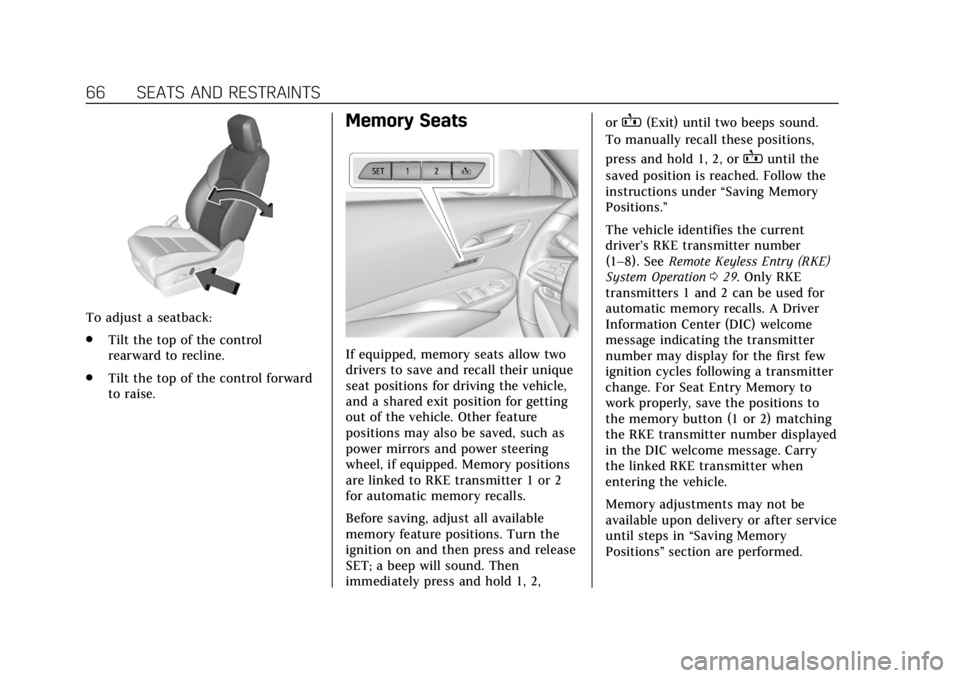
To adjust a seatback:
.Tilt the top of the control
rearward to recline.
. Tilt the top of the control forward
to raise.
Memory Seats
If equipped, memory seats allow two
drivers to save and recall their unique
seat positions for driving the vehicle,
and a shared exit position for getting
out of the vehicle. Other feature
positions may also be saved, such as
power mirrors and power steering
wheel, if equipped. Memory positions
are linked to RKE transmitter 1 or 2
for automatic memory recalls.
Before saving, adjust all available
memory feature positions. Turn the
ignition on and then press and release
SET; a beep will sound. Then
immediately press and hold 1, 2, or
B(Exit) until two beeps sound.
To manually recall these positions,
press and hold 1, 2, or
Buntil the
saved position is reached. Follow the
instructions under “Saving Memory
Positions.”
The vehicle identifies the current
driver’s RKE transmitter number
(1–8). See Remote Keyless Entry (RKE)
System Operation 029. Only RKE
transmitters 1 and 2 can be used for
automatic memory recalls. A Driver
Information Center (DIC) welcome
message indicating the transmitter
number may display for the first few
ignition cycles following a transmitter
change. For Seat Entry Memory to
work properly, save the positions to
the memory button (1 or 2) matching
the RKE transmitter number displayed
in the DIC welcome message. Carry
the linked RKE transmitter when
entering the vehicle.
Memory adjustments may not be
available upon delivery or after service
until steps in “Saving Memory
Positions” section are performed.
Page 74 of 381

Cadillac XT4 Owner Manual (GMNA-Localizing-U.S./Canada/Mexico-
12017481) - 2019 - CRC - 11/5/18
70 SEATS AND RESTRAINTS
and ventilated seats feature can be
programmed to always be enabled
when the vehicle is on. If equipped
with a heated steering wheel, the auto
heated steering wheel activation will
follow the heated seat auto activation
and the heated wheel indicator will
follow the state of the steering
wheel heat.
SeeVehicle Personalization 0149.
Remote Start Heated and Ventilated
Seats
If equipped, the heated seats will turn
on automatically during a remote
start if it is cold outside and the
ventilated seats will turn on
automatically if it is hot outside.
If equipped, the heated steering wheel
will turn on automatically during a
remote start if it is cold outside. The
heated and ventilated seat indicators
and heated steering wheel indicator
may not come on during this
operation. The heated and ventilated seats and
heated steering wheel may cancel
when the vehicle is started. These
features can be manually selected
after the ignition is turned on.
The temperature performance of an
unoccupied seat may be reduced. This
is normal.
The heated or ventilated seats
will not turn on during a remote
start unless they are enabled in the
vehicle personalization menu.
See
Remote Vehicle Start 036 and
Vehicle Personalization 0149.
Massage
If equipped, the ignition must be on
to use the massage feature.
Press the massage button once for the
highest setting. With each press of the
button, the massage will change to
the next lower setting, and then to the
off setting.
.
Move Feature Select (1) to display
massage adjustments on the
center stack. Press and release or
hold to scroll through features.
Page 95 of 381

Cadillac XT4 Owner Manual (GMNA-Localizing-U.S./Canada/Mexico-
12017481) - 2019 - CRC - 11/5/18
SEATS AND RESTRAINTS 91
Servicing the
Airbag-Equipped Vehicle
Airbags affect how the vehicle should
be serviced. There are parts of the
airbag system in several places around
the vehicle. Your dealer and the
service manual have information
about servicing the vehicle and the
airbag system. To purchase a service
manual, seePublication Ordering
Information 0349.
{Warning
For up to 10 seconds after the
vehicle is turned off and the battery
is disconnected, an airbag can still
inflate during improper service. You
can be injured if you are close to an
airbag when it inflates. Avoid
yellow connectors. They are
probably part of the airbag system.
Be sure to follow proper service
procedures, and make sure the
person performing work for you is
qualified to do so.
Adding Equipment to the
Airbag-Equipped Vehicle
Adding accessories that change the
vehicle's frame, bumper system,
height, front end, or side sheet metal
may keep the airbag system from
working properly.
The operation of the airbag system
can also be affected by changing,
including improperly repairing or
replacing, any parts of the following:
.
Airbag system, including airbag
modules, front or side impact
sensors, sensing and diagnostic
module, or airbag wiring
. Front seats, including stitching,
seams or zippers
. Seat belts
. Steering wheel, instrument panel,
overhead console, ceiling trim,
or pillar garnish trim
. Inner door seals, including
speakers Your dealer and the service manual
have information about the location of
the airbag modules and sensors,
sensing and diagnostic module, and
airbag wiring along with the proper
replacement procedures.
In addition, the vehicle has a
passenger sensing system for the front
outboard passenger position, which
includes sensors that are part of the
passenger seat. The passenger sensing
system may not operate properly if
the original seat trim is replaced with
non-GM covers, upholstery, or trim; or
with GM covers, upholstery, or trim
designed for a different vehicle. Any
object, such as an aftermarket seat
heater or a comfort-enhancing pad or
device, installed under or on top of
the seat fabric, could also interfere
with the operation of the passenger
sensing system. This could either
prevent proper deployment of the
passenger airbag(s) or prevent the
passenger sensing system from
properly turning off the passenger
airbag(s). See
Passenger Sensing
System 087.
Page 132 of 381
Cadillac XT4 Owner Manual (GMNA-Localizing-U.S./Canada/Mexico-
12017481) - 2019 - CRC - 11/5/18
128 INSTRUMENTS AND CONTROLS
Cluster Menu
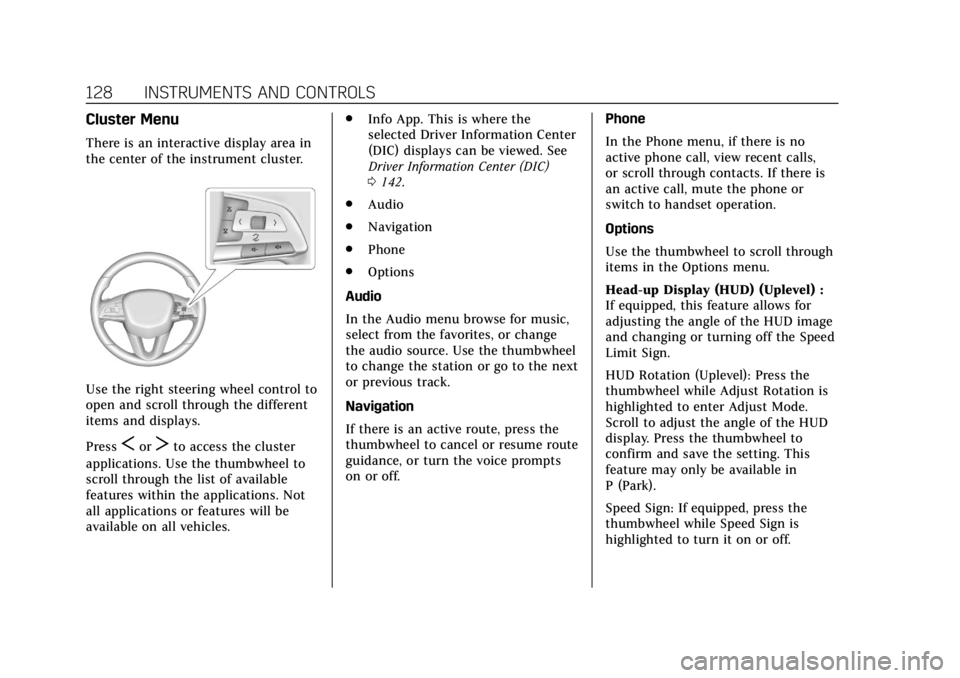
There is an interactive display area in
the center of the instrument cluster.
Use the right steering wheel control to
open and scroll through the different
items and displays.
Press
SorTto access the cluster
applications. Use the thumbwheel to
scroll through the list of available
features within the applications. Not
all applications or features will be
available on all vehicles. .
Info App. This is where the
selected Driver Information Center
(DIC) displays can be viewed. See
Driver Information Center (DIC)
0142.
. Audio
. Navigation
. Phone
. Options
Audio
In the Audio menu browse for music,
select from the favorites, or change
the audio source. Use the thumbwheel
to change the station or go to the next
or previous track.
Navigation
If there is an active route, press the
thumbwheel to cancel or resume route
guidance, or turn the voice prompts
on or off. Phone
In the Phone menu, if there is no
active phone call, view recent calls,
or scroll through contacts. If there is
an active call, mute the phone or
switch to handset operation.
Options
Use the thumbwheel to scroll through
items in the Options menu.
Head-up Display (HUD) (Uplevel) :
If equipped, this feature allows for
adjusting the angle of the HUD image
and changing or turning off the Speed
Limit Sign.
HUD Rotation (Uplevel): Press the
thumbwheel while Adjust Rotation is
highlighted to enter Adjust Mode.
Scroll to adjust the angle of the HUD
display. Press the thumbwheel to
confirm and save the setting. This
feature may only be available in
P (Park).
Speed Sign: If equipped, press the
thumbwheel while Speed Sign is
highlighted to turn it on or off.
Page 138 of 381
Cadillac XT4 Owner Manual (GMNA-Localizing-U.S./Canada/Mexico-
12017481) - 2019 - CRC - 11/5/18
134 INSTRUMENTS AND CONTROLS
If the light is f lashing :A
malfunction has been detected that
could damage the emission control
system and increase vehicle
emissions. Diagnosis and service may
be required.
To help prevent damage, reduce
vehicle speed and avoid hard
accelerations and uphill grades.
If towing a trailer, reduce the amount
of cargo being hauled as soon as
possible.
If the light continues to flash, find a
safe place to park. Turn the vehicle off
and wait at least 10 seconds before
restarting the engine. If the light is
still flashing, follow the previous
guidelines and see your dealer for
service as soon as possible.
If the light is on steady : A
malfunction has been detected.
Diagnosis and service may be
required.
Check the following:
. If fuel has been added to the
vehicle using the capless fuel
funnel adapter, make sure that it
has been removed. See “Filling theTank with a Portable Gas Can
”
under Filling the Tank 0238. The
diagnostic system can detect if the
adapter has been left installed in
the vehicle, allowing fuel to
evaporate into the atmosphere.
A few driving trips with the
adapter removed may turn off the
light.
. Poor fuel quality can cause
inefficient engine operation and
poor driveability, which may go
away once the engine is warmed
up. If this occurs, change the fuel
brand. It may require at least one
full tank of the proper fuel to turn
the light off. See Recommended
Fuel 0237.
If the light remains on, see your
dealer.
Emissions Inspection and
Maintenance Programs
If the vehicle requires an Emissions
Inspection/Maintenance test, the test
equipment will likely connect to the
vehicle's Data Link Connector (DLC).
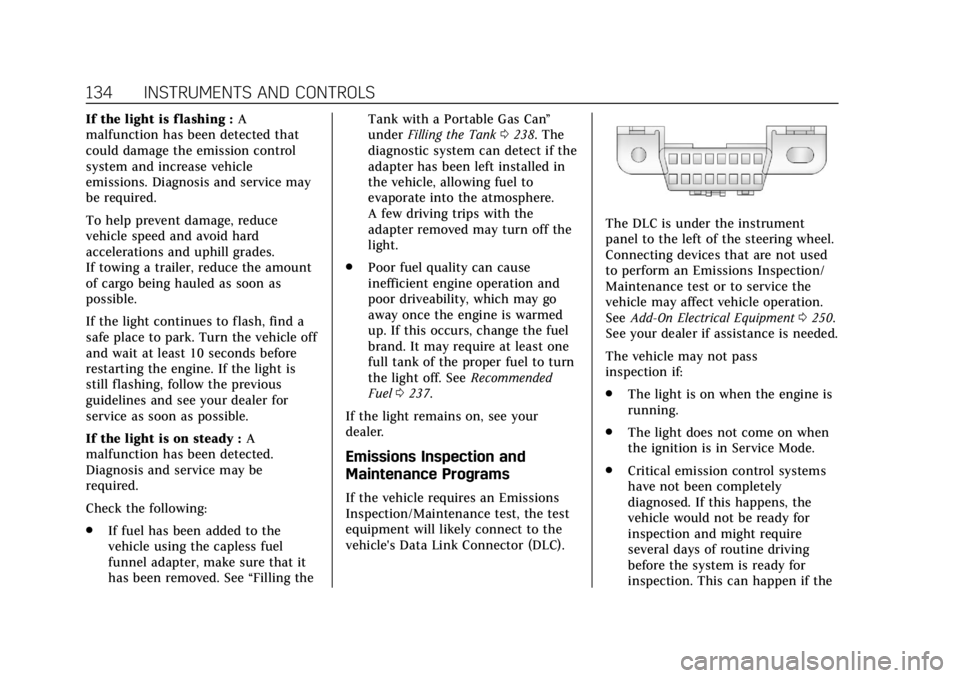
The DLC is under the instrument
panel to the left of the steering wheel.
Connecting devices that are not used
to perform an Emissions Inspection/
Maintenance test or to service the
vehicle may affect vehicle operation.
See Add-On Electrical Equipment 0250.
See your dealer if assistance is needed.
The vehicle may not pass
inspection if:
. The light is on when the engine is
running.
. The light does not come on when
the ignition is in Service Mode.
. Critical emission control systems
have not been completely
diagnosed. If this happens, the
vehicle would not be ready for
inspection and might require
several days of routine driving
before the system is ready for
inspection. This can happen if the