wheel CADILLAC XT4 2019 Owner's Manual
[x] Cancel search | Manufacturer: CADILLAC, Model Year: 2019, Model line: XT4, Model: CADILLAC XT4 2019Pages: 381, PDF Size: 6.4 MB
Page 2 of 381
Cadillac XT4 Owner Manual (GMNA-Localizing-U.S./Canada/Mexico-
12017481) - 2019 - Insert - 1/15/20
This information replaces information
under“Recreational Vehicle Towing”
found in the Vehicle Care Section of the
owner's manual.
Recreational Vehicle Towing
Recreational vehicle towing means
towing the vehicle behind another
vehicle, such as behind a motor home.
The two most common types of
recreational vehicle towing are known
as dinghy towing and dolly towing.
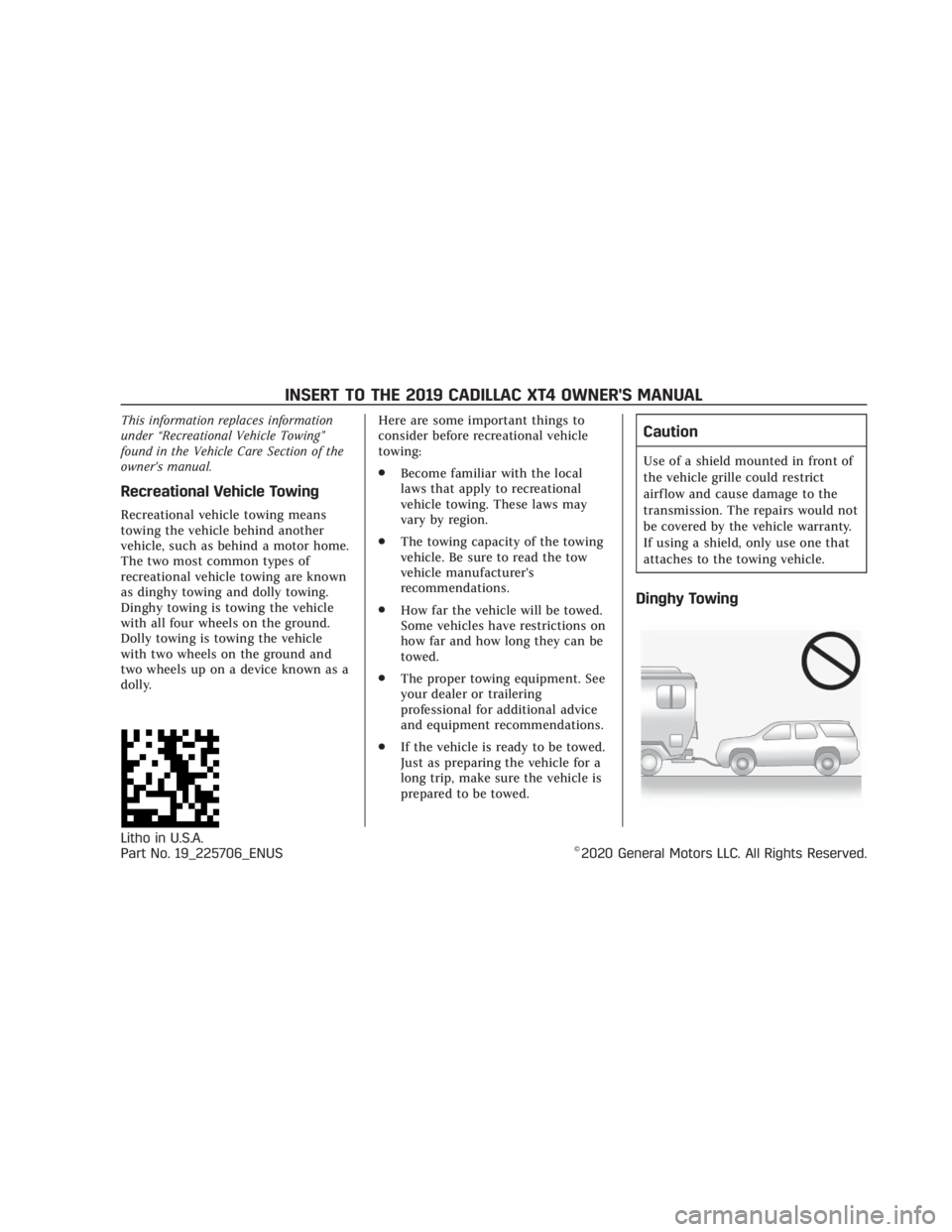
Dinghy towing is towing the vehicle
with all four wheels on the ground.
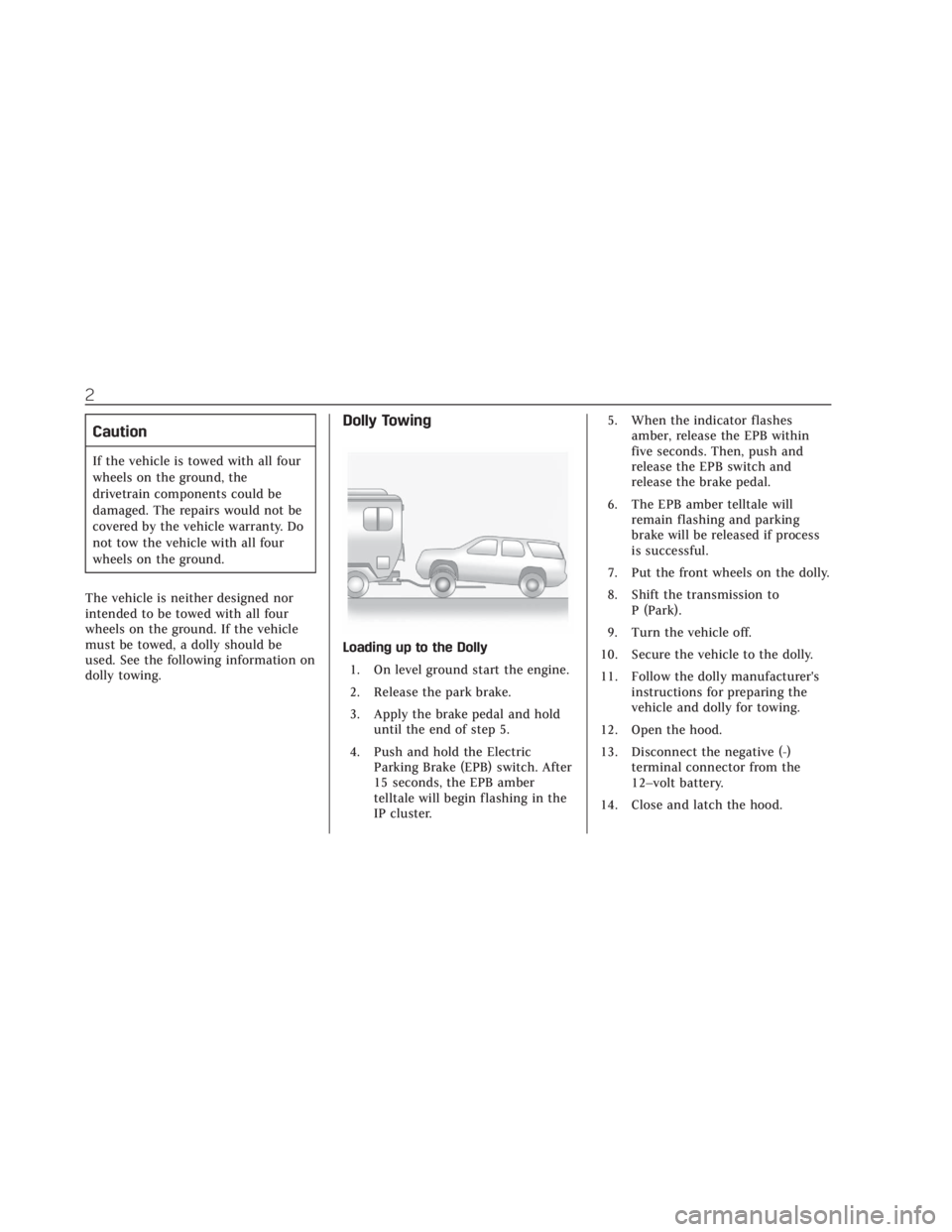
Dolly towing is towing the vehicle
with two wheels on the ground and
two wheels up on a device known as a
dolly. Here are some important things to
consider before recreational vehicle
towing:
.
Become familiar with the local
laws that apply to recreational
vehicle towing. These laws may
vary by region.
. The towing capacity of the towing
vehicle. Be sure to read the tow
vehicle manufacturer's
recommendations.
. How far the vehicle will be towed.
Some vehicles have restrictions on
how far and how long they can be
towed.
. The proper towing equipment. See
your dealer or trailering
professional for additional advice
and equipment recommendations.
. If the vehicle is ready to be towed.
Just as preparing the vehicle for a
long trip, make sure the vehicle is
prepared to be towed.
Caution
Use of a shield mounted in front of
the vehicle grille could restrict
airflow and cause damage to the
transmission. The repairs would not
be covered by the vehicle warranty.
If using a shield, only use one that
attaches to the towing vehicle.
Dinghy Towing
Litho in U.S.A.
Part No. 19_225706_ENUS©2020 General Motors LLC. All Rights Reserved.
INSERT TO THE 2019 CADILLAC XT4 OWNER'S MANUAL
Page 3 of 381
Cadillac XT4 Owner Manual (GMNA-Localizing-U.S./Canada/Mexico-
12017481) - 2019 - Insert - 1/15/20
2
Caution
If the vehicle is towed with all four
wheels on the ground, the
drivetrain components could be
damaged. The repairs would not be
covered by the vehicle warranty. Do
not tow the vehicle with all four
wheels on the ground.
The vehicle is neither designed nor
intended to be towed with all four
wheels on the ground. If the vehicle
must be towed, a dolly should be
used. See the following information on
dolly towing.
Dolly Towing
Loading up to the Dolly 1. On level ground start the engine.
2. Release the park brake.
3. Apply the brake pedal and hold until the end of step 5.
4. Push and hold the Electric Parking Brake (EPB) switch. After
15 seconds, the EPB amber
telltale will begin flashing in the
IP cluster. 5. When the indicator flashes
amber, release the EPB within
five seconds. Then, push and
release the EPB switch and
release the brake pedal.
6. The EPB amber telltale will remain flashing and parking
brake will be released if process
is successful.
7. Put the front wheels on the dolly.
8. Shift the transmission to P (Park).
9. Turn the vehicle off.
10. Secure the vehicle to the dolly.
11. Follow the dolly manufacturer's instructions for preparing the
vehicle and dolly for towing.
12. Open the hood.
13. Disconnect the negative (-) terminal connector from the
12–volt battery.
14. Close and latch the hood.
Page 9 of 381
Cadillac XT4 Owner Manual (GMNA-Localizing-U.S./Canada/Mexico-
12017481) - 2019 - CRC - 11/5/18
IN BRIEF 5
In Brief
Instrument Panel
Instrument Panel Overview . . . . . . . . . 6
Initial Drive Information
Initial Drive Information . . . . . . . . . . . 8
Stop/Start System . . . . . . . . . . . . . . . . . . . 8
Remote Keyless Entry (RKE)System . . . . . . . . . . . . . . . . . . . . . . . . . . . . . 8
Remote Vehicle Start . . . . . . . . . . . . . . . 9
Door Locks . . . . . . . . . . . . . . . . . . . . . . . . . . 9
Liftgate . . . . . . . . . . . . . . . . . . . . . . . . . . . . . 10
Windows . . . . . . . . . . . . . . . . . . . . . . . . . . . 10
Seat Adjustment . . . . . . . . . . . . . . . . . . . 11
Memory Features . . . . . . . . . . . . . . . . . . 11
Heated and Ventilated Seats . . . . . . 12
Head Restraint Adjustment . . . . . . . 12
Seat Belts . . . . . . . . . . . . . . . . . . . . . . . . . . . 13
Passenger Sensing System . . . . . . . . 13
Mirror Adjustment . . . . . . . . . . . . . . . . 13
Steering Wheel Adjustment . . . . . . . 14
Interior Lighting . . . . . . . . . . . . . . . . . . . 15
Exterior Lighting . . . . . . . . . . . . . . . . . . . 15
Windshield Wiper/Washer . . . . . . . . 16
Climate Controls . . . . . . . . . . . . . . . . . . . 18
Transmission . . . . . . . . . . . . . . . . . . . . . . . 19
Vehicle Features
Infotainment System . . . . . . . . . . . . . . 19
Steering Wheel Controls . . . . . . . . . . 19
Cruise Control . . . . . . . . . . . . . . . . . . . . . 19
Driver Information Center (DIC) . . . . . . . . . . . . . . . . . . . . . . 20
Forward Collision Alert (FCA) System . . . . . . . . . . . . . . . . . . . . . . . . . . . . 20
Forward Automatic Braking (FAB) . . . . . . . . . . . . . . . . . . . . 20
Front Pedestrian Braking (FPB) System . . . . . . . . . . . . . . . . . . . . . . . . . . . . 21
Lane Keep Assist (LKA) . . . . . . . . . . . 21
Lane Change Alert (LCA) . . . . . . . . . . 21
Surround Vision . . . . . . . . . . . . . . . . . . . 21
Rear Vision Camera (RVC) . . . . . . . . 22
Rear Cross Traffic Alert (RCTA) System . . . . . . . . . . . . . . . . . . . . . . . . . . . . 22
Park Assist . . . . . . . . . . . . . . . . . . . . . . . . . 22
Automatic Parking Assist (APA) . . . . . . . . . . . . . . . . . . . . . . 22
Reverse Automatic Braking (RAB) . . . . . . . . . . . . . . . . . . . . 22
Power Outlets . . . . . . . . . . . . . . . . . . . . . . 22
Universal Remote System . . . . . . . . . 23
Sunroof . . . . . . . . . . . . . . . . . . . . . . . . . . . . . 23
Performance and Maintenance
Traction Control/Electronic Stability Control . . . . . . . . . . . . . . . . . . 24
Tire Pressure Monitor . . . . . . . . . . . . . 25
Fuel . . . . . . . . . . . . . . . . . . . . . . . . . . . . . . . . . 25
E85 or FlexFuel . . . . . . . . . . . . . . . . . . . . 26
Engine Oil Life System . . . . . . . . . . . . 26
Driving for Better Fuel Economy . . . . . . . . . . . . . . . . . . . . . . . . . . 26
Roadside Service . . . . . . . . . . . . . . . . . . . 27
Page 11 of 381

Cadillac XT4 Owner Manual (GMNA-Localizing-U.S./Canada/Mexico-
12017481) - 2019 - CRC - 11/5/18
IN BRIEF 7
1.Air Vents 0170.
2. Exterior Lamp Controls 0158.
Turn Signal Lever. See Turn and
Lane-Change Signals 0161.
IntelliBeam System Button (If
Equipped). See Exterior Lamp
Controls 0158.
3. Tap Shift Controls. See Manual
Mode 0198 (If Equipped).
4. Instrument Cluster 0126.
Driver Information Center (DIC)
Display. See Driver Information
Center (DIC) 0142.
5. Windshield Wiper/Washer 0118.
Rear Window Wiper/Washer
0 120.
6. ENGINE START/STOP Button. See Ignition Positions 0184.
7. Light Sensor. See Automatic
Headlamp System 0160. 8. Home Button. See the
infotainment manual and
Infotainment 0165.
9. Dual Automatic Climate Control
System 0166.
10. Heated and Ventilated Front Seats
069 (If Equipped).
11. Lane Keep Assist (LKA) 0234 (If
Equipped).
12. Power Outlets 0121.
13. MODE Switch. See Driver Mode
Control 0205.
14. Stop/Start Disable Switch. See Stop/Start System 0187.
15. Traction Control/Electronic
Stability Control 0203.
16. Hazard Warning Flashers 0161.
17. USB Port. See the infotainment manual.
Auxiliary Input Jack. See the
infotainment manual. 18. Infotainment Controls. See the
infotainment manual.
19. Shift Lever. See Automatic
Transmission 0194.
20. Park Assist Button. See Assistance Systems for Parking or
Backing 0219.
Automatic Parking Assist (APA)
Button. See Assistance Systems
for Parking or Backing 0219.
21. Steering Wheel Controls 0117.
Driver Information Center (DIC)
Controls. See Driver Information
Center (DIC) 0142.
22. Horn 0118.
23. Steering Wheel Adjustment 0117
(Out of View).
Page 12 of 381
Cadillac XT4 Owner Manual (GMNA-Localizing-U.S./Canada/Mexico-
12017481) - 2019 - CRC - 11/5/18
8 IN BRIEF
24.Cruise Control 0206.
Adaptive Cruise Control 0209 (If
Equipped).
Heated Steering Wheel 0117 (If
Equipped).
Forward Collision Alert (FCA)
System 0226 (If Equipped).
25. Head-Up Display (HUD) 0145
(Out of View) (If Equipped).
26. Data Link Connector. See Malfunction Indicator Lamp (Check
Engine Light) 0133 (Out of View).
27. Instrument Panel Illumination
Control 0162.
28. Hood Release. See Hood0255
(Out of View).
29. Electric Parking Brake 0201.Initial Drive Information
This section provides a brief overview
about some of the important features
that may or may not be on your
specific vehicle.
For more detailed information, refer to
each of the features which can be
found later in this owner’s manual.
Stop/Start System
The Stop/Start system will shut off
the engine to help conserve fuel.
It has components designed for the
increased number of starts.
When the brakes are applied and the
vehicle is at a complete stop, the
engine may turn off. When stopped,
the tachometer displays AUTO STOP.
See Tachometer 0129. When the brake
pedal is released or the accelerator
pedal is pressed, the engine will
restart. See Stop/Start System 0187.
The automatic engine Stop/Start
feature can be disabled and enabled
by pressing the switch with the
h
symbol. Auto Stop is enabled each
time you start the vehicle.
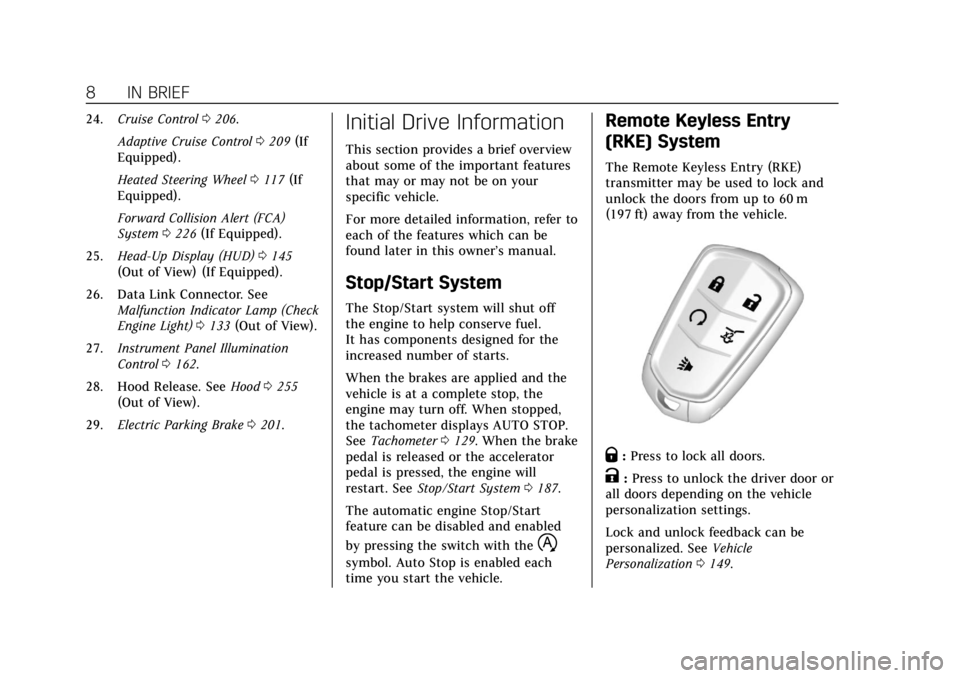
Remote Keyless Entry
(RKE) System
The Remote Keyless Entry (RKE)
transmitter may be used to lock and
unlock the doors from up to 60 m
(197 ft) away from the vehicle.
Q: Press to lock all doors.
K:Press to unlock the driver door or
all doors depending on the vehicle
personalization settings.
Lock and unlock feedback can be
personalized. See Vehicle
Personalization 0149.
Page 15 of 381

Cadillac XT4 Owner Manual (GMNA-Localizing-U.S./Canada/Mexico-
12017481) - 2019 - CRC - 11/5/18
IN BRIEF 11
The windows may be temporarily
disabled if they are used repeatedly
within a short time.
SeePower Windows 057
Seat Adjustment
Power Seats
.
Move the seat forward or rearward
by sliding the control forward or
rearward.
. Raise or lower the front part of the
seat cushion by moving the front
of the control up or down. .
Raise or lower the entire seat by
moving the rear of the control up
or down.
See Power Seat Adjustment 064.
Reclining Seatbacks
. Tilt the top of the control
rearward to recline.
. Tilt the top of the control forward
to raise.
See Reclining Seatbacks 065.
Memory Features
If equipped, memory seats allow two
drivers to save and recall their unique
seat positions for driving the vehicle,
and a shared exit position for getting
out of the vehicle. Other feature
positions may also be saved, such as
power mirrors and power steering
wheel, if equipped. Memory positions
are linked to RKE transmitter 1 or 2
for automatic memory recalls.
Before saving, adjust all available
memory feature positions. Turn the
ignition on and then press and release
SET; a beep will sound. Then
immediately press and hold 1, 2,
Page 18 of 381

Cadillac XT4 Owner Manual (GMNA-Localizing-U.S./Canada/Mexico-
12017481) - 2019 - CRC - 11/5/18
14 IN BRIEF
Interior Mirror
Adjust the rearview mirror for a clear
view of the area behind your vehicle.
Manual Rearview Mirror
If equipped, push the tab forward for
daytime use and pull it rearward for
nighttime use to avoid glare of the
headlamps from behind.
Automatic Dimming Rearview Mirror
If equipped, automatic dimming
reduces the glare of headlamps from
behind. The dimming feature comes
on when the vehicle is started.
Rear Camera Mirror
If equipped, this automatic dimming
rearview mirror provides a wide angle
camera view of the area behind the
vehicle. For ease of use, adjust the
mirror for a clear view of the area
behind the vehicle while the display is
off. SeeRear Camera Mirror 055.
Steering Wheel Adjustment
Manual Steering Wheel
To adjust the steering wheel:
1. Pull the lever down.
2. Move the steering wheel up or down.
3. Pull or push the steering wheel closer or away from you.
4. Pull the lever up to lock the steering wheel in place.
Do not adjust the steering wheel while
driving. Power Tilt and Telescoping Steering
Wheel
Press the control to move the tilt and
telescoping steering wheel up and
down or forward and rearward.
Do not adjust the steering wheel while
driving.
Page 23 of 381
Cadillac XT4 Owner Manual (GMNA-Localizing-U.S./Canada/Mexico-
12017481) - 2019 - CRC - 11/5/18
IN BRIEF 19
Transmission
Tap Shift
If equipped, Tap Shift allows you to
shift an automatic transmission
similar to a manual transmission. To
use the Tap Shift feature:1. When in D (Drive), pull back on the shift lever to enter
M (Manual Mode).
2. Use Tap Shift to manually shift the automatic transmission.
3. To exit, pull back on the shift lever a second time.
See Manual Mode 0198.
Vehicle Features
Infotainment System
See the infotainment manual for
information on the radio, audio
players, phone, navigation system, and
voice or speech recognition. It also
includes information on settings.
Steering Wheel Controls
The infotainment system can be
operated by using the steering wheel
controls. See "Steering Wheel
Controls" in the infotainment manual.
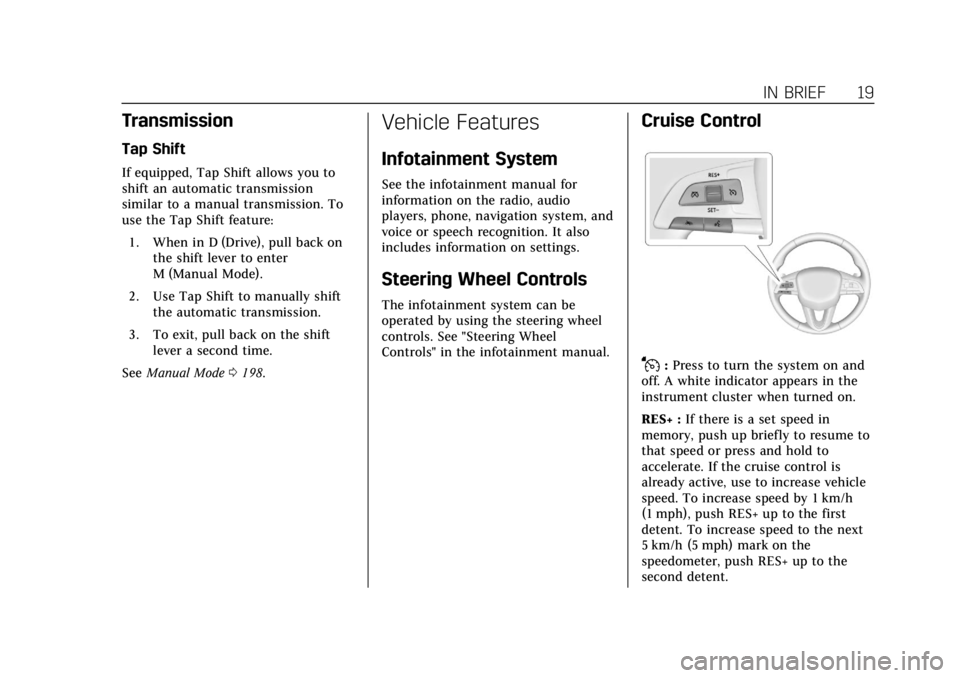
Cruise Control
J:Press to turn the system on and
off. A white indicator appears in the
instrument cluster when turned on.
RES+ : If there is a set speed in
memory, push up briefly to resume to
that speed or press and hold to
accelerate. If the cruise control is
already active, use to increase vehicle
speed. To increase speed by 1 km/h
(1 mph), push RES+ up to the first
detent. To increase speed to the next
5 km/h (5 mph) mark on the
speedometer, push RES+ up to the
second detent.
Page 24 of 381

Cadillac XT4 Owner Manual (GMNA-Localizing-U.S./Canada/Mexico-
12017481) - 2019 - CRC - 11/5/18
20 IN BRIEF
SET−:Push down briefly to set the
speed and activate cruise control.
If the cruise control is already active,
use to decrease vehicle speed. To
decrease speed by 1 km/h (1 mph),
push SET− down to the first detent.
To decrease speed to the next 5 km/h
(5 mph) mark on the speedometer,
push SET− down to the second detent.
*:Press to disengage cruise control
without erasing the set speed from
memory.
See Cruise Control 0206 orAdaptive
Cruise Control 0209 (if equipped).
Driver Information
Center (DIC)
The DIC display is in the instrument
cluster. It shows the status of many
vehicle systems.
SorT:Press to move between the
interactive display zones in the
cluster. Press
Sto go back to the
previous menu.
yorz: Use the thumbwheel to
scroll to the previous or next
selection.
V: Press the thumbwheel to select.
See Driver Information Center (DIC)
0 142.
Forward Collision Alert
(FCA) System
If equipped, FCA may help avoid or
reduce the harm caused by front-end
crashes. FCA provides a green
indicator,
V, when a vehicle is
detected ahead. This indicator
displays amber when following a
vehicle much too closely. When
approaching a vehicle ahead too
quickly, FCA provides a flashing red
alert on the windshield and rapidly
beeps or pulses the driver seat.
See Forward Collision Alert (FCA)
System 0226.
Forward Automatic
Braking (FAB)
If the vehicle has Forward Collision
Alert (FCA), it also has FAB, which
includes Intelligent Brake Assist (IBA).
When the system detects a vehicle
ahead in your path that is traveling in
the same direction that you may be
about to crash into, it can provide a
boost to braking or automatically
Page 25 of 381
Cadillac XT4 Owner Manual (GMNA-Localizing-U.S./Canada/Mexico-
12017481) - 2019 - CRC - 11/5/18
IN BRIEF 21
brake the vehicle. This can help avoid
or lessen the severity of crashes when
driving in a forward gear.
SeeForward Automatic Braking (FAB)
0 228.
Front Pedestrian Braking
(FPB) System
If equipped, the FPB system may help
avoid or reduce the harm caused by
front-end crashes with nearby
pedestrians when driving in a
forward gear. FPB displays an amber
indicator,
~, when a nearby
pedestrian is detected directly ahead.
When approaching a detected
pedestrian too quickly, FPB provides a
red flashing alert on the windshield
and rapidly beeps or pulses the driver
seat. FPB can provide a boost to
braking or automatically brake the
vehicle.
See Front Pedestrian Braking (FPB)
System 0230.
Lane Keep Assist (LKA)
If equipped, LKA may help avoid
crashes due to unintentional lane
departures. It may assist by gently
turning the steering wheel if the
vehicle approaches a detected lane
marking without using a turn signal in
that direction. It may also provide a
Lane Departure Warning (LDW) alert
as the lane marking is crossed. The
system will not assist or alert if it
detects that you are actively steering.
Override LKA by turning the steering
wheel. LKA uses a camera to detect
lane markings between 60 km/h
(37 mph) and 180 km/h (112 mph).
See Lane Departure Warning (LDW)
0 234 and Lane Keep Assist (LKA)
0 234.
Lane Change Alert (LCA)
If equipped, the LCA system is a
lane-changing aid that assists drivers
with avoiding lane change crashes
that occur with moving vehicles in the
side blind zone (or spot) areas or with
vehicles rapidly approaching these
areas from behind. The LCA warning display will light up in the
corresponding outside mirror and will
flash if the turn signal is on. The Side
Blind Zone Alert (SBZA) system is
included as part of the LCA system.
See
Side Blind Zone Alert (SBZA) 0232
and Lane Change Alert (LCA) 0232.
Surround Vision
If equipped, views around the vehicle
appear in the infotainment display to
aid with parking and low-speed
maneuvers.
See “Surround Vision ”under
Assistance Systems for Parking or
Backing 0219.
Front Vision Camera
If equipped, a view of the area in front
of the vehicle appears on the
infotainment display to aid with
parking and low-speed maneuvers.
See “Front Vision Camera ”under
Assistance Systems for Parking or
Backing 0219.