brakes CADILLAC XT4 2022 User Guide
[x] Cancel search | Manufacturer: CADILLAC, Model Year: 2022, Model line: XT4, Model: CADILLAC XT4 2022Pages: 419, PDF Size: 8.27 MB
Page 214 of 419

Cadillac XT4 Owner Manual (GMNA-Localizing-U.S./Canada/Mexico-
15440907) - 2022 - CRC - 1/4/22
DRIVING AND OPERATING 213
For slippery road driving:
.Accelerate gently. Accelerating too
quickly causes the wheels to spin
and makes the surface under the
tires slick.
.Turn on Traction Control. See
Traction Control/Electronic Stability
Control0235.
.Antilock Brake System (ABS)
improves vehicle stability during
hard stops, but the brakes should be
applied sooner than when on dry
pavement. See Antilock Brake System
(ABS) 0233.
See Driver Mode Control 0237.
.Allow greater following distance and
watch for slippery spots. Icy patches
can occur on otherwise clear roads
in shaded areas. The surface of a
curve or an overpass can remain icy
when the surrounding roads are
clear. Avoid sudden steering
maneuvers and braking while
on ice.
.Turn off cruise control.
Blizzard Conditions
Stop the vehicle in a safe place and
signal for help. Stay with the vehicle
unless there is help nearby. If possible,
use Roadside Service. See Roadside
Service 0388. To get help and keep
everyone in the vehicle safe:
.Turn on the hazard warning
flashers.
.Tie a red cloth to an outside mirror.
{Warning
Snow can trap engine exhaust
under the vehicle. This may cause
exhaust gases to get inside. Engine
exhaust contains carbon monoxide
(CO), which cannot be seen or
smelled. It can cause
unconsciousness and even death.
If the vehicle is stuck in snow:
.Clear snow from the base of the
vehicle, especially any blocking
the exhaust pipe.
(Continued)
Warning (Continued)
.Open a window about 5 cm (2 in)
on the vehicle side that is away
from the wind, to bring in
fresh air.
.Fully open the air outlets on or
under the instrument panel.
.Adjust the climate control
system to circulate the air inside
the vehicle and set the fan speed
to the highest setting. See
“Climate Control Systems.”
For more information about CO, see
Engine Exhaust 0226.
To save fuel, run the engine for short
periods to warm the vehicle and then
shut the engine off and partially close
the window. Moving about to keep
warm also helps.
If it takes time for help to arrive,
when running the engine, push the
accelerator pedal slightly so the
engine runs faster than the idle speed.
This keeps the battery charged to
restart the vehicle and to signal for
help with the headlamps. Do this as
little as possible, to save fuel.
Page 220 of 419

Cadillac XT4 Owner Manual (GMNA-Localizing-U.S./Canada/Mexico-
15440907) - 2022 - CRC - 1/4/22
DRIVING AND OPERATING 219
Stopping the Engine/OFF (No
Indicator Light) :When the vehicle is
stopped, press ENGINE START/STOP
once to turn the engine off.
If the vehicle is in P (Park), the
ignition will turn off, and Retained
Accessory Power (RAP) will remain
active. See Retained Accessory Power
(RAP) 0224.
If the vehicle is in R (Reverse), D
(Drive) or M (Manual Mode), the
vehicle will shift to P (Park), the
ignition will turn off, and RAP will
remain active.
If the vehicle is in N (Neutral),
the ignition will return to
ACC/ ACCESSORY and display the
message SHIFT TO PARK in the Driver
Information Center (DIC).
When the vehicle is shifted into
P (Park), the ignition will turn off.
{Warning
Turning off the vehicle while
moving may cause loss of power
assist in the brake and steering (Continued)
Warning (Continued)
systems and disable the airbags.
While driving, only shut the vehicle
off in an emergency.
If the vehicle must be shut off in an
emergency: 1. Brake using a firm and steady pressure. Do not pump the brakes
repeatedly. This may deplete power
assist, requiring increased brake
pedal force.
2. Shift the vehicle to N (Neutral). This can be done while the vehicle
is moving. After shifting to
N (Neutral), firmly apply the brakes
and steer the vehicle to a safe
location.
3. Come to a complete stop and shift to P (Park).
4. Set the parking brake. See Electric
Parking Brake 0233. Press ENGINE
START/STOP to turn the
vehicle off. If the vehicle cannot be pulled over
and must be shut off while driving,
press and hold ENGINE START/STOP
for longer than two seconds, or press
twice in five seconds.
ACC/ACCESSORY (Amber Indicator
Light) :
This mode allows you to use
some electrical accessories when the
engine is off.
With the ignition off, pressing
ENGINE START/STOP once without
the brake pedal applied will place the
ignition system in ACC/ACCESSORY.
The ignition will switch from
ACC/ACCESSORY to OFF after
10 minutes to prevent battery
rundown.
ON/RUN/START (Green Indicator
Light) : This mode is for driving and
starting. With the ignition off and the
brake pedal applied, pressing ENGINE
START/STOP once will place the
ignition system in ON/RUN/START.
Once engine cranking begins, release
the button. Engine cranking will
continue until the engine starts. The
ignition will then remain on. See
Starting the Engine 0220.
Page 222 of 419

Cadillac XT4 Owner Manual (GMNA-Localizing-U.S./Canada/Mexico-
15440907) - 2022 - CRC - 1/4/22
DRIVING AND OPERATING 221
go of the button and the
accelerator. If the vehicle starts
briefly but then stops again, do the
same thing. This clears the extra
gasoline from the engine. Do not
race the engine immediately after
starting it. Operate the engine and
transmission gently until the oil
warms up and lubricates all
moving parts.
Stop/Start System
The Stop/Start system will shut off
the engine to help conserve fuel.
It has components designed for the
increased number of starts.
{Warning
The automatic engine Stop/Start
feature causes the engine to shut
off while the vehicle is still on. Do
not exit the vehicle before shifting
to P (Park). The vehicle may restart
and move unexpectedly. Always
shift to P (Park), and then turn the
ignition off before exiting the
vehicle.Auto Engine Stop/Start
When the brakes are applied and the
vehicle is at a complete stop, the
engine may turn off. When stopped,
the tachometer displays AUTO STOP.
See
Tachometer 0103. When the brake
pedal is released or the accelerator
pedal is pressed, the engine will
restart.
To maintain vehicle performance,
other conditions may cause the engine
to automatically restart before the
brake pedal is released.
Auto Stops may not occur and/or Auto
Starts may occur because:
.The climate control settings require
the engine to be running to cool or
heat the vehicle interior.
.The vehicle battery needs to charge.
.The vehicle battery has recently
been disconnected.
.Minimum vehicle speed has not
been reached since the last
Auto Stop.
.The accelerator pedal is pressed.
.The engine or transmission is not at
the required operating temperature.
.The outside temperature is not in
the required operating range.
.The vehicle transmission is shifted
out of D (Drive) to any gear other
than P (Park).
.Certain driver modes have been
selected. See Driver Mode Control
0 237.
.The vehicle is on a steep hill or
grade.
.The driver door has been opened or
the driver seat belt has been
unbuckled.
.The hood has been opened.
.The Auto Stop has reached the
maximum allowed time.
Page 232 of 419

Cadillac XT4 Owner Manual (GMNA-Localizing-U.S./Canada/Mexico-
15440907) - 2022 - CRC - 1/4/22
DRIVING AND OPERATING 231
2. From the center position, move theshift lever back.
.If the vehicle is in P (Park), press
the shift lock release button
while pulling the shift
lever back.
.D will illuminate in red.
.After releasing the shift lever, it
will return to the center
position.
To shift out of D (Drive): 1. Bring the vehicle to a complete stop.
2. Shift to the desired gear.
3. After releasing the shift lever, it will return to the center position.
Downshifting the transmission in
slippery road conditions could result
in skidding. See “Skidding”underLoss
of Control 0207.
Caution
Spinning the tires or holding the
vehicle in one place on a hill using
only the accelerator pedal may
damage the transmission. The
(Continued)
Caution (Continued)
repair will not be covered by the
vehicle warranty. If the vehicle is
stuck, do not spin the tires. When
stopping on a hill, use the brakes to
hold the vehicle in place.
If equipped with the 2.0L L4 engine,
engine speeds may be increased while
driving at highway speeds while the
engine is still warming up.
Manual Mode
Tap Shift Caution
Driving with the engine at a high
rpm without upshifting while using
Tap Shift, could damage the vehicle.
Always upshift when necessary
while using Tap Shift.
If equipped, vehicles with Tap Shift
have controls on the back of the
steering wheel to manually shift the
automatic transmission.
Permanent Tap Shift Mode
To enter Permanent Tap Shift Mode:1. With the vehicle in D (Drive), pull back on the shift lever to activate
M (Manual Mode). The M in the
shift pattern will illuminate in red,
and the D will switch to white.
2. After releasing the shift lever, it will return to the center position.
3. Pull the control toward you to shift. Pull the left control to
downshift, and the right control to
Page 234 of 419

Cadillac XT4 Owner Manual (GMNA-Localizing-U.S./Canada/Mexico-
15440907) - 2022 - CRC - 1/4/22
DRIVING AND OPERATING 233
When a compact spare tire is installed
on an AWD vehicle, the system will
automatically detect the compact
spare and reduce AWD performance
to protect the system. To restore AWD
operation and prevent excessive wear
on the system, replace the compact
spare with a full-size tire as soon as
possible. SeeCompact Spare Tire 0350.
Brakes
Electric Brake Boost
Vehicles equipped with electric brake
boost have hydraulic brake circuits
that are electronically controlled when
the brake pedal is applied during
normal operation. The system
performs routine tests and turns off
within a few minutes after the vehicle
is turned off. Noise may be heard
during this time. If the brake pedal is
pressed during the tests or when the
electric brake boost system is off, a
noticeable change in pedal force and
travel may be felt. This is normal.
Antilock Brake
System (ABS)
The Antilock Brake System (ABS)
helps prevent a braking skid and
maintain steering while braking hard.
If there is a problem with ABS, this
warning light stays on. See Antilock
Brake System (ABS) Warning Light
0 109.
ABS does not change the time needed
to get a foot on the brake pedal and
does not always decrease stopping
distance. If you get too close to the
vehicle ahead, there will not be
enough time to apply the brakes if
that vehicle suddenly slows or stops.
Always leave enough room ahead to
stop, even with ABS.
Using ABS
Do not pump the brakes. Just hold the
brake pedal down firmly. Hearing and
feeling ABS operate is normal.
Braking in Emergencies
ABS allows steering and braking at the
same time. In many emergencies,
steering can help even more than
braking.
Electric Parking Brake
The Electric Parking Brake (EPB) can
always be applied, even if the vehicle
is off. In case of insufficient electrical
power, the EPB cannot be applied or
Page 236 of 419

Cadillac XT4 Owner Manual (GMNA-Localizing-U.S./Canada/Mexico-
15440907) - 2022 - CRC - 1/4/22
DRIVING AND OPERATING 235
Automatic EPB Release
The EPB will automatically release if
the vehicle is running, placed into
gear, and an attempt is made to drive
away. Avoid rapid acceleration when
the EPB is applied, to preserve parking
brake lining life.
Brake Assist
Brake Assist detects rapid brake pedal
applications due to emergency braking
situations and provides additional
braking to activate the Antilock Brake
System (ABS) if the brake pedal is not
pushed hard enough to activate ABS
normally. Minor noise, brake pedal
pulsation, and/or pedal movement
during this time may occur. Continue
to apply the brake pedal as the driving
situation dictates. Brake Assist
disengages when the brake pedal is
released.
Hill Start Assist (HSA)
{Warning
Do not rely on the HSA feature.
HSA does not replace the need to
pay attention and drive safely. You
may not hear or feel alerts or
warnings provided by this system.
Failure to use proper care when
driving may result in injury, death,
or vehicle damage. SeeDefensive
Driving 0205.
When the vehicle is stopped on a
grade, Hill Start Assist (HSA) prevents
the vehicle from rolling in an
unintended direction during the
transition from brake pedal release to
accelerator pedal apply. The brakes
release when the accelerator pedal is
applied. If the accelerator pedal is not
applied within a few minutes, the
Electric Parking Brake will apply. The
brakes may also release under other
conditions. Do not rely on HSA to
hold the vehicle.
HSA is available when the vehicle is
facing uphill in a forward gear,
or when facing downhill in R (Reverse). The vehicle must come to
a complete stop on a grade for HSA to
activate.Ride Control Systems
Traction Control/Electronic
Stability Control
System Operation
The vehicle has a Traction Control
System (TCS) and StabiliTrak/
Electronic Stability Control (ESC).
These systems help limit wheel spin
and assist the driver in maintaining
control, especially on slippery road
conditions.
TCS activates if it senses that any of
the drive wheels are spinning or
beginning to lose traction. On an
All-Wheel Drive (AWD) vehicle in
AWD or Sport Mode, the system will
operate if it senses that any of the
wheels are spinning or beginning to
lose traction. When this happens, TCS
applies the brakes to the spinning
wheels and reduces engine power to
limit wheel spin.
Page 237 of 419

Cadillac XT4 Owner Manual (GMNA-Localizing-U.S./Canada/Mexico-
15440907) - 2022 - CRC - 1/4/22
236 DRIVING AND OPERATING
StabiliTrak/ESC activates when the
system senses a discrepancy between
the intended path and the direction
the vehicle is actually traveling.
StabiliTrak/ESC selectively applies
braking pressure at any one of the
vehicle's brakes to help steer the
vehicle in the direction which you are
steering.
If cruise control is being used and
traction control or StabiliTrak/ESC
begins to limit wheel spin, cruise
control will disengage. Cruise control
may be turned back on when road
conditions allow. TCS and StabiliTrak/
ESC will automatically turn on when
cruise control is set.
Both systems come on automatically
when the vehicle is started and begins
to move. The systems may be heard or
felt while they are operating or while
performing diagnostic checks. This is
normal and does not mean there is a
problem with the vehicle.
It is recommended to leave both
systems on for normal driving
conditions, but it may be necessary to
turn TCS off if the vehicle gets stuckin sand, mud, ice, or snow. See
If the
Vehicle Is Stuck 0214 and “Turning
the Systems Off and On ”later in this
section.
The indicator light for both systems is
in the instrument cluster. This
light will:
.Flash when TCS is limiting
wheel spin.
.Flash when StabiliTrak/ESC is
activated.
.Turn on and stay on when either
system is not working.
If either system fails to turn on or to
activate, a message may display in the
Driver Information Center (DIC), and
dcomes on and stays on to indicate
that the system is inactive and is not
assisting the driver in maintaining
control. The vehicle is safe to drive,
but driving should be adjusted
accordingly. If
dcomes on and stays on:
1. Stop the vehicle.
2. Turn the engine off and wait 15 seconds.
3. Start the engine.
Drive the vehicle. If
dcomes on and
stays on, the vehicle may need more
time to diagnose the problem. If the
condition persists, see your dealer.
Turning the Systems Off and On
Page 240 of 419

Cadillac XT4 Owner Manual (GMNA-Localizing-U.S./Canada/Mexico-
15440907) - 2022 - CRC - 1/4/22
DRIVING AND OPERATING 239
Cruise control will disengage if either
TCS or StabiliTrak/ESC is turned off.
If the brakes are applied, cruise
control disengages.
J:Press to turn the system on and
off. A white indicator appears in the
instrument cluster when cruise is
turned on.
RES+ : If there is a set speed in
memory, move the thumbwheel up
briefly to resume that speed or press
and hold to accelerate. If the cruise
control is already active, use to
increase vehicle speed. To increase
speed by 1 km/h (1 mph), press the
thumbwheel up to the first detent toward RES+. To increase speed to the
next 5 km/h (5 mph) mark on the
speedometer, press the thumbwheel
up to the second detent.
SET−
:Move the thumbwheel down
briefly to set the speed and activate
cruise control. If the cruise control is
already active, use to decrease vehicle
speed. To decrease speed by 1 km/h
(1 mph), move the thumbwheel down
toward SET−. To decrease speed to the
next 5 km/h (5 mph) mark on the
speedometer, move the thumbwheel
down toward SET− to the second
detent.
*: Press to disengage cruise control
without erasing the set speed from
memory.
Setting Cruise Control
If
Jis on when not in use, SET− or
RES+ could get pressed and go into
cruise when not desired. Keep
Joff
when cruise is not being used.
1. Press
J.
2. Get up to the desired speed. 3. Move the thumbwheel down to SET
−. The desired set speed briefly
appears in the instrument cluster.
4. Remove your foot from the accelerator.
When the cruise control has been set
to the desired speed, a green cruise
control indicator appears on the
instrument cluster and a cruise set
speed message appears on the
Head-Up Display (HUD), if equipped.
Resuming a Set Speed
If the cruise control is set at a desired
speed and then the brakes are applied
or
*is pressed, the cruise control is
disengaged without erasing the set
speed from memory.
Once the vehicle speed reaches about
40 km/h (25 mph) or more, move the
thumbwheel up toward RES+ briefly.
The vehicle returns to the previous set
speed.
Page 242 of 419

Cadillac XT4 Owner Manual (GMNA-Localizing-U.S./Canada/Mexico-
15440907) - 2022 - CRC - 1/4/22
DRIVING AND OPERATING 241
Ending Cruise Control
There are four ways to end cruise
control:
.Step lightly on the brake pedal.
.Press*.
.Shift the transmission to
N (Neutral).
.PressJ.
Erasing Speed Memory
The cruise control set speed is erased
from memory if
Jis pressed or if the
ignition is turned off.
Adaptive Cruise Control
(Advanced)
If equipped with Adaptive Cruise
Control (ACC), it allows the driver to
select the cruise control set speed and
following gap. Read this entire section
before using this system. The
following gap is the following time
between your vehicle and a vehicle
detected directly ahead in your path,
moving in the same direction. If no
vehicle is detected in your path, ACC works like regular cruise control. ACC
uses camera and radar sensors. See
Radio Frequency Statement
0393.
If a vehicle is detected in your path,
ACC can apply acceleration or limited,
moderate braking to maintain the
selected following gap. To disengage
ACC, apply the brake. If ACC is
controlling your vehicle speed when
the Traction Control System (TCS) or
StabiliTrak/Electronic Stability Control
(ESC) system activates, the ACC may
automatically disengage. See Traction
Control/Electronic Stability Control
0 235. When road conditions allow
ACC to be safely used, the ACC can be
turned back on.
Disabling the TCS or StabiliTrak/ESC
system will disengage and prevent
engagement of ACC.
ACC can reduce the need for you to
frequently brake and accelerate,
especially when used on expressways,
freeways, and interstate highways.
When used on other roads, you may
need to take over the control of
braking or acceleration more often. ACC automatically slows the vehicle
down while navigating the curve and
may increase speed out of the curve,
but will not exceed the set speed.
{Warning
ACC has limited braking ability and
may not have time to slow the
vehicle down enough to avoid a
collision with another vehicle you
are following. This can occur when
vehicles suddenly slow or stop
ahead, or enter your lane. Also see
“Alerting the Driver”
in this section.
Complete attention is always
required while driving and you
should be ready to take action and
apply the brakes. See Defensive
Driving 0205.
Page 244 of 419
Cadillac XT4 Owner Manual (GMNA-Localizing-U.S./Canada/Mexico-
15440907) - 2022 - CRC - 1/4/22
DRIVING AND OPERATING 243
displayed. When the regular cruise
control is engaged, a green
J
indicator will be lit on the instrument
cluster; the following gap will not
display.
It is recommended to switch from
ACC to regular Cruise Control when
there are no vehicles ahead of your
vehicle.
When the vehicle is turned on, the
cruise control mode will be set to the
last mode used before the vehicle was
turned off.
{Warning
Always check the cruise control
indicator on the instrument cluster
to determine which mode cruise
control is in before using the
feature. If ACC is not active, the
vehicle will not automatically brake
for other vehicles, which could
cause a crash if the brakes are not
applied manually. You and others
could be seriously injured or killed.Setting Adaptive Cruise Control
If
Jis on when not in use, it could
get pressed and go into cruise when
not desired. Keep
Joff when cruise
is not being used.
Select the set speed desired for cruise.
This is the vehicle speed when no
vehicle is detected in its path.
ACC will not set at a speed less than
25 km/h (15 mph), although it can be
resumed when driving at lower
speeds. The minimum allowable set
speed is 25 km/h (15 mph).
To set ACC while moving:
1. Press
J.
2. Get up to the desired speed.
3. Press and release SET–.
4. Remove your foot from the accelerator.
After ACC is set, it may immediately
apply the brakes if a vehicle ahead is
detected closer than the selected
following gap.
ACC can also be set while the vehicle
is stopped if ACC is on and the brake
pedal is applied.
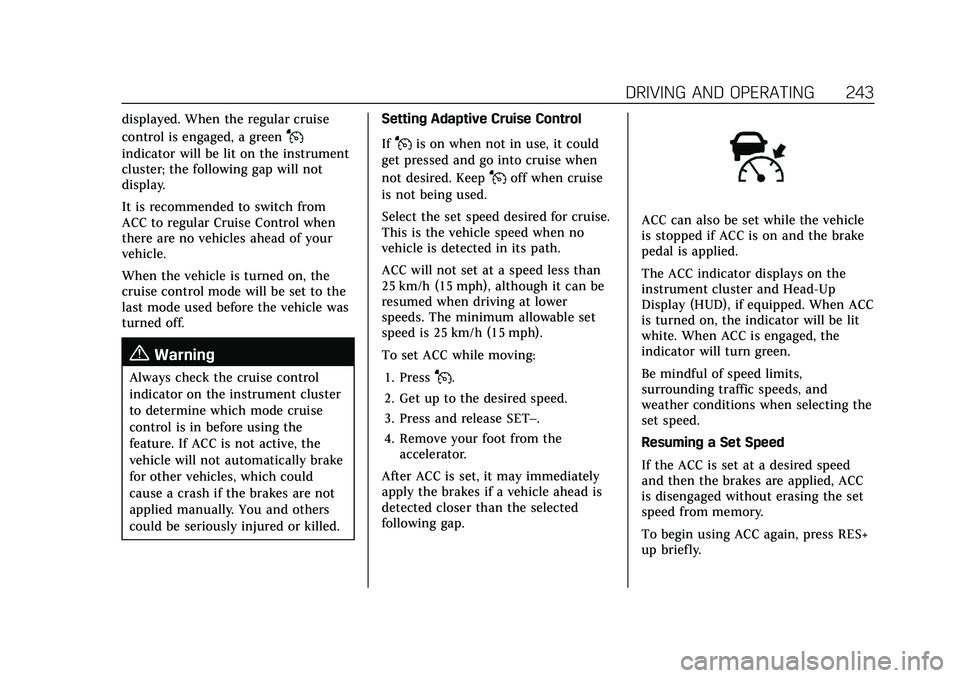
The ACC indicator displays on the
instrument cluster and Head-Up
Display (HUD), if equipped. When ACC
is turned on, the indicator will be lit
white. When ACC is engaged, the
indicator will turn green.
Be mindful of speed limits,
surrounding traffic speeds, and
weather conditions when selecting the
set speed.
Resuming a Set Speed
If the ACC is set at a desired speed
and then the brakes are applied, ACC
is disengaged without erasing the set
speed from memory.
To begin using ACC again, press RES+
up briefly.