air condition CADILLAC XT4 2022 Owner's Manual
[x] Cancel search | Manufacturer: CADILLAC, Model Year: 2022, Model line: XT4, Model: CADILLAC XT4 2022Pages: 419, PDF Size: 8.27 MB
Page 224 of 419

Cadillac XT4 Owner Manual (GMNA-Localizing-U.S./Canada/Mexico-
15440907) - 2022 - CRC - 1/4/22
DRIVING AND OPERATING 223
2. Push plastic hooks back to engagegrille slats. It is recommended to
start with the lower hooks at the
center of the grille.
3. Repeat for all hooks to fully engage cover to grille.
For vehicles equipped with a front
license plate bracket, only the outer
clips will be engaged on the upper
row. Ensure the top center portion
of the cover is positioned securely
behind the license plate bracket.
4. Make sure all clips remain engaged during installation. Cover should be
stretched to a tight fit when
properly installed.
Engine Heater
The engine heater, if available, can
help in cold weather conditions at or
below −18 °C (0 °F) for easier starting
and better fuel economy during
engine warm-up. Plug in the engine
heater at least four hours before
starting the vehicle. An internal
thermostat in the plug end of the cord
will prevent engine heater operation
at temperatures above −18 °C (0 °F).
{Warning
Do not plug in the engine block
heater while the vehicle is parked in
a garage or under a carport.
Property damage or personal injury
may result. Always park the vehicle
in a clear open area away from
buildings or structures.
To Use the Engine Heater
1. Turn off the engine.
2. Open the hood and unwrap the
electrical cord. The cord is located
on the passenger side of the
compartment near the air cleaner/
filter.
Check the heater cord for damage.
If it is damaged, do not use it. See
your dealer for a replacement.
Inspect the cord for damage yearly.
3. Plug it into a normal, grounded 110-volt AC outlet.
Page 226 of 419
Cadillac XT4 Owner Manual (GMNA-Localizing-U.S./Canada/Mexico-
15440907) - 2022 - CRC - 1/4/22
DRIVING AND OPERATING 225
Leaving the Vehicle with the
Engine Running
{Warning
It can be dangerous to leave the
vehicle with the engine running.
It could overheat and catch fire.
It is dangerous to get out of the
vehicle if the vehicle is not in
P (Park) with the parking brake set.
The vehicle can roll.
Do not leave the vehicle when the
engine is running. If you have left
the engine running, the vehicle can
move suddenly. You or others could
be injured. To be sure the vehicle
will not move, even when you are
on fairly level ground, always set
the parking brake and shift to
P (Park). SeeShifting Into Park 0224
. If you are towing a trailer, see
Driving Characteristics and Towing
Tips 0274. If you have to leave the vehicle with
the engine running, be sure the
vehicle is in P (Park) and the parking
brake is set before you leave it. See
Electric Parking Brake
0233.
If you are towing a trailer and parking
on a hill, see Driving Characteristics
and Towing Tips 0274.
Shifting out of Park
This vehicle is equipped with an
electronic transmission. The shift lock
release button is designed to prevent
inadvertent shifting out of P (Park).
To shift out of P (Park):
1. Ensure the engine is running.
2. Apply the brake pedal.
3. Press and hold the shift lock release button.
4. Move the shift lever to the desired position.
5. The P indicator will turn white and the gear indicator on the shift lever
will turn red when the vehicle is no
longer in P (Park).
6. After releasing the shift lever, it will return to the center position. If the vehicle cannot shift from
P (Park), a Driver Information Center
(DIC) message may be displayed.
Check that the ignition is on, the
engine is running, the brake pedal is
applied, and the shift lock release
button is pressed when you are
attempting to shift out of P (Park).
If all of these are met but the vehicle
will not shift out of P (Park), see your
dealer for service.
Parking over Things
That Burn
{Warning
Things that can burn could touch
hot exhaust parts under the vehicle
and ignite. Do not park over papers,
leaves, dry grass, or other things
that can burn.
Active Fuel Management
This vehicle's engine may be equipped
with Active Fuel Management, which
allows the engine to operate on either
all of its cylinders, or in reduced
cylinder operation mode, depending
on the driving conditions.
Page 232 of 419

Cadillac XT4 Owner Manual (GMNA-Localizing-U.S./Canada/Mexico-
15440907) - 2022 - CRC - 1/4/22
DRIVING AND OPERATING 231
2. From the center position, move theshift lever back.
.If the vehicle is in P (Park), press
the shift lock release button
while pulling the shift
lever back.
.D will illuminate in red.
.After releasing the shift lever, it
will return to the center
position.
To shift out of D (Drive): 1. Bring the vehicle to a complete stop.
2. Shift to the desired gear.
3. After releasing the shift lever, it will return to the center position.
Downshifting the transmission in
slippery road conditions could result
in skidding. See “Skidding”underLoss
of Control 0207.
Caution
Spinning the tires or holding the
vehicle in one place on a hill using
only the accelerator pedal may
damage the transmission. The
(Continued)
Caution (Continued)
repair will not be covered by the
vehicle warranty. If the vehicle is
stuck, do not spin the tires. When
stopping on a hill, use the brakes to
hold the vehicle in place.
If equipped with the 2.0L L4 engine,
engine speeds may be increased while
driving at highway speeds while the
engine is still warming up.
Manual Mode
Tap Shift Caution
Driving with the engine at a high
rpm without upshifting while using
Tap Shift, could damage the vehicle.
Always upshift when necessary
while using Tap Shift.
If equipped, vehicles with Tap Shift
have controls on the back of the
steering wheel to manually shift the
automatic transmission.
Permanent Tap Shift Mode
To enter Permanent Tap Shift Mode:1. With the vehicle in D (Drive), pull back on the shift lever to activate
M (Manual Mode). The M in the
shift pattern will illuminate in red,
and the D will switch to white.
2. After releasing the shift lever, it will return to the center position.
3. Pull the control toward you to shift. Pull the left control to
downshift, and the right control to
Page 257 of 419

Cadillac XT4 Owner Manual (GMNA-Localizing-U.S./Canada/Mexico-
15440907) - 2022 - CRC - 1/4/22
256 DRIVING AND OPERATING
If a service message displays and the
above conditions do not exist, take the
vehicle to your dealer for repairs.
If the Park Assist System does not
activate due to a temporary condition,
a system off message is shown on the
display. This can occur under the
following conditions:
.The driver has disabled the system.
.An object is currently blocking the
rear sensors (for example, bike rack,
tailgate, trailer hitch, etc.). Once the
object is removed, Park Assist will
return to normal operation.
.The bumper is damaged. Take the
vehicle to your dealer for repairs.
.Other conditions, such as vibrations
from a jackhammer or the
compression of air brakes on a very
large truck, are affecting system
performance.
Automatic Parking
Assist (APA)
Automatic Parking Assist (APA)
with Braking
If equipped, under certain conditions
APA with Braking can use sensors
based on sonar technology along the
vehicle’s front, rear and sides to detect
a parking spot, and automatically park
the vehicle with some driver
assistance. The vehicle will
automatically maneuver into a
detected spot moving at or near idle
speed. It does this by automatically
steering and braking while the driver
is responsible for acceleration and
gear shifting as needed. The driver
must always be prepared to apply
braking or additional acceleration, as
needed. A display and audible beeps
help to guide the parking maneuvers.
{Warning
APA may not always detect objects
in the parking space, objects that
are not rigid (e.g. shrubs and
chain-link fences), objects below the(Continued)
Warning (Continued)
bumper, objects high off the ground
(e.g. flatbed trucks), hanging
objects, objects below ground level
(e.g. large potholes), or moving
objects (e.g. pedestrians, cyclists,
vehicles). Always verify that the
parking space is appropriate for
parking a vehicle. APA may not
respond to changes in the parking
space, such as movement of an
adjacent vehicle, or a person or
object entering the parking space.
APA does not detect or avoid traffic
that is behind or alongside of the
vehicle. Always be prepared to stop
the vehicle during the parking
maneuver.
How to Activate Automatic Parking
To activate APA, press the soft-touch
button or hard switch
Ofor the
system to begin searching for a
parking space while driving forward at
no greater than 30 km/h (18 mph). By
default, APA searches for parallel
parking spaces to the right of the
vehicle up to the sensors’ range of
Page 259 of 419

Cadillac XT4 Owner Manual (GMNA-Localizing-U.S./Canada/Mexico-
15440907) - 2022 - CRC - 1/4/22
258 DRIVING AND OPERATING
vehicle until the parking brake or
brake is applied, or the vehicle is
shifted into P (Park). To start driving
away, press the brakes and shift into
D (Drive).
Certain vehicle conditions and driver
interferences may also cancel
automatic parking:
.The driver manually steers the
vehicle.
.The maximum allowed speed is
exceeded.
.There is a failure with the APA
system.
.Electronic stability control or
antilock brakes are activated.
.The parking brake is applied.
.Driver unbuckles the seat belt and
opens the door.
System Limitations
Automatic Parking Assist has certain
limitations. The system cannot:
.Continue to operate if the maneuver
speed exceeds 5 km/h (3 mph).
.Detect whether a parking space is
legal or restricted.
.Detect pavement markings or lines.
.Park the vehicle closely lined up
with the vehicle next to it,
particularly if the spot is
approached at an angle or if the
parking space is angled.
.Park exactly centered in a very
large spot.
.Always detect short curbs.
.Operate while towing any trailer.
.Function the vehicle is raised or
lowered by air suspension,if
equipped.
When the System Does Not Seem to
Work Properly
If the vehicle does not reverse into the
expected parking space, the system
could be maneuvering the vehicle into
a previously detected space.
Reverse Automatic
Braking (RAB)
Backing Warning and Reverse
Automatic Braking (RAB)
Vehicles with Adaptive Cruise Control
(ACC) have the Backing Warning
System and Reverse Automatic
Braking (RAB) system. When in R (Reverse), Backing Warning alerts of
rear objects at vehicle speeds greater
than 8 km/h (5 mph), and RAB may
automatically brake hard at speeds
between 1–32 km/h (0.5–20 mph).
The Backing Warning System will
beep once from the rear when an
object is first detected, or pulse twice
on both sides of the Safety Alert Seat.
When the system detects a potential
crash, beeps will be heard from the
rear, or five pulses will be felt on both
sides of the Safety Alert Seat. There
may also be a brief, sharp application
of the brakes.
{Warning
The Backing Warning System only
operates at speeds greater than
8 km/h (5 mph). It does not detect
children, pedestrians, bicyclists,
animals, or objects below the
bumper or that are too close or too
far from the vehicle. In some
situations, such as at higher
backing speeds, there may not be
enough time for the short, sharp
application of the vehicle brake
(Continued)
Page 261 of 419

Cadillac XT4 Owner Manual (GMNA-Localizing-U.S./Canada/Mexico-
15440907) - 2022 - CRC - 1/4/22
260 DRIVING AND OPERATING
two beeps from the rear, or if
equipped, two pulses from both sides
of the driver seat. When a pedestrian
is detected close to the vehicle, the
symbol flashes red on the
infotainment display, along with seven
beeps from the rear, or if equipped,
seven pulses from both sides of the
driver seat.
{Warning
Rear Pedestrian Alert does not
automatically brake the vehicle.
It also does not provide an alert
unless it detects a pedestrian, and it
may not detect all pedestrians if:
.The pedestrian is not directly
behind the vehicle, fully visible
to the Rear Vision Camera (RVC),
or standing upright.
.The pedestrian is part of a group.
.The pedestrian is a child.
.Visibility is poor, including
nighttime conditions, fog, rain,
or snow.
.The RVC is blocked by dirt, snow,
or ice.(Continued)
Warning (Continued)
.The RVC, taillamps, or back-up
lamps are not cleaned or in
proper working condition.
.The vehicle is not in R (Reverse).
To help avoid death or injury,
always check for pedestrians
around the vehicle before backing
up. Be ready to take action and
apply the brakes. See Defensive
Driving 0205. Keep the RVC,
taillamps, and back-up lamps clean
and in good repair.
Rear Pedestrian Alert can be set to Off
or Alert. See “Rear Pedestrian
Detection ”in “Collision/Detection
Systems” underVehicle Personalization
0 121. If equipped, alerts can be set to
beeps or seat pulses. See “Alert Type”
in “Collision/Detection Systems” under
Vehicle Personalization 0121.
Rear Cross Traffic Alert
(RCTA) System
If equipped, Rear Cross Traffic Alert
(RCTA) displays a red warning triangle
with a left or right pointing arrow on
the infotainment display to warn of
traffic coming from the left or right.
This system detects objects coming
from up to 20 m (65 ft) from the left
or right side of the vehicle. When an
object is detected, either three beeps
sound from the left or right or three
Safety Alert Seat pulses occur on the
left or right side, depending on the
direction of the detected vehicle.
Driving With a Trailer
Use caution while backing up when
towing a trailer. The RCTA feature is
automatically disabled when a trailer
is attached to the vehicle.
Turning the Features On or Off
RCTA can be turned on or off using
the infotainment system. See
“Collision/Detection Systems” under
Vehicle Personalization 0121.
Page 263 of 419
Cadillac XT4 Owner Manual (GMNA-Localizing-U.S./Canada/Mexico-
15440907) - 2022 - CRC - 1/4/22
262 DRIVING AND OPERATING
Warning (Continued)
or hilly roads, or in conditions that
can limit visibility such as fog, rain,
or snow, or if the headlamps or
windshield are not cleaned or in
proper condition. Keep the
windshield, headlamps, and FCA
sensors clean and in good repair.
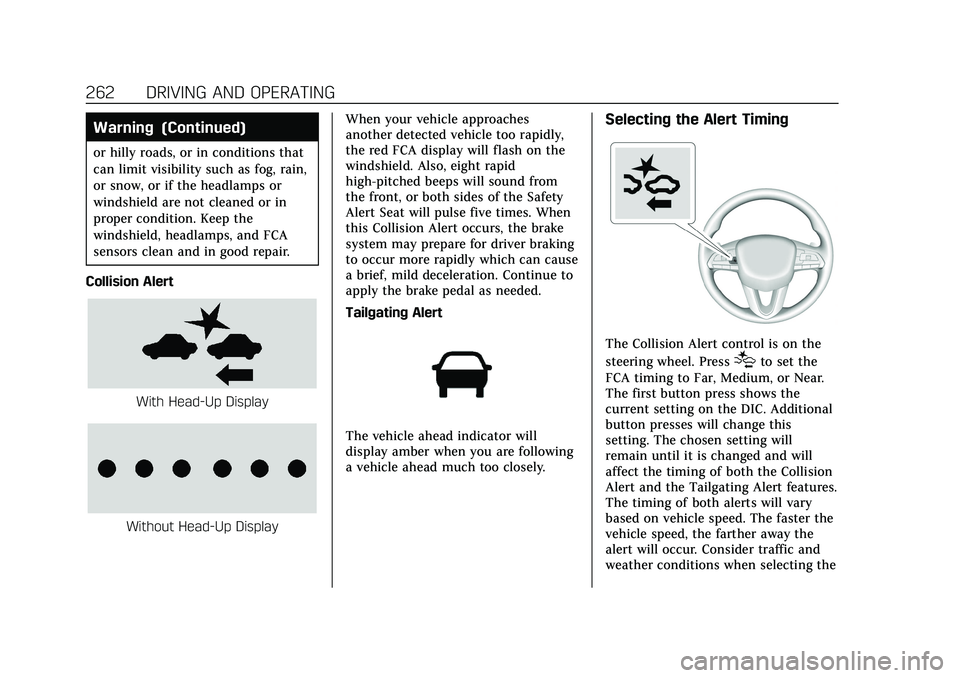
Collision Alert
With Head-Up Display
Without Head-Up Display When your vehicle approaches
another detected vehicle too rapidly,
the red FCA display will flash on the
windshield. Also, eight rapid
high-pitched beeps will sound from
the front, or both sides of the Safety
Alert Seat will pulse five times. When
this Collision Alert occurs, the brake
system may prepare for driver braking
to occur more rapidly which can cause
a brief, mild deceleration. Continue to
apply the brake pedal as needed.
Tailgating Alert
The vehicle ahead indicator will
display amber when you are following
a vehicle ahead much too closely.
Selecting the Alert Timing
The Collision Alert control is on the
steering wheel. Press
[to set the
FCA timing to Far, Medium, or Near.
The first button press shows the
current setting on the DIC. Additional
button presses will change this
setting. The chosen setting will
remain until it is changed and will
affect the timing of both the Collision
Alert and the Tailgating Alert features.
The timing of both alerts will vary
based on vehicle speed. The faster the
vehicle speed, the farther away the
alert will occur. Consider traffic and
weather conditions when selecting the
Page 266 of 419

Cadillac XT4 Owner Manual (GMNA-Localizing-U.S./Canada/Mexico-
15440907) - 2022 - CRC - 1/4/22
DRIVING AND OPERATING 265
Front Pedestrian Braking
(FPB) System
If equipped, the FPB system may help
avoid or reduce the harm caused by
front-end crashes with pedestrians
near the forward path of the vehicle
when driving in a forward gear. FPB
displays an amber indicator,
~, when
a nearby pedestrian is detected ahead.
When approaching a detected
pedestrian too quickly, FPB provides a
red flashing alert on the windshield
and rapidly beeps or pulses the driver
seat. FPB can provide a boost to
braking or automatically brake the
vehicle. This system includes
Intelligent Brake Assist (IBA), and the
Automatic Emergency Braking (AEB)
system may also respond to
pedestrians. See Automatic Emergency
Braking (AEB) 0263.
The FPB system can detect and alert
to pedestrians in a forward gear at
speeds between 8 km/h (5 mph) and
80 km/h (50 mph). During daytime
driving, the system detects
pedestrians up to a distance of approximately 40 m (131 ft). During
nighttime driving, system performance
is very limited.
{Warning
FPB does not provide an alert or
automatically brake the vehicle,
unless it detects a pedestrian. FPB
may not detect pedestrians,
including children:
.When the pedestrian is not
directly ahead, fully visible,
or standing upright, or when part
of a group.
.Due to poor visibility, including
nighttime conditions, fog, rain,
or snow.
.If the FPB sensor is blocked by
dirt, snow, or ice.
.If the headlamps or windshield
are not cleaned or in proper
condition.
Be ready to take action and apply
the brakes. For more information,
see Defensive Driving 0205. Keep
the windshield, headlamps, and FPB
sensor clean and in good repair. FPB can be set to Off, Alert, or Alert
and Brake through vehicle
personalization. See
“Collision/
Detection Systems” underVehicle
Personalization 0121.
Detecting the Pedestrian Ahead
FPB alerts and automatic braking will
not occur unless the FPB system
detects a pedestrian. When a nearby
pedestrian is detected in front of the
vehicle, the pedestrian ahead indicator
will display amber.
Front Pedestrian Alert
With Head-Up Display
Page 270 of 419

Cadillac XT4 Owner Manual (GMNA-Localizing-U.S./Canada/Mexico-
15440907) - 2022 - CRC - 1/4/22
DRIVING AND OPERATING 269
marking. It may also provide a Lane
Departure Warning (LDW) alert if the
vehicle crosses a detected lane
marking. This system is not intended
to keep the vehicle centered in the
lane. LKA will not assist and alert if
the turn signal is active in the
direction of lane departure, or if it
detects that you are accelerating,
braking or actively steering. LKA can
be overridden by turning the steering
wheel. If the system detects you are
steering intentionally across a lane
marker, the LDW will not be given. Do
not expect the LDW to occur when
you are intentionally crossing a lane
marker.
{Warning
The LKA system does not
continuously steer the vehicle.
It may not keep the vehicle in the
lane or give a Lane Departure
Warning (LDW) alert, even if a lane
marking is detected.(Continued)
Warning (Continued)
The LKA and LDW systems
may not:
.Provide an alert or enough
steering assist to avoid a lane
departure or crash.
.Detect lane markings under poor
weather or visibility conditions.
This can occur if the windshield
or headlamps are blocked by dirt,
snow, or ice; if they are not in
proper condition; or if the sun
shines directly into the camera.
.Detect road edges.
.Detect lanes on winding or hilly
roads.
If LKA only detects lane markings
on one side of the road, it will only
assist or provide an LDW alert
when approaching the lane on the
side where it has detected a lane
marking. Even with LKA and LDW,
you must steer the vehicle. Always
keep your attention on the road and
maintain proper vehicle position (Continued)
Warning (Continued)
within the lane, or vehicle damage,
injury, or death could occur. Always
keep the windshield, headlamps,
and camera sensors clean and in
good repair. Do not use LKA in bad
weather conditions or on roads with
unclear lane markings, such as
construction zones.
{Warning
Using LKA on slippery roads could
cause loss of control of the vehicle
and a crash. Turn the system off.
{Warning
LKA will not alert the driver if a
towed trailer crosses into an
adjacent lane of travel. Serious
injury or property damage may
occur if the trailer moves into
another lane. Always monitor the
trailer position while towing to
make sure it is within the same
lane as the tow vehicle.
Page 279 of 419
Cadillac XT4 Owner Manual (GMNA-Localizing-U.S./Canada/Mexico-
15440907) - 2022 - CRC - 1/4/22
278 DRIVING AND OPERATING
automatic transmission fluid, engine
oil, axle lubricant, belts, cooling
system, and brake system before and
during each trip.
Check periodically that all nuts and
bolts on the trailer hitch are tight.
Engine Cooling When Trailer
Towing
The cooling system may temporarily
overheat during severe operating
conditions. SeeEngine Overheating
0 298.
Trailer Towing
Caution
Towing a trailer improperly can
damage the vehicle and result in
costly repairs not covered by the
vehicle warranty. To tow a trailer
correctly, follow the directions in
this section and see your dealer for
important information about
towing a trailer with the vehicle. Trailering is different than just driving
the vehicle by itself. Trailering means
changes in handling, acceleration,
braking, durability, and fuel economy.
Successful, safe trailering takes correct
equipment, and it has to be used
properly.
The following information has many
time-tested, important trailering tips
and safety rules. Many of these are
important for your safety and that of
your passengers. Read this section
carefully before pulling a trailer.
Trailer Weight
{Warning
Never exceed the towing capacity
for your vehicle.
Safe trailering requires monitoring the
weight, speed, altitude, road grades,
outside temperature, dimensions of
the front of the trailer, and how
frequently the vehicle is used to tow a
trailer. When towing a trailer, the combined
weight of the vehicle, vehicle contents,
trailer, and trailer contents must be
below all of the maximum weight
ratings for the vehicle, including:
.GCWR: Gross Combined Weight
Rating
.GVWR: Gross Vehicle Weight Rating
.Maximum Trailer Weight Rating
.Maximum Trailer Tongue Weight
Rating
See “Trailer Brakes ”under Towing
Equipment 0281.
The only way to be sure the weight is
not exceeding any of these ratings is
to weigh the tow vehicle and trailer
combination, fully loaded for the trip,
getting individual weights for each of
these items.