infotainment CADILLAC XT4 2023 Owners Manual
[x] Cancel search | Manufacturer: CADILLAC, Model Year: 2023, Model line: XT4, Model: CADILLAC XT4 2023Pages: 476, PDF Size: 5.37 MB
Page 451 of 476

Cadillac XT4 Owner Manual (GMNA-Localizing-U.S./Canada/Mexico-
16412876) - 2023 - CRC - 3/25/22
450 Customer Information
available to others for
research purposes, where a
need is shown and the data is
not tied to a specific vehicle or
vehicle owner.
OnStar
If the vehicle is equipped with
OnStar and has an active
service plan, additional data
may be collected and
transmitted through the
OnStar system. This includes
information about the vehicle’s
operation; collisions involving
the vehicle; the use of the
vehicle and its features,
including infotainment; and the
location and approximate GPS
speed of the vehicle. Refer to
the OnStar Terms and
Conditions and Privacy
Statement on the OnStar
website.
See OnStar Additional
Information0453.
Infotainment System
If the vehicle is equipped with
a navigation system as part of
the infotainment system, use
of the system may result in
the storage of destinations,
addresses, telephone
numbers, and other trip
information. See the
infotainment section for
information on stored data
and for deletion instructions.
Page 453 of 476

Cadillac XT4 Owner Manual (GMNA-Localizing-U.S./Canada/Mexico-
16412876) - 2023 - CRC - 3/25/22
452 OnStar
Press=to:
.Open the OnStar app on the
infotainment display.
If equipped, the infotainment
system has OnStar controls
in the embedded OnStar app
on the Home Page. Most
OnStar functions that can be
performed with the buttons
can be done using the app.
To open the app, touch the
OnStar icon on the Home
Page. App updates require a
corresponding service plan.
Features vary by region and
model. Features are subject
to change. For more
information, see
my.cadillac.com/learn or
press
Q.
Or
.Give OnStar Turn-by-Turn
Navigation voice commands.
.Obtain and customize the
Wi-Fi hotspot name or SSID
and password, if equipped. Press
Qto connect to an
Advisor to:
.Verify account information
or update contact
information.
.Get driving directions.
.Receive a Diagnostic check
of the vehicle's key
operating systems.
.Receive Roadside
Assistance.
.Manage Wi-Fi Settings,
if equipped.
Press
>to get a priority
connection to an OnStar
Advisor available 24/7 to:
.Get help for an emergency.
.Be a Good Samaritan or
respond to an AMBER Alert.
.Get assistance in severe
weather or other crisis
situations and find
evacuation routes.
OnStar Services
Emergency
Emergency Services require
an active safety and security
plan. With Automatic Crash
Response, built-in sensors can
automatically alert a specially
trained OnStar Advisor who is
immediately connected in to
the vehicle to help.
Press
>for a priority
connection to an OnStar
Advisor who can contact
emergency service providers,
direct them to your exact
location, and relay important
information.
With OnStar Crisis Assist,
specially trained Advisors are
available 24 hours a day,
7 days a week, to provide a
central point of contact,
assistance, and information
during a crisis.
Page 455 of 476

Cadillac XT4 Owner Manual (GMNA-Localizing-U.S./Canada/Mexico-
16412876) - 2023 - CRC - 3/25/22
454 OnStar
vehicles. For more information,
a full description of OnStar
services, system limitations,
and OnStar User Terms,
Privacy Statement, and
Software Terms:
.Call 1-888-4ONSTAR
(1-888-466-7827).
.See www.onstar.com (U.S.).
.See www.onstar.ca (Canada).
.Call TTY 1-877-248-2080.
.PressQto speak with an
Advisor.
OnStar or connected services
cannot work unless the vehicle
is in a place where OnStar has
an agreement with a wireless
service provider for service in
that area. The wireless service
provider must also have
coverage, network capacity,
reception, and technology
compatible with OnStar or
connected services. Service
involving location information
about the vehicle cannot work
unless GPS signals are
available, unobstructed, and
compatible with the OnStar hardware. OnStar or
connected services may not
work if the OnStar equipment
is not properly installed or it
has not been properly
maintained. If equipment or
software is added, connected,
or modified, OnStar or
connected services may not
work. Other problems beyond
the control of OnStar
—such
as hills, tall buildings, tunnels,
weather, electrical system
design and architecture of the
vehicle, damage to the vehicle
in a crash, or wireless phone
network congestion or
jamming —may prevent
service.
See Radio Frequency
Statement 0446.
Services for People with
Disabilities
Advisors provide services to
help with physical disabilities
and medical conditions. Press
Qto help:
.Locate a gas station with an
attendant to pump gas.
.Find a hotel, restaurant, etc.,
that meets accessibility
needs.
.Provide directions to the
closest hospital or pharmacy
in urgent situations.
TTY Users
OnStar has the ability to
communicate to deaf,
hard-of-hearing,
or speech-impaired customers
while in the vehicle. The
available dealer-installed TTY
system can provide in-vehicle
access to all OnStar services,
except Virtual Advisor and
OnStar Turn-by-Turn
Navigation.
If equipped, TTY mode can be
turned on or off through
Settings > Apps > Phone.
When TTY mode is on, phone
calls can be made or received
with OnStar using the
infotainment display.
Page 459 of 476
Cadillac XT4 Owner Manual (GMNA-Localizing-U.S./Canada/Mexico-
16412876) - 2023 - CRC - 3/25/22
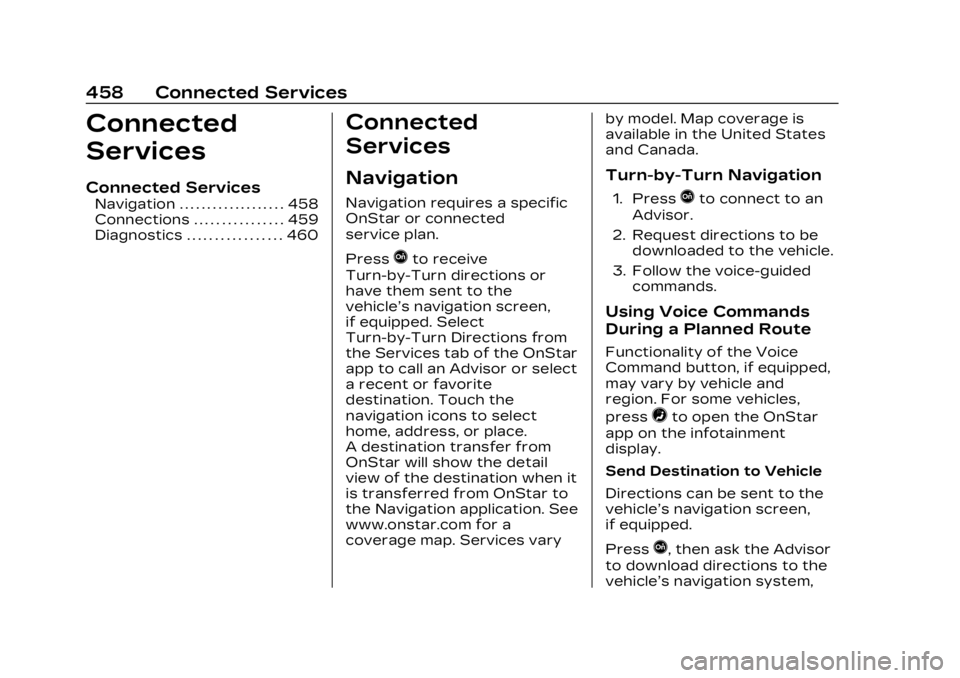
458 Connected Services
Connected
Services
Connected Services
Navigation . . . . . . . . . . . . . . . . . . . 458
Connections . . . . . . . . . . . . . . . . 459
Diagnostics . . . . . . . . . . . . . . . . . 460
Connected
Services
Navigation
Navigation requires a specific
OnStar or connected
service plan.
Press
Qto receive
Turn-by-Turn directions or
have them sent to the
vehicle’s navigation screen,
if equipped. Select
Turn-by-Turn Directions from
the Services tab of the OnStar
app to call an Advisor or select
a recent or favorite
destination. Touch the
navigation icons to select
home, address, or place.
A destination transfer from
OnStar will show the detail
view of the destination when it
is transferred from OnStar to
the Navigation application. See
www.onstar.com for a
coverage map. Services vary by model. Map coverage is
available in the United States
and Canada.
Turn-by-Turn Navigation
1. PressQto connect to an
Advisor.
2. Request directions to be downloaded to the vehicle.
3. Follow the voice-guided commands.
Using Voice Commands
During a Planned Route
Functionality of the Voice
Command button, if equipped,
may vary by vehicle and
region. For some vehicles,
press
=to open the OnStar
app on the infotainment
display.
Send Destination to Vehicle
Directions can be sent to the
vehicle’s navigation screen,
if equipped.
Press
Q, then ask the Advisor
to download directions to the
vehicle’s navigation system,
Page 460 of 476

Cadillac XT4 Owner Manual (GMNA-Localizing-U.S./Canada/Mexico-
16412876) - 2023 - CRC - 3/25/22
Connected Services 459
if equipped. After the call
ends, the navigation screen
will provide prompts to begin
driving directions. Routes that
are sent to the navigation
screen can only be canceled
through the navigation
system.
See www.onstar.com (U.S.) or
www.onstar.ca (Canada).
Connections
The following services help
with staying connected.
For coverage maps, see
www.onstar.com (U.S.) or
www.onstar.ca (Canada).
Ensuring Security
.Change the default
passwords for the Wi-Fi
hotspot and myCadillac
mobile app. Make these
passwords different from
each other and use a
combination of letters and
numbers to increase the
security.
.Change the default name of
the SSID (Service Set
Identifier). This is the
network name that is visible
to other wireless devices.
Choose a unique name and
avoid family names or vehicle
descriptions.
Wi-Fi Hotspot (If Equipped)
The vehicle may have a built-in
Wi-Fi hotspot that provides
access to the Internet and
web content at 4G LTE speed.
Up to seven mobile devices
can be connected. A data plan
is required. Use the in-vehicle
controls only when it is safe to
do so. 1. To retrieve Wi-Fi hotspot information, press
=to
open the OnStar app on
the infotainment display,
then select Wi-Fi Hotspot.
On some vehicles, touch
Wi-Fi or Wi-Fi Settings on
the screen.
2. The Wi-Fi settings will display the Wi-Fi hotspot
name (SSID), password, and on some vehicles, the
connection type (no
Internet connection, 3G,
4G, 4G LTE), and signal
quality (poor, good,
excellent). The LTE icon
shows connection to Wi-Fi.
It is possible that the icon
may not illuminate even
though the vehicle has an
active connection.
3. To change the SSID or password, press
Qor call
1-888-4ONSTAR to
connect with an Advisor.
On some vehicles, the SSID
and password can be
changed in the Wi-Fi
Hotspot menu.
After initial set-up, your
vehicle’s Wi-Fi hotspot will
connect automatically to your
mobile devices. Manage data
usage by turning Wi-Fi on or
off on your mobile device, by
using the myCadillac mobile
app, or by contacting an
OnStar Advisor. On some
Page 465 of 476

Cadillac XT4 Owner Manual (GMNA-Localizing-U.S./Canada/Mexico-
16412876) - 2023 - CRC - 3/25/22
464 INDEX
Cruise Control . . . . . . . . . . . . . . . . 270Adaptive . . . . . . . . . . . . . . . . . . . . . . 273
Light . . . . . . . . . . . . . . . . . . . . . . . . . . . . 136
Cupholders . . . . . . . . . . . . . . . . . . . . . 102
Customer Assistance Offices . . . . . . . . . . . . . . . . . . . . . . . . 437
Text Telephone (TTY)Users . . . . . . . . . . . . . . . . . . . . . . . . 438
Customer Information Publications OrderingInformation . . . . . . . . . . . . . . . . 445
Customer Satisfaction Procedure . . . . . . . . . . . . . . . . . . . 435
Cybersecurity . . . . . . . . . . . . . . . . 448
D
Damage Repair, Collision . . . . . . . . . . . . . . . . . . . . . . . 443
Danger, Warning, and Caution . . . . . . . . . . . . . . . . . . . . . . . . . . . 3
Dashboard . . . . . . . . . . . . . . . . . . . . . . . . . 5
Data Collection
Infotainment System . . . . . 450
OnStar . . . . . . . . . . . . . . . . . . . . . . . . 450
Data Recorders, Event . . . . 449
Database Coverage Explanations . . . . . . . . . . . . . . . . . 187 Daytime Running
Lamps (DRL) . . . . . . . . . . . . . . . . . 150
Defensive Driving . . . . . . . . . . . . 230
Delayed Locking . . . . . . . . . . . . . . . 22
Destination . . . . . . . . . . . . . . . . . . . . . 178
Diagnostics Connected Services . . . . . . 460
Disabled Vehicle Transporting . . . . . . . . . . . . . . . . 407
Distracted Driving . . . . . . . . . . . 229
Dome Lamps . . . . . . . . . . . . . . . . . . . 153
Door Ajar Light . . . . . . . . . . . . . . . . . . . . . 136
Delayed Locking . . . . . . . . . . . . . 22
Locks . . . . . . . . . . . . . . . . . . . . . . . . . . . . 20
Power Locks . . . . . . . . . . . . . . . . . . 22
Drive Belt Routing, Engine . . . . . . . . . . . . . . . . . . . . . . . . . 434
Drive Systems All-Wheel Drive . . . . . . . 263, 347
Driver
Assistance Systems . . . . . . 284
Behavior . . . . . . . . . . . . . . . . . . . . . 228
InformationCenter (DIC) . . . . . . . . . . . . . . . . 136
Mode Control . . . . . . . . . . . . . . . 269
Mode Control Light . . . . . . . . 133
Teen . . . . . . . . . . . . . . . . . . . . . . . . . . . 207 Driving
Assistance Systems . . . . . . . 297
Better Fuel Economy . . . . . 229
Characteristics and
Towing Tips . . . . . . . . . . . . . . . . 314
Defensive . . . . . . . . . . . . . . . . . . . . 230
Distracted . . . . . . . . . . . . . . . . . . . 229
Environment . . . . . . . . . . . . . . . . 229
Hill and Mountain Roads . . . . . . . . . . . . . . . . . . . . . . . 239
If the Vehicle is Stuck . . . . . 241
Impaired . . . . . . . . . . . . . . . . . . . . . . 230
Loss of Control . . . . . . . . . . . . 233
Off-Road . . . . . . . . . . . . . . . . . . . . . 233
Off-Road Recovery . . . . . . . 232
Vehicle Load Limits . . . . . . . 242
Wet Roads . . . . . . . . . . . . . . . . . . 238
Winter . . . . . . . . . . . . . . . . . . . . . . . . 239
Driving the Vehicle . . . . . . . . . . . . . . 2
Dual Automatic Climate
Control System . . . . . . . . . . . . 221
E
ElectricBrake Boost . . . . . . . . . . . . . . . . . 264
Parking Brake . . . . . . . . . . . . . . 264
Parking Brake Light . . . . . . . 129
Page 468 of 476

Cadillac XT4 Owner Manual (GMNA-Localizing-U.S./Canada/Mexico-
16412876) - 2023 - CRC - 3/25/22
INDEX 467
I
If the System NeedsService . . . . . . . . . . . . . . . . . . . . . . . . . 187
Ignition Positions . . . . . . . . . . . . .247
Immobilizer . . . . . . . . . . . . . . . . . . . . . . 33
Indicator Pedestrian Ahead . . . . . . . . . . 131
Vehicle Ahead . . . . . . . . . . . . . . . 131
Indicators Warning Lights and
Gauges . . . . . . . . . . . . . . . . . . . . . . . 118
Infants and Young Children, Restraints . . . . . . . . . 80
Information
Publication Ordering . . . . . 445
Infotainment Using the System . . . . . . . . . . 160
Infotainment System . . . . . . . 450
Inspection Multi-Point Vehicle . . . . . . . . . 427
Instrument Cluster . . . . . . . . . . . .119
Instrument Panel Overview . . . . . . . . . . . . . . . . . . . . . . . . . 5
Interior Rearview Mirrors . . . 36
Introduction . . . . . . . . . . . . . . . . . 2, 156
J
Jump
Starting - NorthAmerica . . . . . . . . . . . . . . . . . . . . . 404
K
Keys . . . . . . . . . . . . . . . . . . . . . . . . . . . . . . . . . 8Remote . . . . . . . . . . . . . . . . . . . . . . . . . . . 9
Remote Operation . . . . . . . . . . . . 9
L
Labeling, Tire Sidewall . . . . . 367
LampsCornering . . . . . . . . . . . . . . . . . . . . . 152
Courtesy . . . . . . . . . . . . . . . . . . . . . . 153
DaytimeRunning (DRL) . . . . . . . . . . . . . 150
Dome . . . . . . . . . . . . . . . . . . . . . . . . . . . 153
Exterior Controls . . . . . . . . . . . 148
Exterior Lamps Off Reminder . . . . . . . . . . . . . . . . . . . . 150
Exterior Lighting Battery Saver . . . . . . . . . . . . . . 155
Flash-to-Pass . . . . . . . . . . . . . . . . 150
Front Turn Signal . . . . . . . . . . 350
High/Low Beam Changer . . . . . . . . . . . . . . . . . . . . . 150
Malfunction Indicator (Check Engine) . . . . . . . . . . . . . 126 Lamps (cont'd)
On Reminder . . . . . . . . . . . . . . . . . 136
Reading . . . . . . . . . . . . . . . . . . . . . . . 153
Lane Change Alert (LCA) . . . . . . . 304
Keep Assist (LKA) . . . . . . . . . 307
Keep Assist Light . . . . . . . . . . 131
Lap-Shoulder Belt . . . . . . . . . . . . . 60
LATCH System Replacing Parts after aCrash . . . . . . . . . . . . . . . . . . . . . . . . . . 95
LATCH, Lower Anchors
and Tethers for
Children . . . . . . . . . . . . . . . . . . . . . . . . . 86
LED Lighting . . . . . . . . . . . . . . . . . . 350
Liftgate . . . . . . . . . . . . . . . . . . . . . . . . . . . 24
Lighting Entry . . . . . . . . . . . . . . . . . . . . . . . . . . . 154
Exit . . . . . . . . . . . . . . . . . . . . . . . . . . . . . 154
Illumination Control . . . . . . . . 153
LED . . . . . . . . . . . . . . . . . . . . . . . . . . . . 350
Lights Airbag Readiness . . . . . . . . . . . 124
All-Wheel-Drive . . . . . . . . . . . . . 130
Antilock Brake System(ABS) Warning . . . . . . . . . . . . . 129
Brake System Warning . . . . . . . . . . . . . . . . . . . . . 128
Page 473 of 476

Cadillac XT4 Owner Manual (GMNA-Localizing-U.S./Canada/Mexico-
16412876) - 2023 - CRC - 3/25/22
472 INDEX
Starting the Engine . . . . . . . . . 248
Steering . . . . . . . . . . . . . . . . . . . . . . . . . 231Heated Wheel . . . . . . . . . . . . . . . 110
Wheel Adjustment . . . . . . . . . 109
Wheel Controls . . . . . . . . . . . . . 159
Stop/Start System . . . . . . . . . . 249
Storage Center Console . . . . . . . . . . . . . 105
Compartments . . . . . . . . . . . . . . 102
Cupholders . . . . . . . . . . . . . . . . . . . 102
Front . . . . . . . . . . . . . . . . . . . . . . . . . . . 103
Glove Box . . . . . . . . . . . . . . . . . . . . . 102
Rear . . . . . . . . . . . . . . . . . . . . . . . . . . . . 103
Roof Rack System . . . . . . . . . 106
Sunglasses . . . . . . . . . . . . . . . . . . . 103
Umbrella . . . . . . . . . . . . . . . . . . . . . . 105
Storage Areas Cargo Cover . . . . . . . . . . . . . . . . . 106
Storing the Tire Sealant and
Compressor Kit . . . . . . . . . . . . . 398
Struts Gas . . . . . . . . . . . . . . . . . . . . . . . . . . . . 349
Stuck Vehicle . . . . . . . . . . . . . . . . . . 241
Summer Tires . . . . . . . . . . . . . . . . 366
Sun Visors . . . . . . . . . . . . . . . . . . . . . . . . 41
Sunglass Storage . . . . . . . . . . . . 103
Sunroof . . . . . . . . . . . . . . . . . . . . . . . . . . . 42 Surround Vision
System . . . . . . . . . . . . . . . . . . . . . . . . .287
Symbols . . . . . . . . . . . . . . . . . . . . . . . . . . . . 3 Navigation . . . . . . . . . . . . . . . . . . . . 177
System Airbag . . . . . . . . . . . . . . . . . . . . . . . . . . . 65
Driver Assistance . . . . . . . . . 284
Engine Air Filter Life . . . . . . 336
Forward CollisionAlert (FCA) . . . . . . . . . . . . . . . . . . 297
Global Positioning . . . . . . . . . . 185
Infotainment . . . . . . . . . . . . . . . . 450
Rear Cross Traffic
Alert . . . . . . . . . . . . . . . . . . . . . . . . . . 297
Roof Rack . . . . . . . . . . . . . . . . . . . . . 106
Surround Vision . . . . . . . . . . . . . 287
T
Tachometer . . . . . . . . . . . . . . . . . . . . 122
Teen Driver . . . . . . . . . . . . . . . . . . . . 207
Text Telephone (TTY) Users . . . . . . . . . . . . . . . . . . . . . . . . . . 438
Theft-Deterrent Systems . . . . . . . . . . . . . . . . . . . . . . . . 33
Immobilizer . . . . . . . . . . . . . . . . . . . . 33
Time . . . . . . . . . . . . . . . . . . . . . . . . . . . . . . .115
Tires . . . . . . . . . . . . . . . . . . . . . . . . . . . . . 364
All-Season . . . . . . . . . . . . . . . . . . . 365 Tires (cont'd)
Buying New Tires . . . . . . . . . . 383
Chains . . . . . . . . . . . . . . . . . . . . . . . . 388
Changing . . . . . . . . . . . . . . . . . . . . . 398
Compact Spare . . . . . . . . . . . . 404
Designations . . . . . . . . . . . . . . . . 369
Different Size . . . . . . . . . . . . . . . 385
If a Tire Goes Flat . . . . . . . . . 389
Inspection . . . . . . . . . . . . . . . . . . . 380
Pressure . . . . . . . . . . . . . . . 372, 374
Pressure Light . . . . . . . . . . . . . . 134
Pressure Monitor
Operation . . . . . . . . . . . . . . . . . . 376
Pressure Monitor System . . . . . . . . . . . . . . . . . . . . . . 375
Rotation . . . . . . . . . . . . . . . . . . . . . . . 381
Sealant and
Compressor Kit . . . . . . . . . . . 390
Sealant and Compressor Kit,
Storing . . . . . . . . . . . . . . . . . . . . . . 398
Sidewall Labeling . . . . . . . . . . 367
Terminology and Definitions . . . . . . . . . . . . . . . . . 370
Uniform Tire Quality Grading . . . . . . . . . . . . . . . . . . . . . 385
Wheel Alignment and Tire Balance . . . . . . . . . . . . . . . 387
Page 474 of 476

Cadillac XT4 Owner Manual (GMNA-Localizing-U.S./Canada/Mexico-
16412876) - 2023 - CRC - 3/25/22
INDEX 473
Tires (cont'd)Wheel Replacement . . . . . . 387
When It Is Time for
New Tires . . . . . . . . . . . . . . . . . . 382
Winter . . . . . . . . . . . . . . . . . . . . . . . . 366
Top Tier Fuel . . . . . . . . . . . . . . . . . 309
Towing Driving Characteristics . . . 314
Equipment . . . . . . . . . . . . . . . . . . . 322
General Information . . . . . . . 313
Recreational Vehicle . . . . . 409
Trailer . . . . . . . . . . . . . . . . . . . . . . . . . . 318
Trailer SwayControl (TSC) . . . . . . . . . . . . . 323
Traction Control System
(TCS)/StabiliTrak
Light . . . . . . . . . . . . . . . . . . . . . . . . . . 132
Control/Electronic Stability Control . . . . . . . . . . . 267
Off Light . . . . . . . . . . . . . . . . . . . . . . 131
Trademarks and License Agreements . . . . . . . 212
Trailer Sway Control (TSC) . . . . . . . 323
Towing . . . . . . . . . . . . . . . . . . . . . . . . . 318
Transmission Automatic . . . . . . . . . . . . . . . . . . . . . 257 Transmission (cont'd)
Fluid, Automatic . . . . . . . . . . . . 336
Transportation Program, Courtesy . . . . . . . . 442
Transporting a Disabled Vehicle . . . . . . . . . 407
Trip Odometer . . . . . . . . . . . . . . . . 122
TTY Users
Customer Assistance . . . . 438
Turn and Lane-Change Signals . . . . . . . . . . . . . . . . . . . . . . . . . 152
U
Umbrella Storage . . . . . . . . . . . . . 105
Uniform Tire QualityGrading . . . . . . . . . . . . . . . . . . . . . . . 385
Universal Remote
System . . . . . . . . . . . . . . . . . . . . . . . . . 144
Operation . . . . . . . . . . . . . . . . . . . . . 147
Programming . . . . . . . . . . . . . . . . 144
Updates Map Data . . . . . . . . . . . . . . . . . . . . . 187
Software . . . . . . . . . . . . . . . . . . . . . . 163
USB Port . . . . . . . . . . . . . . . . . . . . . . . . 169
Using Infotainment System . . . . . . 160
Navigation System . . . . . . . . . 173
This Manual . . . . . . . . . . . . . . . . . . . . . 2
V
Vehicle
Ahead Indicator . . . . . . . . . . . . . 131
Alarm System . . . . . . . . . . . . . . . . . 32
Canadian Owners . . . . . . . . . . . . . 2
Control . . . . . . . . . . . . . . . . . . . . . . . . 231
Data Recording andPrivacy . . . . . . . . . . . . . . . . . . . . . . 448
Design . . . . . . . . . . . . . . . . . . . . . . . . 229
Identification Number (VIN) . . . . . . . . . . . . . . 432
Load Limits . . . . . . . . . . . . . . . . . . 242
Messages . . . . . . . . . . . . . . . . . . . . . 143
Positioning . . . . . . . . . . . . . . . . . . . 186
Remote Start . . . . . . . . . . . . . . . . . . 18
Security . . . . . . . . . . . . . . . . . . . . . . . . 32
Speed Messages . . . . . . . . . . . 144
Symbols . . . . . . . . . . . . . . . . . . . . . . . . . . 3
Vehicle Care
Storing the TireSealant and
Compressor Kit . . . . . . . . . . . 398
Tire Pressure . . . . . . . . . . . . . . . . 372
Ventilation, Air . . . . . . . . . . . . . . . . 225
Visors . . . . . . . . . . . . . . . . . . . . . . . . . . . . . . 41
Voice Recognition . . . . . . . . . . . . 188