fuel CADILLAC XT4 2023 User Guide
[x] Cancel search | Manufacturer: CADILLAC, Model Year: 2023, Model line: XT4, Model: CADILLAC XT4 2023Pages: 476, PDF Size: 5.37 MB
Page 128 of 476
Cadillac XT4 Owner Manual (GMNA-Localizing-U.S./Canada/Mexico-
16412876) - 2023 - CRC - 3/25/22
Instruments and Controls 127
Caution (Continued)
this light to come on. This
could lead to costly repairs
not covered by the vehicle
warranty. This could also
affect the vehicle’s ability to
pass an Emissions
Inspection/Maintenance
test. See Accessories and
Modifications0327.
If the light is flashing : A
malfunction has been
detected that could damage
the emission control system
and increase vehicle
emissions. Diagnosis and
service may be required.
To help prevent damage,
reduce vehicle speed and
avoid hard accelerations and
uphill grades. If towing a
trailer, reduce the amount of
cargo being hauled as soon as
possible.
If the light continues to flash,
find a safe place to park. Turn
the vehicle off and wait at least 10 seconds before
restarting the engine. If the
light is still flashing, follow the
previous guidelines and see
your dealer for service as
soon as possible.
If the light is on steady :
A
malfunction has been
detected. Diagnosis and
service may be required.
Check the following:
.If fuel has been added to the
vehicle using the capless fuel
funnel adapter, make sure
that it has been removed.
See “Filling the Tank with a
Portable Gas Can” under
Filling the Tank 0311. The
diagnostic system can
detect if the adapter has
been left installed in the
vehicle, allowing fuel to
evaporate into the
atmosphere. A few driving
trips with the adapter
removed may turn off the
light.
.Poor fuel quality can cause
inefficient engine operation
and poor driveability, which
may go away once the
engine is warmed up. If this
occurs, change the fuel
brand. It may require at least
one full tank of the proper
fuel to turn the light off. See
Recommended Fuel 0310.
If the light remains on, see
your dealer.
Emissions Inspection and
Maintenance Programs
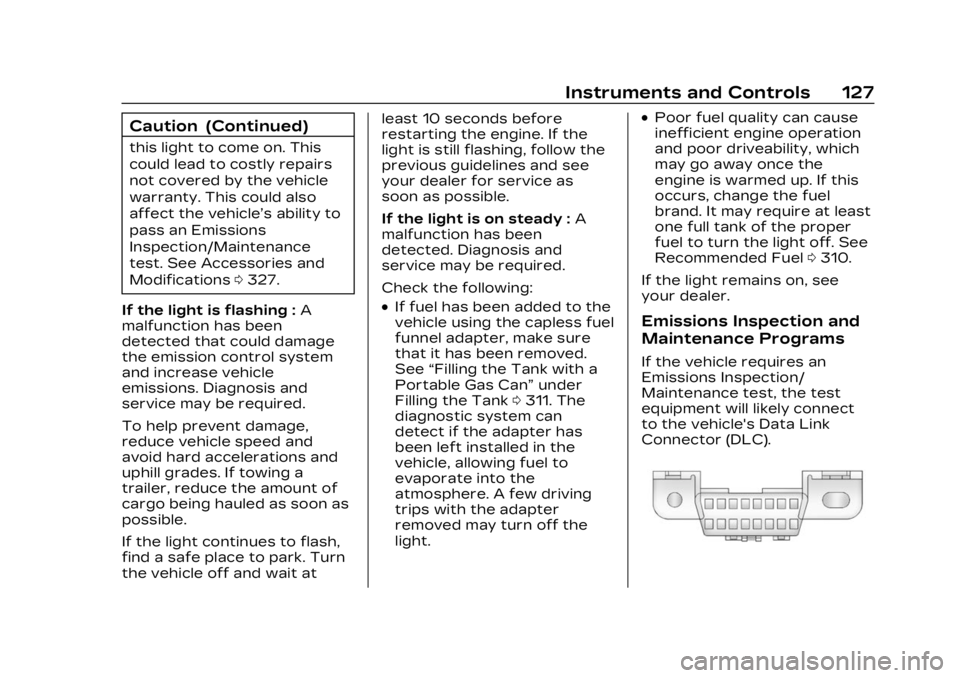
If the vehicle requires an
Emissions Inspection/
Maintenance test, the test
equipment will likely connect
to the vehicle's Data Link
Connector (DLC).
Page 131 of 476

Cadillac XT4 Owner Manual (GMNA-Localizing-U.S./Canada/Mexico-
16412876) - 2023 - CRC - 3/25/22
130 Instruments and Controls
If the ABS warning light stays
on, or comes on again while
driving, the vehicle needs
service. A chime may also
sound when the light stays on.
If the ABS warning light is the
only light on, the vehicle has
regular brakes, but ABS is not
functioning.
If both the ABS warning light
and the brake system warning
light are on, ABS is not
functioning and there is a
problem with the regular
brakes. See your dealer for
service.
See Brake System Warning
Light0128.
Gear Shifting Light
If equipped, this light comes on
when a gear shift is
recommended for best fuel
economy. When the arrow is
pointed up, an upshift is
recommended. When the
arrow is pointed down, a
downshift is recommended.
The number displayed with the
arrow indicates the
recommended gear.
Performance Shifting
Light
If equipped, this light may
display green when Sport
Mode is activated and certain
driving conditions are met.
Sport Mode detects when the
vehicle is being driven in a
sporty manner, and adjusts the shifting of the gears
accordingly. See Driver Mode
Control
0269.
All-Wheel-Drive Light
All-Wheel-Drive Light
Front-Wheel-Drive Light
If equipped, the corresponding
light comes on when an
All-Wheel Drive (AWD) mode
or Front-Wheel-Drive mode is
selected. See Driver Mode
Control 0269.
If the light turns amber, there
may be a malfunction. See
your dealer.
Page 136 of 476

Cadillac XT4 Owner Manual (GMNA-Localizing-U.S./Canada/Mexico-
16412876) - 2023 - CRC - 3/25/22
Instruments and Controls 135
remain illuminated. If it does
not come on under either
condition, contact your dealer.
If the light comes on and stays
on when the engine is running,
it may not have adequate oil
pressure. The oil level may be
low or there may be some
other oil system problem. Turn
the engine off when it is safe
to do so and contact your
dealer.
Low Fuel Warning
Light
A Low Fuel Warning Light
near the fuel gauge comes on
briefly when the ignition is
turned on as a check to show
it is working.It also comes on when the fuel
gauge indicator nears empty.
The light turns off when fuel is
added. If it does not, have the
vehicle serviced.
Security Light
The security light should come
on briefly as the engine is
started. If it does not come on,
have the vehicle serviced by
your dealer. If the system is
working normally, the indicator
light turns off.
If the light stays on and the
engine does not start, there
could be a problem with the
theft-deterrent system. See
Immobilizer Operation
033.
High-Beam On Light
This light comes on when the
high-beam headlamps are in
use. See Headlamp High/
Low-Beam Changer 0150.
IntelliBeam Light
This light comes on when the
IntelliBeam system,
if equipped, is enabled. See
Exterior Lamp Controls 0148.
Page 138 of 476
Cadillac XT4 Owner Manual (GMNA-Localizing-U.S./Canada/Mexico-
16412876) - 2023 - CRC - 3/25/22
Instruments and Controls 137
yorz:Use the thumbwheel
to scroll to the previous or
next selection.
V: Press the thumbwheel to
open a menu or select a menu
item. Press and hold to reset
values on certain screens.
Info Page Options
The info displays on the DIC
can be turned on or off
through the Options menu.
1. Press
Tto scroll to the
Options menu. Use the
thumbwheel to scroll to
Info Pages and press the
thumbwheel to select.
2. Scroll
yorzto move
through the list of possible
info displays.
3. Press the thumbwheel while an item is highlighted
to select or deselect
that item.
The info pages can also be
turned on or off through the
DIC page Info Page Options.
DIC Information Displays
The following is the list of all
possible DIC information
displays. Some of the
information displays may not
be available for your particular
vehicle.
While in the Info Page Options
menu, the info pages can be
restored to the default factory
settings by pressing and
holding
Ron the left steering
wheel controls and the
thumbwheel on the right
steering wheel controls at the
same time.
For uplevel clusters, this will
also reset the Display settings.
See Instrument Cluster 0119.
Speed : Shows the vehicle
speed in either kilometers per
hour (km/h) or miles per
hour (mph).
Trip 1 or Trip 2 and Average
Fuel Economy : The Trip
display shows the current
distance traveled, in either
kilometers (km) or miles (mi), since the trip odometer was
last reset. The trip odometer
can be reset by pressing
V
and selecting yes or no while
this display is active.
Shows the approximate
average liters per
100 kilometers (L/100 km),
kilometers per liter (km/L),
or miles per gallon (mpg). This
number is calculated based on
the number of L/100 km
or km/L recorded since the
last time this menu item was
reset. This number reflects
only the approximate average
fuel economy that the vehicle
has right now, and will change
as driving conditions change.
The Average Fuel Economy
can be reset by pressing
V
and selecting yes or no while
this display is active.
Fuel Range :
Shows the
approximate distance the
vehicle can be driven without
refueling. LOW will be
displayed when the vehicle is
low on fuel. The fuel range
Page 139 of 476
Cadillac XT4 Owner Manual (GMNA-Localizing-U.S./Canada/Mexico-
16412876) - 2023 - CRC - 3/25/22
138 Instruments and Controls
estimate is based on an
average of the vehicle's fuel
economy over recent driving
history and the amount of fuel
remaining in the fuel tank.
Oil Life :Shows an estimate of
the oil's remaining useful life.
If REMAINING OIL LIFE 99% is
displayed, that means 99% of
the current oil life remains.
When the remaining oil life is
low, the CHANGE ENGINE OIL
SOON message will appear on
the display. The oil should be
changed as soon as possible.
See Engine Oil 0332. In
addition to the engine oil life
system monitoring the oil life,
additional maintenance is
recommended. See
Maintenance Schedule 0425.
The Oil Life display must be
reset after each oil change.
It will not reset itself. Do not
reset the Oil Life display
accidentally at any time other
than when the oil has just
been changed. It cannot be reset accurately until the next
oil change. To reset, see
Engine Oil Life System
0335.
Tire Pressure : Shows the
approximate pressures of all
four tires. Tire pressure is
displayed in either
kilopascal (kPa) or in pounds
per square inch (psi). If the
pressure is low, the value for
that tire is shown in amber.
See Tire Pressure Monitor
System 0375 and
Tire Pressure Monitor
Operation 0376.
Air Filter Life : Shows an
estimate of the engine air
filter’s remaining useful life
and the state of the system.
Engine Air Filter Life 95%
means 95% of the current air
filter life remains. Messages
will display based on the
engine air filter life and the
state of the system. When the
REPLACE AT NEXT OIL
CHANGE message displays,
the engine air filter should be
replaced at the time of the next oil change. When the
REPLACE SOON message
displays, the engine air filter
should be replaced at the
earliest convenience.
The Air Filter Life display must
be reset after the engine air
filter replacement. To reset,
see Engine Air Filter Life
System
0336.
Fuel Economy : Displays
average fuel economy, the
best fuel economy over the
selected distance, and a bar
graph showing instantaneous
fuel economy.
Average Speed : Displays the
average vehicle speed of the
vehicle in kilometers per
hour (km/h) or miles per
hour (mph). This average is
based on the various vehicle
speeds recorded since the last
reset. Reset the average
speed by pressing the
thumbwheel while this display
is active to show a
confirmation window to select
yes or no.
Page 176 of 476
Cadillac XT4 Owner Manual (GMNA-Localizing-U.S./Canada/Mexico-
16412876) - 2023 - CRC - 3/25/22
Infotainment System 175
.Alert Preferences
.Fuel Grade Preferences
.Manage History
.Predictive Navigation: See
“Predictive Navigation (If
Equipped)”previously in this
section.
.About
To exit a list, touch
zin the
top right corner to return to
the main map view.
Make sure to set up
preferences before setting a
destination and starting active
guidance.
Map Preferences
Touch to choose between
basic map feature
configurations:
Map Colors
.Auto –Touch to
automatically change modes
based on lighting conditions.
.Day (Light)
.Night (Dark) 3D Landmark (Default is
On) :
Touch On or Off. When
turned on, the system will
display all 3D Landmarks on
the map depending on the
zoom level.
3D Building (Default is Off) :
Touch On or Off. When turned
on, the system will display all
of the possible 3D building
shapes on the map depending
on the zoom level.
Show Terrain in 3D (Default
is Off) : If equipped, touch On
or Off. When turned on, the
system will display terrain
information on the map in
3D view.
Auto-Zoom (Default is On) :
Touch On or Off. When turned
on, the system will
automatically adjust the zoom
level when the vehicle is
approaching a turn. After the
turn is completed, the system
automatically brings the zoom
back to the originally set level.
If the vehicle is approaching a
turn with the next turn occurring shortly after, the
Auto-Zoom will remain on until
both turns are completed.
Route Preferences
Touch to access the Route
Preferences. The choices are:
.Preferred Route
–Choose
from two different route
options: Fastest or
Eco-Friendly.
‐ Fastest would be the route
with the shortest
drive time.
‐ Eco-Friendly would be the
most fuel-efficient route.
.Avoid on Current Route –
Choose any of the road
features to avoid while on
route:
‐ Highways
‐ Unpaved Roads
‐ Ferries
‐ Carpool Lanes
‐ Toll Roads
‐ Tunnels
‐ Country Borders
Page 185 of 476
Cadillac XT4 Owner Manual (GMNA-Localizing-U.S./Canada/Mexico-
16412876) - 2023 - CRC - 3/25/22
184 Infotainment System
Recenter Position Icon
Touch the Recenter Position
arrow in the middle of the map
view to reset the map to the
current location.
Last Parked Location
The Last Parked Location is
the last location the vehicle
engine was turned off. That
location is displayed in the first
row of the Recents list.
Touching the last Parked
Location shows the Address
Details view to either save the
address or drive to it. The Last
Parked Location can be
deleted by entering the Edit
display. Once the Last Parked
Location is deleted, it no
longer appears in the Recents
list, unless the vehicle is
started at that location again.
Show POI Icons
To see the POI categories,
touch Options, then touch
Show on Map. Up to eight
categories of icons can be
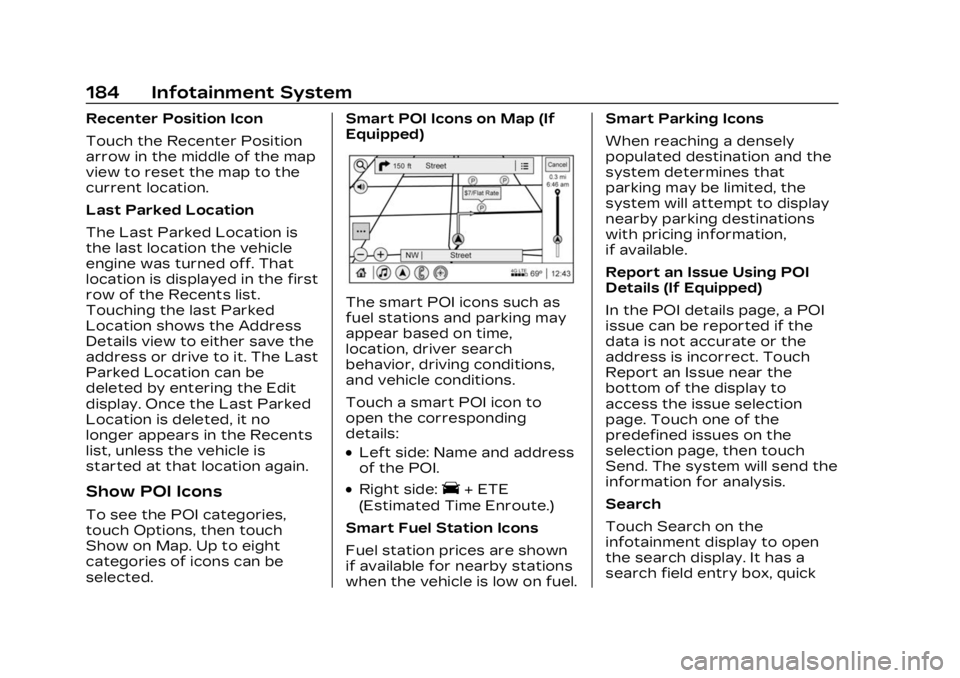
selected.Smart POI Icons on Map (If
Equipped)
The smart POI icons such as
fuel stations and parking may
appear based on time,
location, driver search
behavior, driving conditions,
and vehicle conditions.
Touch a smart POI icon to
open the corresponding
details:
.Left side: Name and address
of the POI.
.Right side:E+ ETE
(Estimated Time Enroute.)
Smart Fuel Station Icons
Fuel station prices are shown
if available for nearby stations
when the vehicle is low on fuel. Smart Parking Icons
When reaching a densely
populated destination and the
system determines that
parking may be limited, the
system will attempt to display
nearby parking destinations
with pricing information,
if available.
Report an Issue Using POI
Details (If Equipped)
In the POI details page, a POI
issue can be reported if the
data is not accurate or the
address is incorrect. Touch
Report an Issue near the
bottom of the display to
access the issue selection
page. Touch one of the
predefined issues on the
selection page, then touch
Send. The system will send the
information for analysis.
Search
Touch Search on the
infotainment display to open
the search display. It has a
search field entry box, quick
Page 211 of 476
Cadillac XT4 Owner Manual (GMNA-Localizing-U.S./Canada/Mexico-
16412876) - 2023 - CRC - 3/25/22
210 Infotainment System
systems, touch Set Teen
Driver Speed Warning to set
the warning speed.
Set Teen Driver Speed
Warning :Choose the desired
speed warning level. The
speed warning does not limit
the speed of the vehicle.
SiriusXM Explicit Content
Filter : Allows the SiriusXM
Explicit Content Filter to be
turned ON or OFF. When ON,
the teen driver will not be able
to listen to SiriusXM stations
that contain explicit content,
and the Explicit Content Filter
selection in the Audio Settings
will be unavailable for change.
When Teen Driver is Active:
.If equipped, the radio will
mute when the driver seat
belt, and in some vehicles
the front passenger seat
belt, is not buckled. The
audio from any device paired
to the vehicle will also be
muted.
.An object placed on the
front passenger seat, such
as a briefcase, handbag,
grocery bag, laptop, or other
electronic device, could
cause the passenger
sensing system to falsely
sense an unbuckled front
passenger and mute the
radio. If this happens,
remove the object from the
seat. See Passenger
Sensing System 072.
.Some safety systems, such
as Automatic Emergency
Braking, if equipped, cannot
be turned off.
.The gap setting for Adaptive
Cruise Control and alert
timing for Forward Collision
Alert, if equipped, cannot be
changed.
.When trying to change a
safety feature that is not
configurable in Teen Driver,
the feature may be grayed
out or removed from the
infotainment menu, or the
DIC will display a message indicating that Teen Driver is
active and the action is not
available.
.Super Cruise, if equipped, is
not available.
.Enhanced Low Fuel Warning
(if equipped)
–When the
vehicle is low on fuel, the low
fuel light on the instrument
cluster flashes and the DIC
low fuel warning cannot be
dismissed.
.Do not tow a trailer if
equipped with Automatic
Emergency Braking.
Report Card
The vehicle owner must
secure the driver’s consent to
record certain vehicle data
when the vehicle is driven with
a registered Teen Driver key.
There is one Report Card per
vehicle. Data is only recorded
when a registered Teen Driver
key is used to operate the
vehicle.
Page 224 of 476

Cadillac XT4 Owner Manual (GMNA-Localizing-U.S./Canada/Mexico-
16412876) - 2023 - CRC - 3/25/22
Climate Controls 223
To improve fuel efficiency and
to cool the vehicle faster,
recirculation may be
automatically selected in warm
weather.
The recirculation light will not
come on when automatically
controlled. See
@under
“Manual Operation” for more
details.
During hands free calling the
blower level may automatically
reduce. The blower level can
be manually adjusted if
desired.
Manual Operation
ON/OFF : Press to turn the
system off or on. When off is
selected, the system will
prevent outside air from
entering the vehicle. If any
climate control buttons are
pressed, the system will turn
on and operate at the current
setting.
Q^or^ R:Lift or press to
increase or decrease the fan
speed. The fan speed setting appears on the main display.
Lifting or pressing either
button cancels automatic fan
control and the fan is
controlled manually. Press
AUTO to return to automatic
operation.
Q/R:
The temperature can be
adjusted separately for the
driver and the passenger. Lift
or press to increase or
decrease the temperature.
SYNC : Press to link the
passenger temperature
settings to the driver setting.
The SYNC indicator light will
turn on. When the passenger
settings are adjusted, the
SYNC indicator light turns off.
Air Delivery Mode Controls :
Press
z,Y, or[to change
the direction of the airflow.
The indicator light in the
button will turn on. Any
combination of the three
buttons can be selected. The
current mode appears in the
climate control display.
Pressing any of the three buttons cancels automatic air
delivery control and the
direction of the airflow is
controlled manually. Press
AUTO to return to automatic
operation.
To change the current mode,
select one or more of the
following:
z:
Clears the windows of fog
or moisture. Air is directed to
the windshield.
Y: Air is directed to the
instrument panel outlets.
[: Air is directed to the floor
outlets.
0MAX : Air is directed to the
windshield and the fan runs at
a higher speed. Fog or frost is
cleared from the windshield
more quickly. When the button
is pressed again, the system
returns to the previous mode
setting.
For best results, clear all snow
and ice from the windshield
before defrosting.
Page 228 of 476

Cadillac XT4 Owner Manual (GMNA-Localizing-U.S./Canada/Mexico-
16412876) - 2023 - CRC - 3/25/22
Driving and Operating 227
Driving and
Operating
Driving Information
Driver Behavior . . . . . . . . . . . . 228
Driving Environment . . . . . . 229
Vehicle Design . . . . . . . . . . . . . . 229
Driving for Better FuelEconomy . . . . . . . . . . . . . . . . . . . 229
Distracted Driving . . . . . . . . . 229
Defensive Driving . . . . . . . . . 230
Impaired Driving . . . . . . . . . . . 230
Control of a Vehicle . . . . . . . 231
Braking . . . . . . . . . . . . . . . . . . . . . . . . 231
Steering . . . . . . . . . . . . . . . . . . . . . . 231
Off-Road Recovery . . . . . . . 232
Loss of Control . . . . . . . . . . . . 233
Off-Road Driving . . . . . . . . . . . 233
Driving on Wet Roads . . . . 238
Hill and Mountain Roads . . . . . . . . . . . . . . . . . . . . . . . 239
Winter Driving . . . . . . . . . . . . . . 239
If the Vehicle Is Stuck . . . . . 241
Vehicle Load Limits . . . . . . . 242
Starting and Operating
New Vehicle Break-In . . . . 246
Ignition Positions . . . . . . . . . . 247
Starting the Engine . . . . . . . 248 Stop/Start System . . . . . . . . 249
Winter Cover . . . . . . . . . . . . . . . . 251
Engine Heater . . . . . . . . . . . . . . 252
Retained Accessory
Power (RAP) . . . . . . . . . . . . . . . 253
Shifting Into Park . . . . . . . . . . 254
Shifting out of Park . . . . . . . 254
Parking over Things That Burn . . . . . . . . . . . . . . . . . . 255
Active Fuel Management . . . . . . . . . . . . . . 255
Extended Parking . . . . . . . . . 255
Engine Exhaust
Engine Exhaust . . . . . . . . . . . . 256
Running the Vehicle While Parked . . . . . . . . . . . . . . 256
Automatic Transmission
Automatic
Transmission . . . . . . . . . . . . . . 257
Manual Mode . . . . . . . . . . . . . . . 262
Drive Systems
All-Wheel Drive . . . . . . . . . . . . . 263
Brakes
Electric Brake Boost . . . . . 264
Antilock Brake System (ABS) . . . . . . . . . . . . . 264
Electric Parking Brake . . . 264
Brake Assist . . . . . . . . . . . . . . . . 266 Hill Start Assist (HSA) . . . . 266
Ride Control Systems
Traction Control/
Electronic Stability
Control . . . . . . . . . . . . . . . . . . . . . . 267
Driver Mode Control . . . . . . 269
Cruise Control
Cruise Control . . . . . . . . . . . . . . 270
Adaptive Cruise Control (Advanced) . . . . . . . . . . . . . . . . . 273
Driver Assistance
Systems
Driver AssistanceSystems . . . . . . . . . . . . . . . . . . . . 284
Assistance Systems for Parking or Backing . . . . . . 286
Rear Vision Camera (RVC) . . . . . . . . . . . . . 286
Surround Vision System . . . . . . . . . . . . . . . . . . . . . . 287
Park Assist . . . . . . . . . . . . . . . . . . 289
Automatic Parking Assist (APA) . . . . . . . . . . . . . . . . 291
Reverse Automatic Braking (RAB) . . . . . . . . . . . . . 294
Rear Pedestrian Alert . . . . 296
Rear Cross Traffic Alert (RCTA) System . . . . . . . . . . . 297