Heated seats CADILLAC XT4 2024 Owners Manual
[x] Cancel search | Manufacturer: CADILLAC, Model Year: 2024, Model line: XT4, Model: CADILLAC XT4 2024Pages: 373, PDF Size: 8.01 MB
Page 7 of 373

Cadillac XT4 Owner Manual (GMNA-Localizing-U.S./Canada/Mexico-
17180837) - 2024 - CRC - 2/28/23
6 Introduction
1.Air Vents 0160.
2. Exterior Lamp Controls 0122.
Turn Signal Lever. See Turn and
Lane-Change Signals 0127.
IntelliBeam System Button (If Equipped).
See Exterior Lamp Controls 0122.
3. Tap Shift Controls. See Manual Mode
0 185 (If Equipped).
4. Instrument Cluster 094.
Driver Information Center (DIC) Display.
See Driver Information Center (DIC) 0111.
5. Windshield Wiper/Washer 088.
Rear Window Wiper/Washer 090.
6. ENGINE START/STOP Button. See Ignition
Positions 0174.
7. Infotainment Display. See Introduction
0 130.
8. Light Sensor. See Automatic Headlamp
System 0125.
9. Dual Automatic Climate Control System
0157.
10. Heated and Ventilated Front Seats 042
(If Equipped).
Park Assist Button. See Assistance
Systems for Parking or Backing 0224. Automatic Parking Assist (APA) Button.
See
Assistance Systems for Parking or
Backing 0224.
Hazard Warning Flashers 0127.
Lane Keep Assist (LKA) 0245 (If
Equipped).
11. Power Outlets 091.
12. Traction Control/Electronic Stability
Control 0189.
Auto Stop Disable Switch. See Stop/Start
System 0176.
MODE Switch. See Driver Mode Control
0 190.
13. Wireless Charging 091 (Out of View) (If
Equipped).
14. USB Port 0138.
15. Infotainment Controls. See Overview
0 131.
16. Shift Lever. See Automatic Transmission
0 181.
17. Steering Wheel Controls 0132.
Driver Information Center (DIC) Controls.
See Driver Information Center (DIC) 0111.
18. Horn 088.
19. Steering Wheel Adjustment 087 (Out
of View). 20.
Cruise Control 0192.
Adaptive Cruise Control (Advanced) 0196
(If Equipped).
Super Cruise 0206 (If Equipped).
Heated Steering Wheel 087 (If
Equipped).
Forward Collision Alert (FCA) System
0 233 (If Equipped).
21. Data Link Connector. See Malfunction
Indicator Lamp (Check Engine Light)
0 102 (Out of View).
22. Hood Release. See Hood0262 (Out
of View).
23. Instrument Panel Illumination Control
0128.
24. Electric Parking Brake 0187.
Page 15 of 373

Cadillac XT4 Owner Manual (GMNA-Localizing-U.S./Canada/Mexico-
17180837) - 2024 - CRC - 2/28/23
14 Keys, Doors, and Windows
1. Press the button on the side of theremote key near the bottom and pull the
mechanical key out. Never pull the
mechanical key out without pressing the
button.2. Use the mechanical key blade in the slotto remove the battery cover by hand.
3. Remove the battery cover.
4. Pull on the tab to access the battery. 5. Remove the old battery. Do not use a
metal object.
6. Insert the new battery, positive side facing up. Replace with a CR2450 or
equivalent battery.
7. Place the seal back into the groove around the battery compartment.
8. Replace the battery cover by snapping it back into the remote key.
9. Reinsert the mechanical key.
Remote Vehicle Start
This feature allows the engine to be started
from outside of the vehicle.
S: This button is on the remote key for
remote start. The remote key range may be
lessened while the vehicle is running.
The climate control system will use the
previous settings during a remote start. The
rear defog may come on during a remote
start based on cold conditions. The rear
defog indicator light will not come on
during a remote start.
If the vehicle has auto heated or ventilated
seats they may come on during a remote
start. See Heated and Ventilated Front Seats
0 42.
Page 29 of 373

Cadillac XT4 Owner Manual (GMNA-Localizing-U.S./Canada/Mexico-
17180837) - 2024 - CRC - 2/28/23
28 Keys, Doors, and Windows
.They are accidentally manually folded/
unfolded.
.The mirrors do not stay in the unfolded
position.
.The mirrors vibrate at normal driving
speeds.
Fold and unfold the mirrors one time using
the mirror controls to reset them to their
normal position. A noise may be heard
during the resetting of the power folding
mirrors. This sound is normal after a manual
folding operation.
Remote Mirror Folding
If equipped with power folding mirrors, and
the mirrors have been folded with the
power folding mirror switch, they may not
be unfolded by use of remote key.
If equipped with power folding mirrors, and
the mirrors have not been folded with the
power folding mirror switch and the vehicle
is in P (Park), they may be automatically
folded/unfolded as follows:
.If the doors are locked by pressingHon
the remote key, the mirrors will fold.
If the doors are unlocked by pressing
I
on the remote key, the mirrors will
unfold.
.If the doors are locked by pressing the
door handle button, the mirrors will fold.
If doors are unlocked by pressing the
door handle button, the mirrors will
unfold.
.If passive locking is enabled and the doors
are locked by the feature, the mirrors
will fold.
Heated Mirrors
K: Press to heat the mirrors.
See “Rear Window Defogger” underDual
Automatic Climate Control System 0157.
Automatic Dimming Mirror
If the vehicle has the automatic dimming
mirror, the driver outside mirror
automatically adjusts for the glare of
headlamps behind you.
Reverse Tilt Mirrors
If equipped with reverse tilt mirrors and
memory seats, the passenger and/or driver
mirror tilts to a preselected position when
the vehicle is in R (Reverse). This allows the
curb to be seen when parallel parking. The mirror(s) may move from their tilted
position when:
.The vehicle is shifted out of R (Reverse) or
remains in R (Reverse) for about
30 seconds.
.The vehicle is turned off.
.The vehicle is driven in R (Reverse) above
a set speed.
To view available settings from the
infotainment screen, touch Settings >
Vehicle > Comfort and Convenience.
Interior Mirrors
Interior Rearview Mirrors
Adjust the rearview mirror for a clear view
of the area behind the vehicle.
Do not spray glass cleaner directly on the
mirror. Use a soft towel dampened with
water.
Manual Rearview Mirror
If equipped, push the tab forward for
daytime use and pull it rearward for
nighttime use to avoid glare of the
headlamps from behind.
Page 36 of 373
Cadillac XT4 Owner Manual (GMNA-Localizing-U.S./Canada/Mexico-
17180837) - 2024 - CRC - 2/28/23
Seats and Restraints 35
Seats and Restraints
Head Restraints
Head Restraints . . . . . . . . . . . . . . . . . . . . . . . . . 35
Front Seats
Power Seat Adjustment . . . . . . . . . . . . . . . . . 37
Reclining Seatbacks . . . . . . . . . . . . . . . . . . . . . 38
Lumbar Adjustment . . . . . . . . . . . . . . . . . . . . 38
Massage . . . . . . . . . . . . . . . . . . . . . . . . . . . . . . . . 39
Memory Seats . . . . . . . . . . . . . . . . . . . . . . . . . 40
Heated and Ventilated Front Seats . . . . . 42
Rear Seats
Rear Seats . . . . . . . . . . . . . . . . . . . . . . . . . . . . . . 43
Heated Rear Seats . . . . . . . . . . . . . . . . . . . . . . 45
Seat Belts
Seat Belts . . . . . . . . . . . . . . . . . . . . . . . . . . . . . . 45
Buckle To Drive . . . . . . . . . . . . . . . . . . . . . . . . 46
How to Wear Seat Belts Properly . . . . . . . 47
Lap-Shoulder Belt . . . . . . . . . . . . . . . . . . . . . . . 49
Seat Belt Use During Pregnancy . . . . . . . . 51
Seat Belt Extender . . . . . . . . . . . . . . . . . . . . . . 51
Safety System Check . . . . . . . . . . . . . . . . . . . 52
Seat Belt Care . . . . . . . . . . . . . . . . . . . . . . . . . . 52
Replacing Seat Belt System Parts after aCrash . . . . . . . . . . . . . . . . . . . . . . . . . . . . . . . . . 52
Airbag System
Airbag System . . . . . . . . . . . . . . . . . . . . . . . . . . 53 Where Are the Airbags? . . . . . . . . . . . . . . . . 54
When Should an Airbag Inflate? . . . . . . . . 55
What Makes an Airbag Inflate? . . . . . . . . . 56
How Does an Airbag Restrain? . . . . . . . . . 56
What Will You See after an Airbag
Inflates? . . . . . . . . . . . . . . . . . . . . . . . . . . . . . . 57
Passenger Sensing System . . . . . . . . . . . . . . 58
Servicing the Airbag-Equipped Vehicle . . . . . . . . . . . . . . . . . . . . . . . . . . . . . . . . 61
Adding Equipment to the Airbag-Equipped Vehicle . . . . . . . . . . . . . . 61
Airbag System Check . . . . . . . . . . . . . . . . . . . 62
Replacing Airbag System Parts after a Crash . . . . . . . . . . . . . . . . . . . . . . . . . . . . . . . . . 62
Child Restraints
Older Children . . . . . . . . . . . . . . . . . . . . . . . . . . 63
Infants and Young Children . . . . . . . . . . . . 64
Child Restraint Systems . . . . . . . . . . . . . . . . 66
Where to Put the Restraint . . . . . . . . . . . . 68
Lower Anchors and Tethers for Children(LATCH System) . . . . . . . . . . . . . . . . . . . . . . 69
Replacing LATCH System Parts After a Crash . . . . . . . . . . . . . . . . . . . . . . . . . . . . . . . . . 76
Securing Child Restraints (With the Seat Belt in the Rear Seat) . . . . . . . . . . . . . . . . . 76
Securing Child Restraints (With the Seat Belt in the Front Seat) . . . . . . . . . . . . . . . . 78
Head Restraints
Front Seats
{Warning
With head restraints that are not
installed and adjusted properly, there is a
greater chance that occupants will suffer
a neck/spinal injury in a crash. Do not
drive until the head restraints for all
occupants are installed and adjusted
properly.
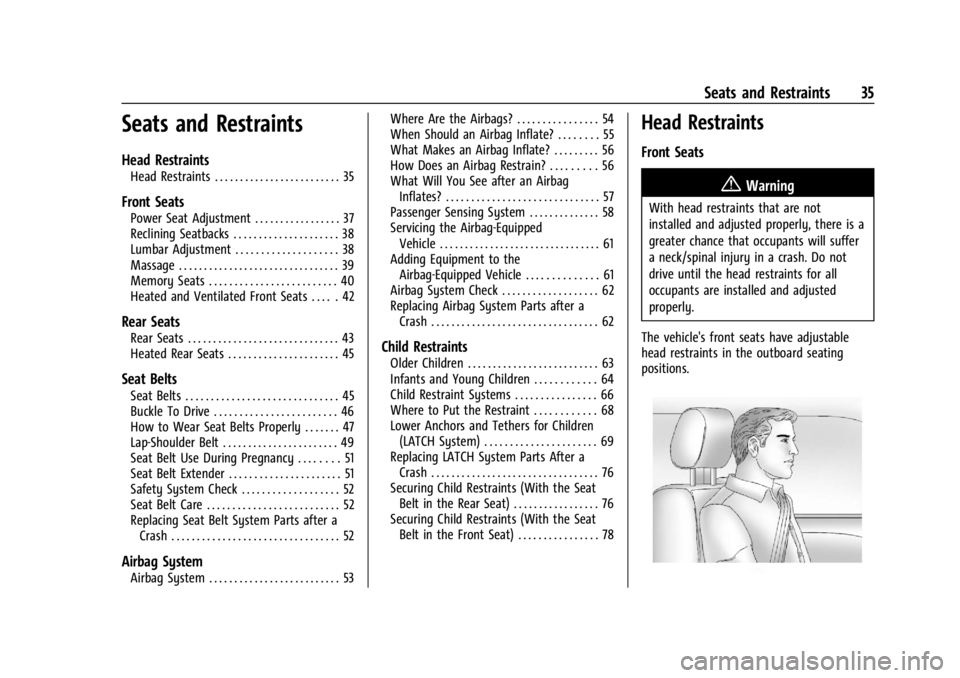
The vehicle's front seats have adjustable
head restraints in the outboard seating
positions.
Page 43 of 373

Cadillac XT4 Owner Manual (GMNA-Localizing-U.S./Canada/Mexico-
17180837) - 2024 - CRC - 2/28/23
42 Seats and Restraints
.Seat Exit Memory is enabled. See
“Enabling Automatic Recalls”previously in
this section.
.The vehicle is in P (Park).
Seat Exit Memory recall will continue if the
vehicle is shifted out of P (Park) prior to
reaching the saved memory position.
Seat Exit Memory is not linked to a remote
key. The seating position saved to
Bis
used for all drivers.
Cancel Memory Seating Recalls
.During any memory recall:
Press a power seat control
Press SET memory button
.During Manual memory recall:
Release 1, 2, or
Bmemory button
.During Auto Seat Entry Memory Recall:
Turn vehicle off
Press SET, 1, 2, or
Bmemory buttons
.During Auto Seat Exit Memory Recall:
Press SET, 1, 2, or
Bmemory buttons Obstructions
If something has blocked the seat while
recalling a memory position, the recall may
stop. Remove the obstruction and try the
recall again. If the memory position still
does not recall, see your dealer.
Heated and Ventilated Front
Seats
{Warning
If temperature change or pain to the skin
cannot be felt, the seat heater may cause
burns. To reduce the risk of burns, use
care when using the seat heater,
especially for long periods of time. Do
not place anything on the seat that
insulates against heat, such as a blanket,
cushion, cover, or similar item. This may
cause the seat heater to overheat. An
overheated seat heater may cause a burn
or may damage the seat.Uplevel Buttons Shown, Base Buttons Similar
If equipped, the buttons are near the
climate controls on the center stack. To
operate, the engine must be running.
Press
Jorzto heat the driver or
passenger cushion and seatback.
Press
Cor{to ventilate the driver or
passenger seat.
Press the button once for the highest
setting. With each press of the button, the
seat will change to the next lower setting,
and then to the off setting. The indicator
lights above the buttons indicate three for
the highest setting and one for the lowest.
Page 44 of 373

Cadillac XT4 Owner Manual (GMNA-Localizing-U.S./Canada/Mexico-
17180837) - 2024 - CRC - 2/28/23
Seats and Restraints 43
If the front heated seats are on high, the
level may automatically be lowered after
approximately 30 minutes.
A ventilated seat has a fan that pulls or
pushes air through the seat. The air is not
cooled.
The passenger seat may take longer to
heat up.
Auto Heated and Ventilated Seats
If the vehicle is equipped with auto heated
or ventilated seats, and the engine is
running, this feature will automatically
activate the heated or ventilated seats at
the level required by the vehicle's interior
temperature.
The active high, medium, low, or off heated
or ventilated seat level will be indicated by
the manual heated and ventilated seat
buttons on the center stack. Use the manual
heated and ventilated seat buttons on the
center stack to turn auto heated or
ventilated seats off. If the passenger seat is
unoccupied, the auto heated or ventilated
seats feature will not activate that seat. To
enable or disable auto heated or ventilated
seats, select Settings > Vehicle > Comfort
and Convenience > Auto Heated Ventilated
Seats > ON or OFF. If equipped with aheated steering wheel, the auto heated
steering wheel activation will follow the
heated seat auto activation and the heated
wheel indicator will follow the state of the
steering wheel heat.
Remote Start Heated and Ventilated Seats
If equipped, the heated seats will turn on
automatically during a remote start if it is
cold outside and the ventilated seats will
turn on automatically if it is hot outside.
If equipped, the heated steering wheel will
turn on automatically during a remote start
if it is cold outside. The heated and
ventilated seat indicators and heated
steering wheel indicator may come on
during this operation.
The heated and ventilated seats and heated
steering wheel may cancel when the vehicle
is started. These features can be manually
selected after the ignition is turned on and
engine is running.
The temperature performance of an
unoccupied seat may be reduced. This is
normal.
To enable or disable remote start heated or
ventilated seats, select Settings > Vehicle >
Remote Lock, Unlock, and Start > Remote
Start Auto Heat Seats or Remote Start Auto
Cool Seats > ON or OFF. See
Remote Vehicle
Start 014.
Rear Seats
Rear Seat Reminder
If equipped, the message REAR SEAT
REMINDER LOOK IN REAR SEAT displays
under certain conditions indicating there
may be an item or passenger in the rear
seat. Check before exiting the vehicle.
This feature will activate when a second row
door is opened while the vehicle is on or up
to 10 minutes before the vehicle is turned
on. There will be an alert when the vehicle
is turned off. The alert does not directly
detect objects in the rear seat; instead,
under certain conditions, it detects when a
rear door is opened and closed, indicating
that there may be something in the
rear seat.
The feature is active only once each time
the vehicle is turned on and off, and will
require reactivation by opening and closing
the second row doors. There may be an
alert even when there is nothing in the rear
Page 46 of 373

Cadillac XT4 Owner Manual (GMNA-Localizing-U.S./Canada/Mexico-
17180837) - 2024 - CRC - 2/28/23
Seats and Restraints 45
Heated Rear Seats
{Warning
If temperature change or pain to the skin
cannot be felt, the seat heater may cause
burns. See the Warning underHeated
and Ventilated Front Seats 042.
If equipped, the rear heated seat buttons
are on the rear of the center console.
With the engine running, press
MorLto
heat the left outboard or right outboard
seat. Press the button once for the highest
setting. With each press of the button, the
seat will change to the next lower setting, and then to the off setting. The indicator
lights on the buttons indicate three for the
highest setting and one for the lowest.
If the heated rear seats are on the highest
setting, the level may automatically be
lowered after approximately 30 minutes.
Seat Belts
This section describes how to use seat belts
properly, and some things not to do.
{Warning
Do not let anyone ride where a seat belt
cannot be worn properly. In a crash,
if you or your passenger(s) are not
wearing seat belts, injuries can be much
worse than if you are wearing seat belts.
You can be seriously injured or killed by
hitting things inside the vehicle harder or
by being ejected from the vehicle. In
addition, anyone who is not buckled up
can strike other passengers in the vehicle.
It is extremely dangerous to ride in a
cargo area, inside or outside of a vehicle.
In a collision, passengers riding in these
areas are more likely to be seriously
(Continued)
Warning (Continued)
injured or killed. Do not allow passengers
to ride in any area of the vehicle that is
not equipped with seats and seat belts.
Always wear a seat belt, and check that
all passenger(s) are restrained
properly too.
This vehicle has indicators as a reminder to
buckle the seat belts. See Seat Belt
Reminders 0100.
Why Seat Belts Work
Page 88 of 373

Cadillac XT4 Owner Manual (GMNA-Localizing-U.S./Canada/Mexico-
17180837) - 2024 - CRC - 2/28/23
Instruments and Controls 87
Controls
Steering Wheel Adjustment
Manual Steering Wheel
To adjust the steering wheel:1. Pull the lever down.
2. Move the steering wheel up or down.
3. Pull or push the steering wheel closer or away from you.
4. Pull the lever up to lock the steering wheel in place.
Do not adjust the steering wheel while
driving. Power Tilt and Telescoping Steering Wheel
Press the control to move the tilt and
telescoping steering wheel up and down or
forward and rearward.
Do not adjust the steering wheel while
driving.
Heated Steering Wheel
(:
If equipped, press to turn on or off.
A light near the button displays when the
feature is turned on.
The steering wheel takes about
three minutes to reach maximum heat.
Automatic Heated Steering Wheel
If equipped with remote start, the heated
steering wheel will turn on automatically
during a remote start along with the heated
seats when it is cold outside. The heated
steering wheel indicator light may come on.
Page 89 of 373

Cadillac XT4 Owner Manual (GMNA-Localizing-U.S./Canada/Mexico-
17180837) - 2024 - CRC - 2/28/23
88 Instruments and Controls
If equipped with auto heated seats, the
heated steering wheel will turn on when the
auto heated seats are activated. The heated
steering wheel indicator will follow the state
of the steering wheel heat.
SeeHeated and Ventilated Front Seats 042.
To turn this feature on or off, select Settings
> Vehicle > Comfort and Convenience >
Heated Steering Wheel > Select ON or OFF.
Horn
Pressaon the steering wheel pad to
sound the horn.
Windshield Wiper/Washer
Windshield Wiper with Rainsense (AUTO
Shown), If Equipped
Windshield Wiper without Rainsense (INT
Shown)
With the ignition on or in accessory mode,
move the windshield wiper lever to select
the wiper speed.
HI : Use for fast wipes.
LO : Use for slow wipes.
AUTO : If equipped with Rainsense, use this
setting for intermittent wipes when
Rainsense is disabled, or Rainsense wipes when Rainsense is enabled. For intermittent
wipes, move the windshield wiper lever to
AUTO, then turn the band up for more
frequent wipes or down for less frequent
wipes. If Rainsense is turned on, see
“Rainsense”
later in this section.
INT :If equipped with intermittent wipers
only, move the windshield wiper lever to
INT. Turn the band up for more frequent
wipes or down for less frequent wipes.
OFF : Use to turn the wipers off.
1X : For a single wipe, briefly move the
wiper lever down. For several wipes, hold
the wiper lever down.
f: Pull the windshield wiper lever
toward you to spray windshield washer fluid
and activate the wipers. The wipers will
continue until the lever is released or the
maximum wash time is reached. When the
Page 161 of 373

Cadillac XT4 Owner Manual (GMNA-Localizing-U.S./Canada/Mexico-
17180837) - 2024 - CRC - 2/28/23
160 Climate Controls
The defogger can be turned off by turning
the vehicle off or to accessory mode.
To turn Auto Rear Defog off or on, select
Settings > Vehicle > Climate and Air Quality
> Auto Rear Defog > Select ON or OFF.
When auto rear defog is selected, the rear
window defogger turns on automatically
when the interior temperature is cold and
the outside temperature is about 7 °C (44 °F)
and below. The auto rear defogger turns off
automatically.
If equipped, the heated outside mirrors turn
on when the rear window defogger button
is on and help to clear fog or frost from the
surface of the mirror. SeeHeated Mirrors
0 28.
Caution
Do not try to clear frost or other material
from the inside of the front windshield
and rear window with a razor blade or
anything else that is sharp. This may
damage the rear window defogger grid
and affect the radio's ability to pick up
stations clearly. The repairs would not be
covered by the vehicle warranty. Remote Start Climate Control Operation :
If equipped with remote start, the climate
control system may run when the vehicle is
started remotely. The system uses the
driver’s previous settings to heat or cool the
inside of the vehicle. The rear defog
indicator light does not come on during a
remote start. If equipped with heated or
ventilated seats, they may come on during a
remote start. See
Remote Vehicle Start 014
and Heated and Ventilated Front Seats 042.
Sensor
The solar sensor, on top of the instrument
panel near the windshield, monitors the
solar intensity. The climate control system uses the sensor
information to adjust the temperature, fan
speed, recirculation, and air delivery mode
for best comfort.
If the sensor is covered, the automatic
climate control system may not work
properly.
Afterblow Feature
If equipped, under certain conditions, the
fan may stay on or may turn on and off
several times after you turn off and lock the
vehicle. This is normal.
Air Vents