park assist CADILLAC XT4 2024 Owners Manual
[x] Cancel search | Manufacturer: CADILLAC, Model Year: 2024, Model line: XT4, Model: CADILLAC XT4 2024Pages: 373, PDF Size: 8.01 MB
Page 4 of 373
Cadillac XT4 Owner Manual (GMNA-Localizing-U.S./Canada/Mexico-
17180837) - 2024 - CRC - 2/28/23
Introduction 3
Caution
Caution indicates a hazard that could
result in property or vehicle damage.
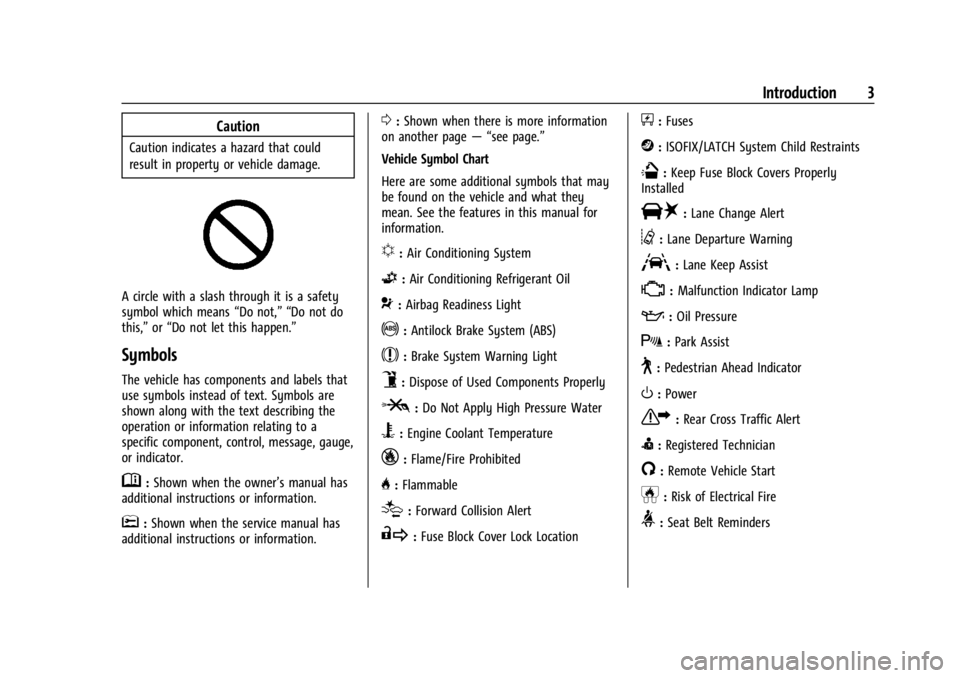
A circle with a slash through it is a safety
symbol which means“Do not,” “Do not do
this,” or“Do not let this happen.”
Symbols
The vehicle has components and labels that
use symbols instead of text. Symbols are
shown along with the text describing the
operation or information relating to a
specific component, control, message, gauge,
or indicator.
M:Shown when the owner’s manual has
additional instructions or information.
*: Shown when the service manual has
additional instructions or information.
0: Shown when there is more information
on another page — “see page.”
Vehicle Symbol Chart
Here are some additional symbols that may
be found on the vehicle and what they
mean. See the features in this manual for
information.
u: Air Conditioning System
G:Air Conditioning Refrigerant Oil
9:Airbag Readiness Light
!:Antilock Brake System (ABS)
$:Brake System Warning Light
9:Dispose of Used Components Properly
P:Do Not Apply High Pressure Water
B:Engine Coolant Temperature
_:Flame/Fire Prohibited
H: Flammable
[:Forward Collision Alert
R:Fuse Block Cover Lock Location
+:Fuses
j:ISOFIX/LATCH System Child Restraints
Q:Keep Fuse Block Covers Properly
Installed
|: Lane Change Alert
@:Lane Departure Warning
A:Lane Keep Assist
*: Malfunction Indicator Lamp
::Oil Pressure
X:Park Assist
~:Pedestrian Ahead Indicator
O:Power
7:Rear Cross Traffic Alert
I:Registered Technician
/:Remote Vehicle Start
h:Risk of Electrical Fire
>:Seat Belt Reminders
Page 7 of 373

Cadillac XT4 Owner Manual (GMNA-Localizing-U.S./Canada/Mexico-
17180837) - 2024 - CRC - 2/28/23
6 Introduction
1.Air Vents 0160.
2. Exterior Lamp Controls 0122.
Turn Signal Lever. See Turn and
Lane-Change Signals 0127.
IntelliBeam System Button (If Equipped).
See Exterior Lamp Controls 0122.
3. Tap Shift Controls. See Manual Mode
0 185 (If Equipped).
4. Instrument Cluster 094.
Driver Information Center (DIC) Display.
See Driver Information Center (DIC) 0111.
5. Windshield Wiper/Washer 088.
Rear Window Wiper/Washer 090.
6. ENGINE START/STOP Button. See Ignition
Positions 0174.
7. Infotainment Display. See Introduction
0 130.
8. Light Sensor. See Automatic Headlamp
System 0125.
9. Dual Automatic Climate Control System
0157.
10. Heated and Ventilated Front Seats 042
(If Equipped).
Park Assist Button. See Assistance
Systems for Parking or Backing 0224. Automatic Parking Assist (APA) Button.
See
Assistance Systems for Parking or
Backing 0224.
Hazard Warning Flashers 0127.
Lane Keep Assist (LKA) 0245 (If
Equipped).
11. Power Outlets 091.
12. Traction Control/Electronic Stability
Control 0189.
Auto Stop Disable Switch. See Stop/Start
System 0176.
MODE Switch. See Driver Mode Control
0 190.
13. Wireless Charging 091 (Out of View) (If
Equipped).
14. USB Port 0138.
15. Infotainment Controls. See Overview
0 131.
16. Shift Lever. See Automatic Transmission
0 181.
17. Steering Wheel Controls 0132.
Driver Information Center (DIC) Controls.
See Driver Information Center (DIC) 0111.
18. Horn 088.
19. Steering Wheel Adjustment 087 (Out
of View). 20.
Cruise Control 0192.
Adaptive Cruise Control (Advanced) 0196
(If Equipped).
Super Cruise 0206 (If Equipped).
Heated Steering Wheel 087 (If
Equipped).
Forward Collision Alert (FCA) System
0 233 (If Equipped).
21. Data Link Connector. See Malfunction
Indicator Lamp (Check Engine Light)
0 102 (Out of View).
22. Hood Release. See Hood0262 (Out
of View).
23. Instrument Panel Illumination Control
0128.
24. Electric Parking Brake 0187.
Page 87 of 373

Cadillac XT4 Owner Manual (GMNA-Localizing-U.S./Canada/Mexico-
17180837) - 2024 - CRC - 2/28/23
86 Instruments and Controls
Instruments and Controls
Controls
Steering Wheel Adjustment . . . . . . . . . . . . 87
Heated Steering Wheel . . . . . . . . . . . . . . . . . 87
Horn . . . . . . . . . . . . . . . . . . . . . . . . . . . . . . . . . . . 88
Windshield Wiper/Washer . . . . . . . . . . . . . 88
Rear Window Wiper/Washer . . . . . . . . . . . 90
Compass . . . . . . . . . . . . . . . . . . . . . . . . . . . . . . . . 91
Clock . . . . . . . . . . . . . . . . . . . . . . . . . . . . . . . . . . . 91
Power Outlets . . . . . . . . . . . . . . . . . . . . . . . . . . 91
Wireless Charging . . . . . . . . . . . . . . . . . . . . . . 91
Warning Lights, Gauges, and Indicators
Warning Lights, Gauges, andIndicators . . . . . . . . . . . . . . . . . . . . . . . . . . . . . 94
Instrument Cluster . . . . . . . . . . . . . . . . . . . . . 94
Speedometer . . . . . . . . . . . . . . . . . . . . . . . . . . . 96
Odometer . . . . . . . . . . . . . . . . . . . . . . . . . . . . . . 96
Trip Odometer . . . . . . . . . . . . . . . . . . . . . . . . . 96
Tachometer . . . . . . . . . . . . . . . . . . . . . . . . . . . . 96
Fuel Gauge . . . . . . . . . . . . . . . . . . . . . . . . . . . . . 97
Speed Limiter Indicator . . . . . . . . . . . . . . . . . 97
Engine Oil Pressure Gauge . . . . . . . . . . . . . 98
Engine Oil Temperature Gauge . . . . . . . . . 99
Engine Coolant Temperature Gauge . . . . 99
Seat Belt Reminders . . . . . . . . . . . . . . . . . . . 100
Airbag Readiness Light . . . . . . . . . . . . . . . . . 101
Passenger Airbag Status Indicator . . . . . . 101
Charging System Light . . . . . . . . . . . . . . . . 102 Malfunction Indicator Lamp (Check
Engine Light) . . . . . . . . . . . . . . . . . . . . . . . . 102
Brake System Warning Light . . . . . . . . . . 104
Electric Parking Brake Light . . . . . . . . . . . . 104
Service Electric Parking Brake Light . . . . 104
Antilock Brake System (ABS) Warning Light . . . . . . . . . . . . . . . . . . . . . . . . . . . . . . . . . 105
Gear Shifting Light . . . . . . . . . . . . . . . . . . . . 105
Performance Shifting Light . . . . . . . . . . . . 105
All-Wheel-Drive Light . . . . . . . . . . . . . . . . . . 105
Lane Keep Assist (LKA) Light . . . . . . . . . . . 106
Automatic Emergency Braking (AEB) Disabled Light . . . . . . . . . . . . . . . . . . . . . . . 106
Vehicle Ahead Indicator . . . . . . . . . . . . . . . 106
Pedestrian Ahead Indicator . . . . . . . . . . . . 106
Traction Off Light . . . . . . . . . . . . . . . . . . . . . . 107
Traction Control System (TCS)/Electronic Stability Control Light . . . . . . . . . . . . . . . 107
Electronic Stability Control (ESC) Off Light . . . . . . . . . . . . . . . . . . . . . . . . . . . . . . . . . 107
Engine Coolant Temperature Warning Light . . . . . . . . . . . . . . . . . . . . . . . . . . . . . . . . . 108
Driver Mode Control Light . . . . . . . . . . . . . 108
Tire Pressure Light . . . . . . . . . . . . . . . . . . . . 108
Engine Oil Pressure Light . . . . . . . . . . . . . . 109
Low Fuel Warning Light . . . . . . . . . . . . . . . 109
Auto Stop Indicator . . . . . . . . . . . . . . . . . . . . 110
Security Light . . . . . . . . . . . . . . . . . . . . . . . . . . 110
High-Beam On Light . . . . . . . . . . . . . . . . . . . 110 Adaptive Forward Lighting (AFL)
Light . . . . . . . . . . . . . . . . . . . . . . . . . . . . . . . . . 110
Lamps On Reminder . . . . . . . . . . . . . . . . . . . 110
Cruise Control Light . . . . . . . . . . . . . . . . . . . . 111
Adaptive Cruise Control Light . . . . . . . . . . . 111
Super Cruise Light . . . . . . . . . . . . . . . . . . . . . . 111
Door Ajar Light . . . . . . . . . . . . . . . . . . . . . . . . . 111
Information Displays
Driver Information Center (DIC) . . . . . . . . 111
Vehicle Status . . . . . . . . . . . . . . . . . . . . . . . . . . 113
Head-Up Display (HUD) . . . . . . . . . . . . . . . . 115
Vehicle Messages
Vehicle Messages . . . . . . . . . . . . . . . . . . . . . . 118
Engine Power Messages . . . . . . . . . . . . . . . 118
Vehicle Speed Messages . . . . . . . . . . . . . . . 118
Universal Remote System
Universal Remote System . . . . . . . . . . . . . . 119
Universal Remote System Programming . . . . . . . . . . . . . . . . . . . . . . . . 119
Universal Remote System Operation . . . 121
Page 104 of 373

Cadillac XT4 Owner Manual (GMNA-Localizing-U.S./Canada/Mexico-
17180837) - 2024 - CRC - 2/28/23
Instruments and Controls 103
Caution (Continued)
run smoothly. This could lead to costly
repairs that might not be covered by the
vehicle warranty.
Caution
Modifications to the engine, transmission,
exhaust, intake, or fuel system, or the
use of replacement tires that do not
meet the original tire specifications, can
cause this light to come on. This could
lead to costly repairs not covered by the
vehicle warranty. This could also affect
the vehicle’s ability to pass an Emissions
Inspection/Maintenance test. See
Accessories and Modifications0261.
If the light is flashing : A malfunction has
been detected that could damage the
emission control system and increase vehicle
emissions. Diagnosis and service may be
required.
To help prevent damage, reduce vehicle
speed and avoid hard accelerations and
uphill grades. If towing a trailer, reduce the
amount of cargo being hauled as soon as
possible. If the light continues to flash, find a safe
place to park. Turn the vehicle off and wait
at least 10 seconds before restarting the
engine. If the light is still flashing, follow
the previous guidelines and see your dealer
for service as soon as possible.
If the light is on steady :
A malfunction has
been detected. Diagnosis and service may be
required.
Check the following:
.If fuel has been added to the vehicle
using the capless funnel adapter, make
sure that it has been removed. See
“Filling the Tank with a Portable Gas Can”
under Filling the Tank 0248. The
diagnostic system can detect if the
adapter has been left installed in the
vehicle, allowing fuel to evaporate into
the atmosphere. A few driving trips with
the adapter removed may turn off the
light.
.Poor fuel quality can cause inefficient
engine operation and poor driveability,
which may go away once the engine is
warmed up. If this occurs, change the fuel
brand. It may require at least one full
tank of the proper fuel to turn the light
off. See Recommended Fuel 0247.
If the light remains on, see your dealer.
Emissions Inspection and Maintenance
Programs
If the vehicle requires an Emissions
Inspection/Maintenance test, the test
equipment will likely connect to the
vehicle's Data Link Connector (DLC).
The DLC is under the instrument panel to
the left of the steering wheel. Connecting
devices that are not used to perform an
Emissions Inspection/Maintenance test or to
service the vehicle may affect vehicle
operation. See Add-On Electrical Equipment
0 259. See your dealer if assistance is
needed.
The vehicle may not pass inspection if:
.The light is on when the engine is
running.
.The light does not come on when the
ignition is on while the engine is off.
Page 117 of 373
Cadillac XT4 Owner Manual (GMNA-Localizing-U.S./Canada/Mexico-
17180837) - 2024 - CRC - 2/28/23
116 Instruments and Controls
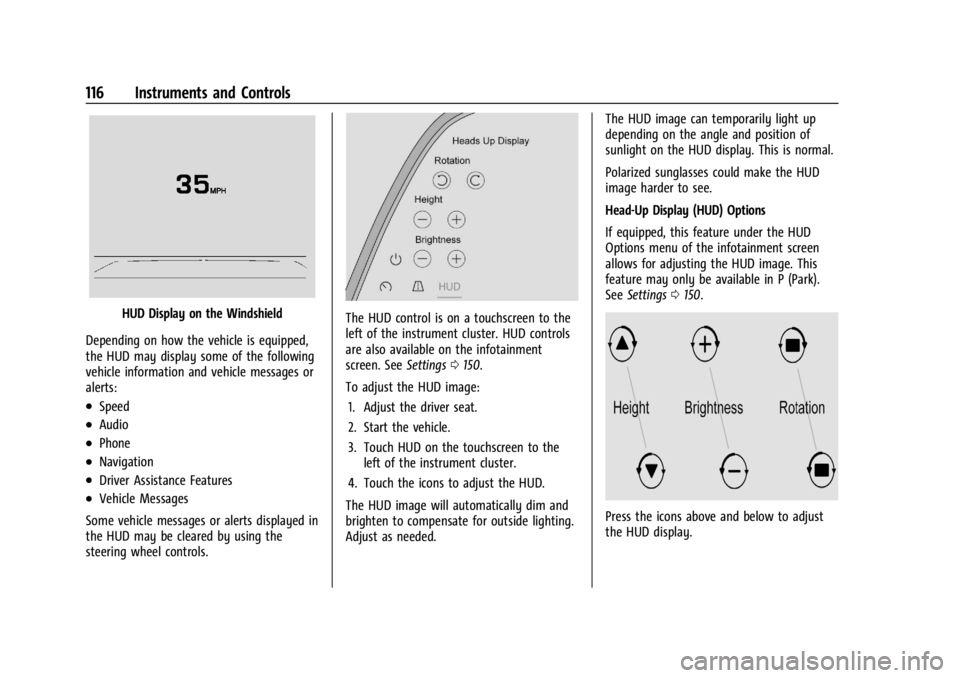
HUD Display on the Windshield
Depending on how the vehicle is equipped,
the HUD may display some of the following
vehicle information and vehicle messages or
alerts:
.Speed
.Audio
.Phone
.Navigation
.Driver Assistance Features
.Vehicle Messages
Some vehicle messages or alerts displayed in
the HUD may be cleared by using the
steering wheel controls.
The HUD control is on a touchscreen to the
left of the instrument cluster. HUD controls
are also available on the infotainment
screen. See Settings0150.
To adjust the HUD image: 1. Adjust the driver seat.
2. Start the vehicle.
3. Touch HUD on the touchscreen to the left of the instrument cluster.
4. Touch the icons to adjust the HUD.
The HUD image will automatically dim and
brighten to compensate for outside lighting.
Adjust as needed. The HUD image can temporarily light up
depending on the angle and position of
sunlight on the HUD display. This is normal.
Polarized sunglasses could make the HUD
image harder to see.
Head-Up Display (HUD) Options
If equipped, this feature under the HUD
Options menu of the infotainment screen
allows for adjusting the HUD image. This
feature may only be available in P (Park).
See
Settings 0150.
Press the icons above and below to adjust
the HUD display.
Page 120 of 373

Cadillac XT4 Owner Manual (GMNA-Localizing-U.S./Canada/Mexico-
17180837) - 2024 - CRC - 2/28/23
Instruments and Controls 119
propulsion and vehicle systems, such as
lubrication, thermal, brakes, suspension,
Teen Driver if equipped, or tires.
Universal Remote System
SeeRadio Frequency Statement 0348.
Universal Remote System
Programming
If equipped, these buttons are in the
overhead console.
This system can replace up to three remote
control transmitters used to activate devices
such as garage door openers, security systems, and home automation devices.
These instructions refer to a garage door
opener, but can be used for other devices.
Do not use the Universal Remote system
with any garage door opener that does not
have the stop and reverse feature. This
includes any garage door opener model
manufactured before April 1, 1982.
Keep the original hand-held transmitter for
use in other vehicles as well as for future
programming. Erase the programming when
vehicle ownership is terminated. See
“Erasing Universal Remote System Buttons”
later in this section.
To program a garage door opener, park
outside directly in line with and facing the
garage door opener receiver. Clear all people
and objects near the garage door.
Make sure the hand-held transmitter has a
new battery for quick and accurate
transmission of the radio-frequency signal.Programming the Universal Remote
System
Programming involves time-sensitive actions
and may time out, requiring the procedure
to be repeated. Read these instructions
completely before programming theUniversal Remote system. It may help to
have another person assist with the
programming process.
1. Hold the end of the hand-held transmitter about 3 to 8 cm (1 to 3 in)
away from the Universal Remote system
buttons with the indicator light in view.
The hand-held transmitter was supplied
by the manufacturer of the garage door
opener receiver.
2. Press and release one of the three Universal Remote system buttons to be
programmed. Press and hold the
hand-held transmitter button. Do not
release the hand-held transmitter button
until the indicator light changes from a
slow to a rapid flash or continuous light.
Then release the hand-held transmitter
button.
Some garage door openers may require
substitution of Step 2 with the procedure
under “Radio Signals for Some Gate
Operators” later in this section.
Page 123 of 373

Cadillac XT4 Owner Manual (GMNA-Localizing-U.S./Canada/Mexico-
17180837) - 2024 - CRC - 2/28/23
122 Lighting
Lighting
Exterior Lighting
Exterior Lamp Controls . . . . . . . . . . . . . . . . . 122
Exterior Lamps Off Reminder . . . . . . . . . . 124
Headlamp High/Low-Beam Changer . . . . 124
Flash-to-Pass . . . . . . . . . . . . . . . . . . . . . . . . . . . 124
Daytime Running Lamps (DRL) . . . . . . . . . 124
Automatic Headlamp System . . . . . . . . . . 125
Adaptive Forward Lighting (AFL) . . . . . . . 125
Headlamp Leveling Control . . . . . . . . . . . . 127
Hazard Warning Flashers . . . . . . . . . . . . . . 127
Turn and Lane-Change Signals . . . . . . . . . 127
Cornering Lamps . . . . . . . . . . . . . . . . . . . . . . . 127
Interior Lighting
Instrument Panel IlluminationControl . . . . . . . . . . . . . . . . . . . . . . . . . . . . . . 128
Courtesy Lamps . . . . . . . . . . . . . . . . . . . . . . . 128
Dome Lamps . . . . . . . . . . . . . . . . . . . . . . . . . . 128
Reading Lamps . . . . . . . . . . . . . . . . . . . . . . . . 128
Lighting Features
Entry Lighting . . . . . . . . . . . . . . . . . . . . . . . . . 129
Exit Lighting . . . . . . . . . . . . . . . . . . . . . . . . . . . 129
Battery Power Protection . . . . . . . . . . . . . . 129
Exterior Lighting Battery Saver . . . . . . . . 129
Exterior Lighting
Exterior Lamp Controls
The exterior lamp control is on the turn
signal lever.
Turn the control to the following positions:
O: Turns the exterior lamps off and
deactivates the AUTO mode. Turn to
O
again to reactivate the AUTO mode.
For vehicles first sold in Canada, the
headlamps will automatically reactivate
when the vehicle is shifted out of P (Park).
AUTO : Automatically turns the exterior
lamps on and off, depending on outside
lighting.
;: Turns on the parking lamps including
all lamps, except the headlamps.
2: Turns on the headlamps together with
the parking lamps and instrument panel
lights.
IntelliBeam System
If equipped, this system turns the vehicle
high-beam headlamps on and off according
to surrounding traffic conditions.
The system turns the high-beam headlamps
on when it is dark enough and there is no
other traffic present.
This light
\comes on in the instrument
cluster when the IntelliBeam system is
enabled.
Turning On and Enabling IntelliBeam
To enable and disable the IntelliBeam
system on the infotainment home screen,
select Settings > Vehicle >
\Automatic
High Beam Assist.
Driving with IntelliBeam
The system only activates the high beams
when driving over 40 km/h (25 mph).
The blue high-beam on light appears on the
instrument cluster when the high beams
are on.
Page 143 of 373
Cadillac XT4 Owner Manual (GMNA-Localizing-U.S./Canada/Mexico-
17180837) - 2024 - CRC - 2/28/23
142 Infotainment System
.The surface streets run parallel to a
freeway.
.The vehicle has been transferred by a
vehicle carrier or a ferry.
.The current position calibration is set
incorrectly.
.The vehicle is traveling at high speed.
.The vehicle changes directions more than
once, or the vehicle is turning on a turn
table in a parking lot.
.The vehicle is entering and/or exiting a
parking lot, garage, or a lot with a roof.
.The GPS signal is not received.
.A roof carrier is installed on the vehicle.
.Tire chains are installed on the vehicle.
.The tires are replaced or worn.
.The tire pressure for the tires is incorrect.
.This is the first navigation use after the
map data is updated.
.The 12-volt battery has been disconnected
for several days.
.The vehicle is driving in heavy traffic
where driving is at low speeds, and the
vehicle is stopped and started repeatedly.
Problems with Route Guidance
Inappropriate route guidance can occur
under one or more of the following
conditions:
.The turn was not made on the road
indicated.
.Route guidance might not be available
when using automatic rerouting for the
next right or left turn.
.The route might not be changed when
using automatic rerouting.
.There is no route guidance when turning
at an intersection.
.Automatic rerouting might display a route
returning to the set waypoint if heading
for a destination without passing through
a set waypoint.
.The route prohibits the entry of a vehicle
due to a regulation by time or season or
any other regulation which may be given.
.Some routes might not be searched.
.The route to the destination might not be
shown if there are new roads, if roads
have recently changed, or if certain roads
are not listed in Maps.To recalibrate the vehicle's position on the
map, park with the vehicle running for two
to five minutes, until the vehicle position
updates. Make sure the vehicle is parked in
a location that is safe and has a clear view
of the sky and away from large
obstructions.
Voice Recognition
If equipped, Google Assistant allows for
hands-free use of media and messaging,
navigation and climate control functionality
in the vehicle. This feature can be started by
pressing
gon the steering wheel, touching
Google Assistant on the Home screen, or by
using the wake up words “Hey Google”or
“OK Google.”
However, not all features within these areas
are supported by voice commands and
requires the user to have a valid data
subscription plan or connected to WiFi in
order to use some of the Google Assistant
features.
Using Voice Recognition
Voice recognition becomes available once
the system is initialized. This begins when
the vehicle is turned on. Initialization may
take a few moments.
Page 145 of 373
Cadillac XT4 Owner Manual (GMNA-Localizing-U.S./Canada/Mexico-
17180837) - 2024 - CRC - 2/28/23
144 Infotainment System
“Find a
initiate navigation to a POI in the command.
“Add
way-point to the current route.
“Take me home” :Starts navigation to
Home location set in Google maps.
Onboard Vehicle Commands
These commands can be used to adjust
vehicle temperature, control window
defrosters and obtain fuel information.
“Turn on the A/C” :Turns on the air
conditioning.
“How much gas do I have left” :Find out
how much fuel your vehicle has left.
“Set temperature to
degrees” :Set to a specific temperature
inside your vehicle.
Phone Assistant Voice Recognition
While a device is connected via Bluetooth,
Android Auto, or CarPlay, press and hold
g
on the steering wheel controls to pass
through and launch the Voice Assistant on
the connected mobile phone (e.g, Google
assistant, Siri, etc.).
Phone
Bluetooth (Overview)
The Bluetooth-capable system can interact
with many mobile devices to:
.Place and receive calls in a
hands-free mode.
.Share the device’s address book or
contact list with the vehicle.
.Stream audio (music, podcasts).
.Notify receipt of text messages.
To minimize driver distraction, before
driving, and with the vehicle parked:
.Become familiar with the features of the
mobile device. Organize the phone book
and contact lists clearly and delete
duplicate or rarely used entries.
.Review the controls and operation of the
infotainment system.
.Pair mobile device(s) to the vehicle. The
system may not work with all mobile
devices. See “Pairing”later in this section.
Vehicles with a Bluetooth system can use a
Bluetooth-capable mobile device with a
Hands-Free Profile to make and receive
phone calls. The infotainment system and
voice recognition are used to control the system. The system can be used while the
vehicle is on or in accessory mode. The
range of the Bluetooth system can be up to
9.1 m (30 ft). Not all mobile devices support
all functions and not all mobile devices work
with the Bluetooth system. See
Online
Account 0342 for more information about
compatible mobile devices.
Controls
Use the controls on the infotainment display
and the steering wheel to operate the
Bluetooth system.
Steering Wheel Controls
g: Press and release to answer incoming
calls on your connected Bluetooth mobile
device. Press and hold for mobile device
assistant.
c: Press to end a call, decline a call,
or cancel an operation. Press to mute or
unmute the infotainment system when not
on a call.
Infotainment System Controls
For information about how to navigate the
menu system using the infotainment
controls, see Using the System 0133.
Page 152 of 373

Cadillac XT4 Owner Manual (GMNA-Localizing-U.S./Canada/Mexico-
17180837) - 2024 - CRC - 2/28/23
Infotainment System 151
Buckle to Drive
This feature can prevent shifting out of Park
when the driver, and if applicable the front
passenger, seat belt is not buckled. See
Buckle To Drive046.
Climate and Air Quality
Adjusts different climate settings.
Collision/Detection Systems
Adjusts different driver assistance system
settings.
Comfort and Convenience
Adjusts different comfort and convenience
settings.
Lighting
Adjusts different lighting settings.
Power Door Locks
Adjusts different door lock settings.
Remote Lock, Unlock, and Start
Adjusts different remote lock settings.
Seating Position
Adjusts different seating position settings.Apps and Permissions
Shows a list of installed apps and the
permissions used.
Date / Time
Allows setting of the clock.
Display
Allows adjustment of the infotainment
display.
Sounds
Allows adjustment of the infotainment
system sounds.
Profiles and Accounts
Modifies the infotainment system’s profiles
and provides access to the accounts assigned
to the currently active profile.
Privacy
This menu allows adjustment of the
infotainment privacy settings.
Storage
This menu shows the storage info on the
infotainment system.
Security
This menu allows adjustment of the
infotainment security settings.
System
The menu may contain the following:
Language
This will set the display language used on
the infotainment display.
Keyboard & speech
Touch to change keyboard and speech
settings.
Units
Touch to change units settings.
Quick Startup
This allows your infotainment system to
quickly resume its last session.
Reset Options
Touch to change reset settings.
About
Touch to view the infotainment system
software information.
Legal Information
Touch to view legal and license information.