Lock unlock CADILLAC XT5 2017 1.G Owner's Guide
[x] Cancel search | Manufacturer: CADILLAC, Model Year: 2017, Model line: XT5, Model: CADILLAC XT5 2017 1.GPages: 339, PDF Size: 2.75 MB
Page 199 of 339
Cadillac XT5 Owner Manual (GMNA-Localizing-MidEast-10260744) - 2017 -
crc - 1/14/16
Driving and Operating 199
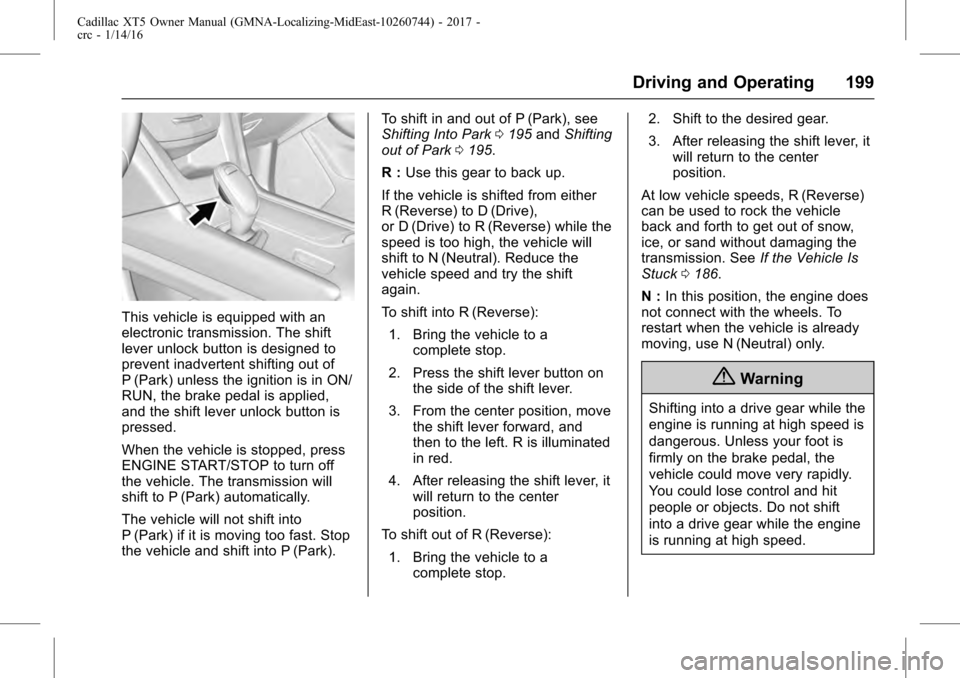
This vehicle is equipped with an
electronic transmission. The shift
lever unlock button is designed to
prevent inadvertent shifting out of
P (Park) unless the ignition is in ON/
RUN, the brake pedal is applied,
and the shift lever unlock button is
pressed.
When the vehicle is stopped, press
ENGINE START/STOP to turn off
the vehicle. The transmission will
shift to P (Park) automatically.
The vehicle will not shift into
P (Park) if it is moving too fast. Stop
the vehicle and shift into P (Park).To shift in and out of P (Park), see
Shifting Into Park
0195 andShifting
out of Park 0195.
R : Use this gear to back up.
If the vehicle is shifted from either
R (Reverse) to D (Drive),
or D (Drive) to R (Reverse) while the
speed is too high, the vehicle will
shift to N (Neutral). Reduce the
vehicle speed and try the shift
again.
To shift into R (Reverse): 1. Bring the vehicle to a complete stop.
2. Press the shift lever button on the side of the shift lever.
3. From the center position, move the shift lever forward, and
then to the left. R is illuminated
in red.
4. After releasing the shift lever, it will return to the center
position.
To shift out of R (Reverse):
1. Bring the vehicle to a complete stop. 2. Shift to the desired gear.
3. After releasing the shift lever, it
will return to the center
position.
At low vehicle speeds, R (Reverse)
can be used to rock the vehicle
back and forth to get out of snow,
ice, or sand without damaging the
transmission. See If the Vehicle Is
Stuck 0186.
N : In this position, the engine does
not connect with the wheels. To
restart when the vehicle is already
moving, use N (Neutral) only.
{Warning
Shifting into a drive gear while the
engine is running at high speed is
dangerous. Unless your foot is
firmly on the brake pedal, the
vehicle could move very rapidly.
You could lose control and hit
people or objects. Do not shift
into a drive gear while the engine
is running at high speed.
Page 200 of 339
Cadillac XT5 Owner Manual (GMNA-Localizing-MidEast-10260744) - 2017 -
crc - 1/14/16
200 Driving and Operating
Caution
Shifting out of P (Park) or
N (Neutral) with the engine
running at high speed may
damage the transmission. The
repairs would not be covered by
the vehicle warranty. Be sure the
engine is not running at high
speed when shifting the vehicle.
Caution
The vehicle is not designed to
stay in N (Neutral) for extended
periods of time. It will
automatically shift into P (Park).
To shift into N (Neutral): 1. From the center position, move the shift lever forward. If the
vehicle is in P (Park) push the
shift lever unlock button while
pressing the shift lever back.
It is illuminated in red. 2. After releasing the shift lever, it
will return to the center
position.
To shift out of N (Neutral): 1. Bring the vehicle to a complete stop.
2. Shift to the desired gear.
3. After releasing the shift lever, it will return to the center
position.
Car Wash Mode (Engine Off)
To place the vehicle in N (Neutral)
with the engine off: 1. Put the ignition in OFF.
2. Put the ignition in Service Only Mode. See Ignition
Positions 0191.
3. Open the door while pressing the brake, and then shift to
N (Neutral).
4. The indicator should now show N. If it does not, repeat the
procedure.
5. When N (Neutral) is no longer needed, shift into P (Park) and
turn the ignition to OFF. Car Wash Mode (Engine On)
To place the vehicle in N (Neutral)
with the engine running:
1. Open the door while pressing the brake, then shift to
N (Neutral).
2. The indicator should now show N. If it does not, select
N (Neutral) again.
3. Shift into P (Park) upon returning to the vehicle.
D : This position is for normal
driving. It provides the best fuel
economy. If you need more power
for passing, and you are:
. Going less than 35 mph
(55 km/h), push the accelerator
pedal about halfway down.
. Going about 35 mph (55 km/h) or
more, push the accelerator all
the way down.
The transmission will shift down
to a lower gear and have more
power.
Page 201 of 339
Cadillac XT5 Owner Manual (GMNA-Localizing-MidEast-10260744) - 2017 -
crc - 1/14/16
Driving and Operating 201
To shift into D (Drive):1. Bring the vehicle to a complete stop.
2. From the center position, move the shift lever back. If the
vehicle is in P (Park) push the
shift lever unlock button while
pressing the shift lever back. D
is illuminated in red.
3. After releasing the shift lever, it will return to the center
position.
To shift out of D (Drive):
1. Bring the vehicle to a complete stop.
2. Shift to the desired gear.
3. After releasing the shift lever, it will return to the center
position.
Downshifting the transmission in
slippery road conditions could result
in skidding. See “Skidding”under
Loss of Control 0183.Caution
Spinning the tires or holding the
vehicle in one place on a hill
using only the accelerator pedal
may damage the transmission.
The repair will not be covered by
the vehicle warranty. If you are
stuck, do not spin the tires. When
stopping on a hill, use the brakes
to hold the vehicle in place.
Manual Mode
Tap Shift
Caution
Driving with the engine at a high
rpm without upshifting while using
Tap Shift, could damage the
vehicle. Always upshift when
necessary while using Tap Shift.
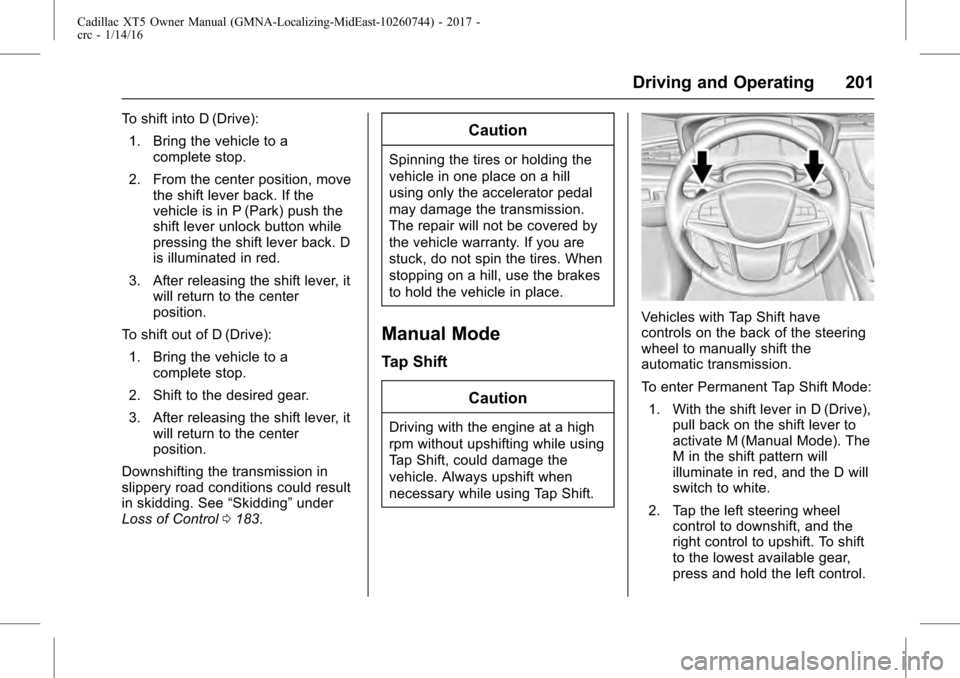
Vehicles with Tap Shift have
controls on the back of the steering
wheel to manually shift the
automatic transmission.
To enter Permanent Tap Shift Mode:1. With the shift lever in D (Drive), pull back on the shift lever to
activate M (Manual Mode). The
M in the shift pattern will
illuminate in red, and the D will
switch to white.
2. Tap the left steering wheel control to downshift, and the
right control to upshift. To shift
to the lowest available gear,
press and hold the left control.
Page 238 of 339
Cadillac XT5 Owner Manual (GMNA-Localizing-MidEast-10260744) - 2017 -
crc - 1/14/16
238 Driving and Operating
Warning (Continued)
.Keep children away from
the fuel pump and never let
children pump fuel.
. Fuel can spray out if the
refueling nozzle is inserted
too quickly. This spray can
happen if the tank is nearly
full, and is more likely in hot
weather. Insert the refueling
nozzle slowly and wait for
any hiss noise to stop prior
to beginning to flow fuel.
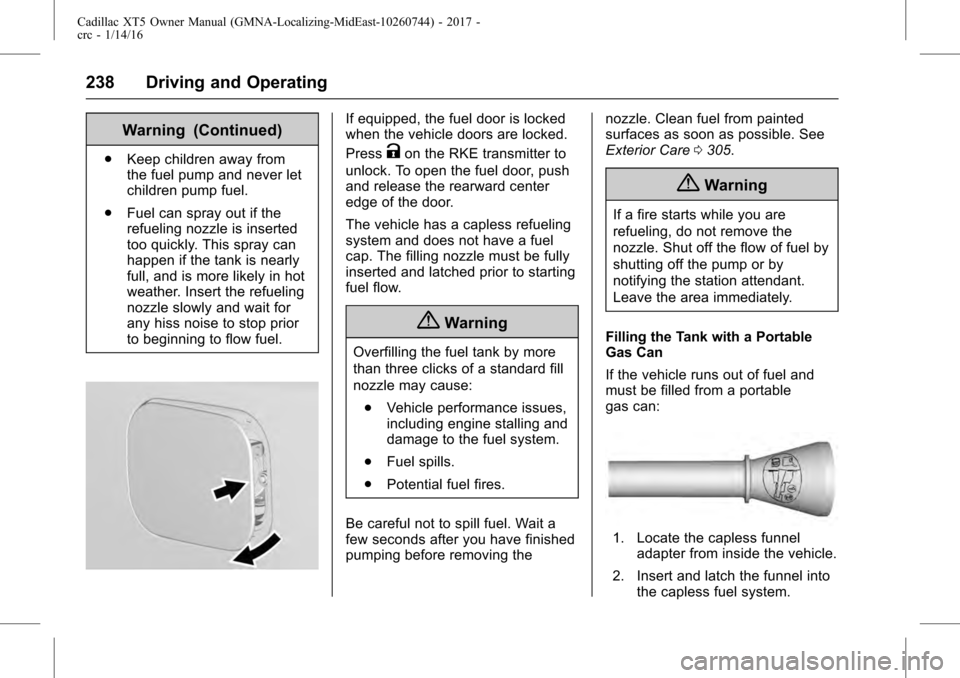
If equipped, the fuel door is locked
when the vehicle doors are locked.
Press
Kon the RKE transmitter to
unlock. To open the fuel door, push
and release the rearward center
edge of the door.
The vehicle has a capless refueling
system and does not have a fuel
cap. The filling nozzle must be fully
inserted and latched prior to starting
fuel flow.
{Warning
Overfilling the fuel tank by more
than three clicks of a standard fill
nozzle may cause:
. Vehicle performance issues,
including engine stalling and
damage to the fuel system.
. Fuel spills.
. Potential fuel fires.
Be careful not to spill fuel. Wait a
few seconds after you have finished
pumping before removing the nozzle. Clean fuel from painted
surfaces as soon as possible. See
Exterior Care
0305.
{Warning
If a fire starts while you are
refueling, do not remove the
nozzle. Shut off the flow of fuel by
shutting off the pump or by
notifying the station attendant.
Leave the area immediately.
Filling the Tank with a Portable
Gas Can
If the vehicle runs out of fuel and
must be filled from a portable
gas can:
1. Locate the capless funnel adapter from inside the vehicle.
2. Insert and latch the funnel into the capless fuel system.
Page 314 of 339
Cadillac XT5 Owner Manual (GMNA-Localizing-MidEast-10260744) - 2017 -
crc - 1/14/16
314 Vehicle Care
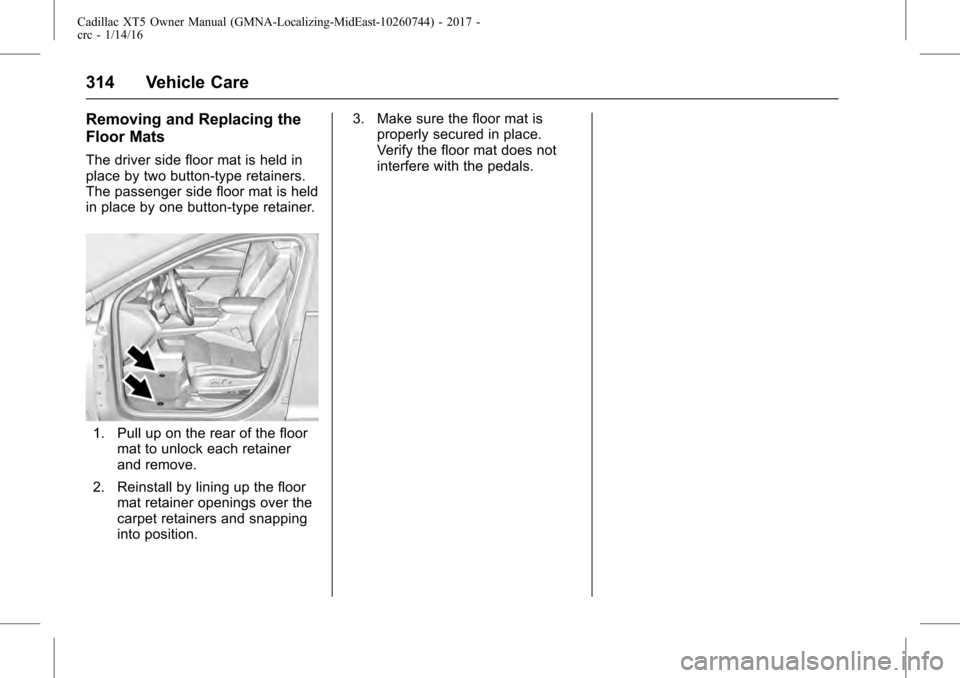
Removing and Replacing the
Floor Mats
The driver side floor mat is held in
place by two button-type retainers.
The passenger side floor mat is held
in place by one button-type retainer.
1. Pull up on the rear of the floormat to unlock each retainer
and remove.
2. Reinstall by lining up the floor mat retainer openings over the
carpet retainers and snapping
into position. 3. Make sure the floor mat is
properly secured in place.
Verify the floor mat does not
interfere with the pedals.