Awd CADILLAC XT5 2018 Owner's Manual
[x] Cancel search | Manufacturer: CADILLAC, Model Year: 2018, Model line: XT5, Model: CADILLAC XT5 2018Pages: 380, PDF Size: 6.21 MB
Page 26 of 380
Cadillac XT5 Owner Manual (GMNA-Localizing-U.S./Canada/Mexico-
11349110) - 2018 - CRC - 9/28/17
IN BRIEF 25
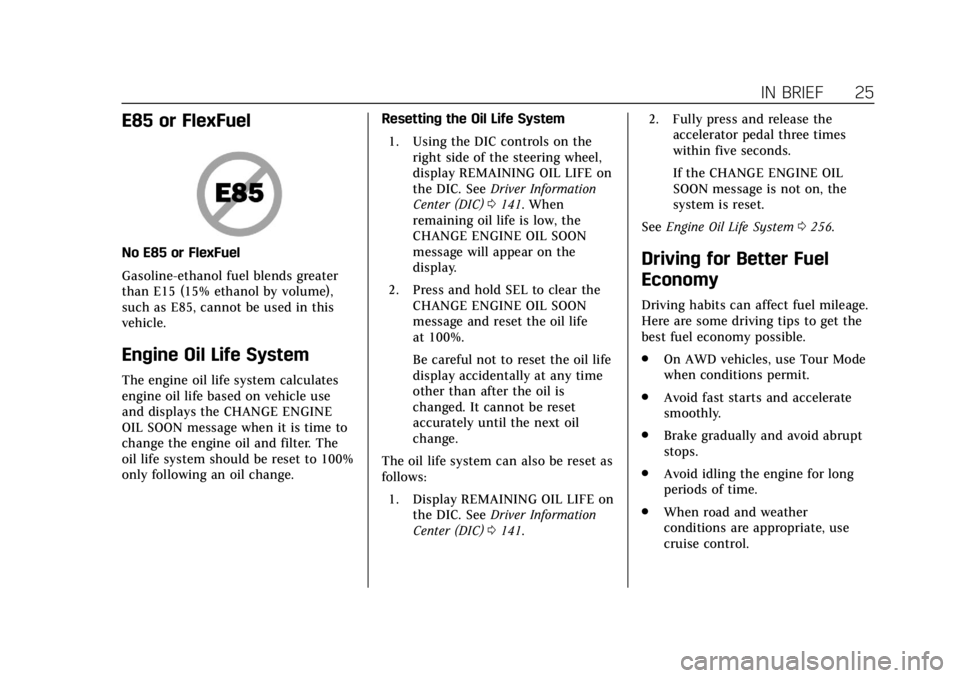
E85 or FlexFuel
No E85 or FlexFuel
Gasoline-ethanol fuel blends greater
than E15 (15% ethanol by volume),
such as E85, cannot be used in this
vehicle.
Engine Oil Life System
The engine oil life system calculates
engine oil life based on vehicle use
and displays the CHANGE ENGINE
OIL SOON message when it is time to
change the engine oil and filter. The
oil life system should be reset to 100%
only following an oil change.Resetting the Oil Life System
1. Using the DIC controls on the right side of the steering wheel,
display REMAINING OIL LIFE on
the DIC. See Driver Information
Center (DIC) 0141. When
remaining oil life is low, the
CHANGE ENGINE OIL SOON
message will appear on the
display.
2. Press and hold SEL to clear the CHANGE ENGINE OIL SOON
message and reset the oil life
at 100%.
Be careful not to reset the oil life
display accidentally at any time
other than after the oil is
changed. It cannot be reset
accurately until the next oil
change.
The oil life system can also be reset as
follows: 1. Display REMAINING OIL LIFE on the DIC. See Driver Information
Center (DIC) 0141. 2. Fully press and release the
accelerator pedal three times
within five seconds.
If the CHANGE ENGINE OIL
SOON message is not on, the
system is reset.
See Engine Oil Life System 0256.
Driving for Better Fuel
Economy
Driving habits can affect fuel mileage.
Here are some driving tips to get the
best fuel economy possible.
.
On AWD vehicles, use Tour Mode
when conditions permit.
. Avoid fast starts and accelerate
smoothly.
. Brake gradually and avoid abrupt
stops.
. Avoid idling the engine for long
periods of time.
. When road and weather
conditions are appropriate, use
cruise control.
Page 184 of 380
Cadillac XT5 Owner Manual (GMNA-Localizing-U.S./Canada/Mexico-
11349110) - 2018 - CRC - 9/28/17
DRIVING AND OPERATING 183
.Turn on Traction Control. See
Traction Control/Electronic Stability
Control 0205.
. Antilock Brake System (ABS)
improves vehicle stability during
hard stops, but the brakes should
be applied sooner than when on
dry pavement. See Antilock Brake
System (ABS) 0202.
. Allow greater following distance
and watch for slippery spots. Icy
patches can occur on otherwise
clear roads in shaded areas. The
surface of a curve or an overpass
can remain icy when the
surrounding roads are clear. Avoid
sudden steering maneuvers and
braking while on ice.
. Turn off cruise control.
. Select All-Wheel Drive (AWD)
mode. See Driver Mode Control
0 207 and All-Wheel Drive 0201.
Blizzard Conditions
Stop the vehicle in a safe place and
signal for help. Stay with the vehicle
unless there is help nearby. If possible, use Roadside Assistance. See
Roadside
Service 0347. To get help and keep
everyone in the vehicle safe:
. Turn on the hazard warning
flashers.
. Tie a red cloth to an outside
mirror.
{Warning
Snow can trap engine exhaust
under the vehicle. This may cause
exhaust gases to get inside. Engine
exhaust contains carbon monoxide
(CO), which cannot be seen or
smelled. It can cause
unconsciousness and even death.
If the vehicle is stuck in snow:
. Clear snow from the base of
the vehicle, especially any
blocking the exhaust pipe.
. Open a window about 5 cm
(2 in) on the vehicle side that
is away from the wind, to
bring in fresh air.
(Continued)
Warning (Continued)
.Fully open the air outlets on
or under the instrument
panel.
. Adjust the climate control
system to circulate the air
inside the vehicle and set the
fan speed to the highest
setting. See “Climate Control
Systems.”
For more information about CO, see
Engine Exhaust 0195.
To save fuel, run the engine for short
periods to warm the vehicle and then
shut the engine off and partially close
the window. Moving about to keep
warm also helps.
If it takes time for help to arrive,
when running the engine, push the
accelerator pedal slightly so the
engine runs faster than the idle speed.
This keeps the battery charged to
restart the vehicle and to signal for
help with the headlamps. Do this as
little as possible, to save fuel.
Page 202 of 380
Cadillac XT5 Owner Manual (GMNA-Localizing-U.S./Canada/Mexico-
11349110) - 2018 - CRC - 9/28/17
DRIVING AND OPERATING 201
To enter Permanent Tap Shift Mode:1. With the shift lever in D (Drive), pull back on the shift lever to
activate M (Manual Mode). The
M in the shift pattern will
illuminate in red, and the D will
switch to white.
2. Tap the left steering wheel control to downshift, and the
right control to upshift. To shift
to the lowest available gear,
press and hold the left control.
3. To exit, pull back on the shift lever a second time. The D in the
shift pattern will illuminate in
red, and the M will switch to
white.
With the transmission in D (Drive)
and not in Permanent Tap Shift Mode,
the Tap Shift controls will activate a
temporary tap manual shift mode,
allowing the transmission to be
manually shifted. Automatic shifts
return after no manual shifts have
been done for seven to 10 seconds.
The Temporary Tap Shift Mode can
also be deactivated by holding the
right upshift control briefly. While using Tap Shift, the vehicle will
have firmer, quicker shifting. This can
be used for sport driving or when
climbing or descending hills, to stay in
gear longer, or to downshift for more
power or engine braking.
The transmission will only allow
shifting into gears appropriate for the
vehicle speed and engine revolutions
per minute (rpm). The transmission
will not automatically shift to the next
lower gear if the engine rpm is too
high, nor to the next higher gear when
the maximum engine rpm is reached.
If shifting is prevented for any reason,
a SHIFT DENIED message will be
displayed in the instrument cluster.
When accelerating the vehicle from a
stop in snowy and icy conditions, it is
suggested to shift into second gear.
A higher gear allows the vehicle to
gain more traction on slippery
surfaces.Drive Systems
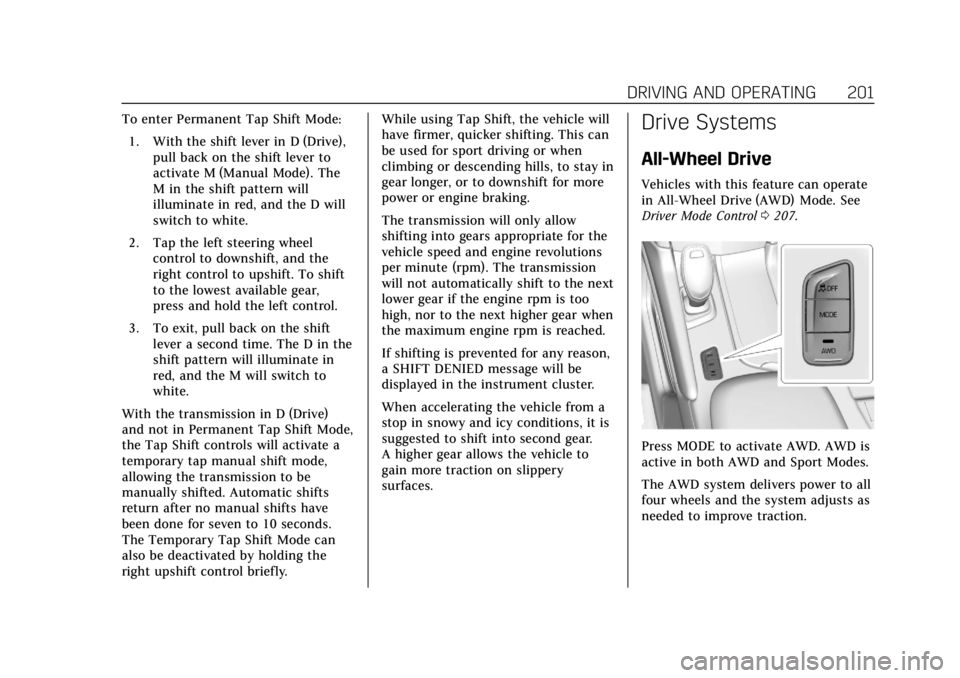
All-Wheel Drive
Vehicles with this feature can operate
in All-Wheel Drive (AWD) Mode. See
Driver Mode Control
0207.
Press MODE to activate AWD. AWD is
active in both AWD and Sport Modes.
The AWD system delivers power to all
four wheels and the system adjusts as
needed to improve traction.
Page 203 of 380
Cadillac XT5 Owner Manual (GMNA-Localizing-U.S./Canada/Mexico-
11349110) - 2018 - CRC - 9/28/17
202 DRIVING AND OPERATING
The AWD Mode will stay selected
until the mode is changed. If the
vehicle is placed in Sport Mode, see
Driver Mode Control0207.
Sport Mode is canceled with each
ignition cycle. See Driver Mode Control
0 207.
When operated in Tour Mode, the
vehicle will deliver power to the front
wheels only and may provide better
fuel economy.
If Tour Mode is selected see Driver
Mode Control 0207.Brakes
Antilock Brake
System (ABS)
This vehicle has an Antilock Brake
System (ABS), an advanced electronic
braking system that helps prevent a
braking skid.
When the vehicle begins to drive
away, ABS checks itself. A momentary
motor or clicking noise may be heard
while this test is going on, and it may
even be noticed that the brake pedal
moves a little. This is normal.
If there is a problem with ABS, this
warning light stays on. See Antilock
Brake System (ABS) Warning Light
0 136. If driving safely on a wet road and it
becomes necessary to slam on the
brakes and continue braking to avoid
a sudden obstacle, a computer senses
the wheels are slowing down. If one of
the wheels is about to stop rolling, the
computer will separately work the
brakes at each wheel.
ABS can change the brake pressure to
each wheel, as required, faster than
any driver could. This can help you
steer around the obstacle while
braking hard.
As the brakes are applied, the
computer keeps receiving updates on
wheel speed and controls braking
pressure accordingly.
Remember: ABS does not change the
time needed to get a foot up to the
brake pedal or always decrease
stopping distance. If you get too close
to the vehicle in front of you, there
will not be enough time to apply the
brakes if that vehicle suddenly slows
or stops. Always leave enough room
up ahead to stop, even with ABS.
Page 206 of 380
Cadillac XT5 Owner Manual (GMNA-Localizing-U.S./Canada/Mexico-
11349110) - 2018 - CRC - 9/28/17
DRIVING AND OPERATING 205
stationary for up to two seconds after
the brake pedal is released. When
Extended Hold is selected, the vehicle
is held stationary for up to
five minutes after the brake pedal is
released. In either case, override the
hold feature by pressing the
accelerator pedal and attempting to
drive away.
If Standard Hold is selected, it will
hold the vehicle for two seconds
unless the driver door is opened or
the driver seat belt is unbuckled after
releasing the brake pedal. If Extended
Hold is selected, it will hold the
vehicle for five minutes unless the
driver door is opened and the driver
seat belt is unbuckled prior to
releasing the brake pedal. When
deactivated after five minutes, or if it
is deactivated when the driver seat
belt is unlatched or the driver door is
opened, the Electric Parking Brake will
engage to prevent vehicle movement.Ride Control Systems
Traction Control/Electronic
Stability Control
System Operation
The vehicle has a Traction Control
System (TCS) and StabiliTrak, an
electronic stability control system.
These systems help limit wheel spin
and assist the driver in maintaining
control, especially on slippery road
conditions.
TCS activates if it senses that any of
the drive wheels are spinning or
beginning to lose traction. On an
All-Wheel Drive (AWD) vehicle in
AWD or Sport Mode, the system will
operate if it senses that any of the
wheels are spinning or beginning to
lose traction. When this happens, TCS
applies the brakes to the spinning
wheels and reduces engine power to
limit wheel spin.
StabiliTrak activates when the system
senses a discrepancy between the
intended path and the direction the
vehicle is actually traveling.StabiliTrak selectively applies braking
pressure at any one of the vehicle's
brakes to help steer the vehicle in the
direction which you are steering.
If cruise control is being used and
traction control or StabiliTrak begins
to limit wheel spin, cruise control will
disengage. Cruise control may be
turned back on when road conditions
allow. TCS and StabiliTrak will
automatically turn on when cruise
control is set.
Both systems come on automatically
when the vehicle is started and begins
to move. The systems may be heard or
felt while they are operating or while
performing diagnostic checks. This is
normal and does not mean there is a
problem with the vehicle.
It is recommended to leave both
systems on for normal driving
conditions, but it may be necessary to
turn TCS off if the vehicle gets stuck
in sand, mud, ice, or snow. See
If the
Vehicle Is Stuck 0184 and “Turning
the Systems Off and On ”later in this
section.
Page 208 of 380
Cadillac XT5 Owner Manual (GMNA-Localizing-U.S./Canada/Mexico-
11349110) - 2018 - CRC - 9/28/17
DRIVING AND OPERATING 207
and StabiliTrak Off lightgin the
instrument cluster turn off and a DIC
message may display.
Adding accessories can affect vehicle
performance. See Accessories and
Modifications 0251.
Driver Mode Control
If equipped, the Driver Mode Control
has the following modes: Tour, Sport,
All-Wheel Drive (AWD), and Snow/Ice
(Front-Wheel Drive vehicles only).
Press MODE on the center console to
make a mode selection. The first press
of the switch will show the current
mode in the instrument cluster.
Continue pressing through the
available modes.
If the vehicle is put in AWD Mode, it
will remain in AWD through future
ignition cycles, until a different mode
is selected.
If the vehicle is in Tour or Sport Mode
when the engine is turned off, Driver
Mode Control will come on in Tour
Mode at the next ignition cycle. When AWD Mode or Sport Mode is
selected, the light will come on in the
AWD indicator below the MODE
switch. The indicator light will turn
off when Tour Mode is selected. For
more information on AWD Mode, see
All-Wheel Drive
0201.
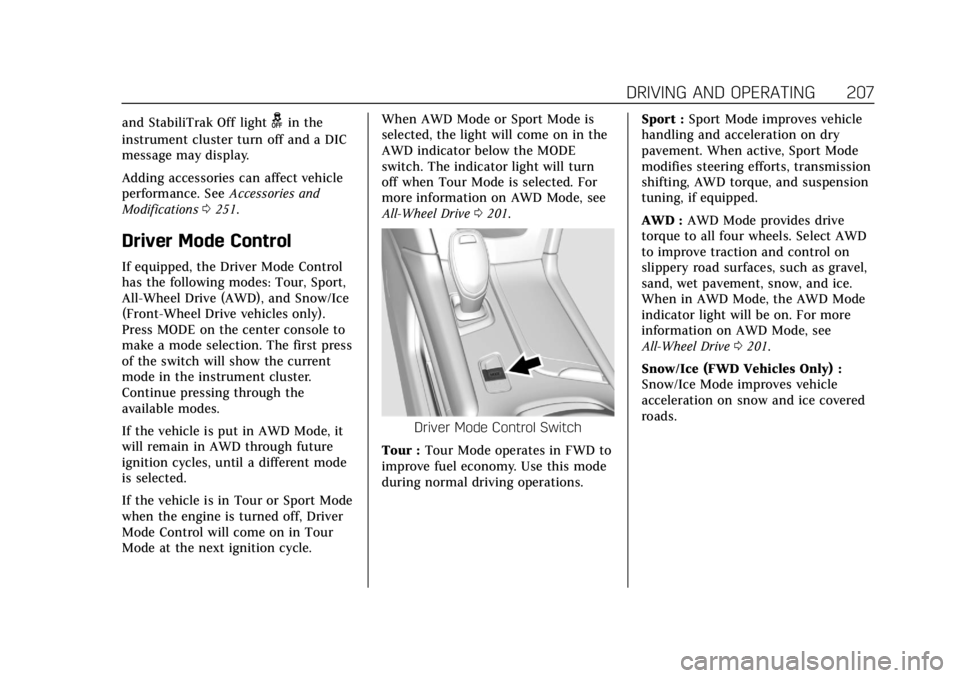
Driver Mode Control Switch
Tour : Tour Mode operates in FWD to
improve fuel economy. Use this mode
during normal driving operations. Sport :
Sport Mode improves vehicle
handling and acceleration on dry
pavement. When active, Sport Mode
modifies steering efforts, transmission
shifting, AWD torque, and suspension
tuning, if equipped.
AWD : AWD Mode provides drive
torque to all four wheels. Select AWD
to improve traction and control on
slippery road surfaces, such as gravel,
sand, wet pavement, snow, and ice.
When in AWD Mode, the AWD Mode
indicator light will be on. For more
information on AWD Mode, see
All-Wheel Drive 0201.
Snow/Ice (FWD Vehicles Only) :
Snow/Ice Mode improves vehicle
acceleration on snow and ice covered
roads.
Page 314 of 380
Cadillac XT5 Owner Manual (GMNA-Localizing-U.S./Canada/Mexico-
11349110) - 2018 - CRC - 9/28/17
VEHICLE CARE 313
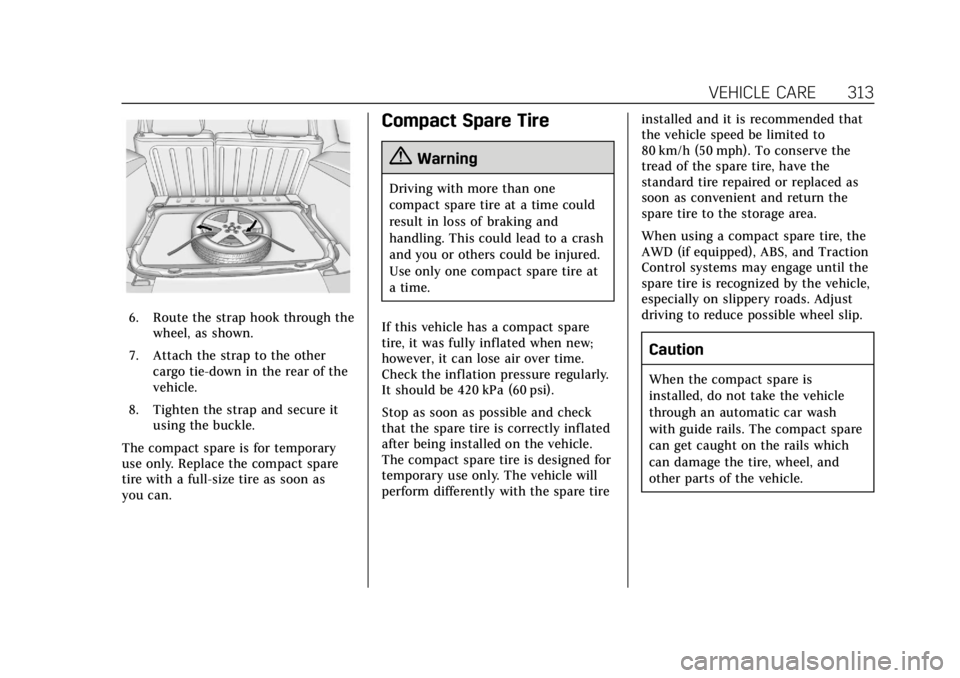
6. Route the strap hook through thewheel, as shown.
7. Attach the strap to the other cargo tie-down in the rear of the
vehicle.
8. Tighten the strap and secure it using the buckle.
The compact spare is for temporary
use only. Replace the compact spare
tire with a full-size tire as soon as
you can.
Compact Spare Tire
{Warning
Driving with more than one
compact spare tire at a time could
result in loss of braking and
handling. This could lead to a crash
and you or others could be injured.
Use only one compact spare tire at
a time.
If this vehicle has a compact spare
tire, it was fully inflated when new;
however, it can lose air over time.
Check the inflation pressure regularly.
It should be 420 kPa (60 psi).
Stop as soon as possible and check
that the spare tire is correctly inflated
after being installed on the vehicle.
The compact spare tire is designed for
temporary use only. The vehicle will
perform differently with the spare tire installed and it is recommended that
the vehicle speed be limited to
80 km/h (50 mph). To conserve the
tread of the spare tire, have the
standard tire repaired or replaced as
soon as convenient and return the
spare tire to the storage area.
When using a compact spare tire, the
AWD (if equipped), ABS, and Traction
Control systems may engage until the
spare tire is recognized by the vehicle,
especially on slippery roads. Adjust
driving to reduce possible wheel slip.
Caution
When the compact spare is
installed, do not take the vehicle
through an automatic car wash
with guide rails. The compact spare
can get caught on the rails which
can damage the tire, wheel, and
other parts of the vehicle.