ad blue CADILLAC XT5 2021 Owner's Guide
[x] Cancel search | Manufacturer: CADILLAC, Model Year: 2021, Model line: XT5, Model: CADILLAC XT5 2021Pages: 426, PDF Size: 8.73 MB
Page 188 of 426
Cadillac XT5 Owner Manual (GMNA-Localizing-U.S./Canada/Mexico-
14590481) - 2021 - CRC - 10/22/20
INFOTAINMENT SYSTEM 187
Touch the controls on the
infotainment display to disable or
enable.
.Auto Rear Defog: This setting
automatically turns the rear
defogger on when the vehicle engine
is started.
Touch the controls on the
infotainment display to disable or
enable.
.Ionizer: This setting purifies the air
in the interior of the vehicle..
Touch the controls on the
infotainment display to disable or
enable.
Navigation
Touch and the following may display:
.Destination Card Preferences
.Map Preferences
.Route Preferences
.Navigation Voice Control
.Traffic Preferences
.Alert Preferences
.Fuel Grade Preferences
.Manage History
.Predictive Navigation (if equipped)
.About See
Using the Navigation System 0155.
Phone
Touch and the following may display:
.My Number: Displays the cell phone
number of the Bluetooth connected
device.
.Active Call View: Shows active call
display when answering a call.
Touch the controls on the
infotainment display to disable or
enable.
.Privacy: Only show call alerts in the
instrument cluster.
Touch Off or On.
.Sort Contacts: Touch to sort by first
or last name.
.Re-sync Device Contacts: Allows the
device contacts to re-sync if you are
having difficulty accessing all of the
contacts on your cell phone.
.Delete All Vehicle Contacts: Touch
to delete all vehicle stored contacts.
.OnStar Phone TTY Mode: This
enables OnStar cell phone
TTY mode.
Touch Disable or Enable. SiriusXM
Touch and the following may display:
.Account Information: Displays the
account information and
subscription information.
.Listener Options: Based on the
current vehicle profile selected.
Touch and the following may
display:
.SiriusXM Favorites: Favorites
shown can be moved or deleted.
.Listener Settings: Selections
include hide explicit language,
channels and content, reset
listening history, and start songs
at the beginning when tuning to
a music channel.
.System Settings: Enable or disable
SiriusXM location services. Also
shows radio ID.
.Contact SiriusXM: Displays radio ID
and phone number to call SiriusXM
Customer Care.
.SiriusXM Policies: Shows
information on the Customer
Agreement and Privacy Policy.
Page 194 of 426

Cadillac XT5 Owner Manual (GMNA-Localizing-U.S./Canada/Mexico-
14590481) - 2021 - CRC - 10/22/20
INFOTAINMENT SYSTEM 193
2. For products to be distributed,marketed, and/or sold in Canada, a
separate agreement is required with
Canadian Satellite Radio Inc.
(operating as SiriusXM Canada).
TouchSense Technology and
TouchSense System 1000 Series
Licensed from Immersion Corporation.
TouchSense System 1000 protected
under one or more of the U.S. Patents
at the following address
www.immersion.com/
patent-marking.html and other
patents pending.
Bose
Bose AudioPilot and Bose Centerpoint
surround are registered trademarks of
Bose Corporation in the U.S. and other
countries. HD Radio Technology
HD Radio Technology manufactured
under license from iBiquity Digital
Corporation. U.S. and Foreign Patents.
For patents see http://dts.com/patents.
HD Radio and the HD, HD Radio, and
“ARC”
logos are registered trademarks
or trademarks of iBiquity Digital
Corporation in the United States and/
or other countries.
Bluetooth
The Bluetooth word mark and logos
are owned by the Bluetooth SIG, Inc.
and any use of such marks by General
Motors is under license. Other
trademarks and trade names are those
of their respective owners.
Java
Java is a registered trademark of
Oracle and/or its affiliates.
Schedule I: Gracenote EULA
Music recognition technology and
related data are provided by
Gracenote. Gracenote is the industry
standard in music recognition
technology and related content
delivery. For more information see
www.gracenote.com.
Music-related data from Gracenote,
Inc., copyright © 2000 to present
Gracenote. Gracenote Software,
copyright © 2000 to present
Gracenote. One or more patents
owned by Gracenote may apply to this
product and service. See the
Gracenote website for a
non-exhaustive list of applicable
Gracenote patents. Gracenote, CDDB,
MusicID, MediaVOCS, the Gracenote
logo and logotype, and the "Powered
by Gracenote" logo are either
Page 249 of 426
Cadillac XT5 Owner Manual (GMNA-Localizing-U.S./Canada/Mexico-
14590481) - 2021 - CRC - 10/22/20
248 DRIVING AND OPERATING
4. Remove your foot from theaccelerator pedal.
After ACC is set, it may immediately
apply the brakes if a vehicle ahead is
detected closer than the selected
following gap.
ACC can also be set while the vehicle
is stopped if ACC is on and the brake
pedal is applied.
The ACC indicator displays on the
instrument cluster and Head-Up
Display (HUD), if equipped. When ACC
is turned on, the indicator will be lit
white. When ACC is engaged, the
indicator will turn green.
Be mindful of speed limits,
surrounding traffic speeds, and
weather conditions when selecting the
set speed.
Resuming a Set Speed
If ACC is set at a desired speed and
then the brakes are applied, ACC is
disengaged without erasing the set
speed from memory. To begin using ACC again, press RES+
up briefly while moving more than
5 km/h (3 mph). The vehicle returns to
the previous set speed.
If the vehicle is stopped with the
brake pedal applied, press RES+ and
release the brake pedal. ACC will hold
the vehicle until RES+ or the
accelerator pedal is pressed.
A green ACC indicator and the set
speed display on the instrument
cluster. The vehicle ahead indicator
may be flashing if a vehicle ahead was
present and moved. See
“Approaching
and Following a Vehicle ”later in this
section.
Once ACC has resumed, if there is no
vehicle ahead, if the vehicle ahead is
beyond the selected following gap,
or if the vehicle has exited a sharp
curve, then the vehicle speed will
increase to the set speed.
Increasing Speed While ACC is at a
Set Speed
If ACC is already activated, do one of
the following:.Use the accelerator to get to the
higher speed. Press SET– . Release
the control and the accelerator
pedal. The vehicle will now cruise at
the higher speed.
When the accelerator pedal is
pressed, ACC will not brake because
it is overridden. The ACC indicator
turns blue on the instrument
cluster and head-up display,
if equipped.
.Press and hold RES+ until the
desired set speed appears on the
display, then release it.
.To increase speed in small
increments, press RES+ to the first
detent. For each press, the vehicle
goes 1 km/h (1 mph).
.To increase speed in larger
increments, press RES+ to the
second detent. For each press, the
vehicle speed increases to the next
5 km/h (5 mph) mark on the
speedometer.
The set speed can also be increased
while the vehicle is stopped.
.If stopped with the brake applied,
press RES+ until the desired set
speed is displayed.
Page 253 of 426
Cadillac XT5 Owner Manual (GMNA-Localizing-U.S./Canada/Mexico-
14590481) - 2021 - CRC - 10/22/20
252 DRIVING AND OPERATING
A DIC warning message may display
indicating to shift to P (Park) before
exiting the vehicle. SeeVehicle
Messages 0123.
{Warning
If ACC has stopped the vehicle, and
if ACC is disengaged, turned off,
or canceled, the vehicle will no
longer be held at a stop. The vehicle
can move. When ACC is holding the
vehicle at a stop, always be
prepared to manually apply the
brakes.
{Warning
Leaving the vehicle without placing
it in P (Park) can be dangerous. Do
not leave the vehicle while it is
being held at a stop by ACC. Always
place the vehicle in P (Park) and
turn off the ignition before leaving
the vehicle. ACC Override
If using the accelerator pedal while
ACC is active, the ACC indicator turns
blue on the instrument cluster and in
the HUD (if equipped) indicating ACC
braking will not occur. ACC will
resume operation when the
accelerator pedal is not being pressed.
{Warning
The ACC will not automatically
apply the brakes if your foot is
resting on the accelerator pedal.
You could crash into a vehicle
ahead of you.
Curves in the Road
{Warning
On curves, ACC may not detect a
vehicle ahead in your lane. You
could be startled if the vehicle
accelerates up to the set speed,
especially when following a vehicle
exiting or entering exit ramps. You
could lose control of the vehicle or
crash. Do not use ACC while driving (Continued)
Warning (Continued)
on an entrance or exit ramp. Always
be ready to use the brakes if
necessary.
{Warning
On curves, ACC may respond to a
vehicle in another lane, or may not
have time to react to a vehicle in
your lane. You could crash into a
vehicle ahead of you, or lose control
of your vehicle. Give extra attention
in curves and be ready to use the
brakes if necessary. Select an
appropriate speed while driving in
curves.
ACC may operate differently in a
sharp curve. It may reduce the vehicle
speed if the curve is too sharp.
ACC automatically slows the vehicle
down while navigating the curve and
may increase speed out of the curve,
but will not exceed the set speed.
Page 289 of 426

Cadillac XT5 Owner Manual (GMNA-Localizing-U.S./Canada/Mexico-
14590481) - 2021 - CRC - 10/22/20
288 DRIVING AND OPERATING
Always leave just enough slack so the
combination can turn. Never allow
safety chains to drag on the ground.
Trailer Brakes
Loaded trailers over 450 kg (1,000 lb)
must be equipped with brake systems
and with brakes for each axle. Trailer
braking equipment conforming to
Canadian Standards Association (CSA)
requirement CAN3-D313, or its
equivalent, is recommended.
State or local regulations may require
trailers to have their own braking
system if the loaded weight of the
trailer exceeds certain requirements
that can vary from state to state.
Read and follow the instructions for
the trailer brakes so they are installed,
adjusted, and maintained properly.
Never attempt to tap into your
vehicle's hydraulic brake system.
If you do, both the vehicle anti-lock
brakes and the trailer brakes may not
function and could result in a crash.
Trailer Wiring
The trailer wiring harness (if
equipped), with a seven-pin connector
is located at the rear of the vehicle,
and it is tied to the vehicle's frame.
If the vehicle is not equipped with a
seven-pin trailer connector, the body
harness has provisions to connect a
trailer harness and a seven-pin trailer
connector which is available through
your dealer.
Use only a round, seven-wire
connector with flat blade terminals
meeting SAE J2863 specifications for
proper electrical connectivity.The seven-wire harness contains the
following trailer circuits:
Stop/Turn
Signal Left Yellow/Blue
Stop/Turn Signal
Right Green/Brown
Tail/Parking
Lamps Gray/Brown
Reverse Lamps White/Green
Battery Feed Red/Green
Ground Black
Electric Trailer
Brake* Blue
* Circuit powered by electric trailer
brake control wiring provisions.
Electric Trailer Brake Control
Wiring Provisions
Wiring provisions for an aftermarket
electric trailer brake controller are
included with the vehicle as part of
the trailer wiring package. The
harness contains the following
circuits:
Page 290 of 426
Cadillac XT5 Owner Manual (GMNA-Localizing-U.S./Canada/Mexico-
14590481) - 2021 - CRC - 10/22/20
DRIVING AND OPERATING 289
Electric Trailer
BrakesBlue
Battery Feed Red/Green or
Red/Blue
Brake Apply
Signal White/Blue
Ground Black
Refer to the aftermarket electric trailer
brake controller owner's manual to
determine wire color coding of the
electric trailer brake controller. The
wire colors on the brake controller
may be different from the vehicle. The
electric trailer brake controller should
be installed by your dealer or a
qualified service center.
If equipped, there are four blunt cut
wires inside the front driver side
instrument panel. It will be necessary
to have a technician connect the
12-volt power to the engine
compartment fuse block.
Trailer Lamps
Always check all trailer lamps are
working at the beginning of each trip,
and periodically on longer trips.
Turn Signals When Towing a
Trailer
When properly connected, the trailer
turn signals will illuminate to indicate
the vehicle is turning, changing lanes,
or stopping. When towing a trailer,
the arrows on the instrument cluster
will illuminate even if the trailer is not
properly connected or the bulbs are
burned out.
Always check all trailer lamps are
working at the beginning of each trip,
and periodically on longer trips.
Trailer Sway Control (TSC)
Vehicles with StabiliTrak/Electronic
Stability Control (ESC) have a Trailer
Sway Control (TSC) feature. Trailer
sway is unintended side-to-side
motion of a trailer while towing. If the
vehicle is towing a trailer and the TSC
detects that sway is increasing, the
vehicle brakes are selectively applied
at each wheel, to help reduce
excessive trailer sway. If equipped with
the Integrated Trailer Brake Control
(ITBC) system, and the trailer has an
electric brake system, StabiliTrak/ESC
may also apply the trailer brakes.
If TSC is enabled, the Traction Control
System (TCS)/StabiliTrak/ESC warning
light will flash on the instrument
cluster. Reduce vehicle speed by
gradually removing your foot from the
accelerator. If trailer sway continues,
StabiliTrak/ESC can reduce engine
torque to help slow the vehicle. TSC
will not function if StabiliTrak/ESC is
turned off. See Traction Control/
Electronic Stability Control 0240.
{Warning
Trailer sway can result in a crash
and in serious injury or death, even
if the vehicle is equipped with TSC.
If the trailer begins to sway, reduce
vehicle speed by gradually removing
your foot from the accelerator. Then
pull over to check the trailer and
vehicle to help correct possible
(Continued)
Page 404 of 426

Cadillac XT5 Owner Manual (GMNA-Localizing-U.S./Canada/Mexico-
14590481) - 2021 - CRC - 10/22/20
CUSTOMER INFORMATION 403
In other Central America and
Caribbean Countries, call
52-555-901-2369.
Vehicle Data Recording
and Privacy
The vehicle has a number of
computers that record information
about the vehicle’s performance and
how it is driven or used. For example,
the vehicle uses computer modules to
monitor and control engine and
transmission performance, to monitor
the conditions for airbag deployment
and deploy them in a crash, and,
if equipped, to provide antilock
braking to help the driver control the
vehicle. These modules may store data
to help the dealer technician service
the vehicle or to help GM improve
safety or features. Some modules may
also store data about how the vehicle
is operated, such as rate of fuel
consumption or average speed. These
modules may retain personal
preferences, such as radio presets, seat
positions, and temperature settings.
Cybersecurity
GM collects information about the use
of your vehicle including operational
and safety related information. We
collect this information to provide,
evaluate, improve, and troubleshoot
our products and services and to
develop new products and services.
The protection of vehicle electronics
systems and customer data from
unauthorized outside electronic access
or control is important to GM. GM
maintains appropriate security
standards, practices, guidelines and
controls aimed at defending the
vehicle and the vehicle service
ecosystem against unauthorized
electronic access, detecting possible
malicious activity in related networks,
and responding to suspected
cybersecurity incidents in a timely,
coordinated and effective manner.
Security incidents could impact your
safety or compromise your private
data. To minimize security risks,
please do not connect your vehicle
electronic systems to unauthorized
devices or connect your vehicle to any
unknown or untrusted networks (such
as Bluetooth, WIFI or similartechnology). In the event you suspect
any security incident impacting your
data or the safe operation of your
vehicle, please stop operating your
vehicle and contact your dealer.
Event Data Recorders
This vehicle is equipped with an event
data recorder (EDR). The main
purpose of an EDR is to record, in
certain crash or near crash-like
situations, such as an air bag
deployment or hitting a road obstacle,
data that will assist in understanding
how a vehicle’s systems performed.
The EDR is designed to record data
related to vehicle dynamics and safety
systems for a short period of time,
typically 30 seconds or less. The EDR
in this vehicle is designed to record
such data as:
.How various systems in your
vehicle were operating;
.Whether or not the driver and
passenger safety belts were buckled/
fastened;
.How far (if at all) the driver was
depressing the accelerator and/or
brake pedal; and,
Page 406 of 426
Cadillac XT5 Owner Manual (GMNA-Localizing-U.S./Canada/Mexico-
14590481) - 2021 - CRC - 10/22/20
ONSTAR 405
OnStar
OnStar Overview
OnStar Overview . . . . . . . . . . . . . . . . . . 405
OnStar Services
Emergency . . . . . . . . . . . . . . . . . . . . . . . . 406
Security . . . . . . . . . . . . . . . . . . . . . . . . . . . 406
OnStar Additional Information
OnStar AdditionalInformation . . . . . . . . . . . . . . . . . . . . . 406
OnStar Overview
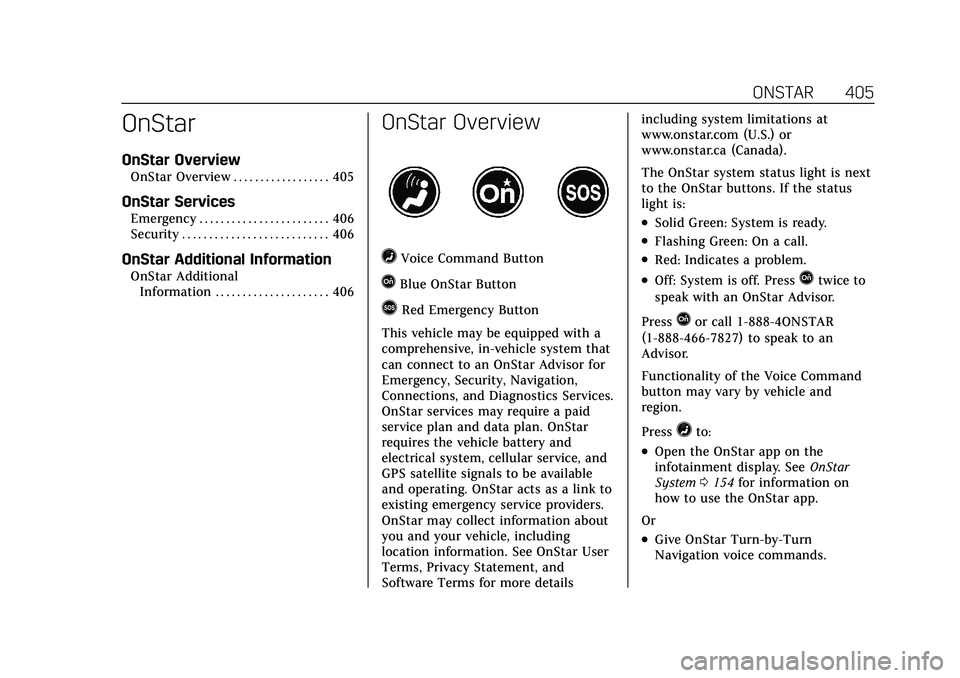
=Voice Command Button
QBlue OnStar Button
>Red Emergency Button
This vehicle may be equipped with a
comprehensive, in-vehicle system that
can connect to an OnStar Advisor for
Emergency, Security, Navigation,
Connections, and Diagnostics Services.
OnStar services may require a paid
service plan and data plan. OnStar
requires the vehicle battery and
electrical system, cellular service, and
GPS satellite signals to be available
and operating. OnStar acts as a link to
existing emergency service providers.
OnStar may collect information about
you and your vehicle, including
location information. See OnStar User
Terms, Privacy Statement, and
Software Terms for more details including system limitations at
www.onstar.com (U.S.) or
www.onstar.ca (Canada).
The OnStar system status light is next
to the OnStar buttons. If the status
light is:
.Solid Green: System is ready.
.Flashing Green: On a call.
.Red: Indicates a problem.
.Off: System is off. PressQtwice to
speak with an OnStar Advisor.
Press
Qor call 1-888-4ONSTAR
(1-888-466-7827) to speak to an
Advisor.
Functionality of the Voice Command
button may vary by vehicle and
region.
Press
=to:
.Open the OnStar app on the
infotainment display. See OnStar
System 0154 for information on
how to use the OnStar app.
Or
.Give OnStar Turn-by-Turn
Navigation voice commands.
Page 415 of 426
Cadillac XT5 Owner Manual (GMNA-Localizing-U.S./Canada/Mexico-
14590481) - 2021 - CRC - 10/22/20
414 INDEX
Appearance CareExterior . . . . . . . . . . . . . . . . . . . . . . . . . . . . 364
Interior . . . . . . . . . . . . . . . . . . . . . . . . . . . . 368
Apple CarPlay and Android Auto . . . . . . . . . . . . . . . . . . . . . . 179
Armrest Rear Seat . . . . . . . . . . . . . . . . . . . . . . . . . . . 47
Armrest Storage . . . . . . . . . . . . . . . . . . . . . . 87
Assistance Systems for Driving . . . . 264
Assistance Systems for Parking and Backing . . . . . . . . . . . . . . . . . . . . . . . 256
Audio Bluetooth . . . . . . . . . . . . . . . . . . . . . . . . . . 153
Auto Stop Stop/Start System . . . . . . . . . . . . . . . . 226
Automatic
Dimming Mirrors . . . . . . . . . . . . . . . . . . 30
Door Locks . . . . . . . . . . . . . . . . . . . . . . . . . 18
Emergency Braking (AEB) . . . . . . . . 266
Headlamp System . . . . . . . . . . . . . . . . 134
Transmission . . . . . . . . . . . . . . . . . . . . . . 232
Transmission Fluid . . . . . . . . . . . . . . . 302
Automatic Transmission Manual Mode . . . . . . . . . . . . . . . . . . . . . 236
Avoiding Untrusted Media
Devices . . . . . . . . . . . . . . . . . . . . . . . . . . . . . 150B
BatteryExterior Lighting BatterySaver . . . . . . . . . . . . . . . . . . . . . . . . . . . . . 138
Power Protection . . . . . . . . . . . . . . . . . . 138
Battery - North America . . . . . .312, 359
Blade Replacement, Wiper . . . . . . . . . 313
Bluetooth Overview . . . . . . . . . . . . . . . . . . . . 174, 175
Bluetooth Audio . . . . . . . . . . . . . . . . . . . . 153
Brake
Electric Boost . . . . . . . . . . . . . . . . . . . . . 237
Parking, Electric . . . . . . . . . . . . . . . . . . 238
System Warning Light . . . . . . . . . . . . 110
Brakes . . . . . . . . . . . . . . . . . . . . . . . . . . . . . . . 310 Antilock . . . . . . . . . . . . . . . . . . . . . . . . . . . 238
Assist . . . . . . . . . . . . . . . . . . . . . . . . . . . . . . 240
Fluid . . . . . . . . . . . . . . . . . . . . . . . . . . . . . . . 311
Braking . . . . . . . . . . . . . . . . . . . . . . . . . . . . . . 211
Automatic Emergency (AEB) . . . . . 266
Braking System Front Pedestrian (FPB) . . . . . . . . . . . 268
Break-In, New Vehicle . . . . . . . . . . . . . . 224
Bulb Replacement Headlamp Aiming . . . . . . . . . . . . . . . . 315
Headlamps . . . . . . . . . . . . . . . . . . . . . . . . 315
Buying New Tires . . . . . . . . . . . . . . . . . . . 341
C
Calibration . . . . . . . . . . . . . . . . . . . . . . . . . . . 98
California Perchlorate MaterialsRequirements . . . . . . . . . . . . . . . . . . . 293
California Proposition 65 Warning . . . . . . . . . . . . .293, 312, 359, Back Cover
Canadian Vehicle Owners . . . . . . . . . . . . . 1
Capacities and Specifications . . . . . . 388
Carbon Monoxide Engine Exhaust . . . . . . . . . . . . . . . . . . . 231
Liftgate . . . . . . . . . . . . . . . . . . . . . . . . . . . . . 19
Winter Driving . . . . . . . . . . . . . . . . . . . . 218
Cargo Cover . . . . . . . . . . . . . . . . . . . . . . . . . . . . . . . 88
Management System . . . . . . . . . . . . . . 90
Tie-Downs . . . . . . . . . . . . . . . . . . . . . . . . . . 90
Caution, Danger, and Warning . . . . . . . . 2
Center Console Storage . . . . . . . . . . . . . . 88
Chains, Tire . . . . . . . . . . . . . . . . . . . . . . . . . 344
Charging
Wireless . . . . . . . . . . . . . . . . . . . . . . . . . . . . 99
Charging System Light . . . . . . . . . . . . . 108
Check
Engine Light (MalfunctionIndicator) . . . . . . . . . . . . . . . . . . . . . . . . 108
Page 421 of 426
Cadillac XT5 Owner Manual (GMNA-Localizing-U.S./Canada/Mexico-
14590481) - 2021 - CRC - 10/22/20
420 INDEX
Oil (cont'd)Pressure Light . . . . . . . . . . . . . . . . . . . . . 115
Older Children, Restraints . . . . . . . . . . . 67
Online Owner Center . . . . . . . . . . . . . . . 395
OnStar . . . . . . . . . . . . . . . . . . . . . . . . . . . . . . . 404
OnStar Additional Information . . . . 406
OnStar Emergency . . . . . . . . . . . . . . . . . . 406
OnStar Overview . . . . . . . . . . . . . . . . . . . . 405
OnStar Security . . . . . . . . . . . . . . . . . . . . . 406
OnStar System . . . . . . . . . . . . . . . . .154, 165
Outlets Power . . . . . . . . . . . . . . . . . . . . . . . . . . . . . . . 98
Overheating, Engine . . . . . . . . . . . . . . . . 308
Overview . . . . . . . . . . . . . . . . . . . . . . . . . . . . 140 Instrument Panel . . . . . . . . . . . . . . . . . . . . 4
P
ParkShifting Into . . . . . . . . . . . . . . . . . . . . . . 229
Shifting Out of . . . . . . . . . . . . . . . . . . . . 230
Park Assist . . . . . . . . . . . . . . . . . . . . . . . . . . 256
Parking Brake and P (Park)Mechanism Check . . . . . . . . . . . . . . . 313
Extended . . . . . . . . . . . . . . . . . . . . . . . . . . 231
Over Things That Burn . . . . . . . . . . . 230
Parking or Backing Assistance Systems . . . . . . . . . . . . . . . 256 Passenger Airbag Status
Indicator . . . . . . . . . . . . . . . . . . . . . . . . . . . 107
Passenger Compartment Air Filter . . . . . . . . . . . . . . . . . . . . . . . . . . . . . . . 208
Passenger Sensing System . . . . . . . . . . 61
Pedestrian Ahead Indicator . . . . . . . . 113
Perchlorate Materials Requirements, California . . . . . . . . . 293
Performance Shifting Light . . . . . . . . 111
Personalization Vehicle . . . . . . . . . . . . . . . . . . . . . . . . . . . . . 123
Phone Apple CarPlay andAndroid Auto . . . . . . . . . . . . . . . . . . . . 179
Bluetooth . . . . . . . . . . . . . . . . . . . . 174, 175
Port
USB . . . . . . . . . . . . . . . . . . . . . . . . . . . . . . . . 150
Positioning Vehicle . . . . . . . . . . . . . . . . . . . . . . . . . . . . . 167
Power Door Locks . . . . . . . . . . . . . . . . . . . . . . . . . 17
Mirrors . . . . . . . . . . . . . . . . . . . . . . . . . . . . . 29
Outlets . . . . . . . . . . . . . . . . . . . . . . . . . . . . . . 98
Protection, Battery . . . . . . . . . . . . . . . . 138
Retained Accessory (RAP) . . . . . . . . 229
Windows . . . . . . . . . . . . . . . . . . . . . . . . . . . 33
Pregnancy, Using Seat Belts . . . . . . . . . 54 Privacy
Vehicle Data Recording . . . . . . . . . . 403
Problems with Route Guidance . . . . 167
Program Courtesy Transportation . . . . . . . . . 398
Prohibited Fuels . . . . . . . . . . . . . . . . . . . . 276
Proposition 65 Warning,
California . . . . . . . . . . . . . . .293, 312, 359, Back Cover
Publication Ordering
Information . . . . . . . . . . . . . . . . . . . . . . . . 401
R
RadioHD Radio Technology . . . . . . . . . . . . 148
Radio Data System (RDS) . . . . . . . . . . 148
Radio Frequency Statement . . . . . . . . 401
Radio Reception . . . . . . . . . . . . . . . . . . . . 149
Radios AM-FM Radio . . . . . . . . . . . . . . . . . . . . . 146
Satellite . . . . . . . . . . . . . . . . . . . . . . . . . . . . 149
Reading Lamps . . . . . . . . . . . . . . . . . . . . . 137
Rear Camera Mirror . . . . . . . . . . . . . . . . . 31
Rear Climate Control System . . . . . . 206
Rear Pedestrian Alert . . . . . . . . . . . . . . . 263
Rear Seat Armrest . . . . . . . . . . . . . . . . . . . 47
Rear Seats . . . . . . . . . . . . . . . . . . . . . . . . . . . . 45