Door CADILLAC XT5 2021 Workshop Manual
[x] Cancel search | Manufacturer: CADILLAC, Model Year: 2021, Model line: XT5, Model: CADILLAC XT5 2021Pages: 426, PDF Size: 8.73 MB
Page 130 of 426
Cadillac XT5 Owner Manual (GMNA-Localizing-U.S./Canada/Mexico-
14590481) - 2021 - CRC - 10/22/20
INSTRUMENTS AND CONTROLS 129
reverse feature. This includes any
garage door opener model
manufactured before April 1, 1982.
Read these instructions completely
before programming the Universal
Remote system. It may help to have
another person assist with the
programming process.
Keep the original hand-held
transmitter for use in other vehicles
as well as for future programming.
Erase the programming when vehicle
ownership is terminated. See“Erasing
Universal Remote System Buttons”
later in this section.
To program a garage door opener,
park outside directly in line with and
facing the garage door opener receiver.
Clear all people and objects near the
garage door.
Make sure the hand-held transmitter
has a new battery for quicker and
more accurate transmission of the
radio-frequency signal.Programming the Universal
Remote System
For questions or programming help,
see www.homelink.com/gm or call
1-800-355-3515. For calls placed
outside the U.S., Canada, or Puerto
Rico, international rates will apply and
may differ based on landline or mobile
phone.
Programming involves time-sensitive
actions, and may time out causing the
procedure to be repeated.
To program up to three devices:
1. Hold the end of the hand-held transmitter about 3 to 8 cm (1 to
3 in) away from the Universal
Remote system buttons with the
indicator light in view. The
hand-held transmitter was supplied
by the manufacturer of the garage
door opener receiver.
2. Press and release one of the three Universal Remote system buttons
to be programmed. Press and hold
the hand-held transmitter button.
Do not release the hand-held
transmitter button until the
indicator light changes from a slow to a rapid flash or continuous light.
Then release the hand-held
transmitter button.
Some garage door openers may
require substitution of Step 2 with
the procedure under
“Radio Signals
for Some Gate Operators ”later in
this section.
3. Press and hold the newly programmed Universal Remote
system button for five seconds
while watching the indicator light
and garage door activation.
.If the indicator light stays on
continuously or the garage door
moves when the button is
pressed, then programming is
complete. There is no need to
complete Steps 4–6.
.If the indicator light does not
come on or the garage door does
not move, a second button press
may be required. For a second
time, press and hold the newly
programmed button for
five seconds. If the indicator
light is continuously lit, or the
garage door moves,
programming is complete.
Page 131 of 426
Cadillac XT5 Owner Manual (GMNA-Localizing-U.S./Canada/Mexico-
14590481) - 2021 - CRC - 10/22/20
130 INSTRUMENTS AND CONTROLS
.If the indicator light flashes
rapidly and the garage door does
not move, continue with
programming Steps 4–6.
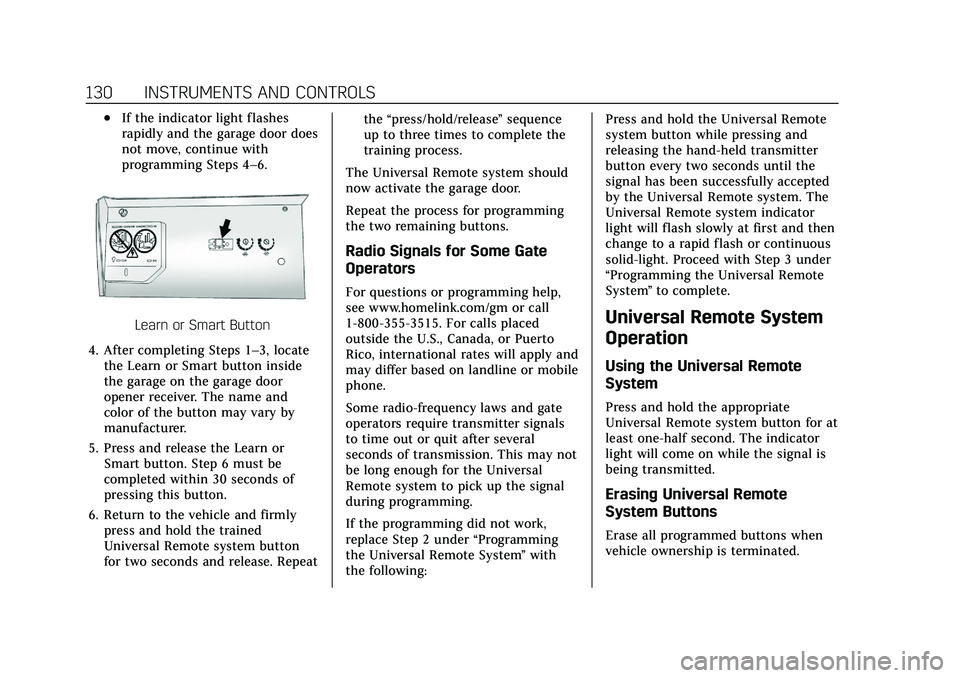
Learn or Smart Button
4. After completing Steps 1–3, locate the Learn or Smart button inside
the garage on the garage door
opener receiver. The name and
color of the button may vary by
manufacturer.
5. Press and release the Learn or Smart button. Step 6 must be
completed within 30 seconds of
pressing this button.
6. Return to the vehicle and firmly press and hold the trained
Universal Remote system button
for two seconds and release. Repeat the
“press/hold/release ”sequence
up to three times to complete the
training process.
The Universal Remote system should
now activate the garage door.
Repeat the process for programming
the two remaining buttons.
Radio Signals for Some Gate
Operators
For questions or programming help,
see www.homelink.com/gm or call
1-800-355-3515. For calls placed
outside the U.S., Canada, or Puerto
Rico, international rates will apply and
may differ based on landline or mobile
phone.
Some radio-frequency laws and gate
operators require transmitter signals
to time out or quit after several
seconds of transmission. This may not
be long enough for the Universal
Remote system to pick up the signal
during programming.
If the programming did not work,
replace Step 2 under “Programming
the Universal Remote System ”with
the following: Press and hold the Universal Remote
system button while pressing and
releasing the hand-held transmitter
button every two seconds until the
signal has been successfully accepted
by the Universal Remote system. The
Universal Remote system indicator
light will flash slowly at first and then
change to a rapid flash or continuous
solid-light. Proceed with Step 3 under
“Programming the Universal Remote
System
”to complete.
Universal Remote System
Operation
Using the Universal Remote
System
Press and hold the appropriate
Universal Remote system button for at
least one-half second. The indicator
light will come on while the signal is
being transmitted.
Erasing Universal Remote
System Buttons
Erase all programmed buttons when
vehicle ownership is terminated.
Page 135 of 426

Cadillac XT5 Owner Manual (GMNA-Localizing-U.S./Canada/Mexico-
14590481) - 2021 - CRC - 10/22/20
134 LIGHTING
Exterior Lamps Off
Reminder
A warning chime sounds if the driver
door is opened while the ignition is off
and the exterior lamps are on.
Headlamp High/Low-Beam
Changer
3:Push the turn signal lever away
from you and release, to turn the high
beams on. To return to low beams,
push the lever again or pull it toward
you and release.
This indicator light turns on in the
instrument cluster when the
high-beam headlamps are on.
Flash-to-Pass
To flash the high beams, pull the turn
signal lever toward you, and release.
Daytime Running
Lamps (DRL)
DRL can make it easier for others to
see the front of your vehicle during
the day. Fully functional DRL are
required on all vehicles first sold in
Canada.
The dedicated DRL will come on when
all of the following conditions are met:
.The ignition is on.
.The exterior lamp control is
in AUTO.
.The light sensor determines it is
daytime.
.The parking brake is released or the
vehicle is not in P (Park).
When the DRL are on, the taillamps,
sidemarker lamps, and other lamps
will not be on.
The DRL turn off when the headlamps
are turned to
Oor the ignition is off.
For vehicles first sold in Canada, the
DRL can only be turned off when the
vehicle is parked.
Automatic Headlamp
System
When the exterior lamp control is set
to AUTO and it is dark enough
outside, the headlamps come on
automatically.
There is a light sensor on top of the
instrument panel. Do not cover the
sensor.
The system may also turn on the
headlamps when driving through a
parking garage or tunnel.
If the vehicle is started in a dark
garage, the automatic headlamp
system comes on immediately. If it is
Page 137 of 426
Cadillac XT5 Owner Manual (GMNA-Localizing-U.S./Canada/Mexico-
14590481) - 2021 - CRC - 10/22/20
136 LIGHTING
The turn and lane-change signal can
be turned off manually by moving the
lever back to its original position.
If after signaling a turn or lane
change, the arrow flashes rapidly or
does not come on, a signal bulb may
be burned out.
Replace any burned out bulbs. If a
bulb is not burned out, check the fuse.
SeeFuses and Circuit Breakers 0316.
Cornering Lamps
Cornering lamps automatically come
on when all of the following occur:
.The low-beam headlamps are on.
.The turn signals are activated or the
steering wheel is at a turning angle.
.The vehicle speed is below 40 km/h
(25 mph).
Interior Lighting
Instrument Panel
Illumination Control
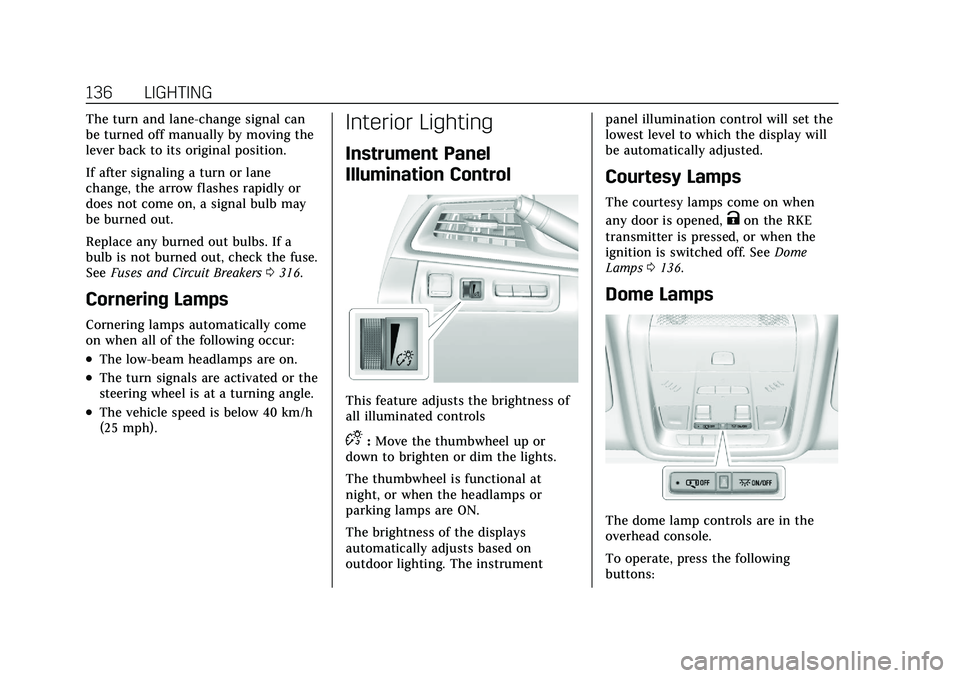
This feature adjusts the brightness of
all illuminated controls
D:Move the thumbwheel up or
down to brighten or dim the lights.
The thumbwheel is functional at
night, or when the headlamps or
parking lamps are ON.
The brightness of the displays
automatically adjusts based on
outdoor lighting. The instrument panel illumination control will set the
lowest level to which the display will
be automatically adjusted.
Courtesy Lamps
The courtesy lamps come on when
any door is opened,
Kon the RKE
transmitter is pressed, or when the
ignition is switched off. See Dome
Lamps 0136.
Dome Lamps
The dome lamp controls are in the
overhead console.
To operate, press the following
buttons:
Page 138 of 426

Cadillac XT5 Owner Manual (GMNA-Localizing-U.S./Canada/Mexico-
14590481) - 2021 - CRC - 10/22/20
LIGHTING 137
jOFF :Press to turn off the dome
lamps when any door is opened,
Kon
the RKE transmitter is pressed,
or when the ignition is switched off.
An indicator light on the button will
turn on when the dome lamp override
is activated. Press
jOFF again to
deactivate this feature and the
indicator light will turn off. The dome
lamps will come on when any door is
opened,
Kon the RKE transmitter is
pressed, or when the ignition is
switched off.
+ON/OFF : Press to turn the dome
lamps on or off manually.
Reading Lamps
There are front and rear reading
lamps on the overhead console and
over the rear passenger doors. These
lamps come on automatically when
any door is opened,
Kon the RKE
transmitter is pressed, or when the
ignition is switched off.
To operate, the ignition must be on,
or in ACC/ACCESSORY, or using
Retained Accessory Power (RAP). To manually turn the reading lamps
on or off:
Press the lamp lenses on the front
reading lamps.
Press the lamp lenses over the rear
passenger doors.
Lighting Features
Entry Lighting
Some exterior lamps turn on briefly at
night, or in areas with limited lighting,
when
Kis pressed on the RKE
transmitter. After about 30 seconds
the exterior lamps turn off. Entry
lighting can be disabled manually by
turning the ignition on or to ACC/
ACCESSORY, or by pressing
Qon the
RKE transmitter. When any door is
opened or
Kon the RKE transmitter
is pressed, all interior lights turn on
and then interior lamps dim to off
after 20 seconds.
The entry lighting feature for exterior
lighting can be changed. See “Vehicle
Locator Lights” underVehicle
Personalization 0123.
Exit Lighting
Some exterior lamps come on at night,
or in areas with limited lighting, when
the driver door is opened after the
ignition is turned off. The dome lamp
comes on after the ignition is turned
off or any door is opened. The exterior
Page 139 of 426

Cadillac XT5 Owner Manual (GMNA-Localizing-U.S./Canada/Mexico-
14590481) - 2021 - CRC - 10/22/20
138 LIGHTING
lamps and dome lamp remain on after
the door is closed for a set amount of
time, then automatically turn off.
The exterior lamps turn off
immediately by turning the exterior
lamp control off.
The exit lighting for exterior lights can
be changed. SeeVehicle Personalization
0 123.
Battery Power Protection
The battery saver feature is designed
to protect the vehicle's battery.
If some interior lamps are left on and
the ignition is turned off, the battery
rundown protection system
automatically turns the lamp off after
some time.
Exterior Lighting Battery
Saver
The exterior lamps turn off about
10 minutes after the ignition is turned
off, if the parking lamps or headlamps
have been manually left on. This
protects against draining the battery.
To restart the 10-minute timer, turn the exterior lamp control to the off
position and then back to the parking
lamp or headlamp position.
To keep the lamps on for more than
10 minutes, the ignition must be on or
in ACC/ACCESSORY.
Page 228 of 426
Cadillac XT5 Owner Manual (GMNA-Localizing-U.S./Canada/Mexico-
14590481) - 2021 - CRC - 10/22/20
DRIVING AND OPERATING 227
Auto Engine Stop/Start
When the brakes are applied and the
vehicle is at a complete stop, the
engine may turn off. When stopped,
the tachometer displays AUTO STOP.
SeeTachometer 0105. When the brake
pedal is released or the accelerator
pedal is pressed, the engine will
restart.
To maintain vehicle performance,
other conditions may cause the engine
to automatically restart before the
brake pedal is released.
Auto Stops may not occur and/or Auto
Starts may occur because:
.The climate control settings require
the engine to be running to cool or
heat the vehicle interior.
.The vehicle battery charge is low.
.The vehicle battery has recently
been disconnected.
.Minimum vehicle speed has not
been reached since the last
Auto Stop.
.The accelerator pedal is pressed.
.The engine or transmission is not at
the required operating temperature.
.The outside temperature is not in
the required operating range.
.The vehicle transmission is shifted
out of D (Drive) to any gear other
than P (Park).
.Driver modes have been selected.
.The vehicle is on a steep hill or
grade.
.The driver door has been opened or
the driver seat belt has been
unbuckled.
.The hood has been opened.
.The Auto Stop has reached the
maximum allowed time.
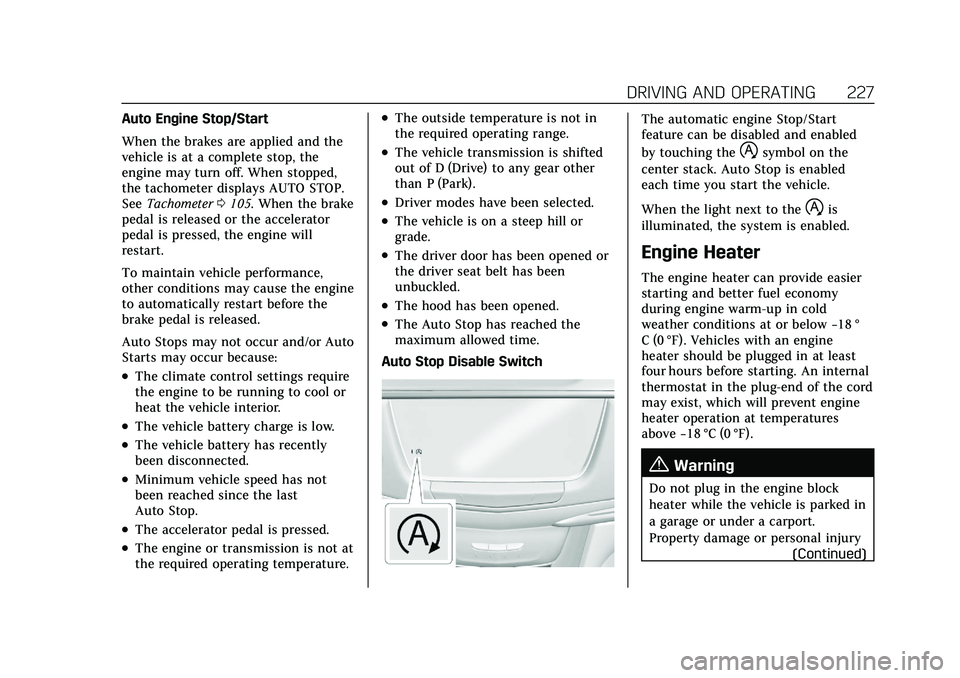
Auto Stop Disable Switch
The automatic engine Stop/Start
feature can be disabled and enabled
by touching the
hsymbol on the
center stack. Auto Stop is enabled
each time you start the vehicle.
When the light next to the
his
illuminated, the system is enabled.
Engine Heater
The engine heater can provide easier
starting and better fuel economy
during engine warm-up in cold
weather conditions at or below −18 °
C (0 °F). Vehicles with an engine
heater should be plugged in at least
four hours before starting. An internal
thermostat in the plug-end of the cord
may exist, which will prevent engine
heater operation at temperatures
above −18 °C (0 °F).
{Warning
Do not plug in the engine block
heater while the vehicle is parked in
a garage or under a carport.
Property damage or personal injury
(Continued)
Page 230 of 426
Cadillac XT5 Owner Manual (GMNA-Localizing-U.S./Canada/Mexico-
14590481) - 2021 - CRC - 10/22/20
DRIVING AND OPERATING 229
Warning (Continued)
overheat and cause a fire,
property damage, electric shock,
and injury.
.Do not operate the vehicle with
the heater cord permanently
attached to the vehicle. Possible
heater cord and thermostat
damage could occur.
.While in use, do not let the
heater cord touch vehicle parts
or sharp edges.
.Before starting the vehicle,
unplug the cord. Keep the cord
away from any moving parts.
6. Before starting the engine, be sure to unplug and store the cord.
7. Install the engine heater connector cover.
The length of time the heater should
remain plugged in depends on several
factors. Ask a dealer in the area where
you will be parking the vehicle for the
best advice on this.
Retained Accessory
Power (RAP)
When the ignition is turned from on
to off, the following features (if
equipped) will continue to function
for up to 10 minutes, or until the
driver door is opened. These features
will also work when the ignition is in
RUN or ACC/ACCESSORY:
.Infotainment System
.Power Windows (during RAP this
functionality will be lost when any
door is opened)
.Sunroof (during RAP this
functionality will be lost when any
door is opened)
.Auxiliary Power Outlet
.Audio System
.OnStar System
Shifting Into Park
To shift into P (Park): 1. Hold the brake pedal down and set the parking brake. See Electric
Parking Brake 0238. 2. Press the button on top of the shift
lever to shift into P (Park). See
Automatic Transmission 0232.
3. The P indicator on the shift lever will turn red when the vehicle is in
P (Park).
Leaving the Vehicle with the
Engine Running
{Warning
It can be dangerous to leave the
vehicle with the engine running.
It could overheat and catch fire.
It is dangerous to get out of the
vehicle if the vehicle is not in
P (Park) with the parking brake set.
The vehicle can roll.
Do not leave the vehicle when
the engine is running. If you have
left the engine running, the vehicle
can move suddenly. You or others
could be injured. To be sure the
vehicle will not move, even when
you are on fairly level ground,
always set the parking brake and
(Continued)
Page 236 of 426

Cadillac XT5 Owner Manual (GMNA-Localizing-U.S./Canada/Mexico-
14590481) - 2021 - CRC - 10/22/20
DRIVING AND OPERATING 235
1. Drive to the entrance of thecar wash.
2. Apply the brake pedal.
3. Open the door.
4. Shift to N (Neutral).
5. Turn off the engine and release the brake pedal.
6. The indicator should continue to show N. If it does not, repeat
Steps 2–5.
7. Exit the vehicle and close the door. The vehicle is now ready for the
car wash.
8. The vehicle may automatically shift to P (Park) when the door is
opened.
Car Wash Mode (Engine On –Driver
in Vehicle)
To place the vehicle in N (Neutral)
with the engine on and the vehicle
occupied:
1. Drive to the entrance of the car wash.
2. Apply the brake pedal.
3. Shift to N (Neutral). 4. Release the brake pedal. The
vehicle is now ready for the
car wash.
Car Wash Mode (Engine On –Driver
out of Vehicle)
To place the vehicle in N (Neutral)
with the engine on and the vehicle
unoccupied:
1. Drive to the entrance of the car wash.
2. Apply the brake pedal.
3. Open the door.
4. Shift to N (Neutral), then release the brake pedal.
5. The indicator should continue to show N. If it does not, repeat
Steps 2–4.
6. Exit the vehicle and close the door. The vehicle is now ready for the
car wash.
7. The vehicle may automatically shift to P (Park) when the door is
opened.Caution
A transmission hot message may
display if the automatic
transmission fluid is too hot.
Driving under this condition can
damage the vehicle. Stop and idle
the engine to cool the automatic
transmission fluid. This message
clears when the transmission fluid
has cooled sufficiently.
D : This position is for normal driving.
If more power is needed for passing,
press the accelerator pedal down.
To shift into D (Drive):
1. Bring the vehicle to a complete stop.
2. From the center position, move the shift lever back.
.If the vehicle is in P (Park), press
the shift lock release button
while pulling the shift
lever back.
.D will illuminate in red.
.After releasing the shift lever, it
will return to the center
position.
Page 252 of 426

Cadillac XT5 Owner Manual (GMNA-Localizing-U.S./Canada/Mexico-
14590481) - 2021 - CRC - 10/22/20
DRIVING AND OPERATING 251
Stationary or Very Slow-Moving
Objects
{Warning
ACC may not detect and react to
stopped or slow-moving vehicles
ahead of you. For example, the
system may not brake for a vehicle
it has never detected moving. This
can occur in stop-and-go traffic or
when a vehicle suddenly appears
due to a vehicle ahead changing
lanes. Your vehicle may not stop
and could cause a crash. Use
caution when using ACC. Your
complete attention is always
required while driving and you
should be ready to take action and
apply the brakes.
Irregular Objects Affecting ACC
ACC may have difficulty detecting the
following objects:
.Vehicles with cargo extending from
the back end.
.Non-standard shaped vehicles, such
as vehicle transport, vehicles with a
side car fitted, or horse carriages.
.Objects that are close to the front of
your vehicle.
ACC Automatically Disengages
ACC may automatically disengage and
the driver will need to manually apply
the brakes to slow the vehicle when:
.The sensors are blocked.
.The Traction Control System (TCS)
or StabiliTrak/ESC has activated or
been disabled.
.There is a fault in the system.
.The radar falsely reports blockage
when driving in a desert or remote
area with no other vehicles or
roadside objects. A DIC message
may display to indicate that ACC is
temporarily unavailable.
The ACC active symbol will turn white
when ACC is no longer active.
In some cases, when ACC will not
activate, regular cruise control may be
used. See “Switching Between ACC and
Regular Cruise Control ”previously in
this section. Always consider driving
conditions before using either cruise
control system. Notification to Resume ACC
ACC will maintain a following gap
behind a detected vehicle and slow
your vehicle to a stop behind that
vehicle.
If the stopped vehicle ahead has
driven away and ACC has not
resumed, the vehicle ahead indicator
will flash as a reminder to check
traffic ahead before proceeding. In
addition, the left and right sides of the
Safety Alert Seat will pulse three
times, or three beeps will sound. See
“Alert Type
”and “Adaptive Cruise Go
Notifier” in“Collision/Detection
Systems” underVehicle Personalization
0 123.
When the vehicle ahead drives away,
press RES+ or the accelerator pedal to
resume ACC. If stopped for more than
two minutes or if the driver door is
opened and the driver seat belt is
unbuckled, ACC automatically applies
the Electric Parking Brake (EPB) to
hold the vehicle. The Electric Parking
Brake light will turn on. See Electric
Parking Brake 0238.