brake CADILLAC XT5 2023 User Guide
[x] Cancel search | Manufacturer: CADILLAC, Model Year: 2023, Model line: XT5, Model: CADILLAC XT5 2023Pages: 482, PDF Size: 7.1 MB
Page 134 of 482

Cadillac XT5 Owner Manual (GMNA-Localizing-U.S./Canada/Mexico-
16406251) - 2023 - CRC - 3/25/22
Instruments and Controls 133
If the ABS warning light stays
on, or comes on again while
driving, the vehicle needs
service. A chime may also
sound when the light stays on.
If the ABS warning light is the
only light on, the vehicle has
regular brakes, but ABS is not
functioning.
If both the ABS warning light
and the brake system warning
light are on, ABS is not
functioning and there is a
problem with the regular
brakes. See your dealer for
service.
See Brake System Warning
Light0131.
Performance Shifting
Light
If equipped, this light may
display green when Sport
Mode is activated and certain
driving conditions are met.
Sport Mode detects when the
vehicle is being driven in a
sporty manner, and adjusts
the shifting of the gears
accordingly. See Driver Mode
Control 0273.
All-Wheel-Drive Light
All-Wheel-Drive Light
Front-Wheel-Drive Light If equipped, the corresponding
light comes on when an
All-Wheel Drive (AWD) mode
or Front-Wheel-Drive mode is
selected. See Driver Mode
Control
0273.
If the light turns amber, there
may be a malfunction. See
your dealer.
Lane Keep Assist
(LKA) Light
If equipped, the Lane Keep
Assist Light may display the
following colors:
.Blank: LKA is disabled.
.White: Appears when the
vehicle starts. A steady
white light indicates that
LKA is not ready to assist.
Page 147 of 482
Cadillac XT5 Owner Manual (GMNA-Localizing-U.S./Canada/Mexico-
16406251) - 2023 - CRC - 3/25/22
146 Instruments and Controls
If the HUD image is not
correct, contact your dealer.
The windshield is part of the
HUD system. See Windshield
Replacement0363.
Vehicle Messages
Messages displayed on the
DIC indicate the status of the
vehicle or some action that
may be needed to correct a
condition. Multiple messages
may appear one after another.
The messages that do not
require immediate action can
be acknowledged and cleared
by pressing
V. The messages
that require immediate action
cannot be cleared until that
action is performed.
All messages should be taken
seriously; clearing the
message does not correct the
problem.
If a SERVICE message
appears, see your dealer. Follow the instructions given
in the messages. The system
displays messages regarding
the following topics:
.Service Messages
.Fluid Levels
.Vehicle Security
.Brakes
.Steering
.Ride Control Systems
.Driver Assistance Systems
.Cruise Control
.Lighting and Bulb
Replacement
.Wiper/Washer Systems
.Doors and Windows
.Seat Belts
.Airbag Systems
.Engine and Transmission
.Tire Pressure
.Battery
Engine Power
Messages
ENGINE POWER IS
REDUCED
This message displays when
the vehicle's propulsion power
is reduced. A reduction in
propulsion power can affect
the vehicle's ability to
accelerate. If this message is
on, but there is no observed
reduction in performance,
proceed to your destination.
Under certain conditions the
performance may be reduced
the next time the vehicle is
driven. The vehicle may be
driven while this message is
on, but maximum acceleration
and speed may be reduced.
Anytime this message stays
on, or displays repeatedly, the
vehicle should be taken to
your dealer for service as
soon as possible.
Page 148 of 482
Cadillac XT5 Owner Manual (GMNA-Localizing-U.S./Canada/Mexico-
16406251) - 2023 - CRC - 3/25/22
Instruments and Controls 147
Under certain operating
conditions, propulsion will be
disabled. Try restarting after
the ignition has been off for
30 seconds.
Vehicle Speed
Messages
SPEED LIMITED TO XXX
KM/H (MPH)
This message shows that the
vehicle speed has been limited
to the speed displayed. The
limited speed is a protection
for various propulsion and
vehicle systems, such as
lubrication, thermal, brakes,
suspension, Teen Driver if
equipped, or tires.
Universal Remote
System
See Radio Frequency
Statement0452.
Universal Remote
System Programming
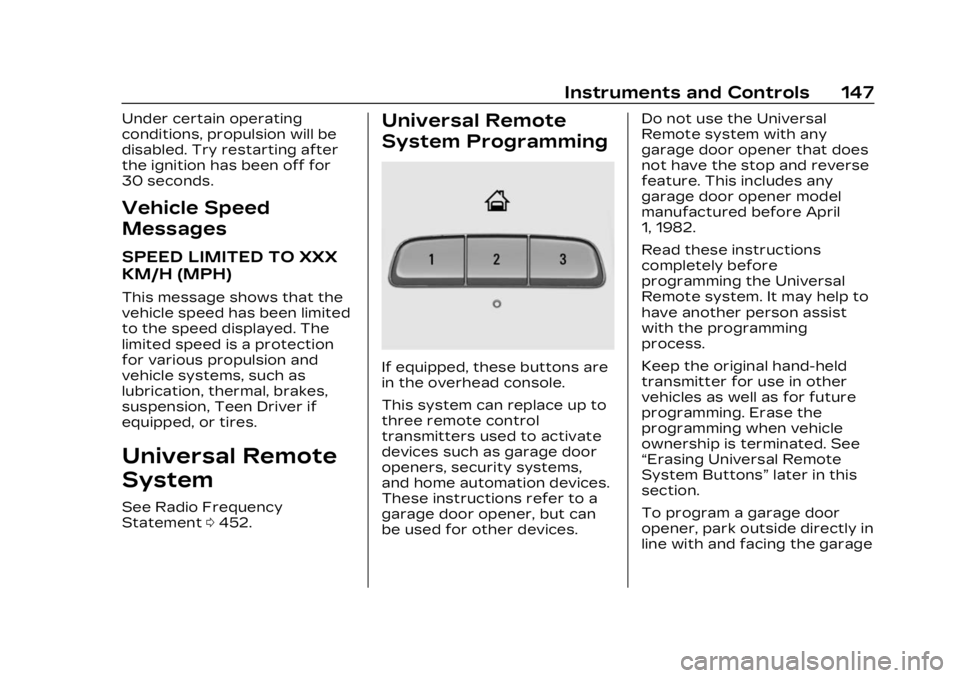
If equipped, these buttons are
in the overhead console.
This system can replace up to
three remote control
transmitters used to activate
devices such as garage door
openers, security systems,
and home automation devices.
These instructions refer to a
garage door opener, but can
be used for other devices. Do not use the Universal
Remote system with any
garage door opener that does
not have the stop and reverse
feature. This includes any
garage door opener model
manufactured before April
1, 1982.
Read these instructions
completely before
programming the Universal
Remote system. It may help to
have another person assist
with the programming
process.
Keep the original hand-held
transmitter for use in other
vehicles as well as for future
programming. Erase the
programming when vehicle
ownership is terminated. See
“Erasing Universal Remote
System Buttons”
later in this
section.
To program a garage door
opener, park outside directly in
line with and facing the garage
Page 155 of 482

Cadillac XT5 Owner Manual (GMNA-Localizing-U.S./Canada/Mexico-
16406251) - 2023 - CRC - 3/25/22
154 Lighting
.The exterior lamp control is
in AUTO.
.The light sensor determines
it is daytime.
.The parking brake is
released or the vehicle is not
in P (Park).
When the DRL are on, the
taillamps, sidemarker lamps,
and other lamps will not be on.
The DRL turn off when the
headlamps are turned to
Oor
the ignition is off. For vehicles
first sold in Canada, the DRL
can only be turned off when
the vehicle is parked.
Automatic Headlamp
System
When the exterior lamp
control is set to AUTO and it is
dark enough outside, the
headlamps come on
automatically.
There is a light sensor on top
of the instrument panel. Do
not cover the sensor.
The system may also turn on
the headlamps when driving
through a parking garage or
tunnel.
If the vehicle is started in a
dark garage, the automatic
headlamp system comes on
immediately. If it is light
outside when the vehicle
leaves the garage, there is a
slight delay before the
automatic headlamp system
changes to the Daytime
Running Lamps (DRL). During that delay, the instrument
cluster may not be as bright as
usual. Make sure the
instrument panel brightness
control is in the full bright
position. See Instrument Panel
Illumination Control
0156.
When it is bright enough
outside, the headlamps will
turn off or may change
to DRL.
The automatic headlamp
system turns off when the
exterior lamp control is turned
to
Oor the ignition is off.
For vehicles sold in Canada,
this control only works when
the transmission is in P (Park).
Lights On with Wipers
If the windshield wipers are
activated in daylight with the
engine on, and the exterior
lamp control is in AUTO, the
headlamps, parking lamps, and
other exterior lamps come on.
The transition time for the
lamps coming on varies based
on wiper speed. When the
Page 211 of 482
Cadillac XT5 Owner Manual (GMNA-Localizing-U.S./Canada/Mexico-
16406251) - 2023 - CRC - 3/25/22
210 Infotainment System
To access:1. Touch Settings on the Home Page, then touch
Vehicle, and then Teen
Driver.
2. Create a Personal Identification Number (PIN)
by choosing a four-digit
PIN. Re-enter the PIN to
confirm. To change the
PIN, touch Change PIN.
The PIN is required to:
.Set up/Add or remove keys.
.Change Teen Driver
settings.
.Change or clear the Teen
Driver PIN.
.Access or delete Report
Card data.
Set up/Add keys to activate
Teen Driver and assign
restrictions to the key:
Any vehicle key can be
registered, up to a maximum
of eight keys. Label the key to
tell it apart from the
other keys. For a pushbutton start
system:
1. Start the vehicle.
2. For automatic transmissions, the vehicle
must be in P (Park). For
manual transmissions, the
vehicle must be stopped
with the parking brake set.
3. From the Settings menu, touch Vehicle and then
Teen Driver.
4. Enter the PIN.
5. Place the remote key you wish to register in the
transmitter pocket. The
key does not need to be
the one that started the
vehicle. See Remote Key
Operation 09 for
transmitter pocket
location. 6. From the Teen Driver
menu, touch Setup Keys or
Add/Remove Teen
Driver Keys.
.If the remote key has
not previously been
registered, the option to
add the key displays.
Touch Add and a
confirmation message
displays. Teen Driver
restrictions will be
applied whenever this
remote key is used to
operate the vehicle.
.If the remote key has
already been registered,
the option to remove
the key displays.
If Remove is touched,
the remote key is no
longer registered.
A confirmation message
displays, and Teen
Driver restrictions will
not be applied if this
remote key is used to
operate the vehicle.
Page 212 of 482
Cadillac XT5 Owner Manual (GMNA-Localizing-U.S./Canada/Mexico-
16406251) - 2023 - CRC - 3/25/22
Infotainment System 211
In vehicles with a pushbutton
start system, if a Teen Driver
and a non-Teen Driver key are
both present at start up, the
vehicle will recognize the
non-Teen Driver key to start
the vehicle. The Teen Driver
settings will not be active.
For a keyed ignition system:1. Start the vehicle.
2. For automatic transmissions, the vehicle
must be in P (Park). For
manual transmissions, the
vehicle must be stopped
with the parking brake set.
3. From the Settings menu, touch Vehicle and then
Teen Driver.
4. Enter the PIN.
5. Touch Setup Keys or Add/ Remove Teen Driver Keys.
The system displays
instructions for registering
or unregistering a key.
A confirmation message
displays. Manage Settings or Teen
Driver Settings
Depending on the options of
your vehicle, the following
menu items may be displayed:
Buckle to Drive :
When turned
ON, Buckle to Drive prevents
the driver from shifting out of
P (Park) for a period of time
after the brake pedal is
pressed if the driver, or on
some vehicles the detected
passenger, has not buckled
their seat belt. On some
vehicles, Buckle to Drive is
always ON when Teen Driver
is active and is not
configurable.
Audio Volume Limit : Allows a
maximum audio volume to be
set. Turn the audio volume
limit on or off. Use the arrows
to choose the maximum
allowable level for the audio
volume. On some infotainment
systems, touch Set Audio
Volume Limit to choose the
maximum allowable audio
volume level. Set Audio Volume Limit :
Use
the arrows to choose the
maximum allowable level for
the audio volume.
Teen Driver Speed Limiter :
Limits the maximum speed of
the vehicle. When the speed
limiter is turned on and the
vehicle is started with a Teen
Driver key, the DIC displays a
message that the top speed is
limited.
On certain vehicles, when the
Speed Limiter is turned ON,
the vehicle’s maximum
acceleration will be limited.
The DIC will display a message
that the acceleration is limited.
Teen Driver Speed Warning :
Displays a warning in the DIC
when exceeding a selectable
speed. Turn the speed
warning on or off and choose
the desired speed warning
level. The speed warning does
not limit the speed of the
vehicle. On some infotainment
Page 214 of 482
Cadillac XT5 Owner Manual (GMNA-Localizing-U.S./Canada/Mexico-
16406251) - 2023 - CRC - 3/25/22
Infotainment System 213
The Report Card data is
collected from the time Teen
Driver is activated or the last
time the Report Card was
reset. The following items may
be recorded:
.Distance Driven–the total
distance driven.
.Maximum Speed –the
maximum vehicle speed
detected.
.Overspeed Warnings –the
number of times the speed
warning setting was
exceeded.
.Wide Open Throttle –the
number of times the
accelerator pedal was
pressed nearly all the
way down.
.Forward Collision Alerts (if
equipped) –the number of
times the driver was notified
when approaching a vehicle
ahead too quickly and at
potential risk for a crash.
.Forward Automatic Braking,
also called Automatic
Emergency Braking (if equipped)
–the number of
times the vehicle detected
that a forward collision was
imminent and applied the
brakes.
.Reverse Automatic Braking
(if equipped) –the number of
times the vehicle detected
that a rearward collision was
imminent and applied the
brakes.
.Traction Control –the
number of times the
Traction Control System
activated to reduce wheel
spin or loss of traction.
.Stability Control –the
number of events which
required the use of
electronic stability control.
.Antilock Braking System
Active –The number of
Antilock Brake System
activations.
.Tailgating Alerts (if
equipped)– the number of
times the driver was alerted
for following a vehicle ahead
too closely. Report Card Data
Cumulative Data is saved for
all trips until the Report Card
is reset or until the maximum
count is exceeded. If the
maximum count is exceeded
for a Report Card line item,
that item will no longer be
updated in the Report Card
until it is reset. Each item will
report a maximum of
1,000 counts. The distance
driven will report a maximum
of 64 374 km (40,000 mi).
To delete Report Card data,
do one of the following:
.From the Report Card
display, touch Reset.
.Touch Clear PIN and All
Teen Driver Keys from the
Teen Driver menu. This will
also unregister any Teen
Driver keys and delete
the PIN.
Forgotten PIN
See your dealer to reset
the PIN.
Page 234 of 482

Cadillac XT5 Owner Manual (GMNA-Localizing-U.S./Canada/Mexico-
16406251) - 2023 - CRC - 3/25/22
Driving and Operating 233
Driving and
Operating
Driving Information
Driving for Better FuelEconomy . . . . . . . . . . . . . . . . . . . 234
Distracted Driving . . . . . . . . . 235
Defensive Driving . . . . . . . . . . 235
Impaired Driving . . . . . . . . . . . 236
Control of a Vehicle . . . . . . 236
Braking . . . . . . . . . . . . . . . . . . . . . . . 236
Steering . . . . . . . . . . . . . . . . . . . . . . 237
Off-Road Recovery . . . . . . . 238
Loss of Control . . . . . . . . . . . . 238
Off-Road Driving . . . . . . . . . . . 239
Driving on Wet Roads . . . . 243
Hill and Mountain Roads . . . . . . . . . . . . . . . . . . . . . . . 244
Winter Driving . . . . . . . . . . . . . . 245
If the Vehicle Is Stuck . . . . 246
Vehicle Load Limits . . . . . . . 247
Starting and Operating
New Vehicle Break-In . . . . . 251
Ignition Positions . . . . . . . . . . 252
Starting the Engine . . . . . . . 254
Stop/Start System . . . . . . . . 255
Engine Heater . . . . . . . . . . . . . . 256 Retained Accessory
Power (RAP) . . . . . . . . . . . . . . . 258
Shifting Into Park . . . . . . . . . . 258
Shifting out of Park . . . . . . . 259
Parking over Things That Burn . . . . . . . . . . . . . . . . . . 259
Active Fuel Management . . . . . . . . . . . . . . 259
Extended Parking . . . . . . . . . 260
Engine Exhaust
Engine Exhaust . . . . . . . . . . . . 260
Running the Vehicle While Parked . . . . . . . . . . . . . . . . . . . . . . . 261
Automatic Transmission
AutomaticTransmission . . . . . . . . . . . . . . 261
Manual Mode . . . . . . . . . . . . . . . 266
Drive Systems
All-Wheel Drive . . . . . . . . . . . . . 267
Brakes
Electric Brake Boost . . . . . 268
Antilock Brake System (ABS) . . . . . . . . . . . . . 268
Electric Parking Brake . . . 269
Brake Assist . . . . . . . . . . . . . . . . . 271
Hill Start Assist (HSA) . . . . . 271
Ride Control Systems
Traction Control/ Electronic Stability
Control . . . . . . . . . . . . . . . . . . . . . . 271
Driver Mode Control . . . . . . 273
Cruise Control
Cruise Control . . . . . . . . . . . . . . 275
Adaptive Cruise Control (Advanced) . . . . . . . . . . . . . . . . . 277
Driver Assistance
Systems
Driver AssistanceSystems . . . . . . . . . . . . . . . . . . . . 288
Assistance Systems for Parking or Backing . . . . . . 290
Rear Vision Camera (RVC) . . . . . . . . . . . . . 291
Surround Vision System . . . . . . . . . . . . . . . . . . . . . . 292
Park Assist . . . . . . . . . . . . . . . . . . 294
Automatic Parking Assist (APA) . . . . . . . . . . . . . . . 296
Reverse Automatic Braking (RAB) . . . . . . . . . . . . . 299
Rear Pedestrian Alert . . . 300
Rear Cross Traffic Alert (RCTA) System . . . . . . . . . . . 302
Assistance Systems for Driving . . . . . . . . . . . . . . . . . . . . . . 302
Page 235 of 482

Cadillac XT5 Owner Manual (GMNA-Localizing-U.S./Canada/Mexico-
16406251) - 2023 - CRC - 3/25/22
234 Driving and Operating
Forward Collision Alert(FCA) System . . . . . . . . . . . . . 303
Automatic Emergency Braking (AEB) . . . . . . . . . . . . . 305
Front Pedestrian Braking
(FPB) System . . . . . . . . . . . . . 307
Night Vision System . . . . . . 310
Side Blind Zone Alert (SBZA) . . . . . . . . . . . . . . . . 312
Lane Change Alert (LCA) . . . . . . . . . . . . . . . . . 313
Lane Keep Assist (LKA) . . . . . . . . . . . . . . . . 315
Fuel
Top Tier Fuel . . . . . . . . . . . . . . . . 317
Recommended Fuel (2.0LL4 Engine) . . . . . . . . . . . . . . . . . . 318
Recommended Fuel (3.6L V6 Engine) . . . . . . . . . . . . . . . . . . 318
Prohibited Fuels . . . . . . . . . . . . 318
Fuels in Foreign Countries . . . . . . . . . . . . . . . . . . . 319
Fuel Additives . . . . . . . . . . . . . . . 319
Filling the Tank . . . . . . . . . . . . . . 319
Filling a Portable Fuel Container . . . . . . . . . . . . . . . . . . . 321
Trailer Towing
General TowingInformation . . . . . . . . . . . . . . . . 322 Driving Characteristics
and Towing Tips . . . . . . . . . . 322
Trailer Towing . . . . . . . . . . . . . . 326
Towing Equipment . . . . . . . . . 331
Trailer Sway Control (TSC) . . . . . . . . . . . . . 334
Conversions and Add-Ons
Add-On ElectricalEquipment . . . . . . . . . . . . . . . . . 336
Driving
Information
Driving for Better
Fuel Economy
Driving habits can affect fuel
mileage. Here are some driving
tips to get the best fuel
economy possible.
.Set the climate controls to
the desired temperature
after the engine is started,
or turn them off when not
required.
.On AWD vehicles, use Tour
Mode when conditions
permit.
.Avoid fast starts and
accelerate smoothly.
.Brake gradually and avoid
abrupt stops.
.Avoid idling the engine for
long periods of time.
.When road and weather
conditions are appropriate,
use cruise control.
Page 237 of 482

Cadillac XT5 Owner Manual (GMNA-Localizing-U.S./Canada/Mexico-
16406251) - 2023 - CRC - 3/25/22
236 Driving and Operating
driving defensively is to wear
the seat belt. See Seat Belts
060.
.Assume that other road
users (pedestrians,
bicyclists, and other drivers)
are going to be careless and
make mistakes. Anticipate
what they may do and be
ready.
.Allow enough following
distance between you and
the driver in front of you.
.Focus on the task of driving.
Impaired Driving
Death and injury associated
with impaired driving is a
global tragedy.
{Warning
Drinking alcohol or taking
drugs and then driving is
very dangerous. Your
reflexes, perceptions,
attentiveness, and judgment
can be affected by even a
(Continued)
Warning (Continued)
small amount of alcohol or
drugs. You can have a
serious—or even fatal —
collision if you drive after
drinking or taking drugs.
Do not drive while under the
influence of alcohol or drugs,
or ride with a driver who has
been drinking or is impaired
by drugs. Find alternate
transportation home; or if
you are with a group,
designate a driver who will
remain sober.
Control of a Vehicle
Braking, steering, and
accelerating are important
factors in helping to control a
vehicle while driving.
Braking
Braking action involves
perception time and reaction
time. Deciding to push the brake pedal is perception time.
Actually doing it is
reaction time.
Average driver reaction time is
about three-quarters of a
second. In that time, a vehicle
moving at 100 km/h (60 mph)
travels 20 m (66 ft), which
could be a lot of distance in an
emergency.
Helpful braking tips to keep in
mind include:
.Keep enough distance
between you and the vehicle
in front of you.
.Avoid needless heavy
braking.
.Keep pace with traffic.
If the engine ever stops while
the vehicle is being driven,
brake normally but do not
pump the brakes. Doing so
could make the pedal harder
to push down. If the engine
stops, there will be some
power brake assist but it will
be used when the brake is
applied. Once the power assist