ignition CADILLAC XT5 2023 User Guide
[x] Cancel search | Manufacturer: CADILLAC, Model Year: 2023, Model line: XT5, Model: CADILLAC XT5 2023Pages: 482, PDF Size: 7.1 MB
Page 115 of 482
Cadillac XT5 Owner Manual (GMNA-Localizing-U.S./Canada/Mexico-
16406251) - 2023 - CRC - 3/25/22
114 Instruments and Controls
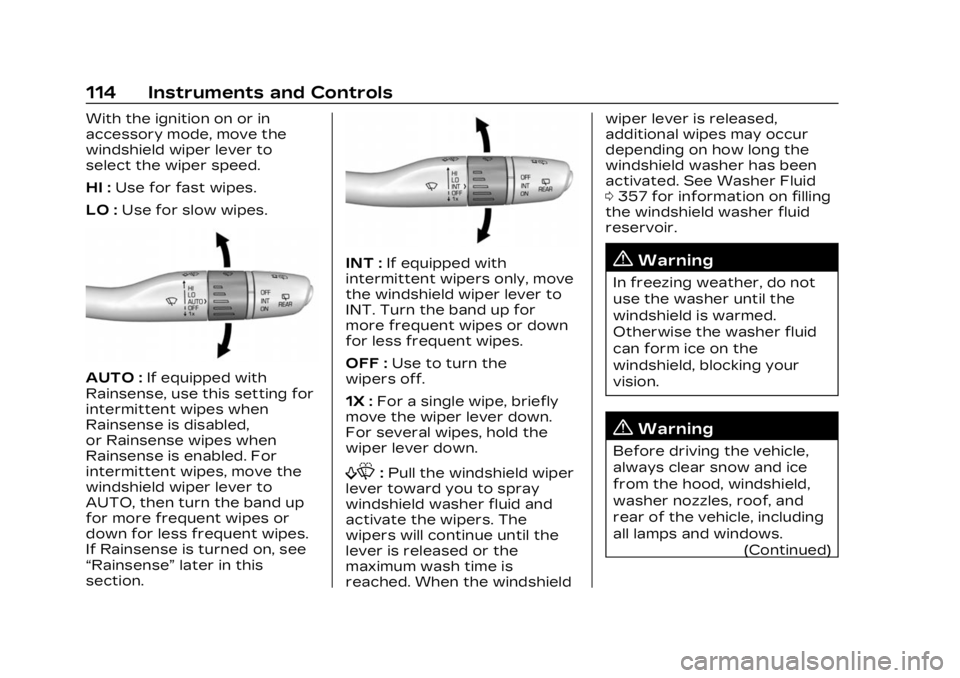
With the ignition on or in
accessory mode, move the
windshield wiper lever to
select the wiper speed.
HI :Use for fast wipes.
LO : Use for slow wipes.
AUTO : If equipped with
Rainsense, use this setting for
intermittent wipes when
Rainsense is disabled,
or Rainsense wipes when
Rainsense is enabled. For
intermittent wipes, move the
windshield wiper lever to
AUTO, then turn the band up
for more frequent wipes or
down for less frequent wipes.
If Rainsense is turned on, see
“Rainsense” later in this
section.
INT : If equipped with
intermittent wipers only, move
the windshield wiper lever to
INT. Turn the band up for
more frequent wipes or down
for less frequent wipes.
OFF : Use to turn the
wipers off.
1X : For a single wipe, briefly
move the wiper lever down.
For several wipes, hold the
wiper lever down.
f: Pull the windshield wiper
lever toward you to spray
windshield washer fluid and
activate the wipers. The
wipers will continue until the
lever is released or the
maximum wash time is
reached. When the windshield wiper lever is released,
additional wipes may occur
depending on how long the
windshield washer has been
activated. See Washer Fluid
0
357 for information on filling
the windshield washer fluid
reservoir.
{Warning
In freezing weather, do not
use the washer until the
windshield is warmed.
Otherwise the washer fluid
can form ice on the
windshield, blocking your
vision.
{Warning
Before driving the vehicle,
always clear snow and ice
from the hood, windshield,
washer nozzles, roof, and
rear of the vehicle, including
all lamps and windows.
(Continued)
Page 116 of 482

Cadillac XT5 Owner Manual (GMNA-Localizing-U.S./Canada/Mexico-
16406251) - 2023 - CRC - 3/25/22
Instruments and Controls 115
Warning (Continued)
Reduced visibility from snow
and ice buildup could lead to
a crash.
Clear snow and ice from the
wiper blades and windshield
before using them. If frozen to
the windshield, carefully
loosen or thaw them.
Damaged blades should be
replaced. See Wiper Blade
Replacement 0362.
Heavy snow or ice can
overload the wiper motor. See
Electrical System Overload
0 365.
Wiper Parking
If the ignition is turned off
while the wipers are on LO, HI,
or AUTO with Rainsense
turned off, they will
immediately stop.
If the windshield wiper lever is
then moved to OFF before the
driver door is opened or within 10 minutes, the wipers will
restart and move to the base
of the windshield.
If the ignition is turned off
while the wipers are
performing wipes due to
windshield washing or
Rainsense, the wipers
continue to run until they
reach the base of the
windshield.
Rainsense
If equipped with Rainsense
and the feature is turned on, a
sensor near the top center of
the windshield detects the
amount of water on the
windshield and controls the
frequency of the windshield
wiper based on the current
sensitivity setting.
Keep this area of the
windshield clear of debris to
allow for best system
performance.
AUTO :
Move the windshield
wiper lever to AUTO. Turn the
band on the wiper lever to
adjust the sensitivity..Turn the band up for more
sensitivity to moisture.
.Turn the band down for less
sensitivity to moisture.
.Move the windshield wiper
lever out of the AUTO
position to deactivate
Rainsense.
To turn the Rainsense feature
on or off, select Settings >
Vehicle > Comfort and
Convenience > Rainsense
Wipers > Select ON or OFF.
Page 126 of 482

Cadillac XT5 Owner Manual (GMNA-Localizing-U.S./Canada/Mexico-
16406251) - 2023 - CRC - 3/25/22
Instruments and Controls 125
HUD Rotation (Uplevel): Press
SEL while Adjust Rotation is
highlighted to enter Adjust
Mode. Scroll to adjust the
angle of the HUD display.
Press the SEL to confirm and
save the setting. This feature
may only be available in
P (Park).
Speed Sign: If equipped, press
SEL while Speed Sign is
highlighted to turn it on or off.
Software Information :
Displays open source software
information.
Speedometer
The speedometer shows the
vehicle speed in either
kilometers per hour (km/h) or
miles per hour (mph).
Odometer
The odometer shows how far
the vehicle has been driven, in
either kilometers or miles.
Trip Odometer
The trip odometer shows how
far the vehicle has been driven
since the trip odometer was
last reset.
The trip odometer is accessed
and reset through the Driver
Information Center (DIC). See
Driver Information Center
(DIC)0139.
Tachometer
The tachometer displays the
engine speed in revolutions
per minute (rpm).
For vehicles with the Stop/
Start system, when the
ignition is on, the tachometer
indicates the vehicle status.
When pointing to AUTO STOP,
the engine is off but the
vehicle is on and can move.
The engine could auto start at
any time. When the indicator
points to OFF, the vehicle
is off. When the engine is on, the
tachometer will indicate the
rpm. The tachometer may vary
by several hundred rpm,
during Auto Stop mode, when
the engine is shutting off and
restarting.
Fuel Gauge
When the ignition is on, the
fuel gauge indicates the
approximate amount of fuel
left in the tank.
There is an arrow near the
fuel gauge pointing to the side
of the vehicle the fuel door
is on.
Page 127 of 482

Cadillac XT5 Owner Manual (GMNA-Localizing-U.S./Canada/Mexico-
16406251) - 2023 - CRC - 3/25/22
126 Instruments and Controls
When the indicator nears
empty, the low fuel light
comes on. There still is a little
fuel left, but the vehicle should
be refueled soon.
The fuel gauge may:
.Take a little more, or less
fuel to fill up than it
indicates. For example, the
gauge may have indicated
the tank is half full, but it
actually will take a little
more, or less than half the
tank's capacity to fill
the tank.
.Moves a little while turning a
corner, speeding up,
or braking.
.Take a few seconds to
stabilize after the ignition is
turned on and goes back to
empty when the ignition is
turned off.
These are normal conditions,
none of which indicate a
problem with the fuel gauge.
Engine Coolant
Temperature Gauge
Metric
English This gauge measures the
temperature of the vehicle's
engine.
While driving under normal
operating conditions, if the red
LED is illuminated, the engine
is too hot. Pull off the road,
stop the vehicle, and turn off
the engine as soon as
possible.
Seat Belt Reminders
Driver Seat Belt Reminder
Light
There is a driver seat belt
reminder light on the
instrument cluster.
When the vehicle is started,
this light flashes and a chime
may come on to remind the
driver to fasten their seat belt.
Page 130 of 482
Cadillac XT5 Owner Manual (GMNA-Localizing-U.S./Canada/Mexico-
16406251) - 2023 - CRC - 3/25/22
Instruments and Controls 129
The charging system light
comes on briefly when the
ignition is turned on, but the
engine is not running, as a
check to show the light is
working. It should go out when
the engine is started.
If the light stays on, or comes
on while driving, there may be
a problem with the electrical
charging system. Have it
checked by your dealer.
Driving while this light is on
could drain the battery.
When this light comes on, or is
flashing, the Driver Information
Center (DIC) also displays a
message.
If a short distance must be
driven with the light on, be
sure to turn off all
accessories, such as the radio
and air conditioner. Find a safe
place to stop the vehicle.Malfunction Indicator
Lamp (Check Engine
Light)
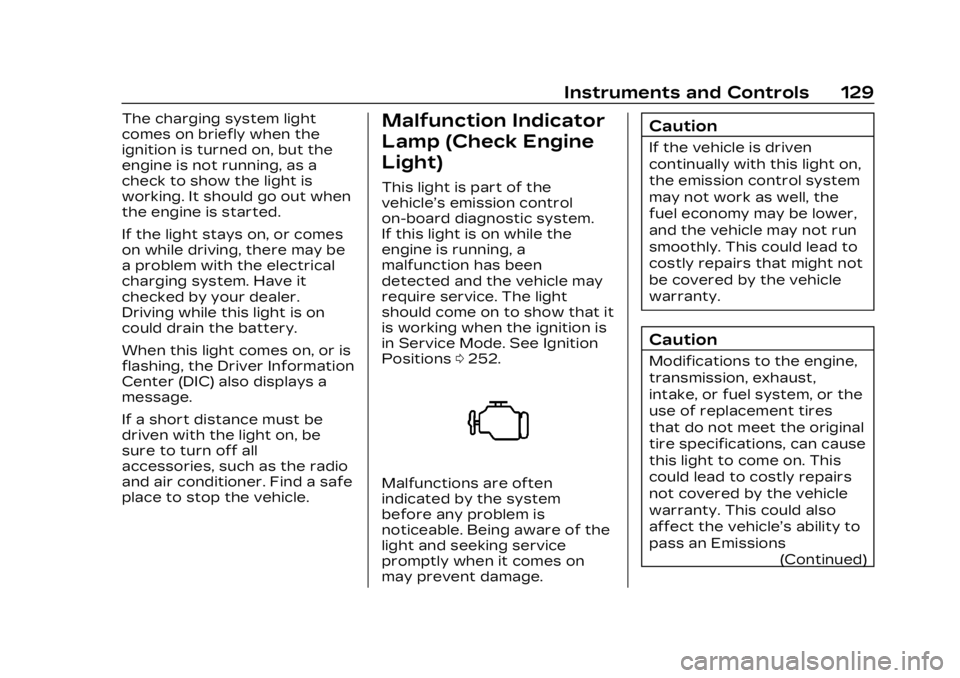
This light is part of the
vehicle’s emission control
on-board diagnostic system.
If this light is on while the
engine is running, a
malfunction has been
detected and the vehicle may
require service. The light
should come on to show that it
is working when the ignition is
in Service Mode. See Ignition
Positions0252.
Malfunctions are often
indicated by the system
before any problem is
noticeable. Being aware of the
light and seeking service
promptly when it comes on
may prevent damage.
Caution
If the vehicle is driven
continually with this light on,
the emission control system
may not work as well, the
fuel economy may be lower,
and the vehicle may not run
smoothly. This could lead to
costly repairs that might not
be covered by the vehicle
warranty.
Caution
Modifications to the engine,
transmission, exhaust,
intake, or fuel system, or the
use of replacement tires
that do not meet the original
tire specifications, can cause
this light to come on. This
could lead to costly repairs
not covered by the vehicle
warranty. This could also
affect the vehicle’s ability to
pass an Emissions
(Continued)
Page 132 of 482

Cadillac XT5 Owner Manual (GMNA-Localizing-U.S./Canada/Mexico-
16406251) - 2023 - CRC - 3/25/22
Instruments and Controls 131
Maintenance test or to service
the vehicle may affect vehicle
operation. See Add-On
Electrical Equipment0336.
See your dealer if assistance
is needed.
The vehicle may not pass
inspection if:
.The light is on when the
engine is running.
.The light does not come on
when the ignition is in
Service Mode.
.Critical emission control
systems have not been
completely diagnosed. If this
happens, the vehicle would
not be ready for inspection
and might require
several days of routine
driving before the system is
ready for inspection. This
can happen if the 12-volt
battery has recently been
replaced or run down, or if
the vehicle has been
recently serviced. See your dealer if the vehicle
will not pass or cannot be
made ready for the test.
Brake System
Warning Light
MetricEnglish
This light comes on briefly
when the vehicle is turned on
to show that the light is
working. If it does not come on
then, have it fixed so it will be
ready to warn you if there is a
problem.
If the light comes on and stays
on, there is a brake problem.
Have the brake system
inspected right away. This
light may come on if the brake
fluid is low. See Brake Fluid
0 359. If the light comes on while
driving, pull off the road and
stop carefully. If equipped with
electric brake boost, vehicle
speed may be limited when the
brake system warning light
comes on. The brake pedal
might be harder to push,
or the brake pedal may go
closer to the floor. It could
take longer to stop. If the light
is still on, have the vehicle
towed for service. See
Transporting a Disabled
Vehicle
0412.
{Warning
The brake system might not
be working properly if the
brake system warning light
is on. Driving with the brake
system warning light on can
lead to a crash. If the light is
still on after the vehicle has
been pulled off the road and
carefully stopped, have the
vehicle towed for service.
Page 138 of 482
Cadillac XT5 Owner Manual (GMNA-Localizing-U.S./Canada/Mexico-
16406251) - 2023 - CRC - 3/25/22
Instruments and Controls 137
shown on the Tire and
Loading Information label. See
Tire Pressure0384.
When the Light Flashes First
and Then Is On Steady
If the light flashes for about a
minute and then stays on,
there may be a problem with
the TPMS. If the problem is
not corrected, the light will
come on every time the
vehicle is started. See Tire
Pressure Monitor Operation
0 388.
Engine Oil Pressure
Light
Caution
Driving the vehicle with low
engine oil pressure can
damage the engine and the
repairs would not be
covered by the vehicle
warranty.
If the engine oil pressure
light comes on while driving:
(Continued)
Caution (Continued)
1. Stop in a safe locationand turn off the engine.
2. Check the oil level. See Engine Oil 0345.
3. Add oil if the oil level is below the normal
operating range.
4. Restart the vehicle. If the engine oil pressure light
stays on for more than
10 seconds, turn the
vehicle back off. Do not
restart the vehicle. See
your dealer for service.
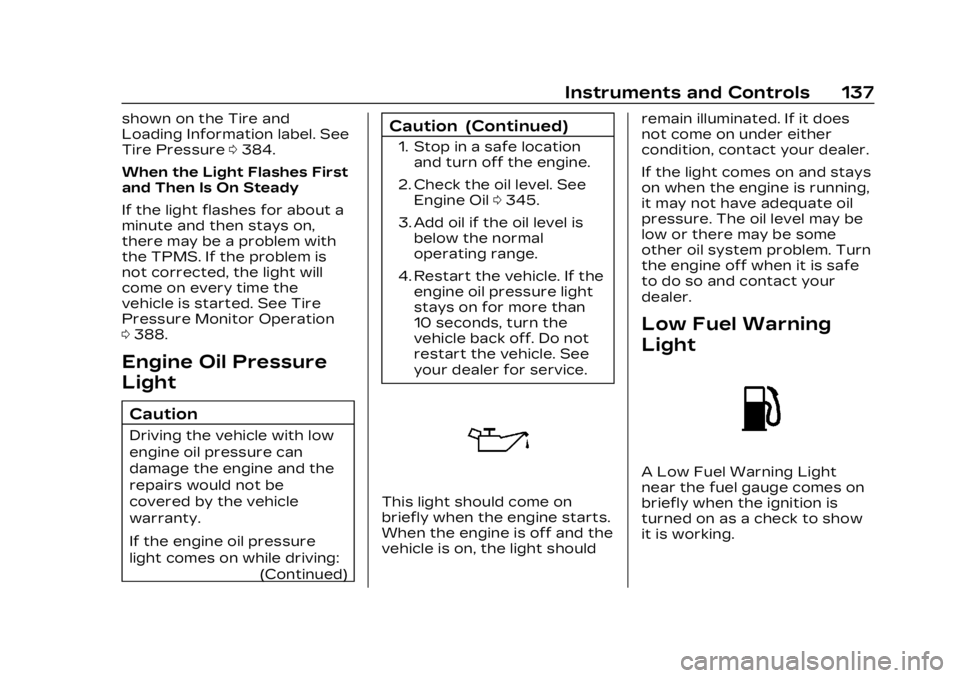
This light should come on
briefly when the engine starts.
When the engine is off and the
vehicle is on, the light should remain illuminated. If it does
not come on under either
condition, contact your dealer.
If the light comes on and stays
on when the engine is running,
it may not have adequate oil
pressure. The oil level may be
low or there may be some
other oil system problem. Turn
the engine off when it is safe
to do so and contact your
dealer.
Low Fuel Warning
Light
A Low Fuel Warning Light
near the fuel gauge comes on
briefly when the ignition is
turned on as a check to show
it is working.
Page 146 of 482
Cadillac XT5 Owner Manual (GMNA-Localizing-U.S./Canada/Mexico-
16406251) - 2023 - CRC - 3/25/22
Instruments and Controls 145
adjust the audio settings
appearing in the instrument
cluster.
Incoming phone calls
appearing in the instrument
cluster may also display in any
HUD view.
Metric
English
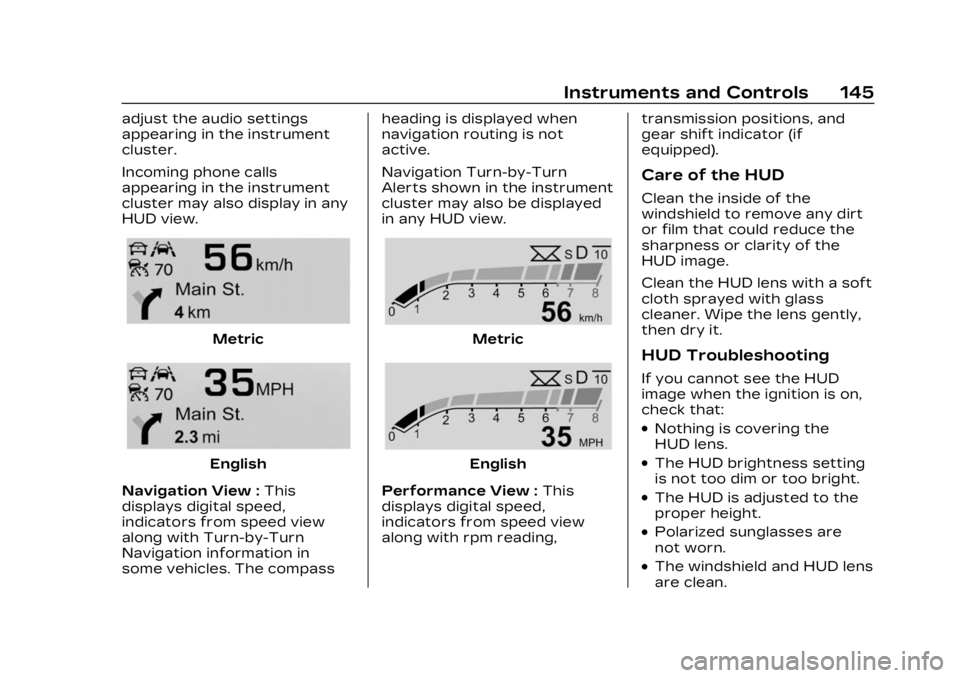
Navigation View : This
displays digital speed,
indicators from speed view
along with Turn-by-Turn
Navigation information in
some vehicles. The compass heading is displayed when
navigation routing is not
active.
Navigation Turn-by-Turn
Alerts shown in the instrument
cluster may also be displayed
in any HUD view.
Metric
English
Performance View : This
displays digital speed,
indicators from speed view
along with rpm reading, transmission positions, and
gear shift indicator (if
equipped).
Care of the HUD
Clean the inside of the
windshield to remove any dirt
or film that could reduce the
sharpness or clarity of the
HUD image.
Clean the HUD lens with a soft
cloth sprayed with glass
cleaner. Wipe the lens gently,
then dry it.
HUD Troubleshooting
If you cannot see the HUD
image when the ignition is on,
check that:
.Nothing is covering the
HUD lens.
.The HUD brightness setting
is not too dim or too bright.
.The HUD is adjusted to the
proper height.
.Polarized sunglasses are
not worn.
.The windshield and HUD lens
are clean.
Page 148 of 482
Cadillac XT5 Owner Manual (GMNA-Localizing-U.S./Canada/Mexico-
16406251) - 2023 - CRC - 3/25/22
Instruments and Controls 147
Under certain operating
conditions, propulsion will be
disabled. Try restarting after
the ignition has been off for
30 seconds.
Vehicle Speed
Messages
SPEED LIMITED TO XXX
KM/H (MPH)
This message shows that the
vehicle speed has been limited
to the speed displayed. The
limited speed is a protection
for various propulsion and
vehicle systems, such as
lubrication, thermal, brakes,
suspension, Teen Driver if
equipped, or tires.
Universal Remote
System
See Radio Frequency
Statement0452.
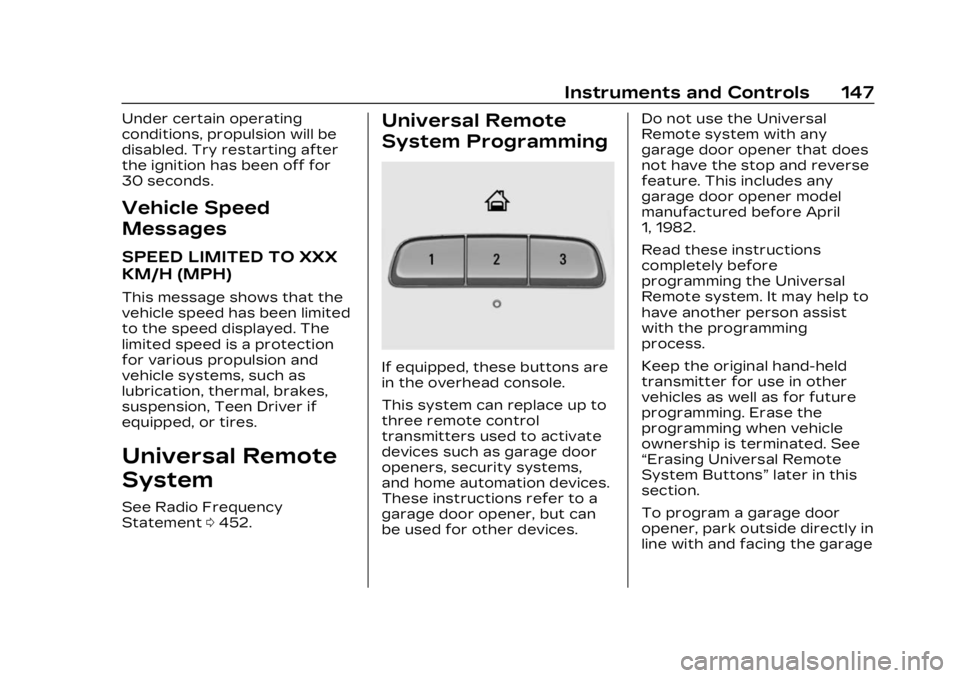
Universal Remote
System Programming
If equipped, these buttons are
in the overhead console.
This system can replace up to
three remote control
transmitters used to activate
devices such as garage door
openers, security systems,
and home automation devices.
These instructions refer to a
garage door opener, but can
be used for other devices. Do not use the Universal
Remote system with any
garage door opener that does
not have the stop and reverse
feature. This includes any
garage door opener model
manufactured before April
1, 1982.
Read these instructions
completely before
programming the Universal
Remote system. It may help to
have another person assist
with the programming
process.
Keep the original hand-held
transmitter for use in other
vehicles as well as for future
programming. Erase the
programming when vehicle
ownership is terminated. See
“Erasing Universal Remote
System Buttons”
later in this
section.
To program a garage door
opener, park outside directly in
line with and facing the garage
Page 154 of 482

Cadillac XT5 Owner Manual (GMNA-Localizing-U.S./Canada/Mexico-
16406251) - 2023 - CRC - 3/25/22
Lighting 153
instrument cluster light will
come on to indicate the
IntelliBeam is reactivated.
The high beams may not turn
off automatically if the system
cannot detect another
vehicle's lamps because of any
of the following:
.The other vehicle's lamps
are missing, damaged,
obstructed from view,
or otherwise undetected.
.The other vehicle's lamps
are covered with dirt, snow,
and/or road spray.
.The other vehicle's lamps
cannot be detected due to
dense exhaust, smoke, fog,
snow, road spray, mist,
or other airborne
obstructions.
.The vehicle's windshield is
dirty, cracked, or obstructed
by something that blocks the
view of the light sensor.
.The vehicle is loaded such
that the front end points
upward, causing the light sensor to aim high and not
detect headlamps and
taillamps.
.The vehicle is being driven
on winding or hilly roads.
The automatic high-beam
headlamps may need to be
disabled if any of the above
conditions exist.
Exterior Lamps Off
Reminder
A warning chime sounds if the
driver door is opened while
the ignition is off and the
exterior lamps are on.
Headlamp High/
Low-Beam Changer
3: Push the turn signal lever
away from you and release, to
turn the high beams on. To
return to low beams, push the
lever again or pull it toward
you and release.
This indicator light turns on in
the instrument cluster when
the high-beam headlamps
are on.
Flash-to-Pass
To flash the high beams, pull
the turn signal lever toward
you, and release.
Daytime Running
Lamps (DRL)
DRL can make it easier for
others to see the front of your
vehicle during the day. Fully
functional DRL are required on
all vehicles first sold in
Canada.
The dedicated DRL will come
on when all of the following
conditions are met:
.The ignition is on.