security CADILLAC XT6 2020 User Guide
[x] Cancel search | Manufacturer: CADILLAC, Model Year: 2020, Model line: XT6, Model: CADILLAC XT6 2020Pages: 385, PDF Size: 6.63 MB
Page 354 of 385
Cadillac XT6 Owner Manual (GMNA-Localizing-U.S./Canada-12984300) -
2020 - CRC - 3/19/19
CUSTOMER INFORMATION 353
Center at 1-800-323-9935. Text
Telephone (TTY) users, call
1-800-833-9935.
General Motors of Canada also has a
Mobility program. See www.gm.ca or
call 1-800-GM-DRIVE (800-463-7483)
for details. TTY users call
1-800-263-3830.
Roadside Service
U.S.: 1-800-224-1400.
Canada: 1-800-882-1112.
Text Telephone (TTY) Users (U.S.
Only): 1-888-889-2438.
Service is available 24 hours a day,
365 days a year.
Calling for Service
When calling Roadside Service, have
the following information ready:
.Your name, home address, and
home telephone number
. Telephone number of your
location
. Location of the vehicle .
Model, year, color, and license
plate number of the vehicle
. Odometer reading, Vehicle
Identification Number (VIN), and
delivery date of the vehicle
. Description of the problem
Coverage
Services are provided for the duration
of the vehicle’s powertrain warranty.
In the U.S., anyone driving the vehicle
is covered. In Canada, a person driving
the vehicle without permission from
the owner is not covered.
Roadside Service is not a part of the
New Vehicle Limited Warranty.
General Motors North America and
Cadillac reserve the right to make any
changes or discontinue the Roadside
Service program at any time without
notification.
General Motors North America and
Cadillac reserve the right to limit
services or payment to an owner or
driver if they decide the claims are
made too often, or the same type of
claim is made many times.
Cadillac Owner Privileges ™
.
Emergency Fuel Delivery:
Delivery of enough fuel for the
vehicle to get to the nearest
service station.
. Lock-Out Service: Service to
unlock the vehicle if you are
locked out. A remote unlock may
be available if you have OnStar.
For security reasons, the driver
must present identification before
this service is given.
. Emergency Tow from a Public
Road or Highway: Tow to the
nearest Cadillac dealer for
warranty service, or if the vehicle
was in a crash and cannot be
driven. Assistance is not given
when the vehicle is stuck in the
sand, mud, or snow.
. Flat Tire Change: Service to
change a flat tire with a spare tire.
The spare tire, if equipped, must
be in good condition and properly
inflated. It is your responsibility
for the repair or replacement of
the tire if it is not covered by the
warranty.
Page 362 of 385

Cadillac XT6 Owner Manual (GMNA-Localizing-U.S./Canada-12984300) -
2020 - CRC - 3/19/19
CUSTOMER INFORMATION 361
Cybersecurity
GM collects information about the use
of your vehicle including operational
and safety related information. We
collect this information to provide,
evaluate, improve, and troubleshoot
our products and services and to
develop new products and services.
The protection of vehicle electronics
systems and customer data from
unauthorized outside electronic access
or control is important to GM. GM
maintains appropriate security
standards, practices, guidelines and
controls aimed at defending the
vehicle and the vehicle service
ecosystem against unauthorized
electronic access, detecting possible
malicious activity in related networks,
and responding to suspected
cybersecurity incidents in a timely,
coordinated and effective manner.
Security incidents could impact your
safety or compromise your private
data. To minimize security risks,
please do not connect your vehicle
electronic systems to unauthorized
devices or connect your vehicle to any
unknown or untrusted networks (suchas Bluetooth, Wi-Fi or similar
technology). In the event you suspect
any security incident impacting your
data or the safe operation of your
vehicle, please stop operating your
vehicle and contact your dealer.
Event Data Recorders
This vehicle is equipped with an event
data recorder (EDR). The main
purpose of an EDR is to record, in
certain crash or near crash-like
situations, such as an air bag
deployment or hitting a road obstacle,
data that will assist in understanding
how a vehicle’s systems performed.
The EDR is designed to record data
related to vehicle dynamics and safety
systems for a short period of time,
typically 30 seconds or less. The EDR
in this vehicle is designed to record
such data as:
.
How various systems in your
vehicle were operating;
. Whether or not the driver and
passenger safety belts were
buckled/fastened; .
How far (if at all) the driver was
depressing the accelerator and/or
brake pedal; and,
. How fast the vehicle was traveling.
These data can help provide a better
understanding of the circumstances in
which crashes and injuries occur.
Note
EDR data are recorded by your vehicle
only if a non-trivial crash situation
occurs; no data are recorded by the
EDR under normal driving conditions
and no personal data (e.g., name,
gender, age, and crash location) are
recorded. However, other parties, such
as law enforcement, could combine
the EDR data with the type of
personally identifying data routinely
acquired during a crash investigation.
To read data recorded by an EDR,
special equipment is required, and
access to the vehicle or the EDR is
needed. In addition to the vehicle
manufacturer, other parties, such as
law enforcement, that have the special
equipment, can read the information
if they have access to the vehicle or
the EDR.
Page 364 of 385
Cadillac XT6 Owner Manual (GMNA-Localizing-U.S./Canada-12984300) -
2020 - CRC - 3/19/19
ONSTAR 363
OnStar
OnStar Overview
OnStar Overview . . . . . . . . . . . . . . . . . . 363
OnStar Services
Emergency . . . . . . . . . . . . . . . . . . . . . . . . 364
Security . . . . . . . . . . . . . . . . . . . . . . . . . . . 364
OnStar Additional Information
OnStar AdditionalInformation . . . . . . . . . . . . . . . . . . . . . 365
OnStar Overview
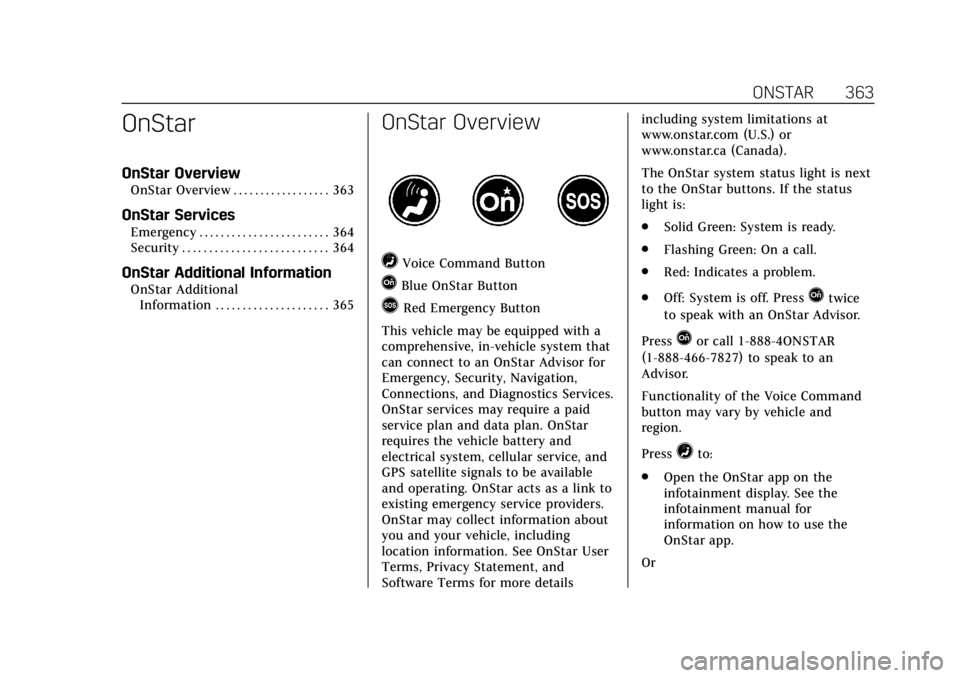
=Voice Command Button
QBlue OnStar Button
>Red Emergency Button
This vehicle may be equipped with a
comprehensive, in-vehicle system that
can connect to an OnStar Advisor for
Emergency, Security, Navigation,
Connections, and Diagnostics Services.
OnStar services may require a paid
service plan and data plan. OnStar
requires the vehicle battery and
electrical system, cellular service, and
GPS satellite signals to be available
and operating. OnStar acts as a link to
existing emergency service providers.
OnStar may collect information about
you and your vehicle, including
location information. See OnStar User
Terms, Privacy Statement, and
Software Terms for more details including system limitations at
www.onstar.com (U.S.) or
www.onstar.ca (Canada).
The OnStar system status light is next
to the OnStar buttons. If the status
light is:
.
Solid Green: System is ready.
. Flashing Green: On a call.
. Red: Indicates a problem.
. Off: System is off. PressQtwice
to speak with an OnStar Advisor.
Press
Qor call 1-888-4ONSTAR
(1-888-466-7827) to speak to an
Advisor.
Functionality of the Voice Command
button may vary by vehicle and
region.
Press
=to:
. Open the OnStar app on the
infotainment display. See the
infotainment manual for
information on how to use the
OnStar app.
Or
Page 365 of 385
Cadillac XT6 Owner Manual (GMNA-Localizing-U.S./Canada-12984300) -
2020 - CRC - 3/19/19
364 ONSTAR
.Give OnStar Turn-by-Turn
Navigation voice commands.
. Obtain and customize the Wi-Fi
hotspot name or SSID and
password, if equipped.
Press
Qto connect to an Advisor to:
. Verify account information or
update contact information.
. Get driving directions.
. Receive a Diagnostic check of the
vehicle's key operating systems.
. Receive Roadside Assistance.
. Manage Wi-Fi Settings,
if equipped.
Press
>to get a priority connection
to an OnStar Advisor available 24/7 to:
. Get help for an emergency.
. Be a Good Samaritan or respond
to an AMBER Alert.
. Get assistance in severe weather
or other crisis situations and find
evacuation routes.
OnStar Services
Emergency
Emergency Services require an active
safety and security plan. With
Automatic Crash Response, built-in
sensors can automatically alert a
specially trained OnStar Advisor who
is immediately connected in to the
vehicle to help.
Press
>for a priority connection to
an OnStar Advisor who can contact
emergency service providers, direct
them to your exact location, and relay
important information.
With OnStar Crisis Assist, specially
trained Advisors are available
24 hours a day, 7 days a week, to
provide a central point of contact,
assistance, and information during a
crisis.
With Roadside Assistance, Advisors
can locate a nearby service provider to
help with a flat tire, a battery jump,
or an empty gas tank.
Security
If equipped, OnStar provides these
services:
. With Stolen Vehicle Assistance,
OnStar Advisors can use GPS to
pinpoint the vehicle and help
authorities quickly recover it.
. With Remote Ignition Block,
if equipped, OnStar can block the
engine from being restarted.
. With Stolen Vehicle Slowdown,
if equipped, OnStar can work with
law enforcement to gradually slow
the vehicle down.
Theft Alarm Notification
If equipped, if the doors are locked
and the vehicle alarm sounds, a
notification by text, e-mail, or phone
call will be sent. If the vehicle is
stolen, an OnStar Advisor can work
with authorities to recover the vehicle.
Page 368 of 385
Cadillac XT6 Owner Manual (GMNA-Localizing-U.S./Canada-12984300) -
2020 - CRC - 3/19/19
ONSTAR 367
A temporary loss of GPS can cause
loss of the ability to send a
Turn-by-Turn Navigation route. The
Advisor may give a verbal route or
may ask for a call back after the
vehicle is driven into an open area.
Cellular and GPS Antennas
Cellular reception is required for
OnStar to send remote signals to the
vehicle. Do not place items over or
near the antenna to prevent blocking
cellular and GPS signal reception.
Unable to Connect to OnStar
Message
If there is limited cellular coverage or
the cellular network has reached
maximum capacity, this message may
come on. Press
Qto try the call again
or try again after driving a few miles
into another cellular area.
Vehicle and Power Issues
OnStar services require a vehicle
electrical system, wireless service, and
GPS satellite technologies to be
available and operating for features to function properly. These systems may
not operate if the battery is
discharged or disconnected.
Add-on Electrical Equipment
The OnStar system is integrated into
the electrical architecture of the
vehicle. Do not add any electrical
equipment. See
Add-On Electrical
Equipment 0256. Added electrical
equipment may interfere with the
operation of the OnStar system and
cause it to not operate.
Vehicle Software Updates
OnStar or GM may remotely deliver
software updates or changes to the
vehicle without further notice or
consent. These updates or changes
may enhance or maintain safety,
security, or the operation of the
vehicle or the vehicle systems.
Software updates or changes may
affect or erase data or settings that
are stored in the vehicle, such as
saved navigation destinations or
pre-set radio stations. Neither OnStar
nor GM is responsible for any affected
or erased data or settings. These
updates or changes may also collect personal information. Such collection
is described in the OnStar privacy
statement or separately disclosed at
the time of installation. These updates
or changes may also cause a system to
automatically communicate with GM
servers to collect information about
vehicle system status, identify
whether updates or changes are
available, or deliver updates or
changes. An active OnStar agreement
constitutes consent to these software
updates or changes and agreement
that either OnStar or GM may
remotely deliver them to the vehicle.Privacy
The complete OnStar Privacy
Statement may be found at
www.onstar.com (U.S.),
or www.onstar.ca (Canada). We
recommend that you review it. If you
have any questions, call
1-888-4ONSTAR (1-888-466-7827) or
press
Qto speak with an Advisor.
Users of wireless communications are
cautioned that the privacy of any
information sent via wireless cellular
communications cannot be assured.
Page 372 of 385

Cadillac XT6 Owner Manual (GMNA-Localizing-U.S./Canada-12984300) -
2020 - CRC - 3/19/19
CONNECTED SERVICES 371
Get My Destination1. Press
=. System responds:
“OnStar ready,” then a tone.
2. Say “Get my destination.” System
responds with the address and
distance to the destination, then
responds with “OnStar ready,”
then a tone.
Send Destination to Vehicle
Directions can be sent to the vehicle’s
navigation screen, if equipped.
Press
Q, then ask the Advisor to
download directions to the vehicle’s
navigation system, if equipped. After
the call ends, the navigation screen
will provide prompts to begin driving
directions. Routes that are sent to the
navigation screen can only be
canceled through the navigation
system.
See www.onstar.com (U.S.) or
www.onstar.ca (Canada).
Connections
The following services help with
staying connected.
For coverage maps, see
www.onstar.com (U.S.) or
www.onstar.ca (Canada).
Ensuring Security
. Change the default passwords for
the Wi-Fi hotspot and myCadillac
mobile app. Make these passwords
different from each other and use
a combination of letters, numbers,
and symbols to increase the
security.
. Change the default name of the
SSID (Service Set Identifier). This
is your network’s name that is
visible to other wireless devices.
Choose a unique name and avoid
family names or vehicle
descriptions. Wi-Fi Hotspot (If Equipped)
The vehicle may have a built-in Wi-Fi
hotspot that provides access to the
Internet and web content at 4G LTE
speed. Up to seven mobile devices can
be connected. A data plan is required.
Use the in-vehicle controls only when
it is safe to do so.
1. To retrieve Wi-Fi hotspot information, press
=to open
the OnStar app on the
infotainment display, then select
Wi-Fi Hotspot. On some vehicles,
touch Wi-Fi or Wi-Fi Settings on
the screen.
2. The Wi-Fi settings will display the Wi-Fi hotspot name (SSID),
password, and on some vehicles,
the connection type (no Internet
connection, 3G, 4G, 4G LTE), and
signal quality (poor, good,
excellent).
3. To change the SSID or password, press
Qor call 1-888-4ONSTAR
to connect with an Advisor. On
some vehicles, the SSID and
password can be changed in the
Wi-Fi Hotspot menu.
Page 374 of 385

Cadillac XT6 Owner Manual (GMNA-Localizing-U.S./Canada-12984300) -
2020 - CRC - 3/19/19
INDEX 373
IndexA
Accessories and Modifications . . . . . 260
Accessory Power . . . . . . . . . . . . . . . . . . . . 186
Active Fuel Management . . . . . . . . . . . 188
Adaptive Cruise Control . . . . . . . . . . . . 205
Add-On Electrical Equipment . . . . . . 256
Additional InformationOnStar . . . . . . . . . . . . . . . . . . . . . . . . . . . . . 365
Additional Maintenance and Care . . . . . . . . . . . . . . . . . . . . . . . . . . . 340
Adjustments Lumbar, Front Seats . . . . . . . . . . . . . . . . 44
Air Cleaner/Filter, Engine . . . . . . . . . . 268
Air Conditioning . . . . . . . . . . . . . . .153, 158
Air Filter Life System . . . . . . . . . . . . . . . . . . . . . . . . 267
Air Filter, Passenger Compartment . . . . . . . . . . . . . . . . . . . . . 163
Air Vents . . . . . . . . . . . . . . . . . . . . . . . . . . . . 162
Airbag System
Check . . . . . . . . . . . . . . . . . . . . . . . . . . . . . . . . 74
How Does an Airbag Restrain? . . . . . 68
Passenger Sensing System . . . . . . . . . 69
What Makes an Airbag Inflate? . . . . 67
What Will You See after anAirbag Inflates? . . . . . . . . . . . . . . . . . . . 68
When Should an Airbag Inflate? . . . . . . . . . . . . . . . . . . . . . . . . . . . . . 66 Airbag System (cont'd)
Where Are the Airbags? . . . . . . . . . . . . 65
Airbags Adding Equipment to the
Vehicle . . . . . . . . . . . . . . . . . . . . . . . . . . . . . 73
Passenger Status Indicator . . . . . . . 119
Readiness Light . . . . . . . . . . . . . . . . . . . 119
Servicing Airbag-Equipped Vehicles . . . . . . . . . . . . . . . . . . . . . . . . . . . . 73
System Check . . . . . . . . . . . . . . . . . . . . . . . 63
Alarm Vehicle Security . . . . . . . . . . . . . . . . . . . . . 29
Alert Lane Change . . . . . . . . . . . . . . . . . . . . . . 235
Rear Pedestrian . . . . . . . . . . . . . . . . . . . 225
Side Blind Zone (SBZA) . . . . . . . . . . 235
All-Season Tires . . . . . . . . . . . . . . . . . . . . . 290
All-Wheel Drive . . . . . . . . . . . . . . . . . . . . . 196 Light . . . . . . . . . . . . . . . . . . . . . . . . . . . . . . . 123
Antilock Brake System (ABS) . . . . . . 197 Warning Light . . . . . . . . . . . . . . . . . . . . 123
Appearance Care Exterior . . . . . . . . . . . . . . . . . . . . . . . . . . . . 324
Interior . . . . . . . . . . . . . . . . . . . . . . . . . . . . 328
Armrest Storage . . . . . . . . . . . . . . . . . . . . . . 97
Assistance Systems for Driving . . . . 226
Assistance Systems for Parking and Backing . . . . . . . . . . . . . . . . . . . . . . . 217
Page 376 of 385

Cadillac XT6 Owner Manual (GMNA-Localizing-U.S./Canada-12984300) -
2020 - CRC - 3/19/19
INDEX 375
Compass . . . . . . . . . . . . . . . . . . . . . . . . . . . . . 108
Connected ServicesConnections . . . . . . . . . . . . . . . . . . . . . . . 371
Diagnostics . . . . . . . . . . . . . . . . . . . . . . . . 372
Navigation . . . . . . . . . . . . . . . . . . . . . . . . . 370
Connections Connected Services . . . . . . . . . . . . . . . 371
Control Traction and ElectronicStability . . . . . . . . . . . . . . . . . . . . . . . . . . 200
Control of a Vehicle . . . . . . . . . . . . . . . . 166
Convenience Net . . . . . . . . . . . . . . . . . . . . 102
Convex Mirrors . . . . . . . . . . . . . . . . . . . . . . 32
Coolant
Engine Temperature Gauge . . . . . . 117
Cooling . . . . . . . . . . . . . . . . . . . . . . . . .153, 158
Cooling System . . . . . . . . . . . . . . . . . . . . . 269
Cornering Lamps . . . . . . . . . . . . . . . . . . . 149
Courtesy Lamps . . . . . . . . . . . . . . . . . . . . . 149
Courtesy Transportation Program . . . . . . . . . . . . . . . . . . . . . . . . . . . . 355
Cover Cargo . . . . . . . . . . . . . . . . . . . . . . . . . . . . . . . . 98
Cruise Control . . . . . . . . . . . . . . . . . . . . . . . 203 Light . . . . . . . . . . . . . . . . . . . . . . . . . . . . . . . 128
Cruise Control, Adaptive . . . . . . . . . . . 205
Cupholders . . . . . . . . . . . . . . . . . . . . . . . . . . . 96
Customer Assistance . . . . . . . . . . . . . . . 352 Customer Assistance (cont'd)
Offices . . . . . . . . . . . . . . . . . . . . . . . . . . . . . 351
Text Telephone (TTY) Users . . . . . 352
Customer Information
Publications OrderingInformation . . . . . . . . . . . . . . . . . . . . . . 358
Customer Satisfaction Procedure . . . . . . . . . . . . . . . . . . . . . . . . . . 349
Cybersecurity . . . . . . . . . . . . . . . . . . . . . . . . 361
D
Damage Repair, Collision . . . . . . . . . . . 356
Danger, Warning, and Caution . . . . . . . . 3
Data Collection
Infotainment System . . . . . . . . . . . . . 362
OnStar . . . . . . . . . . . . . . . . . . . . . . . . . . . . . 362
Data Recorders, Event . . . . . . . . . . . . . . 361
Daytime Running Lamps (DRL) . . . 147
Defensive Driving . . . . . . . . . . . . . . . . . . . 166
Delayed Locking . . . . . . . . . . . . . . . . . . . . . 19
Diagnostics Connected Services . . . . . . . . . . . . . . . 372
Distracted Driving . . . . . . . . . . . . . . . . . . 165
Dome Lamps . . . . . . . . . . . . . . . . . . . . . . . . 149
Door Ajar Light . . . . . . . . . . . . . . . . . . . . . . . . . 128
Delayed Locking . . . . . . . . . . . . . . . . . . . . 19
Locks . . . . . . . . . . . . . . . . . . . . . . . . . . . . . . . . 16 Door (cont'd)
Power Locks . . . . . . . . . . . . . . . . . . . . . . . . . 19
Drive Belt Routing, Engine . . . . . . . . . 348
Drive Systems All-Wheel Drive . . . . . . . . . . . . . . . . . . . 196
Driver Assistance Systems . . . . . . . . . 216
Driver Information Center (DIC) . . . . . . . . . . . . . . . . . . . . . . . 128
Driver Mode Control . . . . . . . . . . . . . . . . 202
Driver Mode Control Light . . . . . . . . . 126
Driving
Assistance Systems . . . . . . . . . . . . . . . 226
Better Fuel Economy . . . . . . . . . . . . . 165
Characteristics andTowing Tips . . . . . . . . . . . . . . . . . . . . . 244
Defensive . . . . . . . . . . . . . . . . . . . . . . . . . . 166
Drunk . . . . . . . . . . . . . . . . . . . . . . . . . . . . . . 166
Hill and Mountain Roads . . . . . . . . 174
If the Vehicle is Stuck . . . . . . . . . . . . 176
Loss of Control . . . . . . . . . . . . . . . . . . . . 168
Off-Road . . . . . . . . . . . . . . . . . . . . . . . . . . . 169
Off-Road Recovery . . . . . . . . . . . . . . . . 168
Vehicle Load Limits . . . . . . . . . . . . . . 176
Wet Roads . . . . . . . . . . . . . . . . . . . . . . . . . 173
Winter . . . . . . . . . . . . . . . . . . . . . . . . . . . . . 174
Dual Automatic Climate Control System . . . . . . . . . . . . . . . . . . . . 153
Page 379 of 385

Cadillac XT6 Owner Manual (GMNA-Localizing-U.S./Canada-12984300) -
2020 - CRC - 3/19/19
378 INDEX
Lamps (cont'd)Exterior Controls . . . . . . . . . . . . . . . . . . 144
Exterior Lamps Off Reminder . . . . 147
Exterior Lighting Battery
Saver . . . . . . . . . . . . . . . . . . . . . . . . . . . . . 151
Malfunction Indicator (Check Engine) . . . . . . . . . . . . . . . . . . . . . . . . . . 120
On Reminder . . . . . . . . . . . . . . . . . . . . . . 128
Reading . . . . . . . . . . . . . . . . . . . . . . . . . . . . 150
Lane Change Alert (LCA) . . . . . . . . . . . 235
Lane Keep Assist (LKA) . . . . . . . . . . . . 237
Lane Keep Assist Light . . . . . . . . . . . . . 124
Lap-Shoulder Belt . . . . . . . . . . . . . . . . . . . . 58
LATCH System Replacing Parts after a Crash . . . . . . 90
LATCH, Lower Anchors and Tethers for Children . . . . . . . . . . . . . . . 82
LED Lighting . . . . . . . . . . . . . . . . . . . . . . . . 280
Liftgate . . . . . . . . . . . . . . . . . . . . . . . . . . . . . . . 21
Lighting
Entry . . . . . . . . . . . . . . . . . . . . . . . . . . . . . . 151
Exit . . . . . . . . . . . . . . . . . . . . . . . . . . . . . . . . 151
Illumination Control . . . . . . . . . . . . . . 149
LED . . . . . . . . . . . . . . . . . . . . . . . . . . . . . . . . 280
Lights Airbag Readiness . . . . . . . . . . . . . . . . . 119
All-Wheel Drive . . . . . . . . . . . . . . . . . . . 123 Lights (cont'd)
Antilock Brake System (ABS)
Warning . . . . . . . . . . . . . . . . . . . . . . . . . 123
Brake System Warning . . . . . . . . . . . 122
Charging System . . . . . . . . . . . . . . . . . . 120
Check Engine (Malfunction
Indicator) . . . . . . . . . . . . . . . . . . . . . . . . 120
Cruise Control . . . . . . . . . . . . . . . . . . . . . 128
Door Ajar . . . . . . . . . . . . . . . . . . . . . . . . . . 128
Driver Mode Control . . . . . . . . . . . . . . 126
Electric Parking Brake . . . . . . . . . . . . 122
Engine Oil Pressure . . . . . . . . . . . . . . . 126
Flash-to-Pass . . . . . . . . . . . . . . . . . . . . . . 147
High-Beam On . . . . . . . . . . . . . . . . . . . . 127
High/Low Beam Changer . . . . . . . . . 147
Lane Keep Assist . . . . . . . . . . . . . . . . . . 124
Low Fuel Warning . . . . . . . . . . . . . . . . 127
Seat Belt Reminders . . . . . . . . . . . . . . 118
Security . . . . . . . . . . . . . . . . . . . . . . . . . . . . 127
Service Electric Parking Brake . . . 123
StabiliTrak OFF . . . . . . . . . . . . . . . . . . . 125
Tire Pressure . . . . . . . . . . . . . . . . . . . . . . 126
Traction Control System (TCS)/StabiliTrak . . . . . . . . . . . . . . . . 125
Traction Off . . . . . . . . . . . . . . . . . . . . . . . 125
Lock Steering Column . . . . . . . . . . . . . . . . . . . . 31 Locks
Automatic Door . . . . . . . . . . . . . . . . . . . . . 19
Delayed Locking . . . . . . . . . . . . . . . . . . . . 19
Door . . . . . . . . . . . . . . . . . . . . . . . . . . . . . . . . . 16
Lockout Protection . . . . . . . . . . . . . . . . . 20
Power Door . . . . . . . . . . . . . . . . . . . . . . . . . . 19
Safety . . . . . . . . . . . . . . . . . . . . . . . . . . . . . . . . 20
Loss of Control . . . . . . . . . . . . . . . . . . . . . . 168
Low Fuel Warning Light . . . . . . . . . . . 127
Lower Anchors and Tethers for Children (LATCH System) . . . . . . . . . 82
Lumbar Adjustment . . . . . . . . . . . . . . . . . 44 Front Seats . . . . . . . . . . . . . . . . . . . . . . . . . . 44
M
MaintenanceRecords . . . . . . . . . . . . . . . . . . . . . . . . . . . . 345
Maintenance and Care Additional . . . . . . . . . . . . . . . . . . . . . . . . . 340
Maintenance Schedule . . . . . . . . . . . . . 333 Recommended Fluids and
Lubricants . . . . . . . . . . . . . . . . . . . . . . . 343
Malfunction Indicator Lamp . . . . . . . 120
Manual Mode . . . . . . . . . . . . . . . . . . . . . . . 195
Memory Seats . . . . . . . . . . . . . . . . . . . . . . . . 45
Messages Engine Power . . . . . . . . . . . . . . . . . . . . . 135
Vehicle . . . . . . . . . . . . . . . . . . . . . . . . . . . . . 134
Page 380 of 385

Cadillac XT6 Owner Manual (GMNA-Localizing-U.S./Canada-12984300) -
2020 - CRC - 3/19/19
INDEX 379
Messages (cont'd)Vehicle Speed . . . . . . . . . . . . . . . . . . . . . 135
Mirror Rear Camera . . . . . . . . . . . . . . . . . . . . . . . . 34
Mirrors Automatic Dimming . . . . . . . . . . . . . . . . 34
Automatic Dimming Rearview . . . . . 34
Convex . . . . . . . . . . . . . . . . . . . . . . . . . . . . . . . 32
Folding . . . . . . . . . . . . . . . . . . . . . . . . . . . . . . 33
Heated . . . . . . . . . . . . . . . . . . . . . . . . . . . . . . . 34
Power . . . . . . . . . . . . . . . . . . . . . . . . . . . . . . . . 33
Tilt in Reverse . . . . . . . . . . . . . . . . . . . . . . 34
Mirrors, Interior Rearview . . . . . . . . . . . 34
Mode . . . . . . . . . . . . . . . . . . . . . . . . . . . . . . . . 202 Driver Control . . . . . . . . . . . . . . . . . . . . . 202
Monitor System, Tire Pressure . . . . . 298
N
Navigation Connected Services . . . . . . . . . . . . . . . 370
Net, Convenience . . . . . . . . . . . . . . . . . . . 102
New Vehicle Break-In . . . . . . . . . . . . . . . 180
Night Vision System . . . . . . . . . . . . . . . . 232
O
Odometer . . . . . . . . . . . . . . . . . . . . . . . . . . . . 116 Trip . . . . . . . . . . . . . . . . . . . . . . . . . . . . . . . . 116
Off-Road . . . . . . . . . . . . . . . . . . . . . . . . . . . . . 169 Driving . . . . . . . . . . . . . . . . . . . . . . . . . . . . 169 Off-Road (cont'd)
Recovery . . . . . . . . . . . . . . . . . . . . . . . . . . . 168
Oil Engine . . . . . . . . . . . . . . . . . . . . . . . . . . . . . 264
Engine Oil Life System . . . . . . . . . . . 266
Pressure Light . . . . . . . . . . . . . . . . . . . . . 126
Older Children, Restraints . . . . . . . . . . . 75
Online Owner Center . . . . . . . . . . . . . . . 352
OnStar . . . . . . . . . . . . . . . . . . . . . . . . . . . . . . . 362
OnStar Additional Information . . . . 365
OnStar Emergency . . . . . . . . . . . . . . . . . . 364
OnStar Overview . . . . . . . . . . . . . . . . . . . . 363
OnStar Security . . . . . . . . . . . . . . . . . . . . . 364
Outlets Power . . . . . . . . . . . . . . . . . . . . . . . . . . . . . . 109
Overheating, Engine . . . . . . . . . . . . . . . . 272
Overview Instrument Panel . . . . . . . . . . . . . . . . . . . . 5
P
Park
Shifting Into . . . . . . . . . . . . . . . . . . . . . . 186
Shifting Out of . . . . . . . . . . . . . . . . . . . . 186
Park Assist . . . . . . . . . . . . . . . . . . . . . . . . . . 217
Parking
Brake and P (Park)Mechanism Check . . . . . . . . . . . . . . . 277
Extended . . . . . . . . . . . . . . . . . . . . . . . . . . 189 Parking (cont'd)
Over Things That Burn . . . . . . . . . . . 188
Parking or Backing Assistance Systems . . . . . . . . . . . . . . . 217
Passenger Airbag Status Indicator . . . . . . . . . . . . . . . . . . . . . . . . . . . 119
Passenger Compartment Air Filter . . . . . . . . . . . . . . . . . . . . . . . . . . . . . . . 163
Passenger Sensing System . . . . . . . . . . 69
Pedestrian Ahead Indicator . . . . . . . . 124
Perchlorate Materials
Requirements, California . . . . . . . . . 260
Personalization Vehicle . . . . . . . . . . . . . . . . . . . . . . . . . . . . . 135
Power Door Locks . . . . . . . . . . . . . . . . . . . . . . . . . . 19
Mirrors . . . . . . . . . . . . . . . . . . . . . . . . . . . . . . 33
Outlets . . . . . . . . . . . . . . . . . . . . . . . . . . . . . 109
Protection, Battery . . . . . . . . . . . . . . . . 151
Retained Accessory (RAP) . . . . . . . . 186
Seat Adjustment . . . . . . . . . . . . . . . . . . . . 44
Windows . . . . . . . . . . . . . . . . . . . . . . . . . . . . 37
Pregnancy, Using Seat Belts . . . . . . . . . 61
Privacy
Vehicle Data Recording . . . . . . . . . . 360
Program Courtesy Transportation . . . . . . . . . 355
Prohibited Fuels . . . . . . . . . . . . . . . . . . . . 241