security CADILLAC XT6 2020 Owner's Manual
[x] Cancel search | Manufacturer: CADILLAC, Model Year: 2020, Model line: XT6, Model: CADILLAC XT6 2020Pages: 385, PDF Size: 6.63 MB
Page 8 of 385
Cadillac XT6 Owner Manual (GMNA-Localizing-U.S./Canada-12984300) -
2020 - CRC - 3/19/19
KEYS, DOORS, AND WINDOWS 7
Keys, Doors, and
Windows
Keys and Locks
Keys . . . . . . . . . . . . . . . . . . . . . . . . . . . . . . . . . . 7
Remote Keyless Entry (RKE)System . . . . . . . . . . . . . . . . . . . . . . . . . . . . . 8
Remote Keyless Entry (RKE) System Operation . . . . . . . . . . . . . . . . . 8
Remote Vehicle Start . . . . . . . . . . . . . . 15
Door Locks . . . . . . . . . . . . . . . . . . . . . . . . . 16
Power Door Locks . . . . . . . . . . . . . . . . . 19
Delayed Locking . . . . . . . . . . . . . . . . . . . 19
Automatic Door Locks . . . . . . . . . . . . 19
Lockout Protection . . . . . . . . . . . . . . . . 20
Safety Locks . . . . . . . . . . . . . . . . . . . . . . . . 20
Doors
Liftgate . . . . . . . . . . . . . . . . . . . . . . . . . . . . . 21
Vehicle Security
Vehicle Security . . . . . . . . . . . . . . . . . . . . 29
Vehicle Alarm System . . . . . . . . . . . . . 29
Steering Column Lock . . . . . . . . . . . . . 31
Immobilizer . . . . . . . . . . . . . . . . . . . . . . . . 31
Immobilizer Operation . . . . . . . . . . . . 31
Exterior Mirrors
Convex Mirrors . . . . . . . . . . . . . . . . . . . . 32
Power Mirrors . . . . . . . . . . . . . . . . . . . . . . 33
Folding Mirrors . . . . . . . . . . . . . . . . . . . . 33
Heated Mirrors . . . . . . . . . . . . . . . . . . . . . 34
Automatic Dimming Mirror . . . . . . . 34
Reverse Tilt Mirrors . . . . . . . . . . . . . . . 34
Interior Mirrors
Interior Rearview Mirrors . . . . . . . . . 34
Automatic Dimming Rearview Mirror . . . . . . . . . . . . . . . . . . . . . . . . . . . . . 34
Rear Camera Mirror . . . . . . . . . . . . . . . 34
Windows
Windows . . . . . . . . . . . . . . . . . . . . . . . . . . . 37
Power Windows . . . . . . . . . . . . . . . . . . . . 37
Sun Visors . . . . . . . . . . . . . . . . . . . . . . . . . . 39
Roof
Sunroof . . . . . . . . . . . . . . . . . . . . . . . . . . . . . 39
Keys and Locks
Keys
{Warning
Leaving children in a vehicle with a
Remote Keyless Entry (RKE)
transmitter is dangerous and
children or others could be
seriously injured or killed. They
could operate the power windows
or other controls or make the
vehicle move. The windows will
function with the RKE transmitter
in the vehicle, and children or
others could be caught in the path
of a closing window. Do not leave
children in a vehicle with an RKE
transmitter.
Page 23 of 385
Cadillac XT6 Owner Manual (GMNA-Localizing-U.S./Canada-12984300) -
2020 - CRC - 3/19/19
22 KEYS, DOORS, AND WINDOWS
Power Liftgate Operation
{Warning
You or others could be injured if
caught in the path of the power
liftgate. Make sure there is no one
in the way of the liftgate as it is
opening and closing.
Caution
Driving with an open and
unsecured liftgate may result in
damage to the power liftgate
components.
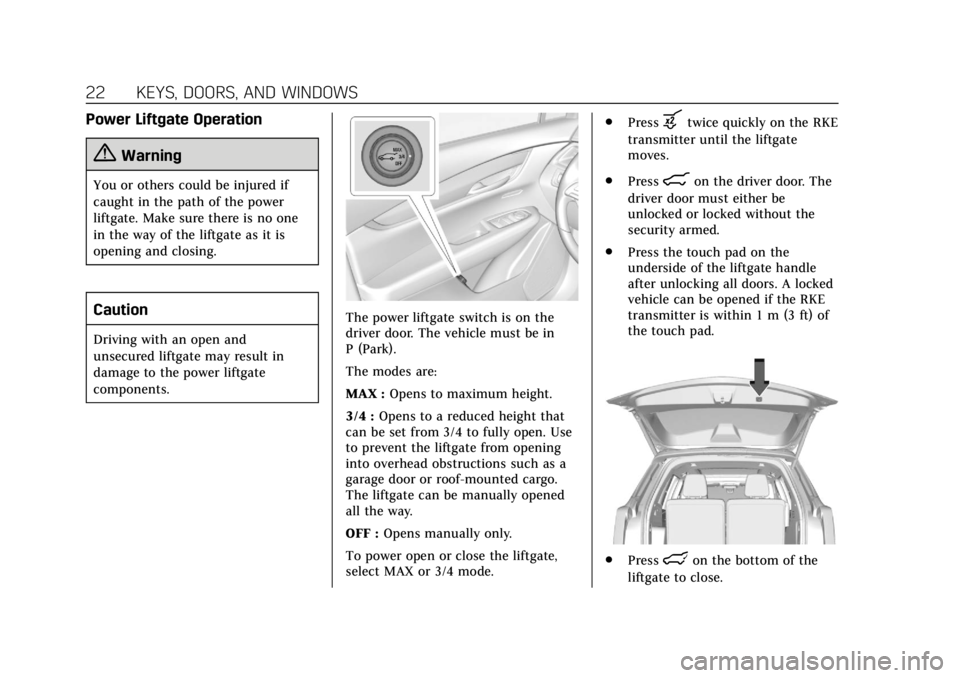
The power liftgate switch is on the
driver door. The vehicle must be in
P (Park).
The modes are:
MAX :Opens to maximum height.
3/4 : Opens to a reduced height that
can be set from 3/4 to fully open. Use
to prevent the liftgate from opening
into overhead obstructions such as a
garage door or roof-mounted cargo.
The liftgate can be manually opened
all the way.
OFF : Opens manually only.
To power open or close the liftgate,
select MAX or 3/4 mode. .
Press
btwice quickly on the RKE
transmitter until the liftgate
moves.
. Press
8on the driver door. The
driver door must either be
unlocked or locked without the
security armed.
. Press the touch pad on the
underside of the liftgate handle
after unlocking all doors. A locked
vehicle can be opened if the RKE
transmitter is within 1 m (3 ft) of
the touch pad.
.Presslon the bottom of the
liftgate to close.
Page 30 of 385
Cadillac XT6 Owner Manual (GMNA-Localizing-U.S./Canada-12984300) -
2020 - CRC - 3/19/19
KEYS, DOORS, AND WINDOWS 29
Vehicle Security
This vehicle has theft-deterrent
features; however, they do not make
the vehicle impossible to steal.
Vehicle Alarm System
This vehicle has an anti-theft alarm
system.
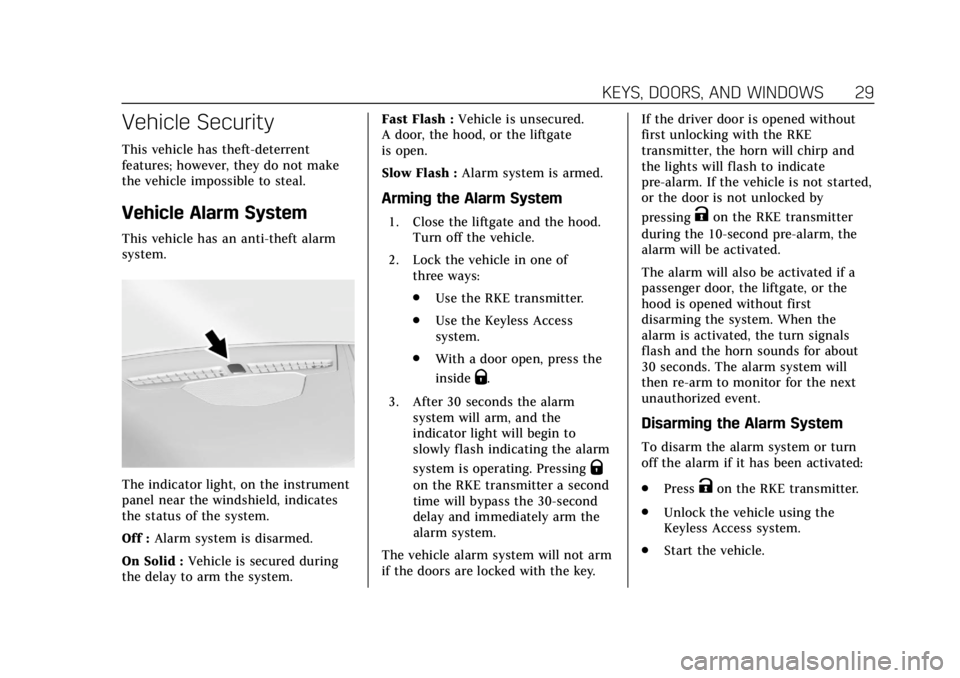
The indicator light, on the instrument
panel near the windshield, indicates
the status of the system.
Off :Alarm system is disarmed.
On Solid : Vehicle is secured during
the delay to arm the system. Fast Flash :
Vehicle is unsecured.
A door, the hood, or the liftgate
is open.
Slow Flash : Alarm system is armed.
Arming the Alarm System
1. Close the liftgate and the hood.
Turn off the vehicle.
2. Lock the vehicle in one of three ways:
.Use the RKE transmitter.
. Use the Keyless Access
system.
. With a door open, press the
inside
Q.
3. After 30 seconds the alarm system will arm, and the
indicator light will begin to
slowly flash indicating the alarm
system is operating. Pressing
Q
on the RKE transmitter a second
time will bypass the 30-second
delay and immediately arm the
alarm system.
The vehicle alarm system will not arm
if the doors are locked with the key. If the driver door is opened without
first unlocking with the RKE
transmitter, the horn will chirp and
the lights will flash to indicate
pre-alarm. If the vehicle is not started,
or the door is not unlocked by
pressing
Kon the RKE transmitter
during the 10-second pre-alarm, the
alarm will be activated.
The alarm will also be activated if a
passenger door, the liftgate, or the
hood is opened without first
disarming the system. When the
alarm is activated, the turn signals
flash and the horn sounds for about
30 seconds. The alarm system will
then re-arm to monitor for the next
unauthorized event.
Disarming the Alarm System
To disarm the alarm system or turn
off the alarm if it has been activated:
. Press
Kon the RKE transmitter.
. Unlock the vehicle using the
Keyless Access system.
. Start the vehicle.
Page 32 of 385
Cadillac XT6 Owner Manual (GMNA-Localizing-U.S./Canada-12984300) -
2020 - CRC - 3/19/19
KEYS, DOORS, AND WINDOWS 31
Steering Column Lock
If equipped, the steering column lock
is a theft-deterrent device. This
feature locks the steering column
when the vehicle is turned off and the
driver door is opened, or when the
driver door is opened and then the
vehicle is turned off. The steering
column unlocks when the vehicle is
turned on.
The Driver Information Center (DIC)
may display one of these messages:
.A message to service the steering
column lock indicates that an
issue has been detected with the
column lock feature and the
vehicle should be serviced.
. A message that the steering
column is locked indicates that
the engine is running, but the
steering column is still locked. It is
normal for the column to be
locked during a remote start, but
the column should unlock after
the brake pedal is pressed and the
vehicle is started. No message will
display during a remote start. .
A message that the steering wheel
must be turned and the vehicle
must be started again indicates
that the column lock mechanism
is bound, the column locking
device was unable to unlock the
steering column, and the vehicle
did not start. If this happens,
immediately turn the steering
wheel from side to side to unbind
the column lock. If this does not
unlock the steering column, turn
the vehicle off and open the driver
door to reset the system. Then
turn the vehicle on and
immediately turn the steering
wheel side to side for about
15 seconds. In some cases, it may
take significant force to unbind
the column.
To keep the steering column from
binding, straighten the front wheels
before turning off the vehicle.
Immobilizer
See Radio Frequency Statement 0359.
Immobilizer Operation
This vehicle has a passive
theft-deterrent system.
The system does not have to be
manually armed or disarmed.
The vehicle is automatically
immobilized when the vehicle is
turned off.
The immobilization system is
disarmed when the ignition is on or in
ACC/ACCESSORY and a valid
transmitter is present in the vehicle.
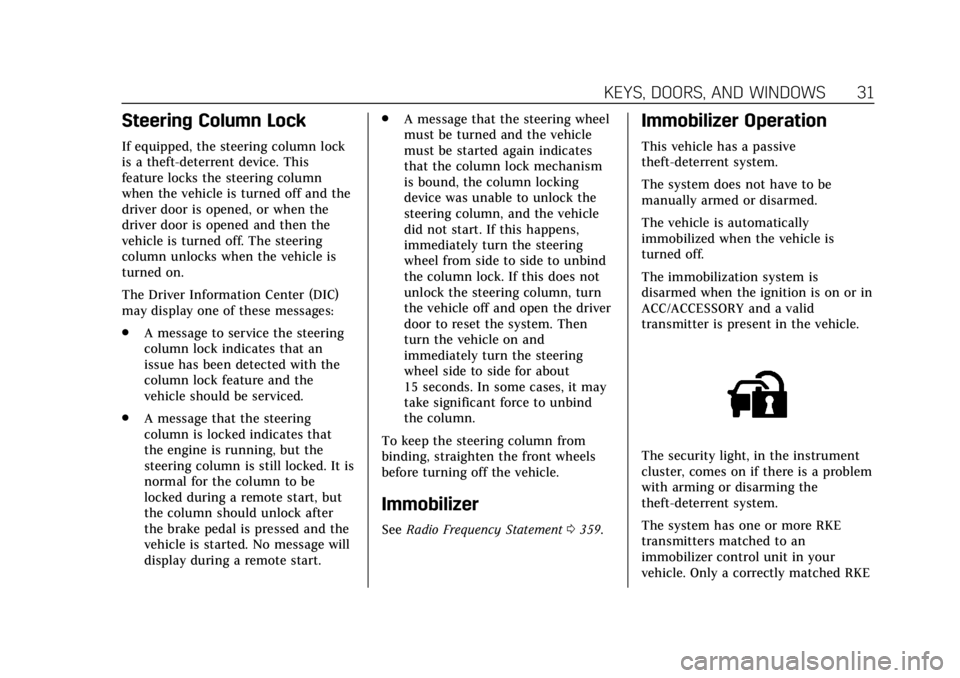
The security light, in the instrument
cluster, comes on if there is a problem
with arming or disarming the
theft-deterrent system.
The system has one or more RKE
transmitters matched to an
immobilizer control unit in your
vehicle. Only a correctly matched RKE
Page 33 of 385
Cadillac XT6 Owner Manual (GMNA-Localizing-U.S./Canada-12984300) -
2020 - CRC - 3/19/19
32 KEYS, DOORS, AND WINDOWS
transmitter will start the vehicle.
If the transmitter is ever damaged,
you may not be able to start your
vehicle.
When trying to start the vehicle, the
security light may come on briefly
when the ignition is turned on.
If the engine does not start and the
security light stays on, there is a
problem with the system. Turn the
ignition off and try again.
If the vehicle will not change ignition
modes (ACC/ACCESSORY, on, off), and
the RKE transmitter appears to be
undamaged, try another transmitter.
Or, you may try placing the
transmitter in the transmitter pocket
located in the center console. See
Remote Keyless Entry (RKE) System
Operation08.
If the ignition mode will not change
with the other transmitter or in the
transmitter pocket, your vehicle needs
service. If the ignition does change
modes, the first transmitter may be
faulty. See your dealer who can service the theft-deterrent system and have a
new RKE transmitter programmed to
the vehicle.
It is possible for the immobilizer
system to learn new or replacement
RKE transmitters. Up to eight
transmitters can be programmed for
the vehicle. To program additional
transmitters, see
“Programming
Transmitters to the Vehicle ”under
Remote Keyless Entry (RKE) System
Operation 08.
Do not leave the key or device that
disarms or deactivates the
theft-deterrent system in the vehicle.Exterior Mirrors
Convex Mirrors
{Warning
A convex mirror can make things,
like other vehicles, look farther
away than they really are. If you cut
too sharply into the right lane, you
could hit a vehicle on the right.
Check the inside mirror or glance
over your shoulder before changing
lanes.
The passenger side mirror is convex
shaped. A convex mirror's surface is
curved so more can be seen from the
driver seat.
Page 105 of 385
Cadillac XT6 Owner Manual (GMNA-Localizing-U.S./Canada-12984300) -
2020 - CRC - 3/19/19
104 INSTRUMENTS AND CONTROLS
Instruments and
Controls
Controls
Steering Wheel Adjustment . . . . . 105
Steering Wheel Controls . . . . . . . . . 105
Heated Steering Wheel . . . . . . . . . . 105
Horn . . . . . . . . . . . . . . . . . . . . . . . . . . . . . . . 105
Windshield Wiper/Washer . . . . . . . 106
Rear Window Wiper/Washer . . . . 107
Compass . . . . . . . . . . . . . . . . . . . . . . . . . . 108
Clock . . . . . . . . . . . . . . . . . . . . . . . . . . . . . . 109
Power Outlets . . . . . . . . . . . . . . . . . . . . . 109
Wireless Charging . . . . . . . . . . . . . . . . 110
Warning Lights, Gauges, and
Indicators
Warning Lights, Gauges, andIndicators . . . . . . . . . . . . . . . . . . . . . . . 112
Instrument Cluster . . . . . . . . . . . . . . . 113
Speedometer . . . . . . . . . . . . . . . . . . . . . . 116
Odometer . . . . . . . . . . . . . . . . . . . . . . . . . 116
Trip Odometer . . . . . . . . . . . . . . . . . . . . 116
Tachometer . . . . . . . . . . . . . . . . . . . . . . . 116
Fuel Gauge . . . . . . . . . . . . . . . . . . . . . . . . 117
Engine Coolant Temperature Gauge . . . . . . . . . . . . . . . . . . . . . . . . . . . . 117
Seat Belt Reminders . . . . . . . . . . . . . . 118 Airbag Readiness Light . . . . . . . . . . 119
Passenger Airbag Status
Indicator . . . . . . . . . . . . . . . . . . . . . . . . . 119
Charging System Light . . . . . . . . . . . 120
Malfunction Indicator Lamp (Check Engine Light) . . . . . . . . . . . 120
Brake System Warning Light . . . . 122
Electric Parking Brake Light . . . . . 122
Service Electric Parking Brake Light . . . . . . . . . . . . . . . . . . . . . . . . . . . . . 123
Antilock Brake System (ABS) Warning Light . . . . . . . . . . . . . . . . . . 123
All-Wheel-Drive Light . . . . . . . . . . . . 123
Lane Keep Assist (LKA) Light . . . 124
Vehicle Ahead Indicator . . . . . . . . . 124
Pedestrian Ahead Indicator . . . . . . 124
Traction Off Light . . . . . . . . . . . . . . . . 125
StabiliTrak OFF Light . . . . . . . . . . . . 125
Traction Control System (TCS)/ StabiliTrak Light . . . . . . . . . . . . . . . . 125
Driver Mode Control Light . . . . . . . 126
Tire Pressure Light . . . . . . . . . . . . . . . 126
Engine Oil Pressure Light . . . . . . . . 126
Low Fuel Warning Light . . . . . . . . . 127
Security Light . . . . . . . . . . . . . . . . . . . . . 127
High-Beam On Light . . . . . . . . . . . . . 127
Lamps On Reminder . . . . . . . . . . . . . 128
Cruise Control Light . . . . . . . . . . . . . . 128
Door Ajar Light . . . . . . . . . . . . . . . . . . . 128
Information Displays
Driver Information Center (DIC) . . . . . . . . . . . . . . . . . . . . . 128
Head-Up Display (HUD) . . . . . . . . . 131
Vehicle Messages
Vehicle Messages . . . . . . . . . . . . . . . . . 134
Engine Power Messages . . . . . . . . . . 135
Vehicle Speed Messages . . . . . . . . . 135
Vehicle Personalization
Vehicle Personalization . . . . . . . . . . 135
Universal Remote System
Universal Remote System . . . . . . . . 141
Universal Remote System Programming . . . . . . . . . . . . . . . . . . . 141
Universal Remote System Operation . . . . . . . . . . . . . . . . . . . . . . . . 143
Page 128 of 385
Cadillac XT6 Owner Manual (GMNA-Localizing-U.S./Canada-12984300) -
2020 - CRC - 3/19/19
INSTRUMENTS AND CONTROLS 127
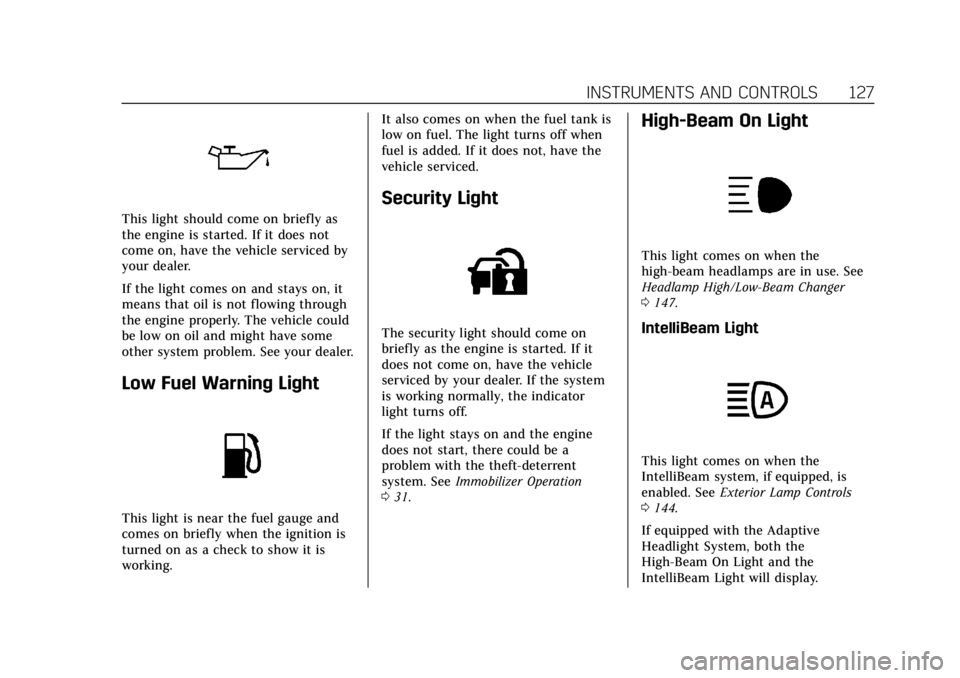
This light should come on briefly as
the engine is started. If it does not
come on, have the vehicle serviced by
your dealer.
If the light comes on and stays on, it
means that oil is not flowing through
the engine properly. The vehicle could
be low on oil and might have some
other system problem. See your dealer.
Low Fuel Warning Light
This light is near the fuel gauge and
comes on briefly when the ignition is
turned on as a check to show it is
working.It also comes on when the fuel tank is
low on fuel. The light turns off when
fuel is added. If it does not, have the
vehicle serviced.
Security Light
The security light should come on
briefly as the engine is started. If it
does not come on, have the vehicle
serviced by your dealer. If the system
is working normally, the indicator
light turns off.
If the light stays on and the engine
does not start, there could be a
problem with the theft-deterrent
system. See
Immobilizer Operation
0 31.
High-Beam On Light
This light comes on when the
high-beam headlamps are in use. See
Headlamp High/Low-Beam Changer
0147.
IntelliBeam Light
This light comes on when the
IntelliBeam system, if equipped, is
enabled. See Exterior Lamp Controls
0 144.
If equipped with the Adaptive
Headlight System, both the
High-Beam On Light and the
IntelliBeam Light will display.
Page 135 of 385
Cadillac XT6 Owner Manual (GMNA-Localizing-U.S./Canada-12984300) -
2020 - CRC - 3/19/19
134 INSTRUMENTS AND CONTROLS
vehicles. The compass heading is
displayed when navigation routing is
not active.
Navigation Turn-by-Turn Alerts
shown in the instrument cluster may
also be displayed in any HUD view.
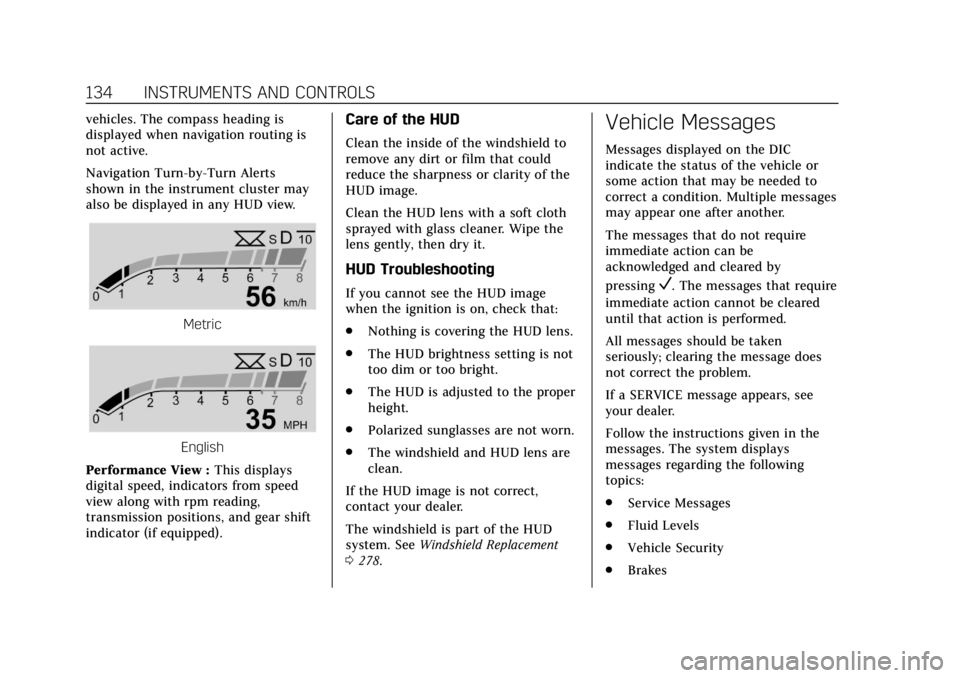
Metric
English
Performance View : This displays
digital speed, indicators from speed
view along with rpm reading,
transmission positions, and gear shift
indicator (if equipped).
Care of the HUD
Clean the inside of the windshield to
remove any dirt or film that could
reduce the sharpness or clarity of the
HUD image.
Clean the HUD lens with a soft cloth
sprayed with glass cleaner. Wipe the
lens gently, then dry it.
HUD Troubleshooting
If you cannot see the HUD image
when the ignition is on, check that:
. Nothing is covering the HUD lens.
. The HUD brightness setting is not
too dim or too bright.
. The HUD is adjusted to the proper
height.
. Polarized sunglasses are not worn.
. The windshield and HUD lens are
clean.
If the HUD image is not correct,
contact your dealer.
The windshield is part of the HUD
system. See Windshield Replacement
0 278.
Vehicle Messages
Messages displayed on the DIC
indicate the status of the vehicle or
some action that may be needed to
correct a condition. Multiple messages
may appear one after another.
The messages that do not require
immediate action can be
acknowledged and cleared by
pressing
V. The messages that require
immediate action cannot be cleared
until that action is performed.
All messages should be taken
seriously; clearing the message does
not correct the problem.
If a SERVICE message appears, see
your dealer.
Follow the instructions given in the
messages. The system displays
messages regarding the following
topics:
. Service Messages
. Fluid Levels
. Vehicle Security
. Brakes
Page 142 of 385
Cadillac XT6 Owner Manual (GMNA-Localizing-U.S./Canada-12984300) -
2020 - CRC - 3/19/19
INSTRUMENTS AND CONTROLS 141
Universal Remote
System
SeeRadio Frequency Statement 0359.
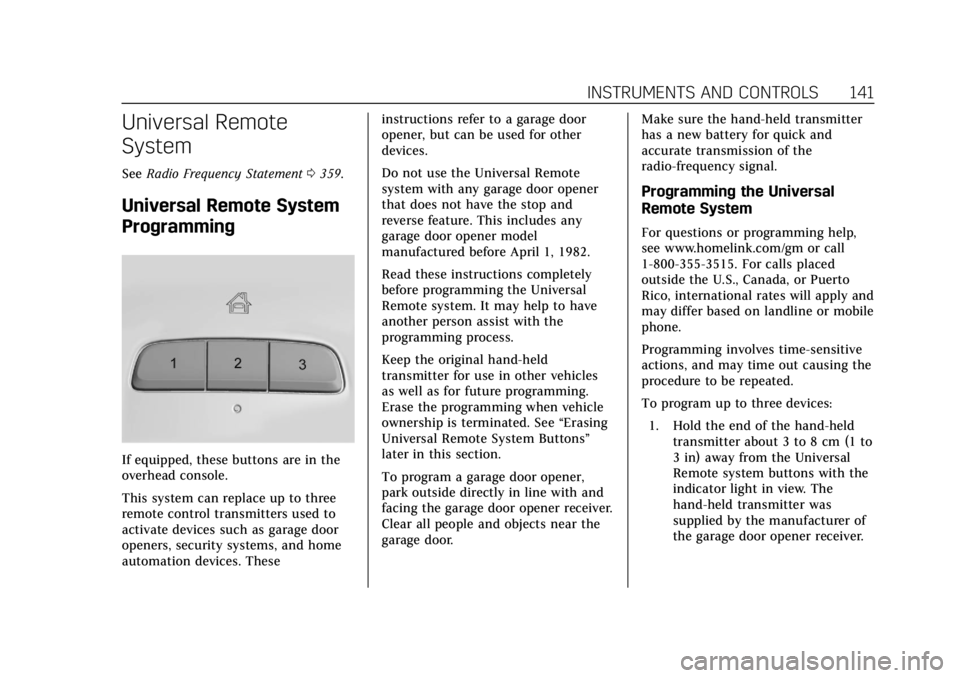
Universal Remote System
Programming
If equipped, these buttons are in the
overhead console.
This system can replace up to three
remote control transmitters used to
activate devices such as garage door
openers, security systems, and home
automation devices. These instructions refer to a garage door
opener, but can be used for other
devices.
Do not use the Universal Remote
system with any garage door opener
that does not have the stop and
reverse feature. This includes any
garage door opener model
manufactured before April 1, 1982.
Read these instructions completely
before programming the Universal
Remote system. It may help to have
another person assist with the
programming process.
Keep the original hand-held
transmitter for use in other vehicles
as well as for future programming.
Erase the programming when vehicle
ownership is terminated. See
“Erasing
Universal Remote System Buttons”
later in this section.
To program a garage door opener,
park outside directly in line with and
facing the garage door opener receiver.
Clear all people and objects near the
garage door. Make sure the hand-held transmitter
has a new battery for quick and
accurate transmission of the
radio-frequency signal.
Programming the Universal
Remote System
For questions or programming help,
see www.homelink.com/gm or call
1-800-355-3515. For calls placed
outside the U.S., Canada, or Puerto
Rico, international rates will apply and
may differ based on landline or mobile
phone.
Programming involves time-sensitive
actions, and may time out causing the
procedure to be repeated.
To program up to three devices:
1. Hold the end of the hand-held transmitter about 3 to 8 cm (1 to
3 in) away from the Universal
Remote system buttons with the
indicator light in view. The
hand-held transmitter was
supplied by the manufacturer of
the garage door opener receiver.
Page 350 of 385

Cadillac XT6 Owner Manual (GMNA-Localizing-U.S./Canada-12984300) -
2020 - CRC - 3/19/19
CUSTOMER INFORMATION 349
Customer
Information
Customer Information
Customer SatisfactionProcedure . . . . . . . . . . . . . . . . . . . . . . . 349
Customer Assistance Offices . . . . 351
Customer Assistance for Text Telephone (TTY) Users . . . . . . . . . 352
Online Owner Center . . . . . . . . . . . . . 352
GM Mobility Reimbursement Program . . . . . . . . . . . . . . . . . . . . . . . . . 352
Roadside Service . . . . . . . . . . . . . . . . . 353
Scheduling Service Appointments . . . . . . . . . . . . . . . . . . . 355
Courtesy Transportation Program . . . . . . . . . . . . . . . . . . . . . . . . . 355
Collision Damage Repair . . . . . . . . . 356
Publication Ordering Information . . . . . . . . . . . . . . . . . . . . . 358
Radio Frequency Statement . . . . . 359
Reporting Safety Defects
Reporting Safety Defects to the United States Government . . . . . 359
Reporting Safety Defects to the Canadian Government . . . . . . . . . 360 Reporting Safety Defects to
General Motors . . . . . . . . . . . . . . . . . 360
Vehicle Data Recording and
Privacy
Vehicle Data Recording andPrivacy . . . . . . . . . . . . . . . . . . . . . . . . . . . 360
Cybersecurity . . . . . . . . . . . . . . . . . . . . . 361
Event Data Recorders . . . . . . . . . . . . 361
OnStar . . . . . . . . . . . . . . . . . . . . . . . . . . . . . 362
Infotainment System . . . . . . . . . . . . . 362
Customer Information
Customer Satisfaction
Procedure
Your satisfaction and goodwill are
important to your dealer and to
Cadillac. Normally, any concerns with
the sales transaction or the operation
of the vehicle will be resolved by your
dealer's sales or service departments.
Sometimes, however, despite the best
intentions of all concerned,
misunderstandings can occur. If your
concern has not been resolved to your
satisfaction, the following steps
should be taken:
STEP ONE : Discuss your concern
with a member of dealership
management. Normally, concerns can
be quickly resolved at that level. If the
matter has already been reviewed with
the sales, service or parts manager,
contact the owner of your dealership
or the general manager.