cruise control CADILLAC XT6 2022 Owner's Guide
[x] Cancel search | Manufacturer: CADILLAC, Model Year: 2022, Model line: XT6, Model: CADILLAC XT6 2022Pages: 447, PDF Size: 7.21 MB
Page 275 of 447

Cadillac XT6 Owner Manual (GMNA-Localizing-U.S./Canada-15218998) -
2022 - CRC - 10/22/21
274 DRIVING AND OPERATING
Super Cruise Message Summary (cont'd)
Unavailable Driving Too FastThe vehicle is traveling faster than 137 km/h (85 mph).
The maximum Super Cruise speed in curves will vary based
on how sharp the curve is. The vehicle will automatically
decrease speed if needed.
Unavailable Driving in Exit Lane The Super Cruise system has detected that the vehicle is in
an exit lane.
Unavailable Press OnStar Button
.The owner’s required Connected Services subscription
may have ended.
.There may be poor GPS reception (e.g., in isolated
areas).
.The GPS reception may be blocked by objects such as
tall buildings or large structures.
.Press the blue OnStar button in your vehicle to speak
with an OnStar representative, who can help determine
the issue and what actions to take.
Unavailable You Have Taken Vehicle Control
.The brake pedal is being pressed.
.The Adaptive Cruise Control has been canceled or
turned off.
Unavailable Sensor Blocked Clear snow, ice, dirt, or other contaminants from the front
and rear areas of the vehicle.
Unavailable Sharp Curve Some curves are too sharp to be navigated by the Super
Cruise system. Super Cruise will be available after the curve
is traveled.
Page 276 of 447

Cadillac XT6 Owner Manual (GMNA-Localizing-U.S./Canada-15218998) -
2022 - CRC - 10/22/21
DRIVING AND OPERATING 275
Super Cruise Message Summary (cont'd)
Super Cruise UnavailableSuper Cruise is unavailable for reasons not described in
other messages.
Super Cruise Locked Out See Owner’s Manual The driver did not take control of the vehicle when
prompted by the Super Cruise system. The Super Cruise
system will be disabled until the ignition is turned off and
back on.
Map Updates
Super Cruise map information must
be periodically updated at least once
every seven months to determine
whether Super Cruise is available on
certain roads. Turn on the vehicle’s
built-in Wi-Fi hotspot to receive
automatic updates via OnStar, or see
your dealer. See the following
region-based websites for Super Cruise
map open source compliance
documentation, including the license
information:
Disabling the vehicle's Wi-Fi or
Location Services will disable
automatic map updates. Super Cruise
will stop functioning after seven
months or less, depending on the time
of the last map update. https://oss.veoneer.com/
Data Download
Super Cruise uses the Wi-Fi hotspot in
the vehicle to download map updates
and GPS enhancement data to the
vehicle. If a mobile device with its
own Wi-Fi hotspot is brought into the
vehicle and its Service Set Identifier
(SSID) and password are the same as
the OnStar Wi-Fi hotspot, then the
vehicle may connect to the mobile
device’s Wi-Fi hotspot to download
the data. See your dealer for details.
To prevent usage of a mobile device
data plan, do one of the following:
.Do not use the same SSID and
password for the OnStar Wi-Fi
hotspot and a mobile device.
.Disable the personal mobile device
Wi-Fi hotspot when inside the
vehicle.
If the vehicle is equipped with OnStar
and has an active service plan,
additional data may be collected
through the OnStar system. This
includes information about: the
vehicle’s operation; a crash involving
the vehicle; the use of the vehicle and
its features; and, in certain situations,
the location and approximate GPS
speed of the vehicle. Refer to the
OnStar Terms and Conditions and
Privacy Statement on the OnStar
website.
Page 277 of 447

Cadillac XT6 Owner Manual (GMNA-Localizing-U.S./Canada-15218998) -
2022 - CRC - 10/22/21
276 DRIVING AND OPERATING
Location Services
This setting enables or disables
sharing of vehicle location outside the
vehicle for certain purposes. Even if
the Location Services setting is
disabled, vehicle location information
will continue to be shared for
emergency services and Super Cruise,
if equipped.
System Care
The camera on the steering column
has a lens cover that may become
dirty over time and affect camera
performance. Clean the lens cover
with a soft cloth sprayed with glass
cleaner. Wipe the lens gently, then dry
it. Never use abrasive cloths/cleaners
or corrosive chemicals of any kind on
the lens cover.
Super Cruise uses the front radar,
front camera, and 360 degree cameras
for its operation. Clean surfaces are
required for Super Cruise operation.
SeeAdaptive Cruise Control (Advanced)
0 252, “Surround Vision Camera ”
under Assistance Systems for Parking
or Backing 0278, and Lane Keep Assist
(LKA) 0298 for care information.Caution
The Super Cruise system is a highly
sophisticated system and should
only be serviced by technicians
with the proper training, tools, and
safety instructions, which your
dealer has. Without proper training
and tools the vehicle may become
damaged.
Driver Assistance
Systems
This vehicle may have features that
work together to help avoid crashes or
reduce crash damage while driving,
backing, and parking. Read this entire
section before using these systems.
{Warning
Do not rely on the Driver
Assistance Systems. These systems
do not replace the need for paying
attention and driving safely. You
may not hear or feel alerts or
warnings provided by these
systems. Failure to use proper care
(Continued)
Warning (Continued)
when driving may result in injury,
death, or vehicle damage. See
Defensive Driving0217.
Under many conditions, these
systems will not:
.Detect children, pedestrians,
bicyclists, or animals.
.Detect vehicles or objects outside
the area monitored by the
system.
.Work at all driving speeds.
.Warn you or provide you with
enough time to avoid a crash.
.Work under poor visibility or bad
weather conditions.
.Work if the detection sensor is
not cleaned or is covered by ice,
snow, mud, or dirt.
.Work if the detection sensor is
covered up, such as with a
sticker, magnet, or metal plate. (Continued)
Page 286 of 447

Cadillac XT6 Owner Manual (GMNA-Localizing-U.S./Canada-15218998) -
2022 - CRC - 10/22/21
DRIVING AND OPERATING 285
When the System Does Not Seem to
Work Properly
If the vehicle does not reverse into the
expected parking space, the system
could be maneuvering the vehicle into
a previously detected space.
Reverse Automatic
Braking (RAB)
Backing Warning and Reverse
Automatic Braking (RAB)
Vehicles with Adaptive Cruise Control
(ACC) have the Backing Warning
System and Reverse Automatic
Braking (RAB) system. When in
R (Reverse), Backing Warning alerts of
rear objects at vehicle speeds greater
than 8 km/h (5 mph), and RAB may
automatically brake hard at speeds
between 1–32 km/h (0.5–20 mph).
The Backing Warning System will
beep once from the rear when an
object is first detected, or pulse twice
on both sides of the Safety Alert Seat.
When the system detects a potential
crash, beeps will be heard from the
rear, or five pulses will be felt on bothsides of the Safety Alert Seat. There
may also be a brief, sharp application
of the brakes.
{Warning
The Backing Warning System only
operates at speeds greater than
8 km/h (5 mph). It does not detect
children, pedestrians, bicyclists,
animals, or objects below the
bumper or that are too close or too
far from the vehicle. In some
situations, such as at higher
backing speeds, there may not be
enough time for the short, sharp
application of the vehicle brake
system to occur. To prevent injury,
death, or vehicle damage, even with
the Backing Warning System,
always check the area around the
vehicle and check all mirrors before
backing.
When the vehicle is in R (Reverse),
if the system detects the vehicle is
backing too fast to avoid a crash with
a detected object behind your vehicle
in your path, it may automatically brake hard to a stop to help avoid or
reduce the harm caused by a backing
crash.
{Warning
RAB may not avoid many types of
backing crashes. Do not wait for the
automatic braking to apply. This
system is not designed to replace
driver braking and only works in
R (Reverse) when an object is
detected directly behind the vehicle.
It may not brake or stop in time to
avoid a crash. It will not brake for
objects when the vehicle is moving
at very low speeds. It does not
detect children, pedestrians,
bicyclists, animals, or objects below
the bumper or that are too close or
too far from the vehicle. To prevent
injury, death, or vehicle damage,
even with RAB, always check the
area around the vehicle before and
while backing.
Pressing the brake pedal after the
vehicle comes to a stop will release
RAB. If the brake pedal is not pressed
soon after the stop, the Electric
Page 289 of 447

Cadillac XT6 Owner Manual (GMNA-Localizing-U.S./Canada-15218998) -
2022 - CRC - 10/22/21
288 DRIVING AND OPERATING
Cruise Control (ACC), it can detect
vehicles to distances of approximately
110 m (360 ft) and operates at all
speeds. SeeAdaptive Cruise Control
(Advanced) 0252.
{Warning
FCA is a warning system and does
not apply the brakes. When
approaching a slower-moving or
stopped vehicle ahead too rapidly,
or when following a vehicle too
closely, FCA may not provide a
warning with enough time to help
avoid a crash. It also may not
provide any warning at all. FCA
does not warn of pedestrians,
animals, signs, guardrails, bridges,
construction barrels, or other
objects. Be ready to take action and
apply the brakes. See Defensive
Driving 0217.
FCA can be disabled. See “Collision/
Detection Systems” underVehicle
Personalization 0130.
Detecting the Vehicle Ahead
FCA warnings will not occur unless
the FCA system detects a vehicle
ahead. When a vehicle is detected, the
vehicle ahead indicator will display
green. Vehicles may not be detected
on curves, highway exit ramps,
or hills, due to poor visibility; or if a
vehicle ahead is partially blocked by
pedestrians or other objects. FCA will
not detect another vehicle ahead until
it is completely in the driving lane.
{Warning
FCA does not provide a warning to
help avoid a crash, unless it detects
a vehicle. FCA may not detect a
vehicle ahead if the FCA sensor is
blocked by dirt, snow, or ice, or if
the windshield is damaged. It may
also not detect a vehicle on winding
(Continued)
Warning (Continued)
or hilly roads, or in conditions that
can limit visibility such as fog, rain,
or snow, or if the headlamps or
windshield are not cleaned or in
proper condition. Keep the
windshield, headlamps, and FCA
sensors clean and in good repair.
Collision Alert
With Head-Up Display
Without Head-Up Display
Page 290 of 447

Cadillac XT6 Owner Manual (GMNA-Localizing-U.S./Canada-15218998) -
2022 - CRC - 10/22/21
DRIVING AND OPERATING 289
When your vehicle approaches
another detected vehicle too rapidly,
the red FCA display will flash on the
windshield. Also, eight rapid
high-pitched beeps will sound from
the front, or both sides of the Safety
Alert Seat will pulse five times. When
this Collision Alert occurs, the brake
system may prepare for driver braking
to occur more rapidly which can cause
a brief, mild deceleration. Continue to
apply the brake pedal as needed.
Tailgating Alert
The vehicle ahead indicator will
display amber when you are following
a vehicle ahead much too closely.
Selecting the Alert Timing
The Collision Alert control is on the
steering wheel. Press
[to set the
FCA timing to Far, Medium, or Near.
The first button press shows the
current setting on the DIC. Additional
button presses will change this
setting. The chosen setting will
remain until it is changed and will
affect the timing of both the Collision
Alert and the Tailgating Alert features.
The timing of both alerts will vary
based on vehicle speed. The faster the
vehicle speed, the farther away the
alert will occur. Consider traffic and
weather conditions when selecting the alert timing. The range of selectable
alert timings may not be appropriate
for all drivers and driving conditions.
If your vehicle is equipped with
Adaptive Cruise Control (ACC),
changing the FCA timing setting
automatically changes the following
gap setting (Far, Medium, or Near).
Following Distance Indicator
The following distance to a moving
vehicle ahead in your path is indicated
in following time in seconds on the
Driver Information Center (DIC). See
Driver Information Center (DIC)
0124.
The minimum following time is
0.5 seconds away. If there is no vehicle
detected ahead, or the vehicle ahead is
out of sensor range, dashes will be
displayed.
Unnecessary Alerts
FCA may provide unnecessary alerts
for turning vehicles, vehicles in other
lanes, objects that are not vehicles,
or shadows. These alerts are normal
operation and the vehicle does not
need service.
Page 291 of 447

Cadillac XT6 Owner Manual (GMNA-Localizing-U.S./Canada-15218998) -
2022 - CRC - 10/22/21
290 DRIVING AND OPERATING
Cleaning the System
If the FCA system does not seem to
operate properly, this may correct the
issue:
.Clean the outside of the windshield
in front of the rearview mirror.
.Clean the entire front of the vehicle.
.Clean the headlamps.
Automatic Emergency
Braking (AEB)
The AEB system may help avoid or
reduce the harm caused by front-end
crashes. AEB also includes Intelligent
Brake Assist (IBA). When the system
detects a vehicle ahead in your path
that is traveling in the same direction
that you may be about to crash into, it
can provide a boost to braking or
automatically brake the vehicle. This
can help avoid or lessen the severity
of crashes when driving in a forward
gear. Depending on the situation, the
vehicle may automatically brake
moderately or hard. This automatic
emergency braking can only occur if a
vehicle is detected. This is shown bythe FCA vehicle ahead indicator being
lit. See
Forward Collision Alert (FCA)
System 0287.
The system works when driving in a
forward gear between 8 km/h (5 mph)
and 80 km/h (50 mph), or on vehicles
with Adaptive Cruise Control (ACC),
above 4 km/h (2 mph). It can detect
vehicles up to approximately 60 m
(197 ft).
{Warning
AEB is an emergency crash
preparation feature and is not
designed to avoid crashes. Do not
rely on AEB to brake the vehicle.
AEB will not brake outside of its
operating speed range and only
responds to detected vehicles.
AEB may not:
.Detect a vehicle ahead on
winding or hilly roads.
.Detect all vehicles, especially
vehicles with a trailer, tractors,
muddy vehicles, etc. (Continued)
Warning (Continued)
.Detect a vehicle when weather
limits visibility, such as in fog,
rain, or snow.
.Detect a vehicle ahead if it is
partially blocked by pedestrians
or other objects.
Complete attention is always
required while driving, and you
should be ready to take action and
apply the brakes and/or steer the
vehicle to avoid crashes.
AEB may slow the vehicle to a
complete stop to try to avoid a
potential crash. If this happens, AEB
may engage the Electric Parking Brake
(EPB) to hold the vehicle at a stop.
Release the EPB or firmly press the
accelerator pedal.
{Warning
AEB may automatically brake the
vehicle suddenly in situations
where it is unexpected and
undesired. It could respond to a (Continued)
Page 294 of 447

Cadillac XT6 Owner Manual (GMNA-Localizing-U.S./Canada-15218998) -
2022 - CRC - 10/22/21
DRIVING AND OPERATING 293
Cruise control may be disengaged
when the Front Pedestrian Alert
occurs.
Automatic Braking
If FPB detects it is about to crash into
a pedestrian directly ahead, and the
brakes have not been applied, FPB
may automatically brake moderately
or brake hard. This can help to avoid
some very low speed pedestrian
crashes or reduce pedestrian injury.
FPB can automatically brake to
detected pedestrians between 8 km/h
(5 mph) and 80 km/h (50 mph).
Automatic braking levels may be
reduced under certain conditions,
such as higher speeds.
If this happens, Automatic Braking
may engage the Electric Parking Brake
(EPB) to hold the vehicle at a stop.
Release the EPB. A firm press of the
accelerator pedal will also release
Automatic Braking and the EPB.
If equipped with the Night Vision
system, pedestrians detected by the
Night Vision system will not cause
automatic braking to occur.
{Warning
FPB may alert or automatically
brake the vehicle suddenly in
situations where it is unexpected
and undesired. It could falsely alert
or brake for objects similar in shape
or size to pedestrians, including
shadows. This is normal operation
and the vehicle does not need
service. To override Automatic
Braking, firmly press the accelerator
pedal, if it is safe to do so.
Automatic Braking can be disabled
through vehicle personalization. See
“Front Pedestrian Detection ”in
“Collision/Detection Systems” under
Vehicle Personalization 0130.
{Warning
Using the Front Pedestrian Braking
system while towing a trailer could
cause you to lose control of the
vehicle and crash. Turn the system
to Alert or Off when towing a
trailer.
Cleaning the System
If FPB does not seem to operate
properly, cleaning the outside of the
windshield in front of the rearview
mirror may correct the issue.
Night Vision System
If equipped, this system can help the
driver see and alert the driver to
pedestrians or large animals ahead of
the vehicle beyond the area lit by the
headlamps. A thermal heat image of
the view ahead is displayed when it is
dark enough outside. If a pedestrian
or large animal is detected more than
25 m (82 ft) away, an amber
pedestrian or animal icon displays and
a box appears around the pedestrian
or animal. When the system detects
that the vehicle is approaching a
pedestrian ahead too quickly, the box
changes to red.
Page 307 of 447

Cadillac XT6 Owner Manual (GMNA-Localizing-U.S./Canada-15218998) -
2022 - CRC - 10/22/21
306 DRIVING AND OPERATING
.During the first 800 km (500 mi) of
trailer towing, do not drive over
80 km/h (50 mph) and do not make
starts at full throttle.
.Vehicles can tow in D (Drive). If the
transmission downshifts too often, a
lower gear may be selected using
Manual Mode. SeeManual Mode
0 243.
If equipped, the following driver
assistance features should be turned
off when towing a trailer:
.Adaptive Cruise Control (ACC)
.Super Cruise Control
.Lane Keep Assist (LKA)
.Park Assist
.Automatic Parking Assist (APA)
.Reverse Automatic Braking (RAB)
If equipped, the following driver
assistance features should be turned
to alert or off when towing a trailer:
.Automatic Emergency
Braking (AEB)
.Intelligent Brake Assist (IBA)
.Front Pedestrian Braking (FPB) If equipped with Lane Change Alert
(LCA), the LCA detection zones that
extend back from the side of the
vehicle do not move further back
when a trailer is towed. Use caution
while changing lanes when towing a
trailer.
If equipped with Rear Cross Traffic
Alert (RCTA), use caution while
backing up when towing a trailer, as
the RCTA detection zones that extend
out from the back of the vehicle do
not move further back when a trailer
is towed.
{Warning
To prevent serious injury or death
from carbon monoxide (CO), when
towing a trailer:
.Do not drive with the liftgate,
trunk/hatch, or rear-most
window open.
.Fully open the air outlets on or
under the instrument panel.
(Continued)
Warning (Continued)
.Adjust the climate control
system to a setting that brings in
only outside air. See“Climate
Control Systems” in the Index.
For more information about carbon
monoxide, see Engine Exhaust
0 238.
Towing a trailer requires experience.
The combination of the vehicle and
trailer is longer and not as responsive
as the vehicle itself. Get used to the
handling and braking of the
combination by driving on a level road
surface before driving on public roads.
The trailer structure, the tires, and the
brakes must be all be rated to carry
the intended cargo. Inadequate trailer
equipment can cause the combination
to operate in an unexpected or unsafe
manner. Before driving, inspect all
trailer hitch parts and attachments,
safety chains, electrical connectors,
lamps, tires, and mirrors. See Towing
Equipment 0312. If the trailer has
electric brakes, start the combination
moving and then manually apply the
Page 435 of 447
Cadillac XT6 Owner Manual (GMNA-Localizing-U.S./Canada-15218998) -
2022 - CRC - 10/22/21
434 INDEX
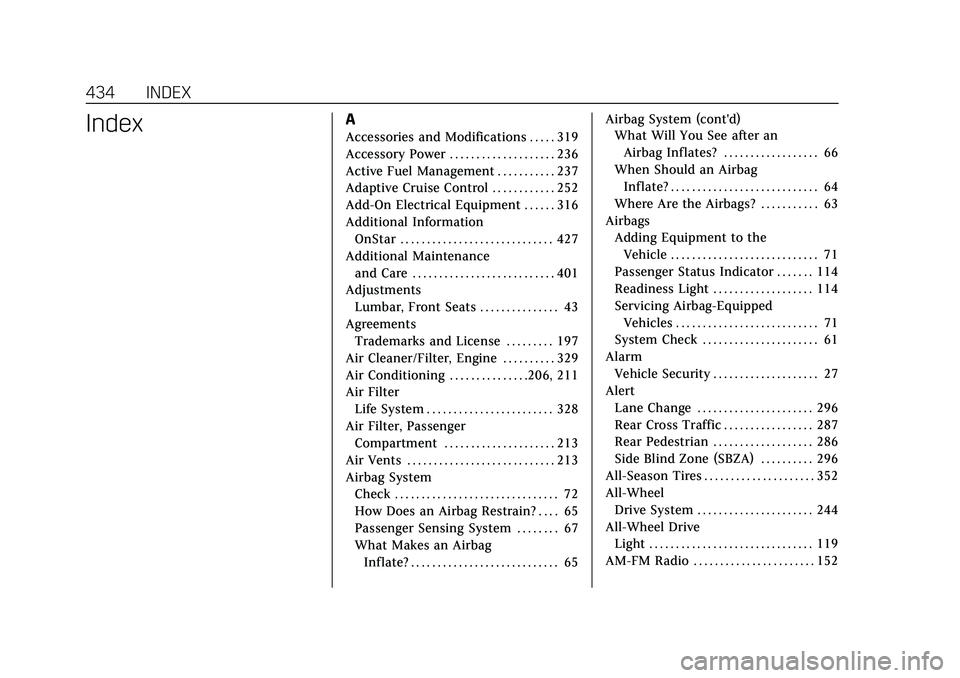
IndexA
Accessories and Modifications . . . . . 319
Accessory Power . . . . . . . . . . . . . . . . . . . . 236
Active Fuel Management . . . . . . . . . . . 237
Adaptive Cruise Control . . . . . . . . . . . . 252
Add-On Electrical Equipment . . . . . . 316
Additional InformationOnStar . . . . . . . . . . . . . . . . . . . . . . . . . . . . . 427
Additional Maintenance and Care . . . . . . . . . . . . . . . . . . . . . . . . . . . 401
Adjustments Lumbar, Front Seats . . . . . . . . . . . . . . . 43
Agreements Trademarks and License . . . . . . . . . 197
Air Cleaner/Filter, Engine . . . . . . . . . . 329
Air Conditioning . . . . . . . . . . . . . . .206, 211
Air Filter Life System . . . . . . . . . . . . . . . . . . . . . . . . 328
Air Filter, Passenger
Compartment . . . . . . . . . . . . . . . . . . . . . 213
Air Vents . . . . . . . . . . . . . . . . . . . . . . . . . . . . 213
Airbag System Check . . . . . . . . . . . . . . . . . . . . . . . . . . . . . . . 72
How Does an Airbag Restrain? . . . . 65
Passenger Sensing System . . . . . . . . 67
What Makes an AirbagInflate? . . . . . . . . . . . . . . . . . . . . . . . . . . . . 65 Airbag System (cont'd)
What Will You See after an
Airbag Inflates? . . . . . . . . . . . . . . . . . . 66
When Should an Airbag Inflate? . . . . . . . . . . . . . . . . . . . . . . . . . . . . 64
Where Are the Airbags? . . . . . . . . . . . 63
Airbags
Adding Equipment to theVehicle . . . . . . . . . . . . . . . . . . . . . . . . . . . . 71
Passenger Status Indicator . . . . . . . 114
Readiness Light . . . . . . . . . . . . . . . . . . . 114
Servicing Airbag-Equipped Vehicles . . . . . . . . . . . . . . . . . . . . . . . . . . . 71
System Check . . . . . . . . . . . . . . . . . . . . . . 61
Alarm Vehicle Security . . . . . . . . . . . . . . . . . . . . 27
Alert Lane Change . . . . . . . . . . . . . . . . . . . . . . 296
Rear Cross Traffic . . . . . . . . . . . . . . . . . 287
Rear Pedestrian . . . . . . . . . . . . . . . . . . . 286
Side Blind Zone (SBZA) . . . . . . . . . . 296
All-Season Tires . . . . . . . . . . . . . . . . . . . . . 352
All-Wheel Drive System . . . . . . . . . . . . . . . . . . . . . . 244
All-Wheel Drive Light . . . . . . . . . . . . . . . . . . . . . . . . . . . . . . . 119
AM-FM Radio . . . . . . . . . . . . . . . . . . . . . . . 152