infotainment CADILLAC XT6 2022 Manual Online
[x] Cancel search | Manufacturer: CADILLAC, Model Year: 2022, Model line: XT6, Model: CADILLAC XT6 2022Pages: 447, PDF Size: 7.21 MB
Page 349 of 447
Cadillac XT6 Owner Manual (GMNA-Localizing-U.S./Canada-15218998) -
2022 - CRC - 10/22/21
348 VEHICLE CARE
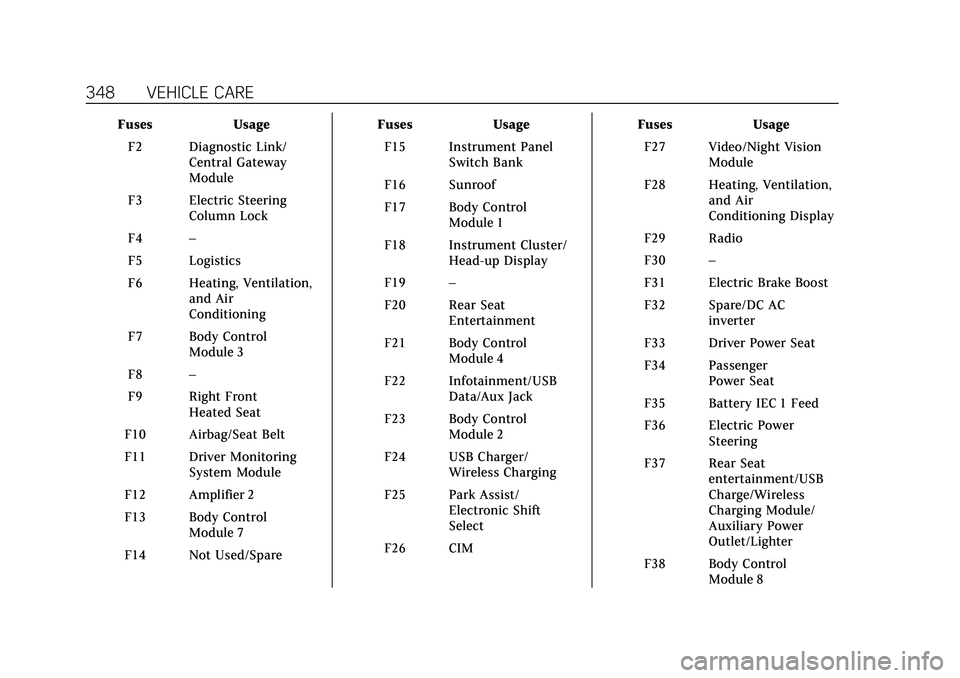
FusesUsage
F2 Diagnostic Link/ Central Gateway
Module
F3 Electric Steering Column Lock
F4 –
F5 Logistics
F6 Heating, Ventilation, and Air
Conditioning
F7 Body Control Module 3
F8 –
F9 Right Front Heated Seat
F10 Airbag/Seat Belt
F11 Driver Monitoring System Module
F12 Amplifier 2
F13 Body Control Module 7
F14 Not Used/Spare Fuses
Usage
F15 Instrument Panel Switch Bank
F16 Sunroof
F17 Body Control Module 1
F18 Instrument Cluster/ Head-up Display
F19 –
F20 Rear Seat Entertainment
F21 Body Control Module 4
F22 Infotainment/USB Data/Aux Jack
F23 Body Control Module 2
F24 USB Charger/ Wireless Charging
F25 Park Assist/ Electronic Shift
Select
F26 CIM Fuses
Usage
F27 Video/Night Vision Module
F28 Heating, Ventilation, and Air
Conditioning Display
F29 Radio
F30 –
F31 Electric Brake Boost
F32 Spare/DC AC inverter
F33 Driver Power Seat
F34 Passenger Power Seat
F35 Battery IEC 1 Feed
F36 Electric Power Steering
F37 Rear Seat entertainment/USB
Charge/Wireless
Charging Module/
Auxiliary Power
Outlet/Lighter
F38 Body Control Module 8
Page 413 of 447

Cadillac XT6 Owner Manual (GMNA-Localizing-U.S./Canada-15218998) -
2022 - CRC - 10/22/21
412 CUSTOMER INFORMATION
Customer
Information
Customer Information
Customer SatisfactionProcedure . . . . . . . . . . . . . . . . . . . . . . . 412
Customer Assistance Offices . . . . 414
Customer Assistance for Text Telephone (TTY) Users . . . . . . . . . 414
Online Owner Center . . . . . . . . . . . . . 415
GM Mobility Reimbursement Program . . . . . . . . . . . . . . . . . . . . . . . . . 415
Roadside Service . . . . . . . . . . . . . . . . . 416
Scheduling Service Appointments . . . . . . . . . . . . . . . . . . . 417
Courtesy Transportation Program . . . . . . . . . . . . . . . . . . . . . . . . . 418
Collision Damage Repair . . . . . . . . . 419
Publication Ordering Information . . . . . . . . . . . . . . . . . . . . . 421
Radio Frequency Statement . . . . . 421
Reporting Safety Defects
Reporting Safety Defects to the United States Government . . . . . 422
Reporting Safety Defects to the Canadian Government . . . . . . . . . 422
Reporting Safety Defects to General Motors . . . . . . . . . . . . . . . . . 422
Vehicle Data Recording and
Privacy
Vehicle Data Recording andPrivacy . . . . . . . . . . . . . . . . . . . . . . . . . . . 423
Cybersecurity . . . . . . . . . . . . . . . . . . . . . 423
Event Data Recorders . . . . . . . . . . . . 423
OnStar . . . . . . . . . . . . . . . . . . . . . . . . . . . . . 424
Infotainment System . . . . . . . . . . . . . 424
Customer Information
Customer Satisfaction
Procedure
Your satisfaction and goodwill are
important to your dealer and to
Cadillac. Normally, any concerns with
the sales transaction or the operation
of the vehicle will be resolved by your
dealer's sales or service departments.
Sometimes, however, despite the best
intentions of all concerned,
misunderstandings can occur. If your
concern has not been resolved to your
satisfaction, the following steps
should be taken:
STEP ONE : Discuss your concern
with a member of dealership
management. Normally, concerns can
be quickly resolved at that level. If the
matter has already been reviewed with
the sales, service or parts manager,
contact the owner of your dealership
or the general manager.
STEP TWO : If after contacting a
member of dealership management, it
appears your concern cannot be
resolved by your dealership without
Page 425 of 447

Cadillac XT6 Owner Manual (GMNA-Localizing-U.S./Canada-15218998) -
2022 - CRC - 10/22/21
424 CUSTOMER INFORMATION
.How fast the vehicle was traveling.
These data can help provide a better
understanding of the circumstances in
which crashes and injuries occur.
Note
EDR data are recorded by your vehicle
only if a non-trivial crash situation
occurs; no data are recorded by the
EDR under normal driving conditions
and no personal data (e.g., name,
gender, age, and crash location) are
recorded. However, other parties, such
as law enforcement, could combine
the EDR data with the type of
personally identifying data routinely
acquired during a crash investigation.
To read data recorded by an EDR,
special equipment is required, and
access to the vehicle or the EDR is
needed. In addition to the vehicle
manufacturer, other parties, such as
law enforcement, that have the special
equipment, can read the information
if they have access to the vehicle or
the EDR.
GM will not access these data or share
it with others except: with the consent
of the vehicle owner or, if the vehicle
is leased, with the consent of the lessee; in response to an official
request by police or similar
government office; as part of GM's
defense of litigation through the
discovery process; or, as permitted by
law. Data that GM collects or receives
may also be used for GM research
needs or may be made available to
others for research purposes, where a
need is shown and the data is not tied
to a specific vehicle or vehicle owner.
OnStar
If the vehicle is equipped with OnStar
and has an active service plan,
additional data may be collected and
transmitted through the OnStar
system. This includes information
about the vehicle’s operation;
collisions involving the vehicle; the
use of the vehicle and its features,
including infotainment; and the
location and approximate GPS speed
of the vehicle. Refer to the OnStar
Terms and Conditions and Privacy
Statement on the OnStar website.
See
OnStar Additional Information
0 427.
Infotainment System
If the vehicle is equipped with a
navigation system as part of the
infotainment system, use of the
system may result in the storage of
destinations, addresses, telephone
numbers, and other trip information.
See the infotainment section for
information on stored data and for
deletion instructions.
Page 426 of 447

Cadillac XT6 Owner Manual (GMNA-Localizing-U.S./Canada-15218998) -
2022 - CRC - 10/22/21
ONSTAR 425
OnStar
OnStar Overview
OnStar Overview . . . . . . . . . . . . . . . . . . 425
OnStar Services
Emergency . . . . . . . . . . . . . . . . . . . . . . . . 426
Security . . . . . . . . . . . . . . . . . . . . . . . . . . . 426
OnStar Additional Information
OnStar AdditionalInformation . . . . . . . . . . . . . . . . . . . . . 427
OnStar Overview
=Voice Command Button
QBlue OnStar Button
>Red Emergency Button
This vehicle may be equipped with a
comprehensive, in-vehicle system that
can connect to an OnStar Advisor for
Emergency, Security, Navigation,
Connections, and Diagnostics Services.
OnStar services may require a paid
service plan and data plan. OnStar
requires the vehicle battery and
electrical system, cellular service, and
GPS satellite signals to be available
and operating. OnStar acts as a link to
existing emergency service providers.
OnStar may collect information about
you and your vehicle, including
location information. See OnStar User
Terms, Privacy Statement, and
Software Terms for more details including system limitations at
www.onstar.com (U.S.) or
www.onstar.ca (Canada).
The OnStar system status light is next
to the OnStar buttons. If the status
light is:
.Solid Green: System is ready.
.Flashing Green: On a call.
.Red: Indicates a problem.
.Off: System is off. PressQtwice to
speak with an OnStar Advisor.
Press
Qor call 1-888-4ONSTAR
(1-888-466-7827) to speak to an
Advisor.
Functionality of the Voice Command
button may vary by vehicle and
region.
Press
=to:
.Open the OnStar app on the
infotainment display. If equipped,
the infotainment system has OnStar
controls in the embedded OnStar
app on the Home Page. Most OnStar
functions that can be performed
with the buttons can be done using
the app. To open the app, touch the
OnStar icon on the Home Page. App
Page 429 of 447

Cadillac XT6 Owner Manual (GMNA-Localizing-U.S./Canada-15218998) -
2022 - CRC - 10/22/21
428 ONSTAR
Services for People with
Disabilities
Advisors provide services to help with
physical disabilities and medical
conditions.
Press
Qto help:
.Locate a gas station with an
attendant to pump gas.
.Find a hotel, restaurant, etc., that
meets accessibility needs.
.Provide directions to the closest
hospital or pharmacy in urgent
situations.
TTY Users
OnStar has the ability to communicate
to deaf, hard-of-hearing,
or speech-impaired customers while in
the vehicle. The available
dealer-installed TTY system can
provide in-vehicle access to all OnStar
services, except Virtual Advisor and
OnStar Turn-by-Turn Navigation.
If equipped, TTY mode can be turned
on or off by touching Settings, then
Apps, and then Phone. When TTYmode is on, phone calls can be made
or received with OnStar using the
infotainment display.
OnStar Personal Identification
Number (PIN)
A PIN is needed to access some
OnStar services. The PIN will need to
be changed the first time when
speaking with an Advisor. To change
the OnStar PIN, contact an OnStar
Advisor by pressing
Qor calling
1-888-4ONSTAR.
Warranty
OnStar equipment may be warranted
as part of the vehicle warranty.
Languages
The vehicle can be programmed to
respond in multiple languages. Press
Qand ask for an Advisor. Advisors
are available in English, Spanish, and
French. Available languages may vary
by country.
Potential Issues
OnStar cannot perform Remote Door
Unlock or Stolen Vehicle Assistance
after the vehicle has been off
continuously for an extended period
of time without an ignition cycle. To
find out the duration of time that
applies for the vehicle, contact an
OnStar Advisor by pressing
Qor
calling 1-888-4ONSTAR. If the vehicle
has not been started for an extended
period of time, OnStar can contact
Roadside Service or a locksmith to
help gain access to the vehicle.
Global Positioning System (GPS)
.Obstruction of the GPS can occur in
a large city with tall buildings; in
parking garages; around airports; in
tunnels and underpasses; or in an
area with very dense trees. If GPS
signals are not available, the OnStar
system should still operate to call
OnStar. However, OnStar could have
difficulty identifying the exact
location.
.In emergency situations, OnStar can
use the last stored GPS location to
send to emergency responders.
Page 432 of 447

Cadillac XT6 Owner Manual (GMNA-Localizing-U.S./Canada-15218998) -
2022 - CRC - 10/22/21
CONNECTED SERVICES 431
Connected Services
Connected Services
Navigation . . . . . . . . . . . . . . . . . . . . . . . . 431
Connections . . . . . . . . . . . . . . . . . . . . . . 431
Diagnostics . . . . . . . . . . . . . . . . . . . . . . . 433
Connected Services
Navigation
Navigation requires a specific OnStar
or connected service plan.
Press
Qto receive Turn-by-Turn
directions or have them sent to the
vehicle’s navigation screen,
if equipped. Select Turn-by-Turn
Directions from the Services tab of the
OnStar app to call an Advisor or select
a recent or favorite destination. Touch
the navigation icons to select home,
address, or place. A destination
transfer from OnStar will show the
detail view of the destination when it
is transferred from OnStar to the
Navigation application. See
www.onstar.com for a coverage map.
Services vary by model. Map coverage
is available in the United States and
Canada.
Turn-by-Turn Navigation
1. PressQto connect to an Advisor.
2. Request directions to be downloaded to the vehicle.
3. Follow the voice-guided commands.
Using Voice Commands During a
Planned Route
Functionality of the Voice Command
button, if equipped, may vary by
vehicle and region. For some vehicles,
press
=to open the OnStar app on
the infotainment display.
Send Destination to Vehicle
Directions can be sent to the vehicle’s
navigation screen, if equipped.
Press
Q, then ask the Advisor to
download directions to the vehicle’s
navigation system, if equipped. After
the call ends, the navigation screen
will provide prompts to begin driving
directions. Routes that are sent to the
navigation screen can only be
canceled through the navigation
system.
See www.onstar.com (U.S.) or
www.onstar.ca (Canada).
Connections
The following services help with
staying connected.
Page 433 of 447
Cadillac XT6 Owner Manual (GMNA-Localizing-U.S./Canada-15218998) -
2022 - CRC - 10/22/21
432 CONNECTED SERVICES
For coverage maps, see
www.onstar.com (U.S.) or
www.onstar.ca (Canada).
Ensuring Security
.Change the default passwords for
the Wi-Fi hotspot and myCadillac
mobile app. Make these passwords
different from each other and use a
combination of letters and numbers
to increase the security.
.Change the default name of the
SSID (Service Set Identifier). This is
your network’s name that is visible
to other wireless devices. Choose a
unique name and avoid family
names or vehicle descriptions.
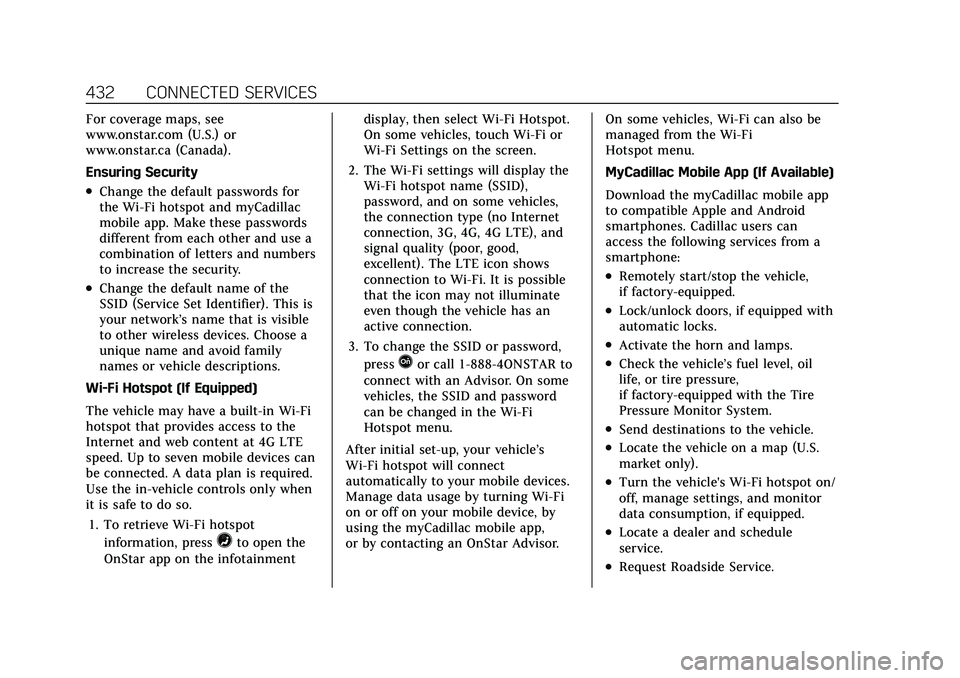
Wi-Fi Hotspot (If Equipped)
The vehicle may have a built-in Wi-Fi
hotspot that provides access to the
Internet and web content at 4G LTE
speed. Up to seven mobile devices can
be connected. A data plan is required.
Use the in-vehicle controls only when
it is safe to do so. 1. To retrieve Wi-Fi hotspot information, press
=to open the
OnStar app on the infotainment display, then select Wi-Fi Hotspot.
On some vehicles, touch Wi-Fi or
Wi-Fi Settings on the screen.
2. The Wi-Fi settings will display the Wi-Fi hotspot name (SSID),
password, and on some vehicles,
the connection type (no Internet
connection, 3G, 4G, 4G LTE), and
signal quality (poor, good,
excellent). The LTE icon shows
connection to Wi-Fi. It is possible
that the icon may not illuminate
even though the vehicle has an
active connection.
3. To change the SSID or password, press
Qor call 1-888-4ONSTAR to
connect with an Advisor. On some
vehicles, the SSID and password
can be changed in the Wi-Fi
Hotspot menu.
After initial set-up, your vehicle’s
Wi-Fi hotspot will connect
automatically to your mobile devices.
Manage data usage by turning Wi-Fi
on or off on your mobile device, by
using the myCadillac mobile app,
or by contacting an OnStar Advisor. On some vehicles, Wi-Fi can also be
managed from the Wi-Fi
Hotspot menu.
MyCadillac Mobile App (If Available)
Download the myCadillac mobile app
to compatible Apple and Android
smartphones. Cadillac users can
access the following services from a
smartphone:
.Remotely start/stop the vehicle,
if factory-equipped.
.Lock/unlock doors, if equipped with
automatic locks.
.Activate the horn and lamps.
.Check the vehicle’s fuel level, oil
life, or tire pressure,
if factory-equipped with the Tire
Pressure Monitor System.
.Send destinations to the vehicle.
.Locate the vehicle on a map (U.S.
market only).
.Turn the vehicle's Wi-Fi hotspot on/
off, manage settings, and monitor
data consumption, if equipped.
.Locate a dealer and schedule
service.
.Request Roadside Service.
Page 437 of 447

Cadillac XT6 Owner Manual (GMNA-Localizing-U.S./Canada-15218998) -
2022 - CRC - 10/22/21
436 INDEX
CheckEngine Light (Malfunction
Indicator) . . . . . . . . . . . . . . . . . . . . . . . . 115
Child Restraints Infants and Young Children . . . . . . . 74
Lower Anchors and Tethersfor Children . . . . . . . . . . . . . . . . . . . . . . . 79
Older Children . . . . . . . . . . . . . . . . . . . . . 72
Securing . . . . . . . . . . . . . . . . . . . . . . . . 87, 89
Systems . . . . . . . . . . . . . . . . . . . . . . . . . . . . 76
Circuit Breakers . . . . . . . . . . . . . . . . . . . . . 343
Cleaning
Exterior Care . . . . . . . . . . . . . . . . . . . . . . 384
Interior Care . . . . . . . . . . . . . . . . . . . . . . 389
Climate Control Systems Dual Automatic . . . . . . . . . . . . . . . . . . . 206
Rear . . . . . . . . . . . . . . . . . . . . . . . . . . . . . . . . 211
Clock . . . . . . . . . . . . . . . . . . . . . . . . . . . . . . . . . 105
Cluster, Instrument . . . . . . . . . . . . . . . . . 109
Collision Damage Repair . . . . . . . . . . . 419
Compact Spare Tire . . . . . . . . . . . . . . . . . 378
Compartments Storage . . . . . . . . . . . . . . . . . . . . . . . . . . . . . 92
Compass . . . . . . . . . . . . . . . . . . . . . . . . . . . . . 105
Connected Services Connections . . . . . . . . . . . . . . . . . . . . . . . 431
Diagnostics . . . . . . . . . . . . . . . . . . . . . . . . 433
Navigation . . . . . . . . . . . . . . . . . . . . . . . . . 431 Connections
Connected Services . . . . . . . . . . . . . . . 431
Control Traction and ElectronicStability . . . . . . . . . . . . . . . . . . . . . . . . . . 247
Control of a Vehicle . . . . . . . . . . . . . . . . 217
Controls Steering Wheel . . . . . . . . . . . . . . . . . . . . 148
Convenience Net . . . . . . . . . . . . . . . . . . . . . 98
Convex Mirrors . . . . . . . . . . . . . . . . . . . . . . 30
Coolant Engine Temperature Gauge . . . . . . 113
Cooling . . . . . . . . . . . . . . . . . . . . . . . . .206, 211
Cooling System . . . . . . . . . . . . . . . . . . . . . 330
Cornering Lamps . . . . . . . . . . . . . . . . . . . 143
Courtesy Lamps . . . . . . . . . . . . . . . . . . . . . 143
Courtesy Transportation Program . . . . . . . . . . . . . . . . . . . . . . . . . . . . 418
Cover Cargo . . . . . . . . . . . . . . . . . . . . . . . . . . . . . . . 94
Coverage Explanations . . . . . . . . . . . . . 173
Cruise Control . . . . . . . . . . . . . . . . . . . . . . . 250
Light . . . . . . . . . . . . . . . . . . . . . . . . . . . . . . . 123
Cruise Control, Adaptive . . . . . . . . . . . 252
Cruise Control, Super . . . . . . . . . . . . . . . 262
Cupholders . . . . . . . . . . . . . . . . . . . . . . . . . . . 92
Customer Assistance . . . . . . . . . . . . . . . 414 Offices . . . . . . . . . . . . . . . . . . . . . . . . . . . . . 414 Customer Assistance (cont'd)
Text Telephone (TTY) Users . . . . . 414
Customer Information Publications OrderingInformation . . . . . . . . . . . . . . . . . . . . . . 421
Customer Satisfaction Procedure . . . . . . . . . . . . . . . . . . . . . . . . . . 412
Cybersecurity . . . . . . . . . . . . . . . . . . . . . . . . 423
D
Damage Repair, Collision . . . . . . . . . . . 419
Danger, Warning, and Caution . . . . . . . . 2
Data Collection Infotainment System . . . . . . . . . . . . . 424
OnStar . . . . . . . . . . . . . . . . . . . . . . . . . . . . . 424
Data Recorders, Event . . . . . . . . . . . . . . 423
Database Coverage Explanations . . . . . . . . . . . . . . . . . . . . . . 173
Daytime Running Lamps (DRL) . . . 141
Defensive Driving . . . . . . . . . . . . . . . . . . . 217
Delayed Locking . . . . . . . . . . . . . . . . . . . . . 18
Destination . . . . . . . . . . . . . . . . . . . . . . . . . . 165
Diagnostics Connected Services . . . . . . . . . . . . . . . 433
Distracted Driving . . . . . . . . . . . . . . . . . . 216
Dome Lamps . . . . . . . . . . . . . . . . . . . . . . . . 143
Door Ajar Light . . . . . . . . . . . . . . . . . . . . . . . . . 124
Page 440 of 447

Cadillac XT6 Owner Manual (GMNA-Localizing-U.S./Canada-15218998) -
2022 - CRC - 10/22/21
INDEX 439
High-Beam On Light . . . . . . . . . . . . . . . . 123
High-Speed Operation . . . . . . . . . . . . . . 359
Hill and Mountain Roads . . . . . . . . . . 224
Hill Start Assist (HSA) . . . . . . . . . . . . . 246
Hood . . . . . . . . . . . . . . . . . . . . . . . . . . . . . . . . . 320
Horn . . . . . . . . . . . . . . . . . . . . . . . . . . . . . . . . . 102
How to Wear Seat Belts Properly . . . 54
HVAC . . . . . . . . . . . . . . . . . . . . . . . . . . .206, 211
I
If the System Needs Service . . . . . . . 173
Ignition Positions . . . . . . . . . . . . . . . . . . . 231
Immobilizer . . . . . . . . . . . . . . . . . . . . . . . . . . 29
IndicatorPedestrian Ahead . . . . . . . . . . . . . . . . . 120
Vehicle Ahead . . . . . . . . . . . . . . . . . . . . . 120
Infants and Young Children,
Restraints . . . . . . . . . . . . . . . . . . . . . . . . . . . 74
Information Publication Ordering . . . . . . . . . . . . . 421
Infotainment System . . . . . . . . . . . . . . . 424
Instrument Cluster . . . . . . . . . . . . . . . . . 109
Instrument Panel Overview . . . . . . . . . . . 4
Interior Rearview Mirrors . . . . . . . . . . . 32
Introduction . . . . . . . . . . . . . . . . . . . . . . 1, 146
J
Jump Starting - North America . . . . 379
K
Keyless Entry
Remote (RKE) System . . . . . . . . . . . . . . . 7
Keys . . . . . . . . . . . . . . . . . . . . . . . . . . . . . . . . . . . . 6
L
Labeling, Tire Sidewall . . . . . . . . . . . . . 353
Lamps Cornering . . . . . . . . . . . . . . . . . . . . . . . . . . 143
Courtesy . . . . . . . . . . . . . . . . . . . . . . . . . . . 143
Daytime Running (DRL) . . . . . . . . . . 141
Dome . . . . . . . . . . . . . . . . . . . . . . . . . . . . . . 143
Exterior Controls . . . . . . . . . . . . . . . . . . 139
Exterior Lamps Off Reminder . . . . 141
Exterior Lighting BatterySaver . . . . . . . . . . . . . . . . . . . . . . . . . . . . . 145
Malfunction Indicator (Check Engine) . . . . . . . . . . . . . . . . . . . . . . . . . . 115
On Reminder . . . . . . . . . . . . . . . . . . . . . . 123
Reading . . . . . . . . . . . . . . . . . . . . . . . . . . . . 144
Lane Change Alert (LCA) . . . . . . . . . . . 296
Lane Keep Assist (LKA) . . . . . . . . . . . . 298
Lane Keep Assist Light . . . . . . . . . . . . . 119
Lap-Shoulder Belt . . . . . . . . . . . . . . . . . . . . 56
LATCH System Replacing Parts after a Crash . . . . . 87
LATCH, Lower Anchors and Tethers for Children . . . . . . . . . . . . . . . 79 LED Lighting . . . . . . . . . . . . . . . . . . . . . . . . 341
Liftgate . . . . . . . . . . . . . . . . . . . . . . . . . . . . . . . 20
Light
Performance Shifting . . . . . . . . . . . . . 119
Lighting Entry . . . . . . . . . . . . . . . . . . . . . . . . . . . . . . 144
Exit . . . . . . . . . . . . . . . . . . . . . . . . . . . . . . . . 145
Illumination Control . . . . . . . . . . . . . . 143
LED . . . . . . . . . . . . . . . . . . . . . . . . . . . . . . . . 341
Lights Airbag Readiness . . . . . . . . . . . . . . . . . 114
All-Wheel Drive . . . . . . . . . . . . . . . . . . . 119
Antilock Brake System (ABS)
Warning . . . . . . . . . . . . . . . . . . . . . . . . . 118
Brake System Warning . . . . . . . . . . . 117
Charging System . . . . . . . . . . . . . . . . . . 115
Check Engine (Malfunction Indicator) . . . . . . . . . . . . . . . . . . . . . . . . 115
Cruise Control . . . . . . . . . . . . . . . . . . . . . 123
Door Ajar . . . . . . . . . . . . . . . . . . . . . . . . . . 124
Driver Mode Control . . . . . . . . . . . . . . 121
Electric Parking Brake . . . . . . . . . . . . 118
Engine Oil Pressure . . . . . . . . . . . . . . . 122
Flash-to-Pass . . . . . . . . . . . . . . . . . . . . . . 141
High-Beam On . . . . . . . . . . . . . . . . . . . . 123
High/Low Beam Changer . . . . . . . . . 141
Lane Keep Assist . . . . . . . . . . . . . . . . . . 119
Low Fuel Warning . . . . . . . . . . . . . . . . 122
Page 444 of 447

Cadillac XT6 Owner Manual (GMNA-Localizing-U.S./Canada-15218998) -
2022 - CRC - 10/22/21
INDEX 443
Security (cont'd)OnStar . . . . . . . . . . . . . . . . . . . . . . . . . . . . . 426
Vehicle . . . . . . . . . . . . . . . . . . . . . . . . . . . . . . 27
Vehicle Alarm . . . . . . . . . . . . . . . . . . . . . . 27
Service . . . . . . . . . . . . . . . . . . . . . . . . . . . . . . . 214 Accessories andModifications . . . . . . . . . . . . . . . . . . . . 319
Doing Your Own Work . . . . . . . . . . . 319
Maintenance Records . . . . . . . . . . . . 407
Maintenance, General Information . . . . . . . . . . . . . . . . . . . . . . 394
Parts Identification . . . . . . . . . . . . . . . 408
Scheduling Appointments . . . . . . . . 417
Service Electric Parking Brake Light . . . . . . . . . . . . . . . . . . . . . . . . . . . . . . . 118
Services
Special Application . . . . . . . . . . . . . . . 401
Servicing System . . . . . . . . . . . . . . . . . . . . 173
Servicing the Airbag . . . . . . . . . . . . . . . . . 71
Settings . . . . . . . . . . . . . . . . . . . . . . . . . . . . . . 186
Shifting Into Park . . . . . . . . . . . . . . . . . . . . . . . . . . 236
Out of Park . . . . . . . . . . . . . . . . . . . . . . . . 236
Side Blind Zone Alert (SBZA) . . . . . . 296
Signals, Turn and Lane-Change . . . . 142
Software Updates . . . . . . . . . . . . . . . . . . . 152
Spare Tire Compact . . . . . . . . . . . . . . . . . . . . . . . . . . . 378 Special Application Services . . . . . . . 401
Specifications and Capacities . . . . . . 409
Speedometer . . . . . . . . . . . . . . . . . . . . . . . . 111
StabiliTrak
OFF Light . . . . . . . . . . . . . . . . . . . . . . . . . . 120
Start Assist, Hill . . . . . . . . . . . . . . . . . . . . 246
Start Vehicle, Remote . . . . . . . . . . . . . . . 15
Starting the Engine . . . . . . . . . . . . . . . . . 232
Steering . . . . . . . . . . . . . . . . . . . . . . . . . . . . . . 218 Heated Wheel . . . . . . . . . . . . . . . . . . . . . 101
Wheel Adjustment . . . . . . . . . . . . . . . . 101
Wheel Controls . . . . . . . . . . . . . . . . . . . 101
Steering Column Lock . . . . . . . . . . . . . . . 28
Steering Wheel Controls . . . . . . . . . . . 148
Stop/Start System . . . . . . . . . . . . . . . . . . 233
Storage Rear . . . . . . . . . . . . . . . . . . . . . . . . . . . . . . . . . 93
Storage Areas Cargo Cover . . . . . . . . . . . . . . . . . . . . . . . . 94
Cargo Management System . . . . . . . 97
Center Console . . . . . . . . . . . . . . . . . . . . . 93
Convenience Net . . . . . . . . . . . . . . . . . . . 98
Glove Box . . . . . . . . . . . . . . . . . . . . . . . . . . 92
Roof Rack System . . . . . . . . . . . . . . . . . 98
Storage Compartments . . . . . . . . . . . . . . 92
Struts
Gas . . . . . . . . . . . . . . . . . . . . . . . . . . . . . . . . . 340
Stuck Vehicle . . . . . . . . . . . . . . . . . . . . . . . 226 Sun Visors . . . . . . . . . . . . . . . . . . . . . . . . . . . . 36
Sunroof . . . . . . . . . . . . . . . . . . . . . . . . . . . . . . . 36
Super Cruise . . . . . . . . . . . . . . . . . . . . . . . . 262
Surround Vision System . . . . . . . . . . . . 279
Symbols . . . . . . . . . . . . . . . . . . . . . . . . . . . . . . . . 2
Navigation . . . . . . . . . . . . . . . . . . . . . . . . . 164
System
Engine Air Filter Life . . . . . . . . . . . . . 328
Forward Collision Alert (FCA) . . . . 287
Global Positioning . . . . . . . . . . . . . . . . 172
Infotainment . . . . . . . . . . . . . . . . . . . . . . 424
Night Vision . . . . . . . . . . . . . . . . . . . . . . . 293
OnStar . . . . . . . . . . . . . . . . . . . . . . . . . . . . . 171
Rear Cross Traffic Alert . . . . . . . . . . 287
Roof Rack . . . . . . . . . . . . . . . . . . . . . . . . . . 98
Surround Vision . . . . . . . . . . . . . . . . . . 279
Systems Driver Assistance . . . . . . . . . . . . . . . . . 276
T
Tachometer . . . . . . . . . . . . . . . . . . . . . . . . . 112
Teen Driver . . . . . . . . . . . . . . . . . . . . . . . . . . 193
Text Telephone (TTY) Users . . . . . . . 414
Theft-Deterrent Systems . . . . . . . . . . . . 29Immobilizer . . . . . . . . . . . . . . . . . . . . . . . . 29
Third-Row Seats . . . . . . . . . . . . . . . . . . . . . 50
Time . . . . . . . . . . . . . . . . . . . . . . . . . . . . . . . . . 105
Tires . . . . . . . . . . . . . . . . . . . . . . . . . . . . . . . . . 351