night CADILLAC XT6 2023 User Guide
[x] Cancel search | Manufacturer: CADILLAC, Model Year: 2023, Model line: XT6, Model: CADILLAC XT6 2023Pages: 507, PDF Size: 6.49 MB
Page 332 of 507

Cadillac XT6 Owner Manual (GMNA-Localizing-U.S./Canada-16405819) -
2023 - CRC - 3/22/22
Driving and Operating 331
Intelligent Brake Assist (IBA),
and the Automatic Emergency
Braking (AEB) system may also
respond to pedestrians. See
Automatic Emergency Braking
(AEB)0328.
The FPB system can detect
and alert to pedestrians in a
forward gear at speeds
between 8 km/h (5 mph) and
80 km/h (50 mph). During
daytime driving, the system
detects pedestrians up to a
distance of approximately
40 m (131 ft). During nighttime
driving, system performance is
very limited. If the vehicle is
equipped with the Night Vision
system, during night time
driving, the vehicle can detect
and alert pedestrians when
driving in a forward gear.
{Warning
FPB does not provide an
alert or automatically brake
the vehicle, unless it detects (Continued)
Warning (Continued)
a pedestrian. FPB may not
detect pedestrians, including
children:
.When the pedestrian is
not directly ahead, fully
visible, or standing upright,
or when part of a group.
.Due to poor visibility,
including nighttime
conditions, fog, rain,
or snow.
.If the FPB sensor is
blocked by dirt, snow,
or ice.
.If the headlamps or
windshield are not cleaned
or in proper condition.
Be ready to take action and
apply the brakes. For more
information, see Defensive
Driving 0240. Keep the
windshield, headlamps, and
FPB sensor clean and in
good repair. FPB can be set to Off, Alert,
or Alert and Brake through
vehicle settings. To view
available settings for this
feature, touch the Settings
icon on the infotainment home
page. Select
“Vehicle”to
display the list of available
options and select “Collision/
Detection Systems”.
Detecting the Pedestrian
Ahead
FPB alerts and automatic
braking will not occur unless
the FPB system detects a
pedestrian. When a nearby
pedestrian is detected in front
of the vehicle, the pedestrian
ahead indicator will display
amber.
Page 333 of 507
Cadillac XT6 Owner Manual (GMNA-Localizing-U.S./Canada-16405819) -
2023 - CRC - 3/22/22
332 Driving and Operating
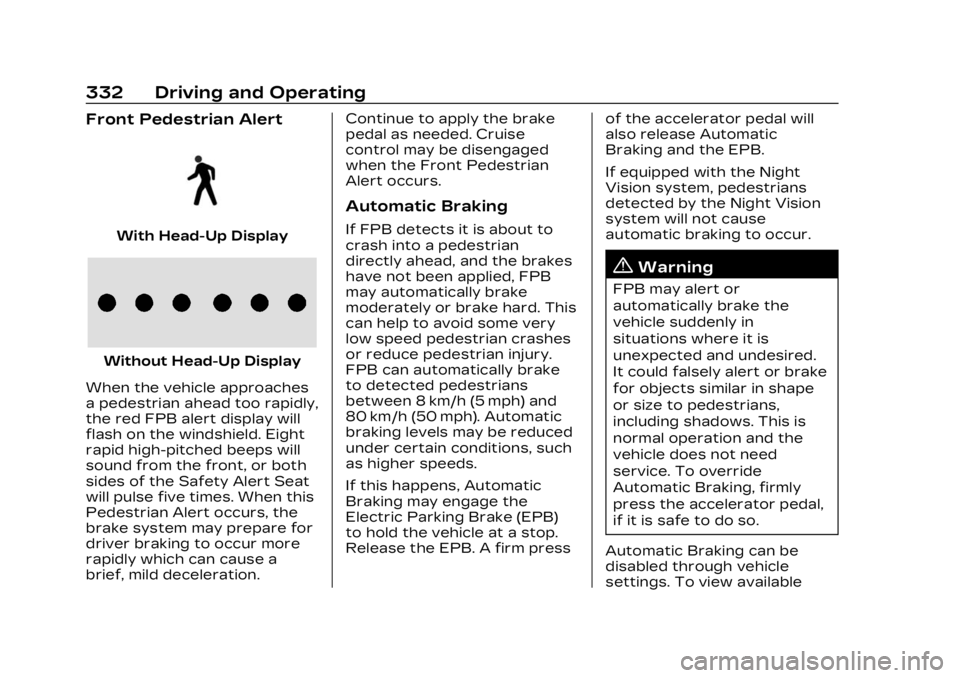
Front Pedestrian Alert
With Head-Up Display
Without Head-Up Display
When the vehicle approaches
a pedestrian ahead too rapidly,
the red FPB alert display will
flash on the windshield. Eight
rapid high-pitched beeps will
sound from the front, or both
sides of the Safety Alert Seat
will pulse five times. When this
Pedestrian Alert occurs, the
brake system may prepare for
driver braking to occur more
rapidly which can cause a
brief, mild deceleration. Continue to apply the brake
pedal as needed. Cruise
control may be disengaged
when the Front Pedestrian
Alert occurs.
Automatic Braking
If FPB detects it is about to
crash into a pedestrian
directly ahead, and the brakes
have not been applied, FPB
may automatically brake
moderately or brake hard. This
can help to avoid some very
low speed pedestrian crashes
or reduce pedestrian injury.
FPB can automatically brake
to detected pedestrians
between 8 km/h (5 mph) and
80 km/h (50 mph). Automatic
braking levels may be reduced
under certain conditions, such
as higher speeds.
If this happens, Automatic
Braking may engage the
Electric Parking Brake (EPB)
to hold the vehicle at a stop.
Release the EPB. A firm press
of the accelerator pedal will
also release Automatic
Braking and the EPB.
If equipped with the Night
Vision system, pedestrians
detected by the Night Vision
system will not cause
automatic braking to occur.
{Warning
FPB may alert or
automatically brake the
vehicle suddenly in
situations where it is
unexpected and undesired.
It could falsely alert or brake
for objects similar in shape
or size to pedestrians,
including shadows. This is
normal operation and the
vehicle does not need
service. To override
Automatic Braking, firmly
press the accelerator pedal,
if it is safe to do so.
Automatic Braking can be
disabled through vehicle
settings. To view available
Page 334 of 507

Cadillac XT6 Owner Manual (GMNA-Localizing-U.S./Canada-16405819) -
2023 - CRC - 3/22/22
Driving and Operating 333
settings for this feature, touch
the Settings icon on the
infotainment home page.
Select“Vehicle” to display the
list of available options and
select “Collision/Detection
Systems”.
{Warning
Using the FPB system while
towing a trailer could cause
you to lose control of the
vehicle and crash. Turn the
system to Alert or Off when
towing a trailer. If the vehicle
is equipped with Super
Cruise or Adaptive Cruise
Control, FPB may be used
while towing a trailer.
Cleaning the System
If FPB does not seem to
operate properly, cleaning the
outside of the windshield in
front of the rearview mirror
may correct the issue.
Night Vision System
If equipped, this system can
help the driver see and alert
the driver to pedestrians or
large animals ahead of the
vehicle beyond the area lit by
the headlamps. A thermal heat
image of the view ahead is
displayed when it is dark
enough outside. If a pedestrian
or large animal is detected
more than 25 m (82 ft) away,
an amber pedestrian or animal
icon displays and a box
appears around the
pedestrian or animal. When
the system detects that the
vehicle is approaching a
pedestrian ahead too quickly,
the box changes to red.
With the Front Pedestrian
Braking system turned on,
Night Vision provides a red
Head-Up Display (HUD) alert
when the system detects that
the vehicle is approaching a
pedestrian ahead too quickly.
In addition, an alert beeps or
the Safety Alert Seat pulses,
if equipped. See Front
Pedestrian Braking (FPB)
System 0330.
{Warning
The system does not detect
all objects or the vehicle
distance from objects. The
system may not provide a
warning with enough time to
help avoid a crash.
Page 335 of 507

Cadillac XT6 Owner Manual (GMNA-Localizing-U.S./Canada-16405819) -
2023 - CRC - 3/22/22
334 Driving and Operating
1. Low-Beam Headlamps
2. High-Beam Headlamps
3. Night Vision System
By selecting a view on the
instrument cluster, the Night
Vision image can be displayed.
See Instrument Cluster0127.
The Night Vision system can
operate only if:
.The ignition is on.
.The vehicle is in P (Park) or a
forward gear.
.It is dark enough outside.
.The headlamps are on,
except when parked. Adjust the instrument panel
brightness to make the image
no brighter than necessary.
Turn the image off by
selecting another view on the
instrument cluster.
Warm objects, such as
pedestrians, animals, and
other moving vehicles, should
appear whiter on the Night
Vision display. Cold objects,
such as the sky, signs, and
parked vehicles, should appear
darker. Night Vision only
shows objects that are
warmer or colder than the
surroundings. It does not
detect brake lamps, turn
signals, emergency flashers,
traffic lights, or sign
information.
Use this system as an aid by
occasionally glancing at the
image. Do not stare at the
image or use the image under
well-lit conditions.
{Warning
Do not stare at the image
while driving as this might
cause important objects
ahead not to be seen. You
could crash, and you or
others could be injured.
When a pedestrian or large
animal is detected, an amber
box displays around the
pedestrian or animal on the
Night Vision display and an
amber pedestrian icon,
~,
or animal icon,
!, displays on
the instrument cluster. This
pedestrian icon is also shown
on the Head-Up Display (HUD).
When the system detects the
vehicle is approaching a
pedestrian too quickly, the
amber pedestrian icon and box
turns red, and a red flashing
icon,
~, displays on the HUD
with rapid beeping or pulsing
of the Safety Alert Seat,
if equipped.
Page 336 of 507

Cadillac XT6 Owner Manual (GMNA-Localizing-U.S./Canada-16405819) -
2023 - CRC - 3/22/22
Driving and Operating 335
System pedestrian icons,
beeps, and (if equipped) Safety
Alert Seat pulses can be set to
Off through vehicle settings
by turning off the Front
Pedestrian Braking system. To
view available settings from
the infotainment screen, touch
Settings > Vehicle > Collision/
Detection Systems > Front
Pedestrian Detection.
{Warning
The Night Vision system
does not automatically brake
the vehicle. It does not
provide alerts unless it
detects a pedestrian or
large animal. The system
may not detect pedestrians,
including children, or animals:
.If they are less than 25 m
(82 ft) away.
.If they are not directly
ahead in the sensor
coverage area, fully visible,
standing upright, or part
of a group.(Continued)
Warning (Continued)
.If the person or animal is
moving too quickly
through the field of view,
such as a bicyclist.
.If the pedestrian is
wearing certain types of
clothing.
.If headlamps are off,
except when parked.
.If the outside temperature
is higher than 30 °C
(86 °F).
.Due to poor visibility,
including in heavy fog, rain,
or snow.
.If the sensor is blocked by
dirt, snow, rain, or ice.
Be ready to take action and
apply the brakes. For more
information, see Defensive
Driving 0240. Keep the
Night Vision sensor clean
and in good repair. Pedestrian detection may not
be available in high outside
temperatures. An amber icon,
*, displays. The system does
not need service.
In rain, snow, or fog the image
may not be clear and the
direction of the road ahead
may not be seen. In more
severe weather conditions,
the image may be unclear and
unusable. The system does
not need service.
Keep the system sensor clean
by activating the rear window
washer when it is dark enough
for the system to operate.
If the Night Vision image still
looks blurry, use a soft wet
cloth to gently clean the
sensor camera lens and dry
thoroughly. The sensor is
behind the lower front grille
below the driver side
headlamp.
The camera must also be
aligned to work correctly.
If the camera needs
Page 398 of 507

Cadillac XT6 Owner Manual (GMNA-Localizing-U.S./Canada-16405819) -
2023 - CRC - 3/22/22
Vehicle Care 397
Fuses UsageF2 Diagnostic Link/ Central
Gateway
Module
F3 Electric Steering
Column Lock
F4 –
F5 Logistics
F6 Heating, Ventilation, and
Air Conditioning
F7 Body Control Module 3
F8 –
F9 Right Front Heated Seat
F10 Airbag/ Seat Belt
F11 Driver Monitoring
System Module
F12 Amplifier 2 Fuses Usage
F13 Body Control Module 7
F14 Not Used/Spare
F15 Instrument Panel
Switch Bank
F16 Sunroof F17 Body Control Module 1
F18 Instrument Cluster/
Head-up Display
F19 –
F20 Rear Seat Entertainment
F21 Body Control Module 4
F22 Infotainment/ USB Data/
Aux Jack
F23 Body Control Module 2 Fuses Usage
F24 USB Charger/ Wireless
Charging
F25 Park Assist/ Electronic Shift
Select
F26 CIM F27 Video/Night Vision Module
F28 Heating, Ventilation, and
Air
Conditioning/
Radio Display
F29 Radio
F30 –
F31 Electric Brake Boost
F32 Spare/DC AC inverter
F33 Driver Power Seat
F34 Passenger Power Seat
Page 474 of 507

Cadillac XT6 Owner Manual (GMNA-Localizing-U.S./Canada-16405819) -
2023 - CRC - 3/22/22
Customer Information 473
If the vehicle cannot be
scheduled into the service
department immediately, keep
driving it until it can be
scheduled for service, unless,
of course, the problem is
safety related. If it is, please
call your dealership, let them
know this, and ask for
instructions.
If your dealer requests you to
bring the vehicle for service,
you are urged to do so as
early in the work day as
possible to allow for same-day
repair.
Courtesy
Transportation
Program
To enhance your ownership
experience, we and our
participating dealers are proud
to offer Courtesy
Transportation, a customer
support program for vehicles
with the Bumper-to-Bumper
(Base Warranty Coverage
period in Canada), FederalEmission, Extended
Powertrain or Electric specific
warranties in both the U.S. and
Canada.
Several Courtesy
Transportation options are
available to assist in reducing
inconvenience when warranty
repairs are required.
Courtesy Transportation is
not a part of the New Vehicle
Limited Warranty. A separate
manual entitled
“Limited
Warranty and Owner
Assistance Information”
produced for new vehicles
provides detailed warranty
coverage information.
Transportation Options
Warranty service can
generally be completed while
you wait. However, if you are
unable to do so, your dealer
may offer the following
transportation options: Shuttle Service
This includes one-way or
round-trip shuttle service
within reasonable time and
distance parameters of your
dealer's area.
Public Transportation or Fuel
Reimbursement
If overnight warranty repairs
are needed, and public
transportation is used, the
expense must be supported
by original receipts and within
the maximum amount allowed
by GM. If U.S. customers
arrange their own
transportation, limited
reimbursement for reasonable
fuel expenses may be
available. Claim amounts
should reflect actual costs and
be supported by original
receipts. See your dealer for
information.
Page 475 of 507

Cadillac XT6 Owner Manual (GMNA-Localizing-U.S./Canada-16405819) -
2023 - CRC - 3/22/22
474 Customer Information
Courtesy Rental Vehicle
For an overnight warranty
repair, the dealer may provide
an available courtesy rental
vehicle or provide for
reimbursement of a rental
vehicle. Reimbursement is
limited and must be supported
by original receipts as well as
a signed and completed rental
agreement and meet state/
provincial, local, and rental
vehicle provider requirements.
Requirements vary and may
include minimum age
requirements, insurance
coverage, credit card, etc.
Additional fees such as fuel,
rental vehicle insurance, taxes,
levies, usage fees, excessive
mileage, or rental usage
beyond the completion of the
repair are also your
responsibility.
It may not be possible to
provide a like vehicle as a
courtesy rental.Additional Program
Information
All program options, such as
shuttle service, may not be
available at every dealer.
Contact your dealer for
specific availability.
General Motors reserves the
right to unilaterally modify,
change, or discontinue
Courtesy Transportation at
any time and to resolve all
questions of claim eligibility
pursuant to the terms and
conditions described herein at
its sole discretion.
Collision Damage
Repair
If the vehicle is involved in a
collision and it is damaged,
have the damage repaired by
a qualified technician using the
proper equipment and quality
replacement parts. Poorly
performed collision repairs
diminish the vehicle resalevalue, and safety performance
can be compromised in
subsequent collisions.
Collision Parts
Genuine GM Collision parts
are new parts made with the
same materials and
construction methods as the
parts with which the vehicle
was originally built. Genuine
GM Collision parts are the
best choice to ensure that the
vehicle's designed
appearance, durability, and
safety are preserved. The use
of Genuine GM parts can help
maintain the GM New Vehicle
Limited Warranty.
Recycled original equipment
parts may also be used for
repair. These parts are
typically removed from
vehicles that were total losses
in prior crashes. In most cases,
the parts being recycled are
from undamaged sections of
the vehicle. A recycled original
equipment GM part may be an
acceptable choice to maintain
Page 500 of 507

Cadillac XT6 Owner Manual (GMNA-Localizing-U.S./Canada-16405819) -
2023 - CRC - 3/22/22
INDEX 499
Lights (cont'd)Traction Off . . . . . . . . . . . . . . . . . . 140
Lock Steering Column . . . . . . . . . . . . . 35
Locks Automatic Door . . . . . . . . . . . . . . 23
Delayed Locking . . . . . . . . . . . . . 23
Door . . . . . . . . . . . . . . . . . . . . . . . . . . . . . 20
Lockout Protection . . . . . . . . . 24
Power Door . . . . . . . . . . . . . . . . . . . 23
Safety . . . . . . . . . . . . . . . . . . . . . . . . . . . 24
Loss of Control . . . . . . . . . . . . . . 243
Low Fuel Warning Light . . . . 142
Lower Anchors and
Tethers for Children
(LATCH System) . . . . . . . . . . . . . 92
Lumbar Adjustment . . . . . . . . . . 50 Front Seats . . . . . . . . . . . . . . . . . . . 50
M
MaintenanceRecords . . . . . . . . . . . . . . . . . . . . . . . 461
Maintenance Schedule . . . . 454 Recommended Fluidsand Lubricants . . . . . . . . . . . 458
Malfunction
Indicator Lamp . . . . . . . . . . . . . . 134 Manual
Mode . . . . . . . . . . . . . . . . . . . . . . . . . . . 271
Map Data Updates . . . . . . . . . . . 194
Maps . . . . . . . . . . . . . . . . . . . . . . . . . . . . . 184
Media Avoiding UntrustedDevices . . . . . . . . . . . . . . . . . . . . . . 176
Memory Seats . . . . . . . . . . . . . . . . . . 50
Messages Engine Power . . . . . . . . . . . . . . . 151
Vehicle . . . . . . . . . . . . . . . . . . . . . . . . . 151
Vehicle Speed . . . . . . . . . . . . . . . 152
Mirrors Automatic Dimming . . . . . . . . . 38
Automatic DimmingRearview . . . . . . . . . . . . . . . . . . . . . 39
Convex . . . . . . . . . . . . . . . . . . . . . . . . . 37
Folding . . . . . . . . . . . . . . . . . . . . . . . . . . 37
Heated . . . . . . . . . . . . . . . . . . . . . . . . . . 38
Interior Rearview . . . . . . . . . . . . 39
Power . . . . . . . . . . . . . . . . . . . . . . . . . . . 37
Rear Camera . . . . . . . . . . . . . . . . . . 39
Tilt in Reverse . . . . . . . . . . . . . . . . 38
Mode Driver Control . . . . . . . . . . . . . . . 278
Monitor System, Tire Pressure . . . . . . . . . . . . . . . . . . . . . . .411
Multi-band Antenna . . . . . . . . . . 175 Multi-Point Vehicle
Inspection (MPVI) . . . . . . . . . . 456
N
Navigation
Connected Services . . . . . . 489
Destination . . . . . . . . . . . . . . . . . . . 185
Symbols . . . . . . . . . . . . . . . . . . . . . . . 184
Using the System . . . . . . . . . . 180
Net, Convenience . . . . . . . . . . . . .114
New Vehicle Break-In . . . . . . 256
Night Vision System . . . . . . . . 333
O
Odometer . . . . . . . . . . . . . . . . . . . . . . . 130 Trip . . . . . . . . . . . . . . . . . . . . . . . . . . . . . 130
Off-Road
Driving . . . . . . . . . . . . . . . . . . . . . . . . 244
Recovery . . . . . . . . . . . . . . . . . . . . . 243
Oil Engine . . . . . . . . . . . . . . . . . . . . . . . . 370
Engine Oil LifeSystem . . . . . . . . . . . . . . . . . . . . . . 373
Pressure Light . . . . . . . . . . . . . . 142
Older Children, Restraints . . . . . . . . . . . . . . . . . . . . . . 85
Online Account . . . . . . . . . . . . . . . 469
OnStar . . . . . . . . . . . . . . . . . . . . . . . . . . . 481
Additional Information . . . 484
Page 504 of 507

Cadillac XT6 Owner Manual (GMNA-Localizing-U.S./Canada-16405819) -
2023 - CRC - 3/22/22
INDEX 503
Sunroof . . . . . . . . . . . . . . . . . . . . . . . . . . . 44
Super Cruise . . . . . . . . . . . . . . . . . . 294
Surround VideoRecorder . . . . . . . . . . . . . . . . . . . . . . 341
Surround Vision System . . . 315
Symbols . . . . . . . . . . . . . . . . . . . . . . . . . . . . 3 Navigation . . . . . . . . . . . . . . . . . . . . 184
System Airbag . . . . . . . . . . . . . . . . . . . . . . . . . . . . 71
Driver Assistance . . . . . . . . . . 312
Engine Air Filter Life . . . . . . 374
Forward CollisionAlert (FCA) . . . . . . . . . . . . . . . . . 326
Global Positioning . . . . . . . . . . 192
Infotainment . . . . . . . . . . . . . . . . . 481
Night Vision . . . . . . . . . . . . . . . . . 333
Rear Cross Traffic Alert . . . . . . . . . . . . . . . . . . . . . . . . . 325
Roof Rack . . . . . . . . . . . . . . . . . . . . . 114
Surround Vision . . . . . . . . . . . . . 315
T
Tachometer . . . . . . . . . . . . . . . . . . . . 130
Teen Driver . . . . . . . . . . . . . . . . . . . . . 214
Text Telephone (TTY) Users . . . . . . . . . . . . . . . . . . . . . . . . . . 469
Theft-Deterrent Systems . . . . . . . . . . . . . . . . . . . . . . . . 35 Theft-Deterrent
Systems (cont'd)
Immobilizer . . . . . . . . . . . . . . . . . . . . 35
Third Row Seats . . . . . . . . . . . . . . . 59
Time . . . . . . . . . . . . . . . . . . . . . . . . . . . . . . 122
Tires . . . . . . . . . . . . . . . . . . . . . . . . . . . . . 400 All-Season . . . . . . . . . . . . . . . . . . . . 401
Buying New Tires . . . . . . . . . . . 419
Chains . . . . . . . . . . . . . . . . . . . . . . . . 424
Changing . . . . . . . . . . . . . . . . . . . . . 426
Compact Spare . . . . . . . . . . . . 433
Designations . . . . . . . . . . . . . . . . 405
Different Size . . . . . . . . . . . . . . . . 421
If a Tire Goes Flat . . . . . . . . . 425
Inspection . . . . . . . . . . . . . . . . . . . . 416
Pressure . . . . . . . . . . . . . . . 408, 410
Pressure Light . . . . . . . . . . . . . . 141
Pressure MonitorOperation . . . . . . . . . . . . . . . . . . . 412
Pressure Monitor System . . . . . . . . . . . . . . . . . . . . . . . 411
Rotation . . . . . . . . . . . . . . . . . . . . . . . 417
Sidewall Labeling . . . . . . . . . . 402
Terminology and
Definitions . . . . . . . . . . . . . . . . . 405
Uniform Tire Quality
Grading . . . . . . . . . . . . . . . . . . . . . . 421 Tires (cont'd)
Wheel Alignment and
Tire Balance . . . . . . . . . . . . . . . 423
Wheel Replacement . . . . . . 423
When It Is Time for New Tires . . . . . . . . . . . . . . . . . . . 418
Winter . . . . . . . . . . . . . . . . . . . . . . . . 402
Top Tier Fuel . . . . . . . . . . . . . . . . . 342
Towing DrivingCharacteristics . . . . . . . . . . . 347
Equipment . . . . . . . . . . . . . . . . . . . 356
General Information . . . . . . 347
Recreational Vehicle . . . . . 438
Trailer . . . . . . . . . . . . . . . . . . . . . . . . . . 351
Trailer Sway
Control (TSC) . . . . . . . . . . . . . 359
Traction Control System(TCS)/StabiliTrak
Light . . . . . . . . . . . . . . . . . . . . . . . . . . 140
Control/Electronic Stability Control . . . . . . . . . . . 276
Off Light . . . . . . . . . . . . . . . . . . . . . . 140
Trademarks and License Agreements . . . . . . . 219
Trailer Sway Control (TSC) . . . . . . . 359