parking brake CADILLAC XT6 2023 Owners Manual
[x] Cancel search | Manufacturer: CADILLAC, Model Year: 2023, Model line: XT6, Model: CADILLAC XT6 2023Pages: 507, PDF Size: 6.49 MB
Page 8 of 507

Cadillac XT6 Owner Manual (GMNA-Localizing-U.S./Canada-16405819) -
2023 - CRC - 3/22/22
Introduction 7
22. Data Link Connector (DLC)(Out of View). See
Malfunction Indicator
Lamp (Check Engine Light)
0134.
23. Hood Release. See Hood 0365.
24. Head-Up Display (HUD) 0147 (If Equipped).
25. Instrument Panel Illumination Control 0161.
26. Electric Parking Brake 0274.
Page 20 of 507
Cadillac XT6 Owner Manual (GMNA-Localizing-U.S./Canada-16405819) -
2023 - CRC - 3/23/22
Keys, Doors, and Windows 19
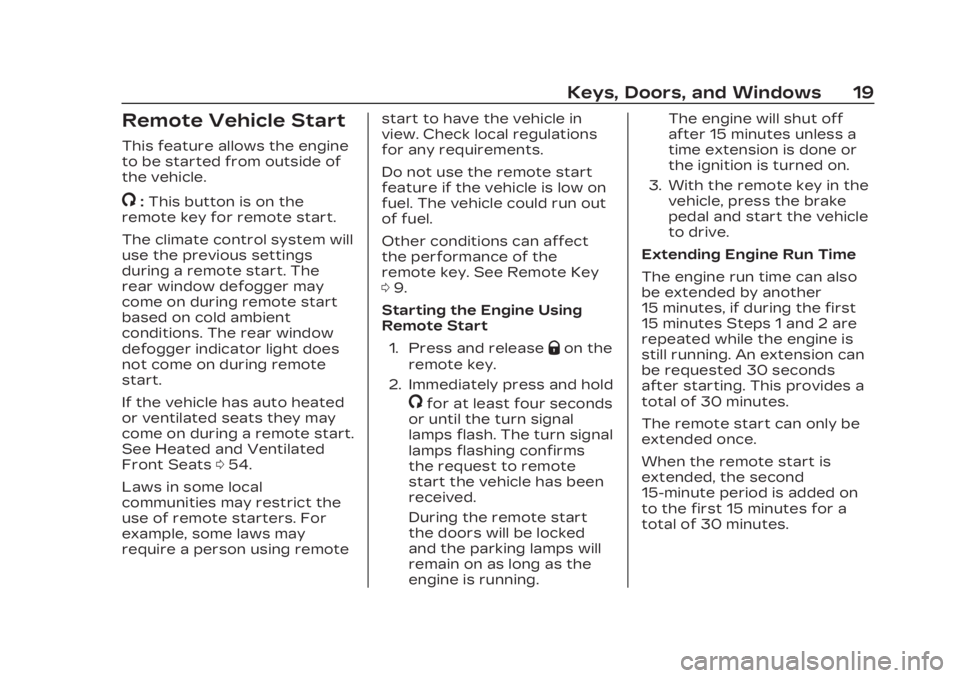
Remote Vehicle Start
This feature allows the engine
to be started from outside of
the vehicle.
/:This button is on the
remote key for remote start.
The climate control system will
use the previous settings
during a remote start. The
rear window defogger may
come on during remote start
based on cold ambient
conditions. The rear window
defogger indicator light does
not come on during remote
start.
If the vehicle has auto heated
or ventilated seats they may
come on during a remote start.
See Heated and Ventilated
Front Seats 054.
Laws in some local
communities may restrict the
use of remote starters. For
example, some laws may
require a person using remote start to have the vehicle in
view. Check local regulations
for any requirements.
Do not use the remote start
feature if the vehicle is low on
fuel. The vehicle could run out
of fuel.
Other conditions can affect
the performance of the
remote key. See Remote Key
0
9.
Starting the Engine Using
Remote Start
1. Press and release
Qon the
remote key.
2. Immediately press and hold
/for at least four seconds
or until the turn signal
lamps flash. The turn signal
lamps flashing confirms
the request to remote
start the vehicle has been
received.
During the remote start
the doors will be locked
and the parking lamps will
remain on as long as the
engine is running. The engine will shut off
after 15 minutes unless a
time extension is done or
the ignition is turned on.
3. With the remote key in the vehicle, press the brake
pedal and start the vehicle
to drive.
Extending Engine Run Time
The engine run time can also
be extended by another
15 minutes, if during the first
15 minutes Steps 1 and 2 are
repeated while the engine is
still running. An extension can
be requested 30 seconds
after starting. This provides a
total of 30 minutes.
The remote start can only be
extended once.
When the remote start is
extended, the second
15-minute period is added on
to the first 15 minutes for a
total of 30 minutes.
Page 117 of 507
Cadillac XT6 Owner Manual (GMNA-Localizing-U.S./Canada-16405819) -
2023 - CRC - 3/22/22
116 Instruments and Controls
Instruments and
Controls
Controls
Steering WheelAdjustment . . . . . . . . . . . . . . . . . . 117
Heated Steering Wheel . . . 118
Horn . . . . . . . . . . . . . . . . . . . . . . . . . . . . 118
Windshield Wiper/ Washer . . . . . . . . . . . . . . . . . . . . . . 118
Rear Window Wiper/ Washer . . . . . . . . . . . . . . . . . . . . . . 120
Compass . . . . . . . . . . . . . . . . . . . . . . 122
Clock . . . . . . . . . . . . . . . . . . . . . . . . . . . 122
Power Outlets . . . . . . . . . . . . . . 122
Wireless Charging . . . . . . . . . 123
Warning Lights, Gauges,
and Indicators
Warning Lights, Gauges, and Indicators . . . . . . . . . . . . . 126
Instrument Cluster . . . . . . . . . 127
Speedometer . . . . . . . . . . . . . . . 130
Odometer . . . . . . . . . . . . . . . . . . . . 130
Trip Odometer . . . . . . . . . . . . . . 130
Tachometer . . . . . . . . . . . . . . . . . 130
Fuel Gauge . . . . . . . . . . . . . . . . . . 130
Engine Coolant Temperature Gauge . . . . . 131 Seat Belt Reminders . . . . . . 132
Airbag Readiness
Light . . . . . . . . . . . . . . . . . . . . . . . . . . 132
Passenger Airbag Status Indicator . . . . . . . . . . . . . . . . . . . . 133
Charging System Light . . . 134
Malfunction Indicator Lamp (Check Engine
Light) . . . . . . . . . . . . . . . . . . . . . . . . . 134
Brake System Warning Light . . . . . . . . . . . . . . . . . . . . . . . . . 136
Electric Parking Brake Light . . . . . . . . . . . . . . . . . . . . . . . . . . 137
Service Electric Parking Brake Light . . . . . . . . . . . . . . . . . 137
Antilock Brake System (ABS) Warning Light . . . . . 138
Performance Shifting Light . . . . . . . . . . . . . . . . . . . . . . . . . 138
All-Wheel-Drive Light . . . . . 138
Lane Keep Assist (LKA) Light . . . . . . . . . . . . . . . . . . . . . . . . . 139
Vehicle Ahead Indicator . . . . . . . . . . . . . . . . . . . . 139
Pedestrian Ahead Indicator . . . . . . . . . . . . . . . . . . . . 139
Traction Off Light . . . . . . . . . 140
StabiliTrak OFF Light . . . . . 140 Traction Control System
(TCS)/StabiliTrak
Light . . . . . . . . . . . . . . . . . . . . . . . . . 140
Driver Mode Control Light . . . . . . . . . . . . . . . . . . . . . . . . . . 141
Tire Pressure Light . . . . . . . . 141
Engine Oil Pressure Light . . . . . . . . . . . . . . . . . . . . . . . . . . 142
Low Fuel Warning Light . . . . . . . . . . . . . . . . . . . . . . . . . . 142
Security Light . . . . . . . . . . . . . . . 142
High-Beam On Light . . . . . . 143
Lamps On Reminder . . . . . . 143
Cruise Control Light . . . . . . 143
Door Ajar Light . . . . . . . . . . . . . 144
Information Displays
Driver Information Center (DIC) . . . . . . . . . . . . . . . . 144
Head-Up Display (HUD) . . . 147
Vehicle Messages
Vehicle Messages . . . . . . . . . . 151
Engine Power Messages . . . . . . . . . . . . . . . . . . . 151
Vehicle Speed Messages . . . . . . . . . . . . . . . . . . . 152
Universal Remote System
Universal RemoteSystem . . . . . . . . . . . . . . . . . . . . . . 152
Page 138 of 507

Cadillac XT6 Owner Manual (GMNA-Localizing-U.S./Canada-16405819) -
2023 - CRC - 3/22/22
Instruments and Controls 137
{Warning
The brake system might not
be working properly if the
brake system warning light
is on. Driving with the brake
system warning light on can
lead to a crash. If the light is
still on after the vehicle has
been pulled off the road and
carefully stopped, have the
vehicle towed for service.
Electric Parking Brake
Light
MetricEnglish BaseLevel
English Uplevel
This light comes on when the
parking brake is applied. If the
light continues flashing after
the parking brake is released,
or while driving, there is a
problem with the Electric
Parking Brake system.
A message may also display in
the Driver Information
Center (DIC).
If the light does not come on,
or remains flashing, see your
dealer.
Service Electric
Parking Brake Light
This light should come on
briefly when the vehicle is
turned on. If it does not come
on, have it fixed so it will be
ready to warn if there is a
problem. For vehicles with the
reconfigurable cluster, this
light may not come on when
the vehicle is started.
If this light stays on or comes
on while driving, there is a
problem with the Electric
Parking Brake (EPB). Take the
vehicle to a dealer as soon as
possible. In addition to the
parking brake, other safety
functions that utilize the EPB
may also be degraded.
A message may also display in
Page 139 of 507

Cadillac XT6 Owner Manual (GMNA-Localizing-U.S./Canada-16405819) -
2023 - CRC - 3/22/22
138 Instruments and Controls
the Driver Information Center
(DIC). See Electric Parking
Brake0274.
Antilock Brake
System (ABS)
Warning Light
This light comes on briefly
when the vehicle is turned on
to show that the light is
working. If it does not come on
then, have it fixed so it will be
ready to warn you if there is a
problem.
If the ABS warning light stays
on, or comes on again while
driving, the vehicle needs
service. A chime may also
sound when the light stays on. If the ABS warning light is the
only light on, the vehicle has
regular brakes, but ABS is not
functioning.
If both the ABS warning light
and the brake system warning
light are on, ABS is not
functioning and there is a
problem with the regular
brakes. See your dealer for
service.
See Brake System Warning
Light
0136.Performance Shifting
Light
If equipped, this light may
display green when Sport
Mode is activated and certain
driving conditions are met.
Sport Mode detects when the
vehicle is being driven in a sporty manner, and adjusts
the shifting of the gears
accordingly. See Driver Mode
Control
0278.
All-Wheel-Drive Light
All-Wheel-Drive Light
Front-Wheel-Drive Light
If equipped, the corresponding
light comes on when an
All-Wheel Drive (AWD) mode
or Front-Wheel-Drive mode is
selected. See Driver Mode
Control 0278.
Page 160 of 507

Cadillac XT6 Owner Manual (GMNA-Localizing-U.S./Canada-16405819) -
2023 - CRC - 3/22/22
Lighting 159
Daytime Running
Lamps (DRL)
DRL can make it easier for
others to see the front of your
vehicle during the day. Fully
functional DRL are required on
all vehicles first sold in
Canada.
The dedicated DRL will come
on when all of the following
conditions are met:
.The ignition is on.
.The exterior lamp control is
in AUTO.
.The light sensor determines
it is daytime.
.The parking brake is
released or the vehicle is not
in P (Park).
When the DRL are on, the
taillamps, sidemarker lamps,
and other lamps will not be on.
The DRL turn off when the
headlamps are turned to
Oor
the ignition is off. For vehicles first sold in Canada, the DRL
can only be turned off when
the vehicle is parked.
Automatic Headlamp
System
When the exterior lamp
control is set to AUTO and it is
dark enough outside, the
headlamps come on
automatically.
There is a light sensor on top
of the instrument panel. Do
not cover the sensor.
The system may also turn on
the headlamps when driving
through a parking garage or
tunnel.
If the vehicle is started in a
dark garage, the automatic
headlamp system comes on
immediately. If it is light
outside when the vehicle
leaves the garage, there is a
slight delay before the
automatic headlamp system
changes to the Daytime
Running Lamps (DRL). During
that delay, the instrument
cluster may not be as bright as
usual. Make sure the
instrument panel brightness
control is in the full bright
position. See Instrument Panel
Illumination Control
0161.
When it is bright enough
outside, the headlamps will
turn off or may change
to DRL.
The automatic headlamp
system turns off when the
exterior lamp control is turned
to
Oor the ignition is off.
Page 216 of 507

Cadillac XT6 Owner Manual (GMNA-Localizing-U.S./Canada-16405819) -
2023 - CRC - 3/22/22
Infotainment System 215
To access:1. Touch Settings on the Home Page, then touch
Vehicle, and then Teen
Driver.
2. Create a Personal Identification Number (PIN)
by choosing a four-digit
PIN. Re-enter the PIN to
confirm. To change the
PIN, touch Change PIN.
The PIN is required to:
.Set up/Add or remove keys.
.Change Teen Driver
settings.
.Change or clear the Teen
Driver PIN.
.Access or delete Report
Card data.
Set up/Add keys to activate
Teen Driver and assign
restrictions to the key:
Any vehicle key can be
registered, up to a maximum
of eight keys. Label the key to
tell it apart from the
other keys. For a pushbutton start
system:
1. Start the vehicle.
2. For automatic transmissions, the vehicle
must be in P (Park). For
manual transmissions, the
vehicle must be stopped
with the parking brake set.
3. From the Settings menu, touch Vehicle and then
Teen Driver.
4. Enter the PIN.
5. Place the remote key you wish to register in the
transmitter pocket. The
key does not need to be
the one that started the
vehicle. See Remote Key
Operation 09 for
transmitter pocket
location. 6. From the Teen Driver
menu, touch Setup Keys or
Add/Remove Teen
Driver Keys.
.If the remote key has
not previously been
registered, the option to
add the key displays.
Touch Add and a
confirmation message
displays. Teen Driver
restrictions will be
applied whenever this
remote key is used to
operate the vehicle.
.If the remote key has
already been registered,
the option to remove
the key displays.
If Remove is touched,
the remote key is no
longer registered.
A confirmation message
displays, and Teen
Driver restrictions will
not be applied if this
remote key is used to
operate the vehicle.
Page 217 of 507

Cadillac XT6 Owner Manual (GMNA-Localizing-U.S./Canada-16405819) -
2023 - CRC - 3/22/22
216 Infotainment System
In vehicles with a pushbutton
start system, if a Teen Driver
and a non-Teen Driver key are
both present at start up, the
vehicle will recognize the
non-Teen Driver key to start
the vehicle. The Teen Driver
settings will not be active.
For a keyed ignition system:1. Start the vehicle.
2. For automatic transmissions, the vehicle
must be in P (Park). For
manual transmissions, the
vehicle must be stopped
with the parking brake set.
3. From the Settings menu, touch Vehicle and then
Teen Driver.
4. Enter the PIN.
5. Touch Setup Keys or Add/ Remove Teen Driver Keys.
The system displays
instructions for registering
or unregistering a key.
A confirmation message
displays. Manage Settings or Teen
Driver Settings
Depending on the options of
your vehicle, the following
menu items may be displayed:
Buckle to Drive :
When turned
ON, Buckle to Drive prevents
the driver from shifting out of
P (Park) for a period of time
after the brake pedal is
pressed if the driver, or on
some vehicles the detected
passenger, has not buckled
their seat belt. On some
vehicles, Buckle to Drive is
always ON when Teen Driver
is active and is not
configurable.
Audio Volume Limit : Allows a
maximum audio volume to be
set. Turn the audio volume
limit on or off. Use the arrows
to choose the maximum
allowable level for the audio
volume. On some infotainment
systems, touch Set Audio
Volume Limit to choose the
maximum allowable audio
volume level. Set Audio Volume Limit :
Use
the arrows to choose the
maximum allowable level for
the audio volume.
Teen Driver Speed Limiter :
Limits the maximum speed of
the vehicle. When the speed
limiter is turned on and the
vehicle is started with a Teen
Driver key, the DIC displays a
message that the top speed is
limited.
On certain vehicles, when the
Speed Limiter is turned ON,
the vehicle’s maximum
acceleration will be limited.
The DIC will display a message
that the acceleration is limited.
Teen Driver Speed Warning :
Displays a warning in the DIC
when exceeding a selectable
speed. Turn the speed
warning on or off and choose
the desired speed warning
level. The speed warning does
not limit the speed of the
vehicle. On some infotainment
Page 239 of 507

Cadillac XT6 Owner Manual (GMNA-Localizing-U.S./Canada-16405819) -
2023 - CRC - 3/22/22
238 Driving and Operating
Driving and
Operating
Driving Information
Driving for Better FuelEconomy . . . . . . . . . . . . . . . . . . . 239
Distracted Driving . . . . . . . . . 240
Defensive Driving . . . . . . . . . 240
Impaired Driving . . . . . . . . . . . . 241
Control of a Vehicle . . . . . . . 241
Braking . . . . . . . . . . . . . . . . . . . . . . . . 241
Steering . . . . . . . . . . . . . . . . . . . . . . 242
Off-Road Recovery . . . . . . . 243
Loss of Control . . . . . . . . . . . . 243
Off-Road Driving . . . . . . . . . . . 244
Driving on Wet Roads . . . . 248
Hill and Mountain Roads . . . . . . . . . . . . . . . . . . . . . . . 249
Winter Driving . . . . . . . . . . . . . . 250
If the Vehicle Is Stuck . . . . . 251
Vehicle Load Limits . . . . . . . 252
Starting and Operating
New Vehicle Break-In . . . . 256
Ignition Positions . . . . . . . . . . 257
Starting the Engine . . . . . . . 258
Stop/Start System . . . . . . . . 259
Engine Heater . . . . . . . . . . . . . . . 261 Retained Accessory
Power (RAP) . . . . . . . . . . . . . . . 263
Shifting Into Park . . . . . . . . . . 263
Shifting out of Park . . . . . . . 264
Parking over Things That Burn . . . . . . . . . . . . . . . . . . 264
Active Fuel Management . . . . . . . . . . . . . . 264
Extended Parking . . . . . . . . . 265
Engine Exhaust
Engine Exhaust . . . . . . . . . . . . 265
Running the Vehicle While Parked . . . . . . . . . . . . . . 266
Automatic Transmission
AutomaticTransmission . . . . . . . . . . . . . . 266
Manual Mode . . . . . . . . . . . . . . . . 271
Drive Systems
All-Wheel Drive . . . . . . . . . . . . . 273
Brakes
Electric Brake Boost . . . . . . 273
Antilock Brake System (ABS) . . . . . . . . . . . . . 273
Electric Parking Brake . . . 274
Brake Assist . . . . . . . . . . . . . . . . . 276
Hill Start Assist (HSA) . . . . 276
Ride Control Systems
Traction Control/ Electronic Stability
Control . . . . . . . . . . . . . . . . . . . . . . 276
Driver Mode Control . . . . . . 278
Cruise Control
Cruise Control . . . . . . . . . . . . . 280
Adaptive Cruise Control (Advanced) . . . . . . . . . . . . . . . . . 283
Super Cruise . . . . . . . . . . . . . . . . 294
Driver Assistance
Systems
Driver Assistance Systems . . . . . . . . . . . . . . . . . . . . . 312
Assistance Systems for Parking or Backing . . . . . . . 314
Rear Vision Camera (RVC) . . . . . . . . . . . . . 314
Surround Vision System . . . . . . . . . . . . . . . . . . . . . . 315
Park Assist . . . . . . . . . . . . . . . . . . . 318
Automatic Parking Assist (APA) . . . . . . . . . . . . . . . 320
Reverse Automatic Braking (RAB) . . . . . . . . . . . . . 322
Rear Pedestrian Alert . . . . 324
Rear Cross Traffic Alert (RCTA) System . . . . . . . . . . . 325
Page 243 of 507

Cadillac XT6 Owner Manual (GMNA-Localizing-U.S./Canada-16405819) -
2023 - CRC - 3/22/22
242 Driving and Operating
is used up, it can take longer
to stop and the brake pedal
will be harder to push.
Steering
Caution
To avoid damage to the
steering system, do not
drive over curbs, parking
barriers, or similar objects at
speeds greater than 3 km/h
(1 mph). Use care when
driving over other objects
such as lane dividers and
speed bumps. Damage
caused by misuse of the
vehicle is not covered by the
vehicle warranty.
Electric Power Steering
The vehicle is equipped with
an electric power steering
system, which reduces the
amount of effort needed to
steer the vehicle. It does not
have power steering fluid.
Regular maintenance is not
required.
If the vehicle experiences a
system malfunction and loses
power steering, greater
steering effort may be
required. Power steering
assist also may be reduced if
you turn the steering wheel asfar as it can turn and hold it
there with force for an
extended period of time.
See your dealer if there is a
problem.
Curve Tips
.Take curves at a reasonable
speed.
.Reduce speed before
entering a curve.
.Maintain a reasonable
steady speed through the
curve.
.Wait until the vehicle is out
of the curve before
accelerating gently into the
straightaway.
Steering in Emergencies
.There are some situations
when steering around a
problem may be more
effective than braking.
.Holding both sides of the
steering wheel allows you to
turn 180 degrees without
removing a hand.