display CADILLAC XTS 2013 1.G User Guide
[x] Cancel search | Manufacturer: CADILLAC, Model Year: 2013, Model line: XTS, Model: CADILLAC XTS 2013 1.GPages: 438, PDF Size: 7.4 MB
Page 38 of 438
Black plate (8,1)Cadillac XTS Owner Manual - 2013 - 1st - 4/13/12
2-8 Keys, Doors, and Windows
6. Remove the transmitter from thetransmitter pocket and press
K
orQon the transmitter.
To program additional
transmitters, repeat Steps 4–6.
When all additional transmitters
are programmed, press and hold
the START button for
approximately 12 seconds to exit
programming mode.
Starting the Vehicle with a Low
Transmitter Battery
If the transmitter battery is weak,
or if there is interference with the
signal, the DIC may display a
message when you try to start the
vehicle. See Key and Lock
Messages on page 5‑38.
To start the vehicle:
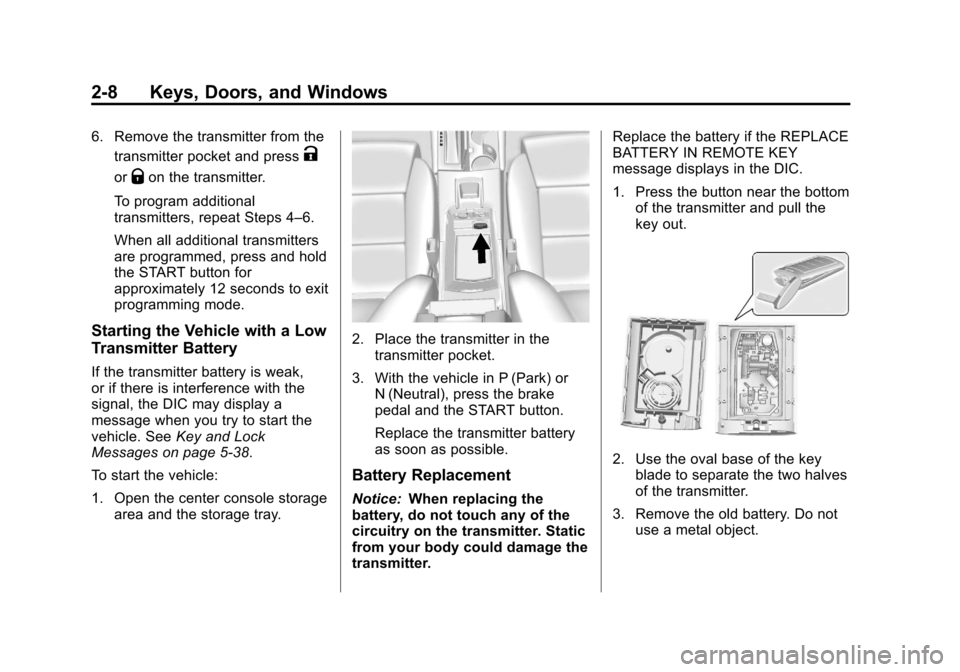
1. Open the center console storage area and the storage tray.
2. Place the transmitter in thetransmitter pocket.
3. With the vehicle in P (Park) or N (Neutral), press the brake
pedal and the START button.
Replace the transmitter battery
as soon as possible.
Battery Replacement
Notice: When replacing the
battery, do not touch any of the
circuitry on the transmitter. Static
from your body could damage the
transmitter. Replace the battery if the REPLACE
BATTERY IN REMOTE KEY
message displays in the DIC.
1. Press the button near the bottom
of the transmitter and pull the
key out.
2. Use the oval base of the keyblade to separate the two halves
of the transmitter.
3. Remove the old battery. Do not use a metal object.
Page 69 of 438
Black plate (13,1)Cadillac XTS Owner Manual - 2013 - 1st - 4/13/12
Seats and Restraints 3-13
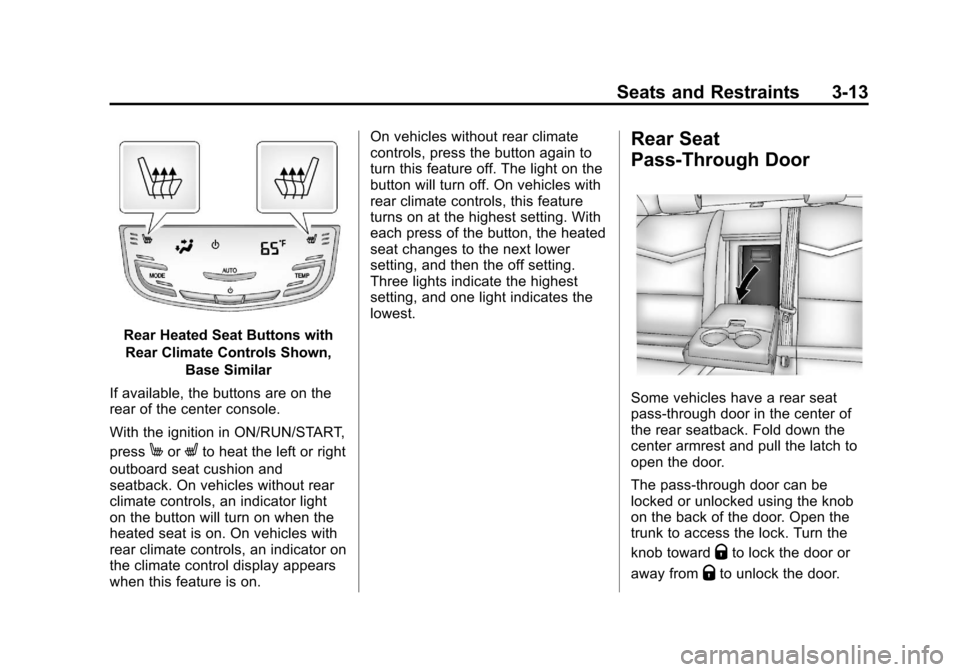
Rear Heated Seat Buttons withRear Climate Controls Shown, Base Similar
If available, the buttons are on the
rear of the center console.
With the ignition in ON/RUN/START,
press
MorLto heat the left or right
outboard seat cushion and
seatback. On vehicles without rear
climate controls, an indicator light
on the button will turn on when the
heated seat is on. On vehicles with
rear climate controls, an indicator on
the climate control display appears
when this feature is on. On vehicles without rear climate
controls, press the button again to
turn this feature off. The light on the
button will turn off. On vehicles with
rear climate controls, this feature
turns on at the highest setting. With
each press of the button, the heated
seat changes to the next lower
setting, and then the off setting.
Three lights indicate the highest
setting, and one light indicates the
lowest.
Rear Seat
Pass-Through Door
Some vehicles have a rear seat
pass-through door in the center of
the rear seatback. Fold down the
center armrest and pull the latch to
open the door.
The pass-through door can be
locked or unlocked using the knob
on the back of the door. Open the
trunk to access the lock. Turn the
knob toward
Qto lock the door or
away from
Qto unlock the door.
Page 121 of 438
Black plate (1,1)Cadillac XTS Owner Manual - 2013 - 1st - 4/13/12
Instruments and Controls 5-1
Instruments and
Controls
Controls
Steering Wheel Adjustment . . . 5-2
Steering Wheel Controls . . . . . . 5-2
Heated Steering Wheel . . . . . . . 5-3
Horn . . . . . . . . . . . . . . . . . . . . . . . . . . 5-3
Windshield Wiper/Washer . . . . . 5-3
Compass . . . . . . . . . . . . . . . . . . . . . 5-5
Clock . . . . . . . . . . . . . . . . . . . . . . . . . 5-5
Power Outlets . . . . . . . . . . . . . . . . . 5-6
Cigarette Lighter . . . . . . . . . . . . . . 5-7
Warning Lights, Gauges, and
Indicators
Warning Lights, Gauges, andIndicators . . . . . . . . . . . . . . . . . . . . 5-8
Instrument Cluster . . . . . . . . . . . . 5-9
Speedometer . . . . . . . . . . . . . . . . 5-13
Odometer . . . . . . . . . . . . . . . . . . . . 5-13
Trip Odometer . . . . . . . . . . . . . . . 5-13
Tachometer . . . . . . . . . . . . . . . . . . 5-13
Fuel Gauge . . . . . . . . . . . . . . . . . . 5-13
Engine Coolant Temperature Gauge . . . . . . . . . . . . . . . . . . . . . . 5-15
Safety Belt Reminders . . . . . . . 5-15 Airbag Readiness Light . . . . . . 5-16
Passenger Airbag Status
Indicator . . . . . . . . . . . . . . . . . . . . 5-17
Charging System Light . . . . . . 5-18
Malfunction Indicator Lamp . . . . . . . . . . . . . 5-18
Brake System Warning Light . . . . . . . . . . . . . . . . . . . . . . . 5-20
Electric Parking Brake Light . . . . . . . . . . . . . . . . . . . . . . . 5-21
Service Electric Parking Brake Light . . . . . . . . . . . . . . . . . . . . . . . 5-21
Antilock Brake System (ABS) Warning Light . . . . . . . . . . . . . . 5-22
Lane Departure Warning (LDW) Light . . . . . . . . . . . . . . . . 5-22
Forward Collision Alert (FCA) Warning Light . . . . . . . . . . . . . . 5-23
Traction Off Light . . . . . . . . . . . . 5-23
StabiliTrak®OFF Light . . . . . . . 5-23
Traction Control System (TCS)/StabiliTrak
®Light . . . . 5-24
Engine Coolant Temperature Warning Light . . . . . . . . . . . . . . 5-24
Tire Pressure Light . . . . . . . . . . 5-25
Engine Oil Pressure Light . . . . 5-25
Low Fuel Warning Light . . . . . . 5-25
Security Light . . . . . . . . . . . . . . . . 5-26
High-Beam On Light . . . . . . . . . 5-26 Adaptive Forward Lighting
(AFL) Light . . . . . . . . . . . . . . . . . 5-26
Lamps On Reminder . . . . . . . . . 5-27
Cruise Control Light . . . . . . . . . 5-27
Information Displays
Driver Information Center (DIC) . . . . . . . . . . . . . . . 5-27
Head-Up Display (HUD) . . . . . 5-30
Vehicle Messages
Vehicle Messages . . . . . . . . . . . 5-34
Battery Voltage and Charging Messages . . . . . . . . . . . . . . . . . . 5-34
Brake System Messages . . . . 5-35
Compass Messages . . . . . . . . . 5-35
Cruise Control Messages . . . . 5-35
Door Ajar Messages . . . . . . . . . 5-36
Engine Cooling System Messages . . . . . . . . . . . . . . . . . . 5-36
Engine Oil Messages . . . . . . . . 5-37
Engine Power Messages . . . . 5-37
Fuel System Messages . . . . . . 5-37
Key and Lock Messages . . . . . 5-38
Lamp Messages . . . . . . . . . . . . . 5-38
Object Detection System Messages . . . . . . . . . . . . . . . . . . 5-39
Ride Control System Messages . . . . . . . . . . . . . . . . . . 5-41
Page 123 of 438
Black plate (3,1)Cadillac XTS Owner Manual - 2013 - 1st - 4/13/12
Instruments and Controls 5-3
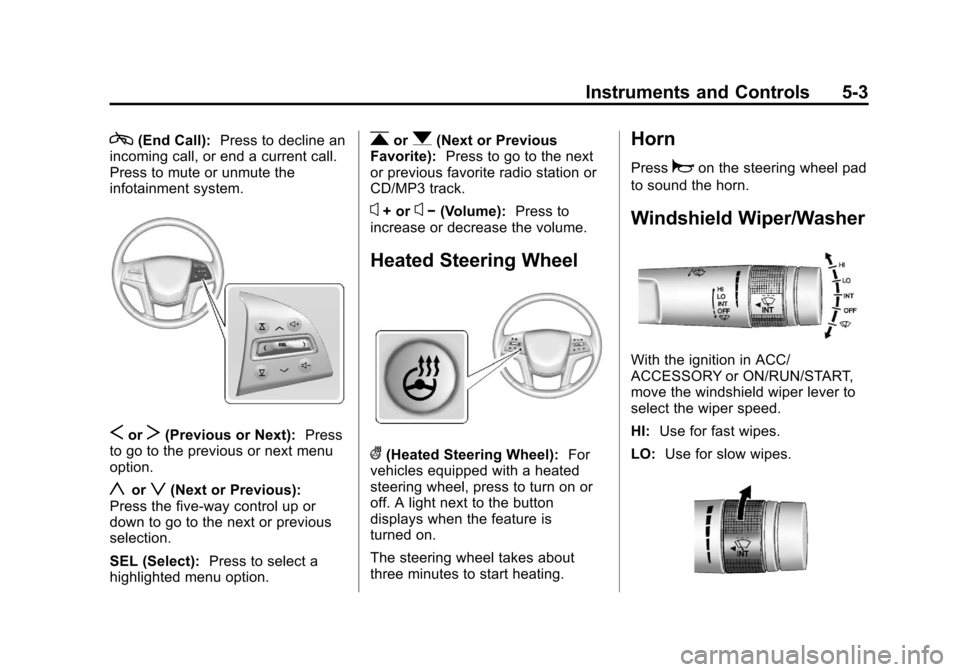
c(End Call):Press to decline an
incoming call, or end a current call.
Press to mute or unmute the
infotainment system.
SorT(Previous or Next): Press
to go to the previous or next menu
option.
yorz(Next or Previous):
Press the five-way control up or
down to go to the next or previous
selection.
SEL (Select): Press to select a
highlighted menu option.
rorq(Next or Previous
Favorite): Press to go to the next
or previous favorite radio station or
CD/MP3 track.
x+ orx− (Volume): Press to
increase or decrease the volume.
Heated Steering Wheel
((Heated Steering Wheel): For
vehicles equipped with a heated
steering wheel, press to turn on or
off. A light next to the button
displays when the feature is
turned on.
The steering wheel takes about
three minutes to start heating.
Horn
Pressaon the steering wheel pad
to sound the horn.
Windshield Wiper/Washer
With the ignition in ACC/
ACCESSORY or ON/RUN/START,
move the windshield wiper lever to
select the wiper speed.
HI: Use for fast wipes.
LO: Use for slow wipes.
Page 125 of 438
Black plate (5,1)Cadillac XTS Owner Manual - 2013 - 1st - 4/13/12
Instruments and Controls 5-5
The wiper operations return to
normal when the transmission is no
longer in N (Neutral) or the vehicle
speed has increased.
nL(Windshield Washer): Pull
the windshield wiper lever toward
you to spray windshield washer fluid
and activate the wipers. The wipers
will continue until the lever is
released or the maximum wash time
is reached. When the windshield
wiper lever is released, additional
wipes may occur depending on how
long the windshield washer had
been activated. See Washer Fluid
on page 10‑17 for information on
filling the windshield washer fluid
reservoir.
{WARNING
In freezing weather, do not use
the washer until the windshield is
warmed. Otherwise the washer
fluid can form ice on the
windshield, blocking your vision.
Compass
The vehicle may have a compass
display on the Driver Information
Center (DIC). The compass receives
its heading and other information
from the Global Positioning
System (GPS) antenna,
StabiliTrak®, and vehicle speed
information.
The compass system is designed to
operate for a certain number of
miles or degrees of turn before
needing a signal from the GPS
satellites. When the compass
display shows CAL, drive the
vehicle for a short distance in an
open area where it can receive a
GPS signal. The compass system
will automatically determine when a
GPS signal is restored and provide
a heading again. See Compass
Messages on page 5‑35 for the
messages that may be displayed for
the compass.
Clock
The infotainment system controls
are used to access the time and
date settings through the menu
system. See “Home Page” under
Infotainment in the infotainment
manual for information about how to
use the menu system.
Setting the Time
To set the time:
1. From the Home Page, press the SETTINGS screen button and
press Time and Date.
2. Press Set Time and press + or −
to increase or decrease hours,
minutes, and AM or PM. Press
12Hr or 24Hr for 12 or 24 hour
clock.
3. Press
}to go back to the
previous menu.
Page 126 of 438
Black plate (6,1)Cadillac XTS Owner Manual - 2013 - 1st - 4/13/12
5-6 Instruments and Controls
To set the date:
1. Press the SETTINGS screenbutton and press Time and Date.
2. Press Set Date and press + or −
to increase or decrease month,
day, or year.
3. Press
}to go back to the
previous menu.
To set the clock display:
1. Press the SETTINGS screen button and press Time and Date.
2. Press Clock Display and press OFF or ON to turn the clock
display off or on.
3. Press
}to go back to the
previous menu.
Power Outlets
The accessory power outlets can be
used to plug in electrical equipment,
such as a cell phone or MP3 player. The vehicle has three accessory
power outlets:
.Inside the front storage area
below the climate control
system.
.Inside the center console.
.On the rear of the center
console.
Lift the cover to access the
accessory power outlet.
Certain accessory power plugs may
not be compatible with the
accessory power outlet and could
overload vehicle or adapter fuses.
If a problem is experienced, see
your dealer.
When adding electrical equipment,
be sure to follow the proper
installation instructions included with
the equipment. See Add-On
Electrical Equipment on page 9‑65.
Notice: Hanging heavy
equipment from the power outlet
can cause damage not covered
by the vehicle warranty. The power outlets are designed for
accessory power plugs only, such
as cell phone charge cords.
Power Outlet 110 Volt
Alternating Current
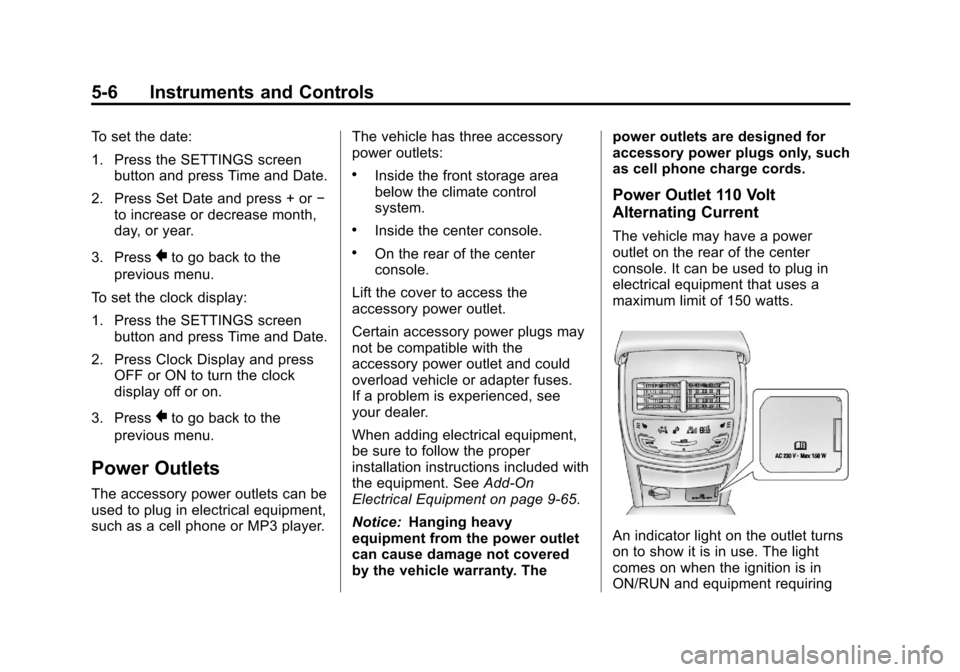
The vehicle may have a power
outlet on the rear of the center
console. It can be used to plug in
electrical equipment that uses a
maximum limit of 150 watts.
An indicator light on the outlet turns
on to show it is in use. The light
comes on when the ignition is in
ON/RUN and equipment requiring
Page 131 of 438
Black plate (11,1)Cadillac XTS Owner Manual - 2013 - 1st - 4/13/12
Instruments and Controls 5-11
Reconfigurable Instrument
Cluster
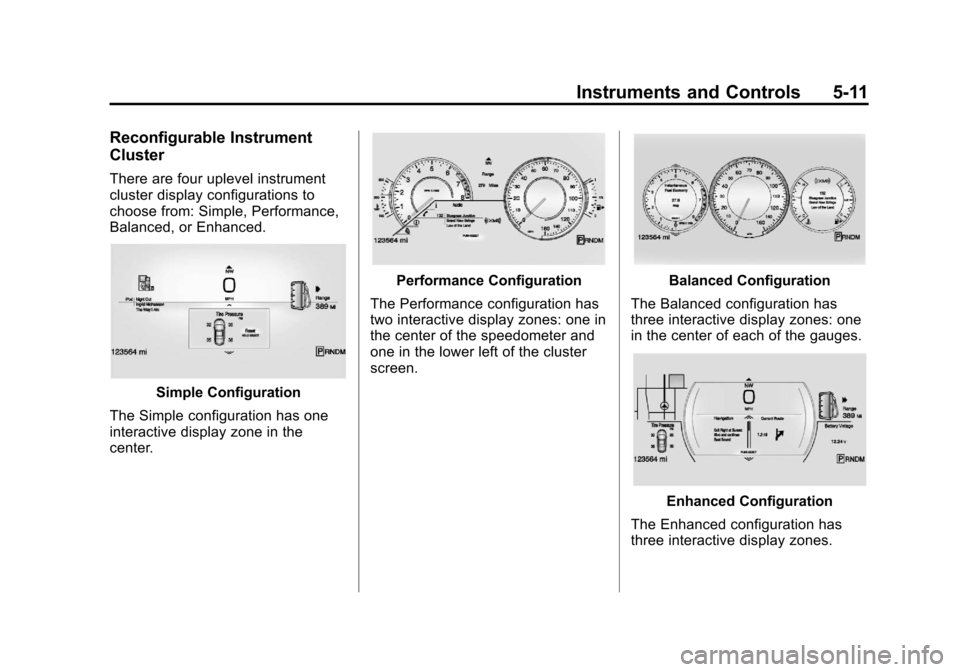
There are four uplevel instrument
cluster display configurations to
choose from: Simple, Performance,
Balanced, or Enhanced.
Simple Configuration
The Simple configuration has one
interactive display zone in the
center.
Performance Configuration
The Performance configuration has
two interactive display zones: one in
the center of the speedometer and
one in the lower left of the cluster
screen.Balanced Configuration
The Balanced configuration has
three interactive display zones: one
in the center of each of the gauges.
Enhanced Configuration
The Enhanced configuration has
three interactive display zones.
Page 132 of 438
Black plate (12,1)Cadillac XTS Owner Manual - 2013 - 1st - 4/13/12
5-12 Instruments and Controls
Use the five-way control on the right
side of the steering wheel to move
between the different display zones
and scroll through the different
displays.
To change the cluster configuration:
1. Find the Settings page in one ofthe interactive display zones on
the cluster.
2. Press SEL to enter the Settings menu.
3. Scroll down to highlight Display Layout. Then press SEL to
select it.
4. Each layout in the menu is represented by a small preview
image of the display layout.
Scroll up or down and highlight
the selection. Press SEL to
select the desired cluster
configuration.
5. Exit the Display Layout menu by pressing
S.
Cluster Application Displays
The cluster can display information
regarding Navigation, Audio, and
Phone.
Navigation
If there is no active route, a
compass will be displayed. If there
is an active route, press SEL to end
route guidance or turn the voice
prompts on or off.
Audio
While the Audio application page is
displayed, press SEL to enter the
Audio menu. In the Audio menu,
search for music or change the
audio source.
Phone
While the Phone application page is
displayed, press SEL to enter the
Phone menu. In the Phone menu,
if there is no active phone call, view
recent calls or scroll through
contacts. If there is an active call,
mute the phone or switch to handset
operation.
Cluster Settings Menu
To enter the cluster settings menu:
1. Use the five-way control on theright side of the steering wheel
to find the Settings page in one
of the interactive display zones
on the cluster.
2. Press SEL on the center of the five-way control to enter the
Settings menu.
Units: Press SEL while Units is
highlighted to enter the Unit menu.
Choose English or metric units by
pressing SEL while the desired item
is highlighted. A checkmark will be
displayed next to the selected item.
Info Pages: Press SEL while Info
Pages is highlighted to select the
items to be displayed in the DIC info
displays. See Driver Information
Center (DIC) on page 5‑27.
Page 133 of 438
Black plate (13,1)Cadillac XTS Owner Manual - 2013 - 1st - 4/13/12
Instruments and Controls 5-13
Display Layout:Press SEL while
Display Layout is highlighted to
change the configuration of the
uplevel cluster. See “Reconfigurable
Instrument Cluster” earlier in this
section.
Open Source Software: Press
SEL while Open Source Software is
highlighted to display open source
software information.
Speedometer
The speedometer shows the
vehicle's speed in either kilometers
per hour (km/h) or miles per
hour (mph).
Odometer
The odometer shows how far the
vehicle has been driven, in either
kilometers or miles.
This vehicle has a tamper-resistant
odometer. If the vehicle needs a
new cluster installed, the new
odometer is set to the mileage of
the old odometer. If this is not possible, it is set at zero and a label
is put on the driver door to show the
old mileage reading.
Trip Odometer
The trip odometer can show how far
the vehicle has been driven since
the trip odometer was last reset.
The trip odometer is accessed and
reset through the Driver Information
Center (DIC). See
Driver
Information Center (DIC) on
page 5‑27.
Tachometer
The tachometer displays the engine
speed in revolutions per
minute (rpm).
Notice: If the engine is operated
with the tachometer in the shaded
warning area, the vehicle could
be damaged, and the damages
would not be covered by the
vehicle warranty. Do not operate
the engine with the tachometer in
the shaded warning area.
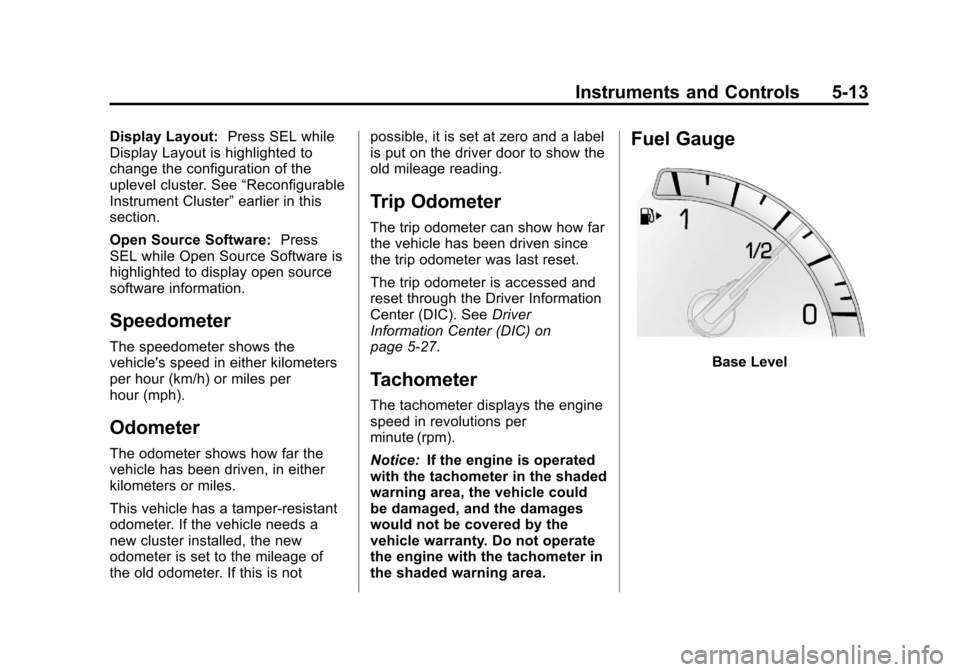
Fuel Gauge
Base Level
Page 138 of 438
Black plate (18,1)Cadillac XTS Owner Manual - 2013 - 1st - 4/13/12
5-18 Instruments and Controls
WARNING (CONTINUED)
have the vehicle serviced right
away. SeeAirbag Readiness
Light on page 5‑16 for more
information, including important
safety information.
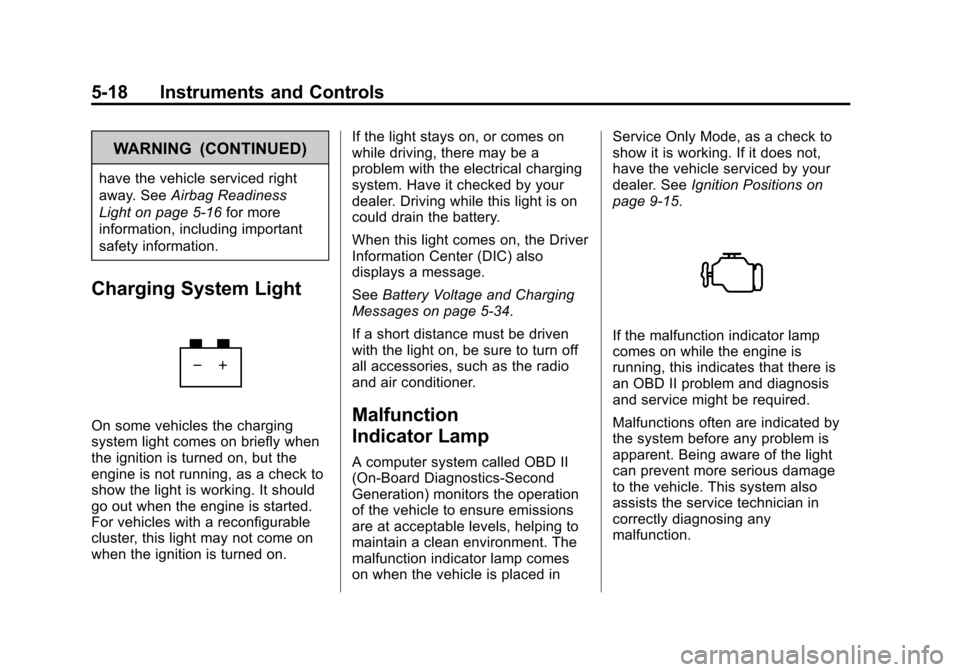
Charging System Light
On some vehicles the charging
system light comes on briefly when
the ignition is turned on, but the
engine is not running, as a check to
show the light is working. It should
go out when the engine is started.
For vehicles with a reconfigurable
cluster, this light may not come on
when the ignition is turned on. If the light stays on, or comes on
while driving, there may be a
problem with the electrical charging
system. Have it checked by your
dealer. Driving while this light is on
could drain the battery.
When this light comes on, the Driver
Information Center (DIC) also
displays a message.
See
Battery Voltage and Charging
Messages on page 5‑34.
If a short distance must be driven
with the light on, be sure to turn off
all accessories, such as the radio
and air conditioner.Malfunction
Indicator Lamp
A computer system called OBD II
(On-Board Diagnostics-Second
Generation) monitors the operation
of the vehicle to ensure emissions
are at acceptable levels, helping to
maintain a clean environment. The
malfunction indicator lamp comes
on when the vehicle is placed in Service Only Mode, as a check to
show it is working. If it does not,
have the vehicle serviced by your
dealer. See
Ignition Positions on
page 9‑15.
If the malfunction indicator lamp
comes on while the engine is
running, this indicates that there is
an OBD II problem and diagnosis
and service might be required.
Malfunctions often are indicated by
the system before any problem is
apparent. Being aware of the light
can prevent more serious damage
to the vehicle. This system also
assists the service technician in
correctly diagnosing any
malfunction.