horn CADILLAC XTS 2013 1.G Owners Manual
[x] Cancel search | Manufacturer: CADILLAC, Model Year: 2013, Model line: XTS, Model: CADILLAC XTS 2013 1.GPages: 438, PDF Size: 7.4 MB
Page 9 of 438

Black plate (3,1)Cadillac XTS Owner Manual - 2013 - 1st - 4/13/12
In Brief 1-3
1.Air Vents on page 8‑11.
2. Instrument Panel Illumination
Control on page 6‑6.
Head-Up Display (HUD) on
page 5‑30 (If Equipped).
3. Exterior Lamp Controls on
page 6‑1.
Turn and Lane-Change Lever.
See Turn and Lane-Change
Signals on page 6‑5.
4. Instrument Cluster on page 5‑9.
Driver Information Center (DIC)
Display. See Driver Information
Center (DIC) on page 5‑27.
5. Windshield Wiper/Washer on
page 5‑3.
6. Hazard Warning Flashers on
page 6‑5.
Lane Departure Warning (LDW)
on page 9‑53.
Traction Control System (TCS)
on page 9‑28.
StabiliTrak
®System on
page 9‑29. 7. Infotainment Display.
Infotainment System. See the
infotainment manual.
8. Glove Box Button. See Glove
Box on page 4‑2.
Parking Assist Button. See
Driver Assistance Systems on
page 9‑42.
9. Electric Parking Brake on
page 9‑26.
Instrument Panel Storage on
page 4‑1.
10. Data Link Connector (DLC) (Out of View). See Malfunction
Indicator Lamp on page 5‑18.
11. Cruise Control on page 9‑31.
Adaptive Cruise Control on
page 9‑34 (If Equipped).
Forward Collision Alert (FCA)
System on page 9‑47 (If
Equipped).
Phone Button. See Steering
Wheel Controls on page 5‑2. 12.
Steering Wheel Adjustment on
page 5‑2.
13. Horn on page 5‑3.
14. Steering Wheel Controls on
page 5‑2.
15. Start/Stop Button. See Ignition
Positions on page 9‑15.
16. Shift Lever. See Automatic
Transmission on page 9‑22.
17. Instrument Panel Storage on
page 4‑1.
18. Dual Automatic Climate Control
System (Uplevel) on page 8‑1
orDual Automatic Climate
Control System (Base) on
page 8‑6.
Heated and Ventilated Seats
on page 1‑8.
Page 33 of 438
Black plate (3,1)Cadillac XTS Owner Manual - 2013 - 1st - 4/13/12
Keys, Doors, and Windows 2-3
.If the transmitter is still not
working correctly, see your
dealer or a qualified technician
for service.
Remote Keyless Entry
(RKE) System Operation
The RKE transmitter functions may
work up to 60 m (195 ft) away from
the vehicle.
Other conditions, such as those
previously stated, can impact the
performance of the transmitter.
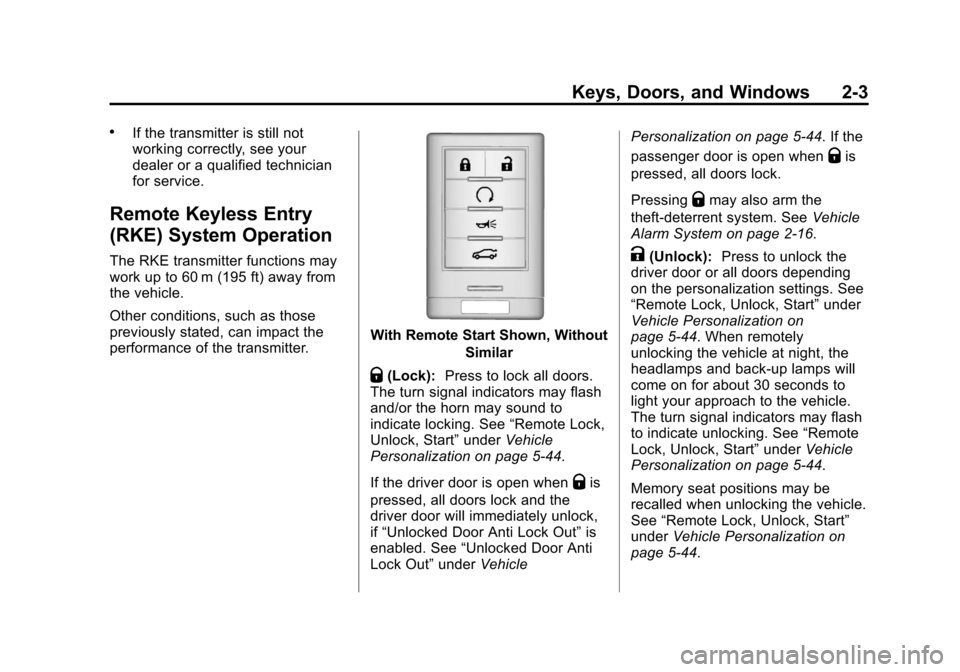
With Remote Start Shown, WithoutSimilar
Q(Lock):Press to lock all doors.
The turn signal indicators may flash
and/or the horn may sound to
indicate locking. See “Remote Lock,
Unlock, Start” underVehicle
Personalization on page 5‑44.
If the driver door is open when
Qis
pressed, all doors lock and the
driver door will immediately unlock,
if “Unlocked Door Anti Lock Out” is
enabled. See “Unlocked Door Anti
Lock Out” underVehicle Personalization on page 5‑44. If the
passenger door is open when
Qis
pressed, all doors lock.
Pressing
Qmay also arm the
theft-deterrent system. See Vehicle
Alarm System on page 2‑16.
K(Unlock): Press to unlock the
driver door or all doors depending
on the personalization settings. See
“Remote Lock, Unlock, Start” under
Vehicle Personalization on
page 5‑44. When remotely
unlocking the vehicle at night, the
headlamps and back-up lamps will
come on for about 30 seconds to
light your approach to the vehicle.
The turn signal indicators may flash
to indicate unlocking. See “Remote
Lock, Unlock, Start” underVehicle
Personalization on page 5‑44.
Memory seat positions may be
recalled when unlocking the vehicle.
See “Remote Lock, Unlock, Start”
under Vehicle Personalization on
page 5‑44.
Page 34 of 438
Black plate (4,1)Cadillac XTS Owner Manual - 2013 - 1st - 4/13/12
2-4 Keys, Doors, and Windows
PressingKwill disarm the
theft-deterrent system. See Vehicle
Alarm System on page 2‑16.
On some models, pressing and
holding
Kwill open all of the
windows.
/(Remote Start): For vehicles
with this feature, press and release
Qand then Immediately press and
hold
/for at least two seconds to
start the engine from outside the
vehicle using the RKE transmitter.
See Remote Vehicle Start on
page 2‑9.
L(Vehicle Locator/Panic
Alarm): Press and release one
time to initiate vehicle locator. The
exterior lamps flash and the horn
chirps three times. Press and hold
Lfor three seconds to sound the
panic alarm. The horn sounds and
the turn signal lamps flash for
30 seconds, or until
Lis pressed
again or the vehicle is started.
|(Remote Trunk Release):
Press and hold to release the trunk.
Keyless Access Operation
The keyless access system allows
for door and trunk to be locked and
unlocked without pressing the RKE
transmitter button. The RKE
transmitter must be within 1 m (3 ft)
of the door being opened. If the
vehicle has this feature, there will be
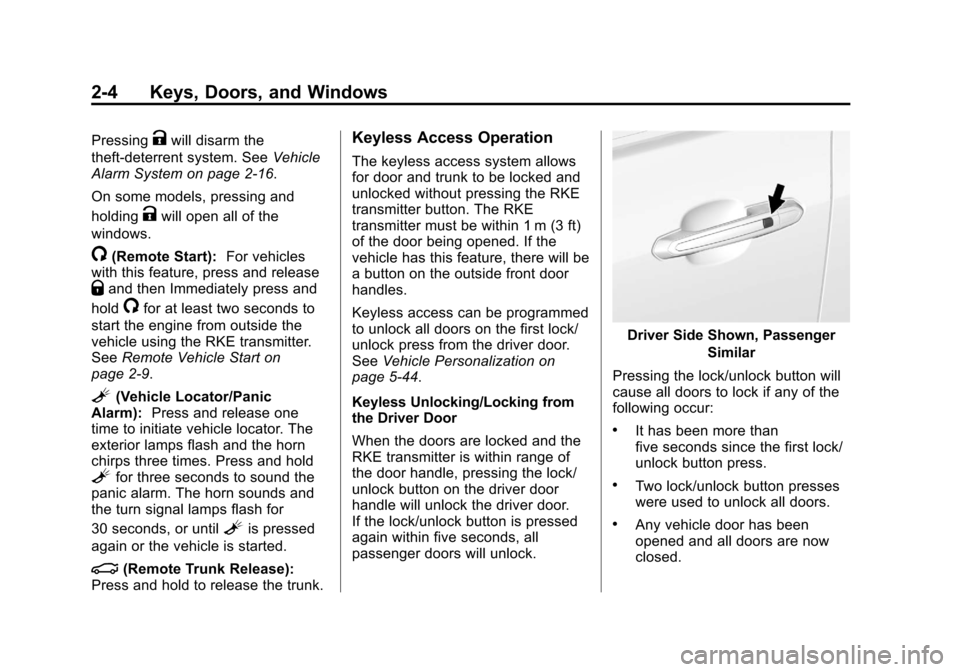
a button on the outside front door
handles.
Keyless access can be programmed
to unlock all doors on the first lock/
unlock press from the driver door.
See Vehicle Personalization on
page 5‑44.
Keyless Unlocking/Locking from
the Driver Door
When the doors are locked and the
RKE transmitter is within range of
the door handle, pressing the lock/
unlock button on the driver door
handle will unlock the driver door.
If the lock/unlock button is pressed
again within five seconds, all
passenger doors will unlock.
Driver Side Shown, Passenger
Similar
Pressing the lock/unlock button will
cause all doors to lock if any of the
following occur:
.It has been more than
five seconds since the first lock/
unlock button press.
.Two lock/unlock button presses
were used to unlock all doors.
.Any vehicle door has been
opened and all doors are now
closed.
Page 46 of 438
Black plate (16,1)Cadillac XTS Owner Manual - 2013 - 1st - 4/13/12
2-16 Keys, Doors, and Windows
person trapped in a latched trunk,
enabling them to open the trunk
from the inside.
There is a glow-in-the-dark
emergency trunk release handle
located on the trunk lid. This handle
will glow following exposure to light.
Pull the release handle toward the
front of the vehicle to open the trunk
from the inside.Vehicle Security
This vehicle has theft-deterrent
features; however, they do not make
the vehicle impossible to steal.
Vehicle Alarm System
This vehicle has an anti-theft alarm
system.
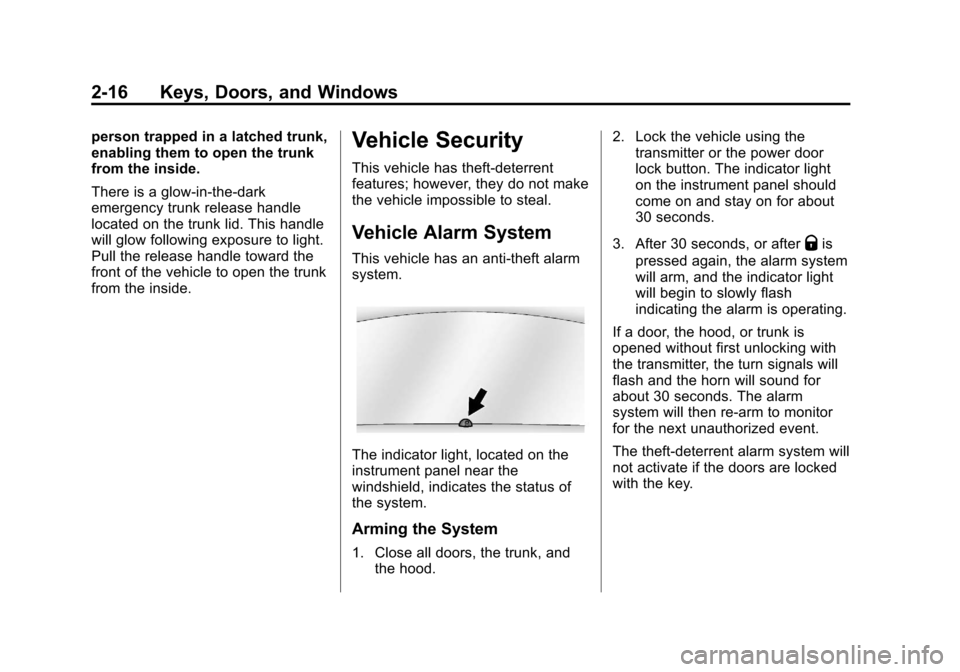
The indicator light, located on the
instrument panel near the
windshield, indicates the status of
the system.
Arming the System
1. Close all doors, the trunk, andthe hood. 2. Lock the vehicle using the
transmitter or the power door
lock button. The indicator light
on the instrument panel should
come on and stay on for about
30 seconds.
3. After 30 seconds, or after
Qis
pressed again, the alarm system
will arm, and the indicator light
will begin to slowly flash
indicating the alarm is operating.
If a door, the hood, or trunk is
opened without first unlocking with
the transmitter, the turn signals will
flash and the horn will sound for
about 30 seconds. The alarm
system will then re-arm to monitor
for the next unauthorized event.
The theft-deterrent alarm system will
not activate if the doors are locked
with the key.
Page 47 of 438
Black plate (17,1)Cadillac XTS Owner Manual - 2013 - 1st - 4/13/12
Keys, Doors, and Windows 2-17
Disarming the System
To disarm the system, either unlock
the doors using the transmitter,
or start the vehicle with a
recognized transmitter in the
vehicle.
To avoid setting off the alarm by
accident:
.Lock the vehicle with the
transmitter after all occupants
have left the vehicle and all
doors are closed.
.Always unlock a door with the
transmitter. Unlocking the driver
door with the key will not disarm
the alarm.
If you set off the alarm by accident,
turn off the alarm by pressing
Kon
the transmitter, or start the vehicle
with a recognized transmitter in the
vehicle. The alarm will not stop if
you unlock the driver door with
the key.
How to Detect a Tamper
Condition
IfKis pressed and the horn chirps
three times, an attempted break-in
occurred while the system was
armed.
If the alarm has been activated, a
message will appear on the DIC.
See Key and Lock Messages on
page 5‑38.
Immobilizer
See Radio Frequency Statement on
page 13‑15 for information
regarding Part 15 of the Federal
Communications Commission (FCC)
rules and Industry Canada
Standards RSS-GEN/210/220/310.
Immobilizer Operation
This vehicle has a passive
theft-deterrent system.
The system does not have to be
manually armed or disarmed. The vehicle is automatically
immobilized when the vehicle is
turned off.
The immobilization system is
disarmed when the pushbutton start
is activated to enter the ACC/
ACCESSORY mode or the ON/
RUN/START mode and a valid
transmitter is present in the vehicle.
The security light, located in the
instrument panel cluster, comes on
if there is a problem with arming or
disarming the theft-deterrent
system.
The system has one or more RKE
transmitters matched to an
immobilizer control unit in your
vehicle. Only a correctly matched
RKE transmitter will start the
Page 121 of 438
Black plate (1,1)Cadillac XTS Owner Manual - 2013 - 1st - 4/13/12
Instruments and Controls 5-1
Instruments and
Controls
Controls
Steering Wheel Adjustment . . . 5-2
Steering Wheel Controls . . . . . . 5-2
Heated Steering Wheel . . . . . . . 5-3
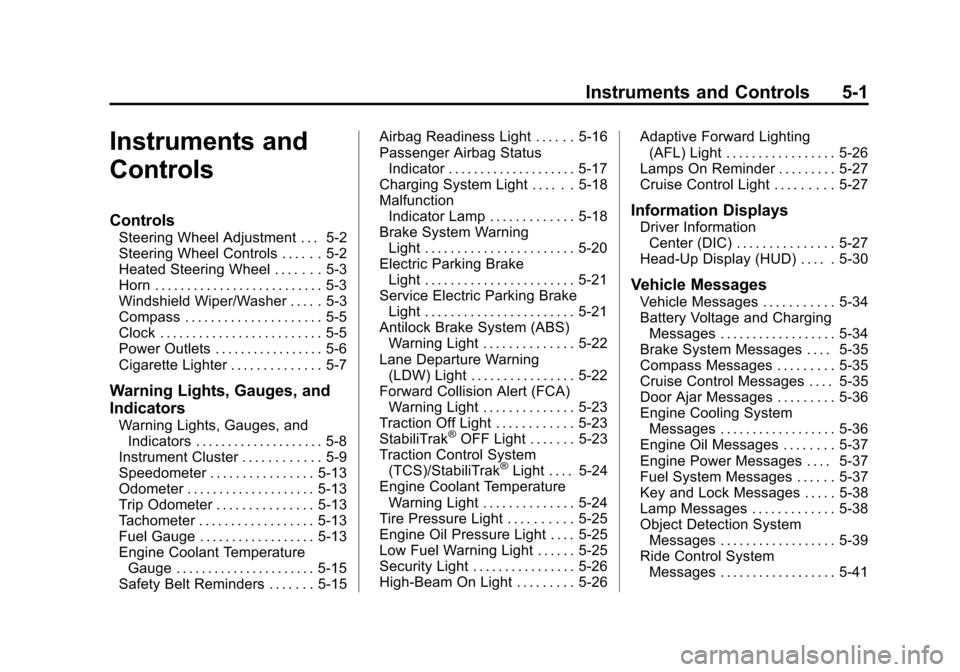
Horn . . . . . . . . . . . . . . . . . . . . . . . . . . 5-3
Windshield Wiper/Washer . . . . . 5-3
Compass . . . . . . . . . . . . . . . . . . . . . 5-5
Clock . . . . . . . . . . . . . . . . . . . . . . . . . 5-5
Power Outlets . . . . . . . . . . . . . . . . . 5-6
Cigarette Lighter . . . . . . . . . . . . . . 5-7
Warning Lights, Gauges, and
Indicators
Warning Lights, Gauges, andIndicators . . . . . . . . . . . . . . . . . . . . 5-8
Instrument Cluster . . . . . . . . . . . . 5-9
Speedometer . . . . . . . . . . . . . . . . 5-13
Odometer . . . . . . . . . . . . . . . . . . . . 5-13
Trip Odometer . . . . . . . . . . . . . . . 5-13
Tachometer . . . . . . . . . . . . . . . . . . 5-13
Fuel Gauge . . . . . . . . . . . . . . . . . . 5-13
Engine Coolant Temperature Gauge . . . . . . . . . . . . . . . . . . . . . . 5-15
Safety Belt Reminders . . . . . . . 5-15 Airbag Readiness Light . . . . . . 5-16
Passenger Airbag Status
Indicator . . . . . . . . . . . . . . . . . . . . 5-17
Charging System Light . . . . . . 5-18
Malfunction Indicator Lamp . . . . . . . . . . . . . 5-18
Brake System Warning Light . . . . . . . . . . . . . . . . . . . . . . . 5-20
Electric Parking Brake Light . . . . . . . . . . . . . . . . . . . . . . . 5-21
Service Electric Parking Brake Light . . . . . . . . . . . . . . . . . . . . . . . 5-21
Antilock Brake System (ABS) Warning Light . . . . . . . . . . . . . . 5-22
Lane Departure Warning (LDW) Light . . . . . . . . . . . . . . . . 5-22
Forward Collision Alert (FCA) Warning Light . . . . . . . . . . . . . . 5-23
Traction Off Light . . . . . . . . . . . . 5-23
StabiliTrak®OFF Light . . . . . . . 5-23
Traction Control System (TCS)/StabiliTrak
®Light . . . . 5-24
Engine Coolant Temperature Warning Light . . . . . . . . . . . . . . 5-24
Tire Pressure Light . . . . . . . . . . 5-25
Engine Oil Pressure Light . . . . 5-25
Low Fuel Warning Light . . . . . . 5-25
Security Light . . . . . . . . . . . . . . . . 5-26
High-Beam On Light . . . . . . . . . 5-26 Adaptive Forward Lighting
(AFL) Light . . . . . . . . . . . . . . . . . 5-26
Lamps On Reminder . . . . . . . . . 5-27
Cruise Control Light . . . . . . . . . 5-27
Information Displays
Driver Information Center (DIC) . . . . . . . . . . . . . . . 5-27
Head-Up Display (HUD) . . . . . 5-30
Vehicle Messages
Vehicle Messages . . . . . . . . . . . 5-34
Battery Voltage and Charging Messages . . . . . . . . . . . . . . . . . . 5-34
Brake System Messages . . . . 5-35
Compass Messages . . . . . . . . . 5-35
Cruise Control Messages . . . . 5-35
Door Ajar Messages . . . . . . . . . 5-36
Engine Cooling System Messages . . . . . . . . . . . . . . . . . . 5-36
Engine Oil Messages . . . . . . . . 5-37
Engine Power Messages . . . . 5-37
Fuel System Messages . . . . . . 5-37
Key and Lock Messages . . . . . 5-38
Lamp Messages . . . . . . . . . . . . . 5-38
Object Detection System Messages . . . . . . . . . . . . . . . . . . 5-39
Ride Control System Messages . . . . . . . . . . . . . . . . . . 5-41
Page 123 of 438
Black plate (3,1)Cadillac XTS Owner Manual - 2013 - 1st - 4/13/12
Instruments and Controls 5-3
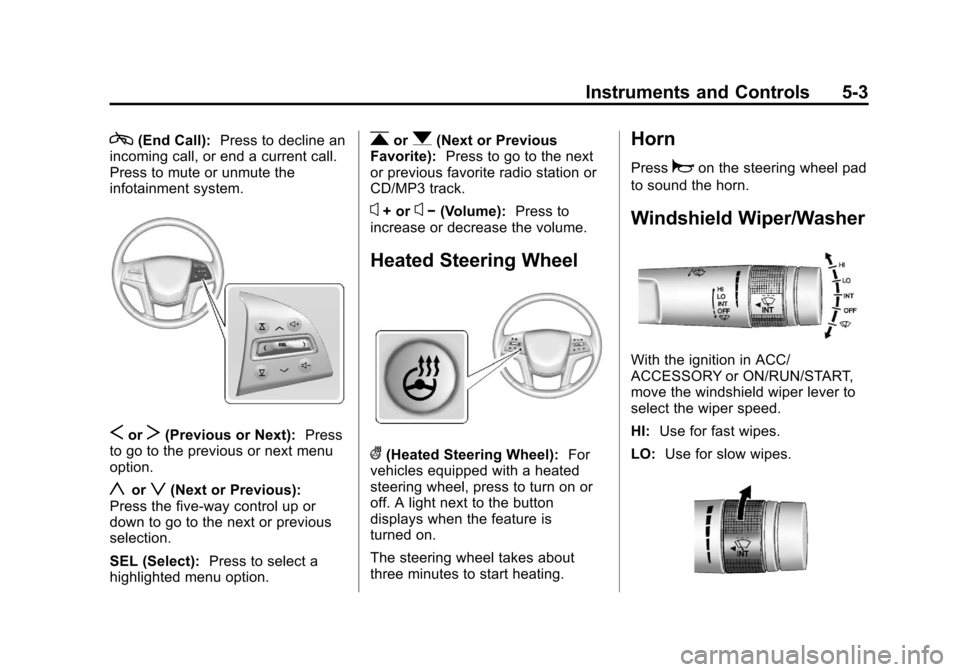
c(End Call):Press to decline an
incoming call, or end a current call.
Press to mute or unmute the
infotainment system.
SorT(Previous or Next): Press
to go to the previous or next menu
option.
yorz(Next or Previous):
Press the five-way control up or
down to go to the next or previous
selection.
SEL (Select): Press to select a
highlighted menu option.
rorq(Next or Previous
Favorite): Press to go to the next
or previous favorite radio station or
CD/MP3 track.
x+ orx− (Volume): Press to
increase or decrease the volume.
Heated Steering Wheel
((Heated Steering Wheel): For
vehicles equipped with a heated
steering wheel, press to turn on or
off. A light next to the button
displays when the feature is
turned on.
The steering wheel takes about
three minutes to start heating.
Horn
Pressaon the steering wheel pad
to sound the horn.
Windshield Wiper/Washer
With the ignition in ACC/
ACCESSORY or ON/RUN/START,
move the windshield wiper lever to
select the wiper speed.
HI: Use for fast wipes.
LO: Use for slow wipes.
Page 169 of 438

Black plate (49,1)Cadillac XTS Owner Manual - 2013 - 1st - 4/13/12
Instruments and Controls 5-49
Remote Lock Feedback
This allows selection of what type of
feedback is given when locking the
vehicle with the RKE transmitter.
Press Remote Lock Feedback.
Press to select Off, Lights and Horn,
Lights Only, or Horn Only. Press
0
to go back to the last menu.
Remote Door Unlock
This allows selection of which doors
will unlock when pressing
Kon the
RKE transmitter.
Press Remote Door Unlock. Press
to select All Doors or Driver Door
Only. Press
0to go back to the
last menu.
Remote Start Auto Cool Seats
If equipped and turned on, this
feature will turn the cooled seats on
when using remote start on
warm days.
Press Remote Start Auto Cool
Seats. Press to select Off or On. On
some vehicles select Off, On - Driver and Passenger, or On -
Driver. Press
0to go back to the
last menu.
Remote Start Auto Heat Seats
If equipped and turned on, this
feature will turn the heated seats on
when using remote start on
cold days.
Press Remote Start Auto Heat
Seats. Press to select Off or On. On
some vehicles select Off, On -
Driver and Passenger, or On -
Driver. Press
0to go back to the
last menu.
Passive Door Unlock
This allows the selection of what
doors will unlock when using the
button on the driver door to unlock
the vehicle.
Press Passive Door Unlock. Press
to select All Doors or Driver Door
Only. Press
0to go back to the
last menu. Passive Door Lock
This feature can be turned on or off
or used to select feedback when
using the button on the driver door
to lock the vehicle. See
Remote
Keyless Entry (RKE) System
Operation on page 2‑3.
Press Passive Door Lock. Press to
select On, On with Horn Chirp,
or Off. Press
0to go back to the
last menu.
Remote Left in Vehicle Reminder
This feature sounds an alert when
the RKE is left in the vehicle.
Press Remote Left in Vehicle
Reminder. Press to select Off or On.
Press
0to go back to the
last menu.
Page 323 of 438
Black plate (29,1)Cadillac XTS Owner Manual - 2013 - 1st - 4/13/12
Vehicle Care 10-29
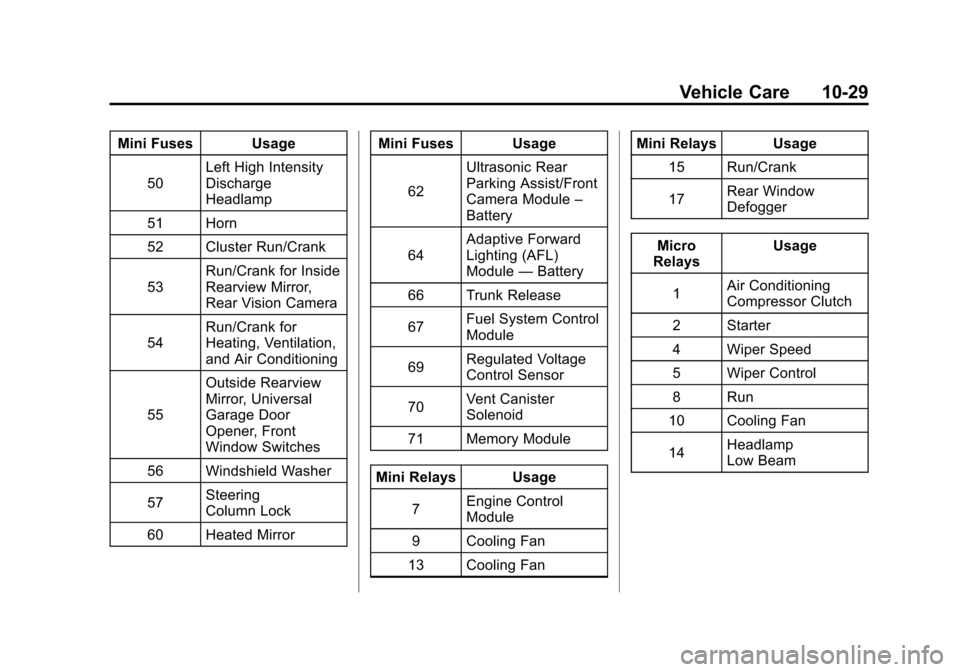
Mini Fuses Usage50 Left High Intensity
Discharge
Headlamp
51 Horn
52 Cluster Run/Crank
53 Run/Crank for Inside
Rearview Mirror,
Rear Vision Camera
54 Run/Crank for
Heating, Ventilation,
and Air Conditioning
55 Outside Rearview
Mirror, Universal
Garage Door
Opener, Front
Window Switches
56 Windshield Washer
57 Steering
Column Lock
60 Heated Mirror Mini Fuses Usage
62 Ultrasonic Rear
Parking Assist/Front
Camera Module
–
Battery
64 Adaptive Forward
Lighting (AFL)
Module
—Battery
66 Trunk Release
67 Fuel System Control
Module
69 Regulated Voltage
Control Sensor
70 Vent Canister
Solenoid
71 Memory Module
Mini Relays Usage 7 Engine Control
Module
9 Cooling Fan
13 Cooling Fan Mini Relays Usage
15 Run/Crank
17 Rear Window
Defogger
Micro
Relays Usage
1 Air Conditioning
Compressor Clutch
2 Starter
4 Wiper Speed
5 Wiper Control
8 Run
10 Cooling Fan
14 Headlamp
Low Beam
Page 341 of 438

Black plate (47,1)Cadillac XTS Owner Manual - 2013 - 1st - 4/13/12
Vehicle Care 10-47
using a TPMS relearn tool, in the
following order: driver side front tire,
passenger side front tire, passenger
side rear tire, and driver side rear.
See your dealer for service or to
purchase a relearn tool.
There are two minutes to match the
first tire/wheel position, and
five minutes overall to match all four
tire/wheel positions. If it takes
longer, the matching process stops
and must be restarted.
The TPMS sensor matching
process is:
1. Set the parking brake.
2. Place the vehicle power mode inON/RUN/START. See Ignition
Positions on page 9‑15.
3. Make sure the Tire Pressure info display option is turned on. The
info displays on the DIC can be
turned on and off through the
Settings menu. See Driver
Information Center (DIC) on
page 5‑27. 4. Under the Settings menu select
Display Options and then Tire
Pressure using the five-way DIC
control on the right side of the
steering wheel. See Driver
Information Center (DIC) on
page 5‑27.
5. Press and hold the SEL button located in the center of the
five-way DIC control.
The horn sounds twice to signal
the receiver is in relearn mode
and the TIRE LEARNING
ACTIVE message displays on
the DIC screen.
6. Start with the driver side front tire.
7. Place the relearn tool against the tire sidewall, near the valve
stem. Then press the button to
activate the TPMS sensor.
A horn chirp confirms that the
sensor identification code has
been matched to this tire and
wheel position. 8. Proceed to the passenger side
front tire, and repeat the
procedure in Step 7.
9. Proceed to the passenger side rear tire, and repeat the
procedure in Step 7.
10. Proceed to the driver side rear tire, and repeat the procedure
in Step 7. The horn sounds two
times to indicate the sensor
identification code has been
matched to the driver side rear
tire, and the TPMS sensor
matching process is no longer
active. The TIRE LEARNING
ACTIVE message on the DIC
display screen goes off.
11. Press STOP to turn the ignition off.
12. Set all four tires to the recommended air pressure
level as indicated on the Tire
and Loading Information label.