headlamp CADILLAC XTS 2013 1.G User Guide
[x] Cancel search | Manufacturer: CADILLAC, Model Year: 2013, Model line: XTS, Model: CADILLAC XTS 2013 1.GPages: 438, PDF Size: 7.4 MB
Page 176 of 438
Black plate (2,1)Cadillac XTS Owner Manual - 2013 - 1st - 4/13/12
6-2 Lighting
AUTO (Automatic):Automatically
turns the exterior lamps on and off,
depending on outside lighting.
;(Parking Lamps): Turns on the
parking lamps together with the
following:
.Sidemarker Lamps
.Taillamps
.License Plate Lamps
.Instrument Panel Lights
2(Headlamps): Turns on the
headlamps together with the
following:
.Sidemarker Lamps
.Taillamps
.License Plate Lamps
.Instrument Panel Lights
.Parking Lamps
Automatic High-Beam System
This system turns the vehicle's
high-beam headlamps on and off
according to surrounding traffic
conditions. The system turns the high-beam
headlamps on when it is dark
enough and there is no other traffic
present.
This light comes on in the
instrument cluster when the
automatic high-beam system is
enabled.
Turning On and Enabling
Automatic High Beams
To enable the automatic high-beam
system, with the turn signal/lane
change lever in the neutral position,
turn the exterior lamp control to
AUTO. The blue high-beam on light
appears on the instrument cluster
when the high beams are on.
Driving with Automatic High
Beams
The system only activates the high
beams when driving over 40 km/h
(25 mph).
There is a sensor near the top
center of the windshield that
automatically controls the system.
Keep this area of the windshield
clear of debris to allow for best
system performance.
The high-beam headlamps remain
on, under the automatic control,
until one of the following situations
occur:
.The system detects an
approaching vehicle's
headlamps.
.The system detects a preceding
vehicle's taillamps.
.The outside light is bright
enough that high-beam
headlamps are not required.
.The vehicle's speed drops below
20 km/h (12 mph).
Page 177 of 438
Black plate (3,1)Cadillac XTS Owner Manual - 2013 - 1st - 4/13/12
Lighting 6-3
.The automatic high-beam
system can be disabled by the
high/low-beam changer or the
flash-to-pass feature. If this
happens, the high/low-beam
changer must be activated two
times within five seconds to
reactivate the automatic
high-beam system. The
instrument cluster light will come
on to indicate the automatic
high-beam system is reactivated.
SeeHeadlamp High/Low-Beam
Changer on page 6‑3 and
Flash-to-Pass on page 6‑4.
The high beams may not turn off
automatically if the system cannot
detect another vehicle's lamps
because of any of the following:
.The other vehicle's lamps are
missing, damaged, obstructed
from view, or otherwise
undetected.
.The other vehicle's lamps are
covered with dirt, snow, and/or
road spray.
.The other vehicle's lamps cannot
be detected due to dense
exhaust, smoke, fog, snow, road
spray, mist, or other airborne
obstructions.
.The vehicle's windshield is dirty,
cracked, or obstructed by
something that blocks the view
of the light sensor.
.The vehicle is loaded such that
the front end points upward,
causing the light sensor to aim
high and not detect headlamps
and taillamps.
.Driving on winding or hilly roads.
The automatic high-beam
headlamps may need to be disabled
if any of the above conditions exist.
This feature can be turned on or off
or the sensitivity can be changed in
vehicle personalization. See Vehicle
Personalization on page 5‑44.
Exterior Lamps Off
Reminder
A warning chime sounds if the driver
door is opened while the ignition is
off and the exterior lamps are on.
Headlamp High/
Low-Beam Changer
2 3
(Headlamp High/Low-Beam
Changer): Push the turn and lane
change lever away from you and
release, to turn the high beams on.
To return to low beams, push the
lever again or pull it toward you and
release.
This indicator light turns on in the
instrument cluster when the
high-beam headlamps are on.
Page 178 of 438
Black plate (4,1)Cadillac XTS Owner Manual - 2013 - 1st - 4/13/12
6-4 Lighting
Flash-to-Pass
To flash the high beams, pull the
turn and lane-change lever toward
you, and release.
Daytime Running
Lamps (DRL)
Daytime Running Lamps (DRL) can
make it easier for others to see the
front of your vehicle during the day.
Fully functional daytime running
lamps are required on all vehicles
first sold in Canada.
For vehicles with High Intensity
Discharge (HID) headlamps, the
dedicated DRL will come on when
all of the following conditions
are met:
.The ignition is on.
.The exterior lamp control is
in AUTO.
.The light sensor determines it is
daytime.
.The parking brake is released or
the vehicle is not in P (Park).When the DRL are on, the taillamps,
sidemarker lamps, instrument panel
lights, and other lamps will not
be on.
The DRL turn off when the
headlamps are turned to
Oor the
ignition is off.
Automatic Headlamp
System
When the exterior lamp control is
set to AUTO and it is dark enough
outside, the headlamps come on
automatically.
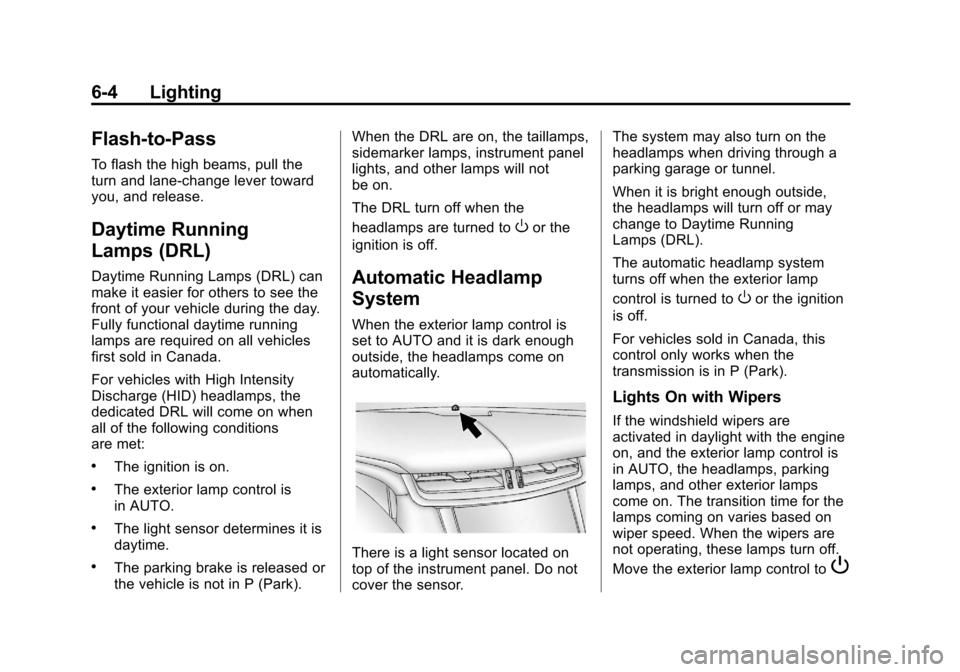
There is a light sensor located on
top of the instrument panel. Do not
cover the sensor. The system may also turn on the
headlamps when driving through a
parking garage or tunnel.
When it is bright enough outside,
the headlamps will turn off or may
change to Daytime Running
Lamps (DRL).
The automatic headlamp system
turns off when the exterior lamp
control is turned to
Oor the ignition
is off.
For vehicles sold in Canada, this
control only works when the
transmission is in P (Park).
Lights On with Wipers
If the windshield wipers are
activated in daylight with the engine
on, and the exterior lamp control is
in AUTO, the headlamps, parking
lamps, and other exterior lamps
come on. The transition time for the
lamps coming on varies based on
wiper speed. When the wipers are
not operating, these lamps turn off.
Move the exterior lamp control to
P
Page 179 of 438
Black plate (5,1)Cadillac XTS Owner Manual - 2013 - 1st - 4/13/12
Lighting 6-5
or;to disable this feature.
Adaptive Forward
Lighting (AFL)
For vehicles with uplevel
headlamps, the AFL system adjusts
the headlamps to provide greater
road illumination in various driving
conditions.
To enable AFL, set the exterior lamp
control to the AUTO position.
Moving the control out of the AUTO
position will deactivate the system.
AFL will operate when the vehicle
speed is greater than 3 km/h
(2 mph). AFL will not operate when
the transmission is in R (Reverse).
AFL is not immediately operable
after starting the vehicle; driving a
short distance is required to
calibrate the AFL. SeeExterior
Lamp Controls on page 6‑1.
Curve Lighting
The light beam pivots based on the
steering wheel position and vehicle
speed of at least 10 km/h (6 mph). The headlamps shine at an angle of
up to 15 degrees to the right or left
of the direction of travel.
Headlamp Leveling
Control
Automatic Headlamp Leveling
For vehicles with headlamp leveling,
the range of the headlamps is
adjusted automatically based on
vehicle load.
Hazard Warning Flashers
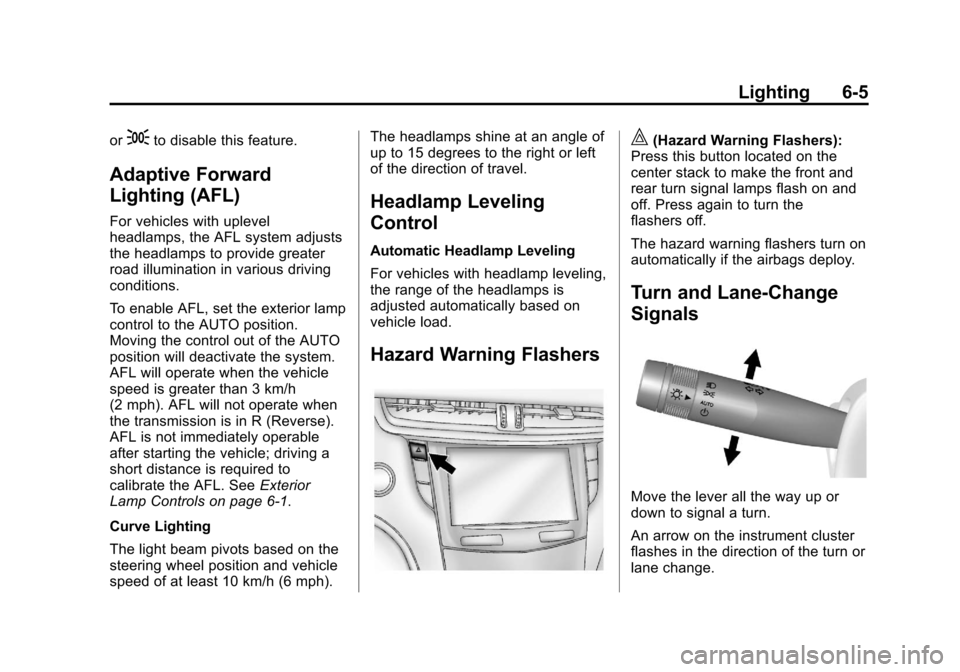
|(Hazard Warning Flashers):
Press this button located on the
center stack to make the front and
rear turn signal lamps flash on and
off. Press again to turn the
flashers off.
The hazard warning flashers turn on
automatically if the airbags deploy.
Turn and Lane-Change
Signals
Move the lever all the way up or
down to signal a turn.
An arrow on the instrument cluster
flashes in the direction of the turn or
lane change.
Page 181 of 438
Black plate (7,1)Cadillac XTS Owner Manual - 2013 - 1st - 4/13/12
Lighting 6-7
To change the dome lamp settings,
press:
OFF:Turns the lamp off, even
when a door is open.
DOOR: The lamp comes on when
a door is opened.
ON: Turns the lamp on.
Reading Lamps
There are reading lamps located on
the overhead console and over the
rear passenger doors. These lamps
come on automatically when any
door is opened. To manually turn
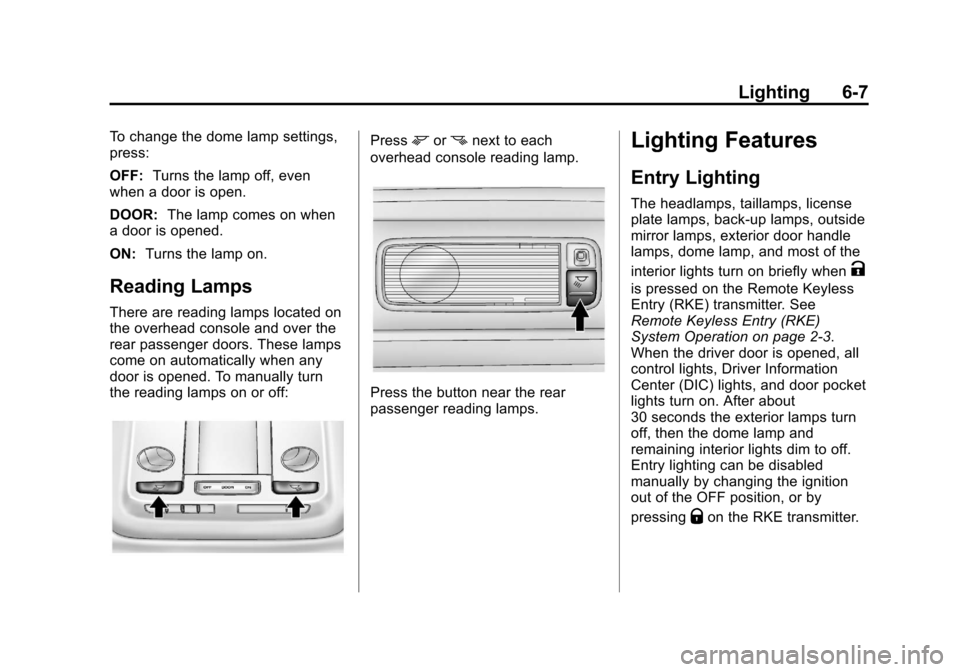
the reading lamps on or off:
Pressmornnext to each
overhead console reading lamp.
Press the button near the rear
passenger reading lamps.
Lighting Features
Entry Lighting
The headlamps, taillamps, license
plate lamps, back-up lamps, outside
mirror lamps, exterior door handle
lamps, dome lamp, and most of the
interior lights turn on briefly when
K
is pressed on the Remote Keyless
Entry (RKE) transmitter. See
Remote Keyless Entry (RKE)
System Operation on page 2‑3.
When the driver door is opened, all
control lights, Driver Information
Center (DIC) lights, and door pocket
lights turn on. After about
30 seconds the exterior lamps turn
off, then the dome lamp and
remaining interior lights dim to off.
Entry lighting can be disabled
manually by changing the ignition
out of the OFF position, or by
pressing
Qon the RKE transmitter.
Page 182 of 438
Black plate (8,1)Cadillac XTS Owner Manual - 2013 - 1st - 4/13/12
6-8 Lighting
This feature can be changed. See
“Vehicle Locator Lights”under
Vehicle Personalization on
page 5‑44.
Exit Lighting
The headlamps, taillamps, parking
lamps, back-up lamps, outside
mirror lamps, license plate lamps,
and exterior door handle lamps
come on at night, or in areas with
limited lighting, when a door is
opened after the ignition is turned
off. The dome lamp comes on after
the ignition is changed to the OFF
position. The exterior lamps and
dome lamp remain on after the door
is closed for a set amount of time,
then automatically turn off.
The exterior lamps turn off
immediately by turning the exterior
lamp control off.
This feature can be changed. See
Vehicle Personalization on
page 5‑44.
Battery Power Protection
The battery saver feature is
designed to protect the vehicle's
battery.
If some interior lamps are left on
and the ignition is turned off, the
battery rundown protection system
automatically turns the lamp off after
some time.
Exterior Lighting Battery
Saver
The exterior lamps turn off about
10 minutes after the ignition is
turned off, if the parking lamps or
headlamps have been manually left
on. This protects against draining
the battery. To restart the 10-minute
timer, turn the exterior lamp control
to the off position and then back to
the parking lamp or headlamp
position.
To keep the lamps on for more than
10 minutes, the ignition must be in
the ACC/ACCESSORY or ON/RUN
position.
Page 237 of 438
Black plate (9,1)Cadillac XTS Owner Manual - 2013 - 1st - 4/13/12
Driving and Operating 9-9
WARNING (CONTINUED)
to the highest setting. See
“Climate Control Systems”in
the Index.
For more information about
carbon monoxide, see Engine
Exhaust on page 9‑21.
Run the engine for short periods
only as needed to keep warm, but
be careful.
To save fuel, run the engine for only
short periods as needed to warm
the vehicle and then shut the engine
off and close the window most of
the way to save heat. Repeat this
until help arrives but only when you
feel really uncomfortable from the
cold. Moving about to keep warm
also helps.
If it takes some time for help to
arrive, now and then when you run
the engine, push the accelerator
pedal slightly so the engine runs
faster than the idle speed. This keeps the battery charged to restart
the vehicle and to signal for help
with the headlamps. Do this as little
as possible to save fuel.
If the Vehicle Is Stuck
Slowly and cautiously spin the
wheels to free the vehicle when
stuck in sand, mud, ice, or snow.
If stuck too severely for the traction
system to free the vehicle, turn the
traction system off and use the
rocking method. See
Traction
Control System (TCS) on
page 9‑28.
{WARNING
If the vehicle's tires spin at high
speed, they can explode, and you
or others could be injured. The
vehicle can overheat, causing an
engine compartment fire or other
damage. Spin the wheels as little
as possible and avoid going
above 56 km/h (35 mph).
Rocking the Vehicle to Get
it Out
Turn the steering wheel left and
right to clear the area around the
front wheels. Turn off any traction
system. Shift back and forth
between R (Reverse) and a low
forward gear, spinning the wheels
as little as possible. To prevent
transmission wear, wait until the
wheels stop spinning before shifting
gears. Release the accelerator
pedal while shifting, and press
lightly on the accelerator pedal
when the transmission is in gear.
Slowly spinning the wheels in the
forward and reverse directions
causes a rocking motion that could
free the vehicle. If that does not get
the vehicle out after a few tries, it
might need to be towed out. If the
vehicle does need to be towed out,
see Towing the Vehicle on
page 10‑74.
Page 276 of 438
Black plate (48,1)Cadillac XTS Owner Manual - 2013 - 1st - 4/13/12
9-48 Driving and Operating
WARNING (CONTINUED)
or ice, or if the windshield is
damaged. It may also not detect a
vehicle on winding or hilly roads,
or in conditions that can limit
visibility such as fog, rain,
or snow, or if the headlamps or
windshield are not cleaned or in
proper condition. Keep the
windshield, headlamps, and FCA
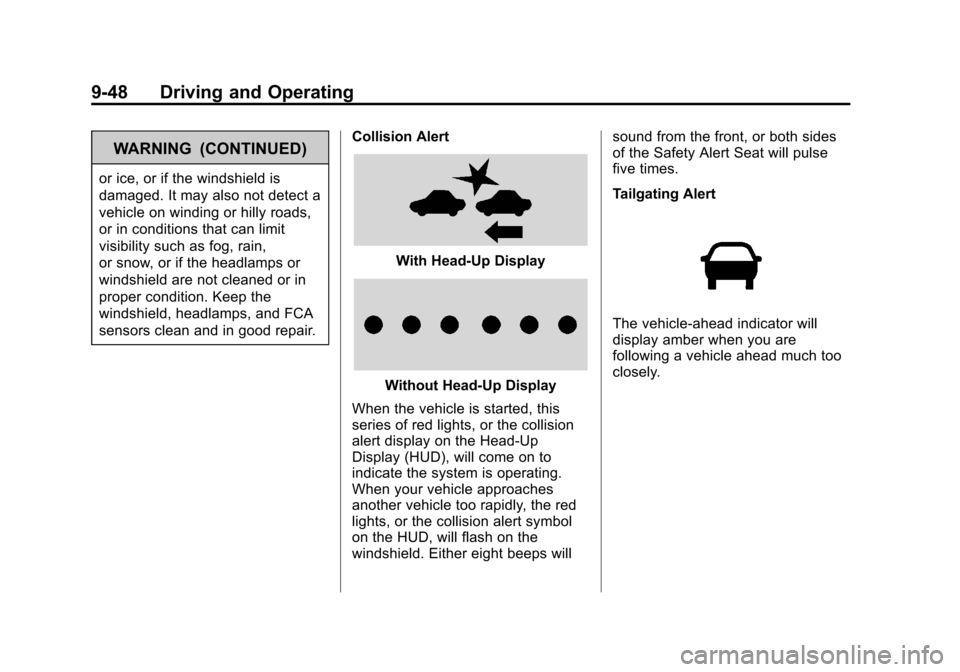
sensors clean and in good repair.Collision Alert
With Head-Up Display
Without Head-Up Display
When the vehicle is started, this
series of red lights, or the collision
alert display on the Head-Up
Display (HUD), will come on to
indicate the system is operating.
When your vehicle approaches
another vehicle too rapidly, the red
lights, or the collision alert symbol
on the HUD, will flash on the
windshield. Either eight beeps will sound from the front, or both sides
of the Safety Alert Seat will pulse
five times.
Tailgating Alert
The vehicle-ahead indicator will
display amber when you are
following a vehicle ahead much too
closely.
Page 282 of 438
Black plate (54,1)Cadillac XTS Owner Manual - 2013 - 1st - 4/13/12
9-54 Driving and Operating
WARNING (CONTINUED)
and maintain proper vehicle
position within the lane, or vehicle
damage, injury, or death could
occur. Always keep the
windshield clean and do not use
LDW in bad weather conditions.
How the System Works
The LDW camera sensor is on the
windshield ahead of the rearview
mirror.
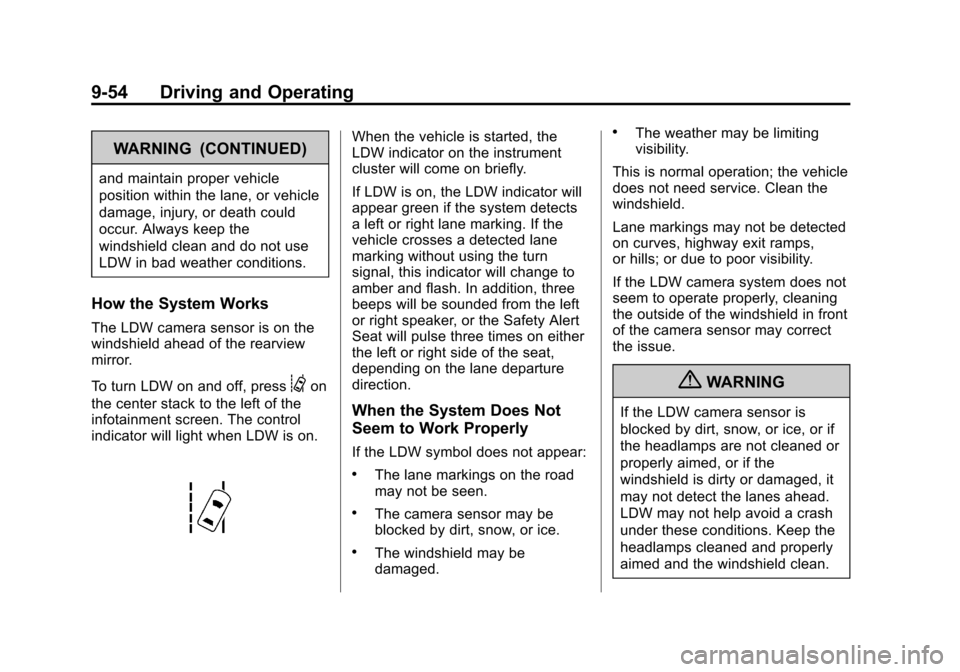
To turn LDW on and off, press
@on
the center stack to the left of the
infotainment screen. The control
indicator will light when LDW is on.
When the vehicle is started, the
LDW indicator on the instrument
cluster will come on briefly.
If LDW is on, the LDW indicator will
appear green if the system detects
a left or right lane marking. If the
vehicle crosses a detected lane
marking without using the turn
signal, this indicator will change to
amber and flash. In addition, three
beeps will be sounded from the left
or right speaker, or the Safety Alert
Seat will pulse three times on either
the left or right side of the seat,
depending on the lane departure
direction.
When the System Does Not
Seem to Work Properly
If the LDW symbol does not appear:
.The lane markings on the road
may not be seen.
.The camera sensor may be
blocked by dirt, snow, or ice.
.The windshield may be
damaged.
.The weather may be limiting
visibility.
This is normal operation; the vehicle
does not need service. Clean the
windshield.
Lane markings may not be detected
on curves, highway exit ramps,
or hills; or due to poor visibility.
If the LDW camera system does not
seem to operate properly, cleaning
the outside of the windshield in front
of the camera sensor may correct
the issue.
{WARNING
If the LDW camera sensor is
blocked by dirt, snow, or ice, or if
the headlamps are not cleaned or
properly aimed, or if the
windshield is dirty or damaged, it
may not detect the lanes ahead.
LDW may not help avoid a crash
under these conditions. Keep the
headlamps cleaned and properly
aimed and the windshield clean.
Page 295 of 438
Black plate (1,1)Cadillac XTS Owner Manual - 2013 - 1st - 4/13/12
Vehicle Care 10-1
Vehicle Care
General Information
General Information . . . . . . . . . . 10-2
California Proposition65 Warning . . . . . . . . . . . . . . . . . 10-2
California Perchlorate Materials Requirements . . . . 10-3
Accessories and Modifications . . . . . . . . . . . . . . . 10-3
Vehicle Checks
Doing Your OwnService Work . . . . . . . . . . . . . . . 10-3
Hood . . . . . . . . . . . . . . . . . . . . . . . . 10-4
Engine Compartment Overview . . . . . . . . . . . . . . . . . . . 10-5
Engine Cover . . . . . . . . . . . . . . . . 10-6
Engine Oil . . . . . . . . . . . . . . . . . . . 10-6
Engine Oil Life System . . . . . . 10-9
Automatic Transmission Fluid . . . . . . . . . . . . . . . . . . . . . . 10-10
Engine Air Cleaner/Filter . . . . 10-10
Cooling System . . . . . . . . . . . . . 10-11
Engine Coolant . . . . . . . . . . . . . 10-12
Engine Overheating . . . . . . . . 10-14 Overheated Engine
Protection
Operating Mode . . . . . . . . . . . 10-16
Power Steering Fluid . . . . . . . 10-16
Washer Fluid . . . . . . . . . . . . . . . 10-17
Brakes . . . . . . . . . . . . . . . . . . . . . 10-18
Brake Fluid . . . . . . . . . . . . . . . . . 10-19
Battery . . . . . . . . . . . . . . . . . . . . . 10-20
All-Wheel Drive . . . . . . . . . . . . . 10-20
Starter Switch Check . . . . . . . 10-20
Automatic Transmission Shift Lock Control Function
Check . . . . . . . . . . . . . . . . . . . . . 10-21
Park Brake and P (Park) Mechanism Check . . . . . . . . 10-21
Wiper Blade Replacement . . . . . . . . . . . . . . 10-22
Windshield Replacement . . . 10-22
Headlamp Aiming
Headlamp Aiming . . . . . . . . . . 10-23
Bulb Replacement
Bulb Replacement . . . . . . . . . . 10-23
High Intensity Discharge (HID) Lighting . . . . . . . . . . . . . 10-23
LED Lighting . . . . . . . . . . . . . . . 10-23 Back-Up Lamps . . . . . . . . . . . . 10-23
License Plate Lamp . . . . . . . . 10-24
Replacement Bulbs . . . . . . . . . 10-25
Electrical System
Electrical System
Overload . . . . . . . . . . . . . . . . . . 10-25
Fuses and Circuit Breakers . . . . . . . . . . . . . . . . . . 10-26
Engine Compartment Fuse Block . . . . . . . . . . . . . . . . . . . . . 10-26
Instrument Panel Fuse Block . . . . . . . . . . . . . . . . . . . . . 10-30
Rear Compartment Fuse Block . . . . . . . . . . . . . . . . . . . . . 10-32
Wheels and Tires
Tires . . . . . . . . . . . . . . . . . . . . . . . . 10-34
All-Season Tires . . . . . . . . . . . . 10-35
Winter Tires . . . . . . . . . . . . . . . . 10-35
Summer Tires . . . . . . . . . . . . . . 10-35
Tire Sidewall Labeling . . . . . . 10-36
Tire Designations . . . . . . . . . . . 10-38
Tire Terminology andDefinitions . . . . . . . . . . . . . . . . 10-38
Tire Pressure . . . . . . . . . . . . . . . 10-41
Tire Pressure for High-Speed Operation . . . . . . . . . . . . . . . . . 10-43