wheel CADILLAC XTS 2013 1.G Owner's Manual
[x] Cancel search | Manufacturer: CADILLAC, Model Year: 2013, Model line: XTS, Model: CADILLAC XTS 2013 1.GPages: 438, PDF Size: 7.4 MB
Page 122 of 438
Black plate (2,1)Cadillac XTS Owner Manual - 2013 - 1st - 4/13/12
5-2 Instruments and Controls
Airbag System Messages . . . . 5-42
Security Messages . . . . . . . . . . 5-42
Service Vehicle Messages . . . 5-42
Starting the VehicleMessages . . . . . . . . . . . . . . . . . . 5-42
Tire Messages . . . . . . . . . . . . . . . 5-42
Transmission Messages . . . . . 5-43
Vehicle Reminder Messages . . . . . . . . . . . . . . . . . . 5-43
Vehicle Speed Messages . . . . 5-44
Washer Fluid Messages . . . . . 5-44
Window Messages . . . . . . . . . . . 5-44
Vehicle Personalization
Vehicle Personalization . . . . . . 5-44
Universal Remote System
Universal Remote System . . . 5-50
Universal Remote System Programming . . . . . . . . . . . . . . . 5-50
Universal Remote System Operation . . . . . . . . . . . . . . . . . . 5-53
Controls
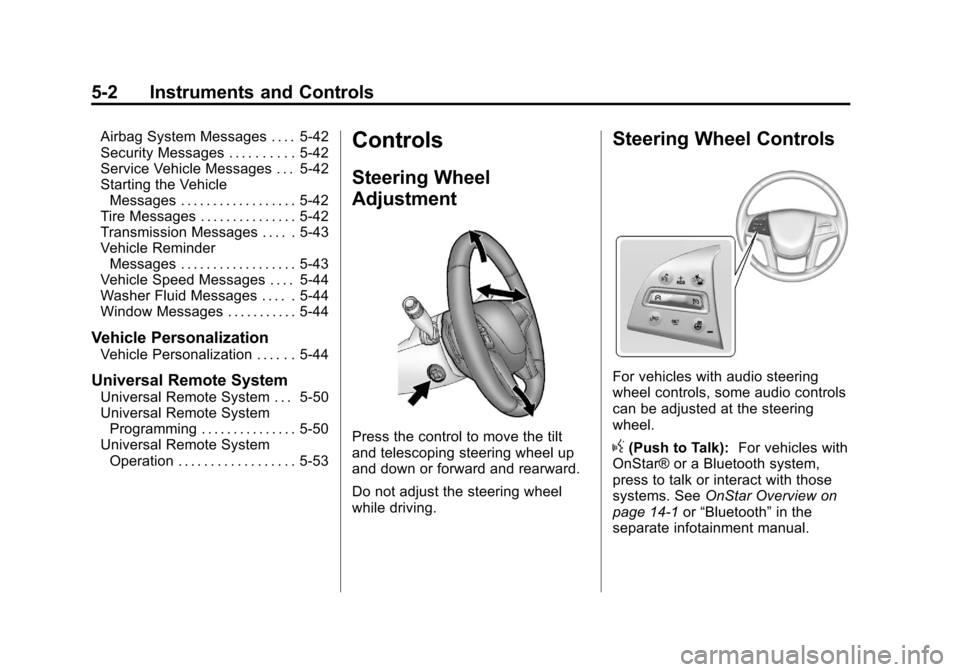
Steering Wheel
Adjustment
Press the control to move the tilt
and telescoping steering wheel up
and down or forward and rearward.
Do not adjust the steering wheel
while driving.
Steering Wheel Controls
For vehicles with audio steering
wheel controls, some audio controls
can be adjusted at the steering
wheel.
g(Push to Talk): For vehicles with
OnStar® or a Bluetooth system,
press to talk or interact with those
systems. See OnStar Overview on
page 14‑1 or“Bluetooth” in the
separate infotainment manual.
Page 123 of 438
Black plate (3,1)Cadillac XTS Owner Manual - 2013 - 1st - 4/13/12
Instruments and Controls 5-3
c(End Call):Press to decline an
incoming call, or end a current call.
Press to mute or unmute the
infotainment system.
SorT(Previous or Next): Press
to go to the previous or next menu
option.
yorz(Next or Previous):
Press the five-way control up or
down to go to the next or previous
selection.
SEL (Select): Press to select a
highlighted menu option.
rorq(Next or Previous
Favorite): Press to go to the next
or previous favorite radio station or
CD/MP3 track.
x+ orx− (Volume): Press to
increase or decrease the volume.
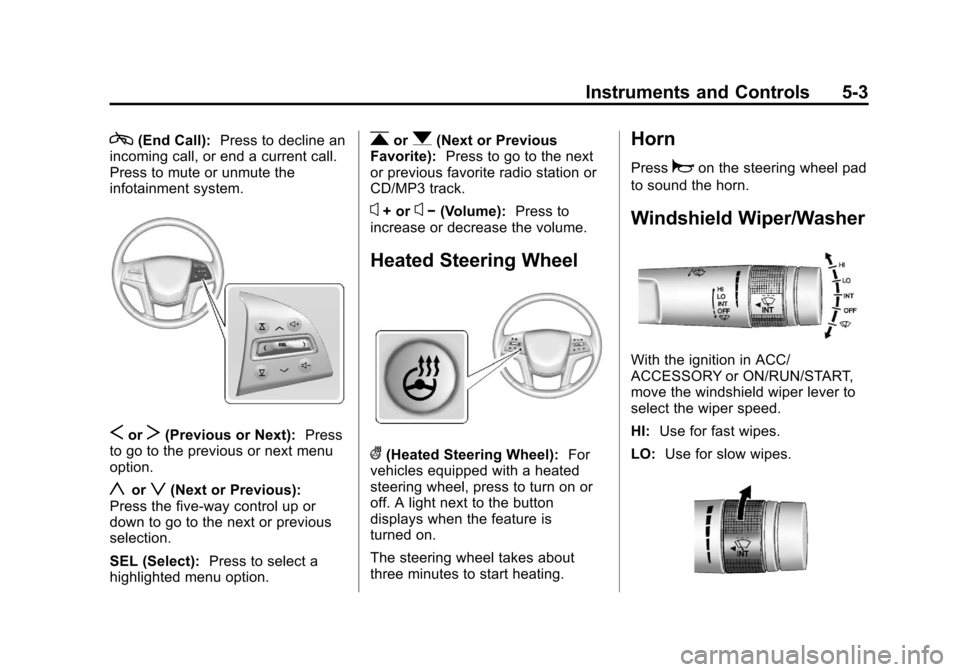
Heated Steering Wheel
((Heated Steering Wheel): For
vehicles equipped with a heated
steering wheel, press to turn on or
off. A light next to the button
displays when the feature is
turned on.
The steering wheel takes about
three minutes to start heating.
Horn
Pressaon the steering wheel pad
to sound the horn.
Windshield Wiper/Washer
With the ignition in ACC/
ACCESSORY or ON/RUN/START,
move the windshield wiper lever to
select the wiper speed.
HI: Use for fast wipes.
LO: Use for slow wipes.
Page 132 of 438
Black plate (12,1)Cadillac XTS Owner Manual - 2013 - 1st - 4/13/12
5-12 Instruments and Controls
Use the five-way control on the right
side of the steering wheel to move
between the different display zones
and scroll through the different
displays.
To change the cluster configuration:
1. Find the Settings page in one ofthe interactive display zones on
the cluster.
2. Press SEL to enter the Settings menu.
3. Scroll down to highlight Display Layout. Then press SEL to
select it.
4. Each layout in the menu is represented by a small preview
image of the display layout.
Scroll up or down and highlight
the selection. Press SEL to
select the desired cluster
configuration.
5. Exit the Display Layout menu by pressing
S.
Cluster Application Displays
The cluster can display information
regarding Navigation, Audio, and
Phone.
Navigation
If there is no active route, a
compass will be displayed. If there
is an active route, press SEL to end
route guidance or turn the voice
prompts on or off.
Audio
While the Audio application page is
displayed, press SEL to enter the
Audio menu. In the Audio menu,
search for music or change the
audio source.
Phone
While the Phone application page is
displayed, press SEL to enter the
Phone menu. In the Phone menu,
if there is no active phone call, view
recent calls or scroll through
contacts. If there is an active call,
mute the phone or switch to handset
operation.
Cluster Settings Menu
To enter the cluster settings menu:
1. Use the five-way control on theright side of the steering wheel
to find the Settings page in one
of the interactive display zones
on the cluster.
2. Press SEL on the center of the five-way control to enter the
Settings menu.
Units: Press SEL while Units is
highlighted to enter the Unit menu.
Choose English or metric units by
pressing SEL while the desired item
is highlighted. A checkmark will be
displayed next to the selected item.
Info Pages: Press SEL while Info
Pages is highlighted to select the
items to be displayed in the DIC info
displays. See Driver Information
Center (DIC) on page 5‑27.
Page 140 of 438
Black plate (20,1)Cadillac XTS Owner Manual - 2013 - 1st - 4/13/12
5-20 Instruments and Controls
stalling when the vehicle is
changed into gear, misfiring,
hesitation on acceleration,
or stumbling on acceleration.
These conditions might go away
once the engine is warmed up.
If one or more of these conditions
occurs, change the fuel brand used.
It may require at least one full tank
of the proper fuel to turn the light off.
See Recommended Fuel on
page 9‑55.
If none of the above have made the
light turn off, your dealer can check
the vehicle. The dealer has the
proper test equipment and
diagnostic tools to fix any
mechanical or electrical problems
that might have developed.
Emissions Inspection and
Maintenance Programs
Depending on where you live, your
vehicle may be required to
participate in an emission control
system inspection and maintenance
program. For the inspection, the emission system test equipment will
likely connect to the vehicle's Data
Link Connector (DLC).
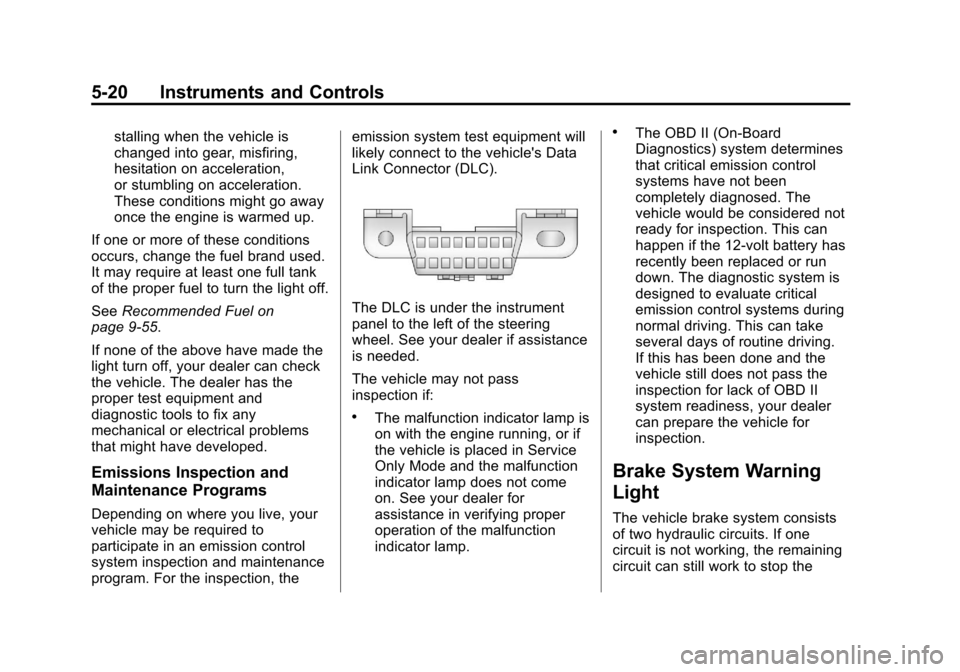
The DLC is under the instrument
panel to the left of the steering
wheel. See your dealer if assistance
is needed.
The vehicle may not pass
inspection if:
.The malfunction indicator lamp is
on with the engine running, or if
the vehicle is placed in Service
Only Mode and the malfunction
indicator lamp does not come
on. See your dealer for
assistance in verifying proper
operation of the malfunction
indicator lamp.
.The OBD II (On-Board
Diagnostics) system determines
that critical emission control
systems have not been
completely diagnosed. The
vehicle would be considered not
ready for inspection. This can
happen if the 12-volt battery has
recently been replaced or run
down. The diagnostic system is
designed to evaluate critical
emission control systems during
normal driving. This can take
several days of routine driving.
If this has been done and the
vehicle still does not pass the
inspection for lack of OBD II
system readiness, your dealer
can prepare the vehicle for
inspection.
Brake System Warning
Light
The vehicle brake system consists
of two hydraulic circuits. If one
circuit is not working, the remaining
circuit can still work to stop the
Page 143 of 438
Black plate (23,1)Cadillac XTS Owner Manual - 2013 - 1st - 4/13/12
Instruments and Controls 5-23
the vehicle is leaving its lane
without using the turn signal, this
light will change to amber and flash.
SeeLane Departure Warning (LDW)
on page 9‑53.
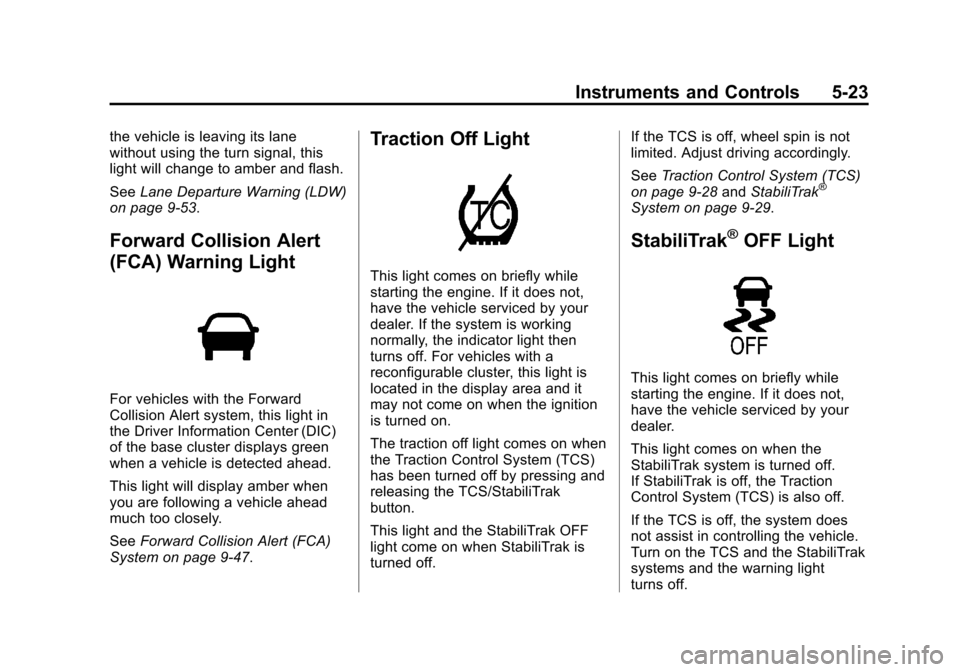
Forward Collision Alert
(FCA) Warning Light
For vehicles with the Forward
Collision Alert system, this light in
the Driver Information Center (DIC)
of the base cluster displays green
when a vehicle is detected ahead.
This light will display amber when
you are following a vehicle ahead
much too closely.
See Forward Collision Alert (FCA)
System on page 9‑47.
Traction Off Light
This light comes on briefly while
starting the engine. If it does not,
have the vehicle serviced by your
dealer. If the system is working
normally, the indicator light then
turns off. For vehicles with a
reconfigurable cluster, this light is
located in the display area and it
may not come on when the ignition
is turned on.
The traction off light comes on when
the Traction Control System (TCS)
has been turned off by pressing and
releasing the TCS/StabiliTrak
button.
This light and the StabiliTrak OFF
light come on when StabiliTrak is
turned off. If the TCS is off, wheel spin is not
limited. Adjust driving accordingly.
See
Traction Control System (TCS)
on page 9‑28 andStabiliTrak
®
System on page 9‑29.
StabiliTrak®OFF Light
This light comes on briefly while
starting the engine. If it does not,
have the vehicle serviced by your
dealer.
This light comes on when the
StabiliTrak system is turned off.
If StabiliTrak is off, the Traction
Control System (TCS) is also off.
If the TCS is off, the system does
not assist in controlling the vehicle.
Turn on the TCS and the StabiliTrak
systems and the warning light
turns off.
Page 151 of 438
Black plate (31,1)Cadillac XTS Owner Manual - 2013 - 1st - 4/13/12
Instruments and Controls 5-31
The HUD information can be
displayed in various languages. The
speedometer reading and other
numerical values can be displayed
in either English or metric units.
The language selection is changed
through the radio and the units of
measurement is changed through
the Driver Information Center (DIC).
SeeVehicle Personalization on
page 5‑44 and“Settings” under
Instrument Cluster on page 5‑9.
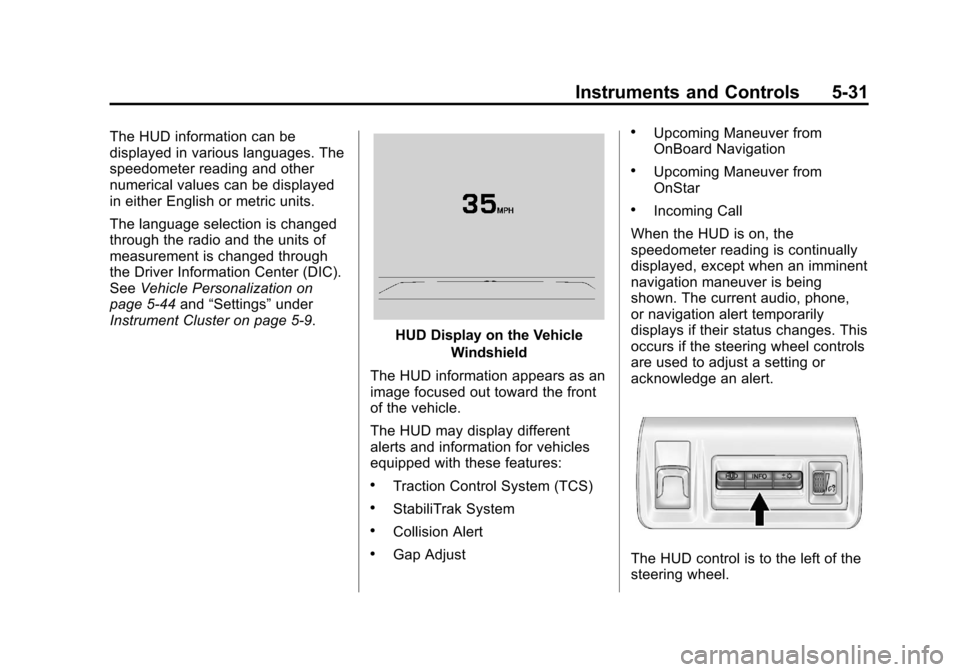
HUD Display on the Vehicle
Windshield
The HUD information appears as an
image focused out toward the front
of the vehicle.
The HUD may display different
alerts and information for vehicles
equipped with these features:
.Traction Control System (TCS)
.StabiliTrak System
.Collision Alert
.Gap Adjust
.Upcoming Maneuver from
OnBoard Navigation
.Upcoming Maneuver from
OnStar
.Incoming Call
When the HUD is on, the
speedometer reading is continually
displayed, except when an imminent
navigation maneuver is being
shown. The current audio, phone,
or navigation alert temporarily
displays if their status changes. This
occurs if the steering wheel controls
are used to adjust a setting or
acknowledge an alert.
The HUD control is to the left of the
steering wheel.
Page 161 of 438
Black plate (41,1)Cadillac XTS Owner Manual - 2013 - 1st - 4/13/12
Instruments and Controls 5-41
SERVICE REAR AUTO BRAKE
AND PARK ASSIST
This message displays if there is a
problem with the parking and
backing features of the Driver
Assistance System. Do not use this
system to help park or back the
vehicle. See your dealer for service.
SIDE BLIND ZONE ALERT OFF
This message indicates that the
driver has turned the Side Blind
Zone Alert (SBZA) system off.
SERVICE SIDE DETECTION
SYSTEM
If this message remains on after
continued driving, the vehicle needs
service. Side Blind Zone Alert
(SBZA) and Rear Cross Traffic Alert
(RCTA) features will not work. Take
the vehicle to your dealer.
SIDE DETECTION SYSTEM
UNAVAILABLE
This message indicates that Side
Blind Zone Alert (SBZA) and Rear
Cross Traffic Alert (RCTA) are
disabled either because the sensor
is blocked and cannot detect
vehicles in the blind zone, or the
vehicle is passing through an open
area, such as the desert, where
there is insufficient data for
operation. This message may also
activate during heavy rain or due to
road spray. The vehicle does not
need service. For cleaning, see
"Washing the Vehicle" under
Exterior Care on page 10‑76.
Ride Control System
Messages
SERVICE REAR AXLE
This message displays when there
is a problem with the
All-Wheel-Drive (AWD) System. See
your dealer for service.
SERVICE STABILITRAK
This message displays if there is a
problem with the StabiliTrak system.
SeeStabiliTrak
®System on
page 9‑29.
SERVICE SUSPENSION
SYSTEM
This message displays when there
is a problem with the Magnetic Ride
Control system. See Magnetic Ride
Control on page 9‑30. Have the
vehicle serviced by your dealer.
SERVICE TRACTION
CONTROL
This message displays when there
is a problem with the Traction
Control System (TCS). See Traction
Control System (TCS) on
page 9‑28.
Page 167 of 438
Black plate (47,1)Cadillac XTS Owner Manual - 2013 - 1st - 4/13/12
Instruments and Controls 5-47
Easy Exit Options
This allows the Easy Exit Options
feature to be turned on or off.
Press Easy Exit Options. Press to
select Off or On. Press
0to go back
to the last menu.
Chime Volume
This allows the selection of the
chime volume level.
Press Chime Volume. Press + or −
to adjust the volume. Press
0to go
back to the last menu.
Reverse Tilt Mirror
When on, both the driver and
passenger mirrors will tilt downward
when the vehicle is shifted to
R (Reverse) to improve visibility of
the ground near the rear wheels.
They will return to their previous
driving position when the vehicle is
shifted out of R (Reverse) or the
ignition is turned to OFF. Press Reverse Tilt Mirror. Press to
select Off, On, On - Driver and
Passenger, On - Driver or On -
Passenger. Press
0to go back to
the last menu.
Personalization by Driver
If equipped, this allows the
Personalization by Driver feature to
be turned on or off.
Press Personalization by Driver.
Press to select Off or On. Press
0
to go back to the last menu.
Language
Select the Language menu and the
following will be displayed:
.English
.French
.Spanish
Press to select the language. Press
0to go back to the last menu.
Lighting
Select the Lighting menu and the
following will be displayed:
.Vehicle Locator Lights
.Exit Lighting
.Auto High Beam
.Daytime Tail Lights
Vehicle Locator Lights
This feature will flash the exterior
lights when
Kon the Remote
Keyless Entry (RKE) transmitter is
pressed to locate the vehicle.
Press Vehicle Locator Lights. Press
to select Off or On. Press
0to go
back to the last menu.
Exit Lighting
This allows the selection of how
long the exterior lamps stay on
when leaving the vehicle when it is
dark outside.
Page 179 of 438
Black plate (5,1)Cadillac XTS Owner Manual - 2013 - 1st - 4/13/12
Lighting 6-5
or;to disable this feature.
Adaptive Forward
Lighting (AFL)
For vehicles with uplevel
headlamps, the AFL system adjusts
the headlamps to provide greater
road illumination in various driving
conditions.
To enable AFL, set the exterior lamp
control to the AUTO position.
Moving the control out of the AUTO
position will deactivate the system.
AFL will operate when the vehicle
speed is greater than 3 km/h
(2 mph). AFL will not operate when
the transmission is in R (Reverse).
AFL is not immediately operable
after starting the vehicle; driving a
short distance is required to
calibrate the AFL. SeeExterior
Lamp Controls on page 6‑1.
Curve Lighting
The light beam pivots based on the
steering wheel position and vehicle
speed of at least 10 km/h (6 mph). The headlamps shine at an angle of
up to 15 degrees to the right or left
of the direction of travel.
Headlamp Leveling
Control
Automatic Headlamp Leveling
For vehicles with headlamp leveling,
the range of the headlamps is
adjusted automatically based on
vehicle load.
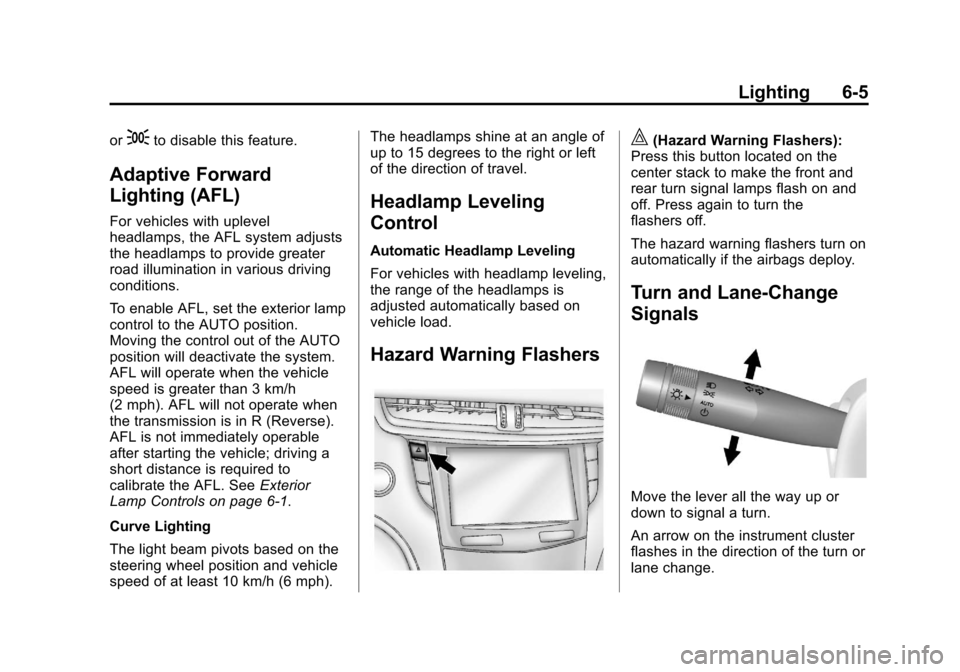
Hazard Warning Flashers
|(Hazard Warning Flashers):
Press this button located on the
center stack to make the front and
rear turn signal lamps flash on and
off. Press again to turn the
flashers off.
The hazard warning flashers turn on
automatically if the airbags deploy.
Turn and Lane-Change
Signals
Move the lever all the way up or
down to signal a turn.
An arrow on the instrument cluster
flashes in the direction of the turn or
lane change.
Page 180 of 438
Black plate (6,1)Cadillac XTS Owner Manual - 2013 - 1st - 4/13/12
6-6 Lighting
Raise or lower the lever until the
arrow starts to flash to signal a lane
change. Hold it there until the lane
change is completed. If the lever is
briefly pressed and released, the
turn signal flashes three times.
The turn and lane-change signal
can be turned off manually by
moving the lever back to its original
position.
If after signaling a turn or lane
change, the arrow flashes rapidly or
does not come on, a signal bulb
might be burned out.
Replace any burned out bulbs. If a
bulb is not burned out, check the
fuse. SeeFuses and Circuit
Breakers on page 10‑26.Interior Lighting
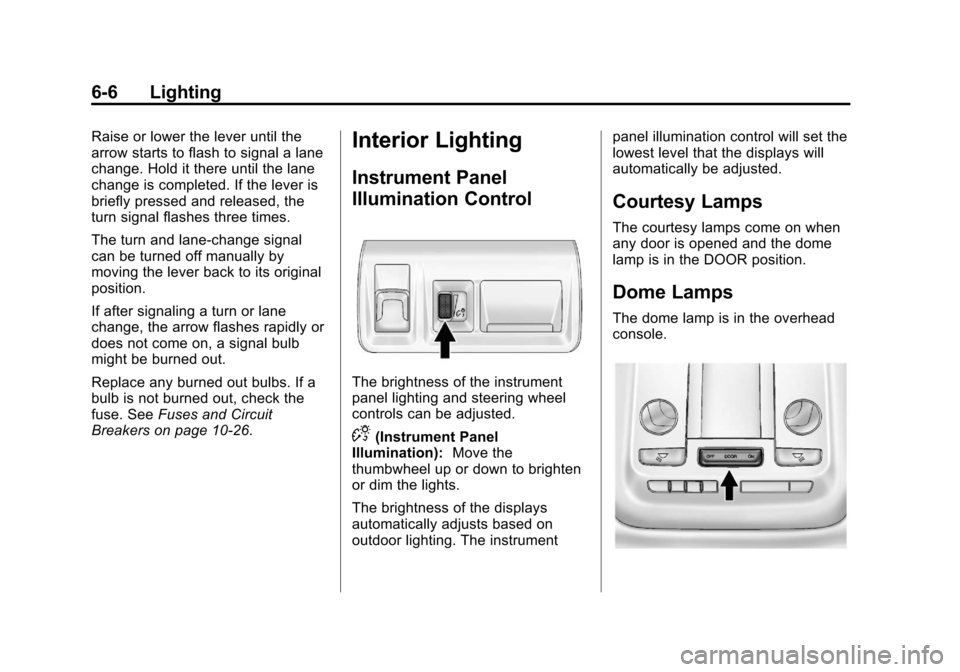
Instrument Panel
Illumination Control
The brightness of the instrument
panel lighting and steering wheel
controls can be adjusted.
D(Instrument Panel
Illumination): Move the
thumbwheel up or down to brighten
or dim the lights.
The brightness of the displays
automatically adjusts based on
outdoor lighting. The instrument panel illumination control will set the
lowest level that the displays will
automatically be adjusted.
Courtesy Lamps
The courtesy lamps come on when
any door is opened and the dome
lamp is in the DOOR position.
Dome Lamps
The dome lamp is in the overhead
console.