start stop button CADILLAC XTS 2013 1.G Owners Manual
[x] Cancel search | Manufacturer: CADILLAC, Model Year: 2013, Model line: XTS, Model: CADILLAC XTS 2013 1.GPages: 438, PDF Size: 7.4 MB
Page 9 of 438

Black plate (3,1)Cadillac XTS Owner Manual - 2013 - 1st - 4/13/12
In Brief 1-3
1.Air Vents on page 8‑11.
2. Instrument Panel Illumination
Control on page 6‑6.
Head-Up Display (HUD) on
page 5‑30 (If Equipped).
3. Exterior Lamp Controls on
page 6‑1.
Turn and Lane-Change Lever.
See Turn and Lane-Change
Signals on page 6‑5.
4. Instrument Cluster on page 5‑9.
Driver Information Center (DIC)
Display. See Driver Information
Center (DIC) on page 5‑27.
5. Windshield Wiper/Washer on
page 5‑3.
6. Hazard Warning Flashers on
page 6‑5.
Lane Departure Warning (LDW)
on page 9‑53.
Traction Control System (TCS)
on page 9‑28.
StabiliTrak
®System on
page 9‑29. 7. Infotainment Display.
Infotainment System. See the
infotainment manual.
8. Glove Box Button. See Glove
Box on page 4‑2.
Parking Assist Button. See
Driver Assistance Systems on
page 9‑42.
9. Electric Parking Brake on
page 9‑26.
Instrument Panel Storage on
page 4‑1.
10. Data Link Connector (DLC) (Out of View). See Malfunction
Indicator Lamp on page 5‑18.
11. Cruise Control on page 9‑31.
Adaptive Cruise Control on
page 9‑34 (If Equipped).
Forward Collision Alert (FCA)
System on page 9‑47 (If
Equipped).
Phone Button. See Steering
Wheel Controls on page 5‑2. 12.
Steering Wheel Adjustment on
page 5‑2.
13. Horn on page 5‑3.
14. Steering Wheel Controls on
page 5‑2.
15. Start/Stop Button. See Ignition
Positions on page 9‑15.
16. Shift Lever. See Automatic
Transmission on page 9‑22.
17. Instrument Panel Storage on
page 4‑1.
18. Dual Automatic Climate Control
System (Uplevel) on page 8‑1
orDual Automatic Climate
Control System (Base) on
page 8‑6.
Heated and Ventilated Seats
on page 1‑8.
Page 28 of 438
Black plate (22,1)Cadillac XTS Owner Manual - 2013 - 1st - 4/13/12
1-22 In Brief
Performance and
Maintenance
Traction Control
System (TCS)
The traction control system limits
wheel spin. The system turns on
automatically every time the vehicle
is started.
.To turn off traction control, press
and release the TCS/StabiliTrak
button
glocated on the center
stack. The appropriate DIC
message is displayed. See Ride
Control System Messages on
page 5‑41.
.Press the TCS/StabiliTrak buttongagain to turn traction control
back on.
See Traction Control System (TCS)
on page 9‑28.
StabiliTrak®System
StabiliTrak assists with directional
control of the vehicle in difficult
driving conditions. The system turns
on automatically every time the
vehicle is started.
.To turn off both traction control
and StabiliTrak, press and hold
the TCS/StabiliTrak button
g
located on the center stack untilgilluminates and the
appropriate DIC messages are
displayed. See Ride Control
System Messages on page 5‑41.
.Press the TCS/StabiliTrak buttongagain to turn on both systems.
See StabiliTrak
®System on
page 9‑29.
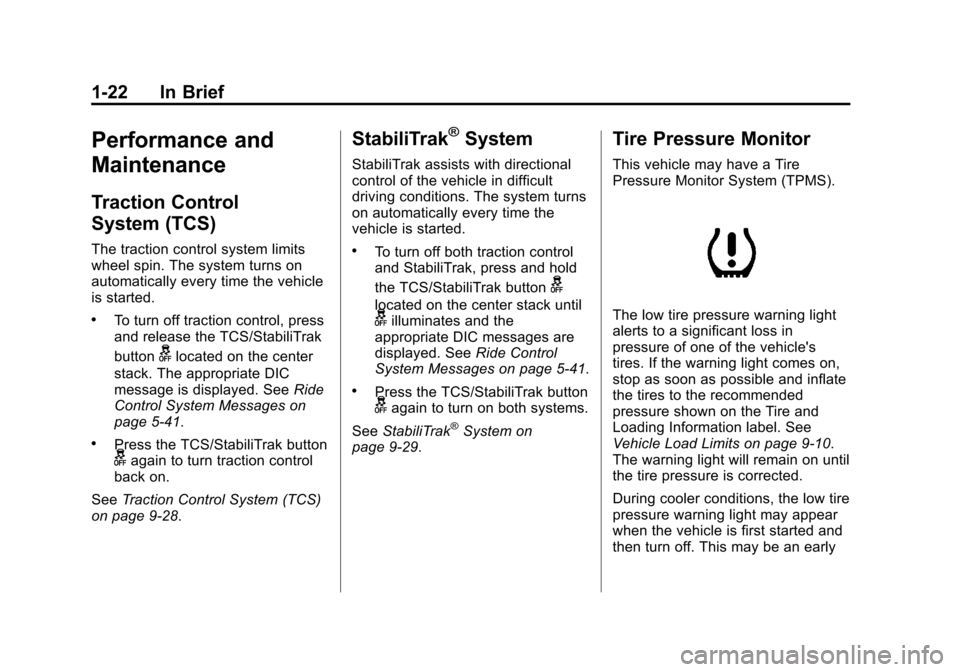
Tire Pressure Monitor
This vehicle may have a Tire
Pressure Monitor System (TPMS).
The low tire pressure warning light
alerts to a significant loss in
pressure of one of the vehicle's
tires. If the warning light comes on,
stop as soon as possible and inflate
the tires to the recommended
pressure shown on the Tire and
Loading Information label. See
Vehicle Load Limits on page 9‑10.
The warning light will remain on until
the tire pressure is corrected.
During cooler conditions, the low tire
pressure warning light may appear
when the vehicle is first started and
then turn off. This may be an early
Page 47 of 438
Black plate (17,1)Cadillac XTS Owner Manual - 2013 - 1st - 4/13/12
Keys, Doors, and Windows 2-17
Disarming the System
To disarm the system, either unlock
the doors using the transmitter,
or start the vehicle with a
recognized transmitter in the
vehicle.
To avoid setting off the alarm by
accident:
.Lock the vehicle with the
transmitter after all occupants
have left the vehicle and all
doors are closed.
.Always unlock a door with the
transmitter. Unlocking the driver
door with the key will not disarm
the alarm.
If you set off the alarm by accident,
turn off the alarm by pressing
Kon
the transmitter, or start the vehicle
with a recognized transmitter in the
vehicle. The alarm will not stop if
you unlock the driver door with
the key.
How to Detect a Tamper
Condition
IfKis pressed and the horn chirps
three times, an attempted break-in
occurred while the system was
armed.
If the alarm has been activated, a
message will appear on the DIC.
See Key and Lock Messages on
page 5‑38.
Immobilizer
See Radio Frequency Statement on
page 13‑15 for information
regarding Part 15 of the Federal
Communications Commission (FCC)
rules and Industry Canada
Standards RSS-GEN/210/220/310.
Immobilizer Operation
This vehicle has a passive
theft-deterrent system.
The system does not have to be
manually armed or disarmed. The vehicle is automatically
immobilized when the vehicle is
turned off.
The immobilization system is
disarmed when the pushbutton start
is activated to enter the ACC/
ACCESSORY mode or the ON/
RUN/START mode and a valid
transmitter is present in the vehicle.
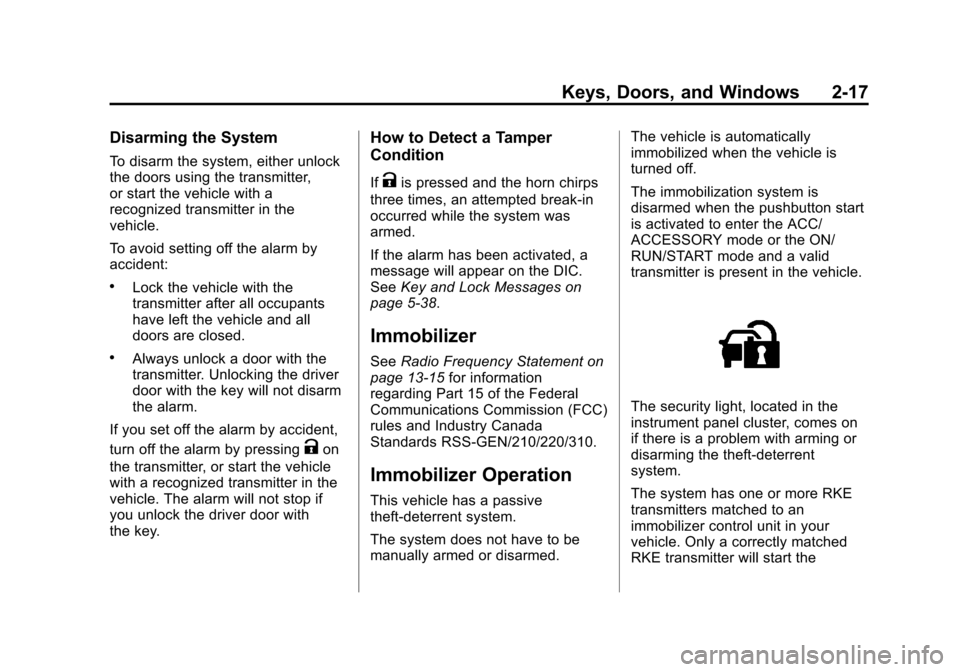
The security light, located in the
instrument panel cluster, comes on
if there is a problem with arming or
disarming the theft-deterrent
system.
The system has one or more RKE
transmitters matched to an
immobilizer control unit in your
vehicle. Only a correctly matched
RKE transmitter will start the
Page 63 of 438
Black plate (7,1)Cadillac XTS Owner Manual - 2013 - 1st - 4/13/12
Seats and Restraints 3-7
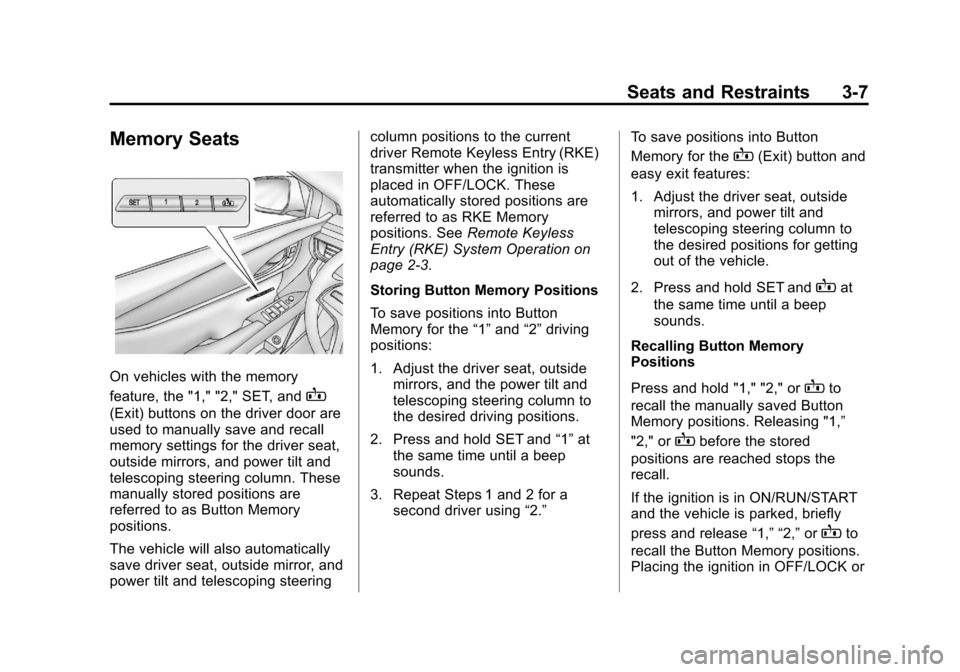
Memory Seats
On vehicles with the memory
feature, the "1," "2," SET, and
B
(Exit) buttons on the driver door are
used to manually save and recall
memory settings for the driver seat,
outside mirrors, and power tilt and
telescoping steering column. These
manually stored positions are
referred to as Button Memory
positions.
The vehicle will also automatically
save driver seat, outside mirror, and
power tilt and telescoping steeringcolumn positions to the current
driver Remote Keyless Entry (RKE)
transmitter when the ignition is
placed in OFF/LOCK. These
automatically stored positions are
referred to as RKE Memory
positions. See
Remote Keyless
Entry (RKE) System Operation on
page 2‑3.
Storing Button Memory Positions
To save positions into Button
Memory for the “1”and “2”driving
positions:
1. Adjust the driver seat, outside mirrors, and the power tilt and
telescoping steering column to
the desired driving positions.
2. Press and hold SET and “1”at
the same time until a beep
sounds.
3. Repeat Steps 1 and 2 for a second driver using “2.”To save positions into Button
Memory for the
B(Exit) button and
easy exit features:
1. Adjust the driver seat, outside mirrors, and power tilt and
telescoping steering column to
the desired positions for getting
out of the vehicle.
2. Press and hold SET and
Bat
the same time until a beep
sounds.
Recalling Button Memory
Positions
Press and hold "1," "2," or
Bto
recall the manually saved Button
Memory positions. Releasing "1,”
"2," or
Bbefore the stored
positions are reached stops the
recall.
If the ignition is in ON/RUN/START
and the vehicle is parked, briefly
press and release “1,” “2,”or
Bto
recall the Button Memory positions.
Placing the ignition in OFF/LOCK or
Page 64 of 438
Black plate (8,1)Cadillac XTS Owner Manual - 2013 - 1st - 4/13/12
3-8 Seats and Restraints
moving the shift lever out of P (Park)
before the stored positions are
reached stops the recall.
If something has blocked the driver
seat and/or power tilt and
telescoping steering column while
recalling a memory position, the
recall may stop. Remove the
obstruction; then press and hold the
appropriate manual control for the
memory item that is not recalling for
two seconds. Try recalling the
memory position again by pressing
the appropriate memory button.
If the memory position is still not
recalling, see your dealer for
service.
Storing RKE Memory Positions
Every time the ignition is placed in
OFF/LOCK, the vehicle will
automatically store the driver seat,
outside mirrors, and power tilt and
telescoping steering column
positions to the RKE transmitter
used to start the vehicle. These
positions are called RKE Memory
positions and may be different thanthe previously mentioned Button
Memory positions saved to the
“1,”
“2,” and
Bbuttons.
Recalling RKE Memory Positions
(Auto Memory Recall)
The Auto (Automatic) Memory
Recall feature automatically recalls
the previously stored RKE Memory
positions for the current driver when
entering the vehicle.
Depending upon the Auto Memory
Recall features enabled in the
vehicle personalization menu, RKE
Memory positions are recalled in the
following ways:
To activate the recall when On -
Driver Door Open is selected in the
personalization menu, do one of the
following:
.PressKon the RKE transmitter
and open the driver door.
.PressKon the RKE transmitter
when the driver door is
already open.
.Press the lock/unlock button on
the outside driver door handle
and open the driver door. The
RKE transmitter must be present
for the recall to activate.
To activate the recall when On - At
Ignition On is selected in the vehicle
personalization menu:
.Place the ignition in ON/RUN/
START.
See Vehicle Personalization on
page 5‑44.
To stop recall movement, press one
of the memory, power mirror or
power seat controls; or press the
power tilt and telescoping steering
column control.
If something has blocked the driver
seat and/or the power tilt and
telescoping steering column while
recalling a memory position, the
recall may stop. Remove the
obstruction; then press and hold the
appropriate manual control for the
memory item that is not recalling for
two seconds. Try recalling the
memory position again by opening
Page 243 of 438
Black plate (15,1)Cadillac XTS Owner Manual - 2013 - 1st - 4/13/12
Driving and Operating 9-15
above 110 km/h (68 mph)
should be limited to
five minutes per use.
.Avoid making hard stops for
the first 322 km (200 mi) or
so. During this time the new
brake linings are not yet
broken in. Hard stops with
new linings can mean
premature wear and earlier
replacement. Follow this
breaking-in guideline every
time you get new brake
linings.
.Do not tow a trailer during
break-in. SeeDriving
Characteristics and Towing
Tips on page 9‑60 for the
trailer towing capabilities of
your vehicle and more
information.
Following break‐in, engine speed
and load can be gradually
increased.
Ignition Positions
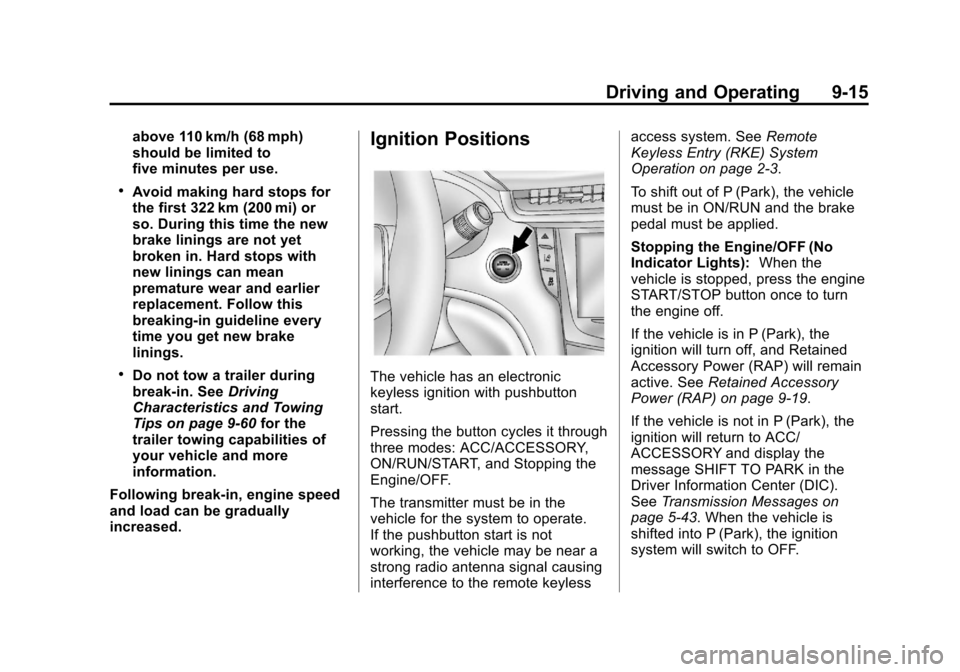
The vehicle has an electronic
keyless ignition with pushbutton
start.
Pressing the button cycles it through
three modes: ACC/ACCESSORY,
ON/RUN/START, and Stopping the
Engine/OFF.
The transmitter must be in the
vehicle for the system to operate.
If the pushbutton start is not
working, the vehicle may be near a
strong radio antenna signal causing
interference to the remote keyless access system. See
Remote
Keyless Entry (RKE) System
Operation on page 2‑3.
To shift out of P (Park), the vehicle
must be in ON/RUN and the brake
pedal must be applied.
Stopping the Engine/OFF (No
Indicator Lights): When the
vehicle is stopped, press the engine
START/STOP button once to turn
the engine off.
If the vehicle is in P (Park), the
ignition will turn off, and Retained
Accessory Power (RAP) will remain
active. See Retained Accessory
Power (RAP) on page 9‑19.
If the vehicle is not in P (Park), the
ignition will return to ACC/
ACCESSORY and display the
message SHIFT TO PARK in the
Driver Information Center (DIC).
See Transmission Messages on
page 5‑43. When the vehicle is
shifted into P (Park), the ignition
system will switch to OFF.
Page 244 of 438
Black plate (16,1)Cadillac XTS Owner Manual - 2013 - 1st - 4/13/12
9-16 Driving and Operating
Do not turn the engine off when the
vehicle is moving. This will cause a
loss of power assist in the brake
and steering systems and disable
the airbags.
If the vehicle must be shut off in an
emergency:
1. Brake using a firm and steadypressure. Do not pump the
brakes repeatedly. This may
deplete power assist, requiring
increased brake pedal force.
2. Shift the vehicle to N (Neutral). This can be done while the
vehicle is moving. After shifting
to N (Neutral), firmly apply the
brakes and steer the vehicle to a
safe location.
3. Come to a complete stop, shift to P (Park), and turn the ignition
OFF. On vehicles with an
automatic transmission, the shift
lever must be in P (Park) to turn
the ignition to the OFF position. 4. Set the parking brake. See
Electric Parking Brake on
page 9‑26.
{WARNING
Turning off the vehicle while
moving may cause loss of power
assist in the brake and steering
systems and disable the airbags.
While driving, only shut the
vehicle off in an emergency.
If the vehicle cannot be pulled over,
and must be shut off while driving,
press and hold the engine START/
STOP button for longer than
two seconds, or press twice in
five seconds.
ACC/ACCESSORY (Amber
Indicator Light): This mode allows
the use of some electrical
accessories when the engine is off.
With the ignition off, pressing the
button one time without the brake
pedal applied will place the ignition
system in ACC/ACCESSORY. The ignition will switch from ACC/
ACCESSORY to OFF after
five minutes to prevent battery
rundown.
ON/RUN/START (Green Indicator
Light):
This mode is for driving and
starting. With the ignition off, and
the brake pedal applied, pressing
the button once will place the
ignition system in ON/RUN/START.
Once engine cranking begins,
release the button. Engine cranking
will continue until the engine starts.
See Starting the Engine on
page 9‑17. The ignition will then
remain in ON/RUN.
Service Only Mode
This power mode is available for
service and diagnostics, and to
verify the proper operation of the
malfunction indicator lamp as may
be required for emission inspection
purposes. With the vehicle off, and
the brake pedal not applied,
pressing and holding the button for
more than five seconds will place
the vehicle in Service Only Mode.
Page 245 of 438
Black plate (17,1)Cadillac XTS Owner Manual - 2013 - 1st - 4/13/12
Driving and Operating 9-17
The instruments and audio systems
will operate as they do in ON/RUN,
but the vehicle will not be able to be
driven. The engine will not start in
Service Only Mode. Push the button
again to turn the vehicle off.
Starting the Engine
Move the shift lever to P (Park) or
N (Neutral). The engine will not start
in any other position. To restart the
engine when the vehicle is already
moving, use N (Neutral) only.
Notice:Do not try to shift to
P (Park) if the vehicle is moving.
If you do, you could damage the
transmission. Shift to P (Park)
only when the vehicle is stopped.
Notice: If you add electrical parts
or accessories, you could change
the way the engine operates. Any
resulting damage would not be
covered by the vehicle warranty.
See Add-On Electrical Equipment
on page 9‑65. Starting Procedure
1. With the keyless access system,
the transmitter must be in the
vehicle. Put your foot on the
brake pedal and push the
START button. When the engine
begins cranking, let go of the
button.
The idle speed will go down as
the engine gets warm. Do not
race the engine immediately
after starting it. Operate the
engine and transmission gently
to allow the oil to warm up and
lubricate all moving parts.
If the transmitter is not in the
vehicle or something is
interfering with the transmitter,
the Driver Information Center
(DIC) will display a message.
See Key and Lock Messages on
page 5‑38.
If the battery in the Remote
Keyless Entry (RKE) transmitter
needs replacing, the DIC will
display a message. The vehicle
can still be driven. See “Startingthe Vehicle with a Low
Transmitter Battery”
inRemote
Keyless Entry (RKE) System
Operation on page 2‑3.
The vehicle has a
Computer-Controlled Cranking
System. This feature assists in
starting the engine and protects
components. If the START
button is pressed, and then
released when the engine
begins cranking, the engine will
continue cranking for a few
seconds or until the vehicle
starts. If the engine does not
start and the button is pressed
for many seconds, cranking will
be stopped after 15 seconds to
prevent cranking motor damage.
To prevent gear damage, this
system also prevents cranking if
the engine is already running.
Engine cranking can be stopped
by pressing the START button a
second time.
Notice: Cranking the engine for
long periods of time, by pressing
the START button immediately
Page 246 of 438
Black plate (18,1)Cadillac XTS Owner Manual - 2013 - 1st - 4/13/12
9-18 Driving and Operating
after cranking has ended, can
overheat and damage the
cranking motor, and drain the
battery. Wait at least 15 seconds
between each try, to let the
cranking motor cool down.
2. If the engine does not start afterfive to 10 seconds, especially in
very cold weather (below −18°C
or 0°F), it could be flooded with
too much gasoline. Try pushing
the accelerator pedal all the way
to the floor and holding it there
as you press the START button,
for up to a maximum of
15 seconds. Wait at least
15 seconds between each try, to
allow the cranking motor to cool
down. When the engine starts,
let go of the button and the
accelerator. If the vehicle starts
briefly but then stops again, do
the same thing. This clears the
extra gasoline from the engine.
Do not race the engine
immediately after starting it.
Operate the engine and transmission gently until the oil
warms up and lubricates all
moving parts.
Engine Heater
The engine coolant heater,
if available, can help in cold weather
conditions at or below
−18°C (0°F)
for easier starting and better fuel
economy during engine warm-up.
Plug in the coolant heater at least
four hours before starting the
vehicle. An internal thermostat in
the plug end of the cord will prevent
engine coolant heater operation at
temperatures above −18°C (0°F).
To Use the Engine Coolant
Heater
1. Turn off the engine. 2. Open the hood and unwrap the
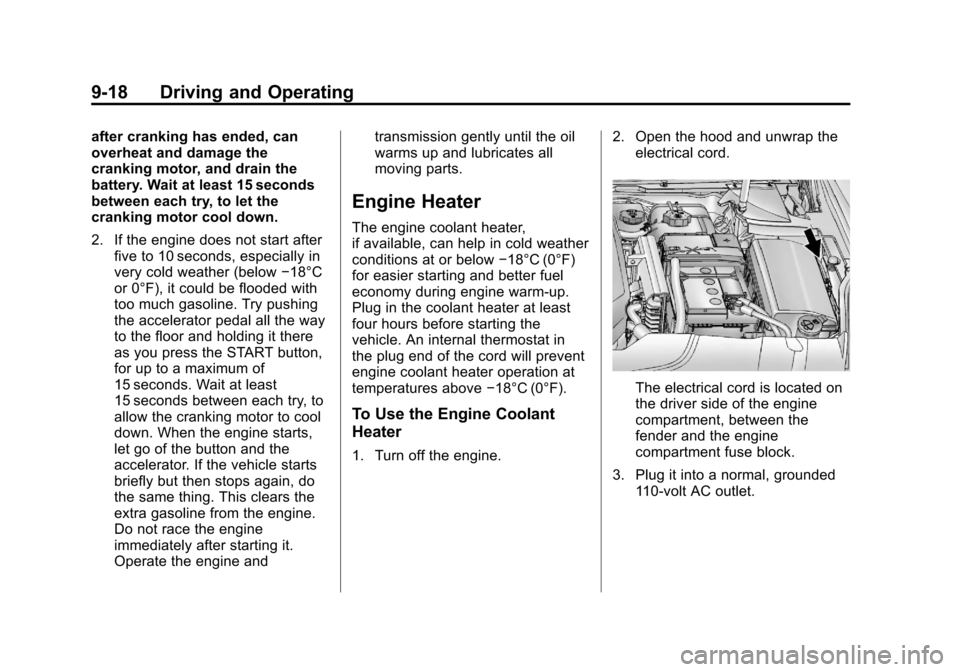
electrical cord.
The electrical cord is located on
the driver side of the engine
compartment, between the
fender and the engine
compartment fuse block.
3. Plug it into a normal, grounded 110-volt AC outlet.
Page 251 of 438
Black plate (23,1)Cadillac XTS Owner Manual - 2013 - 1st - 4/13/12
Driving and Operating 9-23
lever button pressed before shifting
from P (Park) when the ignition is in
ON/RUN. If you cannot shift out of
P (Park), ease pressure on the shift
lever, then push the shift lever all
the way into P (Park) as you
maintain brake application. Then
press the shift lever button and
move the shift lever into another
gear. SeeShifting out of Park on
page 9‑20.
R (Reverse): Use this gear to
back up.
Notice: Shifting to R (Reverse)
while the vehicle is moving
forward could damage the
transmission. The repairs would
not be covered by the vehicle
warranty. Shift to R (Reverse) only
after the vehicle is stopped.
To rock the vehicle back and forth to
get out of snow, ice, or sand without
damaging the transmission, see If
the Vehicle Is Stuck on page 9‑9.
N (Neutral): In this position, the
engine does not connect with the
wheels. To restart the engine when the vehicle is already moving, use
N (Neutral) only. Also, use
N (Neutral) when the vehicle is
being towed.
{WARNING
Shifting into a drive gear while the
engine is running at high speed is
dangerous. Unless your foot is
firmly on the brake pedal, the
vehicle could move very rapidly.
You could lose control and hit
people or objects. Do not shift
into a drive gear while the engine
is running at high speed.
Notice: Shifting out of P (Park) or
N (Neutral) with the engine
running at high speed may
damage the transmission. The
repairs would not be covered by
the vehicle warranty. Be sure the
engine is not running at high
speed when shifting the vehicle. D (Drive):
This position is for
normal driving. It provides the best
fuel economy. If more power is
needed for passing, and the
vehicle is:
.Going less than 56 km/h
(35 mph), push the accelerator
pedal about halfway down.
.Going about 56 km/h (35 mph) or
more, push the accelerator all
the way down.
Notice: If the vehicle seems to
accelerate slowly or not shift
gears when you go faster, and
you continue to drive the vehicle
that way, you could damage the
transmission. Have the vehicle
serviced right away.
M (Manual Mode): This position
allows the driver to select the range
of gears appropriate for current
driving conditions.