remove seats CADILLAC XTS 2014 Owner's Manual
[x] Cancel search | Manufacturer: CADILLAC, Model Year: 2014, Model line: XTS, Model: CADILLAC XTS 2014Pages: 412, PDF Size: 4.65 MB
Page 30 of 412
Black plate (2,1)Cadillac XTS Owner Manual (GMNA-Localizing-U.S./Canada-6006999) -
2014 - CRC - 9/11/13
2-2 Keys, Doors, and Windows
Keys and Locks
Keys
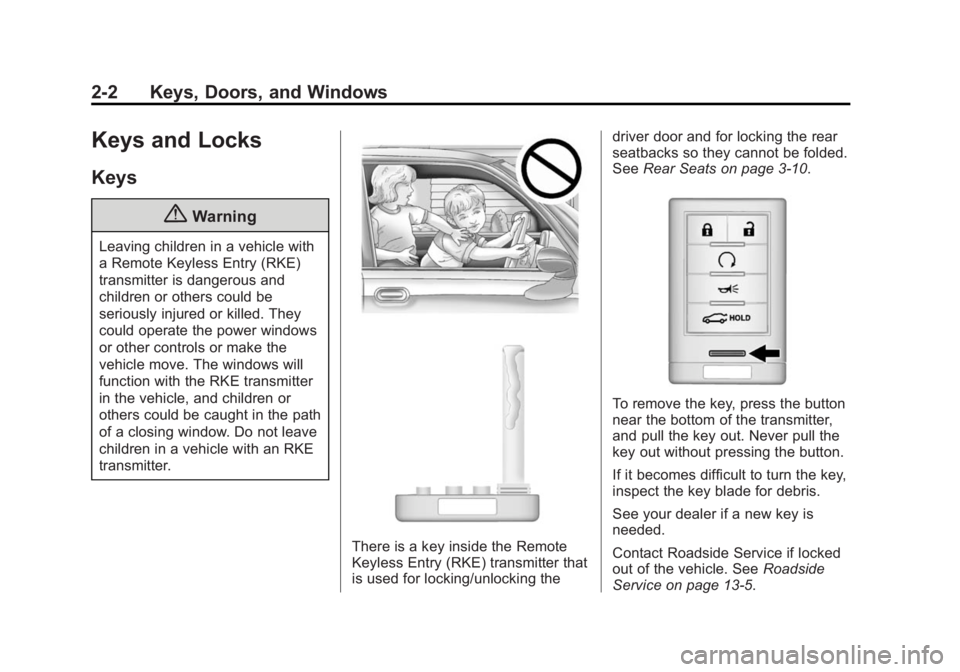
{Warning
Leaving children in a vehicle with
a Remote Keyless Entry (RKE)
transmitter is dangerous and
children or others could be
seriously injured or killed. They
could operate the power windows
or other controls or make the
vehicle move. The windows will
function with the RKE transmitter
in the vehicle, and children or
others could be caught in the path
of a closing window. Do not leave
children in a vehicle with an RKE
transmitter.
There is a key inside the Remote
Keyless Entry (RKE) transmitter that
is used for locking/unlocking thedriver door and for locking the rear
seatbacks so they cannot be folded.
See
Rear Seats on page 3-10.
To remove the key, press the button
near the bottom of the transmitter,
and pull the key out. Never pull the
key out without pressing the button.
If it becomes difficult to turn the key,
inspect the key blade for debris.
See your dealer if a new key is
needed.
Contact Roadside Service if locked
out of the vehicle. See Roadside
Service on page 13-5.
Page 34 of 412
Black plate (6,1)Cadillac XTS Owner Manual (GMNA-Localizing-U.S./Canada-6006999) -
2014 - CRC - 9/11/13
2-6 Keys, Doors, and Windows
Programming Transmitters to
the Vehicle
Only RKE transmitters programmed
to the vehicle will work. If a
transmitter is lost or stolen, a
replacement can be purchased and
programmed through your dealer.
The vehicle can be reprogrammed
so that lost or stolen transmitters no
longer work. Each vehicle can have
up to eight transmitters matched
to it.
Programming with a Recognized
Transmitter
A new transmitter can be
programmed to the vehicle when
there is one recognized transmitter.
To program, the vehicle must be off
and all transmitters, both currently
recognized and new, must be
with you.
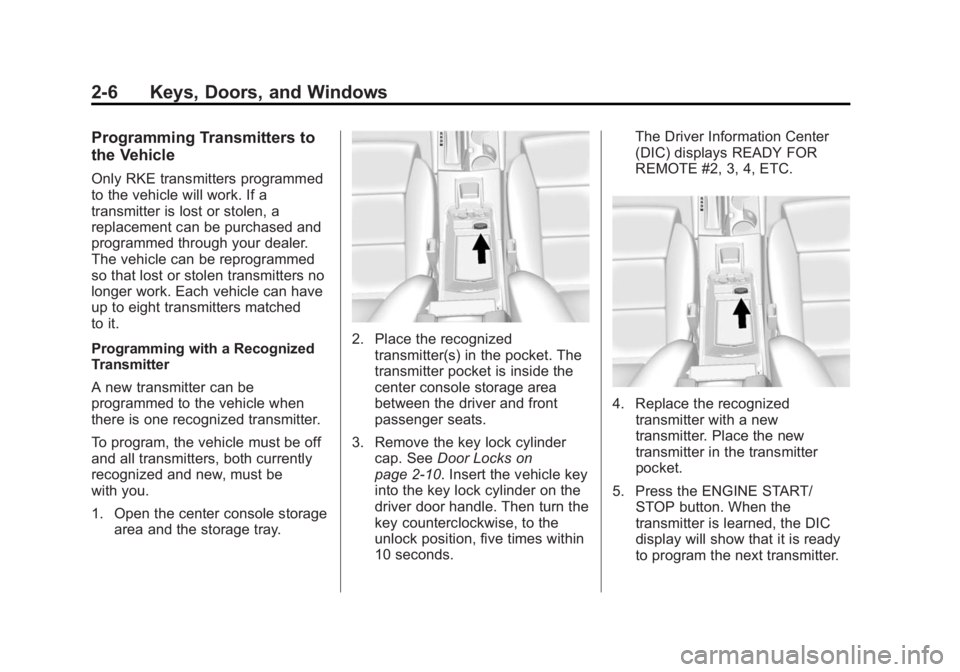
1. Open the center console storagearea and the storage tray.
2. Place the recognized
transmitter(s) in the pocket. The
transmitter pocket is inside the
center console storage area
between the driver and front
passenger seats.
3. Remove the key lock cylinder cap. See Door Locks on
page 2-10. Insert the vehicle key
into the key lock cylinder on the
driver door handle. Then turn the
key counterclockwise, to the
unlock position, five times within
10 seconds. The Driver Information Center
(DIC) displays READY FOR
REMOTE #2, 3, 4, ETC.
4. Replace the recognized
transmitter with a new
transmitter. Place the new
transmitter in the transmitter
pocket.
5. Press the ENGINE START/ STOP button. When the
transmitter is learned, the DIC
display will show that it is ready
to program the next transmitter.
Page 36 of 412
Black plate (8,1)Cadillac XTS Owner Manual (GMNA-Localizing-U.S./Canada-6006999) -
2014 - CRC - 9/11/13
2-8 Keys, Doors, and Windows
passenger seats. The storage
area will need to be opened to
access the transmitter pocket.
5. Press the ENGINE START/ STOP button. When the
transmitter is learned, the DIC
display will show that it is ready
to program the next transmitter.
6. Remove the transmitter from the transmitter pocket and press
K
orQon the transmitter.
To program additional
transmitters, repeat Steps 4–6.
When all additional transmitters
are programmed, press and hold
the ENGINE START/STOP
button for approximately
12 seconds to exit
programming mode.
Starting the Vehicle with a Low
Transmitter Battery
If the transmitter battery is weak,
or if there is interference with the
signal, the DIC may display NO
REMOTE DETECTED or NO REMOTE KEY WAS DETECTED.
PLACE KEY IN TRANSMITTER
POCKET. THEN START YOUR
VEHICLE. when you try to start the
vehicle. See
Key and Lock
Messages on page 5-40.
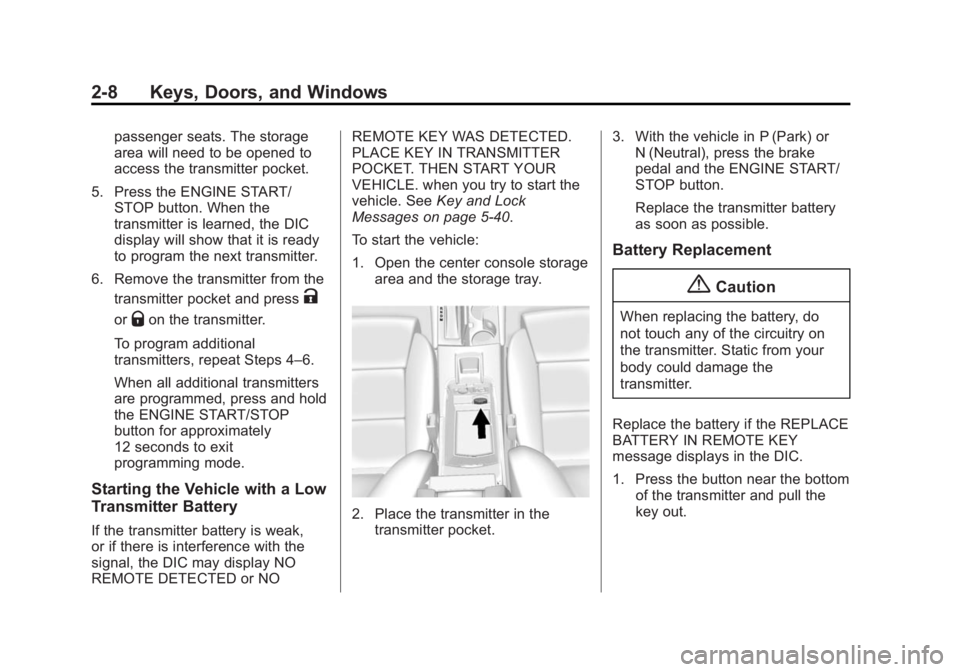
To start the vehicle:
1. Open the center console storage area and the storage tray.
2. Place the transmitter in the
transmitter pocket. 3. With the vehicle in P (Park) or
N (Neutral), press the brake
pedal and the ENGINE START/
STOP button.
Replace the transmitter battery
as soon as possible.
Battery Replacement
{Caution
When replacing the battery, do
not touch any of the circuitry on
the transmitter. Static from your
body could damage the
transmitter.
Replace the battery if the REPLACE
BATTERY IN REMOTE KEY
message displays in the DIC.
1. Press the button near the bottom of the transmitter and pull the
key out.
Page 57 of 412
Black plate (3,1)Cadillac XTS Owner Manual (GMNA-Localizing-U.S./Canada-6006999) -
2014 - CRC - 9/11/13
Seats and Restraints 3-3
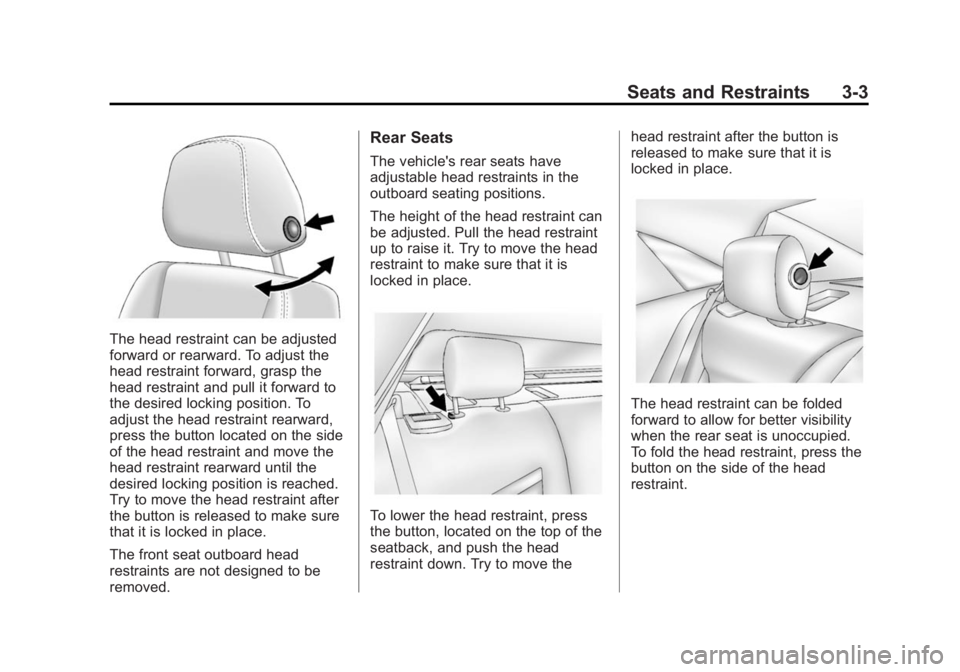
The head restraint can be adjusted
forward or rearward. To adjust the
head restraint forward, grasp the
head restraint and pull it forward to
the desired locking position. To
adjust the head restraint rearward,
press the button located on the side
of the head restraint and move the
head restraint rearward until the
desired locking position is reached.
Try to move the head restraint after
the button is released to make sure
that it is locked in place.
The front seat outboard head
restraints are not designed to be
removed.
Rear Seats
The vehicle's rear seats have
adjustable head restraints in the
outboard seating positions.
The height of the head restraint can
be adjusted. Pull the head restraint
up to raise it. Try to move the head
restraint to make sure that it is
locked in place.
To lower the head restraint, press
the button, located on the top of the
seatback, and push the head
restraint down. Try to move thehead restraint after the button is
released to make sure that it is
locked in place.
The head restraint can be folded
forward to allow for better visibility
when the rear seat is unoccupied.
To fold the head restraint, press the
button on the side of the head
restraint.
Page 58 of 412
Black plate (4,1)Cadillac XTS Owner Manual (GMNA-Localizing-U.S./Canada-6006999) -
2014 - CRC - 9/11/13
3-4 Seats and Restraints
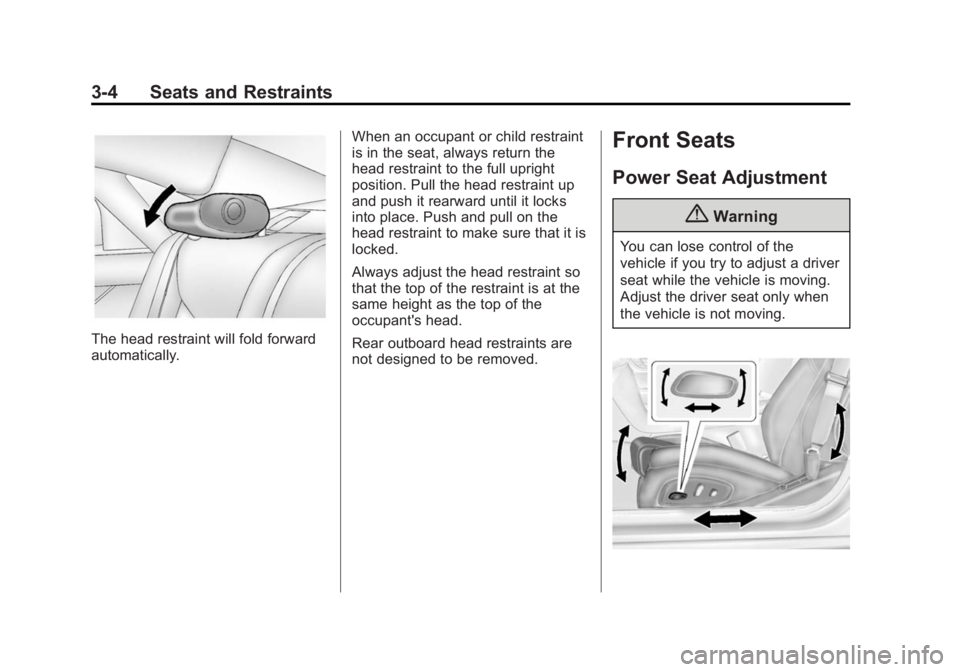
The head restraint will fold forward
automatically.When an occupant or child restraint
is in the seat, always return the
head restraint to the full upright
position. Pull the head restraint up
and push it rearward until it locks
into place. Push and pull on the
head restraint to make sure that it is
locked.
Always adjust the head restraint so
that the top of the restraint is at the
same height as the top of the
occupant's head.
Rear outboard head restraints are
not designed to be removed.
Front Seats
Power Seat Adjustment
{Warning
You can lose control of the
vehicle if you try to adjust a driver
seat while the vehicle is moving.
Adjust the driver seat only when
the vehicle is not moving.
Page 61 of 412

Black plate (7,1)Cadillac XTS Owner Manual (GMNA-Localizing-U.S./Canada-6006999) -
2014 - CRC - 9/11/13
Seats and Restraints 3-7
Memory Seats
Driver Buttons Shown, PassengerButtons Similar
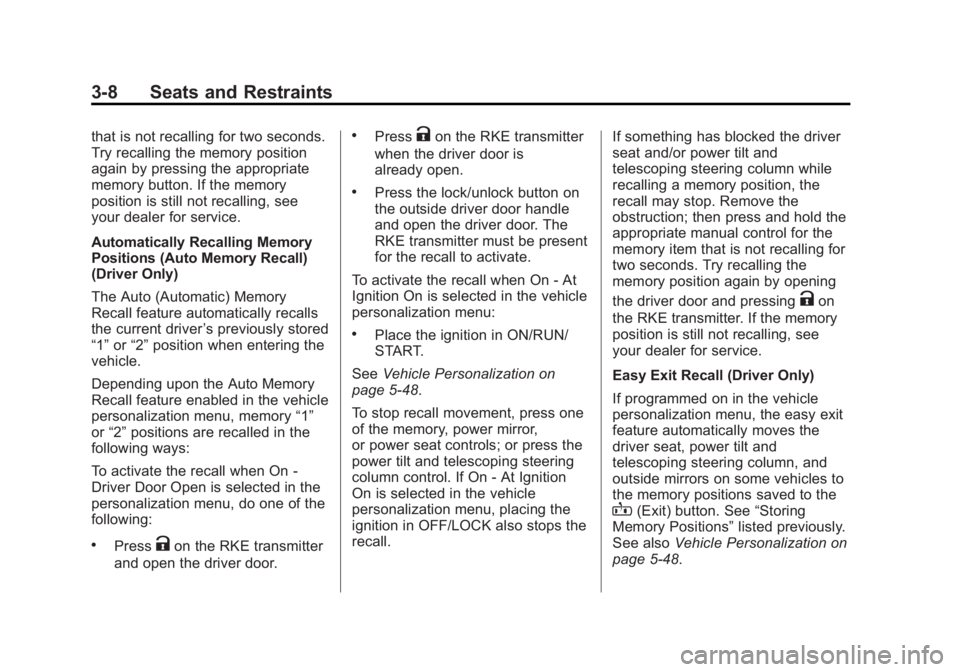
If equipped, the SET, "1," "2," and
B(Exit) buttons on the driver door
and front passenger door are used
to manually save and recall memory
settings for the driver and
passenger seats. The driver
memory buttons also store outside
mirror and power tilt and telescoping
steering column positions. Storing Memory Positions
To save positions to the
“1”and “2”
buttons:
1. Adjust the driver or passenger seat to the desired position.
If storing a driver position, also
adjust the outside mirrors and
the power tilt and telescoping
steering column
2. Press and release SET, then immediately press and hold “1”
until a beep sounds.
3. Repeat Steps 1 and 2 for a second driver using “2.”
To save positions to theB(Exit)
button and easy exit features:
1. Adjust the driver or passenger seat to the desired position for
getting out of the vehicle.
If storing a driver exit position,
also adjust the power tilt and
telescoping steering column and
the outside mirrors on some
vehicles. 2. Press and release SET, then
immediately press and hold
B
until a beep sounds.
Manually Recalling Memory
Positions
If the vehicle is off, or in ON/RUN/
START but not in P (Park), press
and hold "1," "2," or
Bto manually
recall the previously stored memory
positions. Releasing "1,” "2," or
B
before the stored positions are
reached stops the recall.
If the vehicle is in ON/RUN/START
and in P (Park), press and release
“1,” “2,”or
Bto manually recall the
previously stored memory positions.
Placing the ignition in OFF/LOCK
before the stored positions are
reached stops the recall.
If something has blocked the seat
and/or power tilt and telescoping
steering column while recalling a
memory position, the recall may
stop. Remove the obstruction; then
press and hold the appropriate
manual control for the memory item
Page 62 of 412
Black plate (8,1)Cadillac XTS Owner Manual (GMNA-Localizing-U.S./Canada-6006999) -
2014 - CRC - 9/11/13
3-8 Seats and Restraints
that is not recalling for two seconds.
Try recalling the memory position
again by pressing the appropriate
memory button. If the memory
position is still not recalling, see
your dealer for service.
Automatically Recalling Memory
Positions (Auto Memory Recall)
(Driver Only)
The Auto (Automatic) Memory
Recall feature automatically recalls
the current driver’s previously stored
“1” or“2” position when entering the
vehicle.
Depending upon the Auto Memory
Recall feature enabled in the vehicle
personalization menu, memory “1”
or “2” positions are recalled in the
following ways:
To activate the recall when On -
Driver Door Open is selected in the
personalization menu, do one of the
following:
.PressKon the RKE transmitter
and open the driver door.
.PressKon the RKE transmitter
when the driver door is
already open.
.Press the lock/unlock button on
the outside driver door handle
and open the driver door. The
RKE transmitter must be present
for the recall to activate.
To activate the recall when On - At
Ignition On is selected in the vehicle
personalization menu:
.Place the ignition in ON/RUN/
START.
See Vehicle Personalization on
page 5-48.
To stop recall movement, press one
of the memory, power mirror,
or power seat controls; or press the
power tilt and telescoping steering
column control. If On - At Ignition
On is selected in the vehicle
personalization menu, placing the
ignition in OFF/LOCK also stops the
recall. If something has blocked the driver
seat and/or power tilt and
telescoping steering column while
recalling a memory position, the
recall may stop. Remove the
obstruction; then press and hold the
appropriate manual control for the
memory item that is not recalling for
two seconds. Try recalling the
memory position again by opening
the driver door and pressing
Kon
the RKE transmitter. If the memory
position is still not recalling, see
your dealer for service.
Easy Exit Recall (Driver Only)
If programmed on in the vehicle
personalization menu, the easy exit
feature automatically moves the
driver seat, power tilt and
telescoping steering column, and
outside mirrors on some vehicles to
the memory positions saved to the
B(Exit) button. See “Storing
Memory Positions” listed previously.
See also Vehicle Personalization on
page 5-48.
Page 63 of 412
Black plate (9,1)Cadillac XTS Owner Manual (GMNA-Localizing-U.S./Canada-6006999) -
2014 - CRC - 9/11/13
Seats and Restraints 3-9
Easy exit recall automatically
activates when one of the following
occurs:
.The vehicle is turned off and the
driver door is opened within a
short time.
.The vehicle is turned off with the
driver door open.
If something has blocked the driver
seat and/or power tilt and
telescoping steering column while
recalling the exit position, the recall
may stop. Remove the obstruction;
then press and hold the appropriate
manual control for the exit feature
not recalling for two seconds. Try
recalling the exit position again.
If the exit position is still not
recalling, see your dealer for
service.
Heated and Ventilated
Front Seats
{Warning
If you cannot feel temperature
change or pain to the skin, the
seat heater may cause burns. To
reduce the risk of burns, people
with such a condition should use
care when using the seat heater,
especially for long periods of
time. Do not place anything on
the seat that insulates against
heat, such as a blanket, cushion,
cover, or similar item. This may
cause the seat heater to
overheat. An overheated seat
heater may cause a burn or may
damage the seat.
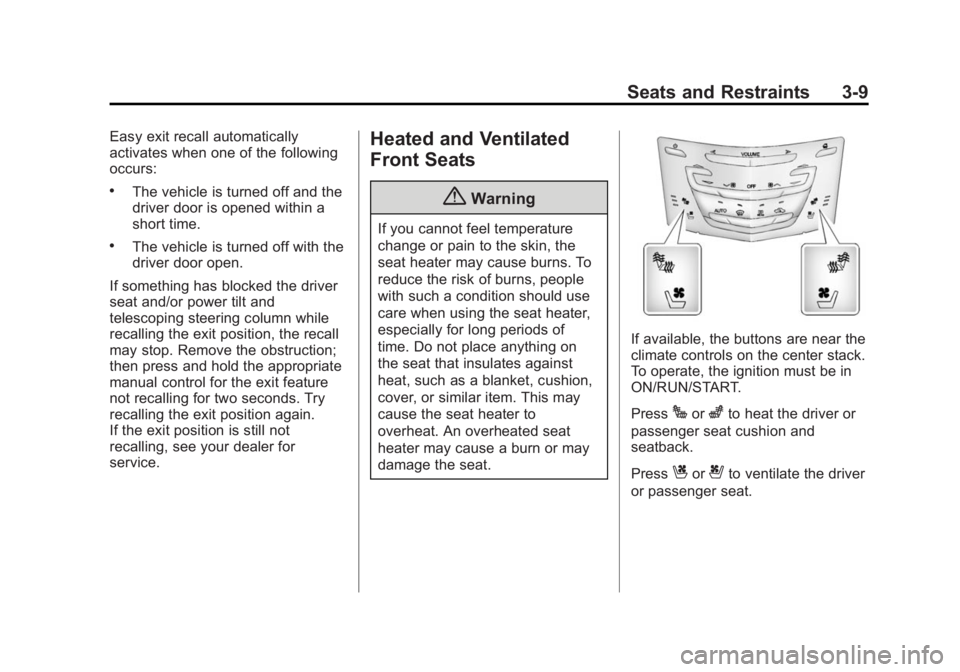
If available, the buttons are near the
climate controls on the center stack.
To operate, the ignition must be in
ON/RUN/START.
Press
Jorzto heat the driver or
passenger seat cushion and
seatback.
Press
Cor{to ventilate the driver
or passenger seat.
Page 72 of 412
Black plate (18,1)Cadillac XTS Owner Manual (GMNA-Localizing-U.S./Canada-6006999) -
2014 - CRC - 9/11/13
3-18 Seats and Restraints
After the height adjuster is set to the
desired position, try to move it down
without pressing the release button
to make sure it has locked into
position.
Safety Belt Pretensioners
This vehicle has safety belt
pretensioners for front outboard
occupants. Although the safety belt
pretensioners cannot be seen, they
are part of the safety belt assembly.
They can help tighten the safety
belts during the early stages of a
moderate to severe frontal, near
frontal, or rear crash if the threshold
conditions for pretensioner
activation are met. And, if the
vehicle has side impact airbags,
safety belt pretensioners can help
tighten the safety belts in a side
crash. If the vehicle has roof-rail
airbags, for the driver, front outboard
passenger, and second row
outboard passengers, the
pretensioners can tighten the safety
belts in a rollover event.Pretensioners work only once. If the
pretensioners activate in a crash,
the pretensioners and possibly other
parts of the safety belt system will
need to be replaced. See
Replacing
Safety Belt System Parts after a
Crash on page 3-21.Rear Safety Belt Comfort
Guides
This vehicle may have rear safety
belt comfort guides. If not, they are
available through your dealer. The
guides may provide added safety
belt comfort for older children who
have outgrown booster seats and
for some adults. When installed and
properly adjusted, the comfort guide
positions the belt away from the
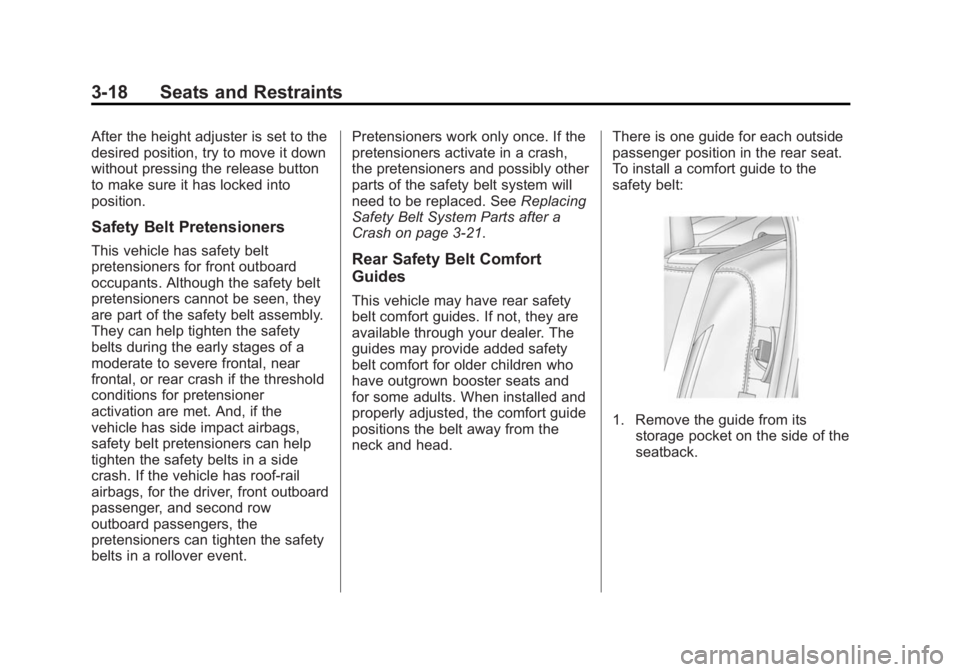
neck and head. There is one guide for each outside
passenger position in the rear seat.
To install a comfort guide to the
safety belt:
1. Remove the guide from its
storage pocket on the side of the
seatback.
Page 74 of 412
Black plate (20,1)Cadillac XTS Owner Manual (GMNA-Localizing-U.S./Canada-6006999) -
2014 - CRC - 9/11/13
3-20 Seats and Restraints
To remove and store the comfort
guide, squeeze the belt edges
together so that the safety belt can
be removed from the guide. Store
the guide in its storage pocket on
the side of the seatback.
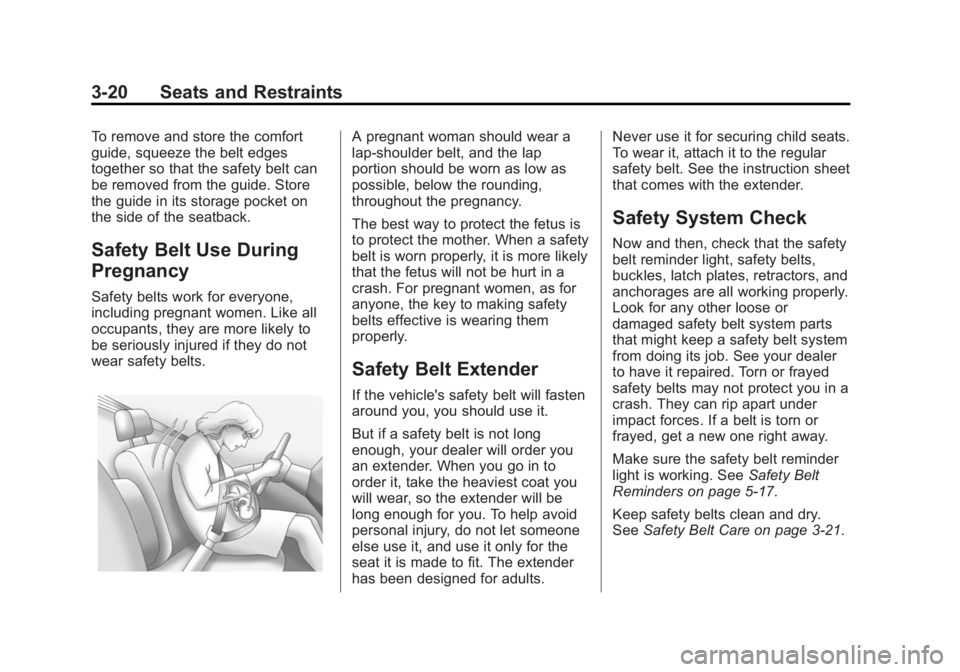
Safety Belt Use During
Pregnancy
Safety belts work for everyone,
including pregnant women. Like all
occupants, they are more likely to
be seriously injured if they do not
wear safety belts.
A pregnant woman should wear a
lap-shoulder belt, and the lap
portion should be worn as low as
possible, below the rounding,
throughout the pregnancy.
The best way to protect the fetus is
to protect the mother. When a safety
belt is worn properly, it is more likely
that the fetus will not be hurt in a
crash. For pregnant women, as for
anyone, the key to making safety
belts effective is wearing them
properly.
Safety Belt Extender
If the vehicle's safety belt will fasten
around you, you should use it.
But if a safety belt is not long
enough, your dealer will order you
an extender. When you go in to
order it, take the heaviest coat you
will wear, so the extender will be
long enough for you. To help avoid
personal injury, do not let someone
else use it, and use it only for the
seat it is made to fit. The extender
has been designed for adults.Never use it for securing child seats.
To wear it, attach it to the regular
safety belt. See the instruction sheet
that comes with the extender.
Safety System Check
Now and then, check that the safety
belt reminder light, safety belts,
buckles, latch plates, retractors, and
anchorages are all working properly.
Look for any other loose or
damaged safety belt system parts
that might keep a safety belt system
from doing its job. See your dealer
to have it repaired. Torn or frayed
safety belts may not protect you in a
crash. They can rip apart under
impact forces. If a belt is torn or
frayed, get a new one right away.
Make sure the safety belt reminder
light is working. See
Safety Belt
Reminders on page 5-17.
Keep safety belts clean and dry.
See Safety Belt Care on page 3-21.