instrument panel CADILLAC XTS 2016 1.G User Guide
[x] Cancel search | Manufacturer: CADILLAC, Model Year: 2016, Model line: XTS, Model: CADILLAC XTS 2016 1.GPages: 320, PDF Size: 2.07 MB
Page 79 of 320
Cadillac XTS Owner Manual (GMNA-Localizing-MidEast-9369806) - 2016 -
crc - 6/24/15
78 Seats and Restraints
happens, the off indicator will be
lit, and the airbag readiness light
on the instrument panel will also
be lit.
. Liquid pooled on the seat that
has not soaked in may make it
more likely that the passenger
sensing system will turn on the
passenger frontal airbag and
passenger knee airbag while a
child restraint or child occupant
is on the seat. If the passenger
frontal airbag and passenger
knee airbag are turned on, the
on indicator will be lit.
If the passenger seat gets wet, dry
the seat immediately. If the airbag
readiness light is lit, do not install a
child restraint or allow anyone to
occupy the seat. See Airbag
Readiness Light 0118 for important
safety information.
The on indicator may be lit if an
object, such as a briefcase,
handbag, grocery bag, laptop,
or other electronic device, is put on
an unoccupied seat. If this is not
desired, remove the object from
the seat.{Warning
Stowing of articles under the
passenger seat or between the
passenger seat cushion and
seatback may interfere with the
proper operation of the passenger
sensing system.
Servicing the
Airbag-Equipped Vehicle
Airbags affect how the vehicle
should be serviced. There are parts
of the airbag system in several
places around the vehicle. Your
dealer and the service manual have
information about servicing the
vehicle and the airbag system.
{Warning
For up to 10 seconds after the
vehicle is turned off and the
battery is disconnected, an airbag
can still inflate during improper
service. You can be injured if you
(Continued)
Warning (Continued)
are close to an airbag when it
inflates. Avoid yellow connectors.
They are probably part of the
airbag system. Be sure to follow
proper service procedures, and
make sure the person performing
work for you is qualified to do so.
Adding Equipment to the
Airbag-Equipped Vehicle
Adding accessories that change the
vehicle's frame, bumper system,
height, front end, or side sheet
metal, may keep the airbag system
from working properly. The
operation of the airbag system can
also be affected by changing or
moving any parts of the front seats,
safety belts, the airbag sensing and
diagnostic module, steering wheel,
instrument panel, any airbag
module, ceiling or pillar garnish trim,
overhead console, front sensors,
side impact sensors, or airbag
wiring.
Page 99 of 320
Cadillac XTS Owner Manual (GMNA-Localizing-MidEast-9369806) - 2016 -
crc - 6/24/15
98 Storage
Storage
Storage Compartments
Storage Compartments . . . . . . . . 98
Instrument Panel Storage . . . . . . 98
Glove Box . . . . . . . . . . . . . . . . . . . . . 99
Armrest Storage . . . . . . . . . . . . . . . 99
Center Console Storage . . . . . . . 99
Additional Storage Features
Cargo Tie-Downs . . . . . . . . . . . . . 100
Cargo ManagementSystem . . . . . . . . . . . . . . . . . . . . . . 101
Convenience Net . . . . . . . . . . . . . 101
Storage
Compartments
{Warning
Do not store heavy or sharp
objects in storage compartments.
In a crash, these objects may
cause the cover to open and
could result in injury.
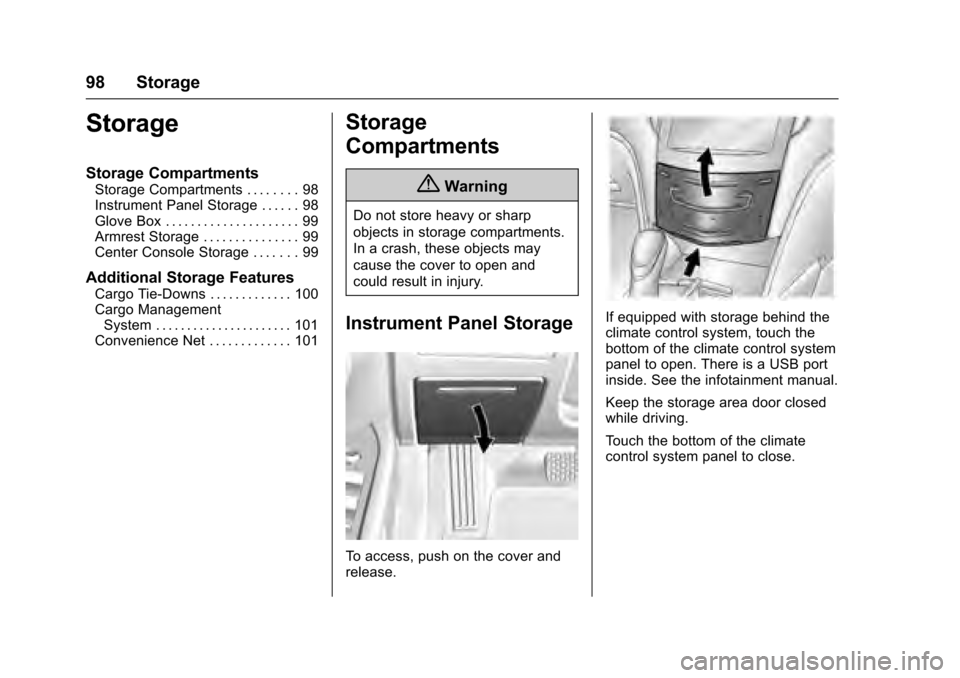
Instrument Panel Storage
To access, push on the cover and
release.
If equipped with storage behind the
climate control system, touch the
bottom of the climate control system
panel to open. There is a USB port
inside. See the infotainment manual.
Keep the storage area door closed
while driving.
Touch the bottom of the climate
control system panel to close.
Page 109 of 320
Cadillac XTS Owner Manual (GMNA-Localizing-MidEast-9369806) - 2016 -
crc - 6/24/15
108 Instruments and Controls
microcomputer-controlled
electric blankets, touch sensor
lamps, etc.
. Medical equipment.
Wireless Charging
The vehicle may have wireless
charging in the storage behind the
climate control system. See
Instrument Panel Storage 098. The
system wirelessly charges one PMA
or Qi compatible mobile device. To
check for phone or other device
compatibility, see
www.gmtotalconnect.com.
{Warning
Wireless charging can affect the
operation of an implanted
pacemaker or other medical
devices. If you have one, it is
recommended to consult with
your doctor before using the
wireless charging system.
The vehicle must be in ON/RUN/
START, ACC/ACCESSORY,
or Retained Accessory Power (RAP). The wireless charging
feature may not correctly indicate
charging when the vehicle is in RAP.
See
Retained Accessory Power
(RAP) 0184.
The operating temperature is −20 °C
(−4 °F) to 60 °C (140 °F) for the
charging system and 0 °C (32 °F) to
35 °C (95 °F) for the phone.
{Warning
Remove all metal objects from the
charging pad before charging
your mobile device. Metal objects,
such as coins, keys, rings,
or paper clips, between the phone
and charging pad will become
very hot. On the rare occasion
that the charging system does not
detect a metal object, and the
object gets wedged between the
phone and charger, remove the
phone and allow the metallic
object to cool before removing it
from the charging pad, to prevent
burns.
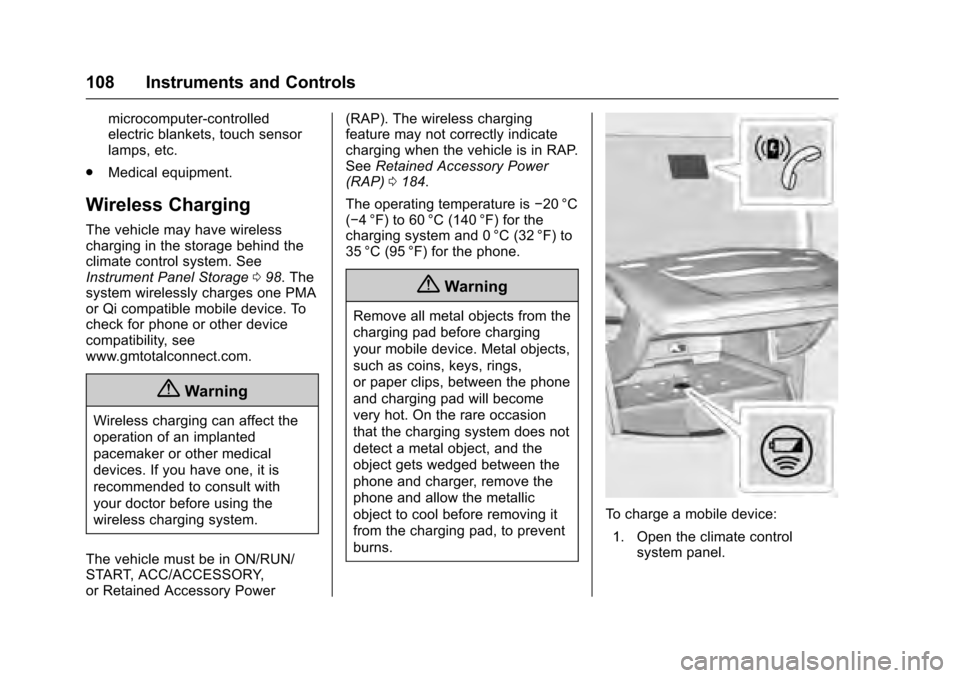
To charge a mobile device:
1. Open the climate control system panel.
Page 122 of 320
Cadillac XTS Owner Manual (GMNA-Localizing-MidEast-9369806) - 2016 -
crc - 6/24/15
Instruments and Controls 121
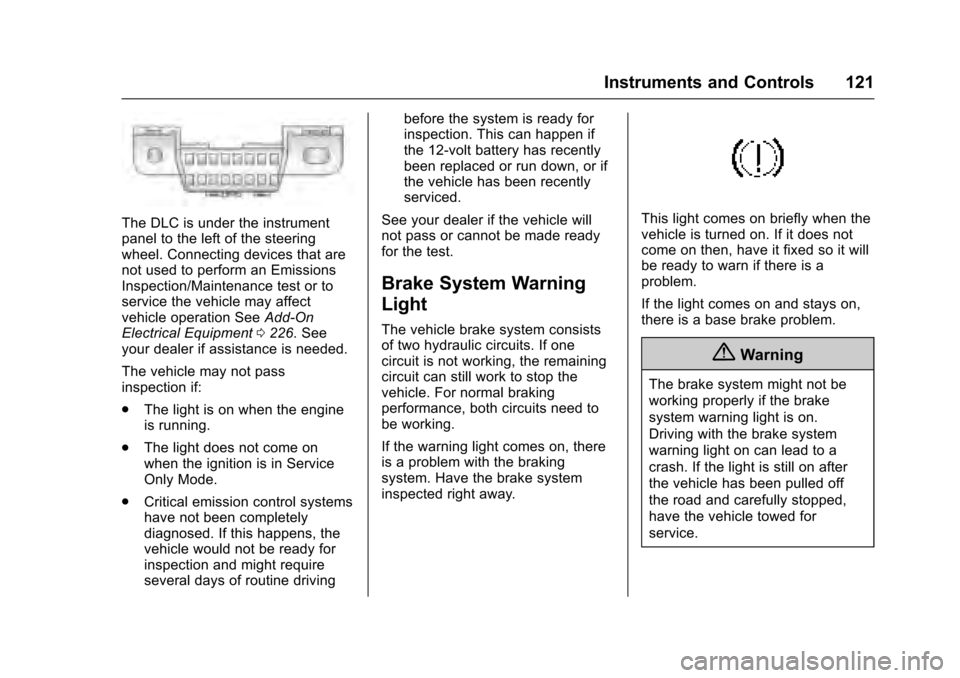
The DLC is under the instrument
panel to the left of the steering
wheel. Connecting devices that are
not used to perform an Emissions
Inspection/Maintenance test or to
service the vehicle may affect
vehicle operation SeeAdd-On
Electrical Equipment 0226. See
your dealer if assistance is needed.
The vehicle may not pass
inspection if:
. The light is on when the engine
is running.
. The light does not come on
when the ignition is in Service
Only Mode.
. Critical emission control systems
have not been completely
diagnosed. If this happens, the
vehicle would not be ready for
inspection and might require
several days of routine driving before the system is ready for
inspection. This can happen if
the 12-volt battery has recently
been replaced or run down, or if
the vehicle has been recently
serviced.
See your dealer if the vehicle will
not pass or cannot be made ready
for the test.
Brake System Warning
Light
The vehicle brake system consists
of two hydraulic circuits. If one
circuit is not working, the remaining
circuit can still work to stop the
vehicle. For normal braking
performance, both circuits need to
be working.
If the warning light comes on, there
is a problem with the braking
system. Have the brake system
inspected right away.
This light comes on briefly when the
vehicle is turned on. If it does not
come on then, have it fixed so it will
be ready to warn if there is a
problem.
If the light comes on and stays on,
there is a base brake problem.
{Warning
The brake system might not be
working properly if the brake
system warning light is on.
Driving with the brake system
warning light on can lead to a
crash. If the light is still on after
the vehicle has been pulled off
the road and carefully stopped,
have the vehicle towed for
service.
Page 132 of 320
Cadillac XTS Owner Manual (GMNA-Localizing-MidEast-9369806) - 2016 -
crc - 6/24/15
Instruments and Controls 131
other than when the oil has just
been changed. It cannot be reset
accurately until the next oil change.
To reset the engine oil life system,
press and hold SEL for several
seconds while the Oil Life display is
active. SeeEngine Oil Life System
0 236.
Tire Pressure : Shows the
approximate pressures of all four
tires. Tire pressure is displayed in
either kilopascal (kPa) or in pounds
per square inch (psi). If the pressure
is low, the value for that tire is
shown in amber. See Tire Pressure
Monitor System 0265 andTire
Pressure Monitor Operation 0266.
Vehicle Odometer (Base
Cluster) : Shows the odometer.
Blank Page : Allows for no
information to be displayed in the
cluster info display areas.Head-Up Display (HUD)
{Warning
If the HUD image is too bright or
too high in your field of view, it
may take you more time to see
things you need to see when it is
dark outside. Be sure to keep the
HUD image dim and placed low in
your field of view.
If equipped with HUD, some
information concerning the
operation of the vehicle is projected
onto the windshield. The image is
projected through the HUD lens on
top of the instrument panel. The
information appears as an image
focused out toward the front of the
vehicle.
Caution
If you try to use the HUD image
as a parking aid, you may
misjudge the distance and
damage your vehicle. Do not use
the HUD image as a parking aid.
The HUD information can be
displayed in various languages. The
speedometer reading and other
numerical values can be displayed
in either English or metric units.
The language selection is changed
through the radio and the units of
measurement is changed through
the instrument cluster. See Vehicle
Personalization 0145 and“Cluster
Settings Menu” underInstrument
Cluster 0111.
Page 153 of 320
Cadillac XTS Owner Manual (GMNA-Localizing-MidEast-9369806) - 2016 -
crc - 6/24/15
152 Lighting
Lighting
Exterior Lighting
Exterior Lamp Controls . . . . . . . 152
Exterior Lamps OffReminder . . . . . . . . . . . . . . . . . . . 154
Headlamp High/Low-Beam Changer . . . . . . . . . . . . . . . . . . . . 154
Flash-to-Pass . . . . . . . . . . . . . . . . 154
Daytime Running Lamps (DRL) . . . . . . . . . . . . . . . 154
Automatic Headlamp System . . . . . . . . . . . . . . . . . . . . . . 155
Adaptive Forward Lighting (AFL) . . . . . . . . . . . . . . . 155
Hazard Warning Flashers . . . . . 156
Turn and Lane-Change Signals . . . . . . . . . . . . . . . . . . . . . . 156
Interior Lighting
Instrument Panel IlluminationControl . . . . . . . . . . . . . . . . . . . . . . 157
Courtesy Lamps . . . . . . . . . . . . . . 157
Dome Lamps . . . . . . . . . . . . . . . . . 157
Reading Lamps . . . . . . . . . . . . . . 157
Lighting Features
Entry Lighting . . . . . . . . . . . . . . . . 158
Exit Lighting . . . . . . . . . . . . . . . . . . 158
Battery Power Protection . . . . . 158 Exterior Lighting Battery
Saver . . . . . . . . . . . . . . . . . . . . . . . 159
Exterior Lighting
Exterior Lamp Controls
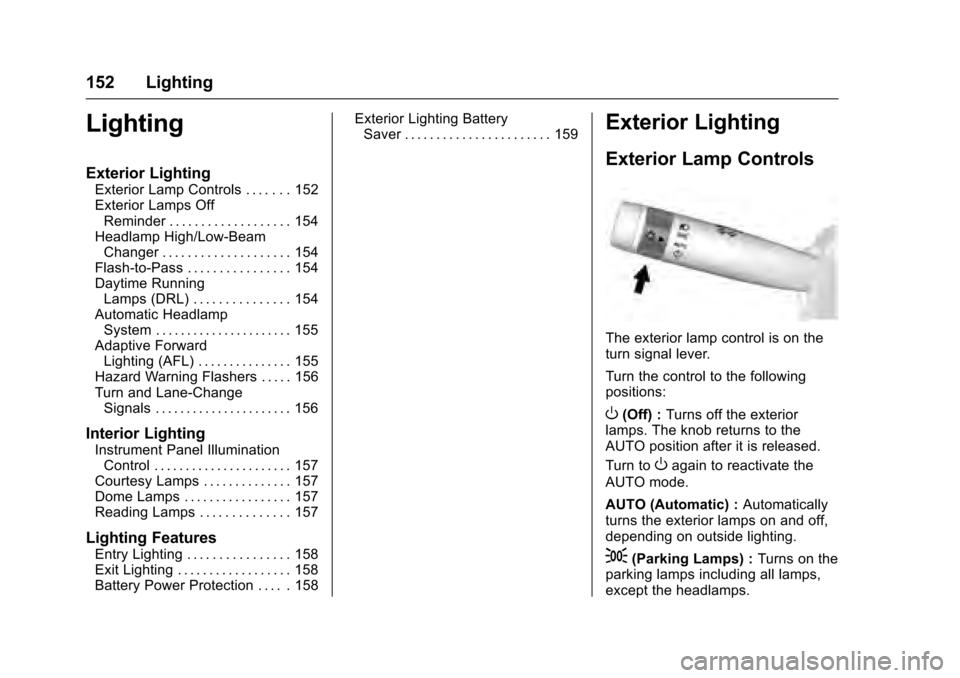
The exterior lamp control is on the
turn signal lever.
Turn the control to the following
positions:
O(Off) : Turns off the exterior
lamps. The knob returns to the
AUTO position after it is released.
Turn to
Oagain to reactivate the
AUTO mode.
AUTO (Automatic) : Automatically
turns the exterior lamps on and off,
depending on outside lighting.
;(Parking Lamps) : Turns on the
parking lamps including all lamps,
except the headlamps.
Page 154 of 320
Cadillac XTS Owner Manual (GMNA-Localizing-MidEast-9369806) - 2016 -
crc - 6/24/15
Lighting 153
2(Headlamps) :Turns on the
headlamps together with the parking
lamps and instrument panel lights.
IntelliBeam®System
If equipped, this system turns the
vehicle's high-beam headlamps on
and off according to surrounding
traffic conditions.
The system turns the high-beam
headlamps on when it is dark
enough and there is no other traffic
present.
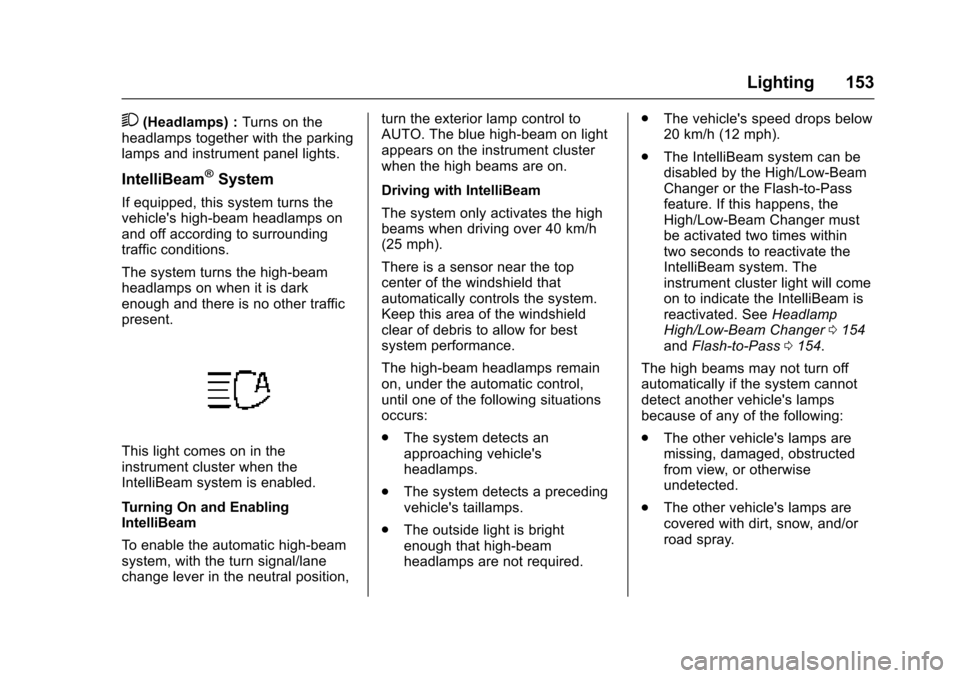
This light comes on in the
instrument cluster when the
IntelliBeam system is enabled.
Turning On and Enabling
IntelliBeam
To enable the automatic high-beam
system, with the turn signal/lane
change lever in the neutral position, turn the exterior lamp control to
AUTO. The blue high-beam on light
appears on the instrument cluster
when the high beams are on.
Driving with IntelliBeam
The system only activates the high
beams when driving over 40 km/h
(25 mph).
There is a sensor near the top
center of the windshield that
automatically controls the system.
Keep this area of the windshield
clear of debris to allow for best
system performance.
The high-beam headlamps remain
on, under the automatic control,
until one of the following situations
occurs:
.
The system detects an
approaching vehicle's
headlamps.
. The system detects a preceding
vehicle's taillamps.
. The outside light is bright
enough that high-beam
headlamps are not required. .
The vehicle's speed drops below
20 km/h (12 mph).
. The IntelliBeam system can be
disabled by the High/Low-Beam
Changer or the Flash-to-Pass
feature. If this happens, the
High/Low-Beam Changer must
be activated two times within
two seconds to reactivate the
IntelliBeam system. The
instrument cluster light will come
on to indicate the IntelliBeam is
reactivated. See Headlamp
High/Low-Beam Changer 0154
and Flash-to-Pass 0154.
The high beams may not turn off
automatically if the system cannot
detect another vehicle's lamps
because of any of the following:
. The other vehicle's lamps are
missing, damaged, obstructed
from view, or otherwise
undetected.
. The other vehicle's lamps are
covered with dirt, snow, and/or
road spray.
Page 156 of 320
Cadillac XTS Owner Manual (GMNA-Localizing-MidEast-9369806) - 2016 -
crc - 6/24/15
Lighting 155
Automatic Headlamp
System
When the exterior lamp control is
set to AUTO and it is dark enough
outside, the headlamps come on
automatically.
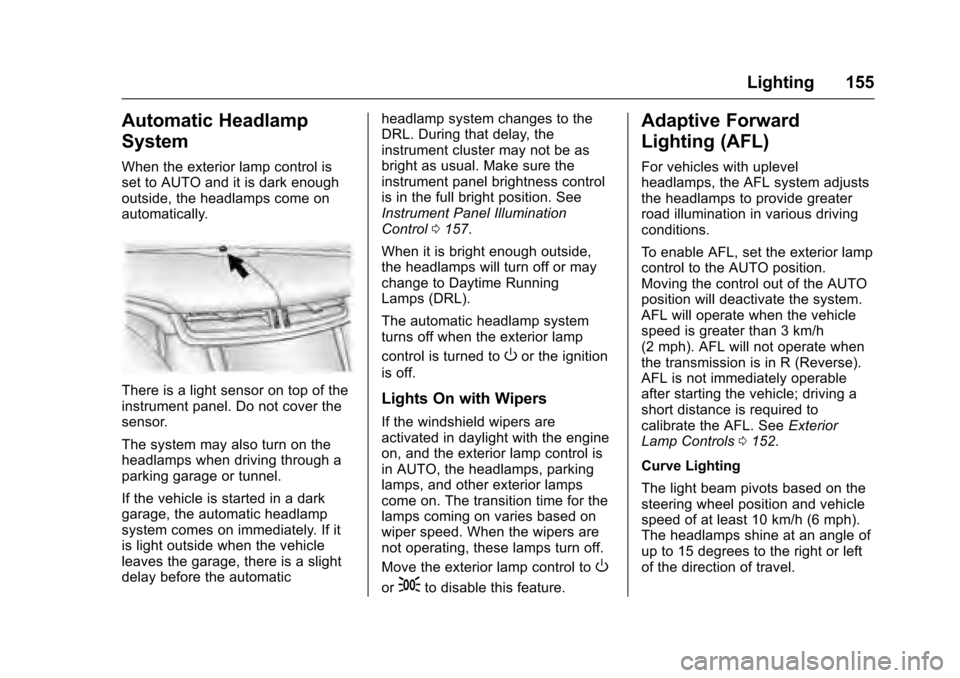
There is a light sensor on top of the
instrument panel. Do not cover the
sensor.
The system may also turn on the
headlamps when driving through a
parking garage or tunnel.
If the vehicle is started in a dark
garage, the automatic headlamp
system comes on immediately. If it
is light outside when the vehicle
leaves the garage, there is a slight
delay before the automaticheadlamp system changes to the
DRL. During that delay, the
instrument cluster may not be as
bright as usual. Make sure the
instrument panel brightness control
is in the full bright position. See
Instrument Panel Illumination
Control
0157.
When it is bright enough outside,
the headlamps will turn off or may
change to Daytime Running
Lamps (DRL).
The automatic headlamp system
turns off when the exterior lamp
control is turned to
Oor the ignition
is off.
Lights On with Wipers
If the windshield wipers are
activated in daylight with the engine
on, and the exterior lamp control is
in AUTO, the headlamps, parking
lamps, and other exterior lamps
come on. The transition time for the
lamps coming on varies based on
wiper speed. When the wipers are
not operating, these lamps turn off.
Move the exterior lamp control to
O
or;to disable this feature.
Adaptive Forward
Lighting (AFL)
For vehicles with uplevel
headlamps, the AFL system adjusts
the headlamps to provide greater
road illumination in various driving
conditions.
To enable AFL, set the exterior lamp
control to the AUTO position.
Moving the control out of the AUTO
position will deactivate the system.
AFL will operate when the vehicle
speed is greater than 3 km/h
(2 mph). AFL will not operate when
the transmission is in R (Reverse).
AFL is not immediately operable
after starting the vehicle; driving a
short distance is required to
calibrate the AFL. See Exterior
Lamp Controls 0152.
Curve Lighting
The light beam pivots based on the
steering wheel position and vehicle
speed of at least 10 km/h (6 mph).
The headlamps shine at an angle of
up to 15 degrees to the right or left
of the direction of travel.
Page 158 of 320
Cadillac XTS Owner Manual (GMNA-Localizing-MidEast-9369806) - 2016 -
crc - 6/24/15
Lighting 157
Interior Lighting
Instrument Panel
Illumination Control
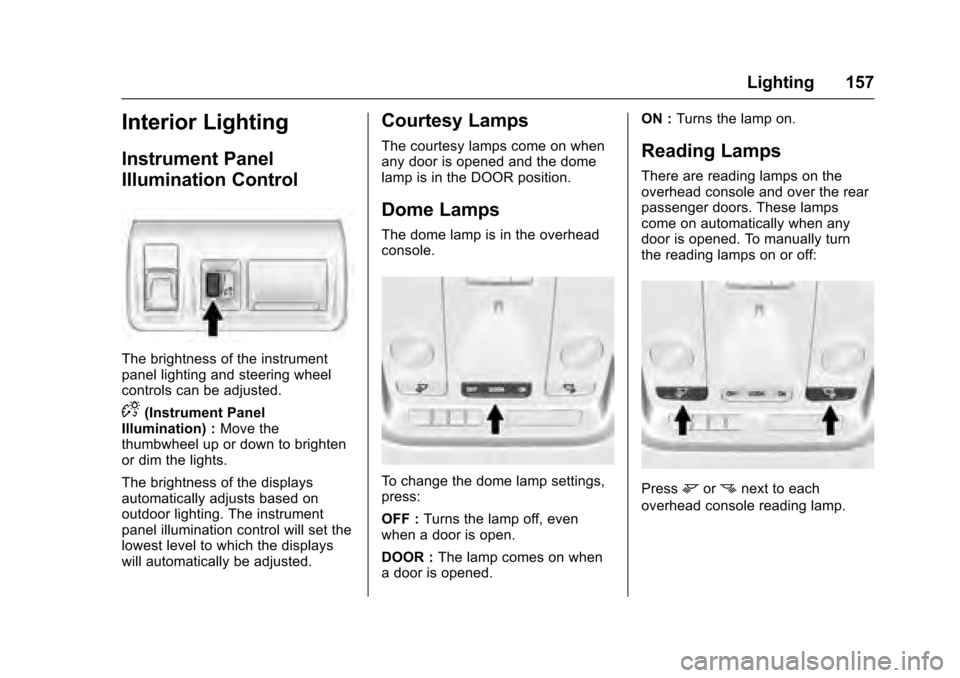
The brightness of the instrument
panel lighting and steering wheel
controls can be adjusted.
D(Instrument Panel
Illumination) : Move the
thumbwheel up or down to brighten
or dim the lights.
The brightness of the displays
automatically adjusts based on
outdoor lighting. The instrument
panel illumination control will set the
lowest level to which the displays
will automatically be adjusted.
Courtesy Lamps
The courtesy lamps come on when
any door is opened and the dome
lamp is in the DOOR position.
Dome Lamps
The dome lamp is in the overhead
console.
To change the dome lamp settings,
press:
OFF : Turns the lamp off, even
when a door is open.
DOOR : The lamp comes on when
a door is opened. ON :
Turns the lamp on.
Reading Lamps
There are reading lamps on the
overhead console and over the rear
passenger doors. These lamps
come on automatically when any
door is opened. To manually turn
the reading lamps on or off:
Pressmornnext to each
overhead console reading lamp.
Page 164 of 320
Cadillac XTS Owner Manual (GMNA-Localizing-MidEast-9369806) - 2016 -
crc - 6/24/15
Climate Controls 163
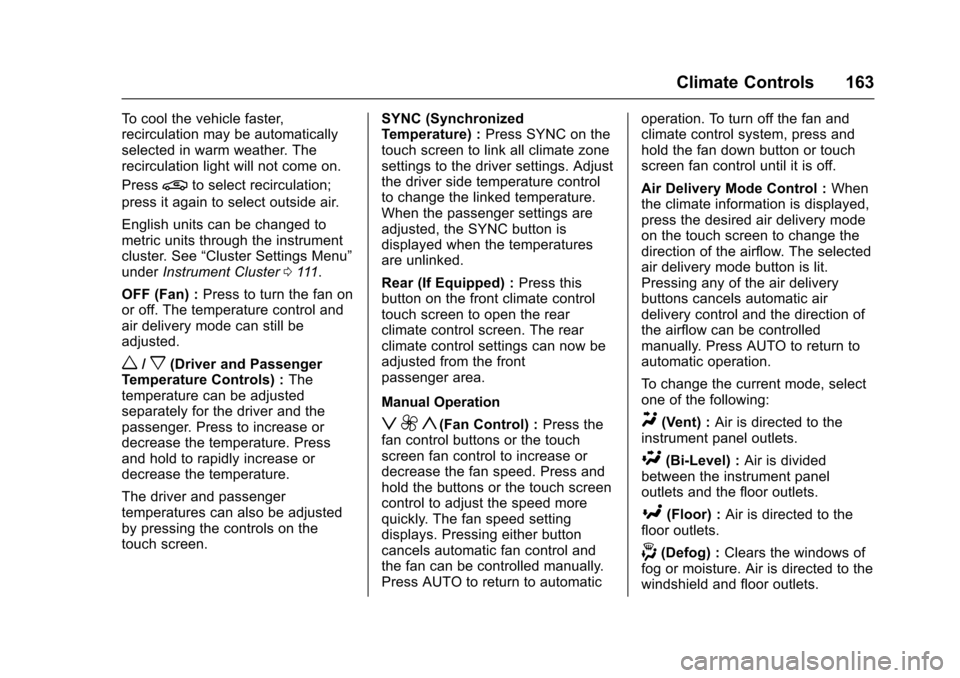
To cool the vehicle faster,
recirculation may be automatically
selected in warm weather. The
recirculation light will not come on.
Press
@to select recirculation;
press it again to select outside air.
English units can be changed to
metric units through the instrument
cluster. See “Cluster Settings Menu”
under Instrument Cluster 0111.
OFF (Fan) : Press to turn the fan on
or off. The temperature control and
air delivery mode can still be
adjusted.
w/x(Driver and Passenger
Temperature Controls) : The
temperature can be adjusted
separately for the driver and the
passenger. Press to increase or
decrease the temperature. Press
and hold to rapidly increase or
decrease the temperature.
The driver and passenger
temperatures can also be adjusted
by pressing the controls on the
touch screen. SYNC (Synchronized
Temperature) :
Press SYNC on the
touch screen to link all climate zone
settings to the driver settings. Adjust
the driver side temperature control
to change the linked temperature.
When the passenger settings are
adjusted, the SYNC button is
displayed when the temperatures
are unlinked.
Rear (If Equipped) : Press this
button on the front climate control
touch screen to open the rear
climate control screen. The rear
climate control settings can now be
adjusted from the front
passenger area.
Manual Operation
z 9 y(Fan Control) : Press the
fan control buttons or the touch
screen fan control to increase or
decrease the fan speed. Press and
hold the buttons or the touch screen
control to adjust the speed more
quickly. The fan speed setting
displays. Pressing either button
cancels automatic fan control and
the fan can be controlled manually.
Press AUTO to return to automatic operation. To turn off the fan and
climate control system, press and
hold the fan down button or touch
screen fan control until it is off.
Air Delivery Mode Control :
When
the climate information is displayed,
press the desired air delivery mode
on the touch screen to change the
direction of the airflow. The selected
air delivery mode button is lit.
Pressing any of the air delivery
buttons cancels automatic air
delivery control and the direction of
the airflow can be controlled
manually. Press AUTO to return to
automatic operation.
To change the current mode, select
one of the following:Y(Vent) : Air is directed to the
instrument panel outlets.
\(Bi-Level) : Air is divided
between the instrument panel
outlets and the floor outlets.
[(Floor) : Air is directed to the
floor outlets.
-(Defog) : Clears the windows of
fog or moisture. Air is directed to the
windshield and floor outlets.