ignition CADILLAC XTS 2017 1.G User Guide
[x] Cancel search | Manufacturer: CADILLAC, Model Year: 2017, Model line: XTS, Model: CADILLAC XTS 2017 1.GPages: 314, PDF Size: 3.71 MB
Page 34 of 314
Cadillac XTS Owner Manual (GMNA-Localizing-MidEast-10292881) - 2017 -
crc - 7/1/16
KEYS, DOORS, AND WINDOWS 33
Conditions in Which Remote Start
Will Not Work
The remote start will not operate if
any of the following occur:
.The ignition is in any mode other
than OFF.
. The transmitter is in the vehicle.
. The hood is not closed.
. The hazard warning flashers
are on.
. There is an emission control
system malfunction.
. The engine coolant temperature is
too high.
. The oil pressure is low.
. Two remote vehicle starts or a
start with an extension have
already been used.
. The vehicle is not in P (Park).Door Locks
{Warning
Unlocked doors can be dangerous.
. Passengers, especially
children, can easily open the
doors and fall out of a moving
vehicle. The chance of being
thrown out of the vehicle in a
crash is increased if the doors
are not locked. So, all
passengers should wear safety
belts properly and the doors
should be locked whenever
the vehicle is driven.
. Young children who get into
unlocked vehicles may be
unable to get out. A child can
be overcome by extreme heat
and can suffer permanent
injuries or even death from
heat stroke. Always lock the
vehicle whenever leaving it.
. Outsiders can easily enter
through an unlocked door
when slowing or stopping the
(Continued)
Warning (Continued)
vehicle. Lock the doors to
help prevent this from
happening.
Inside the Vehicle
On the rear doors, push down on the
door lock knob to lock the door
manually. Pull once on the door
handle to unlock the door and again
to open the door.
Press the power door lock switch to
lock or unlock all doors automatically.
See Power Door Locks 035.
Outside the Vehicle
Use the Remote Keyless Entry (RKE)
transmitter, the key cylinder on the
driver front door, or the key cylinder
on the passenger front door,
if equipped. The key cylinder is
covered with a cap.
Page 36 of 314
Cadillac XTS Owner Manual (GMNA-Localizing-MidEast-10292881) - 2017 -
crc - 7/1/16
KEYS, DOORS, AND WINDOWS 35
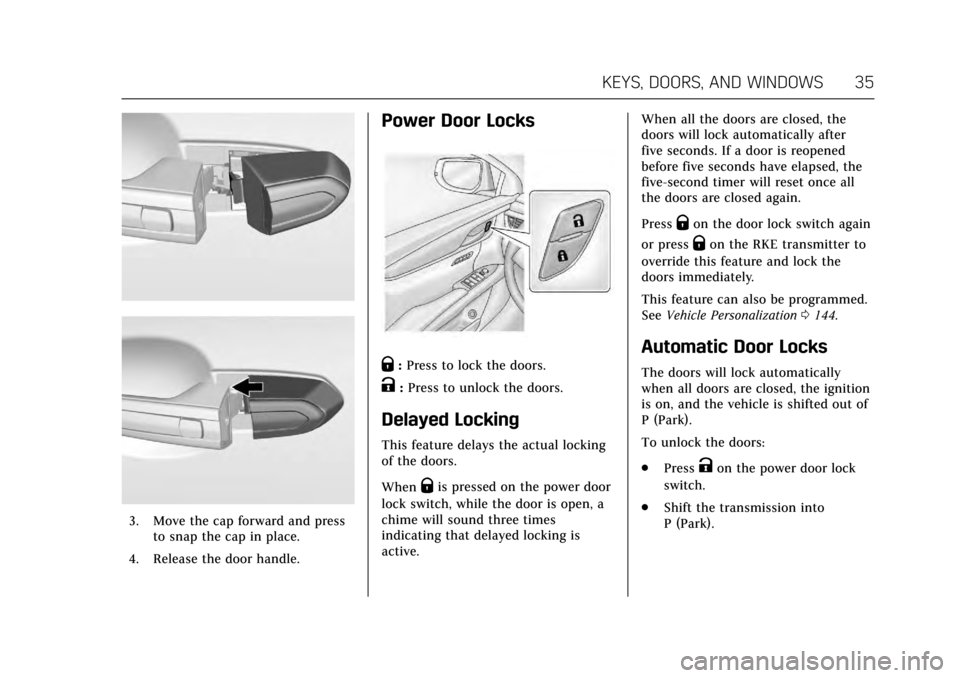
3. Move the cap forward and pressto snap the cap in place.
4. Release the door handle.
Power Door Locks
Q: Press to lock the doors.
K:Press to unlock the doors.
Delayed Locking
This feature delays the actual locking
of the doors.
When
Qis pressed on the power door
lock switch, while the door is open, a
chime will sound three times
indicating that delayed locking is
active. When all the doors are closed, the
doors will lock automatically after
five seconds. If a door is reopened
before five seconds have elapsed, the
five-second timer will reset once all
the doors are closed again.
Press
Qon the door lock switch again
or press
Qon the RKE transmitter to
override this feature and lock the
doors immediately.
This feature can also be programmed.
See Vehicle Personalization 0144.
Automatic Door Locks
The doors will lock automatically
when all doors are closed, the ignition
is on, and the vehicle is shifted out of
P (Park).
To unlock the doors:
.
Press
Kon the power door lock
switch.
. Shift the transmission into
P (Park).
Page 41 of 314
Cadillac XTS Owner Manual (GMNA-Localizing-MidEast-10292881) - 2017 -
crc - 7/1/16
40 KEYS, DOORS, AND WINDOWS
To avoid setting off the alarm by
accident:
.Lock the vehicle after all
occupants have left the vehicle
and all doors are closed.
. Always unlock a door with the
RKE transmitter or use the Keyless
Access system.
Unlocking the driver door with the key
will not disarm the system or turn off
the alarm.
How to Detect a Tamper
Condition
IfKis pressed and the horn chirps
and the lights flash three times, the
alarm was activated while the alarm
system was armed.
If the alarm system has been
activated, a message will appear on
the DIC. See Security Messages 0141.
Immobilizer Operation
This vehicle has a passive
theft-deterrent system.
The system does not have to be
manually armed or disarmed. The vehicle is automatically
immobilized when the vehicle is
turned off.
The immobilization system is
disarmed when the pushbutton start
is activated to enter the ACC/
ACCESSORY mode or the ON/RUN/
START mode and a valid transmitter
is present in the vehicle.
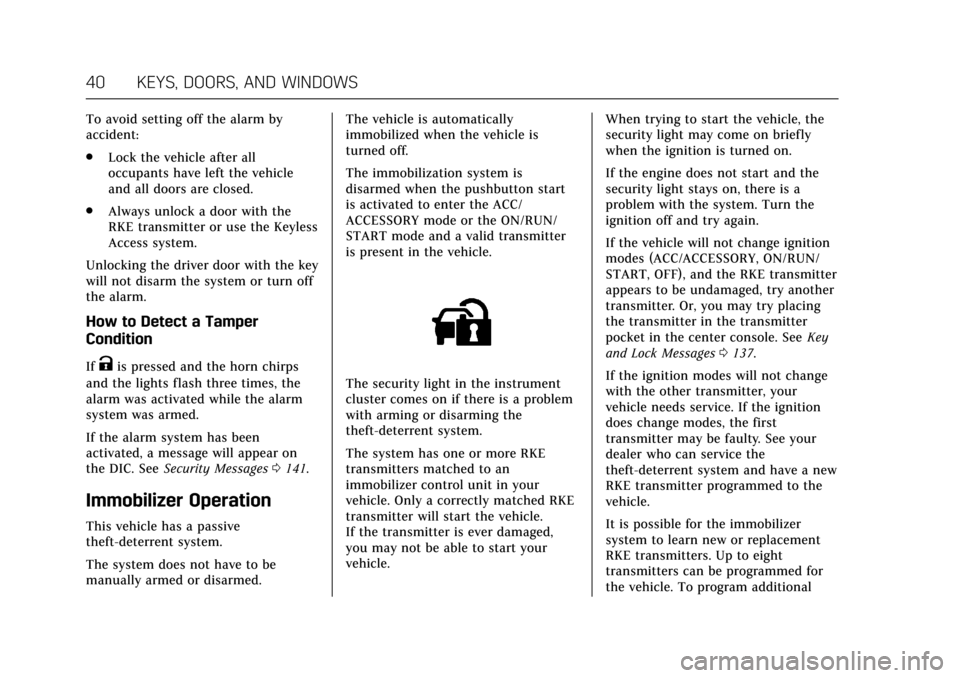
The security light in the instrument
cluster comes on if there is a problem
with arming or disarming the
theft-deterrent system.
The system has one or more RKE
transmitters matched to an
immobilizer control unit in your
vehicle. Only a correctly matched RKE
transmitter will start the vehicle.
If the transmitter is ever damaged,
you may not be able to start your
vehicle.
When trying to start the vehicle, the
security light may come on briefly
when the ignition is turned on.
If the engine does not start and the
security light stays on, there is a
problem with the system. Turn the
ignition off and try again.
If the vehicle will not change ignition
modes (ACC/ACCESSORY, ON/RUN/
START, OFF), and the RKE transmitter
appears to be undamaged, try another
transmitter. Or, you may try placing
the transmitter in the transmitter
pocket in the center console. See
Key
and Lock Messages 0137.
If the ignition modes will not change
with the other transmitter, your
vehicle needs service. If the ignition
does change modes, the first
transmitter may be faulty. See your
dealer who can service the
theft-deterrent system and have a new
RKE transmitter programmed to the
vehicle.
It is possible for the immobilizer
system to learn new or replacement
RKE transmitters. Up to eight
transmitters can be programmed for
the vehicle. To program additional
Page 43 of 314
Cadillac XTS Owner Manual (GMNA-Localizing-MidEast-10292881) - 2017 -
crc - 7/1/16
42 KEYS, DOORS, AND WINDOWS
Memory Mirrors
The vehicle may have memory
mirrors. SeeMemory Seats 057.
Side Blind Zone Alert (SBZA)
The vehicle may have SBZA. See Side
Blind Zone Alert (SBZA) 0210.
Turn Signal Indicator
The vehicle has a turn signal indicator
on the mirror housings. The indicator
will flash when a turn signal or the
hazard warning flashers are used.
Folding Mirrors
Manual Folding Mirrors
The mirrors can be folded inward
toward the vehicle to prevent damage
when going through an automatic car
wash. Push the mirror outward to
return it to the original position.
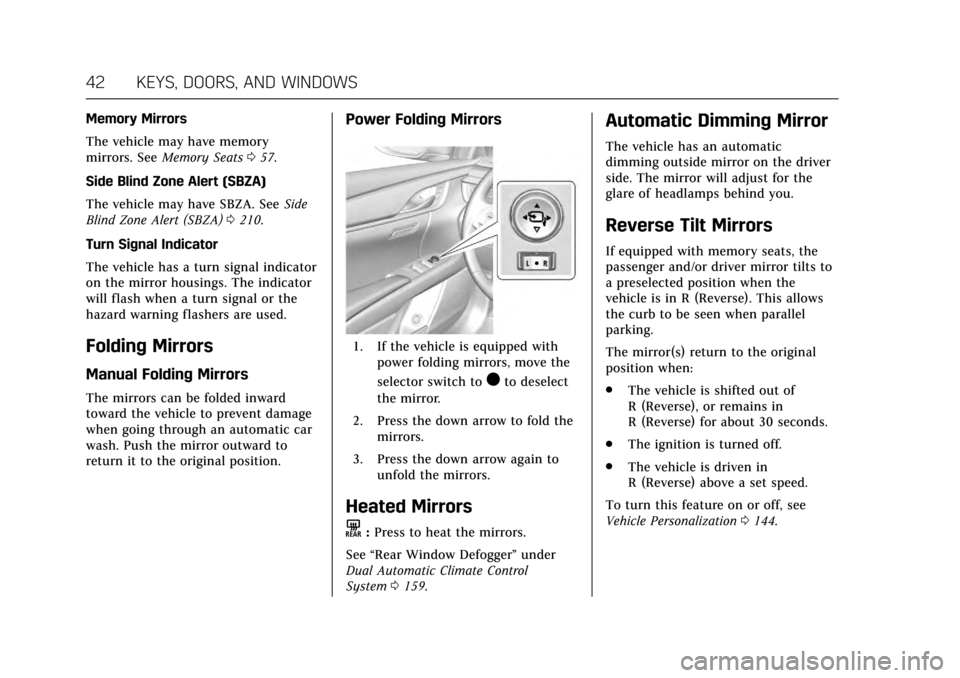
Power Folding Mirrors
1. If the vehicle is equipped with power folding mirrors, move the
selector switch to
)to deselect
the mirror.
2. Press the down arrow to fold the mirrors.
3. Press the down arrow again to unfold the mirrors.
Heated Mirrors
K
:Press to heat the mirrors.
See “Rear Window Defogger” under
Dual Automatic Climate Control
System 0159.
Automatic Dimming Mirror
The vehicle has an automatic
dimming outside mirror on the driver
side. The mirror will adjust for the
glare of headlamps behind you.
Reverse Tilt Mirrors
If equipped with memory seats, the
passenger and/or driver mirror tilts to
a preselected position when the
vehicle is in R (Reverse). This allows
the curb to be seen when parallel
parking.
The mirror(s) return to the original
position when:
.
The vehicle is shifted out of
R (Reverse), or remains in
R (Reverse) for about 30 seconds.
. The ignition is turned off.
. The vehicle is driven in
R (Reverse) above a set speed.
To turn this feature on or off, see
Vehicle Personalization 0144.
Page 45 of 314
Cadillac XTS Owner Manual (GMNA-Localizing-MidEast-10292881) - 2017 -
crc - 7/1/16
44 KEYS, DOORS, AND WINDOWS
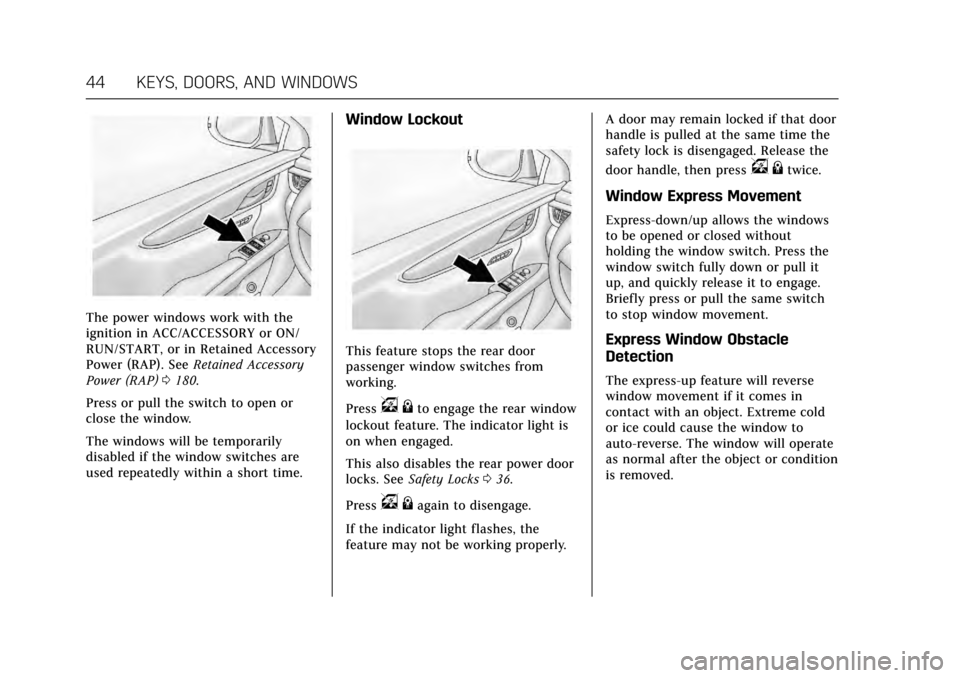
The power windows work with the
ignition in ACC/ACCESSORY or ON/
RUN/START, or in Retained Accessory
Power (RAP). SeeRetained Accessory
Power (RAP) 0180.
Press or pull the switch to open or
close the window.
The windows will be temporarily
disabled if the window switches are
used repeatedly within a short time.
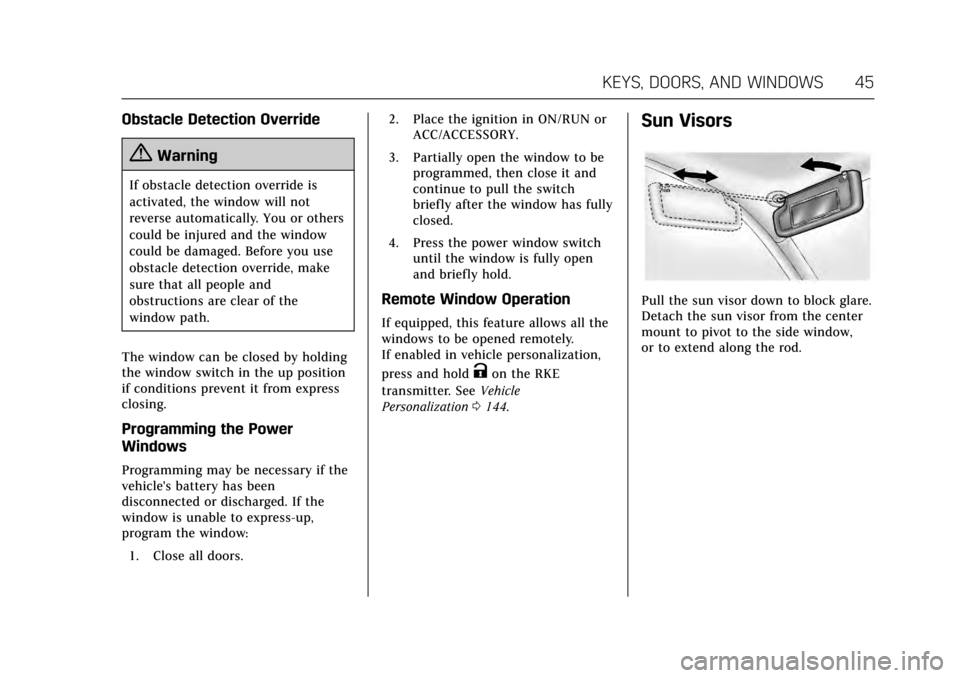
Window Lockout
This feature stops the rear door
passenger window switches from
working.
Press
v {to engage the rear window
lockout feature. The indicator light is
on when engaged.
This also disables the rear power door
locks. See Safety Locks 036.
Press
v {again to disengage.
If the indicator light flashes, the
feature may not be working properly. A door may remain locked if that door
handle is pulled at the same time the
safety lock is disengaged. Release the
door handle, then press
v
{twice.
Window Express Movement
Express-down/up allows the windows
to be opened or closed without
holding the window switch. Press the
window switch fully down or pull it
up, and quickly release it to engage.
Briefly press or pull the same switch
to stop window movement.
Express Window Obstacle
Detection
The express-up feature will reverse
window movement if it comes in
contact with an object. Extreme cold
or ice could cause the window to
auto-reverse. The window will operate
as normal after the object or condition
is removed.
Page 46 of 314
Cadillac XTS Owner Manual (GMNA-Localizing-MidEast-10292881) - 2017 -
crc - 7/1/16
KEYS, DOORS, AND WINDOWS 45
Obstacle Detection Override
{Warning
If obstacle detection override is
activated, the window will not
reverse automatically. You or others
could be injured and the window
could be damaged. Before you use
obstacle detection override, make
sure that all people and
obstructions are clear of the
window path.
The window can be closed by holding
the window switch in the up position
if conditions prevent it from express
closing.
Programming the Power
Windows
Programming may be necessary if the
vehicle's battery has been
disconnected or discharged. If the
window is unable to express-up,
program the window: 1. Close all doors. 2. Place the ignition in ON/RUN or
ACC/ACCESSORY.
3. Partially open the window to be programmed, then close it and
continue to pull the switch
briefly after the window has fully
closed.
4. Press the power window switch until the window is fully open
and briefly hold.
Remote Window Operation
If equipped, this feature allows all the
windows to be opened remotely.
If enabled in vehicle personalization,
press and hold
Kon the RKE
transmitter. See Vehicle
Personalization 0144.
Sun Visors
Pull the sun visor down to block glare.
Detach the sun visor from the center
mount to pivot to the side window,
or to extend along the rod.
Page 47 of 314
Cadillac XTS Owner Manual (GMNA-Localizing-MidEast-10292881) - 2017 -
crc - 7/1/16
46 KEYS, DOORS, AND WINDOWS
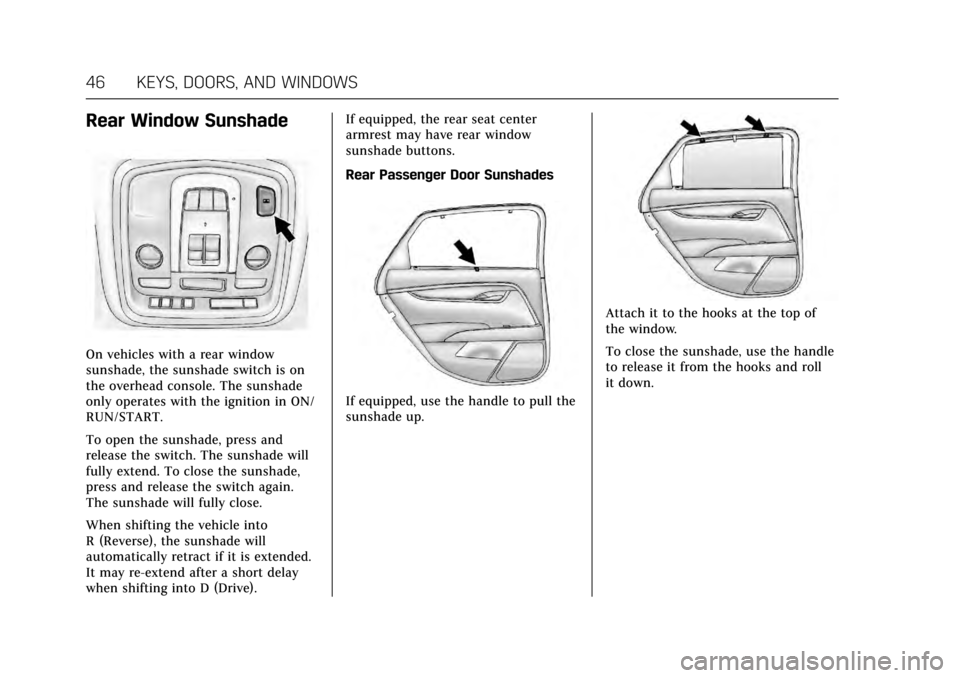
Rear Window Sunshade
On vehicles with a rear window
sunshade, the sunshade switch is on
the overhead console. The sunshade
only operates with the ignition in ON/
RUN/START.
To open the sunshade, press and
release the switch. The sunshade will
fully extend. To close the sunshade,
press and release the switch again.
The sunshade will fully close.
When shifting the vehicle into
R (Reverse), the sunshade will
automatically retract if it is extended.
It may re-extend after a short delay
when shifting into D (Drive).If equipped, the rear seat center
armrest may have rear window
sunshade buttons.
Rear Passenger Door Sunshades
If equipped, use the handle to pull the
sunshade up.
Attach it to the hooks at the top of
the window.
To close the sunshade, use the handle
to release it from the hooks and roll
it down.
Page 48 of 314
Cadillac XTS Owner Manual (GMNA-Localizing-MidEast-10292881) - 2017 -
crc - 7/1/16
KEYS, DOORS, AND WINDOWS 47
Roof
Sunroof
If equipped with a sunroof, the
ignition must be in ON/RUN or ACC/
ACCESSORY, or in Retained Accessory
Power (RAP) to operate the sunroof
and power sunshade. SeeIgnition
Positions 0177 and Retained Accessory
Power (RAP) 0180.
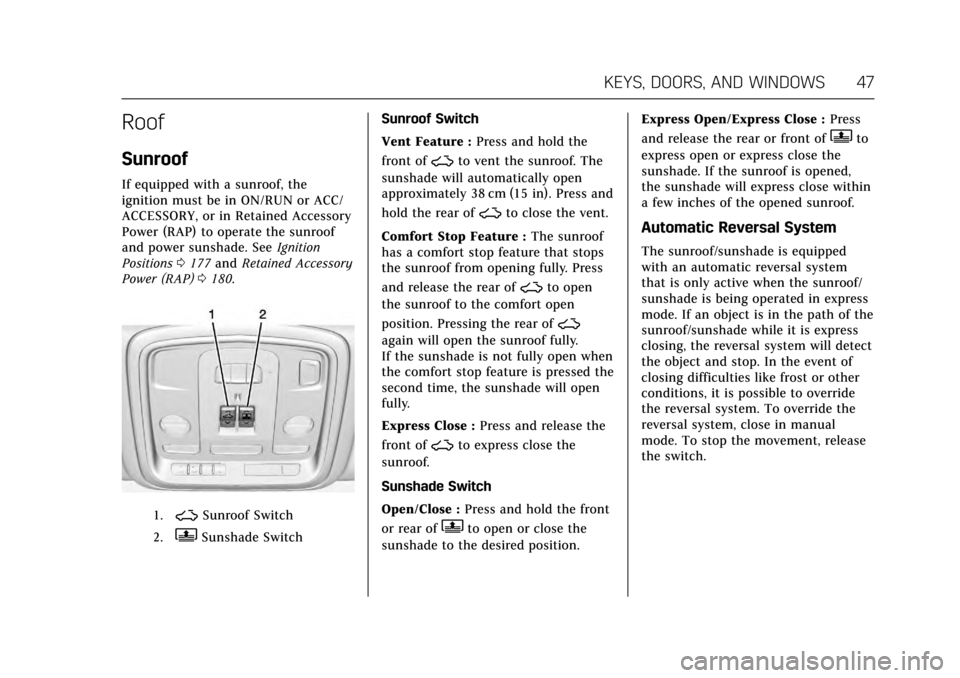
1.~Sunroof Switch
2.QSunshade Switch Sunroof Switch
Vent Feature :
Press and hold the
front of
~to vent the sunroof. The
sunshade will automatically open
approximately 38 cm (15 in). Press and
hold the rear of
~to close the vent.
Comfort Stop Feature : The sunroof
has a comfort stop feature that stops
the sunroof from opening fully. Press
and release the rear of
~to open
the sunroof to the comfort open
position. Pressing the rear of
~
again will open the sunroof fully.
If the sunshade is not fully open when
the comfort stop feature is pressed the
second time, the sunshade will open
fully.
Express Close : Press and release the
front of
~to express close the
sunroof.
Sunshade Switch
Open/Close : Press and hold the front
or rear of
Qto open or close the
sunshade to the desired position. Express Open/Express Close :
Press
and release the rear or front of
Qto
express open or express close the
sunshade. If the sunroof is opened,
the sunshade will express close within
a few inches of the opened sunroof.
Automatic Reversal System
The sunroof/sunshade is equipped
with an automatic reversal system
that is only active when the sunroof/
sunshade is being operated in express
mode. If an object is in the path of the
sunroof/sunshade while it is express
closing, the reversal system will detect
the object and stop. In the event of
closing difficulties like frost or other
conditions, it is possible to override
the reversal system. To override the
reversal system, close in manual
mode. To stop the movement, release
the switch.
Page 54 of 314
Cadillac XTS Owner Manual (GMNA-Localizing-MidEast-10292881) - 2017 -
crc - 7/1/16
SEATS AND RESTRAINTS 53
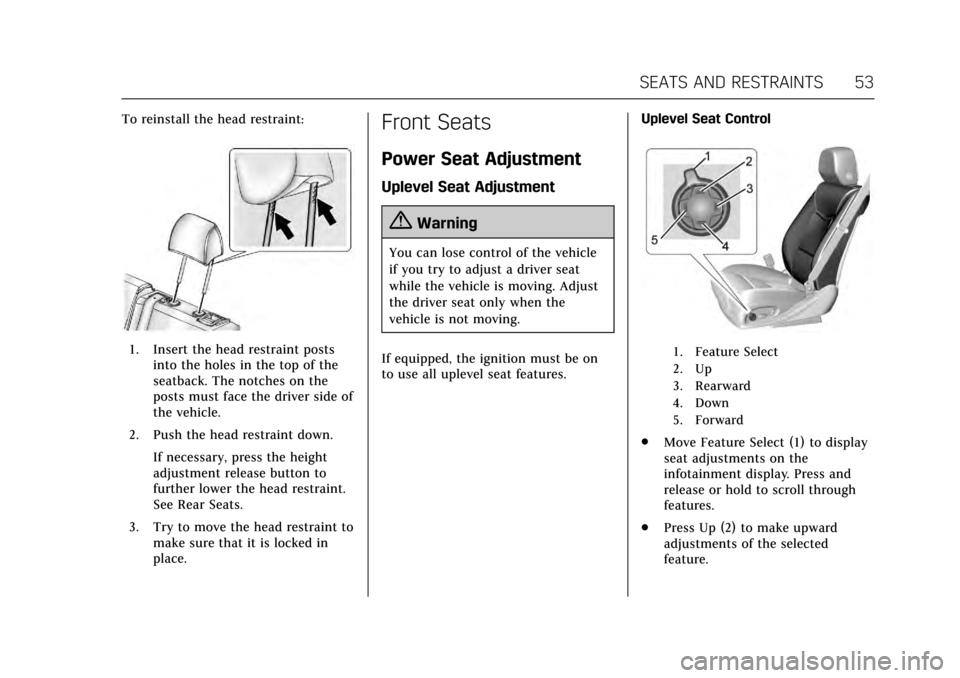
To reinstall the head restraint:
1. Insert the head restraint postsinto the holes in the top of the
seatback. The notches on the
posts must face the driver side of
the vehicle.
2. Push the head restraint down. If necessary, press the height
adjustment release button to
further lower the head restraint.
See Rear Seats.
3. Try to move the head restraint to make sure that it is locked in
place.
Front Seats
Power Seat Adjustment
Uplevel Seat Adjustment
{Warning
You can lose control of the vehicle
if you try to adjust a driver seat
while the vehicle is moving. Adjust
the driver seat only when the
vehicle is not moving.
If equipped, the ignition must be on
to use all uplevel seat features. Uplevel Seat Control
1. Feature Select
2. Up
3. Rearward
4. Down
5. Forward
.
Move Feature Select (1) to display
seat adjustments on the
infotainment display. Press and
release or hold to scroll through
features.
. Press Up (2) to make upward
adjustments of the selected
feature.
Page 58 of 314
Cadillac XTS Owner Manual (GMNA-Localizing-MidEast-10292881) - 2017 -
crc - 7/1/16
SEATS AND RESTRAINTS 57
Memory Seats
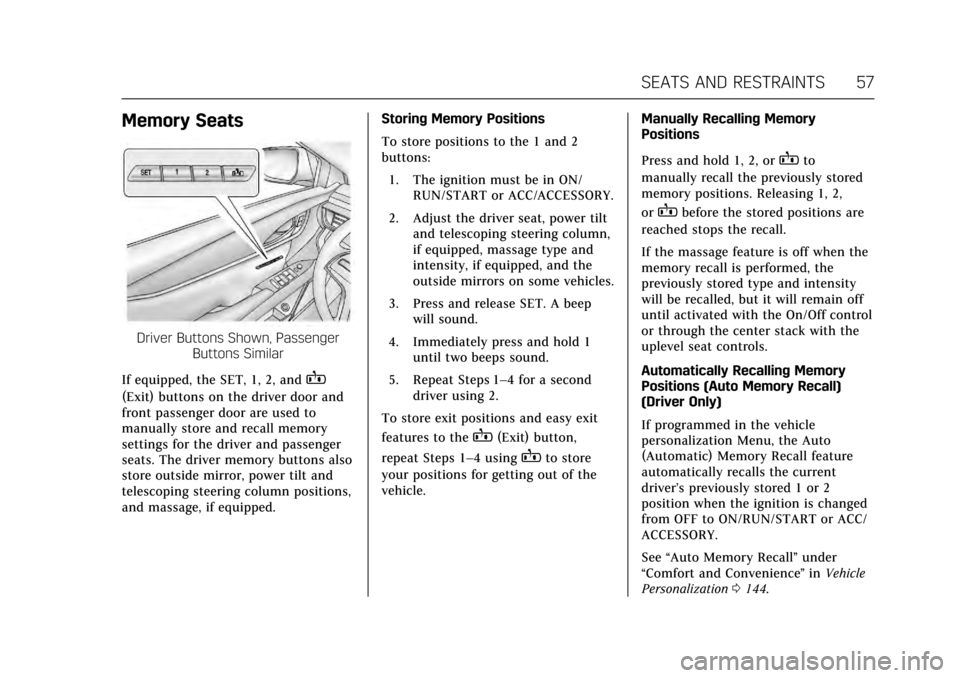
Driver Buttons Shown, PassengerButtons Similar
If equipped, the SET, 1, 2, and
B
(Exit) buttons on the driver door and
front passenger door are used to
manually store and recall memory
settings for the driver and passenger
seats. The driver memory buttons also
store outside mirror, power tilt and
telescoping steering column positions,
and massage, if equipped. Storing Memory Positions
To store positions to the 1 and 2
buttons:
1. The ignition must be in ON/ RUN/START or ACC/ACCESSORY.
2. Adjust the driver seat, power tilt and telescoping steering column,
if equipped, massage type and
intensity, if equipped, and the
outside mirrors on some vehicles.
3. Press and release SET. A beep will sound.
4. Immediately press and hold 1 until two beeps sound.
5. Repeat Steps 1–4 for a second driver using 2.
To store exit positions and easy exit
features to the
B(Exit) button,
repeat Steps 1–4 using
Bto store
your positions for getting out of the
vehicle. Manually Recalling Memory
Positions
Press and hold 1, 2, or
Bto
manually recall the previously stored
memory positions. Releasing 1, 2,
or
Bbefore the stored positions are
reached stops the recall.
If the massage feature is off when the
memory recall is performed, the
previously stored type and intensity
will be recalled, but it will remain off
until activated with the On/Off control
or through the center stack with the
uplevel seat controls.
Automatically Recalling Memory
Positions (Auto Memory Recall)
(Driver Only)
If programmed in the vehicle
personalization Menu, the Auto
(Automatic) Memory Recall feature
automatically recalls the current
driver’s previously stored 1 or 2
position when the ignition is changed
from OFF to ON/RUN/START or ACC/
ACCESSORY.
See “Auto Memory Recall” under
“Comfort and Convenience ”in Vehicle
Personalization 0144.