Dic CADILLAC XTS 2019 Owner's Manual
[x] Cancel search | Manufacturer: CADILLAC, Model Year: 2019, Model line: XTS, Model: CADILLAC XTS 2019Pages: 376, PDF Size: 6.71 MB
Page 223 of 376
Cadillac XTS Owner Manual (GMNA-Localizing-U.S./Canada-12032610) -
2019 - crc - 8/22/18
222 DRIVING AND OPERATING
(11 ft). The height of the zone is
approximately between 0.5 m (1.5 ft)
and 2 m (6 ft) off the ground. The Side
Blind Zone Alert (SBZA) warning area
starts at approximately the middle of
the vehicle and goes back 5 m (16 ft).
Drivers are also warned of vehicles
rapidly approaching from up to 25 m
(82 ft) behind the vehicle.
How the System Works
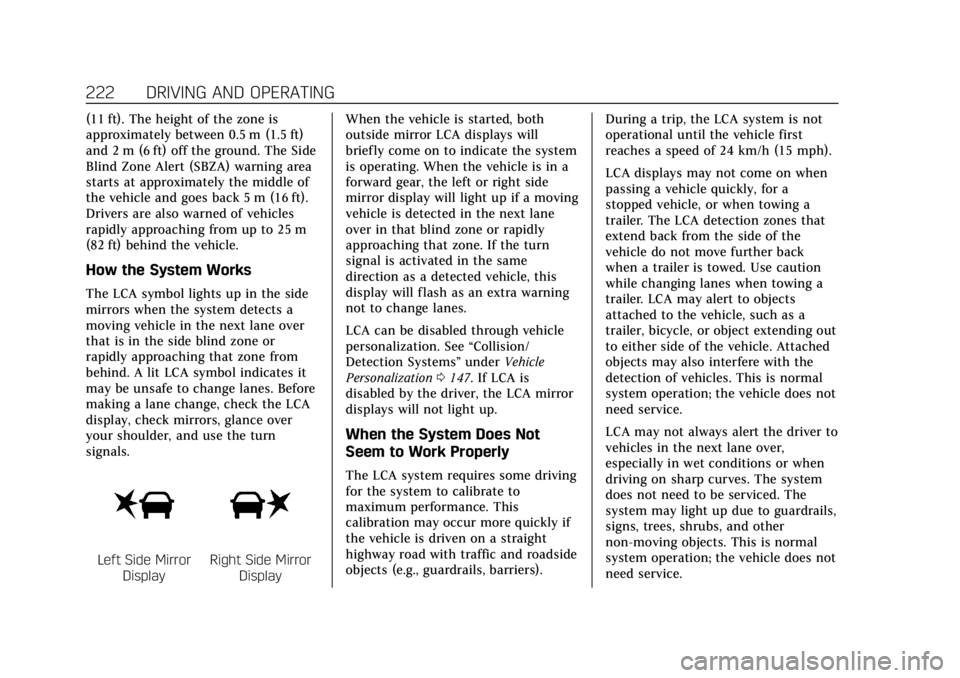
The LCA symbol lights up in the side
mirrors when the system detects a
moving vehicle in the next lane over
that is in the side blind zone or
rapidly approaching that zone from
behind. A lit LCA symbol indicates it
may be unsafe to change lanes. Before
making a lane change, check the LCA
display, check mirrors, glance over
your shoulder, and use the turn
signals.
Left Side MirrorDisplayRight Side Mirror Display When the vehicle is started, both
outside mirror LCA displays will
briefly come on to indicate the system
is operating. When the vehicle is in a
forward gear, the left or right side
mirror display will light up if a moving
vehicle is detected in the next lane
over in that blind zone or rapidly
approaching that zone. If the turn
signal is activated in the same
direction as a detected vehicle, this
display will flash as an extra warning
not to change lanes.
LCA can be disabled through vehicle
personalization. See
“Collision/
Detection Systems” underVehicle
Personalization 0147. If LCA is
disabled by the driver, the LCA mirror
displays will not light up.
When the System Does Not
Seem to Work Properly
The LCA system requires some driving
for the system to calibrate to
maximum performance. This
calibration may occur more quickly if
the vehicle is driven on a straight
highway road with traffic and roadside
objects (e.g., guardrails, barriers). During a trip, the LCA system is not
operational until the vehicle first
reaches a speed of 24 km/h (15 mph).
LCA displays may not come on when
passing a vehicle quickly, for a
stopped vehicle, or when towing a
trailer. The LCA detection zones that
extend back from the side of the
vehicle do not move further back
when a trailer is towed. Use caution
while changing lanes when towing a
trailer. LCA may alert to objects
attached to the vehicle, such as a
trailer, bicycle, or object extending out
to either side of the vehicle. Attached
objects may also interfere with the
detection of vehicles. This is normal
system operation; the vehicle does not
need service.
LCA may not always alert the driver to
vehicles in the next lane over,
especially in wet conditions or when
driving on sharp curves. The system
does not need to be serviced. The
system may light up due to guardrails,
signs, trees, shrubs, and other
non-moving objects. This is normal
system operation; the vehicle does not
need service.
Page 224 of 376
Cadillac XTS Owner Manual (GMNA-Localizing-U.S./Canada-12032610) -
2019 - crc - 8/22/18
DRIVING AND OPERATING 223
LCA may not operate when the LCA
sensors in the left or right corners of
the rear bumper are covered with
mud, dirt, snow, ice, or slush, or in
heavy rainstorms. For cleaning
instructions, see "Washing the
Vehicle" underExterior Care0312.
If the DIC still displays the system
unavailable message after cleaning
both sides of the vehicle toward the
rear corners of the vehicle, see your
dealer.
If the LCA displays do not light up
when moving vehicles are in the side
blind zone or rapidly approaching this
zone and the system is clean, the
system may need service. Take the
vehicle to your dealer.
Radio Frequency Information
See Radio Frequency Statement 0349.
Lane Departure
Warning (LDW)
If equipped, LDW may help avoid
crashes due to unintentional lane
departures. It may provide an alert if
the vehicle is crossing a lane without using a turn signal in that direction.
LDW uses a camera sensor to detect
the lane markings at speeds of 56
km/h (35 mph) or greater.
{Warning
The LDW system does not steer the
vehicle. The LDW system may not:
. Provide enough time to avoid
a crash.
. Detect lane markings under
poor weather or visibility
conditions. This can occur if
the windshield or headlamps
are blocked by dirt, snow,
or ice; if they are not in
proper condition; or if the sun
shines directly into the
camera.
. Detect road edges.
. Detect lanes on winding or
hilly roads.
If LDW only detects lane markings
on one side of the road, it will only
warn you when departing the lane (Continued)
Warning (Continued)
on the side where it has detected a
lane marking. Always keep your
attention on the road and maintain
proper vehicle position within the
lane, or vehicle damage, injury,
or death could occur. Always keep
the windshield, headlamps, and
camera sensors clean and in good
repair. Do not use LDW in bad
weather conditions.
How the System Works
The LDW camera sensor is on the
windshield ahead of the rearview
mirror.
To turn LDW on and off, press
@on
the center stack to the left of the
infotainment display. The control
indicator will light when LDW is on.
Page 226 of 376
Cadillac XTS Owner Manual (GMNA-Localizing-U.S./Canada-12032610) -
2019 - crc - 8/22/18
DRIVING AND OPERATING 225
Warning (Continued)
If LKA only detects lane markings
on one side of the road, it will only
assist or provide an LDW alert
when approaching the lane on the
side where it has detected a lane
marking. Even with LKA and LDW,
you must steer the vehicle. Always
keep your attention on the road and
maintain proper vehicle position
within the lane, or vehicle damage,
injury, or death could occur. Always
keep the windshield, headlamps,
and camera sensors clean and in
good repair. Do not use LKA in bad
weather conditions.
{Warning
Using LKA while towing a trailer or
on slippery roads could cause loss
of control of the vehicle and a
crash. Turn the system off.
How the System Works
The LKA camera sensor is on the
windshield ahead of the rearview
mirror.
To turn LKA on and off, press
A
on the center stack.
When on,
Ais green if LKA is
available to assist and provide LDW
alerts. It may assist by gently turning
the steering wheel and display
A
as amber if the vehicle approaches a
detected lane marking without using a
turn signal in that direction. It may
also provide an LDW alert by
flashing
Aamber as the lane
marking is crossed. Additionally, there
may be three beeps, or the driver seat
may pulse three times, on the right or
left, depending on the lane departure
direction.
Take Steering
The LKA system does not
continuously steer the vehicle. If LKA
does not detect active driver steering, an alert, chime, or DIC message may
be provided. Move the steering wheel
to dismiss.
When the System Does Not
Seem to Work Properly
The system performance may be
affected by:
.
Close vehicles ahead.
. Sudden lighting changes, such as
when driving through tunnels.
. Banked roads.
. Roads with poor lane markings,
such as two-lane roads.
If the LKA system is not functioning
properly when lane markings are
clearly visible, cleaning the windshield
may help.
A camera blocked message may
display if the camera is blocked.
Cleaning the outside of the windshield
behind the rearview mirror may
correct the issue. Some driver
assistance systems may have reduced
performance or not work at all. An
LKA or LDW unavailable message may
display if the systems are temporarily
Page 233 of 376
Cadillac XTS Owner Manual (GMNA-Localizing-U.S./Canada-12032610) -
2019 - crc - 8/22/18
232 DRIVING AND OPERATING
with the automatic transmission in
P (Park) for a few minutes before
turning the engine off. If the overheat
warning comes on, seeEngine
Overheating 0253.
Parking on Hills
{Warning
Parking the vehicle on a hill with
the trailer attached can be
dangerous. If something goes
wrong, the rig could start to move.
People can be injured, and both the
vehicle and the trailer can be
damaged. When possible, always
park the rig on a flat surface.
If parking the rig on a hill: 1. Press the brake pedal, but do not shift into P (Park) yet. Turn the
wheels into the curb if facing
downhill or into traffic if facing
uphill.
2. Have someone place chocks under the trailer wheels. 3. When the wheel chocks are in
place, release the regular brakes
until the chocks absorb the load.
4. Reapply the brake pedal. Then apply the parking brake and shift
into P (Park).
5. Release the brake pedal.
Leaving After Parking on a Hill
1. Apply and hold the brake pedal.
2. Start the engine.
3. Shift into a gear.
4. Release the parking brake.
5. Let up on the brake pedal.
6. Drive slowly until the trailer is clear of the chocks.
7. Stop and have someone pick up and store the chocks.
Maintenance when Trailer
Towing
The vehicle needs service more often
when pulling a trailer. See
Maintenance Schedule 0322. Things
that are especially important in trailer
operation are automatic transmission fluid, engine oil, axle lubricant, belts,
cooling system, and brake system. It is
a good idea to inspect these before
and during the trip.
Check periodically to see that all hitch
nuts and bolts are tight.
Trailer Towing
{Warning
The driver can lose control when
pulling a trailer if the correct
equipment is not used or the
vehicle is not driven properly. For
example, if the trailer is too heavy
or the trailer brakes are inadequate
for the load, the vehicle may not
stop as expected. The driver and
passengers could be seriously
injured. The vehicle may also be
damaged; the resulting repairs
would not be covered by the vehicle
warranty. Pull a trailer only if all the
steps in this section have been
followed. Ask your dealer for advice
and information about towing a
trailer with the vehicle.
Page 236 of 376
Cadillac XTS Owner Manual (GMNA-Localizing-U.S./Canada-12032610) -
2019 - crc - 8/22/18
DRIVING AND OPERATING 235
Conversions and
Add-Ons
Add-On Electrical
Equipment
{Warning
The Data Link Connector (DLC) is
used for vehicle service and
Emission Inspection/Maintenance
testing. SeeMalfunction Indicator
Lamp (Check Engine Light) 0131.
A device connected to the DLC —
such as an aftermarket fleet or
driver-behavior tracking device —
may interfere with vehicle systems.
This could affect vehicle operation
and cause a crash. Such devices
may also access information stored
in the vehicle’s systems.
Caution
Some electrical equipment can
damage the vehicle or cause
components to not work and would
not be covered by the vehicle
warranty. Always check with your
dealer before adding electrical
equipment.
Add-on equipment can drain the
vehicle's 12-volt battery, even if the
vehicle is not operating.
The vehicle has an airbag system.
Before attempting to add anything
electrical to the vehicle, see Servicing
the Airbag-Equipped Vehicle 087 and
Adding Equipment to the
Airbag-Equipped Vehicle 087.
Page 245 of 376
Cadillac XTS Owner Manual (GMNA-Localizing-U.S./Canada-12032610) -
2019 - crc - 8/22/18
244 VEHICLE CARE
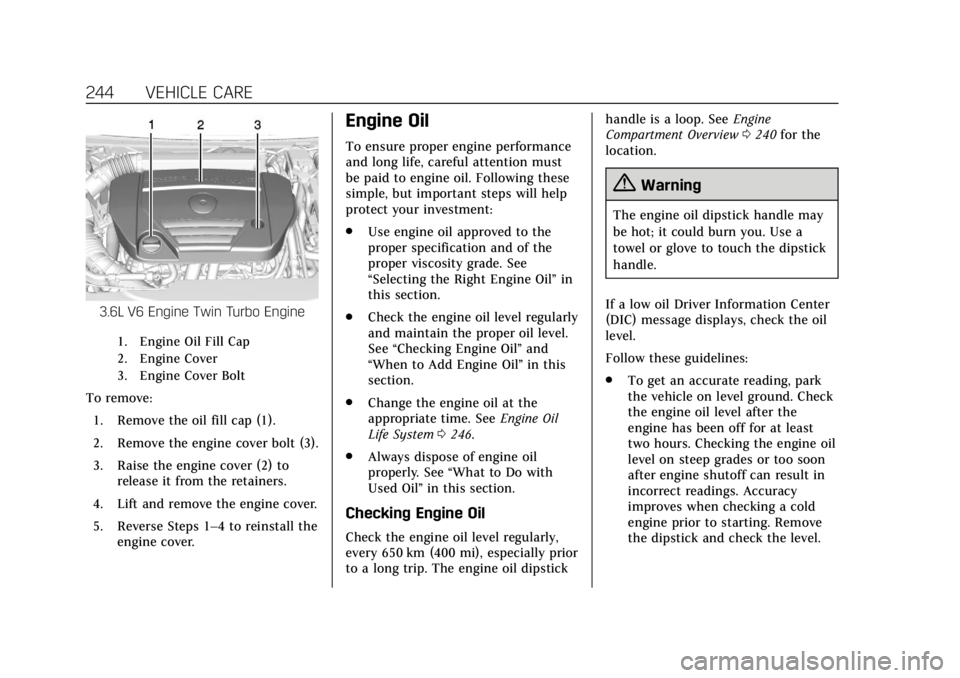
3.6L V6 Engine Twin Turbo Engine
1. Engine Oil Fill Cap
2. Engine Cover
3. Engine Cover Bolt
To remove:1. Remove the oil fill cap (1).
2. Remove the engine cover bolt (3).
3. Raise the engine cover (2) to release it from the retainers.
4. Lift and remove the engine cover.
5. Reverse Steps 1–4 to reinstall the engine cover.
Engine Oil
To ensure proper engine performance
and long life, careful attention must
be paid to engine oil. Following these
simple, but important steps will help
protect your investment:
.Use engine oil approved to the
proper specification and of the
proper viscosity grade. See
“Selecting the Right Engine Oil” in
this section.
. Check the engine oil level regularly
and maintain the proper oil level.
See “Checking Engine Oil” and
“When to Add Engine Oil” in this
section.
. Change the engine oil at the
appropriate time. See Engine Oil
Life System 0246.
. Always dispose of engine oil
properly. See “What to Do with
Used Oil” in this section.
Checking Engine Oil
Check the engine oil level regularly,
every 650 km (400 mi), especially prior
to a long trip. The engine oil dipstick handle is a loop. See
Engine
Compartment Overview 0240 for the
location.
{Warning
The engine oil dipstick handle may
be hot; it could burn you. Use a
towel or glove to touch the dipstick
handle.
If a low oil Driver Information Center
(DIC) message displays, check the oil
level.
Follow these guidelines:
. To get an accurate reading, park
the vehicle on level ground. Check
the engine oil level after the
engine has been off for at least
two hours. Checking the engine oil
level on steep grades or too soon
after engine shutoff can result in
incorrect readings. Accuracy
improves when checking a cold
engine prior to starting. Remove
the dipstick and check the level.
Page 247 of 376
Cadillac XTS Owner Manual (GMNA-Localizing-U.S./Canada-12032610) -
2019 - crc - 8/22/18
246 VEHICLE CARE
as meeting the dexos1 specification
are marked with the dexos1 approved
logo. See www.gmdexos.com.
Caution
Failure to use the recommended
engine oil or equivalent can result
in engine damage not covered by
the vehicle warranty.
Viscosity Grade
Use SAE 5W-30 viscosity grade
engine oil.
Cold Temperature Operation: In an
area of extreme cold, where the
temperature falls below −29 °C
(−20 °F), an SAE 0W-30 oil may be
used. An oil of this viscosity grade will
provide easier cold starting for the
engine at extremely low temperatures. When selecting an oil of the
appropriate viscosity grade, it is
recommended to select an oil of the
correct specification. See
“Specification
”earlier in this section.
Engine Oil Additives/Engine Oil
Flushes
Do not add anything to the oil. The
recommended oils meeting the dexos1
specification are all that is needed for
good performance and engine
protection.
Engine oil system flushes are not
recommended and could cause engine
damage not covered by the vehicle
warranty.
What to Do with Used Oil
Used engine oil contains certain
elements that can be unhealthy for
your skin and could even cause
cancer. Do not let used oil stay on
your skin for very long. Clean your
skin and nails with soap and water,
or a good hand cleaner. Wash or
properly dispose of clothing or rags containing used engine oil. See the
manufacturer's warnings about the
use and disposal of oil products.
Used oil can be a threat to the
environment. If you change your own
oil, be sure to drain all the oil from
the filter before disposal. Never
dispose of oil by putting it in the trash
or pouring it on the ground, into
sewers, or into streams or bodies of
water. Recycle it by taking it to a place
that collects used oil.
Engine Oil Life System
When to Change Engine Oil
This vehicle has a computer system
that indicates when to change the
engine oil and filter. This is based on a
combination of factors which include
engine revolutions, engine
temperature, and miles driven. Based
on driving conditions, the mileage at
which an oil change is indicated can
vary considerably. For the oil life
system to work properly, the system
must be reset every time the oil is
changed.
Page 248 of 376
Cadillac XTS Owner Manual (GMNA-Localizing-U.S./Canada-12032610) -
2019 - crc - 8/22/18
VEHICLE CARE 247
When the system has calculated that
oil life has been diminished, it
indicates that an oil change is
necessary. A CHANGE ENGINE OIL
SOON message comes on. Change the
oil as soon as possible within the next
1 000 km (600 mi). It is possible that,
if driving under the best conditions,
the oil life system might indicate that
an oil change is not necessary for up
to a year. The engine oil and filter
must be changed at least once a year
and at this time the system must be
reset. Your dealer has trained service
people who will perform this work and
reset the system. It is also important
to check the oil regularly over the
course of an oil drain interval and
keep it at the proper level.
If the system is ever reset accidentally,
the oil must be changed at 5 000 km
(3,000 mi) since the last oil change.
Remember to reset the oil life system
whenever the oil is changed.How to Reset the Engine Oil Life
System
Reset the system whenever the engine
oil is changed so that the system can
calculate the next engine oil change.
To reset the system:1. Using the DIC buttons, display REMAINING OIL LIFE on the
DIC. See Driver Information Center
(DIC) 0139.
2. Press and hold SEL to clear the CHANGE ENGINE OIL SOON
message and reset the oil life
at 100%.
Be careful not to reset the oil life
display accidentally at any time
other than after the oil is
changed. It cannot be reset
accurately until the next oil
change.
The oil life system can also be reset as
follows:
1. Display REMAINING OIL LIFE on the DIC. See Driver Information
Center (DIC) 0139. 2. Fully press and release the
accelerator pedal three times
within five seconds.
If the CHANGE ENGINE OIL
SOON message is not on, the
system is reset.
The system is reset when the
CHANGE ENGINE OIL SOON message
is off.
If the CHANGE ENGINE OIL SOON
message comes back on when the
vehicle is started, the engine oil life
system has not been reset. Repeat the
procedure.
Automatic Transmission
Fluid
A transmission fluid leak is the only
reason for fluid loss. If a leak occurs,
take the vehicle to your dealer and
have it repaired as soon as possible.
Page 254 of 376
Cadillac XTS Owner Manual (GMNA-Localizing-U.S./Canada-12032610) -
2019 - crc - 8/22/18
VEHICLE CARE 253
Caution
If the pressure cap is not tightly
installed, coolant loss and engine
damage may occur. Be sure the cap
is properly and tightly secured.
How to Add Coolant to the CAC
Bottle
{Warning
Spilling coolant on hot engine parts
can burn you. Coolant contains
ethylene glycol and it will burn if
the engine parts are hot enough.
Caution
Failure to follow the specific
coolant fill procedure could cause
the engine to overheat and could
cause system damage. If coolant is
not visible in the surge tank,
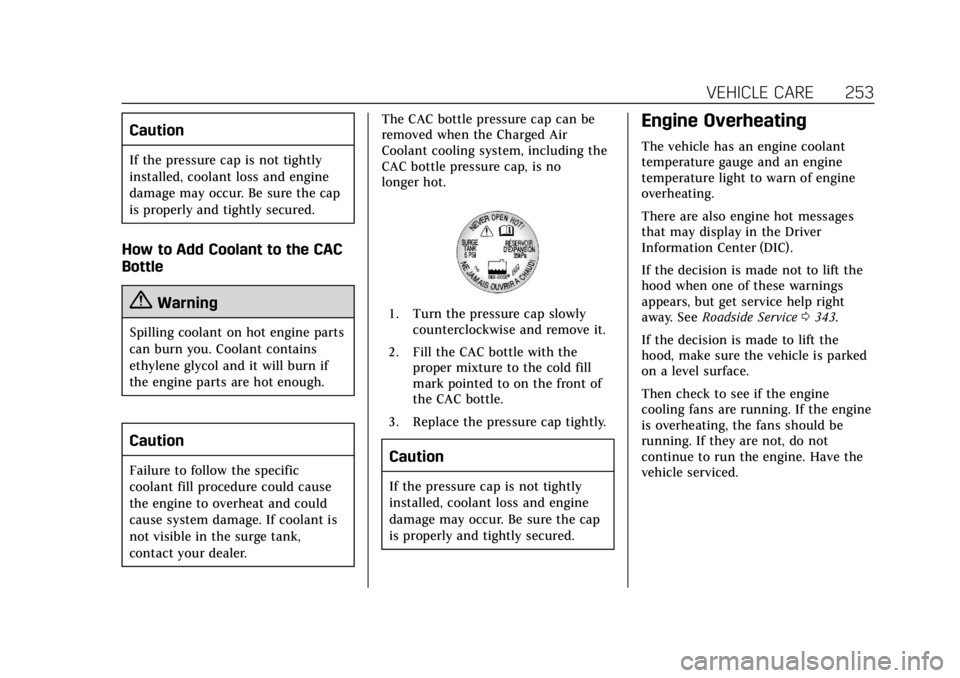
contact your dealer.The CAC bottle pressure cap can be
removed when the Charged Air
Coolant cooling system, including the
CAC bottle pressure cap, is no
longer hot.
1. Turn the pressure cap slowly
counterclockwise and remove it.
2. Fill the CAC bottle with the proper mixture to the cold fill
mark pointed to on the front of
the CAC bottle.
3. Replace the pressure cap tightly.
Caution
If the pressure cap is not tightly
installed, coolant loss and engine
damage may occur. Be sure the cap
is properly and tightly secured.
Engine Overheating
The vehicle has an engine coolant
temperature gauge and an engine
temperature light to warn of engine
overheating.
There are also engine hot messages
that may display in the Driver
Information Center (DIC).
If the decision is made not to lift the
hood when one of these warnings
appears, but get service help right
away. See Roadside Service 0343.
If the decision is made to lift the
hood, make sure the vehicle is parked
on a level surface.
Then check to see if the engine
cooling fans are running. If the engine
is overheating, the fans should be
running. If they are not, do not
continue to run the engine. Have the
vehicle serviced.
Page 256 of 376
Cadillac XTS Owner Manual (GMNA-Localizing-U.S./Canada-12032610) -
2019 - crc - 8/22/18
VEHICLE CARE 255
damage. In this mode, there is
significant loss in power and engine
performance.
The engine coolant temperature
warning light comes on in the
instrument cluster, to indicate the
vehicle has entered overheated engine
protection operating mode. The
temperature gauge also indicates an
overheat condition exists. Driving
extended distances and/or towing a
trailer in the overheat protection
mode should be avoided.
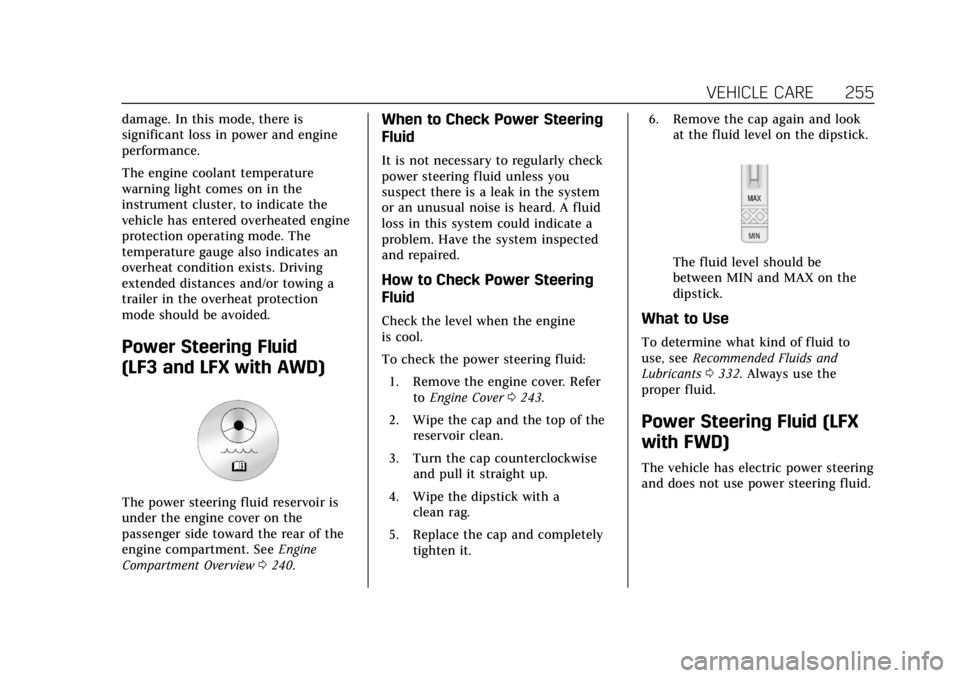
Power Steering Fluid
(LF3 and LFX with AWD)
The power steering fluid reservoir is
under the engine cover on the
passenger side toward the rear of the
engine compartment. SeeEngine
Compartment Overview 0240.
When to Check Power Steering
Fluid
It is not necessary to regularly check
power steering fluid unless you
suspect there is a leak in the system
or an unusual noise is heard. A fluid
loss in this system could indicate a
problem. Have the system inspected
and repaired.
How to Check Power Steering
Fluid
Check the level when the engine
is cool.
To check the power steering fluid:
1. Remove the engine cover. Refer toEngine Cover 0243.
2. Wipe the cap and the top of the reservoir clean.
3. Turn the cap counterclockwise and pull it straight up.
4. Wipe the dipstick with a clean rag.
5. Replace the cap and completely tighten it. 6. Remove the cap again and look
at the fluid level on the dipstick.
The fluid level should be
between MIN and MAX on the
dipstick.
What to Use
To determine what kind of fluid to
use, see Recommended Fluids and
Lubricants 0332. Always use the
proper fluid.
Power Steering Fluid (LFX
with FWD)
The vehicle has electric power steering
and does not use power steering fluid.