service schedule CADILLAC XTS 2019 User Guide
[x] Cancel search | Manufacturer: CADILLAC, Model Year: 2019, Model line: XTS, Model: CADILLAC XTS 2019Pages: 376, PDF Size: 6.71 MB
Page 328 of 376

Cadillac XTS Owner Manual (GMNA-Localizing-U.S./Canada-12032610) -
2019 - crc - 8/22/18
SERVICE AND MAINTENANCE 327
Maintenance Schedule
Additional Required Services -
Severe12 000 km/7,500 mi
24 000 km/15,000 mi
36 000 km/22,500 mi
48 000 km/30,000 mi
60 000 km/37,500 mi
72 000 km/45,000 mi
84 000 km/52,500 mi
96 000 km/60,000 mi
108 000 km/67,500 mi
120 000 km/75,000 mi
132 000 km/82,500 mi
144 000 km/90,000 mi
156 000 km/97,500 mi
168 000 km/105,000 mi
180 000 km/112,500 mi
192 000 km/120,000 mi
204 000 km/127,500 mi
216 000 km/135,000 mi
228 000 km/142,500 mi
240 000 km/150,000 mi
Rotate tires and perform Required Services. Check
engine oil level and oil life percentage. Change
engine oil and filter, if needed.@ @ @ @ @ @ @ @ @ @ @ @ @ @ @ @ @ @ @ @
Replace passenger compartment air filter. (1)@ @@@@@
Inspect evaporative control system. (2)@ @@
Replace engine air cleaner filter. (3)@@@
Change automatic transmission fluid.@@@
Replace spark plugs. Inspect ignition coils. (3.6L LFX
V6 engine)@
Replace spark plugs. Inspect ignition coils. (3.6L LF3
twin turbo V6 engine)@ @
Replace rear axle fluid, if equipped with limited-slip
differential.@@@
Replace rear axle fluid, except limited-slip
differential.@ @
Drain and fill engine cooling system. (4)@
Visually inspect accessory drive belts. (5)@
Replace brake fluid. (6)
Replace windshield wiper blades. (7)
@ @ @ @ @ @ @ @ @ @
Replace hood and/or body lift support gas struts.@@
Page 329 of 376
Cadillac XTS Owner Manual (GMNA-Localizing-U.S./Canada-12032610) -
2019 - crc - 8/22/18
328 SERVICE AND MAINTENANCE
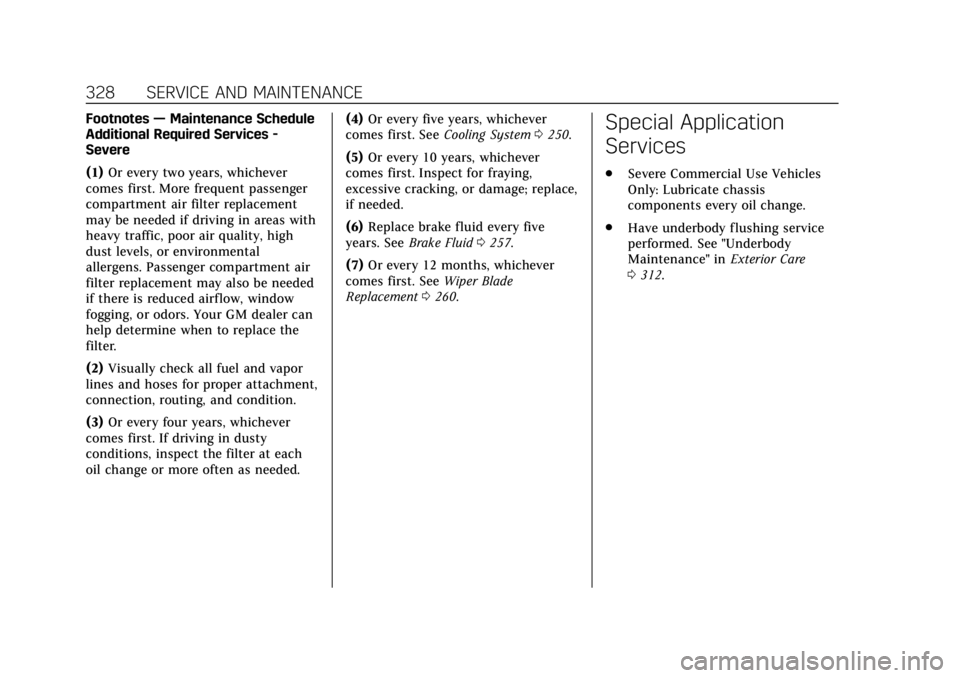
Footnotes—Maintenance Schedule
Additional Required Services -
Severe
(1) Or every two years, whichever
comes first. More frequent passenger
compartment air filter replacement
may be needed if driving in areas with
heavy traffic, poor air quality, high
dust levels, or environmental
allergens. Passenger compartment air
filter replacement may also be needed
if there is reduced airf low, window
fogging, or odors. Your GM dealer can
help determine when to replace the
filter.
(2) Visually check all fuel and vapor
lines and hoses for proper attachment,
connection, routing, and condition.
(3) Or every four years, whichever
comes first. If driving in dusty
conditions, inspect the filter at each
oil change or more often as needed. (4)
Or every five years, whichever
comes first. See Cooling System0250.
(5) Or every 10 years, whichever
comes first. Inspect for fraying,
excessive cracking, or damage; replace,
if needed.
(6) Replace brake fluid every five
years. See Brake Fluid 0257.
(7) Or every 12 months, whichever
comes first. See Wiper Blade
Replacement 0260.Special Application
Services
.
Severe Commercial Use Vehicles
Only: Lubricate chassis
components every oil change.
. Have underbody flushing service
performed. See "Underbody
Maintenance" in Exterior Care
0 312.
Page 336 of 376
Cadillac XTS Owner Manual (GMNA-Localizing-U.S./Canada-12032610) -
2019 - crc - 8/22/18
SERVICE AND MAINTENANCE 335
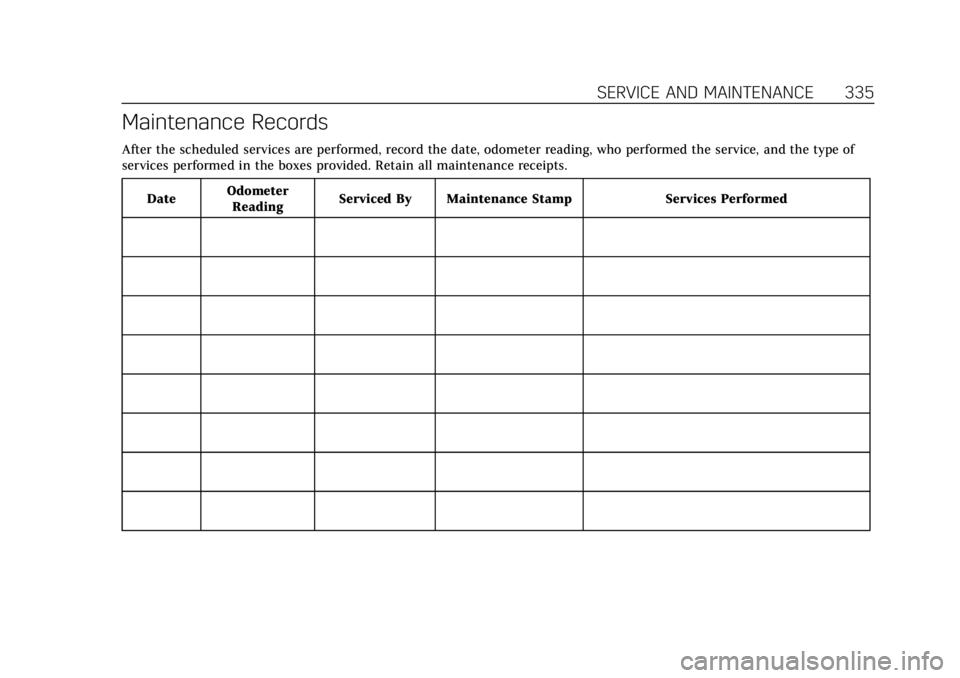
Maintenance Records
After the scheduled services are performed, record the date, odometer reading, who performed the service, and the type of
services performed in the boxes provided. Retain all maintenance receipts.Date Odometer
Reading Serviced By Maintenance Stamp Services Performed
Page 343 of 376
Cadillac XTS Owner Manual (GMNA-Localizing-U.S./Canada-12032610) -
2019 - crc - 8/22/18
342 CUSTOMER INFORMATION
Cadillac by dialing: 1-800-833-2622.
TTY users in Canada can dial
1-800-263-3830.
Online Owner Center
Online Owner Experience (U.S.)
my.cadillac.com
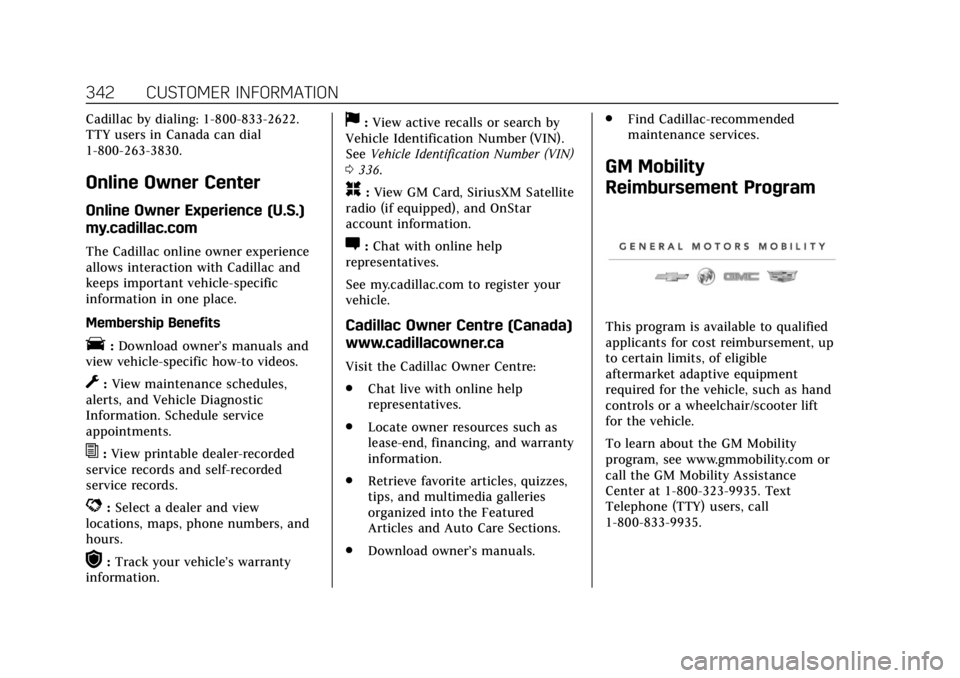
The Cadillac online owner experience
allows interaction with Cadillac and
keeps important vehicle-specific
information in one place.
Membership Benefits
E:Download owner’s manuals and
view vehicle-specific how-to videos.
G: View maintenance schedules,
alerts, and Vehicle Diagnostic
Information. Schedule service
appointments.
I: View printable dealer-recorded
service records and self-recorded
service records.
D: Select a dealer and view
locations, maps, phone numbers, and
hours.
r: Track your vehicle’s warranty
information.
J: View active recalls or search by
Vehicle Identification Number (VIN).
See Vehicle Identification Number (VIN)
0 336.
H:View GM Card, SiriusXM Satellite
radio (if equipped), and OnStar
account information.
F: Chat with online help
representatives.
See my.cadillac.com to register your
vehicle.
Cadillac Owner Centre (Canada)
www.cadillacowner.ca
Visit the Cadillac Owner Centre:
. Chat live with online help
representatives.
. Locate owner resources such as
lease-end, financing, and warranty
information.
. Retrieve favorite articles, quizzes,
tips, and multimedia galleries
organized into the Featured
Articles and Auto Care Sections.
. Download owner’s manuals. .
Find Cadillac-recommended
maintenance services.
GM Mobility
Reimbursement Program
This program is available to qualified
applicants for cost reimbursement, up
to certain limits, of eligible
aftermarket adaptive equipment
required for the vehicle, such as hand
controls or a wheelchair/scooter lift
for the vehicle.
To learn about the GM Mobility
program, see www.gmmobility.com or
call the GM Mobility Assistance
Center at 1-800-323-9935. Text
Telephone (TTY) users, call
1-800-833-9935.
Page 346 of 376
Cadillac XTS Owner Manual (GMNA-Localizing-U.S./Canada-12032610) -
2019 - crc - 8/22/18
CUSTOMER INFORMATION 345
Scheduling Service
Appointments
When the vehicle requires warranty
service, contact your dealer and
request an appointment. By
scheduling a service appointment and
advising the service consultant of
your transportation needs, your dealer
can help minimize your
inconvenience.
If the vehicle cannot be scheduled
into the service department
immediately, keep driving it until it
can be scheduled for service, unless,
of course, the problem is safety
related. If it is, please call your
dealership, let them know this, and
ask for instructions.
If your dealer requests you to bring
the vehicle for service, you are urged
to do so as early in the work day as
possible to allow for same-day repair.
Courtesy Transportation
Program
To enhance your ownership
experience, we and our participating
dealers are proud to offer Courtesy
Transportation, a customer support
program for vehicles with the
Bumper-to-Bumper (Base Warranty
Coverage period in Canada), extended
powertrain, and/or hybrid-specific
warranties in both the U.S. and
Canada.
Several Courtesy Transportation
options are available to assist in
reducing inconvenience when
warranty repairs are required.
Courtesy Transportation is not a part
of the New Vehicle Limited Warranty.
A separate booklet entitled“Limited
Warranty and Owner Assistance
Information ”furnished with each new
vehicle provides detailed warranty
coverage information.
Transportation Options
Warranty service can generally be
completed while you wait. However,
if you are unable to do so, your dealer
may offer the following transportation
options:
Shuttle Service
This includes one-way or round-trip
shuttle service within reasonable time
and distance parameters of your
dealer's area.
Public Transportation or Fuel
Reimbursement
If overnight warranty repairs are
needed, and public transportation is
used, the expense must be supported
by original receipts and within the
maximum amount allowed by GM for
shuttle service. If U.S. customers
arrange their own transportation,
limited reimbursement for reasonable
fuel expenses may be available. Claim
amounts should reflect actual costs
and be supported by original receipts.
See your dealer for information.
Page 349 of 376
Cadillac XTS Owner Manual (GMNA-Localizing-U.S./Canada-12032610) -
2019 - crc - 8/22/18
348 CUSTOMER INFORMATION
Managing the Vehicle Damage
Repair Process
In the event that the vehicle requires
damage repairs, GM recommends that
you take an active role in its repair.
If you have a pre-determined repair
facility of choice, take the vehicle
there, or have it towed there. Specify
to the facility that any required
replacement collision parts be original
equipment parts, either new Genuine
GM parts or recycled original GM
parts. Remember, recycled parts will
not be covered by the GM vehicle
warranty.
Insurance pays the bill for the repair,
but you must live with the repair.
Depending on your policy limits, your
insurance company may initially value
the repair using aftermarket parts.
Discuss this with the repair
professional, and insist on Genuine
GM parts. Remember, if the vehicle is
leased, you may be obligated to have
the vehicle repaired with Genuine GM
parts, even if your insurance coverage
does not pay the full cost.If another party's insurance company
is paying for the repairs, you are not
obligated to accept a repair valuation
based on that insurance company's
collision policy repair limits, as you
have no contractual limits with that
company. In such cases, you can have
control of the repair and parts choices
as long as the cost stays within
reasonable limits.
Publication Ordering
Information
Service Manuals
Service manuals have the diagnosis
and repair information on the engine,
transmission, axle, suspension, brakes,
electrical system, steering system,
body, etc.
Customer Literature
Owner’s manuals are written
specifically for owners and are
intended to provide basic operational
information about the vehicle. The
owner’s manual includes the
Maintenance Schedule for all models.Customer literature publications
available for purchase include owner’s
manuals, warranty manuals,
infotainment manuals, and portfolios.
Portfolios include an owner’s manual,
warranty manual, infotainment
manual, if applicable, and zip lock bag
or pouch.
Current and Past Models
Service manuals and customer
literature are available for many
current and past model year GM
vehicles.
To order, call 1-800-551-4123
Monday–Friday, 8:00 a.m.–6:00 p.m.
eastern time
For credit card orders only (VISA,
MasterCard, or Discover), see Helm,
Inc. at: www.helminc.com.
To order by mail, write to:
Helm, Incorporated
Attention: Customer Service
47911 Halyard Drive
Plymouth, MI 48170
Make checks payable in U.S. funds.
Page 363 of 376
Cadillac XTS Owner Manual (GMNA-Localizing-U.S./Canada-12032610) -
2019 - crc - 8/22/18
362 CONNECTED SERVICES
using the myCadillac mobile app,
or by contacting an OnStar Advisor.
On some vehicles, Wi-Fi can also be
managed from the Wi-Fi
Hotspot menu.
MyCadillac Mobile App (If Available)
Download the myCadillac mobile app
to compatible Apple and Android
smartphones. Cadillac users can
access the following services from a
smartphone:
.Remotely start/stop the vehicle,
if factory-equipped.
. Lock/unlock doors, if equipped
with automatic locks.
. Activate the horn and lamps.
. Check the vehicle’s fuel level, oil
life, or tire pressure,
if factory-equipped with the Tire
Pressure Monitor System.
. Send destinations to the vehicle.
. Locate the vehicle on a map (U.S.
market only). .
Turn the vehicle's Wi-Fi hotspot
on/off, manage settings, and
monitor data consumption,
if equipped.
. Locate a dealer and schedule
service.
. Request roadside assistance.
. Set a parking reminder with pin
drop, take a photo, make a note,
and set a timer.
. Connect with Cadillac on social
media.
Features are subject to change. For
myCadillac mobile app information
and compatibility, see my.cadillac.com.
An active OnStar or connected service
plan may be required. A compatible
device, factory-installed remote start,
and power locks are required. Data
rates apply. See www.onstar.com for
details and system limitations.
Remote Services
Contact an OnStar Advisor to unlock
the doors or sound the horn and flash
the lamps.
Marketplace
OnStar Advisors can provide offers
from restaurants and retailers on your
route, help locate hotels, or book a
room. These services vary by market.
OnStar Hands-Free Calling
Make and receive calls with the
built-in wireless calling service, which
requires available minutes.
Functionality of the Voice Command
button may vary by vehicle and
region. For some vehicles, press
=to
open the OnStar app on the
infotainment display, then select
Hands-Free calling. For other vehicles
press
=as follows.
Make a Call
1. Press
=. System responds:
“OnStar ready.”
2. Say “Call.”System responds: “Call.
Please say the name or number
to call.”
3. Say the entire number without pausing, including a “1”and the
area code. System responds: “OK,
calling.”
Page 371 of 376

Cadillac XTS Owner Manual (GMNA-Localizing-U.S./Canada-12032610) -
2019 - crc - 8/22/18
370 INDEX
Lumbar Adjustment (cont'd)Front Seats . . . . . . . . . . . . . . . . . . . . . . . . . . 57
M
Magnetic Ride Control . . . . . . . . . . . . . 198
Maintenance
Records . . . . . . . . . . . . . . . . . . . . . . . . . . . . 335
Maintenance and Care Additional . . . . . . . . . . . . . . . . . . . . . . . . . 329
Maintenance Schedule . . . . . . . . . . . . . 322
Recommended Fluids andLubricants . . . . . . . . . . . . . . . . . . . . . . . 332
Malfunction Indicator Lamp . . . . . . . 131
Manual Mode . . . . . . . . . . . . . . . . . . . . . . . 193
Massage . . . . . . . . . . . . . . . . . . . . . . . . . . . . . . 64
Memory Features . . . . . . . . . . . . . . . . . . . . 11
Memory Seats . . . . . . . . . . . . . . . . . . . . . . . . 60
Messages Engine Power . . . . . . . . . . . . . . . . . . . . . 146
Vehicle . . . . . . . . . . . . . . . . . . . . . . . . . . . . . 146
Vehicle Speed . . . . . . . . . . . . . . . . . . . . . 146
Mirrors Automatic Dimming . . . . . . . . . . . . . . . . 45
Automatic Dimming Rearview . . . . . 46
Convex . . . . . . . . . . . . . . . . . . . . . . . . . . . . . . . 44
Folding . . . . . . . . . . . . . . . . . . . . . . . . . . . . . . 44
Heated . . . . . . . . . . . . . . . . . . . . . . . . . . . . . . . 45
Power . . . . . . . . . . . . . . . . . . . . . . . . . . . . . . . . 44 Mirrors (cont'd)
Tilt in Reverse . . . . . . . . . . . . . . . . . . . . . . 45
Mirrors, Interior Rearview . . . . . . . . . . . 46
Monitor System, Tire Pressure . . . . . 281
N
Navigation Connected Services . . . . . . . . . . . . . . . 360
Net, Convenience . . . . . . . . . . . . . . . . . . . 111
New Vehicle Break-In . . . . . . . . . . . . . . . 183
O
Odometer . . . . . . . . . . . . . . . . . . . . . . . . . . . . 125 Trip . . . . . . . . . . . . . . . . . . . . . . . . . . . . . . . . 125
Off-Road
Recovery . . . . . . . . . . . . . . . . . . . . . . . . . . . 176
Oil Engine . . . . . . . . . . . . . . . . . . . . . . . . . . . . . 244
Engine Oil Life System . . . . . . . . . . . 246
Pressure Light . . . . . . . . . . . . . . . . . . . . . 137
Older Children, Restraints . . . . . . . . . . . 89
Online Owner Center . . . . . . . . . . . . . . . 342
OnStar . . . . . . . . . . . . . . . . . . . . . . . . . . . . . . . 351
OnStar Additional Information . . . . 354
OnStar Emergency . . . . . . . . . . . . . . . . . . 353
OnStar Overview . . . . . . . . . . . . . . . . . . . . 352
OnStar Security . . . . . . . . . . . . . . . . . . . . . 354
Operating Mode Overheated Engine Protection . . . 254 Outlets
Power . . . . . . . . . . . . . . . . . . . . . . . . . . . . . . 115
Overheated Engine Protection Operating Mode . . . . . . . . . . . . . . . . . . . 254
Overheating, Engine . . . . . . . . . . . . . . . . 253
P
Park Shifting Into . . . . . . . . . . . . . . . . . . . . . . 188
Shifting Out of . . . . . . . . . . . . . . . . . . . . 189
Park Assist . . . . . . . . . . . . . . . . . . . . . . . . . . 211
Parking Brake and P (Park)Mechanism Check . . . . . . . . . . . . . . . 260
Extended . . . . . . . . . . . . . . . . . . . . . . . . . . 189
Over Things That Burn . . . . . . . . . . . 189
Parking or Backing
Assistance Systems . . . . . . . . . . . . . . . 211
Passenger Airbag Status Indicator . . . . . . . . . . . . . . . . . . . . . . . . . . . 130
Passenger Compartment Air
Filter . . . . . . . . . . . . . . . . . . . . . . . . . . . . . . . 170
Passenger Sensing System . . . . . . . . . . 82
Perchlorate Materials Requirements, California . . . . . . . . . 238
Personalization
Vehicle . . . . . . . . . . . . . . . . . . . . . . . . . . . . . 147