clock CHEVROLET ASTRO 1996 Owner's Manual
[x] Cancel search | Manufacturer: CHEVROLET, Model Year: 1996, Model line: ASTRO, Model: CHEVROLET ASTRO 1996Pages: 372, PDF Size: 21.51 MB
Page 236 of 372
I A CAUTION:
---
If you get gasoline on yourself and then.
something ignites
it, you could be badly burned.
Gasoline can spray ,out on you
if you open the
fuel filler cap too quickly. This spray can happen
if your tank is nearly full, and is more likely in
hot weather. Open the fuel filler cap slowly and
wait for any “hiss” noise to stop. Then unscrew
the cap all the way.
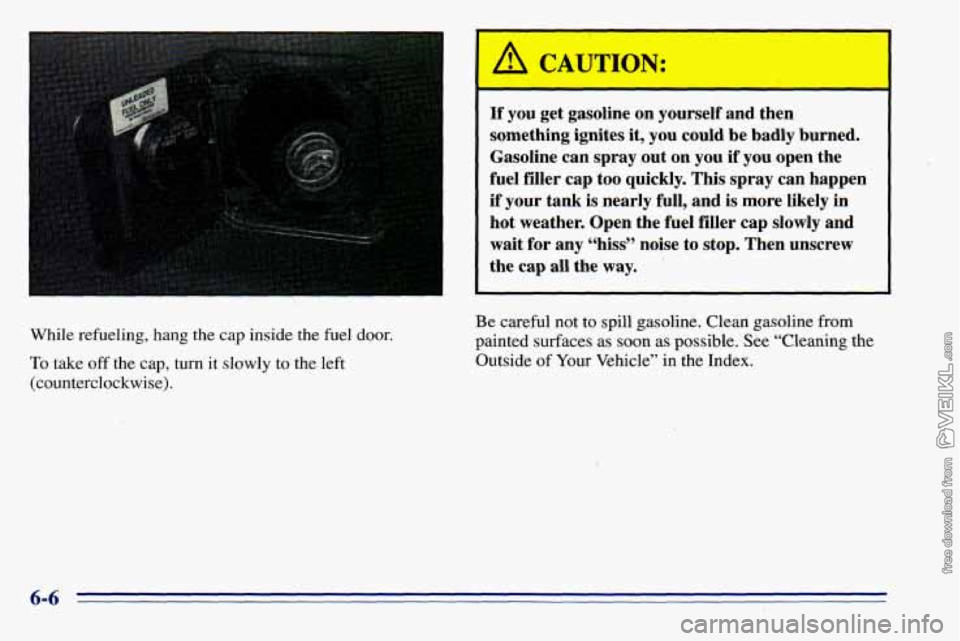
While refueling, hang the cap inside the fuel door.
To take off the cap, turn it slowly to the left
(counterclockwise). Be
careful not
to spill gasoline. Clean gasoline from
painted surfaces as soon as possible. See “Cleaning the
Outside of Your Vehicle” in the Index.
Page 269 of 372
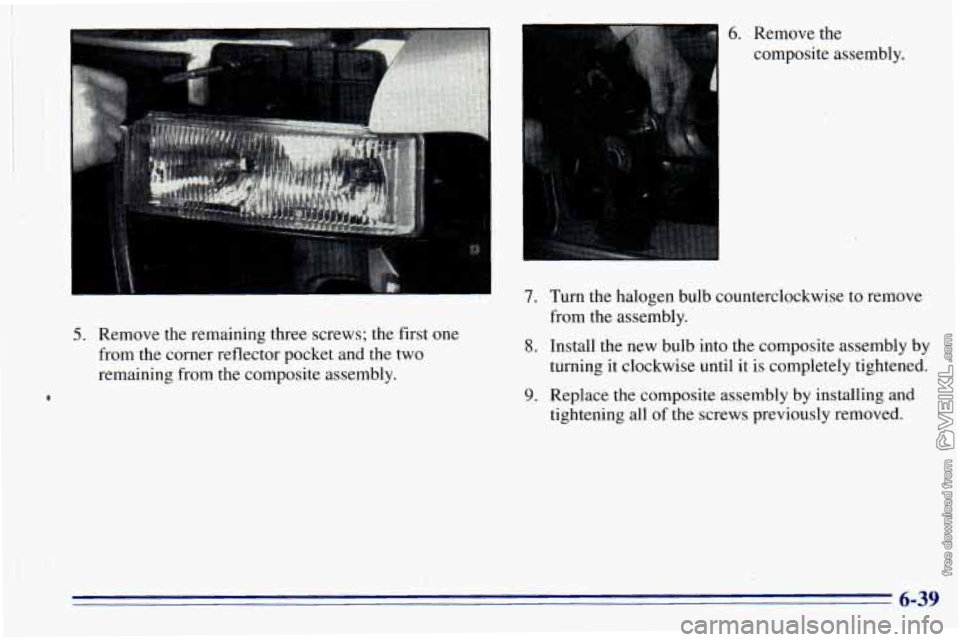
5. Remove the remaining three screws; the first one
from the corner reflector pocket and the two
remaining from the composite assembly.
6. Remove the
composite assembly.
7. Turn the halogen bulb counterclockwise to remove
from the assembly.
8. Install the new bulb into the composite assembly by
turning it clockwise until it is completely-tightened.
9. Replace the composite assembly by installing and
tightening all of the screws previously removed.
6-39
Page 270 of 372
Front Turn Signal -Lamps Taillamps
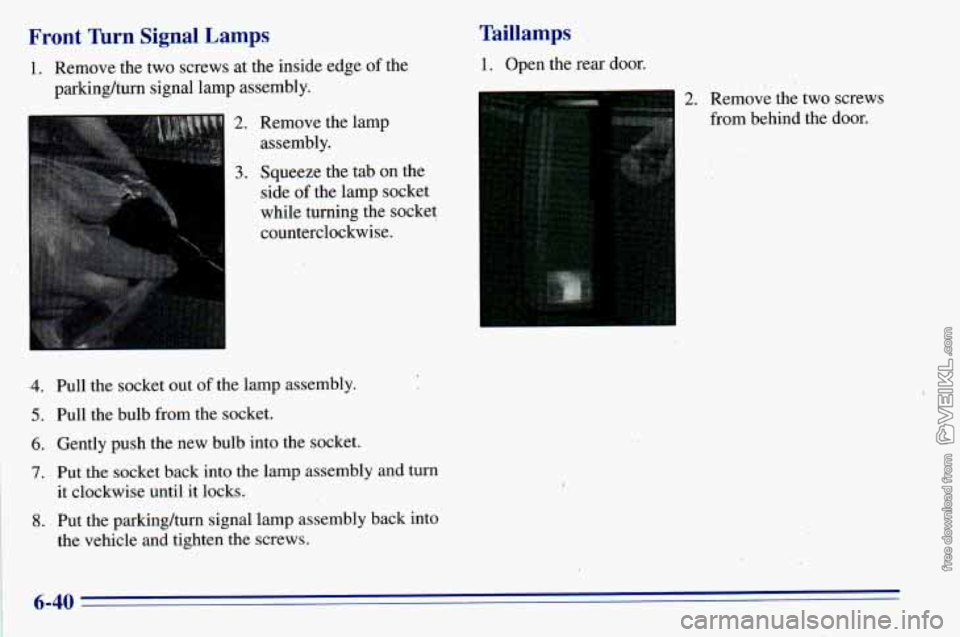
1. Remove
the two screws at the inside edge of the 1. Open the rear door.
parking/turn signal lamp assembly.
2. Remove the lamp
assembly.
2. Remove the two screws
from behind the door.
3
3. Squeeze the tab on the
side
of the lamp socket
while turning the socket
I
counterclockwise.
.4. Pull the socket out of the lamp assembly.
5. Pull the bulb from the socket.
6. Gently push the new bulb into the socket.
7. Put-the socket back into the lamp assembly and turn
it clockwise until it locks.
8. Put the parking/turn signal lamp assembly back into
the vehicle and tighten the screws.
6-40
Page 271 of 372
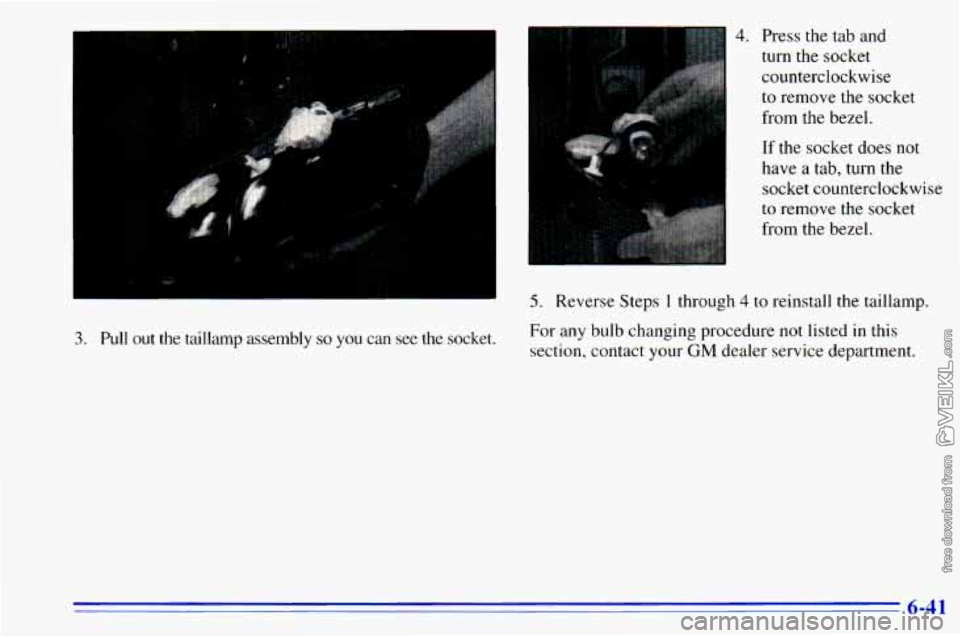
3. Pull out 1' lamp assembly so you can see the socket.
4. Press the tab and
turn
the socket
counterclockwise
to remove the socket
from the bezel.
If the socket does not
have
a tab, turn the
socket counterclockwise
to remove the socket
from the bezel.
5. Reverse Steps 1 through 4 to reinstall the taillamp.
For any bulb changing procedure not listed in this
section, contact your
GM dealer service department.
6-41
Page 362 of 372
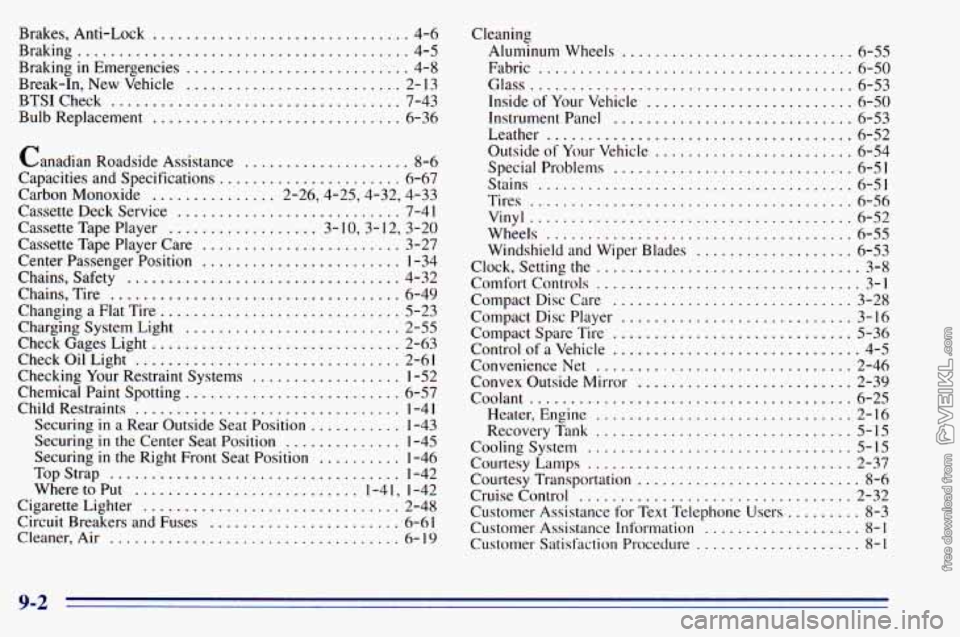
Brakes. Anti-Lock ............................... 4-6
Braking
........................................ 4-5
Braking
in Emergencies ........................... 4-8
Break-In. New Vehicle
.......................... 2- 13
BTSICheck ................................... 7-43
Bulb Replacement
.............................. 6-36
Canadian Roadside Assistance
.................... 8-6
Capacities and Specifications
...................... 6-67
Carbon Monoxide
............... 2.26.4.25.4.32. 4.33
Cassette Deck Service
........................... 7-41
Cassette Tape Player
.................. 3- 10. 3. 12. 3.20
Cassette Tape Player Care
........................ 3-27
Center Passenger Position
........................ 1-34
Chains. Safety
................................. 4-32
Chains. Tire
................................... 6-49
Changing a Flat Tire
............................. 5-23
Charging System Light
.......................... 2-55
Check Gages Light
.............................. 2-63
Check Oil Light
................................ 2-61
Checking
Your Restraint Systems .................. 1-52
Chemical Paint Spotting
.......................... 6-57
Child Restraints
................................ 1-4 I
Securing in a Rear Outside Seat Position ........... 1-43
Securing
in the Center Seat Position .............. 1-45
Securing
in the Right Front Seat Position .......... 1-46
TopStrap
................................... 1-42
Where to Put
........................... 1-4 I. 1-42
Cigarette Lighter
............................... 2-48
Circuit Breakers and Fuses
....................... 6-61
Cleaner. Air ................................... 6-19 Cleaning
Aluminum Wheels ............................ 6-55
Fabric
...................................... 6-50
Glass
....................................... 6-53
Inside
of Your Vehicle ......................... 6-50
Instrument Panel
............................. 6-53
Leather
..................................... 6-52
Outside
of Your Vehicle ........................ 6-54
Special Problems
............................. 6-51
Stains
...................................... 6-51
Tires
....................................... 6-56
Vinyl ....................................... 6-52
Wheels
..................................... 6-55
Windshield and Wiper Blades
................... 6-53
Clock. Setting the
................................ 3-8
Comfort Controls
................................ 3-1
Compact Disc Care
............................. 3-28
Compact Disc Player
............................ 3-16
Compact Spare Tire
............................. 5-36
Control of a Vehicle .............................. 4-5
ConvenienceNet
............................... 2-46
Convex Outside Mirror
.......................... 2-39
Coolant
....................................... 6-25
Heater. Engine
............................... 2-16
RecoveryTank
............................... 5-15
Courtesy Lamps
................................ 2-37
Courtesy Transportation
........................... 8-6
Cruise Control
................................. 2-32
Customer Assistance for Text Telephone Users
......... 8-3
Customer
Assistance Information ................... 8-1
Customer Satisfaction Procedure .................... 8-1
Cooling System
................................ 5-15
9-2