wheel CHEVROLET ASTRO 2005 Workshop Manual
[x] Cancel search | Manufacturer: CHEVROLET, Model Year: 2005, Model line: ASTRO, Model: CHEVROLET ASTRO 2005Pages: 376, PDF Size: 2.45 MB
Page 284 of 376
A rear blowout, particularly on a curve, acts much like a
skid and may require the same correction you’d use
in a skid. In any rear blowout, remove your foot from the
accelerator pedal. Get the vehicle under control by
steering the way you want the vehicle to go. It may be
very bumpy and noisy, but you can still steer. Gently
brake to a stop, well off the road if possible.
{CAUTION:
Lifting a vehicle and getting under it to do
maintenance or repairs is dangerous without
the appropriate safety equipment and training.
The jack provided with your vehicle is designed
only for changing a at tire. If it is used for
anything else, you or others could be badly
injured or killed if the vehicle slips off the jack.
Use the jack provided with your vehicle only
for changing a at tire.
If a tire goes at, the next part shows how to use your
jacking equipment to change a at tire safely.
Changing a Flat Tire
If a tire goes at, avoid further tire and wheel damage
by driving slowly to a level place. Turn on your
hazard warning ashers.
{CAUTION:
Changing a tire can be dangerous. The vehicle
can slip off the jack and roll over or fall on you
or other people. You and they could be badly
injured or even killed. Find a level place to
change your tire. To help prevent the vehicle
from moving:
1. Set the parking brake rmly.
2. Put the shift lever in PARK (P).
3. Turn off the engine and do not restart
while the vehicle is raised.
4. Do not allow passengers to remain in
the vehicle.
CAUTION: (Continued)
5-72
Page 285 of 376
CAUTION: (Continued)
To be even more certain the vehicle will not
move, you should put blocks at the front and
rear of the tire farthest away from the one
being changed. That would be the tire, on the
other side, at the opposite end of the vehicle.
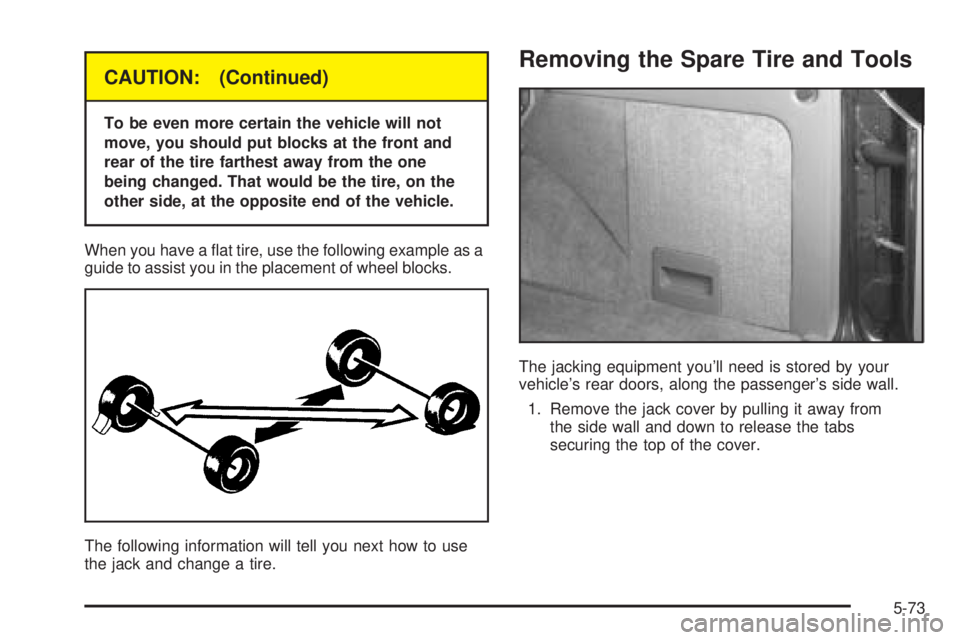
When you have a at tire, use the following example as a
guide to assist you in the placement of wheel blocks.
The following information will tell you next how to use
the jack and change a tire.
Removing the Spare Tire and Tools
The jacking equipment you’ll need is stored by your
vehicle’s rear doors, along the passenger’s side wall.
1. Remove the jack cover by pulling it away from
the side wall and down to release the tabs
securing the top of the cover.
5-73
Page 286 of 376
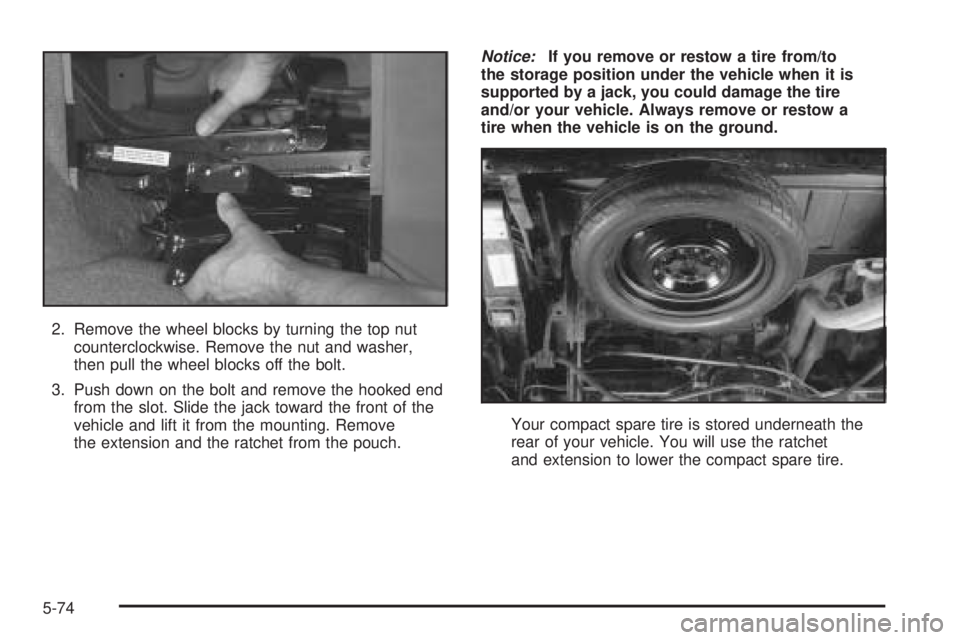
2. Remove the wheel blocks by turning the top nut
counterclockwise. Remove the nut and washer,
then pull the wheel blocks off the bolt.
3. Push down on the bolt and remove the hooked end
from the slot. Slide the jack toward the front of the
vehicle and lift it from the mounting. Remove
the extension and the ratchet from the pouch.Notice:If you remove or restow a tire from/to
the storage position under the vehicle when it is
supported by a jack, you could damage the tire
and/or your vehicle. Always remove or restow a
tire when the vehicle is on the ground.
Your compact spare tire is stored underneath the
rear of your vehicle. You will use the ratchet
and extension to lower the compact spare tire.
5-74
Page 288 of 376
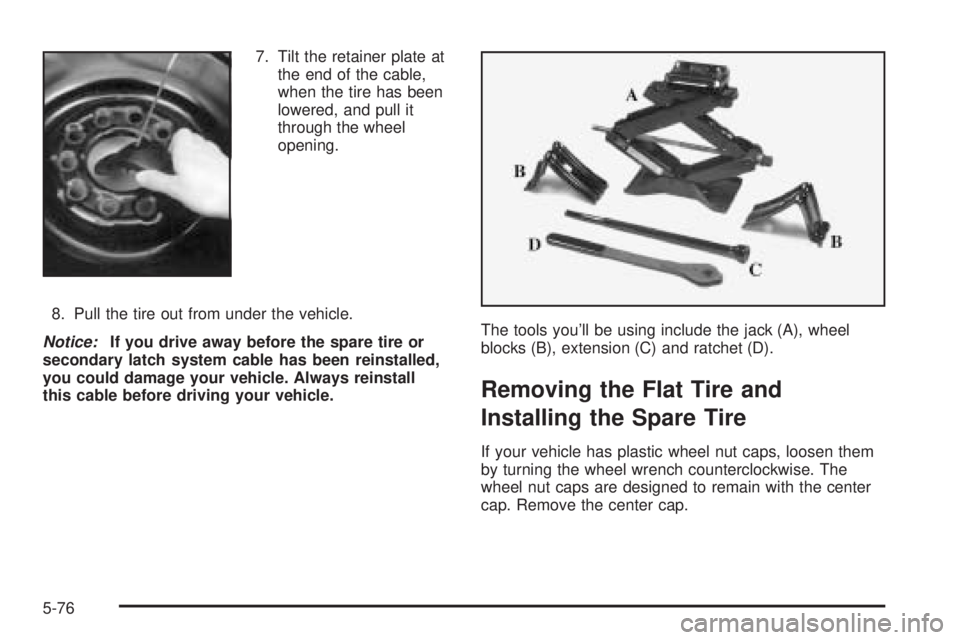
7. Tilt the retainer plate at
the end of the cable,
when the tire has been
lowered, and pull it
through the wheel
opening.
8. Pull the tire out from under the vehicle.
Notice:If you drive away before the spare tire or
secondary latch system cable has been reinstalled,
you could damage your vehicle. Always reinstall
this cable before driving your vehicle.The tools you’ll be using include the jack (A), wheel
blocks (B), extension (C) and ratchet (D).
Removing the Flat Tire and
Installing the Spare Tire
If your vehicle has plastic wheel nut caps, loosen them
by turning the wheel wrench counterclockwise. The
wheel nut caps are designed to remain with the center
cap. Remove the center cap.
5-76
Page 289 of 376
If the wheel has a smooth center piece, place the chisel
end of the wheel wrench in the slot on the wheel and
gently pry it out.
1. Before you start, block the front and rear of the tire
farthest away from the one being changed. Then
put your compact spare tire near the at tire.
{CAUTION:
Getting under a vehicle when it is jacked up is
dangerous. If the vehicle slips off the jack you
could be badly injured or killed. Never get under
a vehicle when it is supported only by a jack.
{CAUTION:
Raising your vehicle with the jack improperly
positioned can damage the vehicle and even
make the vehicle fall. To help avoid personal
injury and vehicle damage, be sure to t the
jack lift head into the proper location before
raising the vehicle.2. With the DOWN side facing you, turn the ratchet
and socket to loosen all the wheel nuts
counterclockwise. Don’t remove them yet.
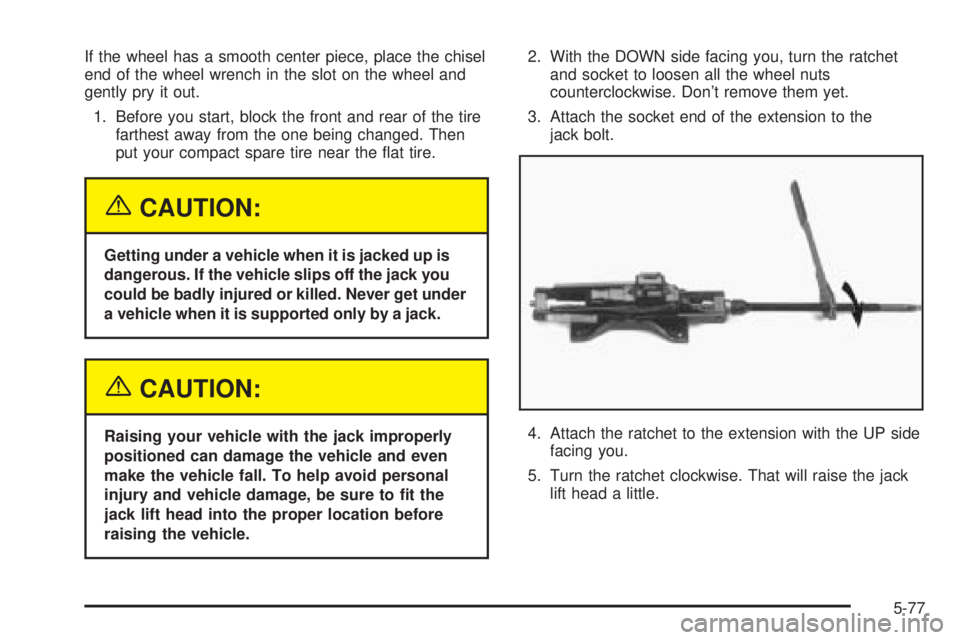
3. Attach the socket end of the extension to the
jack bolt.
4. Attach the ratchet to the extension with the UP side
facing you.
5. Turn the ratchet clockwise. That will raise the jack
lift head a little.
5-77
Page 291 of 376
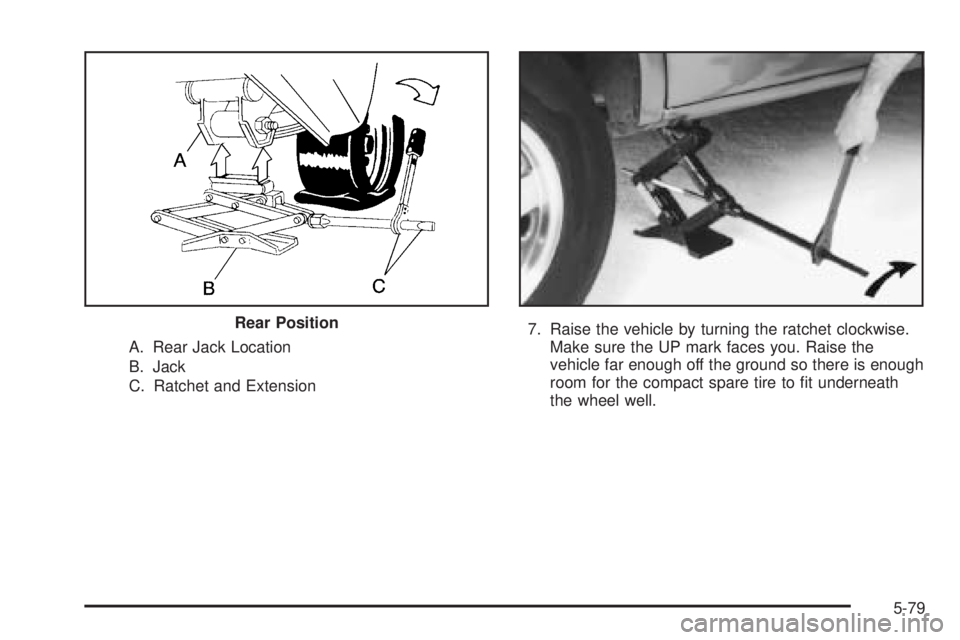
A. Rear Jack Location
B. Jack
C. Ratchet and Extension7. Raise the vehicle by turning the ratchet clockwise.
Make sure the UP mark faces you. Raise the
vehicle far enough off the ground so there is enough
room for the compact spare tire to t underneath
the wheel well. Rear Position
5-79
Page 292 of 376
8. Remove all the wheel nuts and take off the at tire.
{CAUTION:
Rust or dirt on the wheel, or on the parts to
which it is fastened, can make the wheel nuts
become loose after a time. The wheel could
come off and cause an accident. When you
change a wheel, remove any rust or dirt from
the places where the wheel attaches to the
vehicle. In an emergency, you can use a cloth
or a paper towel to do this; but be sure to use
a scraper or wire brush later, if you need to,
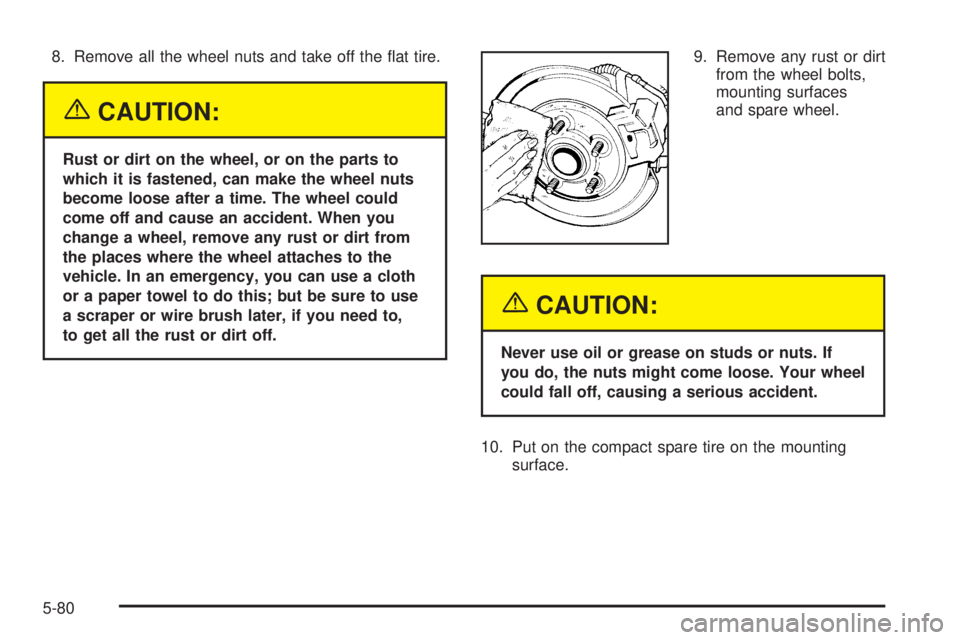
to get all the rust or dirt off.9. Remove any rust or dirt
from the wheel bolts,
mounting surfaces
and spare wheel.
{CAUTION:
Never use oil or grease on studs or nuts. If
you do, the nuts might come loose. Your wheel
could fall off, causing a serious accident.
10. Put on the compact spare tire on the mounting
surface.
5-80
Page 293 of 376
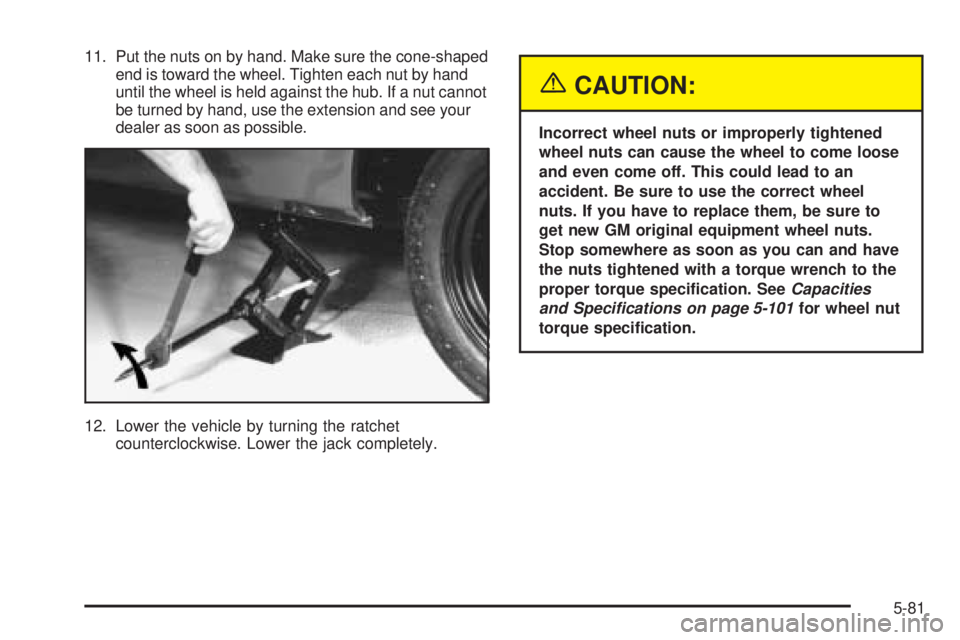
11. Put the nuts on by hand. Make sure the cone-shaped
end is toward the wheel. Tighten each nut by hand
until the wheel is held against the hub. If a nut cannot
be turned by hand, use the extension and see your
dealer as soon as possible.
12. Lower the vehicle by turning the ratchet
counterclockwise. Lower the jack completely.
{CAUTION:
Incorrect wheel nuts or improperly tightened
wheel nuts can cause the wheel to come loose
and even come off. This could lead to an
accident. Be sure to use the correct wheel
nuts. If you have to replace them, be sure to
get new GM original equipment wheel nuts.
Stop somewhere as soon as you can and have
the nuts tightened with a torque wrench to the
proper torque specication. SeeCapacities
and Specifications on page 5-101for wheel nut
torque specication.
5-81
Page 294 of 376
Notice:Improperly tightened wheel nuts can lead
to brake pulsation and rotor damage. To avoid
expensive brake repairs, evenly tighten the wheel
nuts in the proper sequence and to the proper torque
specication. SeeCapacities and Specifications on
page 5-101for the wheel nut torque specication.
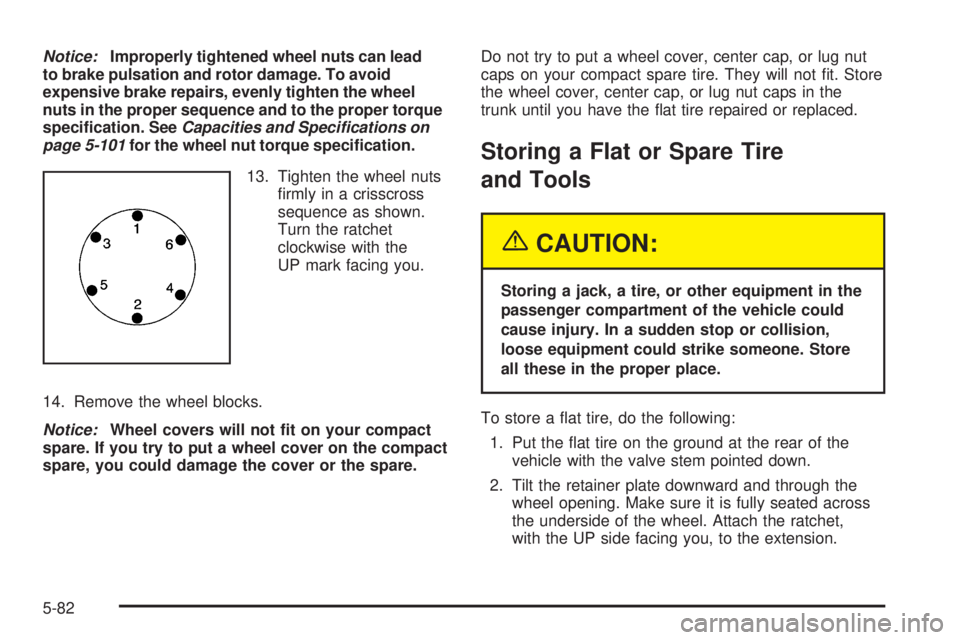
13. Tighten the wheel nuts
rmly in a crisscross
sequence as shown.
Turn the ratchet
clockwise with the
UP mark facing you.
14. Remove the wheel blocks.
Notice:Wheel covers will not t on your compact
spare. If you try to put a wheel cover on the compact
spare, you could damage the cover or the spare.Do not try to put a wheel cover, center cap, or lug nut
caps on your compact spare tire. They will not t. Store
the wheel cover, center cap, or lug nut caps in the
trunk until you have the at tire repaired or replaced.
Storing a Flat or Spare Tire
and Tools
{CAUTION:
Storing a jack, a tire, or other equipment in the
passenger compartment of the vehicle could
cause injury. In a sudden stop or collision,
loose equipment could strike someone. Store
all these in the proper place.
To store a at tire, do the following:
1. Put the at tire on the ground at the rear of the
vehicle with the valve stem pointed down.
2. Tilt the retainer plate downward and through the
wheel opening. Make sure it is fully seated across
the underside of the wheel. Attach the ratchet,
with the UP side facing you, to the extension.
5-82
Page 295 of 376
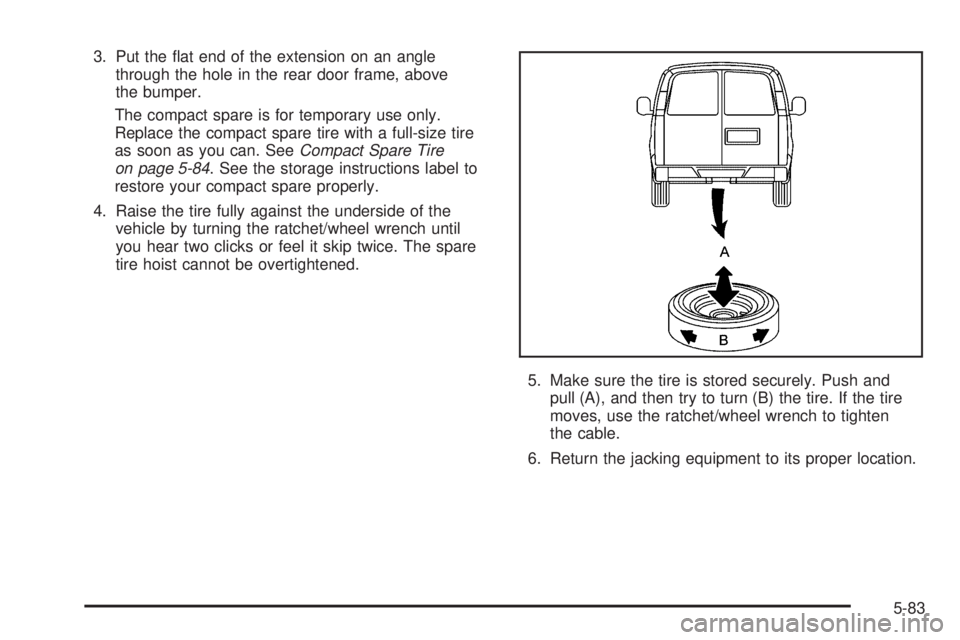
3. Put the at end of the extension on an angle
through the hole in the rear door frame, above
the bumper.
The compact spare is for temporary use only.
Replace the compact spare tire with a full-size tire
as soon as you can. SeeCompact Spare Tire
on page 5-84. See the storage instructions label to
restore your compact spare properly.
4. Raise the tire fully against the underside of the
vehicle by turning the ratchet/wheel wrench until
you hear two clicks or feel it skip twice. The spare
tire hoist cannot be overtightened.
5. Make sure the tire is stored securely. Push and
pull (A), and then try to turn (B) the tire. If the tire
moves, use the ratchet/wheel wrench to tighten
the cable.
6. Return the jacking equipment to its proper location.
5-83