DIC CHEVROLET AVALANCHE 2003 1.G User Guide
[x] Cancel search | Manufacturer: CHEVROLET, Model Year: 2003, Model line: AVALANCHE, Model: CHEVROLET AVALANCHE 2003 1.GPages: 492, PDF Size: 3.53 MB
Page 69 of 492

vehicle has the passenger sensing system and the
passenger air bag status indicator shows off. Never put
a rear-facing child restraint in the right front passenger
seat unless the air bag is off.
{CAUTION:
A child in a rear-facing child restraint can be
seriously injured or killed if the right front
passenger's air bag in¯ates. This is because
the back of the rear-facing child restraint
would be very close to the in¯ating air bag. Be
sure the air bag is off before using a
rear-facing child restraint in the right front seat
position.
Even though the passenger sensing system is
designed to turn off the passenger's frontal air
bag if the system detects a rear-facing child
restraint, no system is fail-safe, and no one
can guarantee that an air bag will not deploy
under some unusual circumstance, even
though it is turned off. General Motors,
therefore, recommends that rear-facing child
restraints be secured in the rear seat whenever
possible, even if the air bag is off.The passenger sensing system is designed to turn off
the right front passenger's frontal air bag if:
·the right front passenger seat is unoccupied
·the system determines that an infant is present in a
rear-facing infant seat
·the system determines that a small child is present
in a forward-facing child restraint
·the system determines that a small child is present
in a booster seat
·a right front passenger takes his/her weight off of
the seat for a period of time
·the right front passenger seat is occupied by a
smaller person, such as a child who has outgrown
child restraints
·or if there is a critical problem with the air bag
system or the passenger sensing system.
When the passenger sensing system has turned off the
passenger's frontal air bag, the off indicator will light
and stay lit to remind you that the air bag is off.
1-63
Page 70 of 492

The passenger sensing system is designed to turn off
the passenger's frontal air bag when a rear facing infant
seat, a forward-facing child restraint or a booster seat
is detected. If the child restraint has been installed
and the on indicator is lit, turn the vehicle off, remove
the child restraint from the vehicle and reinstall the
restraint following the child restraint manufacturer's
directions and refer to
Securing a Child Restraint in the
Right Front Seat Position on page 1-48of this manual.
If after reinstalling the child restraint and restarting
the vehicle, the on indicator is still lit, secure the child in
the child restraint in a rear seat position in the vehicle
and check with your dealer.
The passenger sensing system is designed to enable
(may in¯ate) the right front passenger's frontal air
bag anytime the system senses that a person of adult
size is sitting properly in the right front passenger's seat.
When the passenger sensing system has allowed the
air bag to be enabled, the on indicator will light and stay
lit to remind you that the air bag is active.For some children who have outgrown child restraints
and for very small adults, the passenger sensing system
may or may not turn off the right front passenger's
frontal air bag, depending upon the person's seating
posture and body build. Everyone in your vehicle
who has outgrown child restraints should wear a safety
belt properly Ð whether or not there is an air bag
for that person.
If a person of adult-size is sitting in the right front
passenger's seat, but the off indicator is lit, it could be
because that person isn't sitting properly in the seat.
If this happens, turn the vehicle off and ask the person
to place the seatback in the full upright position,
then sit upright in the seat, centered on the seat cushion,
with the person's legs comfortably extended. Restart
the vehicle and have the person remain in this position
for about two minutes. This will allow the system to
detect that person and then enable the passenger's
air bag.
1-64
Page 79 of 492

·Check to determine if battery replacement is
necessary. See ªBattery Replacementº under
Remote Keyless Entry System Operation on
page 2-5.
·If you are still having trouble, see your dealer or a
quali®ed technician for service.
Remote Keyless Entry System
Operation
You can lock and unlock your doors from about 3 feet
(1 m) up to 100 feet (30 m) away using the remote
keyless entry transmitter supplied with your vehicle.
K(Unlock):Pressing this
button once will unlock the
driver's door. The interior
lamps will come on.
Pressing unlock again
within three seconds will
cause the remaining doors
to unlock.You can choose different feedback options for each
press of the unlock button, such as having the vehicle's
perimeter lamps come on and/or having the horn
chirp. See
DIC Operation and Displays on page 3-46for
more information.
Q(Lock):Pressing this button once will lock all of the
doors. Pressing the button again within three seconds
may cause the horn to chirp for lock con®rmation.
You can choose different feedback options for each
press of the lock button, such as having the vehicle's
perimeter lamps ¯ash and/or having the horn chirp. See
DIC Operation and Displays on page 3-46for more
information.
L(Panic):When this button is pressed, the horn will
sound and the headlamps and taillamps will ¯ash for
up to 30 seconds. This can be turned off by pressing the
button again, or by waiting for 30 seconds, or by
starting the vehicle.
2-5
Page 82 of 492
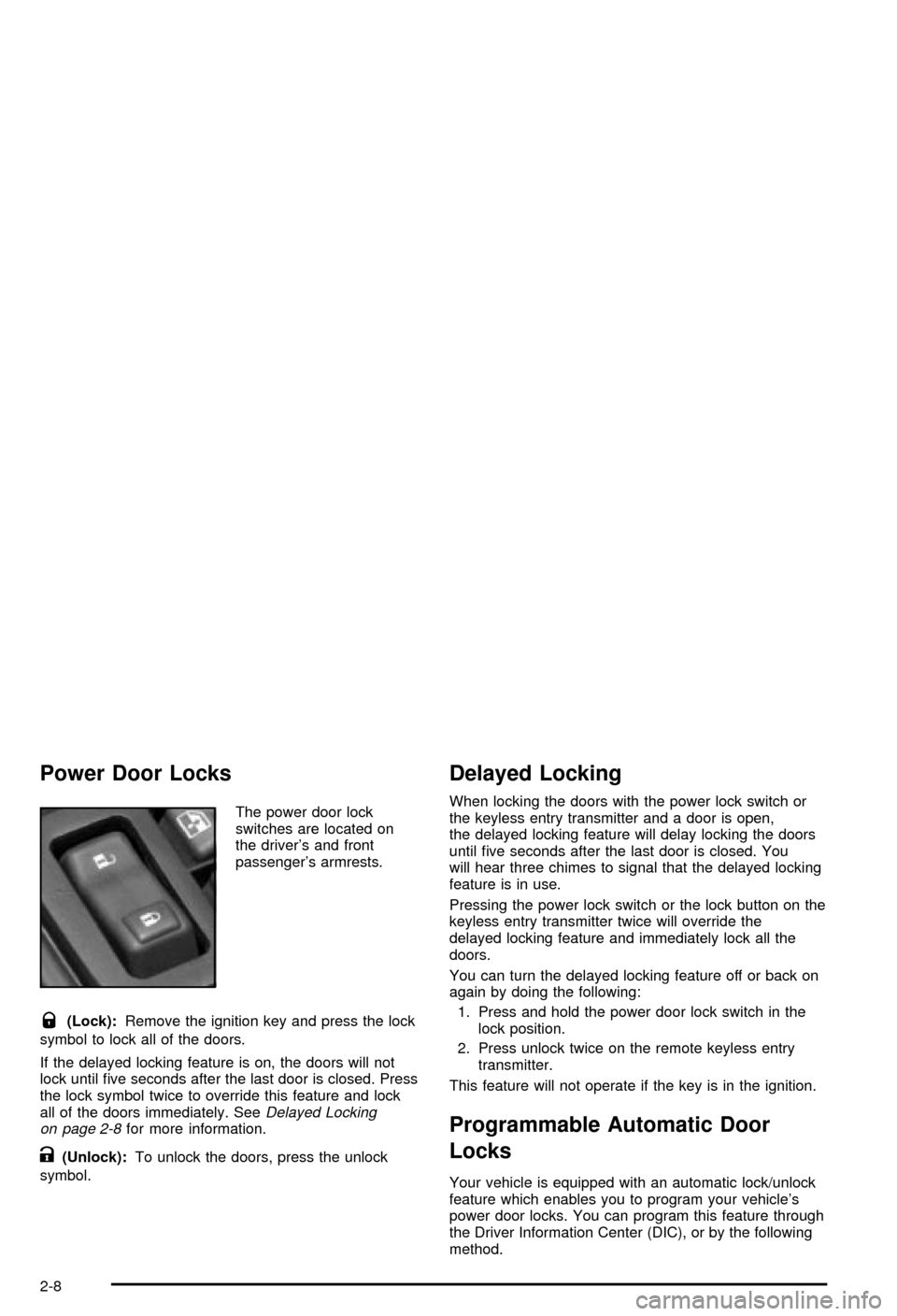
Power Door Locks
The power door lock
switches are located on
the driver's and front
passenger's armrests.
Q(Lock):Remove the ignition key and press the lock
symbol to lock all of the doors.
If the delayed locking feature is on, the doors will not
lock until ®ve seconds after the last door is closed. Press
the lock symbol twice to override this feature and lock
all of the doors immediately. See
Delayed Locking
on page 2-8for more information.
K(Unlock):To unlock the doors, press the unlock
symbol.
Delayed Locking
When locking the doors with the power lock switch or
the keyless entry transmitter and a door is open,
the delayed locking feature will delay locking the doors
until ®ve seconds after the last door is closed. You
will hear three chimes to signal that the delayed locking
feature is in use.
Pressing the power lock switch or the lock button on the
keyless entry transmitter twice will override the
delayed locking feature and immediately lock all the
doors.
You can turn the delayed locking feature off or back on
again by doing the following:
1. Press and hold the power door lock switch in the
lock position.
2. Press unlock twice on the remote keyless entry
transmitter.
This feature will not operate if the key is in the ignition.
Programmable Automatic Door
Locks
Your vehicle is equipped with an automatic lock/unlock
feature which enables you to program your vehicle's
power door locks. You can program this feature through
the Driver Information Center (DIC), or by the following
method.
2-8
Page 83 of 492

Programmable Locking Feature
The following is the list of available programming
options:
Mode 1:All doors lock when the transmission is shifted
into gear. This is the mode that is pre-programmed in
the factory for your vehicle.
Mode 2:All doors lock when the vehicle speed is
greater than 8 mph (13 km/h).
Mode 3:No automatic door locking.
The following instructions tell you how to change the
automatic door lock mode. Choose one of the three
programming options listed above before entering the
program mode. To enter the program mode, do the
following:
1. Begin with the ignition off. Then pull the turn
signal/multifunction lever toward you and hold
it there while you perform the next step.
2. Turn the key to RUN then back to LOCK twice.
Then, with the key in LOCK, release the turn
signal/multifunction lever. Once you do this, the
doors will lock and unlock, the horn will chirp twice,
and a 30-second timer will begin. You are now
ready to program the automatic door lock feature.3. Press the door lock switch once. You will hear one,
two, or three chimes. The number of chimes tells you
which lock mode is currently selected. Continue to
press the door lock switch until the number of chimes
that you hear matches the number of the mode that
you want. If you take longer than 30 seconds, the
locks will automatically lock and unlock and the horn
will chirp twice to indicate that you have left the
program mode. If this occurs, you can repeat the
procedure beginning with Step 1 to re-enter the
programming mode.
You can exit the program mode any time by turning the
ignition to RUN (the doors will automatically lock and
unlock and the horn will chirp twice to indicate that you
are leaving the program mode). If the lock/unlock
switches are not pressed while in the programming
mode, the current automatic settings will not be
modi®ed.
See your dealer for more information.
Programmable Unlocking Feature
The following is the list of available programming
options:
Mode 1:Driver's door unlocks when the transmission is
shifted into PARK (P).
Mode 2:All doors unlock when the transmission is
shifted into PARK (P). This is the mode that is
pre-programmed in the factory for your vehicle.
2-9
Page 84 of 492

Mode 3:All doors unlock when the key is removed
from the ignition.
Mode 4:No automatic door unlock.
The following instructions tell you how to change the
automatic door unlock mode. Choose one of the
four programming options listed above before entering
the program mode. To enter the program mode, do
the following:
1. Begin with the ignition off. Then pull the turn
signal/multifunction lever toward you and hold
it there while you perform the next step.
2. Turn the key to RUN and LOCK twice. Then, with
the key in LOCK, release the turn
signal/multifunction lever. Once you do this, the
doors will lock and unlock, the horn will chirp twice,
and a 30-second timer will begin. You are now
ready to program the automatic door unlock feature.3. Press the door unlock switch once. You will hear
one, two, three, or four chimes. The number of
chimes tells you which unlock mode is currently
selected. Continue to press the door unlock switch
until the number of chimes that you hear matches
the number of the mode that you want. If you
take longer than 30 seconds, the locks will
automatically lock and unlock and the horn will
chirp twice to indicate that you have left the program
mode. If this occurs, you can repeat the procedure
beginning with Step 1 to re-enter the programming
mode.
You can exit the program mode any time by turning the
ignition to RUN (the doors will automatically lock and
unlock and the horn will chirp twice to indicate that you
are leaving the program mode). If the lock/unlock
switches are not pressed while in the programming
mode, the current automatic settings will not be
modi®ed.
See your dealer for more information.
2-10
Page 99 of 492

Theft-Deterrent Systems
Vehicle theft is big business, especially in some cities.
Although your vehicle has a number of theft-deterrent
features, we know that nothing we put on it can make it
impossible to steal.
Content Theft-Deterrent
Your vehicle is equipped with a content theft-deterrent
alarm system.
With this system, the
security light in the
instrument panel cluster
will ¯ash as you open
the door if your ignition is
off.
This light reminds you to activate the theft-deterrent
system. Here's how to do it:
1. Open the door.
2. Lock the door with the power door lock switch or
the remote keyless entry transmitter. The security
light should come on and stay on.
3. Close all doors. The security light should go off
after about 30 seconds. The alarm is not armed
until the security light goes off.If a locked door is opened without the key or the remote
keyless entry transmitter, the alarm will go off. The
headlamps and parking lamps will ¯ash for two minutes,
and the horn will sound for 30 seconds, then will turn
off to save the battery power. You can choose different
feedback options for the alarm. See
Driver Information
Center (DIC) on page 3-46.
Remember, the theft-deterrent system won't activate if
you lock the doors with a key or use the manual
door lock. It activates only if you use a power door lock
switch with the door open, or with the remote keyless
entry transmitter. You should also remember that
you can start your vehicle with the correct ignition key if
the alarm has been set off.
Here's how to avoid setting off the alarm by accident:
·If you don't want to activate the theft-deterrent
system, the vehicle should be locked with the door
key
afterthe doors are closed.
·Always unlock a door with a key, or use the remote
keyless entry transmitter. Unlocking a door any
other way will set off the alarm.
If you set off the alarm by accident, unlock any door
with the key. You can also turn off the alarm by pressing
unlock on the remote keyless entry transmitter. The
alarm won't stop if you try to unlock a door any other
way.
2-25
Page 105 of 492

Automatic Transmission Operation
Your vehicle is equipped with an automatic transmission
and features an electronic shift position indicator
located within the instrument panel cluster.
There are several different positions for your shift lever.
PARK (P):This position locks your drive wheels. It's
the best position to use when you start your engine
because your vehicle can't move easily.
{CAUTION:
It is dangerous to get out of your vehicle if the
shift lever is not fully in PARK (P) with the
parking brake ®rmly set. Your vehicle can roll.
Don't leave your vehicle when the engine is
running unless you have to. If you have left the
engine running, the vehicle can move
suddenly. You or others could be injured.
CAUTION: (Continued)
CAUTION: (Continued)
To be sure your vehicle won't move, even
when you're on fairly level ground, always set
your parking brake and move the shift lever to
PARK (P). See ªShifting Into Park (P)º in the
Index. If you're pulling a trailer, see ªTowing a
Trailerº in the Index.
{CAUTION:
If you have four-wheel drive, your vehicle will
be free to roll Ð even if your shift lever is in
PARK (P) Ð if your transfer case is in
NEUTRAL. So, be sure the transfer case is in a
drive gear, two-wheel high (2H) or four-wheel
high (4H) or four-wheel low (4L) Ð not in
NEUTRAL. See ªShifting into Park (P)º in the
index.
2-31
Page 110 of 492

{CAUTION:
Shifting the transfer case to NEUTRAL can
cause your vehicle to roll even if the
transmission is in PARK (P). You or someone
else could be seriously injured. Be sure to set
the parking brake before placing the transfer
case in NEUTRAL. See²Parking Brake²in the
Index.
NEUTRAL:Shift the vehicle's transfer case to
NEUTRAL only when towing your vehicle. See
Recreational Vehicle Towing on page 4-48orTowing
Your Vehicle on page 4-48for more information.
Indicator lights in the switches show which setting you
are in. The indicator lights will come on brie¯y when you
turn on the ignition and one will stay on. If the lights
do not come on, you should take your vehicle to your
dealer for service. An indicator light will ¯ash while
shifting the transfer case. It will remain illuminated when
the shift is complete. If for some reason the transfer
case cannot make a requested shift, it will return to the
last chosen setting.If the SERVICE 4WD message stays on, you should
take your vehicle to your dealer for service. See²Service
4WD message²under
Driver Information Center (DIC)
on page 3-46.
Shifting into 4HI or AUTO 4WD
Press and release the 4 hi or AUTO 4WD switch. This
can be done at any speed (except when shifting
from 4LO), and the indicator light will ¯ash while shifting.
It will remain illuminated when the shift is completed.
Shifting into 2HI
Press and release the 2 hi switch. This can be done at
any speed (except when shifting from 4LO).
Shifting into 4LO
To shift to the 4 lo position, the ignition must be in RUN
and the vehicle must be stopped or moving less than
3 mph (4.8 km/h) with the transmission in NEUTRAL (N).
The preferred method for shifting into 4LO is to have
your vehicle moving 1 to 2 mph (1.6 to 3.2 km/h). Press
and release the 4 lo switch. You must wait for the
4LO indicator light to stop ¯ashing and remain
illuminated before shifting your transmission in gear.
2-36
Page 111 of 492

Notice:Shifting the transmission into gear before
the 4LO indicator light has stopped ¯ashing
could damage the transfer case. To help avoid
damaging your vehicle, always wait for the 4LO
indicator light to stop ¯ashing before shifting your
transmission into gear.
It is typical for your vehicle to exhibit signi®cant
engagment noise and bump when shifting between 4LO
and 4HI ranges or from NEUTRAL with the engine
running.
If the 4 lo switch is pressed when your vehicle is in gear
and/or moving, the 4LO indicator light will ¯ash for
30 seconds and not complete the shift unless your
vehicle is moving less than 3 mph (4.8 km/h) and the
transmission is in NEUTRAL (N). After 30 seconds
the transfer case will return to the setting last chosen.
Shifting Out of 4LO
To shift from 4LO to 4HI, AUTO 4WD or 2HI your
vehicle must be stopped or moving less than 3 mph
(4.8 km/h) with the transmission in NEUTRAL (N) and
the ignition in RUN. The preferred method for shifting out
of 4LO is to have your vehicle moving 1 to 2 mph
(1.6 to 3.2 km/h). Press and release the 4HI,
AUTO 4WD or 2HI switch. You must wait for the 4HI,
AUTO 4WD or 2HI indicator light to stop ¯ashing
and remain illuminated before shifting your transmission
into gear.
Notice:Shifting the transmission into gear before
the 4LO indicator light has stopped ¯ashing
could damage the transfer case. To help avoid
damaging your vehicle, always wait for the 4LO
indicator light to stop ¯ashing before shifting your
transmission into gear.
It is typical for your vehicle to exhibit signi®cant
engagment noise and bump when shifting between 4LO
and 4HI ranges or from NEUTRAL with the engine
running.
If the 4HI, AUTO 4WD or 2HI switch is pressed when
your vehicle is in gear and/or moving, the 4HI,
AUTO 4WD or 2HI indicator light will ¯ash for
30 seconds but will not complete the shift unless your
vehicle is moving less than 3 mph (4.8 km/h) and
the transmission is in NEUTRAL (N).
2-37