DIC CHEVROLET AVALANCHE 2003 1.G Owner's Manual
[x] Cancel search | Manufacturer: CHEVROLET, Model Year: 2003, Model line: AVALANCHE, Model: CHEVROLET AVALANCHE 2003 1.GPages: 492, PDF Size: 3.53 MB
Page 120 of 492

Mirrors
Manual Rearview Mirror
Twist the tab under the mirror to reduce glare from
headlamps behind you after dark. Twist the the tab back
for normal daytime operation.
Automatic Dimming Rearview Mirror
with OnStar
ž, Compass and
Temperature Display
Your vehicle may have this feature. When on, an
electrochromic mirror automatically dims to the proper
level to minimize glare from lights behind you after dark.
The mirror also includes a duel display in the upper
right corner of the mirror face. The compass reading and
the outside temperature will both appear in the display
at the same time.
P(On/Off):This is the on/off button.
Temperature and Compass Display
Press the on/off button, located to the far left, brie¯y to
turn the comp/temp display on or off.
If the display reads CAL, you will need to calibrate the
compass. For more information on calibration, see
below.
To adjust between Fahrenheit and Celsius do the
following:
1. Press and hold the on/off button for approximately
four seconds until either a ¯ashing ÉF, or ÉC
appears.
2. Press the button again to change the display to the
desired unit of measurement. After approximately
four seconds of inactivity, the new unit will be locked
in and the compass/temperature display will
return.
Electrochromic Mirror Operation
The electrochromic (self dimming) mirror function is
turned on automatically each time the ignition is started.
To operate the electrochromic mirror do the following:
1. Make sure the green indicator light, located to
the left of the on/off button, is lit. If it's not, press
and hold the on/off button for approximately
six seconds until the green light comes on,
indicating that the mirror is in electrochromic (self
dimming) mode.
2-46
Page 121 of 492

2. Turn off the electrochromic mirror function by
pressing and holding the on/off button for
approximately six seconds until the green indicator
light turns off.
Compass Variance
The mirror is set in zone eight upon leaving the factory.
It will be necessary to adjust the compass to
compensate for compass variance if you live outside of
zone eight. Under certain circumstances, as during a
long distance cross-country trip, it will be necessary to
adjust for compass variance. Compass variance is
the difference between earth's magnetic north and true
geographic north. If not adjusted to account for
compass variance, your compass could give false
readings.
To adjust for compass variance do the following:
1. Find your current location and variance zone
number on the following zone map.2. Press and hold the on/off button until a Z and a
zone number appears in the display. The compass
is now in zone mode.
3. Keep pressing the on/off button until the desired
zone number appears in the display. Release the
button. After approximately four seconds of
inactivity, the new zone number will be locked in
and the comp/temp display will return.
4. Calibrate the compass as described below.
2-47
Page 122 of 492

Compass Calibration
The compass may need calibration if one of the
following occurs:
·After approximately ®ve seconds, the display does
not show a compass heading (N for North, for
example), there may be a strong magnetic ®eld
interfering with the compass. Such interference may
be caused by a magnetic antenna mount, magnetic
note pad holder or a similar magnetic item.
·The compass does not display the correct heading
and the compass zone variance is set correctly.
In order to calibrate, CAL must be displayed in the
mirror compass windows. If CAL is not displayed, push
the on/off button for approximately 12 seconds or
until CAL is displayed.
The compass can be calibrated by driving the vehicle in
circles at 5 mph (8 km/h) or less until the display
reads a direction.
Passenger Air Bag Indicator
Your vehicle may be equipped with a passenger air bag
indicator, on the mirror glass, just above the buttons.
If your vehicle has this feature, the mirror will display the
word ON, or an air bag symbol in Canada, when the
passenger air bag is enabled. For more information, see
Passenger Sensing System on page 1-62.
Cleaning the Mirror
When cleaning the mirror, use a paper towel or similar
material dampened with glass cleaner. Do not spray
glass cleaner directly on the mirror as that may cause
the liquid cleaner to enter the mirror housing.
Automatic Dimming Rearview Mirror
with Compass and Temperature
Display
If your vehicle is equipped with an electrochromic mirror
it will automatically dim to the proper level to minimize
glare from lights behind you after dark.
The mirror also includes a display in the upper right
corner of the mirror face. The compass reading and the
outside temperature will both appear in the display at the
same time. The dual display can be turned on or off by
brie¯y pressing either the TEMP or the COMP button.
2-48
Page 123 of 492

Temperature Display
The temperature can be displayed by pressing the
TEMP button. Pressing the TEMP button once brie¯y,
will toggle the temperature reading on and off. To
alternate the temperature reading between Fahrenheit
and Celsius, press and hold the TEMP button for
approximately four seconds until the display blinks ÉF
and ÉC. Press and release the TEMP button to
toggle between the Fahrenheit and Celsius readings.
After approximately four seconds of inactivity, the display
will stop blinking and display the last selection made.
Press and release the TEMP button to toggle the
temperature display between Fahrenheit or Celsius.
If an abnormal reading is displayed, please consult your
dealer.
Electrochromic Mirror Operation
The time period you need to press and hold the TEMP
button to turn the electrochromic feature on or off is
approximately eight seconds. The indicator light to the
left of the TEMP button will still turn on or off to
show you when the electrochromic feature is activated.
Once the mirror is turned off, it will remain off until it
is turned back on, or until the vehicle is restarted.
Compass Operation
Press the COMP button once brie¯y to turn the compass
on or off.
When the ignition and the compass feature are on, the
compass will show two character boxes for
approximately two seconds. After two seconds, the
mirror will display the compass heading.
When cleaning the mirror, use a paper towel or similar
material dampened with glass cleaner. Do not spray
glass cleaner directly on the mirror as that may cause
the liquid cleaner to enter the mirror housing.
Compass Calibration
The compass may need calibration if one of the
following occurs:
·If CAL is displayed while driving in the vehicle.
·After approximately ®ve seconds, the display does
not show a compass heading (N for North, for
example), there may be a strong magnetic ®eld
interfering with the compass. Such interference may
be caused by a magnetic antenna mount, magnetic
note pad holder or a similar magnetic item.
·The compass does not display the correct heading
and the compass zone variance is set correctly.
2-49
Page 125 of 492
Cleaning the Mirror
Use a paper towel or similar material dampened with
glass cleaner. Do not spray glass cleaner directly on the
mirror as that may cause the liquid cleaner to enter
the mirror housing.
Passenger Air Bag Indicator
Your mirror may be equipped with a passenger air bag
indicator on the mirror glass, just above the buttons.
If you have this feature the mirror will display the word
ON, or an airbag symbol in Canada, when the
passenger air bag is enabled. For more information see
Passenger Sensing System on page 1-62
Outside Camper-Type Mirrors
If your vehicle is equipped with outside camper-type
mirrors, they can be adjusted so you can have a clear
view of objects behind you.
To extend the manual camper mirrors, pull out the
mirror head to extend it for better visibility. Adjust the
mirror glass manually to the desired position.
To extend the power camper mirrors, move the selector
switch, located above the mirror control, to the middle
position. The mirror control will illuminate. Press the left
or right side of the mirror control to slide the mirror
heads away or toward the body of the vehicle. Adjust
the mirror glass by using the power mirror switches. See
Outside Power Mirrors on page 2-51.
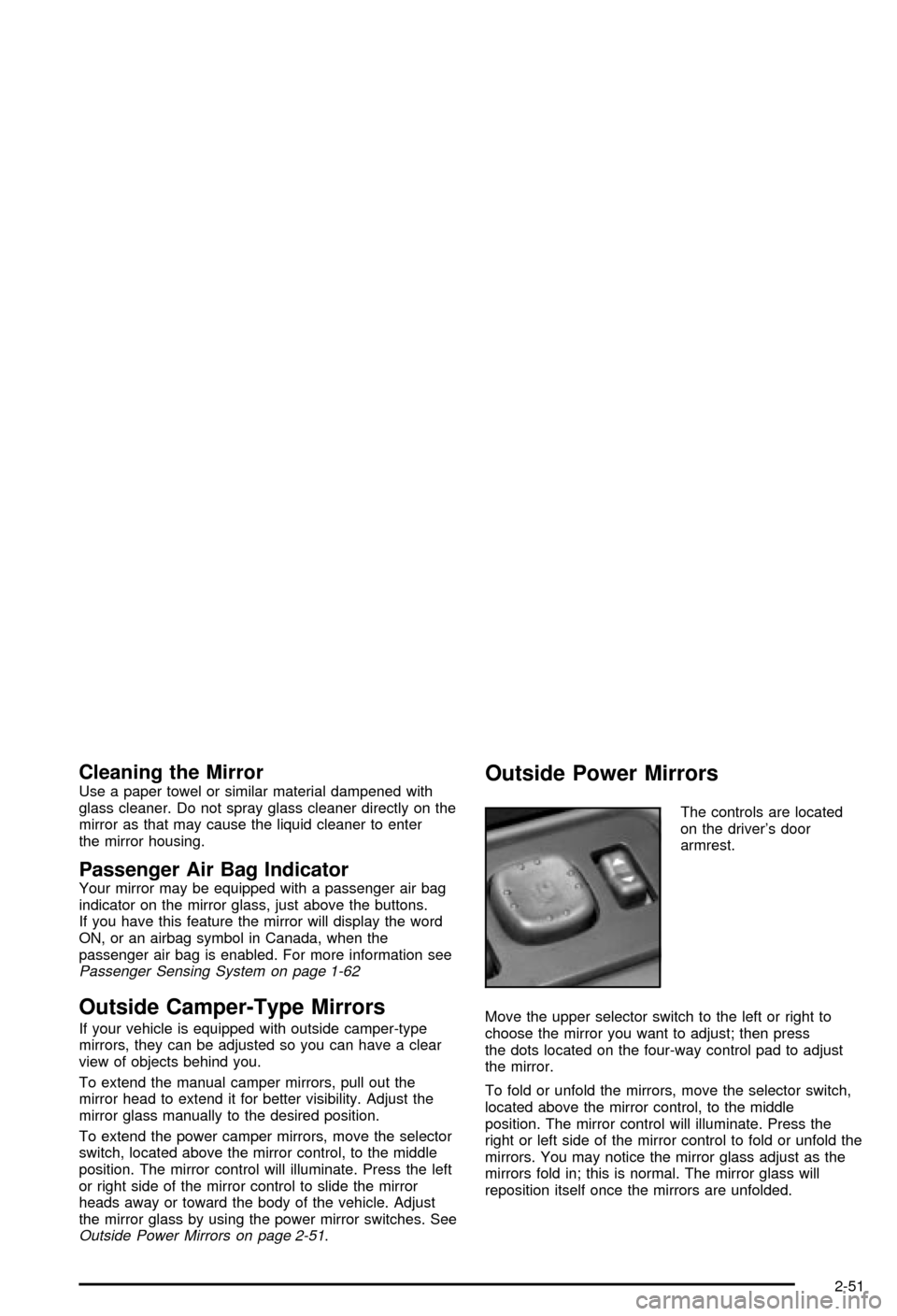
Outside Power Mirrors
The controls are located
on the driver's door
armrest.
Move the upper selector switch to the left or right to
choose the mirror you want to adjust; then press
the dots located on the four-way control pad to adjust
the mirror.
To fold or unfold the mirrors, move the selector switch,
located above the mirror control, to the middle
position. The mirror control will illuminate. Press the
right or left side of the mirror control to fold or unfold the
mirrors. You may notice the mirror glass adjust as the
mirrors fold in; this is normal. The mirror glass will
reposition itself once the mirrors are unfolded.
2-51
Page 127 of 492
Outside Automatic Dimming Mirror
with Curb View Assist
Your vehicle may have this feature.
The driver's outside mirror will adjust for the glare of the
headlamps behind you. See
Automatic Dimming
Rearview Mirror with OnStarž, Compass and
Temperature Display on page 2-46.
Your vehicle's mirrors will also be capable of performing
the curb view assist mirror function. This feature will
cause the passenger's and/or driver's mirror to tilt to a
preselected position when the vehicle is in
REVERSE (R). This feature may be useful in allowing
you to view the curb when you are parallel parking.
When the vehicle is shifted out of REVERSE (R) and a
short delay has occurred, the passenger's and/or
driver's mirror will return to its original position.
To change the preselected tilt position, adjust the
mirrors to the desired position while the vehicle is in
REVERSE (R). When the vehicle is shifted out of
REVERSE (R), this new position is saved in memory as
the tilt position.
This feature can be enabled/disabled through the Driver
Information Center. See
Driver Information Center
(DIC) on page 3-46for more information.
OnStaržSystem
OnStaržuses global positioning system (GPS) satellite
technology, wireless communications, and state of
the art call centers to provide you with a wide range of
safety, security, information and convenience services.
An OnStar
žsubscription plan is included in the price
of your vehicle. You can easily upgrade or extend your
OnStar
žservices to meet your personal needs.
A complete OnStar
žuser's guide and the terms and
conditions of the OnStaržSubscription Service
Agreement are included in your OnStarž-equipped
vehicle's glove box literature. For more information, visit
www.onstar.com, contact OnStar
žat 1-888-4-ONSTAR
(1-888-466-7827), or press the blue OnStaržbutton
to speak to an OnStaržadvisor 24 hours a day, 7 days a
week.
2-53
Page 130 of 492

Programming the HomeLinkž
Transmitter
Do not use the HomeLinkžTransmitter with any garage
door opener that does not have the ªstop and reverseº
feature. This includes any garage door opener model
manufactured before April 1, 1982. If you have a newer
garage door opener with rolling codes, please be
sure to follow steps 6 through 8 to complete the
programming of your HomeLink
žTransmitter.
Read the instructions completely before attempting to
program the HomeLink
žTransmitter. Because of
the steps involved, it may be helpful to have another
person available to assist you in programming the
transmitter.
Keep the original transmitter for use in other vehicles as
well as for future HomeLink
žprogramming. It is also
recommended that upon the sale of the vehicle,
the programmed HomeLink
žbuttons should be erased
for security purposes. Refer to ªErasing HomeLinkž
Buttonsº or, for assistance, contact HomeLinkžon the
internet at: www.homelink.com or by calling
1-800-355-3515.
Be sure that people and objects are clear of the garage
door or gate operator you are programming. When
programming a garage door, it is advised to park outside
of the garage.It is recommended that a new battery be installed in
your hand-held transmitter for quicker and more
accurate transmission of the radio frequency.
Your vehicle's engine should be turned off while
programming the transmitter. Follow these steps to
program up to three channels:
1. Press and hold down the two outside buttons,
releasing only when the indicator light begins to
¯ash, after 20 seconds. Do not hold down the
buttons for longer than 30 seconds and do not
repeat this step to program a second and/or third
transmitter to the remaining two HomeLink
žbuttons.
2. Position the end of your hand-held transmitter about
1 to 3 inches (3 to 8 cm) away from the HomeLink
ž
buttons while keeping the indicator light in view.
3. Simultaneously press and hold both the desired
button on HomeLink
žand the hand-held transmitter
button. Do not release the buttons until Step 4
has been completed.
Some entry gates and garage door openers may
require you to substitute Step 3 with the procedure
noted in ªGate Operator and Canadian
Programmingº later in this section.
4. The indicator light will ¯ash slowly at ®rst and then
rapidly after HomeLink
žsuccessfully receives the
frequency signal from the hand-held transmitter.
Release both buttons.
5. Press and hold the newly-trained HomeLink
žbutton
and observe the indicator light.
2-56
Page 131 of 492

If the indicator light stays on constantly, programming
is complete and your device should activate when the
HomeLink
žbutton is pressed and released.
To program the remaining two HomeLinkžbuttons,
begin with Step 2 under ªProgramming HomeLinkž.º
Do not repeat Step 1 as this will erase all of the
programmed channels.
If the indicator light blinks rapidly for two seconds
and then turns to a constant light, continue with
Steps 6 through 8 following to complete the
programming of a rolling-code equipped device
(most commonly, a garage door opener).
6. Locate in the garage, the garage door opener
receiver (motor-head unit). Locate the ªLearnº
or ªSmartº button. This can usually be found where
the hanging antenna wire is attached to the
motor-head unit.
7. Firmly press and release the ªLearnº or ªSmartº
button. The name and color of the button may
vary by manufacturer.
You will have 30 seconds to start Step 8.
8. Return to the vehicle. Firmly press and hold the
programmed HomeLink
žbutton for two seconds,
then release. Repeat the press/hold/release
sequence a second time, and depending on the
brand of the garage door opener (or other rolling
code device), repeat this sequence a third time
to complete the programming.HomeLink
žshould now activate your rolling-code
equipped device.
To program the remaining two HomeLink
žbuttons,
begin with Step 2 of ªProgramming HomeLinkž.º Do not
repeat Step 1.
Gate Operator and Canadian
Programming
Canadian radio-frequency laws require transmitter
signals to ªtime outº or quit after several seconds of
transmission. This may not be long enough for
HomeLink
žto pick up the signal during programming.
Similarly, some U.S. gate operators are manufactured to
ªtime outº in the same manner.
If you live in Canada, or you are having difficulty
programming a gate operator by using the
ªProgramming HomeLink
žº procedures (regardless of
where you live), replace Step 3 under ªProgramming
HomeLink
žº with the following:
Continue to press and hold the HomeLinkžbutton while
you press and release every two seconds (cycle) your
hand-held transmitter until the frequency signal has been
successfully accepted by HomeLink
ž. The indicator light
will ¯ash slowly at ®rst and then rapidly. Proceed with
Step 4 under ªProgramming HomeLink
žº to complete.
2-57
Page 132 of 492

Using HomeLinkž
Press and hold the appropriate HomeLinkžbutton for at
least half of a second. The indicator light will come
on while the signal is being transmitted.
Erasing HomeLinkžButtons
To erase programming from the three buttons do the
following:
1. Press and hold down the two outside buttons until
the indicator light begins to ¯ash, after 20 seconds.
2. Release both buttons. Do not hold for longer than
30 seconds.
HomeLink
žis now in the train (learning) mode and can
be programmed at any time beginning with Step 2
under ªProgramming HomeLink
ž.º
Individual buttons can not be erased, but they can be
reprogrammed. See ªReprogramming a Single
HomeLink
žButtonº next.
Reprogramming a Single HomeLinkž
Button
To program a device to HomeLinkžusing a HomeLinkž
button previously trained, follow these steps:
1. Press and hold the desired HomeLink
žbutton. Do
not release the button.
2. The indicator light will begin to ¯ash after
20 seconds. While still holding the HomeLink
ž
button, proceed with Step 2 under ªProgramming
HomeLinkž.º
Resetting Defaults
To reset HomeLinkžto default settings do the following:
1. Hold down the two outside buttons for about
20 seconds until the indicator light begins to ¯ash.
2. Continue to hold both buttons until the HomeLink
ž
indicator light turns off.
3. Release both buttons.
For questions or comments, contact HomeLink
žat
1-800-355-3515, or on the internet at
www.homelink.com.
2-58
Page 150 of 492
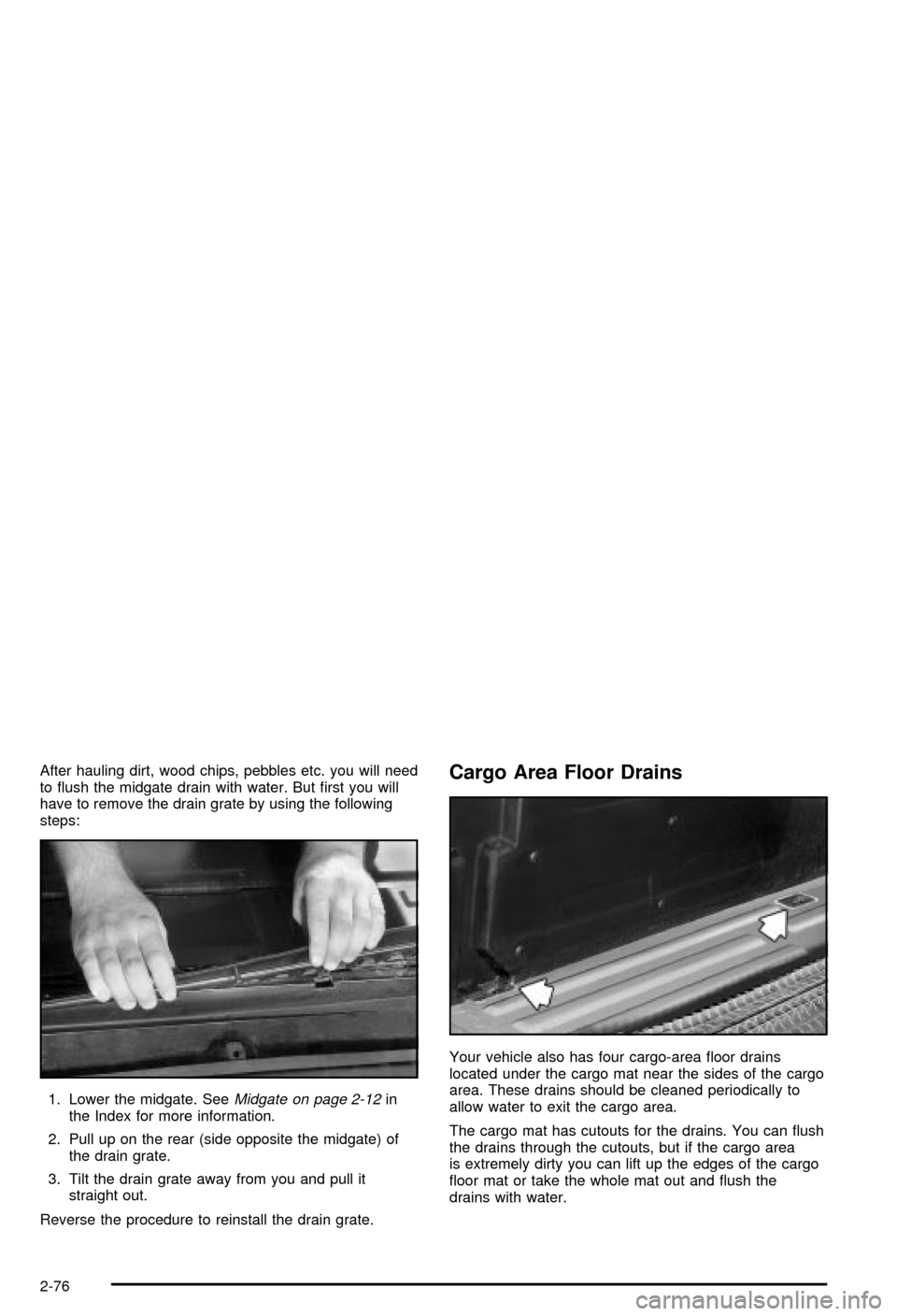
After hauling dirt, wood chips, pebbles etc. you will need
to ¯ush the midgate drain with water. But ®rst you will
have to remove the drain grate by using the following
steps:
1. Lower the midgate. See
Midgate on page 2-12in
the Index for more information.
2. Pull up on the rear (side opposite the midgate) of
the drain grate.
3. Tilt the drain grate away from you and pull it
straight out.
Reverse the procedure to reinstall the drain grate.
Cargo Area Floor Drains
Your vehicle also has four cargo-area ¯oor drains
located under the cargo mat near the sides of the cargo
area. These drains should be cleaned periodically to
allow water to exit the cargo area.
The cargo mat has cutouts for the drains. You can ¯ush
the drains through the cutouts, but if the cargo area
is extremely dirty you can lift up the edges of the cargo
¯oor mat or take the whole mat out and ¯ush the
drains with water.
2-76