lock CHEVROLET AVALANCHE 2005 1.G Owner's Guide
[x] Cancel search | Manufacturer: CHEVROLET, Model Year: 2005, Model line: AVALANCHE, Model: CHEVROLET AVALANCHE 2005 1.GPages: 496, PDF Size: 3.25 MB
Page 97 of 496
Here is how to avoid setting off the alarm by accident:
If you do not want to activate the theft-deterrent
system, the vehicle should be locked with the
door keyafterthe doors are closed.
Always unlock a door with a key, or use the remote
keyless entry transmitter. Unlocking a door any
other way will set off the alarm.
If you set off the alarm by accident, unlock any door with
the key. You can also turn off the alarm by pressing
unlock on the remote keyless entry transmitter. The alarm
will not stop if you try to unlock a door any other way.
Testing the Alarm
The alarm can be tested by following these steps:
1. From inside the vehicle, lower the driver’s window
and open the driver’s door.
2. Activate the system by locking the doors with the
power door lock switch while the door is open, or
with the remote keyless entry transmitter.3. Get out of the vehicle, close the door and wait for
the security light to go out.
4. Then reach in through the window, unlock the door
with the manual door lock and open the door. This
should set off the alarm.
While the alarm is set, the power door unlock switch is
not operational.
If the alarm does not sound when it should but the
headlamps ash, check to see if the horn works. The
horn fuse may be blown. To replace the fuse, see
Instrument Panel Fuse Block on page 5-104and
Underhood Fuse Block on page 5-107.
If the alarm does not sound or the headlamps do not
ash, the vehicle should be serviced by your dealer.
2-25
Page 98 of 496
Passlock®
Your vehicle is equipped with the Passlock®
theft-deterrent system.
Passlock®is a passive theft-deterrent system. Passlock®
enables fuel if the ignition lock cylinder is turned with
a valid key. If a correct key is not used or the ignition
lock cylinder is tampered with, the fuel system is
disabled and the vehicle will not start.
During normal operation, the security light will turn
off approximately ve seconds after the key is turned
to RUN.
If the engine stalls and the security light ashes, wait
about 10 minutes until the light stops ashing before
trying to restart the engine. Remember to release
the key from START as soon as the engine starts.
If the engine does not start after three tries, the vehicle
needs service.
If the engine is running and the security light comes on,
you will be able to restart the engine if you turn the
engine off. However, your Passlock
®system is
not working properly and must be serviced by your
dealer. Your vehicle is not protected by Passlock
®at this
time. You may also want to check the fuse. See
Fuses and Circuit Breakers on page 5-104. See your
dealer for service.
In an emergency, call the Roadside Assistance Center.
SeeRoadside Assistance Program on page 7-5.
Starting and Operating Your
Vehicle
New Vehicle Break-In
Notice:Your vehicle does not need an elaborate
break-in. But it will perform better in the long run if
you follow these guidelines:
Keep your speed at 55 mph (88 km/h) or less for
the rst 500 miles (805 km).
Do not drive at any one speed, fast or slow, for
the rst 500 miles (805 km). Do not make
full-throttle starts.
Avoid making hard stops for the rst 200 miles
(322 km) or so. During this time your new brake
linings are not yet broken in. Hard stops with new
linings can mean premature wear and earlier
replacement. Follow this breaking-in guideline
every time you get new brake linings.
Do not tow a trailer during break-in. SeeTowing a
Trailer on page 4-64for more information.
2-26
Page 99 of 496
Ignition Positions
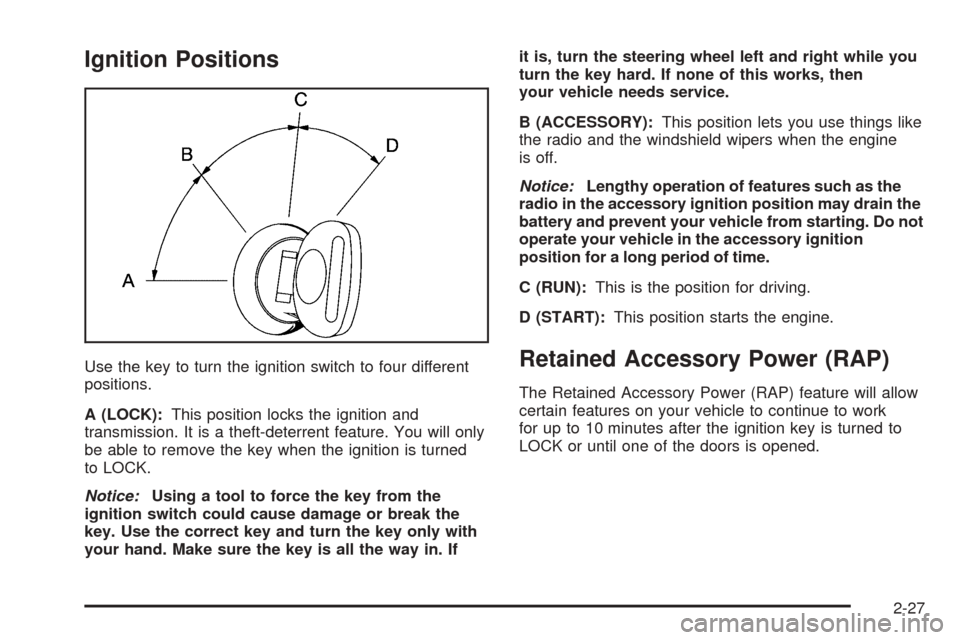
Use the key to turn the ignition switch to four different
positions.
A (LOCK):This position locks the ignition and
transmission. It is a theft-deterrent feature. You will only
be able to remove the key when the ignition is turned
to LOCK.
Notice:Using a tool to force the key from the
ignition switch could cause damage or break the
key. Use the correct key and turn the key only with
your hand. Make sure the key is all the way in. Ifit is, turn the steering wheel left and right while you
turn the key hard. If none of this works, then
your vehicle needs service.
B (ACCESSORY):This position lets you use things like
the radio and the windshield wipers when the engine
is off.
Notice:Lengthy operation of features such as the
radio in the accessory ignition position may drain the
battery and prevent your vehicle from starting. Do not
operate your vehicle in the accessory ignition
position for a long period of time.
C (RUN):This is the position for driving.
D (START):This position starts the engine.Retained Accessory Power (RAP)
The Retained Accessory Power (RAP) feature will allow
certain features on your vehicle to continue to work
for up to 10 minutes after the ignition key is turned to
LOCK or until one of the doors is opened.
2-27
Page 103 of 496
Automatic Transmission Operation
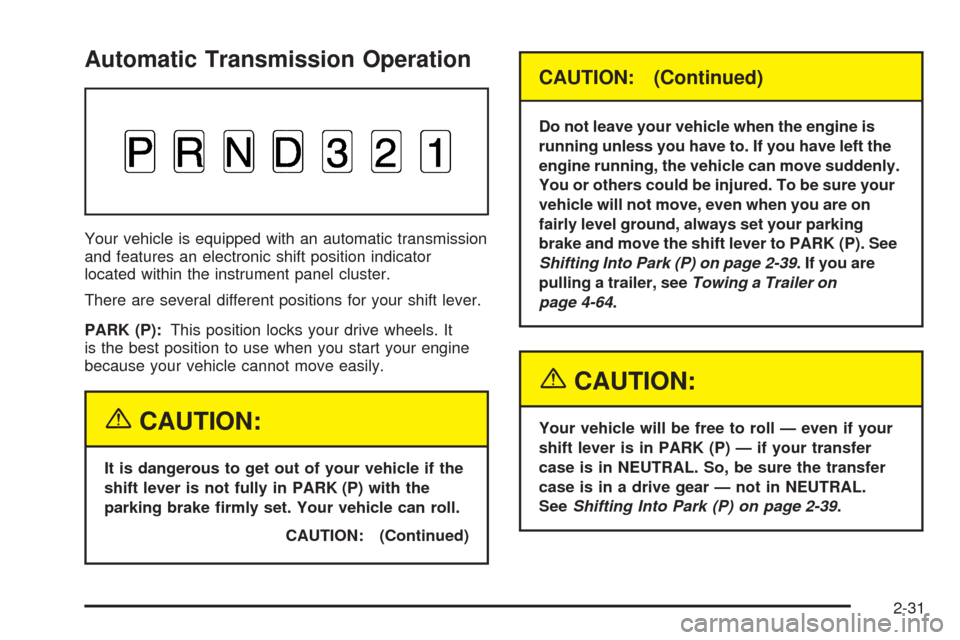
Your vehicle is equipped with an automatic transmission
and features an electronic shift position indicator
located within the instrument panel cluster.
There are several different positions for your shift lever.
PARK (P):This position locks your drive wheels. It
is the best position to use when you start your engine
because your vehicle cannot move easily.
{CAUTION:
It is dangerous to get out of your vehicle if the
shift lever is not fully in PARK (P) with the
parking brake rmly set. Your vehicle can roll.
CAUTION: (Continued)
CAUTION: (Continued)
Do not leave your vehicle when the engine is
running unless you have to. If you have left the
engine running, the vehicle can move suddenly.
You or others could be injured. To be sure your
vehicle will not move, even when you are on
fairly level ground, always set your parking
brake and move the shift lever to PARK (P). See
Shifting Into Park (P) on page 2-39. If you are
pulling a trailer, seeTowing a Trailer on
page 4-64.
{CAUTION:
Your vehicle will be free to roll — even if your
shift lever is in PARK (P) — if your transfer
case is in NEUTRAL. So, be sure the transfer
case is in a drive gear — not in NEUTRAL.
SeeShifting Into Park (P) on page 2-39.
2-31
Page 106 of 496
Four-Wheel Drive
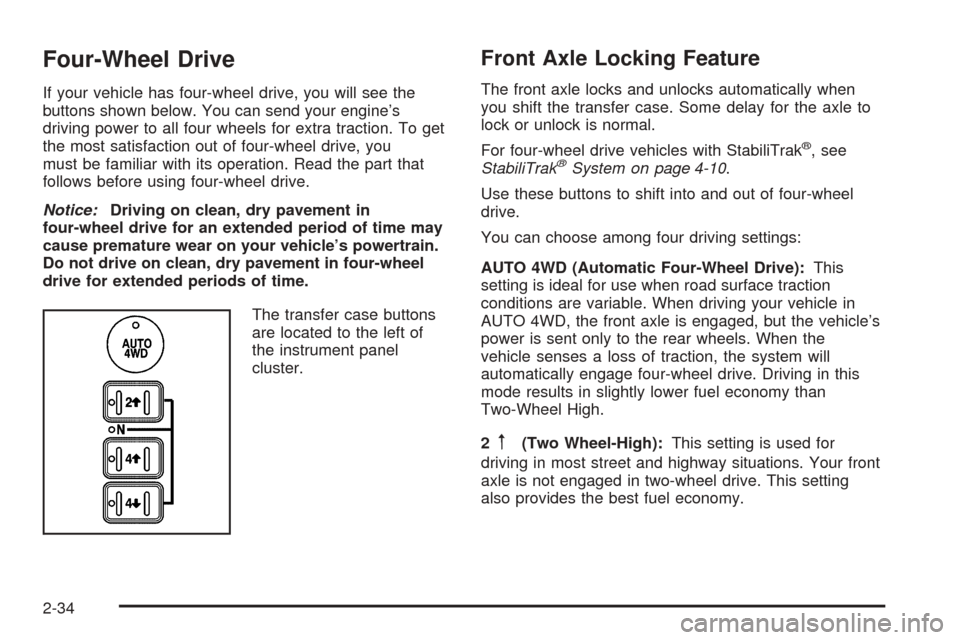
If your vehicle has four-wheel drive, you will see the
buttons shown below. You can send your engine’s
driving power to all four wheels for extra traction. To get
the most satisfaction out of four-wheel drive, you
must be familiar with its operation. Read the part that
follows before using four-wheel drive.
Notice:Driving on clean, dry pavement in
four-wheel drive for an extended period of time may
cause premature wear on your vehicle’s powertrain.
Do not drive on clean, dry pavement in four-wheel
drive for extended periods of time.
The transfer case buttons
are located to the left of
the instrument panel
cluster.
Front Axle Locking Feature
The front axle locks and unlocks automatically when
you shift the transfer case. Some delay for the axle to
lock or unlock is normal.
For four-wheel drive vehicles with StabiliTrak
®, see
StabiliTrak®System on page 4-10.
Use these buttons to shift into and out of four-wheel
drive.
You can choose among four driving settings:
AUTO 4WD (Automatic Four-Wheel Drive):This
setting is ideal for use when road surface traction
conditions are variable. When driving your vehicle in
AUTO 4WD, the front axle is engaged, but the vehicle’s
power is sent only to the rear wheels. When the
vehicle senses a loss of traction, the system will
automatically engage four-wheel drive. Driving in this
mode results in slightly lower fuel economy than
Two-Wheel High.
2
m(Two Wheel-High):This setting is used for
driving in most street and highway situations. Your front
axle is not engaged in two-wheel drive. This setting
also provides the best fuel economy.
2-34
Page 109 of 496
If the Four-Wheel High, AUTO 4WD or Two Wheel High
switch is pressed when your vehicle is in gear and/or
moving, the Four-Wheel High, AUTO 4WD or
Two-Wheel High indicator light will ash for 30 seconds
but will not complete the shift unless your vehicle is
moving less than 3 mph (5 km/h) and the transmission
is in NEUTRAL (N).
Shifting into NEUTRAL
To shift the transfer case to NEUTRAL do the following:
1. Make sure the vehicle is parked so that it will
not roll.
2. Set the parking brake.
3. Start the vehicle or turn the ignition to RUN.
4. Put the transmission in NEUTRAL (N).
5. Shift the transfer case to Two-Wheel High.
6. Simultaneously press and hold the Two-Wheel High
and Four-Wheel Low buttons for 10 seconds. The
NEUTRAL light will come on when the transfer case
shift to NEUTRAL is complete.
7. If the engine is running, verify that the transmission
is in NEUTRAL (N) by shifting the transmission to
REVERSE (R) for one second, then shift the
transmission to DRIVE (D) for one second.
8. Turn the ignition to ACCESSORY, which will turn
the engine off.9. Place the transmission shift lever in PARK (P).
10. Turn the ignition to LOCK.
Shifting Out of NEUTRAL
To shift out of NEUTRAL do the following:
1. Set the parking brake and apply the regular brake
pedal.
2. Shift the transmission to NEUTRAL (N) and turn the
ignition to RUN with the engine off.
3. Press the button for the desired transfer case shift
position (Two-Wheel High, Four-Wheel High, AUTO
4WD, or Four-Wheel Low).
4. After the transfer case has shifted out of NEUTRAL
the NEUTRAL light will go out.
5. Release the parking brake.
6. Start the engine and shift the transmission to the
desired position.
Excessively shifting the transfer case into or out of the
different modes may cause the transfer case to
enter the shift protection mode. This will protect the
transfer case from possible damage and will only allow
the transfer case to respond to one shift per
10 seconds. The transfer case may stay in this mode for
up to three minutes.
2-37
Page 111 of 496
Shifting Into Park (P)
{CAUTION:
It can be dangerous to get out of your vehicle
if the shift lever is not fully in PARK (P) with
the parking brake rmly set. Your vehicle can
roll. If you have left the engine running, the
vehicle can move suddenly. You or others
could be injured. To be sure your vehicle will
not move, even when you are on fairly level
ground, use the steps that follow. With
four-wheel drive, if your transfer case is in
NEUTRAL, your vehicle will be free to roll,
even if your shift lever is in PARK (P). So, be
sure the transfer case is in a drive gear — not
in NEUTRAL. If you are pulling a trailer, see
Towing a Trailer on page 4-64.
1. Hold the brake pedal down with your right foot and
set the parking brake.
2. Move the shift lever into the PARK (P) position by
pulling the shift lever toward you and moving it up
as far as it will go.3. Be sure the transfer case is in a drive gear — not
in NEUTRAL (N).
4. Turn the ignition key to LOCK.
5. Remove the key and take it with you. If you can
leave your vehicle with the ignition key in your
hand, your vehicle is in PARK (P).
2-39
Page 112 of 496
Leaving Your Vehicle With the Engine
Running
{CAUTION:
It can be dangerous to leave your vehicle with
the engine running. Your vehicle could move
suddenly if the shift lever is not fully in PARK
(P) with the parking brake rmly set.
If you have four-wheel drive and your transfer
case is in NEUTRAL, your vehicle will be free
to roll, even if your shift lever is in PARK (P).
So be sure the transfer case is in a drive
gear — not in NEUTRAL.
And, if you leave the vehicle with the engine
running, it could overheat and even catch re.
You or others could be injured. Do not leave
your vehicle with the engine running unless
you have to.If you have to leave your vehicle with the engine
running, be sure your vehicle is in PARK (P) and the
parking brake is rmly set before you leave it. After you
move the shift lever into PARK (P), hold the regular
brake pedal down. Then, see if you can move the shift
lever away from PARK (P) without rst pulling it
toward you. If you can, it means that the shift lever
was not fully locked into PARK (P).
Torque Lock
If you are parking on a hill and you do not shift your
transmission into PARK (P) properly, the weight of the
vehicle may put too much force on the parking pawl
in the transmission. You may nd it difficult to pull the
shift lever out of PARK (P). This is called “torque
lock.” To prevent torque lock, set the parking brake and
then shift into PARK (P) properly before you leave
the driver’s seat. To nd out how, seeShifting Into
Park (P) on page 2-39.
When you are ready to drive, move the shift lever out of
PARK (P) before you release the parking brake.
If torque lock does occur, you may need to have another
vehicle push yours a little uphill to take some of the
pressure from the parking pawl in the transmission,
so you can pull the shift lever out of PARK (P).
2-40
Page 113 of 496
Shifting Out of Park (P)
Your vehicle has an automatic transmission shift lock
control system. You have to fully apply your regular
brakes before you can shift from PARK (P) when the
ignition is in RUN. SeeAutomatic Transmission
Operation on page 2-31.
If you cannot shift out of PARK (P), ease pressure on
the shift lever and push the shift lever all the way up into
PARK (P) as you maintain brake application. Then,
move the shift lever into the gear you want.
If you ever hold the brake pedal down but still cannot
shift out of PARK (P), try this:
1. Turn the key to ACCESSORY. There is no shift
interlock in this key position.
2. Apply and hold the brake until the end of Step 4.
3. Shift the vehicle to NEUTRAL (N).
4. Start the vehicle and then shift to the drive gear
you want.
5. Have the system xed as soon as possible.
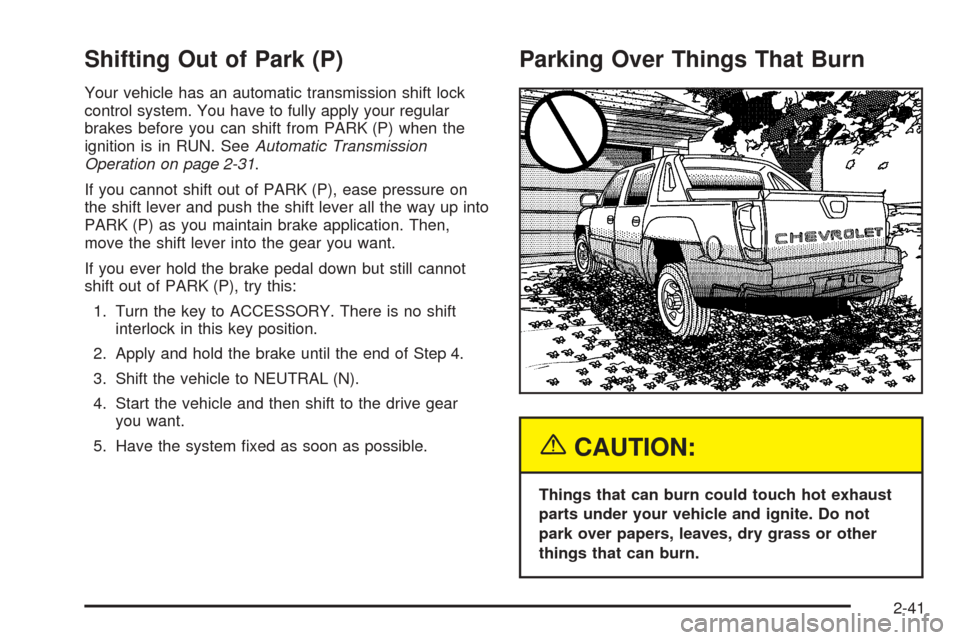
Parking Over Things That Burn
{CAUTION:
Things that can burn could touch hot exhaust
parts under your vehicle and ignite. Do not
park over papers, leaves, dry grass or other
things that can burn.
2-41
Page 116 of 496
Temperature and Compass Display
Press the on/off button, located to the far left, briey to
turn the compass/temperature display on or off.
If the display reads CAL, the compass needs to be
calibrated. For more information, see “Compass
Calibration” following.
To adjust between Fahrenheit and Celsius, do the
following:
1. Press and hold the on/off button for approximately
four seconds until either a ashing F or C appears.
2. Press the button again to change the display to the
desired unit of measurement. After approximately
four seconds of inactivity, the new unit will be locked
in and the compass/temperature display will return.
If an abnormal temperature reading is displayed for an
extended period of time, please see your GM dealer.
Under certain circumstances, a delay in updating
the temperature is normal.
Automatic Dimming Mirror Operation
The automatic dimming mirror function is turned
on automatically each time the ignition is started. To
operate the automatic dimming mirror, do the following:
1. Make sure the green indicator light, located to the left
of the on/off button, is lit. If it is not, press and hold
the on/off button for approximately six seconds until
the green light comes on, indicating that the mirror is
in automatic dimming mode.
2. Turn off the automatic dimming mirror function by
pressing and holding the on/off button for
approximately six seconds, until the green indicator
light turns off.
Compass Variance
The mirror is set in zone eight upon leaving the factory.
It will be necessary to adjust the compass to
compensate for compass variance if the vehicle is
outside of zone eight. Under certain circumstances, as
during a long distance cross-country trip, it will be
necessary to adjust for compass variance. Compass
variance is the difference between earth’s magnetic
north and true geographic north. If not adjusted
to account for compass variance, the compass could
give false readings.
2-44